Home Blog Page 405

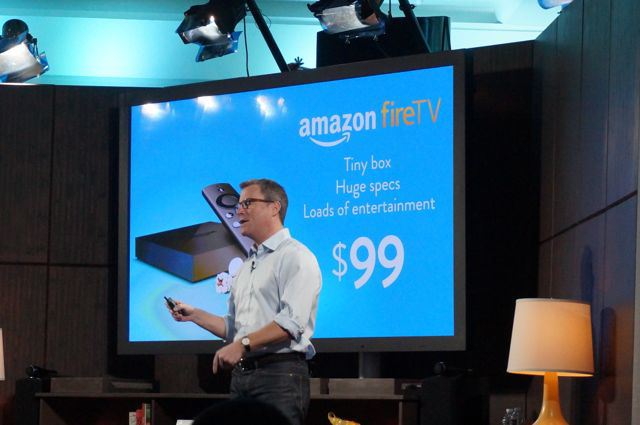
Amazon Fire TV launched – Media Streaming Box for $99 available

0

The biggest e-commerce website has entered into the gadget space since a long time. Their Kindle was a success. Now they are into the media streaming device called as the Amazon Fire TV. The advantage for Amazon is that they know the customer closely. They know what all a customer needs and what all gets sold. So by having this analysis, they have certainly made a thesis and later a product out of it.
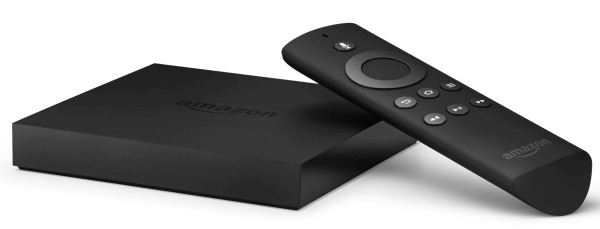
Amazon Fire TV

Amazon Fire TV Features

They wanted to make this gadget a simple and a powerful tool. They just want to make the complexity disappear. This Amazon Fire TV is a tiny Black Box for your home theater. This gadget has a unique OS. It is powered by a quad core processor which Amazon claims to be the best one. Also it has a 2GB RAM which will help in Multi-tasking a lot. A dual-band Wi-Fi is useful in good networking.

It has a remote control which will be like a magic wand to the user. The remote has 7 buttons and also a click wheel navigator. There is no waiting as such. For example if you press play, the video starts to playback instantaneously. No delay. Otherwise you can see delays in the traditional satellite operator set top boxes. The Amazon Fire TV is full of details. It displays video library, content, TV, apps, games and photos. It also has settings in the main home screen. I liked the immediate playback feature.
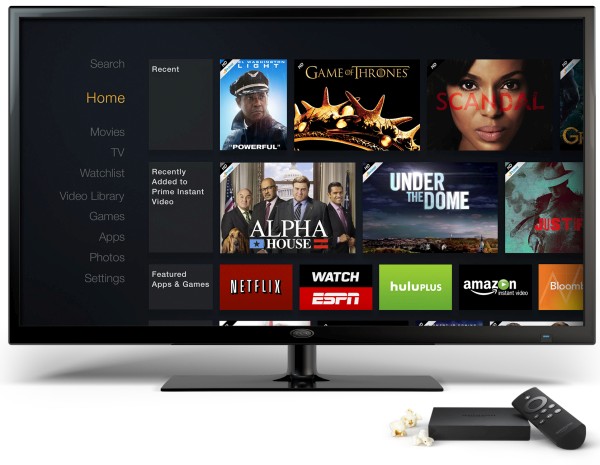
Amazon Fire TV

Apps

The user can easily now upload the photos using a photos app into the CloudDrive. They call it as a “Seamlessly upload”. Also you can display the smartphone photos to be displayed on the Amazon Fire TV with ease. Something similar to that of the Photo Stream on Apple TV. There is an “X-Ray” feature in this gadget. This will fetch the associated metadata of whatever content you are watching. The information may include parameters like the name of the serial/movie, release date, actors, directors and many things.

This is like a Pandora of information which will be flown to the user while watching his/her favourite content. Soon this X-ray will have an extended feature where in the lyrics will be displayed when a music is played on the Amazon Fire TV.

Media Streaming

The very important part is the Content. We know that this platform is both HTML and Android based. So the developers will be happy to see their apps from both the Android and Web. The Amazon Studios content will also be beneficial to the user. Amazon generates it own content from the Amazon Studios. It is believed that it is better than the competitors Netfilx and Hulu.

Music

Amazon has already partnered with iHeartRadio, TuneIn and their own Amazon music services. The FreeTime feature if enabled then the content can be shown only for kids. This will help parents to keep a parental control. So Amazon has taken care of it too. The kids content “all you can eat” will give access to broadcasters like Nickeledon and many other for a monthly fee. So music and kids content are taken care of very well.

Gaming

One of the most crucial for youngsters. They are aiming to make it to compete with other consoles. But I an not sure that they have attained the feat to beat the PS4 or the latest Xbox. Amazon had conversation and worked with publishers like the Disney, Gameloft and EA.

A wide variety of games can be played on this gadget for sure. The Amazon Fire TV users will be able to have access to thousands of games by next month. The $40 game controller will also be helpful or the user to play such great games.
Amazon Fire TV

Competition

Well do you remember Apple TV. Duh! Amazon is now indirectly a competitor of Apple after launching this product. As we know that Apple TV was a bit laggy in the performance. I am sure that Amazon Fire TV will outperform the Apple TV in many ways. While Microsoft charges a hefty amount of $60 per year to the users just to access Netflix. Monthly costs are extra.

Who are the Partners?

Well the giant Netflix is the partner of Amazon at the launch. Also Pandora, HBA GO, SHO Anytime, Hulu, ESPN are partners and many of others will eventually join Amazon. The content can be searched easy by using a text entry. The most gambling wild card is the “Voice search”. It is to be believed that it is the better than the competitors.

The Fire TV is available in US for a price of $99. You also get a 30 day free trial of Netfilx and Amazon Prime. So what are you waiting for, buy the Amazon Fire TV Now. Click Here!
Toshiba Encore Review

0

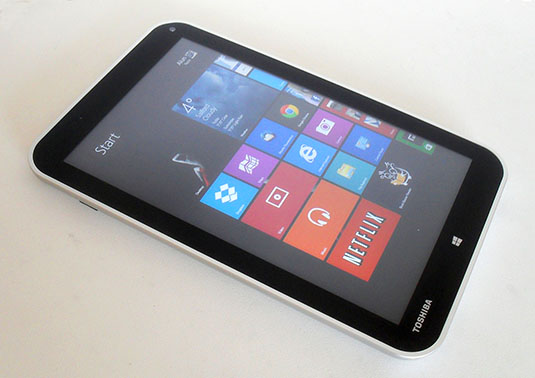
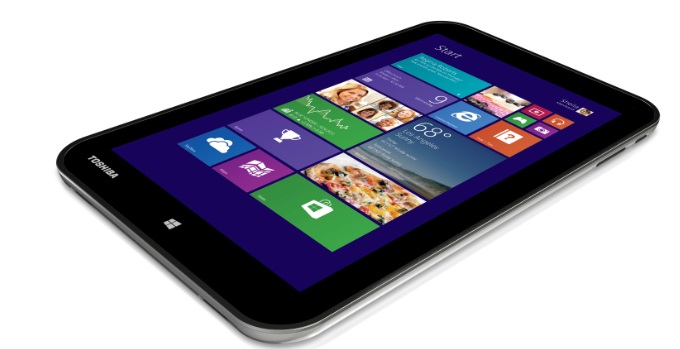
This is a popular PC maker company. They have tried to have a good entry in the tablet market. But have they succeeded with this new Encore tablet? Let us find this out. The tablet is marketed as the company`s first 8 inch Windows tablet. Though I think that this tablet has a good competition from other brands like Dell, Acer and other companies.

Toshiba Encore
Toshiba Encore Features

Hardware

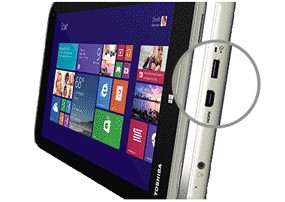
It has a sunray silver plastic back. The lower end Satellite laptops from Toshiba also have the same. The looks are not that premium. There is a micro-HDMI video output. There is no such improvement in the Hardware keys as such. The volume rocker and the power button are on the upper right. At times while using the power button suddenly you will hit the volume rocker button. It will happen a lot.

Display

It has an IPS display with a resolution of 1280 x 800 pixels. The rich colors are also offered and they are found in a virtually viewing angle. The browsing of photos and videos is fun on this device. The display is brighter. But not that sharp as you should expect. So a normal display.

Toshiba Encore

Audio

The sound is loud. The audio quality is good. The speakers cannot replace a good set of headphones. The speakers are good. It is better than that of the Lava Xtron+ Tablet. The audio clarity is decent. Not that fascinating. But the work is done.

Software

This tablet has Windows 8.1 in it. The tablet has live tiles in the home screen. The keyboard shortcuts are more of a thumb friendly type. The access to camera is quick and useful indeed. There are many media apps in this tablet. Music streaming services like the Pandora is also present in  this tablet. Flipboard is also present.

Toshiba Encore

Performance

It is a quad core tablet, but does it perform well? Let us find that out. We were able to play the Half Life 2 game in ease the medium graphic detail. But the games like the BioShock Infinite was able to be played. The boot time is just 9 seconds. Not very fast but yes, it was useful.

Battery

8 hours and 45 miunutes battery life of the Encore, this is good. But not enough to beat the Acer`s tablet. The tablet seems to work better than that of the Venue 8 Pro and Mix 2.

Verdict

This tablet is to have fun. Absolute fun to use tablet. The performance and battery life is what made this tablet good. Still more battery capacity can be achieved if you use the acer`s tablet. The tablet is an all rounder but not the best in any particular aspect.

Microsoft Office for iPad review

0

Were you a hardcore Windows user? Then you suddenly switched over to iOS devices. There might be a certain change in the things. You might be thinking whether change is good or bad. Most of you will say its good. But are you fully contented with it. The answer might be NO. What is the reason? It is your windows softwares and applications. You are used to it.  Now in iOS you were missing them a lot. It is like a an old girlfriend. You like her buy you cannot be with her.

Microsoft Office for iPad

Microsoft Office for iPad features

This review is actually dedicated to the Microsoft Office running on iOS devices. Even Microsoft might have noticed that they have a certain set of iOS users who still love Microsoft Products. This Office for iPad will give you a complete set of rich tools. These tools are ofcourse for managing and creating documents. Also I liked the sharing features of this software.

I was able to use the tools on touch screen with ease and without any difficulties as such. But, I was slow in doing the tasks. If you are working on the same task on your laptop or PC then it will be done faster. I noticed one thing. This software does not give you an access to user-created templates which are available online. The Microsoft Office for iPad is a must if you are looking something better than on smartphone and a little less than a computer.

Microsoft Office for iPad

Office for iPad is more robust than that of the Office mobile for iPhone. The software tools are very much optimized for the touchscreen interface. There is some drama here. On Office in iPhone there was a single app for the Microsoft Office. But in iPad there are different icons to access Word, Excel & PowerPoint.

I think that the iPad screen is big and hence Microsoft Engineers might have thought that a few more icons will not be a problem for the user. There are free and paid versions of the app. There are limited features in the free version.

You can easily read Excel, Word & PowerPoint documents for free. But for editing them and to create new documents you will have to subscribe for office 365.

Lenovo ThinkPad X1 Carbon review – Is it for corporate users?

0

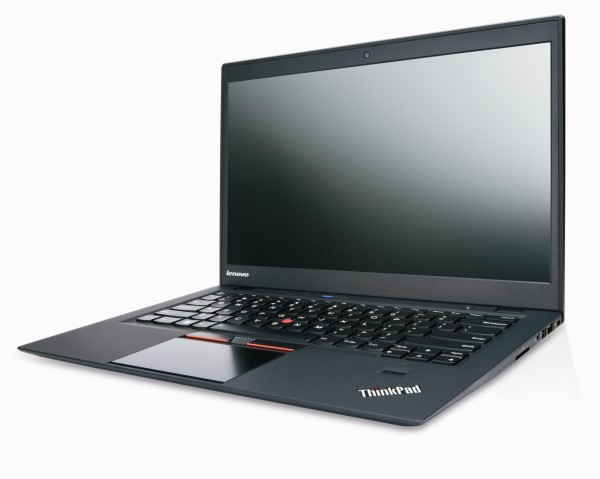
Well I think this laptop can be used by individuals too. There is an touchscreen option available of the laptop which makes it more and more interesting. The update brings this laptop more better and with bountiful features.

Lenovo ThinkPad X1 Carbon

Lenovo ThinkPad X1 Carbon Features

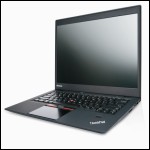
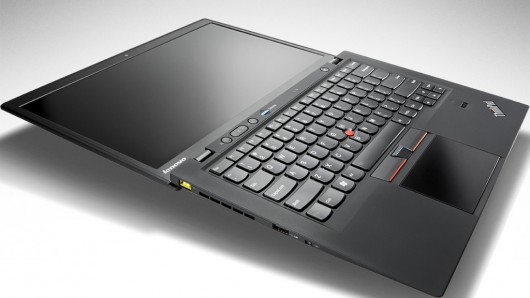
The laptop is thinner and has a lighter design. The Ultra-high resolution of 2560 x 1440 pixels is a plus point for the laptop. Lenovo claims that this is the lightest 14 inch ultrabook in the market which weights 3.15 pounds. Also the laptop is 0.72 inch thick.

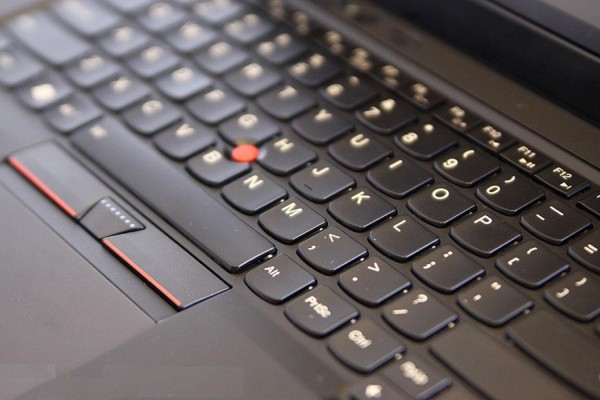
The new keyboard is coated with Gorilla Glass. Which will help to prevent it from scratches. The signature red Trackpoint is a bit cheesy. I used it for a while, but now scratches as such on the keyboard. Yes, Gorilla Glass does the work for you. The screen has a low-glare and which is not matte finish as such. The colors of the screen are good.

Lenovo ThinkPad X1 Carbon

I liked the view from wide viewing angles which is a plus point for the laptop. Basically I liked the keyboard. There are even shortcuts for Dragon assistant apps. There is NO CAPSLOCK key. Which is a very big game changer. Some people including me may not like it at all. So the user if he/she has to use the caps lock. Then the “Shift” key should be pressed twice.

The backspace key is a bit small. Which is a bit annoying. It may happen that you accidentally use the delete key while intending to use the backspace key. Because the location will confuse you. If I talk about performance, it is an ultrabook. Yes, it boots in just 10 seconds. We cannot argue about the performance of this laptop.

To be precise it took 9 seconds for the boot time. The performance is good. The battery life of this computer is 6 hours and 18 minutes. So pretty average. If you try to compare it with other ultrabooks then you might get disappointed. This laptop has a 1 year warranty. This laptop amusingly has no SD card slot. Photographers BEWARE!

Lenovo ThinkPad X1 Carbon

The price of this laptop is $1,259. It has a Core i5 processor. Just a 4GB of RAM with a 128GB SSD. With a 1080p display. The screen resolution is mesmerizing of 2,560 x 1,440. Remember that at this price you will get a non touch panel. For a touch panel you will have to shell out $100 extra. Which accounts to $1,359.

You can upgrade the configuration by buying them for extra cash. The faster i5 processor will cost $100 more. The i7 will cost you extra $270. 8 GB RAM can be achieved for $130 and 512 GB space can be achieved for $450. Which is huge. So if you want to upgrade it you will need some serious cash to make this laptop a lightening bolt.

To wrap up, an average laptop. Has a unique keyboard. Price for the base version is good. Go for it.

VLC for Windows 8 review

0

The beloved software to run videos is now available on Windows 8. What makes it interesting? Is it more user friendly and enhanced? So let us know more about this software. Starting with its features will be a good Idea.

vlc for windows 8
VLC for Windows 8 Features

This software has a solid file support which includes MKV format. This player felt a but Buggy for me though. It looks good. There is a very minimum functionality in this player. The most important drawback is that it has no playlists. There is also an ability to select folders. This player is free, no ads and also never asks you to upgrade.

But it asks you to update when there is a new update available but those are free.Does everything for non-profit and is a brilliant product. This software is finally launched on the Windows store for Windows 8. This software does support all video formats. Yes, I mean all known video formats. There is no ARM support yet for the software.

So it is good for Desktop users. But for the ARM Windows RT tablet this software will not work out well. The interface is clean and neat. Any new user will find it easy to use. No complex things. There is a small case, where in there is no thumbnail for FLV or MKV format videos.

So when you see the tile view it looks messy. So the normal features of volume, fast forward, rewind, subtitles are there. But the subtitles does not start automatically. That is a problem or these guys have forgot while programing it.

NO Playlist makes it a very negative point. Why will a user play music on it when there is no playlist. The user will have to play one song at a time and there will be no queue as such. But a useful software to play videos on Windows 8.