Home Blog Page 110

GetResponse vs Constant Contact : Email Marketing Tools

2

Email has been the most powerful mode for communication after the invention of internet. With the use of email you can convey your message in a detailed way and it is sent quickly. With the convenience, the power of email is limitless. Are you using email to the fullest to increase your marketing efforts?

Well email is very useful way to communicate and communication is one of the pillars of any business. So can you use e-mail smartly to reach out to your audience and increase your marketing productivity? The answer is a big YES. The power of email is immense. If you use email smartly then your time and efforts are surely rewarded in the long run. So the question in your mind is that how can you send the emails smartly and that too to a huge amount of audience?

We marketers always try to find a very smart and innovative way to reach out to the potential customers. The main task is that finding the right solution for your needs.

You can use the email smartly with the use of tools. Well there are various tools available and there is confusion among the buyers. So we are here to solve your problem and provide the best solution for your needs. Well let us compare two of the most important tools for sending emails.

GetResponse is an easy way of email marketing. The Constant Contact is also one of the leading email marketing services. Other services also include Aweber and MailChimp. The main part is to go with one particular service for advanced marketing. We have done some analysis which will help you to take a decision between GetResponse and Constant Contact.

Free Trials

Both these services are having free trials. For the constant contact the user can use upto 60 days but only the list of upto 10 contacts. In GetResponse the free trial is for only 30 days but the user can create a list of upto 250 subscribers in the mailing list.

Pricing

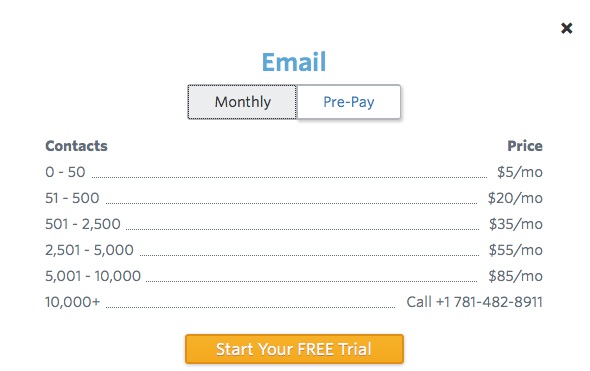
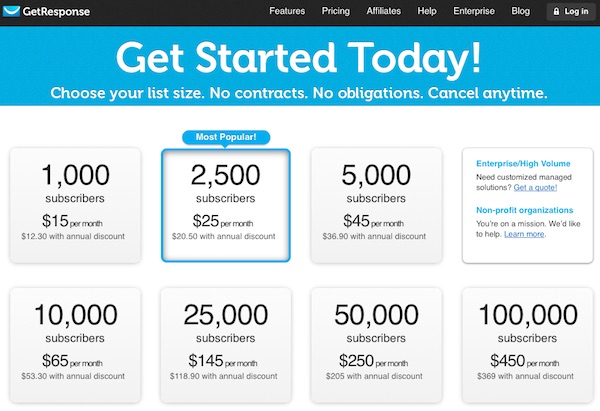
GetResponse minimum pricing is $15/month for 1000 subscribers. Though there are options for annual discount. The constant contact service can be opted for as low as $5/month, but for only upto 50 subscribers. If you want a package for 2500 subscribers the pricing for the Constant Response is $35 per month.
GetResponse vs ConstactContact : Email Marketing Tools

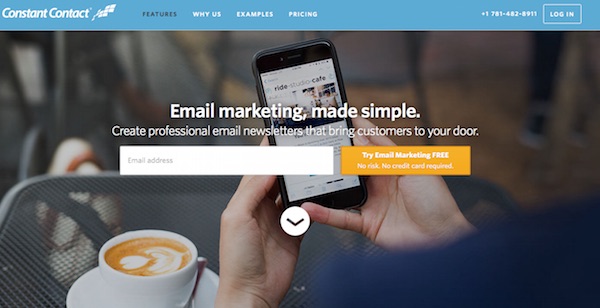
Constant Contact Features

Templates

There are various templates available for ready made emails. This is a drag and drop. Customization is possible.

Mobile-Friendly

The mails sent are mobile friendly via Contant contact.

Social Media Posting

The platform helps the marketer to suggest the captions and images for sharing on social networks. This is a cool feature.

Contact Management

Uploading of the email list can be done using Excel, Gmail, Outlook, etc. It updates unsubscribes, inactive emails and bounces.
GetResponse vs ConstactContact : Email Marketing Tools

Analytics

As soon as the email is sent, the list of all the people who opened the emails, sharing the mails, etc data can be seen.

  • Some unique features:
  • Collect Donations
  • Send and track coupons
  • Get customer feedback
  • Various account privacy for the Account Owner, Manager and Campaign creator
GetResponse vs ConstactContact : Email Marketing Tools

GetResponse Features

Forms

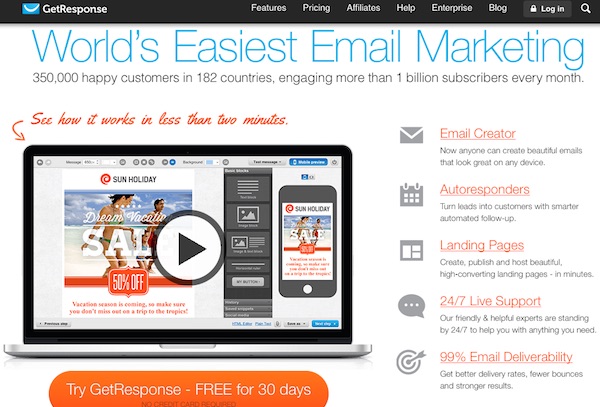
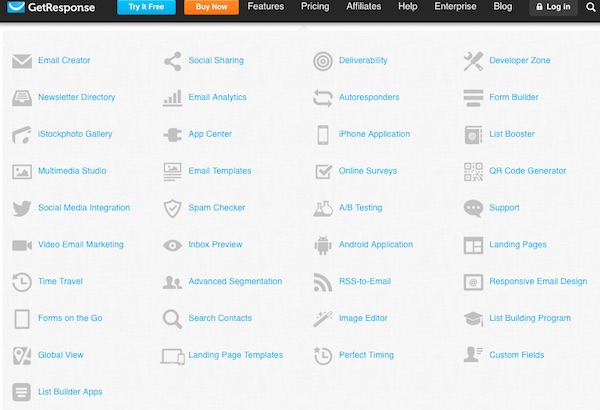
GetResponse has 500+ web form templates. There are also Exit pop up, shake box, scroll box and various list builder apps. No need of coding for the users. Easy to use ready made forms.

Landing Pages

There are 100+ mobile friendly templates in the GetResponse. The easy task is that it is a drag and drop editor. There are various optimization tools which helps the marketer to make good high-converting sales pages. There are various forms of pages like the squeeze pages, video pages, etc.

Responsive Email Design

In the new age of smartphones and tablets, most of the people have now started to view the e-mails on the go. So having a responsive Email design is very important aspect for the marketer. The fact is that responsive email help the marketer to achieve 42% more sales as per the company.

Free access to 1000 images from the iStock, to add relevant images to improve the quality of your email`s content.
GetResponse vs ConstactContact : Email Marketing Tools

A/B Testing

Trial and error is one of the basic fundamental testing method for any marketer. You can easily run various campaigns and try out the things. So you can test, analyze and also analyze the results from the subject line, from field, best time and day to send the email and many more.

Autoresponder

Automation is the key to success for a lot of people. If you automate process in life then the outcome is high. Same is with email marketing. With Autoresponder the user can easily set the follow-up cycles, one to one communication, birthday e-mails and customized offers. Timing, relevancy and accuracy are the three major parts which can be covered using the Autoresponder. This will help to engage more with your subscribers in an automated manner.

Email Creator

Creating creative emails is the key to engage a subscriber and then finally convert into a lead. This can be done using a drag and drop editor. This email creator has various mobile templates. The marketer can easily add photos, change fonts & colors, add social sharing buttons with ease.

Email intelligence

Tracking is very important of the campaigns you run. Comparison of follow ups, hourly fluctuations, etc can be analyzed.
GetResponse vs ConstactContact : Email Marketing Tools

List Booster

Easily the contacts can be imported and your subsciber list can be boosted. There are various mail clients which is compatible like the Gmail, Salesforce, magento, etc.

Inbox Preview

This is a feature which we liked. So many marketers are curious of how the mail will actually look after the mail is sent to the subscriber. This can be done using the Inbox preview. The email preview can be done of popular email companies like Gmail, Yahoo, Hotmail, Outlook, etc. So you know how your subscriber views your email.

Final Verdict

These 2 services are very much useful for the e-mail marketer. As shown there are various features listed of both the services. According to our experience, GetResponse is more viable option for the email marketer. It is more value for money and is slightly better than Constant Contact.
Buy Now

TataSky+ Transfer Review – Revolutionizing Television Industry

0

The Television industry is getting updated and we’re here to discuss the brand new innovation by none other than Tata Sky. With HD technology people like to watch the television on a bigger screen. People have got 32 inch and larger television sets just for increasing the entertainment factor and enriching the television watching experience.

TataSky+ Transfer Review

Evolution of the Digital Television Experience

A long time ago there was only one channel which was Doordarshan. Then came the era of cable television where you have to receive the connection from the local cable operator. Later the cable connection was replaced with DTH (Direct to Home). Free channels from Doordarshan were seen on the basic DTH set top box. But people were missing their favourite channels. So Tata Sky became one of the pioneer by providing DTH services in India. All the channels as per the request of the user were seen on their television sets and then came the set top box.

TataSky+ Transfer Review

The DTH connectivity was now available in every household. This was the first stage of the revolution as there was no cable and the user could enjoy the selected channels using a Tata Sky set top box which is connected to a dish. But it seems this was not enough, the entertainment industry needed an upgrade. HD channels were unveiled and there came a new HD set top box from Tata Sky. Though people started buying larger screen televisions sets. 32 inch television sets became common and larger television sets are being bought by people to enjoy High Definition channels to enrich their entertainment level.

TataSky+ Transfer Review

This was a milestone in the DTH industry to introduce the HD technology. HD channels are always a treat to watch as it has crystal clear quality and the overall experience for the user was rewarding. Tata Sky then introduced many services like Video on Demand, Active Services(Active Music, Active Games, Active Darshan, Active Learning, etc.). Video On Demand is one of the services which people like to use. They can easily watch the latest movie by paying a very small fee and the movie can be directly streamed from the satellite.

TataSky+ Transfer Review

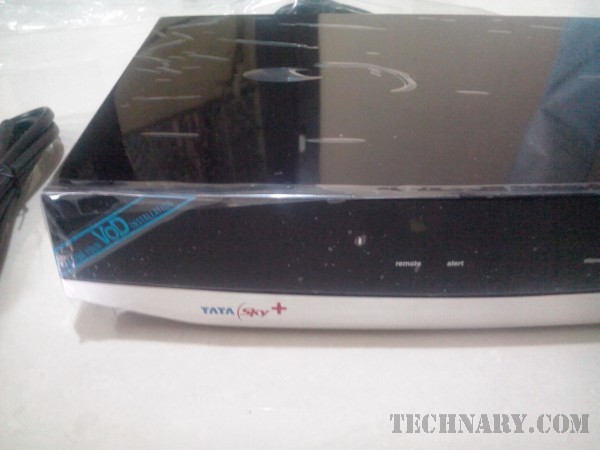
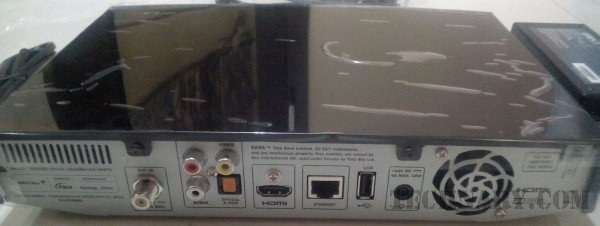
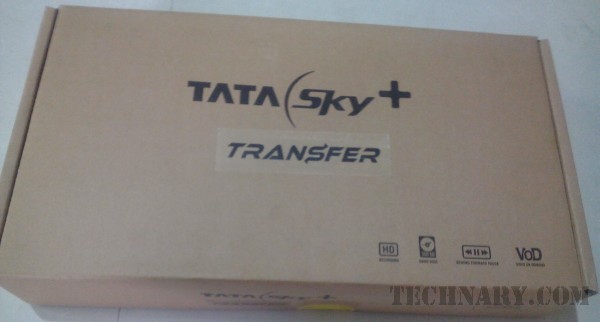
The focus came on the STB (Set top Box). This magical box now had the powers of showing HD channels. Then came the innovative Tata Sky HD+ STB. Here, the user could easily record the programs of his/her choice and keep it stored in the box and watch it later as per their convenience. HD recording is one of the very useful feature as you can watch the recorded program or movie as per your leisure time. But now there is more with the latest Tata Sky+ Transfer. This is one of the most revolutionary moments in the Indian Television watching experience. Let us know more about it.

Tata Sky+ Transfer Features

Record

So let us now explore the latest technology available for the Indian consumers which will certainly enrich their experience in watching the television on the go. With Tata Sky+ Transfer you can easily record your favourite show or movie as per your convenience. You can schedule the recording of the event or the series and the complete event gets recorded. This does not need any internet connection. The recording is done directly from the satellite. So even if your parents are watching their favourite daily soap and you want to record a show of your choice or even a sporting event like premier league football with ease.

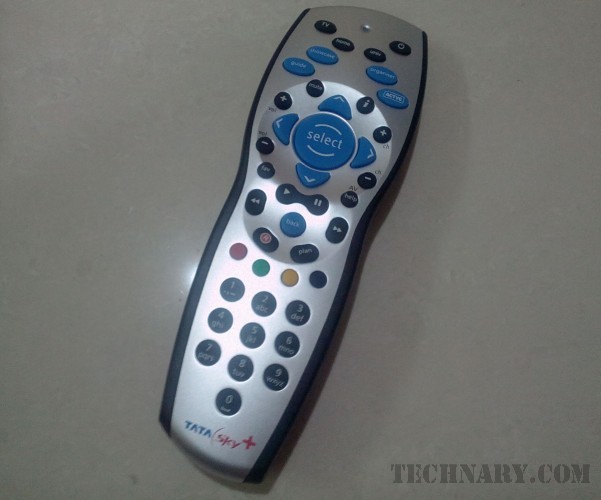
You can give the command using remote of the STB and then after browsing can select the desired event to record. You can also do this via the Tata Sky mobile app. Well you can record many shows on the STB as it is having massive 500GB capacity. So you can literally record many HD movies, shows, series as per the need and convenience. The best part is yet to come.

TataSky+ Transfer Review

Transfer

Now this is a mind blowing technology by the company Tata Sky. As we know that there are 75% Indian audience who is accessing internet on mobile seeking new content in the age of 19-35. Can you watch the recorded show on your smartphone? The answer is a big YES.

Let us have a look on how it works. There is a dongle connected to the STB. So when you are done with recording your favourite content. It is now time to transfer. So using the Wi-Fi connectivity of your place the dongle will transfer the data from your STB to your smartphone with the help of Wi-Fi. You are transferring the data using your WiFi so no data charges. It is done for absolutely free as the data is being sent from the STB to your smartphone using the WiFi connectivity.

The best part is that you can do this activity of record and transfer even while watching a show at the same time. So there is no limit for the entertainment and simultaneously you can record your favourite shows and transfer the recorded content to your smartphone.

TataSky+ Transfer Review

Now days people are very busy and they don`t have time to really sit in front of television and watch their favourite show at the time it gets live. So they can easily record and then transfer it to their smartphone and then watch it later on their smartphone itself whenever they have time. So they can watch the show in the best quality that to received free on their handset using the transfer technology from the STB. So the user can easily record and watch their favourite show as per their convenience.

What if I said that your smartphone has the power to become the TV? Well it is certainly possible with the Tata Sky+ Transfer. You can easily select the “Watch Now” option from the app of Tata Sky Mobile on your smartphone. This will give the power to stream the TV right from the STB on your smartphone. Imagine that you are in your bedroom and your television is in your living room.

You want to check the share market and you have an urge to watch a business news channel. You can do it easily by opening the Tata Sky mobile app from your smartphone. When you hit “Watch Now”, easily you can stream your desired channel. Please note that this process does not use internet as it is easily streaming content which is getting transferred from your STB. The magic of transfer is helpful and makes your smartphone another portable powerful television set.

TataSky+ Transfer Review

How to install and use the Tata Sky+ Transfer?

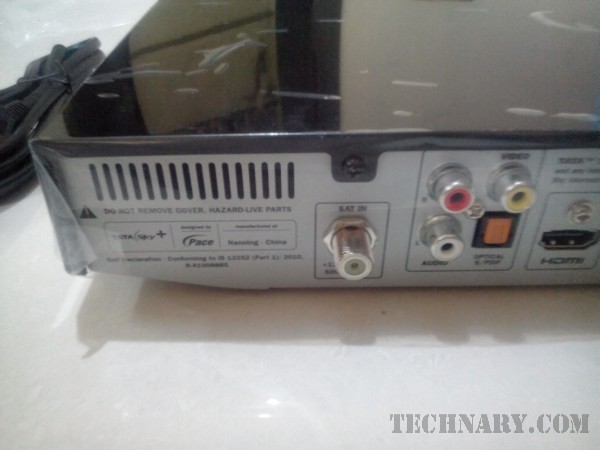
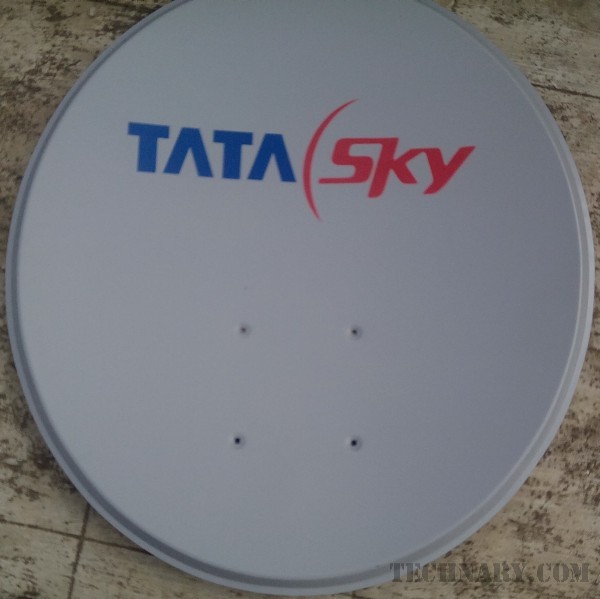
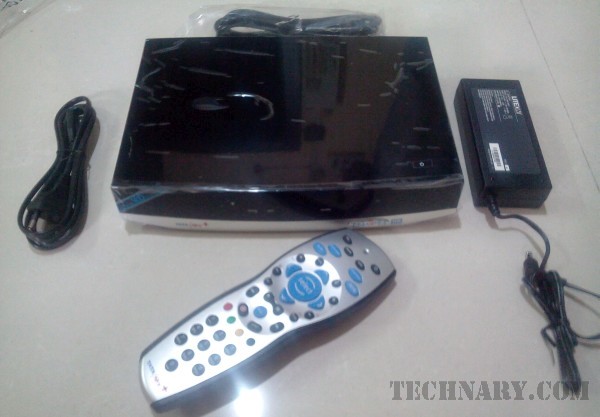
You can click here to book a Tata Sky+ Transfer. The price of the device is INR 9300. If you are an existing Tata Sky user then you can upgrade your connection by paying INR 8900. Once you book the connection the Tata Sky people will come to your place and will setup the connection. They will install the Dish and will connect it to your new Transfer STB. There is a dongle which comes with the box.

TataSky+ Transfer 11 TataSky+ Transfer 12

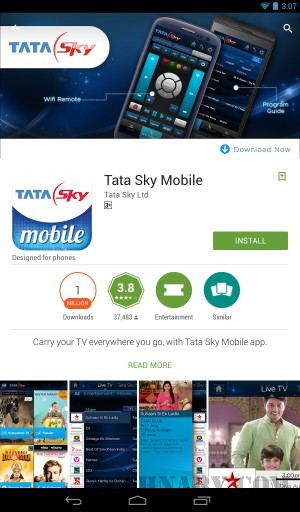
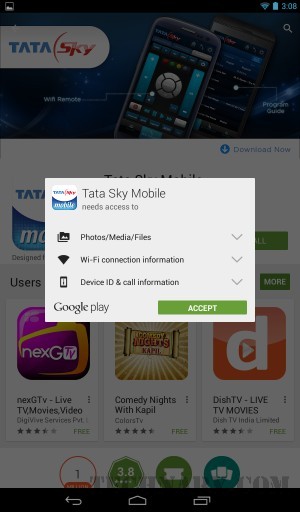
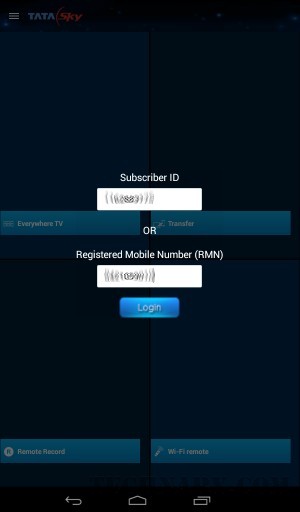
A subscriber ID will be allocated to the user. Using the dongle you can easily connect the STB with your Wi-Fi connectivity by entering the password of your Wi-Fi in the STB on TV. After your connection is activated you can download the Tata Sky Mobile app. It is available in Android and for Apple users. Install the app. Then it will ask you to login. You can easily login using your subscriber ID or by using your registered mobile number. Then after successful login, the app will search for the nearest Tata Sky STB. There are a lot of features in the App. By using this App you can actually use the smartphone as a TV remote from the Wi-Fi Remote option. You can switch the channels as per your convenience.

There is an option of “Everywhere TV”. This option will help the user to directly stream the TV on your smartphone using the STB. So you can directly stream the channels on your smartphone. Yes at no cost. So you can stream HD channels or any channels which are subscribed by the user. You have the benefit to enjoy the TV on your phone. Actually the app makes the phone a television set itself. Coming to the main feature, “Transfer”.

You can record shows using your smartphone itself. You can give the STB command to record a particular show. Then you can see the show in “Booking”. As soon as the show gets recorded it can be seen in the recorded section. You can then transfer that show in your mobile. Your mobile should have good internal memory to save the videos. You can easily enjoy by transferring your favourite content on your phone. The best part is that you can actually play this video anytime, anywhere. So let’s take an example, if you recorded an exercise show then you can transfer it in your mobile. Then without using internet you can go to the garden or any place and play the video as it will teach you to exercise.

TataSky+ Transfer 15 TataSky+ Transfer 17

Another example is while cooking. So you can easily watch a show live on your smartphone in kitchen while cooking. The best part is that if you recorded and transferred it, then you can actually Pause, Rewind and fast forward the show according to the usage. The transfer feature of the Tata Sky is a very important and revolutionary feature as many people are using smarpthones more than the television and their favourite programs will be on their finger tips.

I will transfer and watch Game of Thrones

I have used the Tata Sky+ Transfer service for a good amount of time. The ease of recording and transferring the shows to your smartphone is amazing. I like the Game of Thrones series. The problem is that the show has very violent and adult scenes which I would really won`t watch in the living room. So there is a solution for the same. There comes Tata Sky+ Transfer to my rescue. I can record the show and can now transfer it on my smartphone to watch it anywhere, anytime.

Final Verdict

This flexibility of watching your favorite content from television anywhere and anytime using the Tata Sky+ transfer on your smartphone/tablet is immense. Gone are the days where you have to leave your work and sit in front of the television set to watch your favourite show at a particular time. Actually many people change their routine just to make sure that they are able to watch their favourite show on time. With Tata Sky+ Transfer there is a lot more flexibility as you can record and transfer the show to your mobile and can watch anywhere anytime. The best part is that there is no limit at all to record and transfer. This is an unlimited process. So you can enjoy and keep recording and transferring content and watch it as per your leisure time. Loads of benefits to upgrade your connection to Tata Sky+ Transfer. I have upgraded, have you?

Lava Iris X1 Selfie Review – Click selfies with flash

0

A smartphone is a necessity and guess what there are a list of features which a buyer is looking while buying a smartphone. Apart from all the features there is a feature which now people are very much interested to know about. Yes I am talking about the Selfie capturing capability of a smartphone. Is this smartphone able to click good selfies? This is a question asked by a lot of people while buying a smartphone. Well let us explore a device which is potentially able to click good selfies as the name suggests.

Lava Iris X1 Selfie Review

We have used this smartphone for a long time now. This smartphone is none other than the Lava Iris X2 Selfie. Now a days girls/women are actually very much keen to click the perfect selfie, ofcourse with a pout. They want a picture perfect. Well does this smartphone serve their need? Well let us find that out and also explore the other features of this smartphone.

Lava Iris X1 Selfie Review

Lava Iris X1 Selfie Features

Design

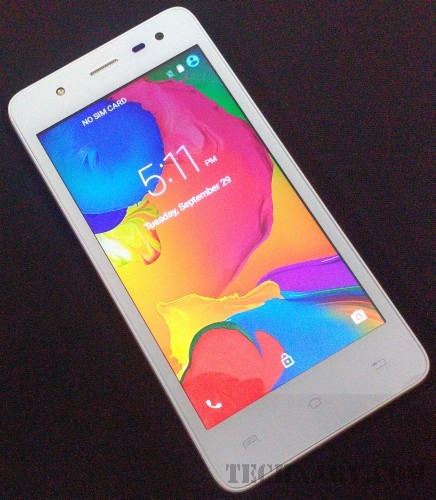
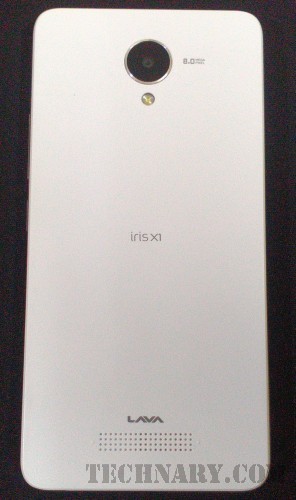
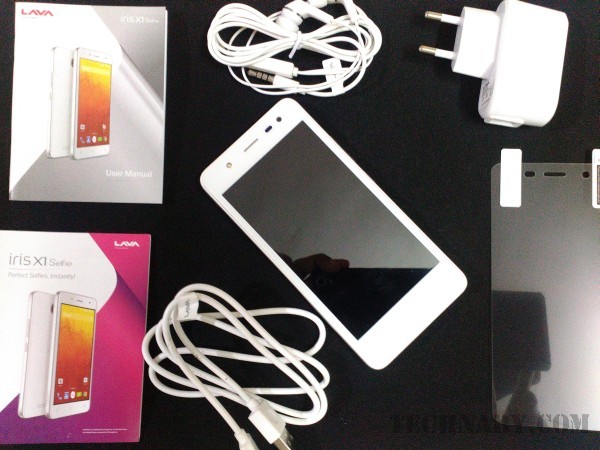
The Lava Iris X1 Selfie is available in two color variants. White and Black. So we had an opportunity to review the white color variant of the smartphone. The phone seemed to be easy to hold, sturdy and as there is a free screen guard in the box, which makes it more safer. There is a silver bezel surrounded over the phone which enhances the overall looks of the smartphone. The volume rocker buttons are on the right hand side of the smartphone.

Lava Iris X1 Selfie Review

The lock/power button is just below the volume rocker buttons. There are three touch buttons just below the screen. These are Recent Apps, Home and Back Button. Below the phone there is a microUSB slot for charging the phone and also useful for transferring the data. You can also see a microphone near it.

Lava Iris X1 Selfie Review

Above the screen we can see a front LED flash which is useful for clicking selfies in low light conditions. There is the earphone, sensor and the front camera. On the rear there is a rear camera with flash. At the back, below we can see the loudspeaker of the phone. On top of the phone there is a 3.5mm jack for headphones. The weight of the device is 140g which makes you realize that yes, you have a phone in your pockets.
Lava Iris X1 Selfie Review

Display

This smartphone is having a 4.5 inch IPS dislay having screen resolution of 854 x 480 pixels. The display is having a 217.7 PPI (Pixels Per Inch). This is a pretty decent display. The viewing angles of the display were good. So I was able to see the display in various angles. Overall a decent display at the price point.

Lava Iris X1 Selfie Review

Processor

This smartphone is equipped with a 1.3 GHz quad core processor. This is a MediaTek processor and great to see such a processor in this budget smartphone.

Lava Iris X1 Selfie Review Lava Iris X1 Selfie 40

Memory

The phone is having a 1GB of RAM. This helps in multi-tasking. So there was ease in multi-tasking between the social media apps, Gmail and other apps. So multi-tasking is easy for light apps. It is having 8GB of internal memory which can be expanded upto 32GB using a microSD card.

Lava Iris X1 Selfie Review

Camera

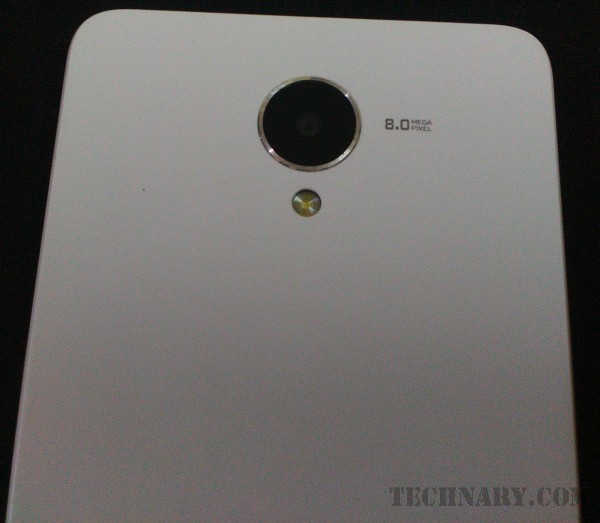
This phone has a 8 MP rear camera which is accompanied with a High-Intensity flash. This camera is having a clarity with 4 layer lens. It also has a wide 2.0 aperture which is helpful in max light exposure. So we clicked few pictures with this smartphone. The picture quality was good. There are in-built various modes which you can see in the images. So there is no need of clicking the photos and editing later. You can directly use the needed mode and click the pictures.

Lava Iris X1 Selfie Review

This phone has a 5MP front camera with flash! Yes having decent front camera with flash is like cherry at the top of the cake. This is a must or an essential parameter which this phone has nailed it perfectly. The smartphone is having a good front camera which is useful for clicking good selfies even in the low light conditions with the help of the flash. This is a boon to all the Selfie takers.

Lava Iris X1 Selfie 13

Lava Iris X1 Selfie 14

Lava Iris X1 Selfie 15

So taking a selfie is more easier and more useful. I have seen people who struggle while clicking a selfie because of the low light conditions. In Lava Iris X1 Selfie this problem is solved as the user can easily click good selfies using the flash in low light conditions. Whether it be night walks, trekking at night, monsoon atmosphere, a selfie with a flash will be very much helpful to give a beautified image which will enhance the users look. A perfect selfie using the front flash can be achieved in this smartphone for sure.

Lava Iris X1 Selfie 16

Operating System

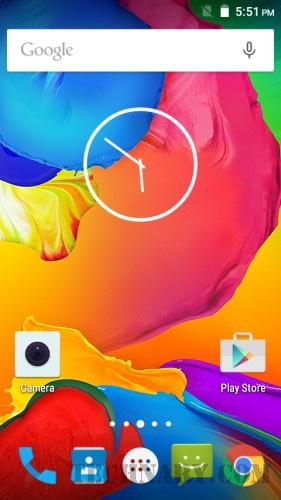
This smartphone uses the Android Lollipop v5.1 which is one of the latest OS. So if you buy this phone you are already using the latest OS which is a plus point.

Lava Iris X1 Selfie 38 Lava Iris X1 Selfie 36

Connectivity

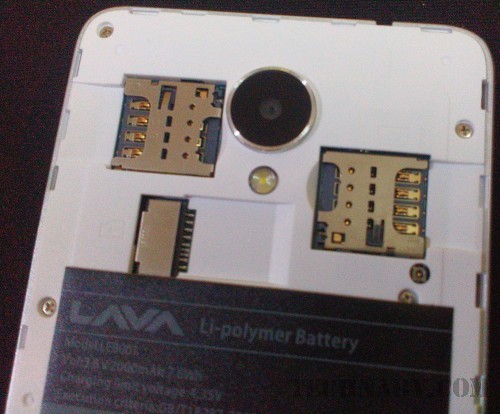
This dual SIM smartphone has Bluetooth, 2G, 3G, GPS and Wi-fi connectivity features. It is also having a Light Sensor, Hall Sensor and a proximity sensor. A user can enjoy FM Radio using headphones.

Lava Iris X1 Selfie 39 Lava Iris X1 Selfie 42

Battery

The phone has a battery capacity of 2000mAh. This is a Lithium Polymer battery which is useful for using the smartphone for a full day after full charge with good usage.

Lava Iris X1 Selfie Review

Final Verdict

This smartphone is very good in clicking selfies. At the budget of below Rs.6,000 this phone is a must buy if there are above two requirements.

Buy Now

Big Billion Days are back – Flipkart Mega Sale starts soon! #BigBillionDays

2

Man! I have been waiting for this all year! Last year I really loved the Big Billion Day Sale and yesterday, Flipkart announced that the Big Billion Days Sale is back!

It’s going to be bigger and better than last and because it’s not on for just 1 day or 2 days but for an 5 amazing days.

Time to mark your calendar for 13th October to 17th October.

Forget about individual Diwali sales or Christmas ones, the Big Billion Days Sale is going to be the BAAP of all sales.

Happy shopping!

Flipkart`s last big billion sale was a huge hit! Many people including me shopped their favourite products. I had ordered a smartphone which was available at an awesomely good price. I cannot wait to upgrade my tech this year!

In fact, this year, there are so many more products and sellers on the platform that I’m going to look waaay beyond just tech. I mean who couldn’t use a couple more T-shirts, new pairs of jeans, some cool shades, a new pair of nikes, the list is never ending. Believe me!

I feel this video is identifiable with lives of every Indian. There are a lot of instances where you get denied. In reality people say “Abhi Nahin”. Which means “Not now”. So when will the exact time arrive?

Actually whenever you want to do something and there is a resistance and you get to hear these words often. In the above video there are a lot of instances when the desires of people are denied by these two Hindi words.

Some instances are that you are a student in your school and you need to leave the room, the answer from the teacher is “Abhi Nahin”. Same goes with your spouse when you want to watch your favourite sport and your wife is watching the daily soap. So if you ask for the remote the answer is same.

Even while hiring a taxi, the taxi driver refuses to go to a particular destination. We ourselves in real life face of refusals and the answer is “Abhi Nahin”.

So the billion dollar question is that if not now then when is the right time? This makes total sense when it comes to buying something for yourself. When you want to buy a particular product you do wait for a particular discount or sale. Because it is the best time at which you can buy the product in a low price.

This creative video from Flipkart does say that the time has arrived. I am definitely going to start saving from this very second. I cannot wait to see what goes on sale and especially what I can stock on for gifts for others!

This is the right time to shop your favourite or desired products. You need make things happen. So it’s like “Abhi Nahin Toh Kabhi Nahin”. This is a spectacular chance for the buyers to buy their desired products on #TheBigBillionDays.

The best part is that the user can easily shop on the go using the Flipkart App. So it is much easier for a shopping enthusiast to shop from anywhere on the go. Buyer can easily keep an eye on various products and the sale.

I am looking forward to do a lot of shopping just before this Diwali from #TheBigBillionDays.

Are You? 13th – 17th October are the right days for you to shop and get the best deals and discounts from India`s leading online shopping destination.

Interview Mocha Review – Online Assessment Software

0

Interviewing a candidate is a very important and crucial process for any organization. A good candidate or a future employee can be a pillar of the organization. Do you run the HR department of your organization? Do you run a startup and want to streamline the Assessment process while selecting the right candidate? You are then reading the right article which will help you to know these things in detail.

Interview Mocha Review

HR department of any company has a lot of work to do while selecting the right candidates for their organization. There are a lot of tests which the department undertakes for the candidates even before the actual interview. These tests may be the aptitude, technical or other types of tests.

Interview Mocha Review

Are you one of the organization which calls the candidates and gives them question papers(printed) and take their answers. You might not only waste paper but also your valuable time in actually evaluating the answers from each and every candidate. Now is there a smart way of conducting these types of tests? Well there is a platform named as “Interview Mocha” which is an Online Assessment software from where you can easily do the Online Assessment of the right candidate.

Interview Mocha Review

Interview Mocha Features

You can use their service in four easy steps:

  1. Use a ready test or create a custom test
  2. You can invite the candidates for the online test
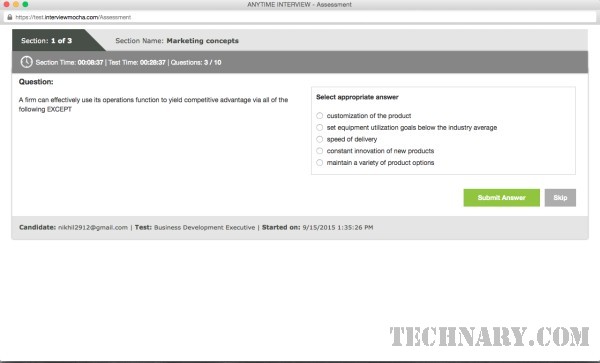
  3. Candidates take the test remotely
  4. Immediate results

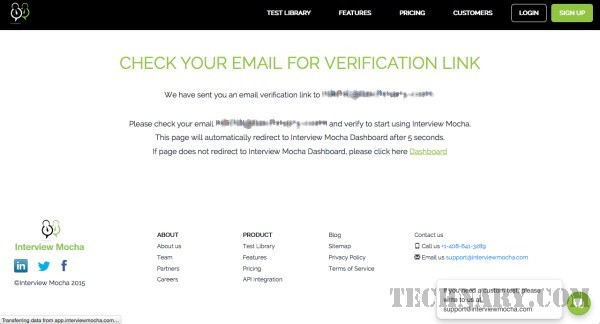
So the process of using the service seems to be pretty simple. Just visit the website www.interviewmocha.com Then you can click on Sign Up. Enter your details and then verify your e-mail address. You can then login to the dashboard of the portal. The navigation is very simple. So what next? Yes it is time to select the right test for your candidates. It is a very tedious task to create questions for the candidates for a particular job position. The benefit of this platform is that you can get access to a lot of predefined tests.

Interview Mocha Review 27

Interview Mocha Review 01

Ready tests

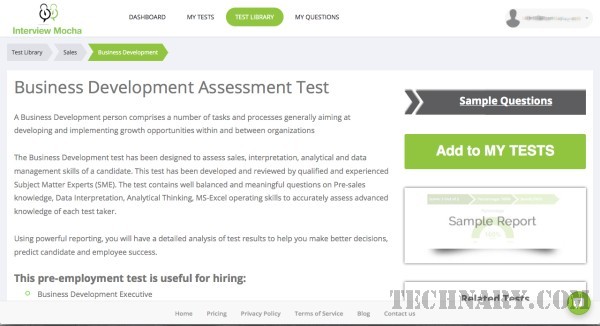
Use the ready tests from the platform to check various skills of the candidates. These tests are already available in the platform. There is a huge Test Library. The user can select the right test from the list of tests.

Interview Mocha Review 04

Interview Mocha Review 07

Interview Mocha Review 05

Interview Mocha Review 06

This will help the user to use a pre-defined test without wasting any time in framing the questions for a particular test. There are a lot of tests from which you can choose. These are like Aptitude, Business Skills, Database, Design Tools, Digital Marketing, Engineering, etc. So there are quality questions which are already framed and saved in these pre-defined tests.

Custom Tests

If the organization wants to create custom tests for them then this can be done with ease. In this feature the user is particular to ask any of the questions then he/she can easily create custom tests based on the requirement of the company.

Interview Mocha Review 11

Interview Mocha Review 14 Interview Mocha Review 19

Interview Mocha Review 13

Interview Mocha Review 12

Interview Mocha Review 16

Interview Mocha Review 17

Interview Mocha Review 18

Invite Candidates

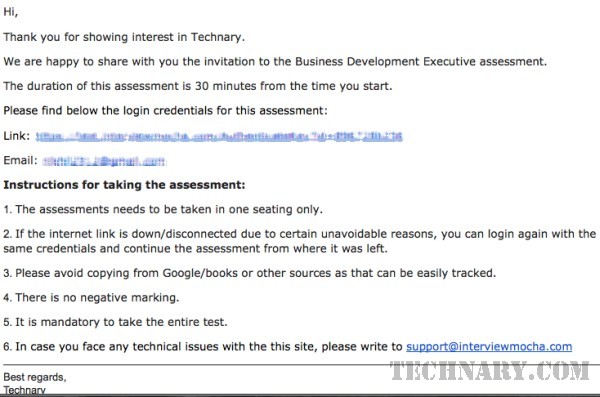
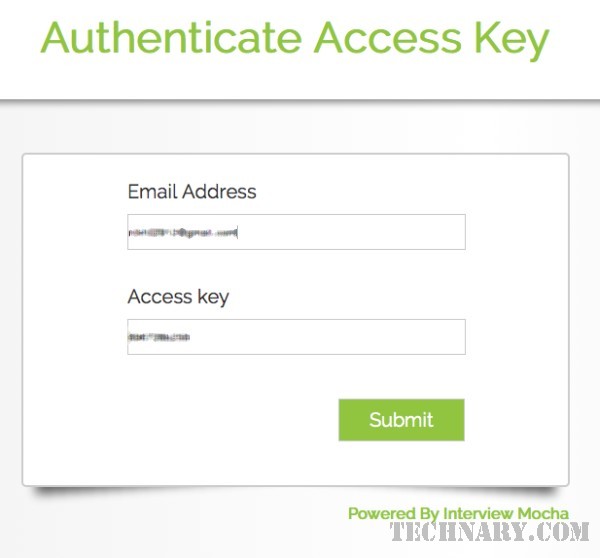
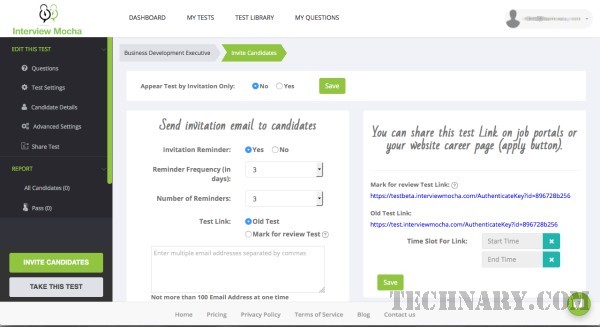
You can easily invite a set of candidates for a particular test by sending the invites to a list of e-mail addresses of the candidates. A very formal invitation mail with the link of the test will be sent to the candidate. Also the amount of test reminders can be set by the user with ease.

Interview Mocha Review

Cheating prevention

This is one of the most innovative way to stop cheating. So the concern of the companies must be that how can they check whether a candidate is using Google to find the answers on another tab or not? Well this can be done with ease using the webcam proctoring and browsing behaviour detection. We liked this feature of this platform that they have taken the step to make sure that the tests are done honestly by the candidate using the technology.

When you check the report of the candidate in detail you will get to know whether the candidate has done any cheating. Some of the violations which the platform tracks is whether the candidate has minimized or played with the browser and tried to use another tabs. This is one of the most crucial and useful monitoring method by the platform. This helps any organization to conduct reliable tests.

Auto Follow up

The company or organization can boost their productivity and can easily use a faster recruitment process. The follow up can be done with ease using automation from the system.

Interview Mocha Review 22

Interview Mocha Review 21

Powerful Reporting

The reports feature is very much essential for evaluating whether to hire the right candidate or not. All these reports are very much in detail. There are a lot of details which you can get in this feature. The complete test reports can be seen by HR or company user. These reports not only show the marks obtained in a particular test, but also showcases if any of the violation are being made by the candidate. The reports will help the organization to make viable decisions whether to hire the candidate or not. This decision can be made easily after having a look at these reports.

Integrations

It easily integrates with their database, application, APIs and website.

Final Verdict

Interview Mocha helps the companies to save their valuable time in the Pre-Employment Testing. A must use service for any major companies who has several rounds before the actual interview process.

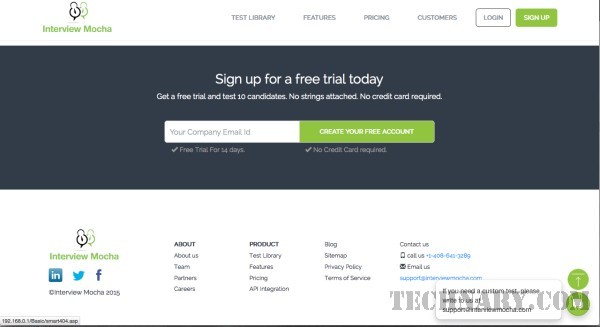
Sign Up Now for a 14 day free trial period