Home Blog Page 109

How to root your Android Smartphone – Easy Steps

0

Have you ever wondered that more than 50% of Smartphone users are using android as their operating system but we can’t even use 50% of the totally capabilities of our phones due to some preset rules by Google and some other companies. Are you feeling as if you are in colonialism? Do you really want to use your Smartphone to its 100%? So get ready my friends to have a jailbreak; we are going to teach you how to root your android smartphone so that you can use all the features of your Smartphone.

Now unlock all the hidden features, install “incompatible” apps, increase your virtual memory (RAM) to make your android faster, increase your battery life, block all the irritating adds, and say bye-bye to all the pre-installed crapware and even you can flash a custom ROM. In other words it’s time to truly own your device.
How to root your Android Smartphone - Easy Steps

So generally we are afraid of rooting our device as it’s an unknown field to us. The general questions and doubts that arise to our mind are:

Is it something that only an engineer of a relative field can do?

Will my data be erased?

Can I unroot my device?

And so on…

So now we here to help you with all such questions and even more.

At first we would like to clarify your biggest doubt about rooting an android device; that it is not at all a tough task. Even someone with a little bit familiarity of computers and android phones can root their phones to enjoy the perks. And yes as every coin has 2 sides rooting your phone might be problematic to you if your phone is in warranty period then after rooting it you will lose your warranty so it is advised not to root your phone until it is in warranty period except this there are almost no problems that might affect your phone after rooting and if at all at any instance you feel to unroot your mobile then yes you can and you can even regain you warranty too.

Prerequisites before rooting your device

  • Back up your phone so in case you want restore some of your important data.
  • Your phone should be fully charged
  • Turn on USB debugging and OEM unlocking

How to turn on USB debugging and OEM unlocking

  • Go to settings on your device. Then click on developer option and the tick the USB debugging mode.
  • If you don’t see developer option at the bottom of settings then:
  1. Go to “about phone” click on “build number” seven times and the developer option will appear on the main page of settings.
  2. Now simply go to developers option check on USB debugging and OEM unlocking.

Unlock your bootloader

For your device you can go to respective sites for unlocking your boot loader:

Motorola

HTC

Sony

For other devices try this

Now you are fully prepared to root your phone that can be done by using any of these 3 apps:

Just what you need to do is install any one of the app from above.

Click on root button

Wait for a while till the process complete

If successful, you will see a large check mark with the word Root successfully

So now you have successfully root your phone

But the 1st question that arises to your mind is why the hell I just did that? This is because you don’t know how to enjoy the perks after rooting your device. So in this article we are here to teach you how to enjoy the freedom of the world of android smartphones.

These are some super exciting things that you can do only after rooting your android phone

  • Install SuperUser: Superuser is a must app for every rooted phone. Superuser allows to install many after rooting apps as:
  • Link2SD: allows to move apps installed on device to external SD card which saves the internal memory.
  • Keyboard manager
  • Titanium backup
  • DroidWall
  • Install CWM – Clockworkmod Recovery and Flash Custom ROMs
  • Flash any zip file from phone itself
  • Increase RAM
  • Faster processing speed (no hanging)
  • Uninstall preinstalled crapware
  • Block Ads
    • Annoying ads can be blocked
  • Backup apps
    • No need to install apps every time you hard reset you can backup your apps and restore them
  • Install Indian Fonts
    • Enjoy the desi fonts like Hindi, Marathi, Gujarati, etc.

Here we are with some of the awesome apps which you can only use after rooting your phone:

  • Flashify
    1. Download ROMs
    2. Flash ZIP files
    3. Create full android backup
  • Greenify
    1. Shows you the detailed analysis of which apps are running and how frequently we use them.
  • Disk Digger
    1. Recover lost data like images,videos,docs,etc.

Unrooting your device

Rooting your device might sound thrilling to an individual but after you attain the root access you might feel it is worthless to you or is complicated to handle. So for such users we have some of our special techniques to unroot your phone and to make it as it is as it was earlier.

This software allows you to unroot your device and make its as it was earlier.

Just go to app’s settings

Click on “full unroot”

Wait for some time and enjoy.

So in conclusion I would like to say that android smartphone is one of our best companion in today’s world. So if there is a need to mold it according to your desire than you should not wait that someone else will do that or even you should not feel that you are chained up and bounded by rules. Where there is a need there is way and we are always there to help you to show the way.
10 Best water resistant Android smartphones

0

So the imaginations have finally met the world of technology to provide us with one of the best features in our smartphones too. Yes we are talking about waterproofing; as I hear the word waterproof smartphone a rush of excitement flushed throughout my veins. Not only me but all engineers, students, teenagers, tech lovers, businessmen etc are so much excited and are eager to buy such a phone.

But waterproof smartphones come with a large number of questions and doubts. Can you make a call to someone you love in the romantic season of rain without getting your phone damaged? Can you attend any important calls while you are having shower? Can you finally take your phone to water park to have pictures of your family? And is it possible to click some most beautiful under water pictures?

So here we are to answer your every question. At first what is most important while purchasing a waterproof smartphone is to know the basic knowledge about IP (Ingress Protection scale) which refers to its ability to withstand water and dust. The first digit relates to solid particle protection and the second digit to liquid.

The greater the value of each digit, the greater the protection. As an example, a product rated IP54 would be better protected against environmental factors than another similar product rated as IP32.

Let us check out these cool waterproof smartphones:

Best water resistant Android smartphones

1. Sony Xperia M4 Aqua Dual

Sony Xperia M4 Aqua Dual

IP65/68

Here sony has surprised us with one of its smartphone with great features as 13 MP camera, lollipop android(V.5), fast processing speed with 1.5GHz+1GHz 64-bit Qualcomm Snapdragon 615 octa core processor and all that with a long lasting battery of 2400mAH. And it even have 2GB RAM, 16GB internal memory expandable up to 128GB and dual SIM (GSM+GSM). And its Sony.

Price : Rs.15,999

buy now

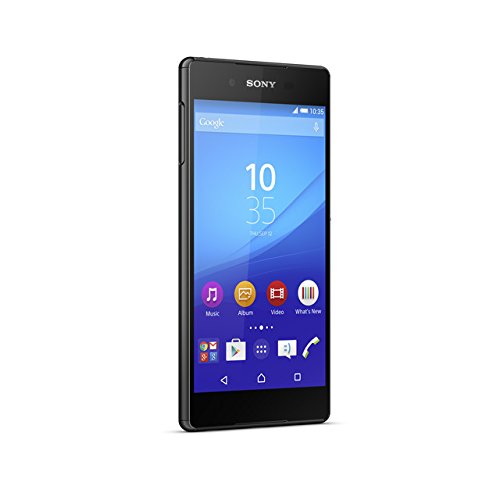
2. Sony Xperia Z3+

Sony Xperia Z3+

IP 65/68

Sony xperia z3+ comes with a 20.7MP primary camera with auto focus and 5MP front facing camera which makes it perfect for having high quality pictures. Android v5 Lollipop operating system with 2GHz quad core + 1.5GHz quad core processor, 3GB RAM, 32GB internal memory expandable up to 128GB.And all this with a long lasting battery of 2930mAH. And its Sony.

Price: Rs. 38,799

buy now

3. Samsung Galaxy S5

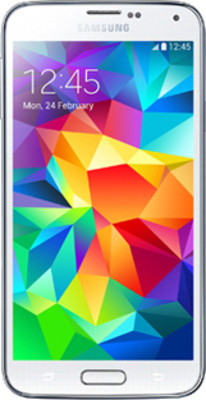
Samsung Galaxy S5

16 MP Primary Camera that makes it good for quality pictures. Adonis Prime2 (Quad 1.9 GHz Quad 1.3 GHz) XMM6360 Processor that allows you to play games and install high quality apps. This phone is for Healthier Lifestyle – Heart Rate Sensor and many other features.

Price: Rs. 23,599

buy now

4. Samsung Galaxy S6

Samsung Galaxy S6

16MP primary camera with optical image stabilization, auto focus, LED flash and 5MP front facing camera that makes it perfect for slefies and high quality pictures. Android v5.0.2 Lollipop operating system with 1.5GHz Cortex-A53 quad core and 2.1GHz Cortex-A57 quad core processor. So let us say bye-bye to slow smartphones.

Price: Rs.35,999

buy now

5. Motorola Moto G (3rd Gen)

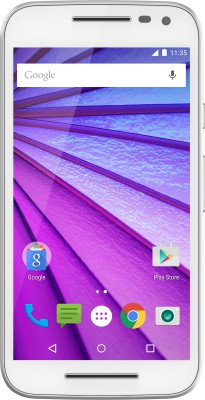
Motorola Moto G (3rd Gen)

IP x7

Say bye bye to slow speed net with Motorola Moto G with 4G lite. 13 MP Primary Camera for good quality pics.

Price: Rs. 12999

buy now

6. Motorola Moto X Play

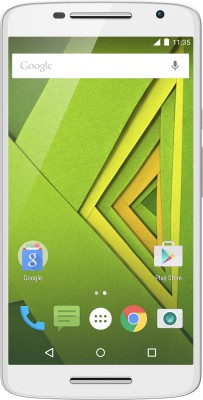
Motorola Moto X Play

IP 52

It is one of the best smartphone at this price with a long lasting battery of 3630 mAh. A very high quality camera of 21MP and even secondary camera with 5 MP. Octa-core Processor to enhance the speed of phone.

Price: Rs.19,999

buy now

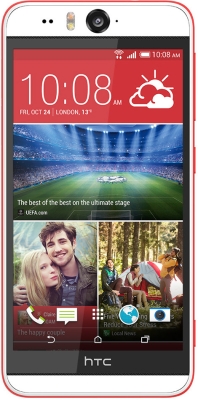
7. HTC Desire Eye

HTC Desire Eye

IPX7

If you are someone who loves to take selfies then this phone is just made for you with dual Dual LED Flash and 13MP Front Camera. And you can share your pics and enjoy high speed net with 4G LTE.

Price: Rs. 25,690

buy now

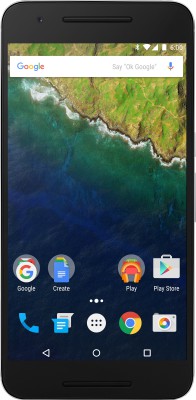
8. Motorola Google Nexus 6

Motorola Google Nexus 6

IP x7

It is a phone with super features if you love technology and want to take the real experience of android smartphone than this is phone is just made for you with Android v6 OS.,Fingerprint Sensor, 4G LTE (Cat 6) ,12.3 MP | 8 MP Camera.

Price: Rs. 42999

buy now

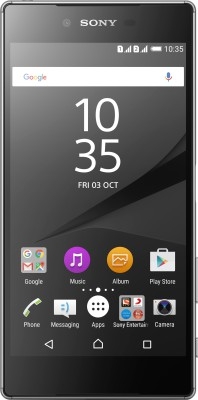
9. Sony Xperia Z5 Premium Dual

Sony Xperia Z5 Premium Dual

IP 65/68

Its sony so no need to worry about the quality. 23MP camera which makes it favorite for camera lovers. Android v5.1 OS, 2 GHz MSM8994 Qualcomm Snapdragon 810 Octa Core Processor so that gives us a extremely fast access to all apps and games.

Price: Rs. 58,190

buy now

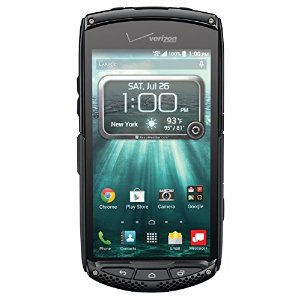
10.  Kyocera Brigadier

Kyocera Brigadier

IP68 certified – dust and water proof (up to 1.5m for 30 min)
– MIL-STD-810G certified – salt, dust, humidity, rain, vibration, solar radiation, transport and thermal shock resistant for extreme rough use. If you want features+ reliable phone for rough and extreme use.

Price: Rs. 52,268

buy now

So now technology is getting advanced day by day not only the number of features is increasing but also the quality and reliability are increasing. At least for now we need not to worry about rains and we can really enjoy our smartphones in almost any weather conditions.

9Apps Overview – Most used third party app store in India

1

Well, believe or not there is a huge market place for third party app store. Apart from the normal Google Play store there is a third party app store which has acquired a considerable amount of users. So let us have a look at what are the offerings of this third party store and how it is beneficial for an Android user.

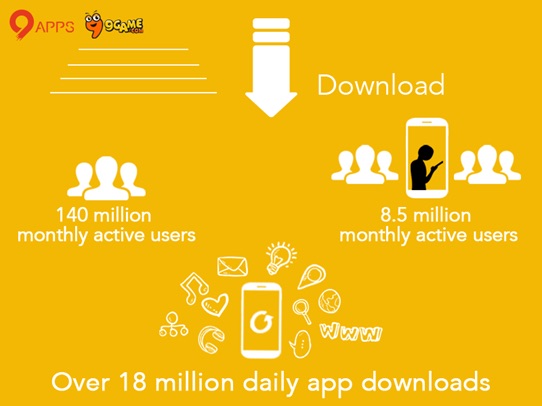
9Apps is one of the world`s most visited third-party app stores for Android apps. This third-party app store has now 140 million monthly Active users. This is a very huge number of active users on a third party app store. 9Apps and 9Game if the number of daily active users aggregated accounts to a mammoth 8.5 million daily active users. These daily active users make over 18 million of downloads of apps and games on a daily basis.

9Apps Overview - Most searched app store in India

9Apps and 9Game was launched in 2012. Just after three years 9Apps and 9Game have acquired a huge amount of user base. Both are a part of UCWeb which comes under the Alibaba Group`s mobile business division. They operate in India, Russia and Middle east. They have integrated promotion services which help their partners around the world to grow as they can reach out to a huge amount of user base.

What we liked about 9Apps is that it is an alternative to download the apps and games without any registration. So unlike google play where you have to login from your google account, on 9Apps or 9Game you can directly download the apps without any prior registration. This is a useful feature as people like to have freedom and 9Apps is providing them that freedom to download any apps as per the convenience of the user.

There are also many region-specific apps on the store. This has helped the company to gain more users for sure. They also keep on interacting with their app developers to gain more insights about the market as this helps to reach out to more users. Recently UCWeb has announced the UC Open Platform 2.0 which is an ecosystem helping the Indian mobile internet players to get new users and also monetize traffic using the UC browser, 9Apps, 9Game and UC Union.

9Apps had started their office in Mumbai, India in June, 2014. They have made a tremendous rise in their user base in the last year. They are aggressively acquiring new user base and it is surely been a pioneer in the third party android app market.


We had an exclusive conversation with Mr.Ebrahim Popat, Country Manager – 9Apps:

Ebrahim Popat
Mr.Ebrahim Popat, Country Manager, 9Apps India

Which genre of apps are trending on 9apps? Is it games/utility apps?

We have various genres of apps on our platform. Most of the users enjoy downloading games on our platform. We have also seen a rise in the users downloading various utility apps from our platform. These utility apps help the users to use their smartphones effectively. Games have been an important part of our platform. Many users like to download huge number of games. As it is simple and hassle free for downloading games using our platform, users enjoy it.

Did UC Browser helped in getting huge audience for your platform?

As 9Apps is a part of the UCWeb so it was a ready marketplace for us to showcase 9Apps to a huge number of UC Browser users. With simple shortcuts on UC Browser it becomes easier for a user to access or visit our website 9Apps. So yes, it does helps to get integrated with one of the fast growing mobile browser.

How difficult was it to acquire such  huge user base on 9apps?

Our journey has been remarkable. In a short amount of time we have acquired a huge user base. All the credits goes to the vast variety of apps available on our platform which gives a huge amount of options to the users. The simplicity of our platform helped us grow in terms of user base.

What is the main source of revenue for 9apps?

Games have been the major source of revenue for 9Apps. Though we have been testing about showcasing regional games and it has been worked for us. Most of the smartphone users like to have a good time while playing games. Our platform is useful for such users to have access to a huge amount of game applications.

What challenges you faced during the journey so far?

It has been a rollercoaster ride for our team to serve such a huge amount of user base. The challenges are many but tackling them smartly and feedback from our users helped us to grow in the right direction.

What is next in store in the future for 9apps?

Our focus will be to serve more and more amount of users. We will introduce more regional based apps on our platform as it will help more users to use 9Apps.

Any message to your users from 9apps?

Thank you for using 9Apps. We are improving ourselves and making our platform more user friendly. There is more in future coming for you. So stay tuned!

What would you like to tell people who have not yet used 9apps.com for downloading apps?

I would just like to say that visit 9Apps.com and you can explore the vast amount of apps on our platform.


So after having an exclusive conversation we had to know why there is a need for a third party app store. So let us find that out in our own observation.

Why there is a need to use third party Android App Store like 9Apps?

As we know that 9Apps is having a good user base and are growing rapidly. For a user what are actually the benefits for using such third party appstore like 9Apps? So let us find that out:

  • No registration/Login Required
  • Can download many Apps, no Limit
  • Most of the Apps are Free
  • You can get the direct apk of the game/app
  • Developers make content available which is restricted on Google Play
  • Users get to enjoy value added services
  • Vast amount of apps to choose from
  • Many Utility Apps to help the productivity of the user

Well these were some of our observations when we used the 9Apps third party Android App Store. Let us know your observation in the comments below:

Gift happiness this Diwali and win exciting prizes! #HarPalHappiness

2

Diwali is a festival of lights, joy and happiness. Well the happiness can be more if you give it to someone. Yes I am talking about gifting someone happiness. In this world of technology with new trends and latest gadgets, a smartphone will be the most loveliest gift to your near and dear ones. So let us buy a Asus smartphone as a gift to your loved ones at this festive season.

What if I tell you that if you gift a smartphone and spread happiness, you will also earn the happiness. Yes the happiness of giving is the best, but you will also receive some exciting offers and gifts from Asus. So let us have a look at the offer in detail:

Gift happiness this Diwali and win exciting prizes! #HarPalHappiness

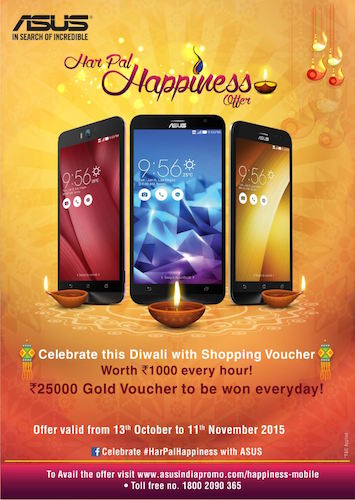
Asus has started an #HarPalHappiness offer. So if you gift any of your friends or dear ones an Asus Mobile this diwali, then you can win exciting prizes. They are providing INR 1000 vouchers to lucky winners every hour. Apart from that INR 25000 worth gold vouchers are up for grab everyday. So this is one of the fantastic offers this diwali.

I love buying gifts for my dear ones. It makes me feel good and also increase their happiness. So what I think is that spreading happiness is very important. A festive season is the right time to spread the happiness with your loved ones.

Most of the times if you gift anything to your friends or dear ones the reaction which you get from them is price less. The best part is that in the age of technology and smartphones, an ideal gift for sure is a smartphone to your loved one. So why not gift an Asus phone to your loved ones and spread the happiness.

Surprises are always loved and welcomed. Mostly at your birthday you have an intuition that yes, you will get a surprise birthday party. What if you surprise your dear ones by giving them a gift this Diwali? This is will be a great thing as people including me love surprises. This is the right time to spread happiness by surprising your loved ones by gifting them.

We always look for the best deals and discounts in festive season. So this Diwali gift your dear ones an Asus Mobile and you also get a chance to win yourself some exciting prizes.

Travel Booking Becomes Hassle Free with MakeMyTrip App

0

A decade ago, going on a vacation was quite a task. Preparations took up ages – choosing a location, asking people for opinions, looking up touring packages with agencies, watching out for tickets months in advance, and what not! Cut to the present day where the entire concept of traveling has been redefined by technology, especially the internet and of course our beloved smartphones.

Smartphones have come as an angel in disguise to travelers across the world – from choosing a destination to booking tickets and hotels to even buying travel gear and tips online. And MakeMyTrip, as we all know, has been a pioneer in travel industry. From booking tour packages to booking hotels – they have it all. It is one of the simplest applications to use, not to forget the stunning deals and offers they keep coming up with from time to time – from discounts on hotel bookings to jaw-dropping cheap tour packages.

Travel Booking Becomes Hassle Free with MakeMyTrip App Travel Booking Becomes Hassle Free with MakeMyTrip App

This festive season, we suggest you look no further when it comes to planning a vacation. You can just download the app, and rest assured about having the best holiday ever! Let us take a look at the features of the MakeMyTrip app which will help you while booking your holidays:

Installation

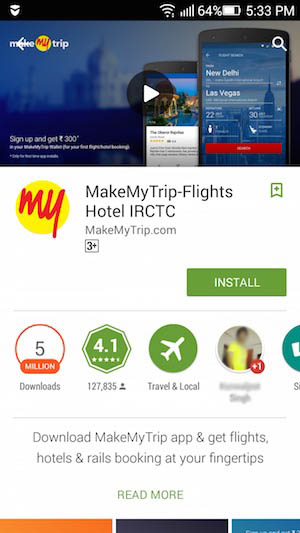
You can from the Playstore or App Store. The download size of the app is mere 14 MB. So this is also an important parameter as it will not use much of your smartphone`s internal memory (I know many people are concerned about the same). Click on “Install” and easily the app will get installed on your smartphone.

Travel Booking Becomes Hassle Free with MakeMyTrip App Travel Booking Becomes Hassle Free with MakeMyTrip App

Spotlight Search

This is an amazing feature in this app. You might know about Spotlight search in an Apple Macbook, but this is more useful. You can search anything using search toolbar. Example if you search OYO in the app, it will show the OYO rooms listed on the app. This will enhance your booking experience for sure.

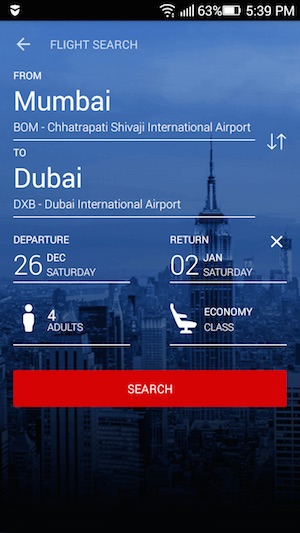
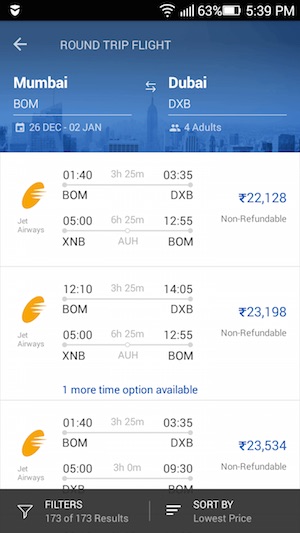
There are Deep-links inside this app. So for example if you search “Hotels in Dubai” you will get a list of all the hotels available in Dubai in the app itself. So it is a seamless and useful search in the app.

 App Indexing

Well to say in layman terms, if you are looking for flight/hotel/bus then easily, you can search in the app. It will automatically search for the relevant keywords and when you click on it, it will redirect you to the page in the app itself. There is a lot of flexibility as the user can move back to the msite as well according to the usage.

Travel Booking Becomes Hassle Free with MakeMyTrip App Travel Booking Becomes Hassle Free with MakeMyTrip App

Mobile Exclusive Offers

If you install the app then you will keep on getting APPYHOURS every Thursday as you will receive special deals and discounts on hotels.

MakeMyTrip Wallet

This is very useful when you want to cancel the booking or for a faster payment. So just transfer the money from the bank to the MakeMyTrip wallet and then do the booking with ease, from the wallet.

If you want to cancel any booking the money will be refunded as per the policies into the wallet. So, no waiting time for money to get refunded in your bank account!

Quicker Booking Experience

With the help of saving your cards in the app, you can complete payments faster. So if you save your credit card on the app, when you do the booking the payment experience will be insanely quick.

Bookings on the Go

With the use of the MakeMyTrip app after your bookings, you can easily navigate and know more about your bookings. The PNR status, the tickets of the bookings, etc all the information is available at your finger tips using the app.

Easy navigation

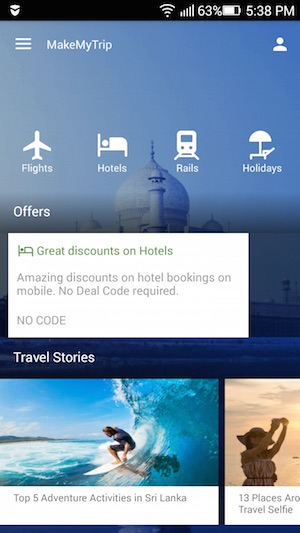
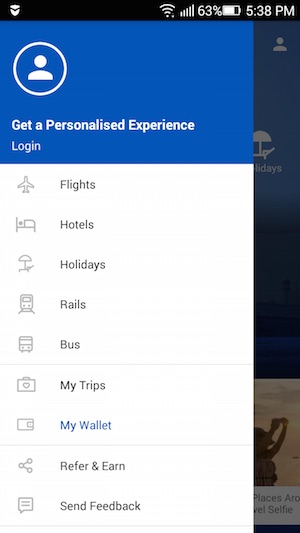
When you open the app you see 4 important categories. These are Flights, Hotels, Rails and Holidays. When you select on more on the left option of the app you can see the “Bus” option as well. The best or easiest way to search anything on the app is simple due to good navigation.

Travel Booking Becomes Hassle Free with MakeMyTrip App Travel Booking Becomes Hassle Free with MakeMyTrip App

Holiday Packages

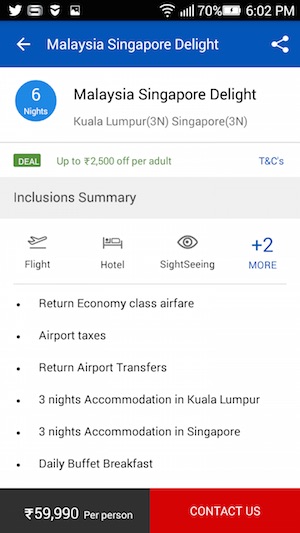
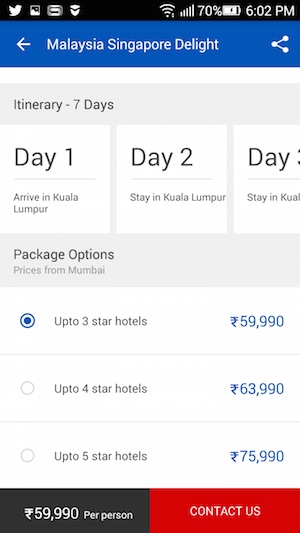
When the user selects the holiday packages, there will be a list of beautiful destinations around the world. So you can actually check all the details of a particular holiday package from your location. You can see all the charges which are calculated from your place using the location of your smartphone.

You can also see the itinerary of the package in detail. So it will create a plan of Day 1, Day 2 and soon.

Planning a holiday is fun and easy using the MakeMyTrip App. So what are you waiting for? Book your holidays of December, January in advance by the end of October to avail heavy and exclusive discounts.

Remember :

The world is a book, and those who do not travel read only a page.” – Saint Augustine


! #StayReady