
Apple has entered the era of intelligent personal computing with a feature set designed to make everyday tasks faster, easier, and more personal. Instead of introducing just another virtual assistant, Apple has woven intelligence directly into iPhone, iPad, and Mac, helping users write better, organise information, create images, edit photos, and communicate more naturally.
But what exactly can Apple Intelligence do?
If you’ve recently updated your Apple devices or are planning to buy a compatible iPhone, iPad, or Mac, you might have seen dozens of headlines talking about Apple Intelligence. Unfortunately, many articles only cover a handful of features or focus on marketing terms without explaining how these tools actually improve your daily life.
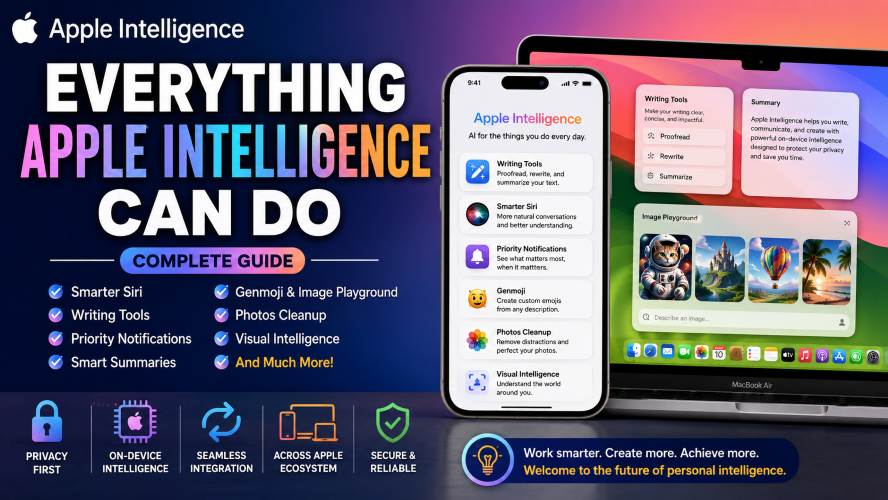
This guide takes a practical approach.
You’ll learn every major Apple Intelligence feature, discover which devices support it, understand how it protects your privacy, and find out whether it’s worth upgrading for.
Whether you’re a student, professional, creator, or casual iPhone user, you’ll find real-world examples that help you decide if Apple Intelligence is a feature you’ll actually use every day.
📌 Quick Summary
If you’re short on time, here’s what you need to know.
| Feature | What It Does |
|---|---|
| Writing Tools | Rewrite, proofread, summarize and improve text |
| Smarter Siri | Understands natural conversations and personal context |
| Priority Notifications | Highlights important alerts automatically |
| Smart Replies | Generates quick email and message responses |
| Image Playground | Creates fun images from text descriptions |
| Genmoji | Generate custom emojis from simple prompts |
| Photos Cleanup | Removes unwanted objects from photos |
| Memory Movies | Automatically creates highlight videos |
| Visual Intelligence | Understands objects, places and text through the camera |
| Privacy | Most processing happens directly on your device |
Bottom Line: Apple Intelligence isn’t just one feature—it’s an ecosystem of smart tools built into iOS, iPadOS, and macOS to save time while keeping your personal information more private.
What Is Apple Intelligence?
Apple Intelligence is Apple’s personal intelligence system built directly into compatible Apple devices.
Unlike traditional assistants that mainly answer questions, Apple Intelligence works throughout the operating system. It helps you write emails, summarise long articles, organise notifications, edit photos, generate creative images, and complete everyday tasks with less effort.
The biggest difference is that these features aren’t limited to one app.
Instead, they appear wherever they’re useful, making your device feel more helpful without requiring you to learn an entirely new workflow.
For example:
- Writing an email? It can rewrite or proofread it.
- Reading a long webpage? It can summarise the key points.
- Taking photos? It can remove distracting objects.
- Receiving too many notifications? It prioritises the most important ones.
- Need a custom emoji? Create one instantly using Genmoji.
Rather than replacing the apps you already use, Apple Intelligence enhances them behind the scenes.
Why Apple Intelligence Feels Different
Many AI-powered tools require you to copy and paste text into a website or install separate applications.
Apple Intelligence works differently.
It becomes part of the operating system itself.
That means you don’t have to think about opening another app whenever you want help writing, editing, searching, or organising information.
Some key advantages include:
- Works across multiple Apple apps
- Designed specifically for iPhone, iPad and Mac
- Simple, beginner-friendly interface
- Strong focus on privacy
- Context-aware assistance
- Natural language understanding
This seamless integration is one reason many users find Apple Intelligence easier to use than standalone productivity tools.
Apple Intelligence Supported Devices
One of the biggest questions people ask is whether their device is compatible.
Unfortunately, not every Apple device supports Apple Intelligence.
Because many features rely on advanced on-device processing, Apple limits support to devices with newer chips capable of handling complex machine learning tasks efficiently.
iPhone
Apple Intelligence is available on supported newer iPhone models powered by Apple Silicon capable of running the required software.
iPad
Supported iPads equipped with compatible Apple Silicon processors can access Apple Intelligence features.
Mac
Many Macs powered by Apple Silicon also support Apple Intelligence, making it available across desktop and laptop workflows.
Tip: Before purchasing a new device, always verify that it supports the latest Apple Intelligence features, as some capabilities may vary depending on the device model, language, and software version.
Why Hardware Matters
You may wonder why older flagship iPhones don’t support Apple Intelligence.
The answer comes down to performance.
Many Apple Intelligence features perform advanced processing directly on the device instead of sending everything to cloud servers.
This approach offers several advantages:
- Faster responses
- Improved privacy
- Better battery optimisation
- Lower internet dependency
- More secure handling of personal information
The trade-off is that older processors simply don’t have enough computing power to deliver these experiences efficiently.
Must Read : Top 25 AI Tools That Can Replace Hours of Work in 2026
The Core Categories of Apple Intelligence
Instead of thinking of Apple Intelligence as one feature, it’s easier to divide it into several major categories.
1. Writing & Communication
Perfect for students, professionals, bloggers, and anyone who writes frequently.
Includes:
- Proofreading
- Rewriting
- Summarising
- Tone adjustments
- Smart replies
2. Productivity
Designed to reduce distractions and save time.
Features include:
- Priority notifications
- Email summaries
- Message summaries
- Smart organisation
- Context-aware suggestions
3. Creativity
Apple Intelligence also introduces creative tools for everyday users.
These include:
- Image Playground
- Genmoji
- Photo Cleanup
- Memory Movies
Even users with no design experience can create personalised visuals quickly.
4. Visual Understanding
Using your camera becomes much smarter.
Apple Intelligence can recognise:
- Objects
- Animals
- Plants
- Landmarks
- Businesses
- Text
- Products
This makes it easier to learn more about the world around you without switching between multiple apps.
Who Should Use Apple Intelligence?
One of the biggest strengths of Apple Intelligence is its versatility.
It’s useful for almost every type of Apple user.
Students
- Summarise lecture notes
- Rewrite assignments
- Organise research
- Improve writing
Professionals
- Draft emails faster
- Improve presentations
- Manage notifications
- Save time every day
Content Creators
- Brainstorm ideas
- Create custom graphics
- Edit photos
- Produce unique emojis
Everyday Users
- Write better messages
- Organise daily tasks
- Remove distractions from photos
- Find information faster
No matter how you use your Apple device, there’s a good chance at least a few Apple Intelligence features will fit naturally into your routine.
Everything Apple Intelligence Can Do: Features Explained
Now that you know what Apple Intelligence is and which devices support it, let’s explore the features you’ll actually use. These tools are designed to fit naturally into your daily workflow rather than forcing you to learn a completely new app.
Some features focus on productivity, while others are aimed at creativity or communication. Together, they create a smarter experience across your iPhone, iPad, and Mac.
1. Writing Tools: Your Built-In Writing Assistant
If you spend time writing emails, reports, assignments, blog posts, or messages, Writing Tools is one of the most useful Apple Intelligence features.
Instead of switching to another app, you can improve your text wherever you type.
What Writing Tools Can Do
- Proofread spelling and grammar
- Rewrite sentences for better clarity
- Change the tone of your writing
- Summarise long text
- Create shorter versions of lengthy paragraphs
For example, if you’ve written a long email that sounds too formal, Writing Tools can make it friendlier without changing the meaning.
Likewise, if your message feels too casual for work, it can rewrite it in a more professional tone.
Best For
- Students
- Bloggers
- Office workers
- Business owners
- Freelancers
Why It Saves Time
Many people spend several minutes editing an email before sending it.
Writing Tools can reduce that editing time dramatically by suggesting cleaner, more natural wording in just a few taps.
2. Smarter Siri
Apple has redesigned Siri to be far more conversational and context-aware.
Instead of treating every request as a separate command, Siri can follow the flow of your conversation.
New Siri Features
- Understands follow-up questions
- Maintains conversation context
- Better understands natural language
- Provides more helpful responses
- Works across apps
For example:
Instead of saying:
“Open Photos.”
Then:
“Find my holiday pictures.”
Then:
“Show only beach photos.”
You can continue the conversation naturally without repeating yourself each time.
Better Understanding of Mistakes
Everyone occasionally misspeaks.
The improved Siri is better at understanding what you meant instead of forcing you to repeat commands.
This makes voice interactions feel more natural and less frustrating.
Must Read : Claude vs ChatGPT Prompts: What Works Better?
3. Priority Notifications
Modern smartphones bombard us with alerts every day.
Apple Intelligence helps by identifying which notifications deserve your attention first.
Instead of scrolling through dozens of alerts, you’ll see the most important ones highlighted.
Examples
- Flight updates
- Calendar reminders
- Urgent text messages
- Delivery notifications
- Time-sensitive emails
This helps reduce notification fatigue while ensuring you don’t miss important information.
4. Notification Summaries
Receiving twenty notifications from the same group chat isn’t unusual.
Instead of showing every message individually, Apple Intelligence creates a concise summary.
For example:
Instead of reading:
- Sarah: “Where are we meeting?”
- Tom: “6 PM?”
- Emma: “Restaurant changed.”
- Alex: “Parking available.”
You might simply see:
Your friends finalised dinner plans and changed the meeting location.
This saves time without opening the conversation immediately.
5. Smart Mail Summaries
Your inbox can become overwhelming, especially if you receive dozens of emails every day.
Apple Intelligence scans lengthy emails and generates short summaries.
Rather than reading an entire newsletter or work update, you’ll immediately understand the main points.
Helpful For
- Busy professionals
- Students
- Remote workers
- Business owners
6. Smart Reply Suggestions
Sometimes you know what you want to say but don’t want to type everything.
Apple Intelligence suggests context-aware replies for emails and messages.
Examples include:
- “Sounds good.”
- “I’ll be there at 4 PM.”
- “Thanks for the update.”
- “Let’s discuss tomorrow.”
These suggestions adapt based on the conversation instead of offering generic responses.
7. Genmoji
One of the most entertaining Apple Intelligence features is Genmoji.
Instead of choosing from a fixed emoji library, you can describe the emoji you want.
Examples include:
- Smiling astronaut eating pizza
- Cat wearing sunglasses
- Dinosaur drinking coffee
- Happy robot holding balloons
Apple Intelligence generates a custom emoji matching your description.
This makes conversations much more personal and fun.
When Genmoji Is Useful
- Birthday wishes
- Holiday greetings
- Family chats
- Social media posts
- Group conversations
It’s a small feature, but one that many users quickly incorporate into everyday messaging.
8. Image Playground
Image Playground lets you generate original images using simple text descriptions.
Rather than searching online for illustrations, you can create visuals that match your idea.
Possible Uses
- Presentation graphics
- Invitations
- Social media posts
- School projects
- Greeting cards
- Creative brainstorming
Apple offers multiple artistic styles, giving your images a playful and consistent look.
Why Beginners Like It
Traditional design software often has a steep learning curve.
Image Playground is much simpler because you only need to describe what you want.
No graphic design experience is required.
9. Photos Cleanup
We’ve all captured great photos with one annoying distraction.
Perhaps someone walked into the background.
Maybe a rubbish bin ruined an otherwise beautiful landscape.
Photos Cleanup helps remove unwanted objects while keeping the rest of the image intact.
Great For Removing
- Random people
- Power lines
- Signs
- Small distractions
- Background clutter
It won’t replace professional photo editing software, but it’s perfect for everyday photography.
10. Memory Movies
Apple Photos has long created memories automatically.
Apple Intelligence makes them much more personal.
Instead of manually selecting photos and music, you can describe the story you’d like to see.
For example:
“Create a movie about our summer holiday.”
Apple automatically chooses suitable photos, videos, transitions, and music.
The result feels surprisingly polished with very little effort.
11. Natural Language Search in Photos
Finding old pictures used to mean endless scrolling.
Now you can simply search using everyday language.
Examples include:
- My dog playing in snow
- Dad wearing a blue jacket
- Beach sunset
- Birthday cake
- Hiking trip
Apple Intelligence understands the meaning behind your search instead of relying only on filenames or dates.
12. Visual Intelligence
Visual Intelligence helps your iPhone understand what’s in front of the camera.
Point your camera at an object, place, or text, and your device can provide useful information or actions.
It Can Help Identify
- Plants
- Animals
- Landmarks
- Buildings
- Products
- Restaurants
- Books
- Artwork
It can also recognise phone numbers, email addresses, and text that you may want to copy or interact with.
Everyday Uses
Imagine you’re travelling and see an unfamiliar monument.
Simply point your camera towards it, and Visual Intelligence can help you learn more without manually searching online.
Likewise, if you’re shopping, it can recognise products or provide additional context about what you’re looking at.
13. Smarter Search Across Your Device
Searching your device becomes faster because Apple Intelligence understands natural language.
Instead of remembering exact filenames, you can search using descriptions.
Examples include:
- PDF about taxes
- Presentation from last week
- Notes about holiday plans
- Recipe I saved recently
This reduces the time spent digging through folders and apps.
14. Better Focus with Intelligent Prioritisation
Apple Intelligence doesn’t just help you complete tasks—it also helps you focus on the right ones.
Throughout the day, it quietly organises information so that important content is easier to spot.
Examples include:
- Highlighting urgent emails
- Surfacing upcoming appointments
- Prioritising time-sensitive reminders
- Making important conversations easier to find
The result is less digital clutter and a smoother daily experience.
Must Read : Claude Prompt Templates for Beginners (Copy & Paste)
Feature Comparison Table
| Feature | Best For | Saves Time | Creative | Productivity |
|---|---|---|---|---|
| Writing Tools | Emails & documents | ✅ | ❌ | ⭐⭐⭐⭐⭐ |
| Siri | Daily tasks | ✅ | ❌ | ⭐⭐⭐⭐ |
| Notification Summaries | Busy users | ✅ | ❌ | ⭐⭐⭐⭐⭐ |
| Priority Notifications | Professionals | ✅ | ❌ | ⭐⭐⭐⭐⭐ |
| Genmoji | Messaging | ❌ | ✅ | ⭐⭐ |
| Image Playground | Creators | ✅ | ✅ | ⭐⭐⭐ |
| Photos Cleanup | Photography | ✅ | ✅ | ⭐⭐⭐⭐ |
| Memory Movies | Families | ✅ | ✅ | ⭐⭐⭐ |
| Visual Intelligence | Travel & shopping | ✅ | ❌ | ⭐⭐⭐⭐ |
| Smart Search | Everyone | ✅ | ❌ | ⭐⭐⭐⭐⭐ |
Which Apple Intelligence Features Will You Use Most?
Not every feature will matter equally to every user.
Here’s a quick guide:
Students
- Writing Tools
- Summaries
- Siri
- Smart Search
Professionals
- Email summaries
- Priority notifications
- Writing Tools
- Siri
Content Creators
- Image Playground
- Genmoji
- Photos Cleanup
- Memory Movies
Travellers
- Visual Intelligence
- Smart Search
- Siri
- Photos
Families
- Memory Movies
- Photos Cleanup
- Genmoji
- Notification summaries
No matter how you use your Apple device, chances are you’ll find several Apple Intelligence features that become part of your everyday routine.
Apple Intelligence vs Alternatives
Apple Intelligence isn’t the only smart assistant available today. Google, Microsoft, and Samsung have also introduced AI-powered features into their devices and software.
However, Apple’s approach is different. Instead of relying heavily on cloud-based services, many Apple Intelligence features are deeply integrated into the operating system and are designed to work seamlessly across compatible Apple devices.
Here’s how it compares.
| Feature | Apple Intelligence | Google Gemini | Microsoft Copilot | Samsung Galaxy AI |
|---|---|---|---|---|
| Built into the OS | ✅ | Partial | Partial | ✅ |
| Writing assistance | ✅ | ✅ | ✅ | ✅ |
| Smart notifications | ✅ | Limited | ❌ | ✅ |
| Photo cleanup | ✅ | ✅ | ❌ | ✅ |
| Image generation | ✅ | ✅ | ✅ | ✅ |
| Custom emojis | ✅ Genmoji | ❌ | ❌ | Limited |
| Privacy-first processing | ✅ Many tasks on-device | Mostly cloud | Mostly cloud | Mixed |
| Works across Apple ecosystem | ✅ | ❌ | ❌ | ❌ |
Which One Is Better?
The answer depends on the devices you already own.
- Apple Intelligence is ideal if you’re already invested in the Apple ecosystem.
- Google Gemini is a strong choice for Android users who rely on Google Workspace.
- Microsoft Copilot is best suited for Windows users and Microsoft 365 subscribers.
- Samsung Galaxy AI offers useful AI tools for Galaxy smartphone owners.
If you use an iPhone, iPad, and Mac together, Apple Intelligence delivers the most seamless experience because its features work consistently across your devices.
Pros and Cons
No technology is perfect, and Apple Intelligence is no exception.
Here’s a balanced look at its strengths and limitations.
| Pros | Cons |
|---|---|
| Easy to use | Requires compatible newer devices |
| Built directly into iOS, iPadOS, and macOS | Some features roll out gradually |
| Strong privacy protections | Availability may vary by language or region |
| Helpful Writing Tools | Older iPhones aren’t supported |
| Excellent integration with Apple apps | Best experience requires the latest software |
| Saves time on everyday tasks | Some creative features have limited editing options |
Is Apple Intelligence Worth It?
For many users, the answer is yes—especially if you already own a compatible Apple device.
The biggest advantage isn’t any single feature. It’s how all the features work together to make everyday tasks feel smoother.
For example, you might:
- Summarise an email in the morning.
- Ask Siri to help manage your schedule.
- Remove distractions from a holiday photo.
- Create a custom Genmoji for a family chat.
- Let Priority Notifications highlight important updates throughout the day.
None of these features alone may justify upgrading, but together they can noticeably improve your daily workflow.
Buying Guide: Things to Consider Before Upgrading
If you’re thinking about buying a new Apple device specifically for Apple Intelligence, keep these factors in mind.
1. Device Compatibility
Not every iPhone, iPad, or Mac supports Apple Intelligence.
Before buying, confirm that the model is listed as compatible with the latest Apple Intelligence features.
2. Software Version
You’ll need a supported version of iOS, iPadOS, or macOS to access the newest capabilities.
Keeping your device updated ensures you receive feature improvements and security updates.
3. Storage Space
Creative tools such as Image Playground and expanded Photos features may benefit from having adequate free storage.
If you’re choosing between storage options, consider your long-term needs, especially if you store lots of photos and videos.
4. Apple Ecosystem
Apple Intelligence offers the greatest value when you use multiple Apple devices together.
For example:
- Start an email on your Mac.
- Continue editing it on your iPhone.
- Review it later on your iPad.
The consistent experience across devices is one of Apple’s biggest strengths.
5. Your Daily Workflow
Ask yourself:
- Do you write lots of emails?
- Do you edit photos regularly?
- Do you receive dozens of notifications?
- Do you use Siri frequently?
- Do you enjoy creative tools?
If you answered “yes” to several of these questions, you’ll likely benefit from Apple Intelligence.
Who Should Buy a Device for Apple Intelligence?
Best for Students
Apple Intelligence can help with:
- Proofreading assignments
- Summarising lecture notes
- Organising research
- Improving presentations
Best for Professionals
Useful features include:
- Email summaries
- Writing assistance
- Smart notifications
- Better calendar management
- Faster document editing
Best for Creators
Creative users may appreciate:
- Image Playground
- Photos Cleanup
- Memory Movies
- Genmoji
Best for Families
Families can enjoy:
- Better photo organisation
- Automatic memory videos
- Custom emojis
- Easier communication
Frequently Asked Questions
1. What is Apple Intelligence?
Apple Intelligence is Apple’s built-in personal intelligence system that helps with writing, communication, photo editing, organisation, and productivity across compatible iPhone, iPad, and Mac devices.
2. Which devices support Apple Intelligence?
Apple Intelligence is available only on selected newer Apple devices with compatible Apple Silicon and supported operating system versions. Always check compatibility before purchasing.
3. Does Apple Intelligence require an internet connection?
Many features are designed to run directly on your device, while some advanced capabilities may require an internet connection.
4. Is Apple Intelligence free?
Apple Intelligence is included with supported Apple devices and compatible software updates. Some connected services may have their own requirements, but the core features are available without a separate Apple Intelligence subscription.
5. Is Apple Intelligence safe to use?
Apple places a strong emphasis on privacy by processing many requests directly on the device whenever possible. This helps reduce unnecessary sharing of personal information.
6. Can Apple Intelligence write emails?
Yes. Writing Tools can proofread, rewrite, summarise, and improve emails, messages, notes, and other text within supported apps.
7. Can Apple Intelligence edit photos?
Yes. Features such as Photos Cleanup help remove unwanted objects, while enhanced search and Memory Movies make it easier to organise and enjoy your photo library.
8. Should I upgrade my iPhone for Apple Intelligence?
If you already use your iPhone for work, study, creativity, or communication every day, upgrading to a compatible device may be worthwhile. However, if your current device still meets your needs, it’s sensible to weigh Apple Intelligence alongside other factors such as camera quality, battery life, and overall performance before making a decision.
Final Verdict
Apple Intelligence is more than a collection of smart features—it’s an effort to make everyday interactions with your Apple devices simpler and more efficient.
Instead of asking you to learn new apps, it enhances the tools you already use. Whether you’re writing emails, managing notifications, editing photos, or creating fun content with Genmoji and Image Playground, the experience feels integrated rather than bolted on.
That said, it isn’t a reason for everyone to upgrade immediately. If your current device still performs well and you don’t need the latest productivity or creative features, waiting for your next upgrade cycle could be the more practical choice.
For users already planning to buy a compatible iPhone, iPad, or Mac, Apple Intelligence is a valuable addition that can save time and improve everyday tasks.