
You’ve probably tried writing prompts… and ended up with vague, inconsistent, or unusable results.
Frustrating, right?
The truth is, most beginners don’t fail because of the tool—they fail because of how they write prompts.
The good news? You don’t need to figure everything out from scratch.
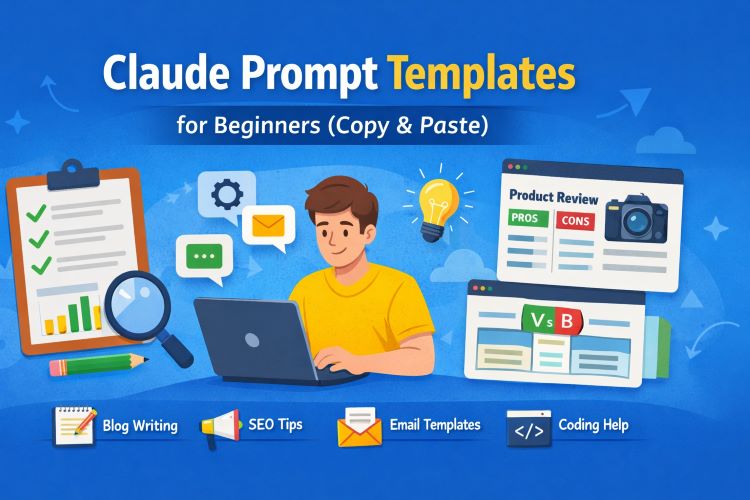
👉 In this guide, you’ll get ready-to-use Claude prompt templates that you can simply copy, paste, and tweak.
⚡ Quick Summary
- Prompt templates help you get better, faster, and more accurate results
- You’ll find copy-paste templates for writing, SEO, coding, emails, and more
- Perfect for beginners and intermediate users
- Includes real-world use cases, pro tips, and mistakes to avoid
🧠 What Are Claude Prompt Templates?
Claude prompt templates are pre-structured instructions designed to guide responses more effectively.
Instead of writing random instructions, you use a proven format like:
Act as [role]. Your task is to [goal]. Provide output in [format]. Keep tone [style].
This structure improves:
- Accuracy
- Clarity
- Relevance
- Consistency
🎯 Why Beginners Should Use Prompt Templates
Let’s be honest—writing good prompts from scratch takes time.
Templates solve that instantly.
Key Benefits:
- ✅ Saves time
- ✅ Reduces guesswork
- ✅ Improves output quality
- ✅ Beginner-friendly
- ✅ Reusable across tasks
🧩 10 Best Claude Prompt Templates (Copy & Paste)
Below are tested and beginner-friendly templates you can start using immediately.
✍️ 1. Blog Writing Template
Act as a professional blog writer. Write a detailed article on [topic].
Use simple language, include headings, bullet points, and examples.
Keep the tone conversational and helpful.
Target beginners and include actionable tips.
👉 Best for: Bloggers, niche site owners
👉 Use case: Long-form content, guides
Must Read : Best Free AI Tools for Music Production (2026 Guide)
🔍 2. SEO Optimization Template
Act as an SEO expert. Optimize the following content for the keyword: [keyword].
Add relevant headings, meta description, and improve readability.
Suggest LSI keywords and internal linking opportunities.
👉 Best for: Ranking on Google
👉 Use case: On-page SEO improvements
📧 3. Email Writing Template
Act as a professional email copywriter.
Write an email for [purpose] targeting [audience].
Keep it concise, persuasive, and friendly.
Include a clear call-to-action at the end.
👉 Best for: Outreach, marketing
👉 Use case: Cold emails, newsletters
💻 4. Coding Help Template
Act as a senior developer.
Help me solve the following problem: [problem].
Explain the solution step-by-step and provide clean code.
Mention any best practices.
👉 Best for: Beginners in programming
👉 Use case: Debugging, learning
🛍️ 5. Product Review Template (Affiliate Use)
Act as a product reviewer.
Write an honest review of [product name].
Include features, benefits, pros and cons, and who it is best for.
Keep the tone unbiased and informative.
👉 Best for: Affiliate blogs
👉 Use case: Monetized content
Must Read : Best Music Equalizer for Windows: I Tested Them All
📱 6. Social Media Content Template
Act as a social media strategist.
Create 5 engaging posts for [platform] about [topic].
Include hooks, hashtags, and a call-to-action.
Keep it short and engaging.
👉 Best for: Instagram, Twitter, LinkedIn
👉 Use case: Content planning
🎓 7. Explain Like I’m 5 (ELI5) Template
Explain [topic] in very simple terms as if teaching a 5-year-old.
Use examples and avoid complex jargon.
👉 Best for: Learning new concepts
👉 Use case: Simplified explanations
📊 8. Comparison Template
Compare [Product A] vs [Product B].
Include features, pricing, pros, cons, and best use cases.
Present in a table format.
👉 Best for: Buyer decision content
👉 Use case: Affiliate conversions
🧾 9. Resume & Cover Letter Template
Act as a career coach.
Write a professional resume/cover letter for [job role].
Highlight skills, achievements, and experience.
Keep it concise and impactful.
👉 Best for: Job seekers
👉 Use case: Career growth
💡 10. Idea Generation Template
Act as a creative strategist.
Generate 10 unique ideas for [topic].
Focus on originality and practical implementation.
👉 Best for: Content creators
👉 Use case: Brainstorming
📊 Comparison: Templates vs No Templates
| Feature | Using Templates | Without Templates |
|---|---|---|
| Output Quality | High | Inconsistent |
| Time Required | Low | High |
| Ease of Use | Beginner-friendly | Confusing |
| Reusability | Yes | No |
🛠️ Real-World Use Cases
🧑💻 Scenario 1: Blogger
You want to write a 2000-word article.
👉 Use the blog writing template
Result: Structured, readable content in minutes
📈 Scenario 2: Affiliate Marketer
You need a product review.
👉 Use the product review template
Result: Balanced, conversion-friendly content
🎯 Scenario 3: Freelancer
Client asks for social posts.
👉 Use the social media template
Result: Quick delivery + satisfied client
🛒 Tools That Work Great with Prompt Templates
To get the best results, consider using tools that support structured prompting.
Recommended Options:
- Writing tools with formatting support
- SEO plugins for optimization
- Content planners for organization
👉 Suggested CTA placements:
- “Check full features”
- “See how it works”
- “Explore pricing plans”
Must Read : Best Music Equalizer for Windows: I Tested Them All
🧭 Beginner’s Guide: How to Use These Templates
Follow this simple process:
Step 1: Pick a Template
Choose based on your goal
Step 2: Replace Variables
Swap [topic], [audience], etc.
Step 3: Add Context
More details = better results
Step 4: Refine Output
Ask follow-up instructions if needed
⚠️ Common Mistakes to Avoid
Even with templates, beginners make these errors:
- ❌ Being too vague
- ❌ Not specifying output format
- ❌ Ignoring tone/style
- ❌ Overloading with instructions
👉 Keep it clear, simple, and specific
🧪 Pro Tips to Improve Results
- Use “Act as” roles for better context
- Specify tone (formal, casual, expert)
- Ask for structured output (tables, lists)
- Break complex tasks into steps
🔗 Internal Linking Suggestions
Use these anchor texts in your blog:
- Best AI tools for beginners
- How to write high-converting blog posts
- SEO checklist for new websites
- Affiliate marketing for beginners
❓ FAQs (People Also Ask)
1. What is a prompt template?
A prompt template is a pre-written structure used to guide responses more effectively.
2. Are prompt templates beginner-friendly?
Yes, they simplify the process and help beginners get better results quickly.
3. Can I customize these templates?
Absolutely. Replace placeholders and adjust based on your needs.
4. Do prompt templates improve accuracy?
Yes, they provide clearer instructions, leading to more relevant outputs.
5. How many templates should I use?
Start with 3–5 templates for your main tasks, then expand as needed.
6. Are these templates useful for SEO?
Yes, especially for content creation, keyword optimization, and structuring articles.
7. Can I use these for affiliate marketing?
Definitely. Templates like product reviews and comparisons are highly effective.
🏁 Final Verdict: Should You Use Claude Prompt Templates?
If you want:
- Faster results
- Better output quality
- Less frustration
👉 Then yes, prompt templates are essential.
They remove the guesswork and give you a proven structure to follow.
✅ Final Recommendation
Start with 2–3 templates from this list and use them consistently.
Once you’re comfortable, tweak and refine them to match your workflow.
👉 Want better results instantly? Try these templates today and see the difference.
SEO Optimization template is gold bro. Thank you for sharing
You are welcome Robert!
I was looking for some claude prompts and I am glad I found here some amazing ones. Thanks for sharing!
You are welcome William