
Technology is moving faster than ever. Tasks that once took an entire afternoon like writing reports, editing videos, organizing meetings, designing graphics, answering emails, or analyzing data—can now be completed in minutes with the right software.
But here’s the challenge. There are thousands of productivity tools available today, and most promise to “save time.” Only a small number actually deliver measurable improvements without creating more complexity.
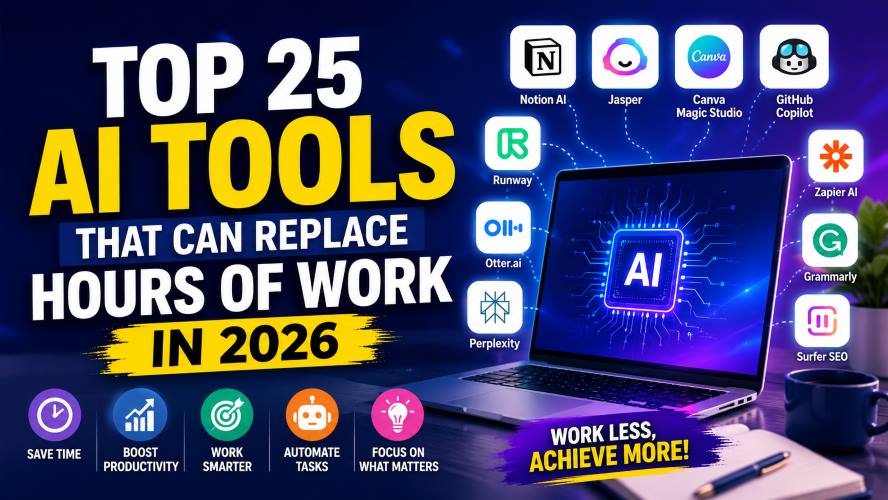
That’s why this guide focuses on the best AI tools in 2026 that genuinely help individuals, freelancers, creators, startups, and businesses work smarter.
Whether you want to automate repetitive work, improve creativity, or speed up your daily workflow, these tools deserve a place on your shortlist.
If you’re in a hurry, here are our top recommendations.
| Need | Recommended Tool |
|---|---|
| Overall productivity | Notion AI |
| Writing assistance | Jasper |
| Graphic design | Canva Magic Studio |
| Coding | GitHub Copilot |
| Video creation | Runway |
| Meeting notes | Otter.ai |
| Search & research | Perplexity |
| Workflow automation | Zapier AI |
| Marketing | Surfer SEO |
| Customer support | Intercom Fin |
Why These Tools Matter in 2026
Modern professionals spend a surprising amount of time on repetitive work.
Common examples include:
- Writing similar emails
- Creating presentations
- Summarizing meetings
- Editing videos
- Organizing documents
- Researching information
- Scheduling workflows
- Designing social media graphics
The right productivity software can reduce these repetitive tasks significantly, allowing you to focus on higher-value work instead.
How We Selected These Tools
Every recommendation in this guide is evaluated based on:
- Ease of use
- Features
- Value for money
- Reliability
- Popularity among professionals
- Regular updates
- Suitable for beginners and experts
- Business-friendly pricing
Top AI tools in 2026
1. Notion AI
Best For: Productivity, note-taking, project management, documentation
If your work revolves around documents, planning, brainstorming, and managing projects, Notion AI remains one of the strongest productivity platforms available.
Instead of switching between multiple apps, you can manage notes, documents, databases, tasks, and collaborative projects in one workspace.
Key Features
- Document writing
- Meeting summaries
- Project planning
- Brainstorming assistance
- Knowledge management
- Team collaboration
Pros
✔ Clean interface
✔ Excellent workspace organization
✔ Great for teams
✔ Flexible templates
Cons
✘ Learning curve for beginners
✘ Premium features require a paid plan
Best For
- Students
- Startups
- Remote teams
- Project managers
- Freelancers
2. Jasper
Best For: Marketing teams and professional writers
Jasper has evolved into one of the most complete writing assistants available.
It helps marketing teams create blog posts, product descriptions, email campaigns, landing pages, and advertising copy much faster than traditional workflows.
Key Features
- Blog writing
- Marketing copy
- Brand voice customization
- Campaign generation
- Multiple templates
- Team collaboration
Pros
✔ Excellent marketing templates
✔ Easy workflow
✔ Saves significant writing time
Cons
✘ Premium pricing
✘ Better suited for business users
Best For
- Agencies
- Bloggers
- Marketing teams
- Ecommerce stores
Must Read : Claude vs ChatGPT Prompts: What Works Better?
3. Canva Magic Studio
Best For: Graphic design without professional design skills
Canva has become much more than a simple design platform.
Magic Studio adds intelligent design features that help users create presentations, social media graphics, marketing materials, and videos in minutes.
Key Features
- Social media graphics
- Presentation creation
- Background removal
- Image editing
- Brand kits
- Video editing
Pros
✔ Beginner friendly
✔ Huge template library
✔ Fast learning curve
✔ Excellent collaboration
Cons
✘ Some premium templates require Pro
✘ Limited advanced editing
Best For
- Small businesses
- Content creators
- Teachers
- Entrepreneurs
- Social media manager
4. GitHub Copilot
Best For: Developers and software engineers
Writing code often involves repetitive tasks.
GitHub Copilot helps speed up development by suggesting code snippets, completing functions, explaining unfamiliar code, and reducing repetitive typing.
Key Features
- Code completion
- Multi-language support
- Function generation
- Documentation help
- Error reduction
- IDE integration
Pros
✔ Speeds up development
✔ Supports many programming languages
✔ Great IDE integration
Cons
✘ Subscription required
✘ Suggestions should always be reviewed
Best For
- Developers
- Engineering teams
- Students learning programming
5. Runway
Best For: Video creators and marketers
Professional video editing used to require expensive software and years of experience.
Runway simplifies tasks like background removal, object editing, subtitles, motion graphics, and video enhancement.
Key Features
- Video editing
- Background removal
- Motion tracking
- Automatic captions
- Video enhancement
Pros
✔ Powerful editing tools
✔ Cloud-based
✔ Great for creators
Cons
✘ Rendering may take time
✘ Premium plans unlock the best features
Best For
- YouTubers
- Marketers
- Agencies
- Video editors
6. Otter.ai
Best For: Meeting transcription
If you attend several meetings each week, taking notes manually can become exhausting.
Otter.ai records conversations, creates searchable transcripts, and highlights key discussion points automatically.
Key Features
- Live transcription
- Speaker identification
- Searchable notes
- Meeting summaries
- Team collaboration
Pros
✔ Accurate transcription
✔ Saves meeting time
✔ Easy sharing
Cons
✘ Accuracy depends on audio quality
✘ Free plan has limits
Best For
- Remote teams
- Journalists
- Consultants
- Students
Must Read : Claude Prompt Templates for Beginners (Copy & Paste)
7. Perplexity
Best For: Fast research and fact-finding
Searching across dozens of websites wastes valuable time.
Perplexity streamlines research by presenting concise answers with references, making it easier to verify information and explore topics efficiently.
Key Features
- Research assistance
- Source citations
- Follow-up questions
- File analysis
- Web search integration
Pros
✔ Fast research
✔ Easy-to-read responses
✔ Helpful source references
Cons
✘ Some advanced capabilities require a paid plan
✘ Always verify critical information
Best For
- Researchers
- Students
- Writers
- Analysts
8. Zapier AI
Best For: Workflow automation
Repetitive tasks often involve moving data between apps.
Zapier helps automate these workflows without requiring programming knowledge.
Examples include:
- Saving email attachments automatically
- Posting social media updates
- Sending Slack notifications
- Updating CRM records
- Creating spreadsheet entries
Key Features
- Thousands of app integrations
- Workflow automation
- Conditional logic
- Scheduling
- Business integrations
Pros
✔ Huge integration library
✔ Easy automation
✔ Saves repetitive work
Cons
✘ Complex workflows require paid plans
✘ Learning curve for advanced automations
Best For
- Businesses
- Agencies
- Freelancers
- Operations teams
9. Grammarly
Best For: Writing and proofreading
Clear communication matters.
Grammarly helps improve grammar, spelling, punctuation, clarity, and tone across emails, reports, documents, and online writing.
Key Features
- Grammar checking
- Tone suggestions
- Clarity improvements
- Browser extension
- Microsoft Office support
Pros
✔ Easy to use
✔ Accurate suggestions
✔ Works almost everywhere
Cons
✘ Premium version offers the best features
Best For
- Professionals
- Students
- Bloggers
- Business owners
10. Surfer SEO
Best For: Content optimization
Publishing great content isn’t always enough.
Surfer SEO analyzes top-ranking pages and provides actionable recommendations to improve on-page optimization, content structure, and keyword coverage.
Key Features
- Content editor
- Keyword recommendations
- SEO audit
- SERP analysis
- Competitor comparison
Pros
✔ Data-driven recommendations
✔ Beginner friendly
✔ Helpful optimization scores
Cons
✘ Premium subscription
✘ Learning curve for advanced SEO
Best For
- Bloggers
- Affiliate marketers
- Agencies
- SEO professionals
Must Read : How to Use Claude for Programming: Complete Developer Guide
11. Claude
- For writers and researchers: Claude
- For graphic designers: Adobe Firefly or Midjourney
- For developers: Cursor
- For podcasters: Descript
- For voiceovers: ElevenLabs
- For business presentations: Gamma
- For Microsoft Office users: Microsoft Copilot
- For project management: ClickUp AI
- For corporate training videos: Synthesia
Rather than installing every tool, start with one or two that address your biggest productivity bottlenecks. As your workflow evolves, you can expand your toolkit with specialized solutions that complement your existing process.
21. n8n
Best For: Advanced workflow automation
If Zapier feels limiting or expensive for complex workflows, n8n is worth considering. It allows users to automate tasks across hundreds of applications while offering greater flexibility and customization.
Key Features
- Workflow automation
- Visual workflow builder
- API integrations
- Self-hosting option
- Custom logic
- Hundreds of integrations
Pros
✔ Highly customizable
✔ Suitable for advanced automation
✔ Self-hosting available
Cons
✘ Steeper learning curve
✘ Better suited for technical users
Best For
- Developers
- IT teams
- Growing businesses
- Automation specialists
22. Airtable
Best For: Organizing business data
Airtable combines the simplicity of spreadsheets with the power of databases. Teams can organize projects, content calendars, inventories, customer records, and marketing campaigns from one platform.
Key Features
- Smart databases
- Custom views
- Team collaboration
- Automation
- Forms
- Project tracking
Pros
✔ Flexible organization
✔ Excellent collaboration
✔ Easy to customize
Cons
✘ Advanced automation requires paid plans
✘ Large databases may require premium tiers
Best For
- Marketing teams
- Agencies
- Startups
- Operations teams
23. Tome
Best For: Interactive storytelling and presentations
Tome helps users create visually engaging presentations, reports, and business proposals without spending hours formatting slides.
Key Features
- Presentation builder
- Interactive pages
- Modern templates
- Collaboration
- Media embedding
Pros
✔ Beautiful layouts
✔ Fast content organization
✔ Easy sharing
Cons
✘ Premium features require subscription
✘ Limited offline support
Best For
- Sales teams
- Consultants
- Startups
- Educators
24. Reclaim.ai
Best For: Calendar and time management
Busy professionals often struggle to balance meetings, focused work, and personal commitments.
Reclaim.ai automatically schedules tasks, habits, breaks, and meetings to help make better use of available time.
Key Features
- Smart scheduling
- Calendar optimization
- Habit tracking
- Team scheduling
- Time blocking
Pros
✔ Saves scheduling time
✔ Improves work-life balance
✔ Easy calendar integration
Cons
✘ Works best with digital calendars
✘ Advanced scheduling requires paid plans
Best For
- Remote workers
- Executives
- Freelancers
- Busy professionals
25. Beautiful.ai
Best For: Professional presentations
Creating attractive presentations usually takes more time than preparing the actual content.
Beautiful.ai automatically adjusts layouts, spacing, and design, allowing users to focus on the message rather than slide formatting.
Key Features
- Smart slide layouts
- Presentation templates
- Team collaboration
- Branding
- Analytics
Pros
✔ Professional designs
✔ Saves formatting time
✔ Easy collaboration
Cons
✘ Premium templates require subscription
✘ Less customization than traditional presentation software
Best For
- Sales teams
- Business owners
- Consultants
- Corporate professionals
Comparison Table: Top 25 AI Tools in 2026
| Tool | Best For | Free Plan | Difficulty |
|---|---|---|---|
| Notion AI | Productivity | Limited | Easy |
| Jasper | Writing | Trial | Easy |
| Canva Magic Studio | Design | Yes | Easy |
| GitHub Copilot | Coding | Trial | Moderate |
| Runway | Video Editing | Limited | Moderate |
| Otter.ai | Meeting Notes | Yes | Easy |
| Perplexity | Research | Yes | Easy |
| Zapier AI | Automation | Limited | Moderate |
| Grammarly | Writing | Yes | Easy |
| Surfer SEO | SEO | Trial | Moderate |
| Claude | Long Documents | Yes | Easy |
| Midjourney | Artwork | No | Moderate |
| Adobe Firefly | Graphic Design | Limited | Easy |
| Cursor | Coding | Yes | Moderate |
| ElevenLabs | Voiceovers | Yes | Easy |
| Synthesia | Videos | Limited | Easy |
| Descript | Podcasts | Yes | Easy |
| ClickUp AI | Project Management | Limited | Moderate |
| Microsoft Copilot | Office Work | Limited | Easy |
| Gamma | Presentations | Yes | Easy |
| n8n | Automation | Yes | Advanced |
| Airtable | Databases | Yes | Easy |
| Tome | Storytelling | Limited | Easy |
| Reclaim.ai | Scheduling | Yes | Easy |
| Beautiful.ai | Presentations | Trial | Easy |
How to Choose the Right Tool
Before signing up for any software, think about the type of work you do most often.
Choose Based on Your Profession
Bloggers
Consider tools that help with:
- Writing
- SEO
- Research
- Graphic design
Recommended:
- Jasper
- Grammarly
- Surfer SEO
- Canva Magic Studio
- Perplexity
Developers
Focus on tools that improve coding speed and workflow.
Recommended:
- GitHub Copilot
- Cursor
- n8n
- Notion AI
Students
Look for software that helps organize information and improve productivity.
Recommended:
- Notion AI
- Grammarly
- Claude
- Perplexity
- Otter.ai
Small Business Owners
Running a business often involves marketing, communication, and project management.
Recommended:
- ClickUp AI
- Airtable
- Zapier AI
- Canva Magic Studio
- Microsoft Copilot
Content Creators
If you produce videos, podcasts, or social media content, these tools can simplify your workflow.
Recommended:
- Runway
- Descript
- ElevenLabs
- Canva Magic Studio
- Gamma
Things to Consider Before Choosing a Tool
Every productivity tool has strengths and limitations. Keep these factors in mind before making a decision:
- Your monthly budget
- Free plan limitations
- Integration with your existing software
- Ease of learning
- Customer support
- Team collaboration features
- Security and privacy
- Available templates
- Scalability as your work grows
Choosing software based on your actual workflow—not just feature lists—often leads to better long-term value.
Frequently Asked Questions
Which AI tool is best overall in 2026?
There isn’t a single best option for everyone. Notion AI is a strong all-around choice for productivity, while Canva Magic Studio, GitHub Copilot, and Perplexity stand out in their respective categories.
Are these tools suitable for beginners?
Yes. Most of the tools listed offer intuitive interfaces, helpful tutorials, and free plans or trials that make it easy for beginners to get started.
Can I use free versions effectively?
Absolutely. Many tools provide generous free plans with enough features for personal use. As your needs grow, you can evaluate whether a paid subscription is worthwhile.
Which tools offer the best value for small businesses?
Businesses looking to improve efficiency may benefit from combining ClickUp AI, Airtable, Zapier AI, Canva Magic Studio, and Microsoft Copilot, depending on their workflows.
Do I need multiple productivity tools?
Not necessarily. Many users can cover most of their needs with two or three complementary tools instead of subscribing to a large number of platforms.
Which tool is best for content creators?
For creators working across different formats:
- Video: Runway
- Podcasts: Descript
- Voiceovers: ElevenLabs
- Graphics: Canva Magic Studio
- Presentations: Gamma
- Best Productivity Apps for Remote Workers
- Beginner’s Guide to Workflow Automation
- How to Improve Workplace Productivity
- Best Project Management Software
- Top SEO Tools for Bloggers
- Best Graphic Design Software
- Essential Tools for Freelancers
- Email Marketing Tools Compared
- Best Note-Taking Apps
- Cloud Storage Solutions for Businesses
Final Verdict
The best productivity software isn’t the one with the longest feature list—it’s the one that solves your biggest daily challenges.
Whether you’re writing articles, designing graphics, managing projects, developing software, editing videos, or running a business, the right tools can help streamline repetitive tasks and free up more time for meaningful work.
Start by identifying one area where you spend the most time, then choose a tool that directly addresses that need. As you become comfortable with your workflow, you can gradually expand your toolkit with additional solutions that complement the way you work.
Rather than trying all 25 tools at once, focus on building a small, practical set of applications that genuinely improve your productivity. Over time, this approach is more manageable, cost-effective, and sustainable.
Conclusion
Technology continues to reshape how we work, and the tools featured in this guide represent some of the most practical options available in 2026. From writing and design to coding, automation, research, and project management, each tool offers unique strengths for different types of users.
Take advantage of free plans or trial versions whenever possible, compare features based on your specific needs, and invest in solutions that deliver real value to your daily workflow. A thoughtful selection of productivity tools can save time, reduce repetitive work, and help you focus on the tasks that matter most.
This is an awesome list. I was unaware of many of the tools. Thanks for sharing!
You are welcome Stephen!