
Have you ever used the same prompt in Claude and ChatGPT only to get completely different answers?
You’re not alone.
Many users assume that a well-written prompt should produce nearly identical results across different large language models. In reality, the way each platform interprets instructions, follows context, and structures responses can vary significantly.
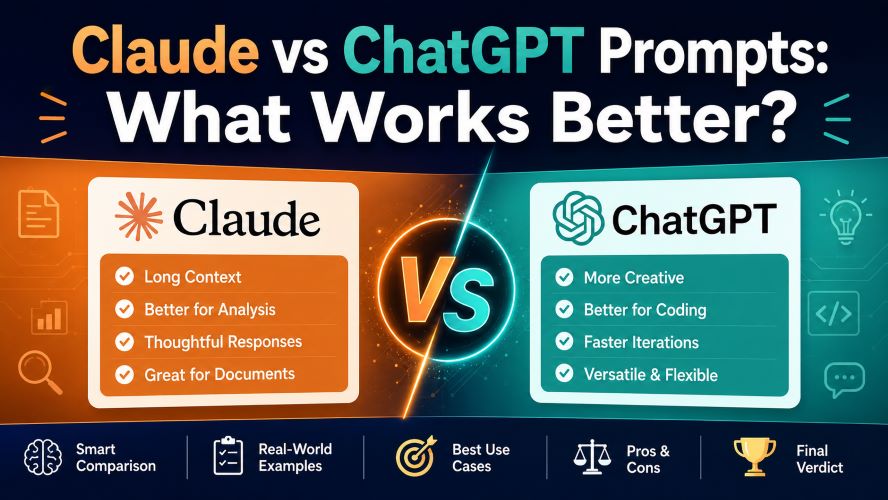
That’s why understanding how prompts behave on each platform is just as important as choosing the platform itself.
Whether you’re writing articles, generating code, brainstorming ideas, analyzing documents, or automating daily work, choosing the right prompting style can save hours of editing and improve output quality.
In this guide, we’ll compare Claude and ChatGPT prompts across real-world scenarios, highlight where each one performs best, and help you decide which fits your workflow.
Quick Summary
| Feature | Claude | ChatGPT |
|---|---|---|
| Long document handling | ⭐⭐⭐⭐⭐ | ⭐⭐⭐⭐☆ |
| Creative writing | ⭐⭐⭐⭐☆ | ⭐⭐⭐⭐⭐ |
| Coding assistance | ⭐⭐⭐⭐☆ | ⭐⭐⭐⭐⭐ |
| Instruction following | ⭐⭐⭐⭐⭐ | ⭐⭐⭐⭐☆ |
| Brainstorming | ⭐⭐⭐⭐☆ | ⭐⭐⭐⭐⭐ |
| Prompt flexibility | High | Very High |
| Best for | Research, analysis, long context | General productivity, coding, creativity |
Bottom line: Neither platform wins every category. Claude often shines with long-form reasoning and document analysis, while ChatGPT tends to excel at creative tasks, coding assistance, and adapting to different prompt styles.
Why Prompt Quality Matters
A prompt isn’t just a question.
It’s a set of instructions that guides the model toward the result you want.
Even small changes in wording can affect:
- Accuracy
- Response depth
- Creativity
- Formatting
- Tone
- Reasoning quality
For example, compare these prompts.
Basic Prompt
Explain cloud computing.
Better Prompt
Explain cloud computing in simple language for beginners. Include real-world examples, key benefits, common drawbacks, and a comparison with traditional servers.
The second version provides:
- More context
- Clear expectations
- Better structure
- A defined audience
The result is typically much more useful.
Claude vs ChatGPT Prompt Philosophy
Although both tools respond to natural language, they often prioritize different aspects of a prompt.
Claude
Claude generally performs well when prompts include:
- Detailed context
- Multiple instructions
- Large reference documents
- Careful reasoning
- Step-by-step analysis
Instead of jumping directly to an answer, Claude often spends more effort connecting ideas and maintaining consistency across long conversations.
This makes it particularly useful for:
- Reviewing lengthy reports
- Research summaries
- Contract analysis
- Technical documentation
- Academic-style explanations
Must Read : Claude Prompt Templates for Beginners (Copy & Paste)
ChatGPT
ChatGPT usually responds well to prompts that are:
- Conversational
- Direct
- Task-focused
- Iterative
- Creative
It also adapts quickly when refining an answer over several follow-up prompts.
Many users appreciate how easy it is to experiment with different prompt styles without rewriting the entire request.
Popular use cases include:
- Blog outlines
- Marketing copy
- Programming help
- Email drafting
- Brainstorming
- Learning new topics
What Makes a Great Prompt?
Regardless of the platform, effective prompts share several characteristics.
1. Define the Goal
Instead of saying:
Write about cybersecurity.
Try:
Write a beginner-friendly guide explaining cybersecurity risks for small businesses.
Specific goals lead to more focused responses.
2. Identify the Audience
Tell the model who you’re writing for.
Examples include:
- Beginners
- Developers
- Students
- Business owners
- Parents
- Marketing professionals
Audience information influences vocabulary, tone, and depth.
3. Specify the Output Format
Good prompts define the desired structure.
For example:
- Bullet list
- Comparison table
- Step-by-step guide
- FAQ
- Blog post
- Executive summary
Formatting instructions reduce unnecessary editing later.
4. Add Constraints
Helpful constraints might include:
- Maximum word count
- Writing style
- Reading level
- Tone
- SEO requirements
- Markdown formatting
These details make the output more predictable.
Must Read : How to Use Claude for Programming: Complete Developer Guide
Side-by-Side Prompt Comparison
Let’s see how the same prompt performs conceptually on both platforms.
Prompt
Create a beginner’s guide explaining password managers.
| Evaluation Area | Claude | ChatGPT |
|---|---|---|
| Organization | Excellent | Excellent |
| Simplicity | Very Good | Excellent |
| Examples | Good | Excellent |
| Conversational tone | Good | Excellent |
| Detail | Excellent | Very Good |
| Practical advice | Excellent | Excellent |
Both produce useful answers, but the presentation style often differs.
Claude tends to deliver more structured explanations with careful reasoning.
ChatGPT often produces a friendlier tone with more examples and easier readability.
When Claude Prompts Often Work Better
Claude is particularly strong when working with large amounts of information.
Examples include:
Research Analysis
Instead of summarizing a single paragraph, Claude can often maintain context across lengthy reports and produce well-organized summaries.
Document Comparison
Comparing two policies, contracts, or reports usually benefits from Claude’s attention to detail.
Multi-Step Reasoning
Complex prompts that require connecting several ideas frequently produce thoughtful, structured answers.
Long Conversations
Claude generally maintains consistency well across extended discussions, reducing the need to repeat earlier context.
When ChatGPT Prompts Often Work Better
ChatGPT frequently excels in fast-paced, iterative workflows.
Examples include:
Creative Writing
Need several headline ideas?
A product description?
A social media caption?
A blog outline?
ChatGPT often provides a wider variety of creative options quickly.
Programming Support
Developers commonly use ChatGPT for:
- Explaining code
- Debugging
- Refactoring
- Writing documentation
- Learning new frameworks
Its conversational style also makes follow-up questions feel natural.
Brainstorming Sessions
When generating dozens of ideas, titles, taglines, or campaign concepts, ChatGPT typically adapts quickly to changing directions.
Real-World Prompt Test #1: Blog Writing
Prompt:
“Write a 1,200-word beginner-friendly article about password security with headings, examples, and FAQs.”
Claude
- Produces a highly structured article.
- Maintains topic consistency throughout.
- Provides detailed explanations.
- Often requires fewer corrections for logical flow.
Best for: Long educational content and research-heavy articles.
ChatGPT
- Creates engaging introductions quickly.
- Generates creative examples and analogies.
- Adapts easily when you request revisions.
- Offers multiple headline and outline variations.
Best for: SEO blogging, marketing content, and rapid content iteration.
Winner: Tie — Claude for depth, ChatGPT for speed and creativity.
Real-World Prompt Test #2: Coding Assistance
Prompt:
“Debug this Python function and explain why it fails.”
Claude
- Explains reasoning carefully.
- Identifies edge cases.
- Provides thorough debugging steps.
ChatGPT
- Suggests fixes quickly.
- Provides working examples.
- Handles iterative debugging conversations smoothly.
Winner: ChatGPT for most developers, though Claude remains excellent for complex explanations.
Real-World Prompt Test #3: Document Summarization
Prompt:
“Summarize this 50-page report and identify key risks, opportunities, and action items.”
Claude
- Excels at handling long context.
- Maintains details from earlier sections.
- Produces organized summaries.
ChatGPT
- Provides concise summaries.
- Works well for shorter documents.
- May require more chunking for extremely large inputs.
Winner: Claude.
Real-World Prompt Test #4: Brainstorming
Prompt:
“Generate 30 unique YouTube video ideas for a beginner investing channel.”
Claude
- Produces thoughtful ideas.
- Groups concepts into categories.
- Focuses on relevance.
ChatGPT
- Generates a larger variety of ideas.
- Offers catchy titles.
- Quickly pivots when you change direction.
Winner: ChatGPT.
The Best Prompt Structure for Both Platforms
One of the biggest mistakes users make is writing vague prompts. This template works well on both Claude and ChatGPT.
Universal Prompt Formula
- Role: Who should the assistant act as?
- Task: What should it accomplish?
- Context: What background information is important?
- Format: Table, article, bullets, JSON, etc.
- Constraints: Word count, tone, audience, and requirements.
Example
Role: Technical blogger
Task: Write a beginner-friendly comparison of SSD vs HDD.
Context: The audience is first-time PC buyers.
Format: Use H2 headings, a comparison table, and FAQs.
Constraints: 1,500 words, conversational tone, avoid jargon.
This structure consistently improves response quality on both platforms.
Prompt Techniques That Work Surprisingly Well
1. Ask for a Draft First
Instead of requesting a perfect final answer immediately:
“Create a first draft, then list three weaknesses and improve it.”
This often produces stronger results.
2. Provide Examples
Example-driven prompts reduce ambiguity.
“Use a writing style similar to a beginner-friendly tech magazine.”
3. Request a Checklist
“After answering, include a checklist to verify the result.”
Great for coding, SEO, and business tasks.
4. Use Iterative Prompting
Start broad and refine:
- Create an outline.
- Expand section 1.
- Add examples.
- Improve readability.
- Optimize for SEO.
ChatGPT especially shines with this workflow.
Common Prompting Mistakes
Being Too Vague
❌ “Write an article.”
✅ “Write a beginner-friendly 1,500-word article comparing SSD and HDD.”
Asking Too Many Unrelated Questions
Break large tasks into separate prompts for better results.
Ignoring the Audience
A developer and a high-school student need very different explanations.
Expecting Perfection in One Prompt
Use follow-up prompts to refine the answer.
Claude Pros and Cons
Pros
- Excellent long-context understanding
- Strong reasoning and organization
- Great for research and analysis
- Maintains consistency across lengthy conversations
- Produces detailed explanations
Cons
- Can be more verbose
- Sometimes less flexible with highly creative tasks
- May require careful prompting for concise outputs
ChatGPT Pros and Cons
Pros
- Excellent conversational experience
- Very strong coding assistance
- Great for brainstorming and creativity
- Handles iterative refinement well
- Works effectively with many prompt styles
Cons
- Long, complex tasks may require more guidance
- Context management can vary depending on the workflow
- Occasionally produces answers that need additional fact-checking
Feature Comparison
| Feature | Claude | ChatGPT |
|---|---|---|
| Long document analysis | ⭐⭐⭐⭐⭐ | ⭐⭐⭐⭐☆ |
| Creative writing | ⭐⭐⭐⭐☆ | ⭐⭐⭐⭐⭐ |
| Coding assistance | ⭐⭐⭐⭐☆ | ⭐⭐⭐⭐⭐ |
| Research and summarization | ⭐⭐⭐⭐⭐ | ⭐⭐⭐⭐☆ |
| Brainstorming | ⭐⭐⭐⭐☆ | ⭐⭐⭐⭐⭐ |
| Ease of use | ⭐⭐⭐⭐☆ | ⭐⭐⭐⭐⭐ |
| Instruction following | ⭐⭐⭐⭐⭐ | ⭐⭐⭐⭐☆ |
Who Should Choose Claude?
Claude is often a great fit if you:
- Analyze large documents regularly.
- Need detailed summaries.
- Prefer structured responses.
- Work in research, legal, consulting, or technical writing.
- Value careful reasoning over rapid brainstorming.
CTA: See full features if document analysis is a major part of your workflow.
Who Should Choose ChatGPT?
ChatGPT is often a strong choice if you:
- Write content frequently.
- Need programming assistance.
- Brainstorm ideas daily.
- Want a flexible conversational workflow.
- Prefer refining answers through multiple follow-up prompts.
Must Read : 25 Best Claude Prompts for Coding, Research, and Content Creation
Things to Consider Before Choosing
1. Your Primary Use Case
- Writing: ChatGPT
- Research: Claude
- Coding: ChatGPT
- Document analysis: Claude
- Brainstorming: ChatGPT
- Complex reasoning: Claude
2. Budget
Compare the available plans and features before subscribing. Pricing and capabilities can change over time, so check current pricing before making a decision.
3. Workflow Integration
Consider whether you need:
- File uploads
- Code execution
- Project organization
- Team collaboration
- API access
- Custom assistants
These factors may matter more than small differences in prompt performance.
Frequently Asked Questions (FAQs)
SEO Tip: The following questions are written in a schema-friendly format and target common “People Also Ask” (PAA) queries.
1. Which platform is better for writing prompts?
It depends on your writing goals.
If you need highly creative content, conversational responses, or quick iterations, ChatGPT often performs better. If your work involves detailed analysis, structured writing, or processing lengthy documents, Claude is frequently the stronger choice.
The best option is the one that aligns with your workflow rather than focusing on a single benchmark.
2. Can I use the same prompt on Claude and ChatGPT?
Yes, but don’t expect identical results.
Even when given the exact same instructions, each platform interprets context, formatting, and reasoning differently. You may need to make small adjustments to get the best output from each one.
A prompt that works exceptionally well on one platform may benefit from additional context or formatting instructions on the other.
3. What makes a prompt more effective?
Effective prompts usually include:
- A clear objective
- Relevant background information
- The intended audience
- The desired output format
- Any important constraints, such as tone or word count
The more specific your instructions, the more useful and consistent the results tend to be.
4. Which platform is better for coding prompts?
For many programming tasks, ChatGPT offers a smoother experience thanks to its interactive style, quick code suggestions, and ability to refine solutions through follow-up prompts.
Claude is also highly capable, especially when explaining complex logic or reviewing larger codebases.
5. Which platform handles long documents better?
Claude generally performs better when working with lengthy reports, research papers, contracts, or documentation.
Its ability to maintain context across large inputs makes it a popular choice for document analysis and summarization.
6. Is prompt engineering necessary for beginners?
Not at all.
Beginners can achieve good results by using simple, natural language. As your needs become more advanced, learning prompt engineering techniques can help you produce more accurate, structured, and efficient outputs.
Think of prompt engineering as a skill that improves with practice rather than a requirement for getting started.
7. Should I subscribe to both platforms?
If your work involves a mix of creative writing, coding, brainstorming, research, and document analysis, using both platforms can provide greater flexibility.
However, many users find that a single platform meets their everyday needs. Start with the one that best matches your most common tasks, then consider adding the other if your requirements expand.
Best Practices for Writing Better Prompts
No matter which platform you choose, these habits can improve the quality of your results:
✔ Be specific
Instead of:
“Write about cybersecurity.”
Try:
“Write a beginner-friendly guide explaining cybersecurity for small business owners. Include common threats, prevention tips, and a FAQ section.”
✔ Provide context
Background information helps generate more relevant responses.
For example:
- Who is the audience?
- What is the purpose?
- What tone should be used?
✔ Request a format
Specify whether you want:
- A table
- Bullet points
- A step-by-step guide
- A blog post
- An email
- A checklist
Clear formatting instructions reduce editing time.
✔ Refine through follow-up prompts
Don’t expect perfection in a single attempt.
Instead, improve the output by asking for:
- More examples
- Better explanations
- Simpler language
- A shorter summary
- Additional details
Small refinements often lead to significantly better results.
Key Takeaways
If you only remember a few things from this comparison, let them be these:
- Prompt quality matters more than prompt length.
- Clear instructions consistently produce better responses.
- Claude performs particularly well with structured reasoning and long-form analysis.
- ChatGPT excels in creativity, coding, and conversational workflows.
- The best platform depends on your goals, not just the technology behind it.
Choosing the right prompting style can make a noticeable difference in the usefulness of the responses you receive.
Final Verdict: Claude vs ChatGPT Prompts
There isn’t a single winner because both platforms excel in different areas.
If your work centers around detailed research, document analysis, and structured reasoning, Claude is often the better fit. Its strength lies in maintaining context and delivering organized, thoughtful responses.
On the other hand, if you regularly create content, write code, brainstorm ideas, or collaborate through back-and-forth conversations, ChatGPT offers a flexible and efficient experience that adapts well to changing requirements.
Ultimately, the most effective prompts are those that clearly define the goal, audience, format, and constraints—regardless of the platform you use.
For many professionals, the ideal approach is to understand the strengths of each tool and choose the one that best supports the task at hand.
Ready to Choose?
Before subscribing, compare the latest features, pricing, and usage limits to ensure you’re selecting the plan that matches your needs.
- Check pricing to compare available plans.
- See full features before making a decision.
- Learn more about the latest capabilities and updates.
Taking a few minutes to evaluate your workflow can help you get the most value from your chosen platform.
Conclusion
Choosing between Claude and ChatGPT isn’t about finding a universal winner, it’s about selecting the right tool for the right job.
Both platforms continue to evolve, introducing new capabilities and improving how they understand and respond to prompts. As a result, the gap between them is becoming narrower in many areas, while each still maintains distinct strengths.
The most productive users aren’t necessarily those with the most advanced prompts. They’re the ones who understand how to communicate their goals clearly, provide enough context, and refine their requests based on the results they receive.
Whether you’re writing articles, developing software, conducting research, or simply looking for better productivity, investing time in learning effective prompting techniques will deliver far greater benefits than relying on any single platform alone.
Experiment with both, identify what works best for your workflow, and keep refining your prompts. Over time, you’ll achieve faster, more accurate, and more valuable results, regardless of which platform you choose.
I was looking for some claude promots and I found this article. Thanks a lot for this gems
You are welcome Willie!
I like the speed and creativity so ChatGPT is my go to tool. But since past few days I am now getting in love with claude for in depth analysis. Very well said!
Even I use both tools for specific tasks