
If you are wondering “Is Notion worth it?”, you are probably trying to solve a familiar problem: too many notes, tasks, bookmarks, documents, calendars, and ideas scattered across different apps.
Notion promises to bring much of that information into one flexible workspace.
But there is an important catch.
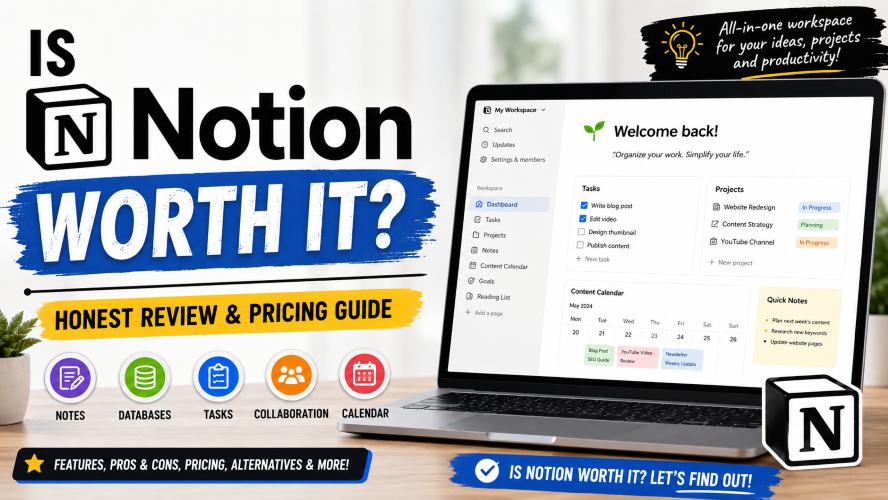
Notion is incredibly flexible, and that flexibility can either be its biggest advantage or its biggest weakness.
For some people, Notion can replace several productivity tools. For others, it can become another complicated app that takes more time to maintain than it saves.
So, is Notion actually worth using?
In this review, we’ll look at Notion’s features, pricing, free plan, advantages, disadvantages, real-world use cases, and alternatives so you can decide without relying on hype.
Quick answer: Notion is worth it if you want a flexible workspace for notes, documents, databases, tasks, projects, and knowledge management. The free plan is particularly attractive for individual users. Paying for Notion makes more sense when you need features such as larger file uploads, more collaboration features, additional history, or advanced team capabilities.
Notion at a Glance
| Category | Our Take |
|---|---|
| Ease of getting started | ⭐⭐⭐⭐☆ |
| Flexibility | ⭐⭐⭐⭐⭐ |
| Note-taking | ⭐⭐⭐⭐⭐ |
| Databases | ⭐⭐⭐⭐⭐ |
| Project management | ⭐⭐⭐⭐☆ |
| Personal organization | ⭐⭐⭐⭐⭐ |
| Team collaboration | ⭐⭐⭐⭐☆ |
| Free plan | ⭐⭐⭐⭐⭐ |
| Customization | ⭐⭐⭐⭐⭐ |
| Best for | People who want an all-in-one workspace |
Notion currently offers a free plan alongside paid plans. Its Free plan is designed particularly around individual organization, while Plus and Business add capabilities for people and teams with more demanding requirements.
The current official pricing lists Plus at $10 per member/month and Business at $20 per member/month, with annual billing offering savings. Pricing and plan availability can change, so check the official pricing page before purchasing.
What Is Notion?
Notion is a flexible productivity and knowledge-management workspace.
Instead of being designed around only one job, such as note-taking or task management, Notion combines documents, wikis, databases, projects, forms, calendars, and other workspace features.
The basic idea is simple:
Create pages, add blocks, organize information, and connect related information together.
For example, you could create:
- Personal notes
- A content calendar
- A task manager
- A reading list
- A project dashboard
- A company wiki
- A CRM
- Meeting notes
- A personal knowledge base
- A database of bookmarked websites
The interesting part is that these systems can be connected rather than existing as completely separate documents.
Notion describes its databases as collections of pages. Each database item can contain its own information, while properties, filters, sorting, and different views help you organize the data.
That flexibility is one of the main reasons people become long-term Notion users.
Is Notion Worth It for Personal Use?
For many individual users, yes.
In fact, personal users are probably the group that gets the most value from starting with Notion’s free plan.
You can use it for things like:
- Daily planning
- Personal notes
- Study notes
- Travel planning
- Reading lists
- Habit tracking
- Project planning
- Content planning
- Goal tracking
- Personal knowledge management
You don’t necessarily need to build a complicated productivity system.
A simple setup might contain only four pages:
- Inbox
- Tasks
- Notes
- Projects
That is enough to start.
The mistake many beginners make is searching for a perfect Notion template before understanding what they actually need.
Start simple.
Then add databases, relations, formulas, dashboards, and automations only when they solve a real problem.
What Makes Notion Different?
1. Flexible Pages
Notion uses a block-based editor.
A page can contain paragraphs, headings, images, tables, checklists, databases, links, code snippets, and other elements.
That means a page can start as a simple note and eventually become a structured workspace.
This is especially useful for people who don’t want their notes and project information separated into dozens of apps.
Must Read : Best Open Source AI Models for Your Laptop
2. Powerful Databases
Databases are arguably Notion’s biggest strength.
Unlike a traditional spreadsheet, each database entry can also be a full Notion page.
You could create a content database with fields such as:
- Article title
- Keyword
- Status
- Author
- Publish date
- Category
- Priority
Then you can view the same underlying information in different layouts.
For example:
Table view: useful for managing details.
Board view: useful for tracking workflow.
Calendar view: useful for publication schedules.
List view: useful for simpler collections.
Notion’s database system supports properties, filters, sorting, multiple views, and linked data sources, making it possible to build fairly sophisticated organizational systems without traditional database software.
Notion Calendar: Is It Useful?
Notion also integrates its database information with Notion Calendar.
This is useful if you want tasks, projects, or other dated database items to appear alongside your schedule.
For example, a content creator could maintain a database containing:
- Article ideas
- Draft deadlines
- Editing dates
- Publication dates
Those dated items can then be connected to Notion Calendar.
Notion’s documentation explains that database entries with dates can appear in the calendar, and calendar changes can update the corresponding database information.
This makes Notion more interesting for people who want planning and project information connected rather than stored separately.
Notion AI: Is It Worth Paying For?
This is where the answer becomes more complicated.
Notion now includes AI-related functionality across its workspace, but you shouldn’t choose Notion solely because it has AI features.
The more important question is:
Will AI inside your existing workspace save you meaningful time?
Notion’s current AI offering includes capabilities around writing, searching information, meeting notes, and agents. The exact availability and limits depend on the plan and current product offering.
For a writer, for example, AI features may be useful for:
- Organizing notes
- Summarizing information
- Improving drafts
- Finding information inside a workspace
- Turning meeting notes into action items
But if you already have another AI tool that handles these tasks well, paying extra purely for Notion AI may not provide enough additional value.
The workspace comes first. The AI features should be a bonus, not the entire reason you subscribe.
Notion Pricing: Is the Free Plan Enough?
This is one of the most important questions for anyone researching Notion pricing.
The good news is that you can start with Notion without paying.
The current Free plan is listed at $0 per member/month and is aimed at individuals organizing personal projects and life. Notion also lists core functionality such as pages, databases, basic forms, basic sites, and Notion Calendar access.
However, there are limitations.
For example, the current pricing information lists a 5 MB per-file upload limit on the Free plan, while paid plans offer larger or unlimited file uploads subject to their applicable limits. Page history also varies by plan.
When the Free Plan Makes Sense
Choose the free version if you mainly need:
- Personal notes
- Basic databases
- Task management
- Personal projects
- Study organization
- Simple content planning
- Basic knowledge management
For many individuals, there is little reason to upgrade immediately.
Try the free plan first.
Use it for a few weeks and see whether Notion genuinely becomes part of your workflow.
Must Read : AI in Software Engineering 2026
When Is Notion Worth Paying For?
The paid version becomes more interesting when you regularly run into limitations.
You might consider upgrading if you need:
- Larger file uploads
- More collaboration capabilities
- Longer page history
- More advanced team features
- Customization for public sites or forms
- Advanced business functionality
Notion currently lists Plus at $10 per member/month and Business at $20 per member/month on its pricing page, with annual billing potentially reducing the effective price.
But here’s the important part:
Don’t upgrade because a feature sounds impressive. Upgrade because you actually need it.
If the free plan comfortably handles your workflow, keep using it.
That is arguably one of the strongest reasons to try Notion in the first place.
Notion Pros and Cons
Pros
- Extremely flexible
- Excellent database functionality
- Strong note-taking experience
- Useful for project management
- Can combine documents and structured data
- Good for personal knowledge management
- Useful calendar integration
- Free plan available
- Suitable for individuals and teams
- Highly customizable
Cons
- Flexibility can become overwhelming
- Advanced setups have a learning curve
- It is easy to over-engineer your workspace
- Some useful features require paid plans
- Heavy customization requires ongoing maintenance
- Users who prefer simple apps may find it too broad
The last point is particularly important.
Notion isn’t automatically better because it has more features.
If you only want a basic checklist, a simpler task app may actually be the better choice.
Notion vs Other Productivity Tools
Notion isn’t the right choice for everyone.
Here’s a simplified comparison.
| Tool Type | Best For | Notion Advantage |
|---|---|---|
| Notion | All-in-one organization | Combines notes, databases, projects and knowledge |
| Obsidian | Connected personal notes | Notion is generally more structured visually |
| Trello | Simple visual task boards | Notion provides broader workspace capabilities |
| Google Docs | Traditional documents | Notion offers databases and connected pages |
| Evernote | Traditional note-taking | Notion offers more database flexibility |
This doesn’t mean one product is universally better.
The right choice depends on your workflow.
If you want a straightforward app with almost no setup, Notion may feel excessive.
If you want to design your own information system, Notion becomes much more compelling.
Real-World Ways to Use Notion
For Students
Students can use Notion to organize:
- Lecture notes
- Assignments
- Exam schedules
- Reading lists
- Research
- Study plans
A simple database can track assignments by subject, deadline, and completion status.
You can then create different views without duplicating the information.
For Content Creators
Notion can be especially useful for bloggers, YouTubers, newsletter writers, and social media creators.
A content database could include:
- Content idea
- Target keyword
- Search intent
- Draft status
- Publication date
- Content type
- Internal links
- Promotion status
Instead of keeping ideas in random documents, everything can live in one system.
For Freelancers
Freelancers can use Notion for:
- Client information
- Project tracking
- Meeting notes
- Deliverables
- Deadlines
- Invoice tracking
- SOPs
This can reduce the number of separate documents needed to manage projects.
For Small Teams
Teams can use Notion as a shared workspace for:
- Company documentation
- Project planning
- Meeting notes
- Team wikis
- Product requirements
- Processes
- Knowledge management
Notion also supports connections with external tools and offers more advanced team features on higher-tier plans.
Who Should Not Use Notion?
This is just as important as knowing who should.
Notion may not be ideal if you:
- Want a very simple notes app
- Don’t enjoy customizing software
- Prefer dedicated specialist tools
- Need advanced spreadsheet functionality
- Don’t want to maintain your own organizational system
- Only need a basic to-do list
Imagine spending 30 minutes designing a beautiful task dashboard for a task that could have been completed with a simple checklist.
That’s the classic Notion trap.
Productivity isn’t about creating the most sophisticated system. It’s about reducing friction between deciding what to do and actually doing it.
How to Decide If Notion Is Worth It for You
Before paying for Notion, ask yourself five questions.
1. Do I need more than notes?
If yes, Notion becomes more attractive.
2. Do I work with structured information?
If you regularly manage lists, projects, content, clients, or research, databases can be extremely useful.
3. Do I want multiple apps in one workspace?
If yes, Notion’s all-in-one approach may save you some switching between tools.
4. Am I willing to learn the system?
If you’re willing to spend some time learning databases and page organization, you’ll get more from Notion.
5. Do I actually need the paid features?
If not, stay on the free plan.
There is no advantage in paying for features you don’t use.
CTA: See the full feature list and decide which Notion plan fits your workflow.
Is Notion Worth It? Our Verdict
So, is Notion worth it?
For most people who want a flexible productivity workspace, yes—but with an important qualification.
Notion is worth it when you need flexibility.
It is particularly strong for people who want to combine notes, documents, databases, projects, knowledge management, and planning in one place.
Its free plan also makes the decision easier because individual users can start without committing to a subscription.
The paid plans become more worthwhile when you need specific additional capabilities for files, collaboration, history, customization, or team workflows.
But don’t build a complicated workspace simply because you can.
Start with one problem.
Create one page.
Add one database if you need it.
Then expand your system as your workflow grows.
Our recommendation: Try Notion’s free plan first. If you find yourself using it regularly and hitting limitations, that’s the right time to consider upgrading.
CTA: Learn more about Notion and check the latest plans before choosing your subscription.
Frequently Asked Questions
Is Notion really worth it?
Yes, Notion can be worth it if you need a flexible workspace for notes, databases, projects, documentation, and personal organization. It may be unnecessary if you only need a simple notes or task app.
Is Notion free?
Yes. Notion currently offers a Free plan at $0 per member/month. The free plan is designed particularly for individual users and includes core workspace functionality.
Is Notion worth paying for?
It depends on your requirements. Paid plans make more sense when you need capabilities that go beyond the Free plan, such as larger file uploads, expanded collaboration features, additional page history, or more advanced team functionality.
Is Notion good for students?
Yes. Students can use Notion to organize notes, assignments, projects, reading lists, deadlines, and study materials. Notion also states that eligible students and educators can receive a Plus plan with a one-member limit for free.
Is Notion good for project management?
Notion can work well for project management, particularly when projects involve documentation, tasks, databases, and knowledge that need to remain connected. It may be less suitable for teams that require highly specialized project-management functionality.
Is Notion better than Google Docs?
Not necessarily. Google Docs is excellent for traditional document creation and real-time document collaboration. Notion is more useful when you want documents combined with databases, structured information, wikis, tasks, and connected pages.
Is Notion good for personal productivity?
Yes. Personal productivity is one of Notion’s strongest use cases. You can build systems for tasks, notes, goals, projects, reading lists, planning, and personal knowledge management without needing a paid plan to get started.
Should I use Notion or a simpler productivity app?
Choose Notion if you want flexibility and customization. Choose a simpler app if your main goal is completing basic tasks with minimal setup.
Final Recommendation
Notion isn’t a magic productivity solution.
What makes it valuable is its ability to adapt to different workflows.
For a student, it can become a study hub.
For a blogger, it can become an editorial calendar.
For a freelancer, it can become a lightweight client workspace.
For a team, it can become a shared knowledge base and project workspace.
And for someone who simply wants somewhere to store notes, it can remain just that.
That’s the real answer to “Is Notion worth it?”
Start free. Keep your setup simple. Upgrade only when a real limitation appears.
If Notion fits the way you naturally organize information, it can be one of the more versatile productivity tools available.
If it makes your workflow more complicated, there is nothing wrong with choosing something simpler.
The best productivity tool isn’t the one with the most features.
It’s the one you will actually keep using.
Notion is always worth it
Yes Notion is good
Notion is worth it
Yes if you can make advantage of it then its totally worth it
I always think that Notion is 100% worth it. My workload has been reduced since I started using Notion
Glad to know Parker
This is great review. I now know more about it now
Thank you Ermias
Notion supports powerful databases which I like the most
Yes indeed Cain