
Software development has always evolved with better tools. From manual coding to integrated development environments (IDEs), every major innovation has helped developers work faster and build better software. AI in Software Engineering 2026 is vital and is changing daily. Now, another shift is happening.
Modern development platforms can write code, detect bugs, generate documentation, review pull requests, and even suggest software architecture. Instead of replacing developers, these tools are becoming reliable assistants that handle repetitive work while engineers focus on solving real business problems.
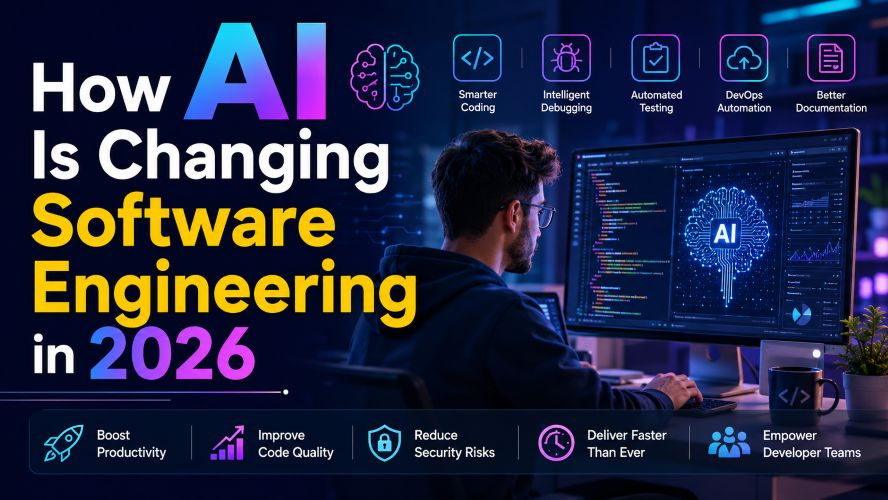
If you’re a developer, student, engineering manager, or someone planning a career in technology, understanding this shift is becoming increasingly important.
In this guide, you’ll learn exactly how software engineering is changing in 2026, which tasks are becoming easier, where human expertise still matters, and which tools deserve your attention.
Claude Prompts That Actually Work in 2026 (Tested Results)
Short on time? Here’s the quick summary.
- AI is automating repetitive coding tasks.
- Developers are spending more time on architecture and problem-solving.
- Debugging and testing are becoming significantly faster.
- DevOps teams are using intelligent automation to reduce deployment issues.
- Human creativity, system design, communication, and security expertise remain essential.
- Learning to work alongside modern development tools is now a valuable career skill.
Why Software Engineering Looks Different in 2026
A few years ago, coding assistants could only autocomplete simple functions.
Today, they can understand project context, explain complex code, suggest optimizations, generate tests, and even identify security vulnerabilities before deployment.
The biggest change isn’t that software writes itself.
The real transformation is that developers spend less time on repetitive tasks and more time making important technical decisions.
Think of it like having a highly capable teammate who never gets tired of writing boilerplate code or searching documentation.
What Has Changed the Most?
1. Coding Is Faster Than Ever
One of the biggest improvements is intelligent code generation.
Developers no longer spend hours writing repetitive CRUD operations, configuration files, or API boilerplate.
Instead, modern coding assistants can generate:
- REST API endpoints
- Database models
- Authentication logic
- Documentation
- Unit tests
- Configuration files
- Reusable components
This allows engineers to spend more time improving user experience and solving business challenges.
Example
Instead of manually writing hundreds of lines for a user authentication system, a developer can generate a solid starting point within minutes and then customise it according to project requirements.
The result is faster development without sacrificing quality.
Must Read : Claude Prompts That Actually Work in 2026 (Tested Results)
2. Debugging Has Become Smarter
Finding bugs used to consume a large portion of development time.
Today’s intelligent debugging assistants analyse:
- Error logs
- Stack traces
- Runtime behaviour
- Dependency conflicts
- Performance bottlenecks
Rather than simply highlighting an error, many tools explain why it happened and suggest possible fixes.
This shortens troubleshooting time significantly.
Benefits
- Faster issue resolution
- Better understanding of unfamiliar code
- Reduced downtime
- Improved developer productivity
AI-Powered Code Reviews Are Improving Team Collaboration
Code reviews remain one of the most important quality assurance processes.
In 2026, many development teams use automated review systems before a human reviewer even opens the pull request.
These systems can identify:
- Duplicate code
- Poor naming conventions
- Security risks
- Memory leaks
- Performance issues
- Style inconsistencies
Human reviewers can then focus on architecture, maintainability, and business logic instead of formatting issues.
Automated Testing Has Reached a New Level
Testing is no longer just about writing manual unit tests.
Modern development platforms help engineers generate:
- Unit tests
- Integration tests
- Regression tests
- Edge case scenarios
- API testing scripts
They can even recommend additional test cases that developers may have overlooked.
Why This Matters
Better testing means:
- Fewer production bugs
- More reliable software
- Faster release cycles
- Greater customer satisfaction
Documentation Is No Longer an Afterthought
Many developers enjoy building software.
Far fewer enjoy documenting it.
One major improvement in 2026 is automatic documentation generation.
Modern tools help create:
- API documentation
- Function descriptions
- README files
- Deployment instructions
- Code comments
- Technical documentation
Developers still review the output, but the initial draft takes only minutes instead of hours.
How DevOps Teams Benefit
Software engineering isn’t just about writing code.
Deployment, monitoring, infrastructure management, and maintenance are equally important.
Intelligent automation now assists DevOps engineers by helping with:
- Infrastructure configuration
- Log analysis
- Incident detection
- Performance monitoring
- Deployment recommendations
- Resource optimisation
Instead of constantly reacting to system failures, teams can prevent many problems before users notice them.
Must Read : Claude vs ChatGPT Prompts: What Works Better?
Comparison: Traditional vs Modern Development
| Feature | Traditional Workflow | Modern Workflow (2026) |
|---|---|---|
| Code Writing | Fully manual | Assisted with intelligent suggestions |
| Debugging | Manual investigation | Context-aware recommendations |
| Testing | Written from scratch | Automatically generated drafts |
| Documentation | Often delayed | Generated alongside development |
| Code Reviews | Entirely manual | Automated first-pass analysis |
| Deployment | Reactive | Predictive monitoring and automation |
Curious About the Best Development Tools?
Not every platform offers the same capabilities.
Some focus on code completion.
Others specialise in testing, documentation, security analysis, or DevOps automation.
Understanding these differences can help you choose tools that fit your workflow instead of adding unnecessary complexity.
The Best AI Coding Tools for Software Engineers in 2026
Choosing the right development tool isn’t about finding the one with the most features. It’s about selecting a platform that fits your workflow, programming languages, team size, and budget.
Some tools are excellent for writing code faster, while others shine in testing, security, or documentation.
Below are some of the most popular categories to consider before making a decision.
Tip: Most platforms offer free plans or trial periods. If you’re considering one for professional use, it’s worth exploring its features before committing to a paid subscription.
1. AI Coding Assistants
These tools integrate directly into popular code editors and IDEs.
They’re designed to help developers write code faster by offering intelligent suggestions, generating functions, and explaining unfamiliar code.
Best for
- Daily software development
- Faster coding
- Learning new frameworks
- Reducing repetitive typing
Key Features
- Context-aware code completion
- Function generation
- Refactoring suggestions
- Documentation assistance
- Inline explanations
Pros
- Saves time on repetitive coding
- Helps developers learn unfamiliar APIs
- Improves productivity
- Works across multiple programming languages
Cons
- Suggestions still require review
- Complex business logic often needs manual implementation
- Performance depends on project context
Natural CTA
👉 Check pricing
👉 See full features
2. AI Testing Platforms
Testing has become one of the biggest productivity gains in modern software engineering.
Rather than writing every test manually, developers can generate initial test cases that cover common scenarios.
Best for
- QA engineers
- Backend developers
- Large development teams
Typical Features
- Unit test generation
- API testing
- Regression testing
- Test coverage recommendations
- Edge-case detection
3. AI Code Review Platforms
Code reviews are still essential.
However, automated review platforms now catch common issues before a teammate even opens a pull request.
They typically analyse:
- Security vulnerabilities
- Performance bottlenecks
- Duplicate code
- Code style
- Maintainability
This allows human reviewers to spend more time discussing architecture instead of formatting.
4. Documentation Assistants
Documentation often gets postponed because development deadlines come first.
Modern documentation tools help create:
- README files
- API references
- Installation guides
- Deployment documentation
- Technical comments
Instead of starting with a blank page, developers begin with a structured draft that can be refined before publication.
Must Read : Best Claude Prompts for Students (Notes, Exams, Revision)
How Different Developers Benefit
Not every developer uses intelligent tools in the same way.
Here’s how different roles are taking advantage of them.
| Developer Role | Common Use Cases |
|---|---|
| Front-end Developer | Component generation, UI suggestions, accessibility improvements |
| Back-end Developer | API creation, database queries, authentication logic |
| Full-stack Developer | End-to-end application development, testing, debugging |
| DevOps Engineer | Infrastructure automation, monitoring, deployment optimisation |
| QA Engineer | Automated test generation, regression testing, bug analysis |
| Engineering Manager | Code quality insights, documentation, team productivity |
Real-World Use Cases
Let’s look at how modern software teams are applying these capabilities in practical scenarios.
Startup Teams
Small teams often have limited engineering resources.
Automating repetitive work allows developers to spend more time building features that directly impact customers.
Enterprise Software
Large organisations maintain millions of lines of code.
Automated code reviews and documentation help improve consistency across multiple teams and reduce onboarding time for new engineers.
Freelance Developers
Freelancers frequently switch between projects and technologies.
Coding assistants can speed up research, explain unfamiliar libraries, and reduce time spent on repetitive setup tasks.
Students and Beginners
Learning programming can feel overwhelming.
Modern development tools help explain syntax, suggest improvements, and provide examples that reinforce understanding.
They’re most effective when used as learning aids rather than shortcuts.
What AI Still Can’t Replace
Despite rapid progress, software engineering remains a deeply human profession.
Successful projects depend on skills that extend far beyond writing code.
These include:
- Understanding business requirements
- Designing scalable systems
- Communicating with stakeholders
- Making architectural decisions
- Prioritising features
- Solving ambiguous problems
- Thinking creatively
- Mentoring team members
Technology can accelerate implementation, but experienced engineers continue to provide the judgement needed to build reliable, secure, and maintainable software.
Pros and Cons of AI in Software Engineering
| Pros | Cons |
| Faster development cycles | Suggestions can be inaccurate |
| Improved productivity | Requires human review |
| Better documentation | Over-reliance can slow learning |
| Smarter debugging | May struggle with highly specialised domains |
| Faster testing | Context is sometimes misunderstood |
| Consistent code quality | Subscription costs for premium features |
Things to Consider Before Choosing an AI Development Tool
Not every platform is suitable for every developer.
Before selecting one, ask yourself these questions:
Does it support your programming language?
Check compatibility with languages and frameworks you use every day.
Does it integrate with your IDE?
The best tools work seamlessly with popular editors such as Visual Studio Code, JetBrains IDEs, and other professional development environments.
How well does it understand large projects?
Some assistants perform well on small files but struggle with complex codebases.
If you work on enterprise applications, context awareness becomes increasingly important.
What about privacy?
If you’re working with proprietary or sensitive code, review the provider’s data handling policies and any enterprise privacy options available.
Is the pricing suitable?
Free plans are often enough for personal projects or learning.
Professional developers may benefit from paid plans that include larger usage limits, advanced integrations, or collaboration features.
Must Read : Website X5 Agency Review: Worth It for Beginners?
Frequently Asked Questions
Is AI replacing software engineers in 2026?
No. Modern development tools automate repetitive tasks, but software engineers remain responsible for architecture, problem-solving, security, collaboration, and decision-making.
Which software engineering tasks benefit the most?
Code generation, debugging, documentation, testing, code reviews, and routine refactoring are among the areas seeing the greatest productivity improvements.
Are AI coding tools suitable for beginners?
Yes, provided they’re used to learn concepts rather than simply copying generated code. Reviewing and understanding suggestions is essential for long-term skill development.
Can AI improve software quality?
It can help identify bugs, generate tests, detect potential security issues, and encourage more consistent coding practices. Final quality still depends on thoughtful human review.
Are AI coding assistants worth paying for?
For developers who write code daily, a premium plan may save enough time to justify the cost. Occasional users might find a free tier sufficient.
What skills will matter most in the future?
System design, security, cloud computing, communication, software architecture, critical thinking, and domain knowledge will continue to be highly valuable alongside technical proficiency.
Final Verdict
Software engineering in 2026 is becoming more efficient—not because developers are writing less code, but because they’re spending less time on repetitive tasks and more time solving meaningful problems.
Teams that combine strong engineering fundamentals with modern development tools can often deliver software more quickly while maintaining high standards for quality and reliability.
Rather than viewing these tools as a replacement for expertise, the most successful developers treat them as productivity enhancers that support better decision-making and faster execution.
If you’re evaluating development platforms, focus on how well they fit your workflow, integrate with your existing tools, and address your team’s biggest challenges.
Start with a free plan where available, compare the features that matter most to you, and upgrade only when the additional capabilities provide clear value.