
Ever watched a video where a “person” speaks perfectly on camera—without a studio, actors, or retakes—and wondered how that’s even possible? You’re not alone. Creators, marketers, educators, and small businesses are all looking for faster ways to produce human-like videos without expensive gear or on-camera pressure. The good news? You don’t need filming skills, lighting setups, or a production team anymore. In this guide, you’ll learn how to create human AI video content step by step, what tools actually work, and how to get natural-looking results that don’t feel robotic or fake.
No hype. Just practical, real-world guidance.
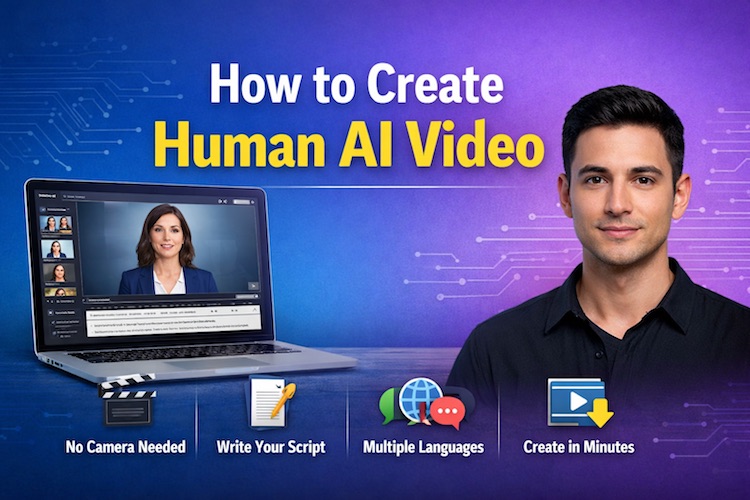
Quick Summary
- Human AI videos use digital presenters that look and sound realistic
- You can create one in under 10 minutes with the right tool
- Ideal for marketing, training, YouTube, social media, and websites
- Best results come from good scripts + natural voice settings
- No camera, actors, or editing skills required
What Is a Human AI Video?
A human AI video is a video created using software that generates a realistic digital presenter who speaks your script using natural facial expressions, lip movement, and voice.
Instead of filming a real person, you:
- Write a script
- Choose a human presenter
- Select a voice and language
- Generate the video
The result looks like a real person talking on camera—without ever pressing “record.”
Why Human AI Videos Are Exploding in Popularity
Human-style videos solve real problems that creators face every day:
Common Pain Points
- Fear of being on camera
- High video production costs
- Time-consuming editing
- Inconsistent presenters
- Language barriers
Key Benefits
- 🎥 No camera or studio needed
- ⏱️ Create videos 10x faster
- 🌍 Multiple languages & accents
- 💰 Lower long-term costs
- 🔁 Easy updates without reshooting
That’s why they’re now used in ads, landing pages, tutorials, onboarding videos, and even YouTube channels.
Must Read : Typora Review: A Minimalist Markdown Editor That Just Works
How to Create Human AI Video: Step-by-Step
Let’s break it down into a simple process anyone can follow.
Step 1: Choose the Right Human AI Video Tool
Not all tools produce the same quality. Look for software that offers:
- Realistic facial movements
- High-quality voice options
- Custom avatars or presenters
- Commercial usage rights
- Easy export formats
Popular platforms beginners often start with include Synthesia, HeyGen, and D-ID.
Each tool has strengths, which we’ll compare later.
Step 2: Write a Natural-Sounding Script
Your script matters more than the tool.
Tips for human-sounding scripts:
- Use short sentences
- Write like you speak
- Avoid complex jargon
- Add pauses and contractions
- Read it out loud once
Bad example:
Our platform enables optimization of scalable solutions.
Better example:
Today, I’ll show you how this works—and why it matters.
If the script feels human, the video will too.
Step 3: Select a Human Presenter
Most platforms let you choose from different presenters based on:
- Gender
- Age appearance
- Ethnicity
- Clothing style
- Background
Choose someone that matches your brand or audience. For professional content, neutral and friendly presenters usually perform best.
Must Read : Aiarty Image Enhancer Review: Features, Performance & Verdict
Step 4: Pick the Voice and Language
This is where realism really shows.
Look for:
- Natural pacing
- Emotion control (calm, energetic, serious)
- Native accents
- Multiple language support
Pro tip: Slightly slower speech often feels more natural than fast delivery.
Step 5: Customize Visuals & Layout
Enhance engagement with:
- Backgrounds (plain or branded)
- On-screen text highlights
- Images or screen overlays
- Logo placement
This keeps viewers watching longer and improves clarity.
Step 6: Generate and Export the Video
Once everything looks good:
- Preview the video
- Make small script or voice tweaks
- Export in HD format
Most tools generate the final video in a few minutes.
That’s it—you’ve created a human AI video.
Best Use Cases for Human AI Videos
Wondering where these videos actually work best?
🔹 Marketing & Sales
- Product explainers
- Landing page videos
- Social media ads
🔹 Education & Training
- Online courses
- Corporate onboarding
- How-to tutorials
🔹 Content Creation
- YouTube faceless channels
- Blog video summaries
- Short-form social videos
🔹 Business Communication
- Internal updates
- Client presentations
- Multilingual announcements
Must Read : Aiarty Image Enhancer Review – Upscale Photos to 32K Naturally
Tool Comparison: Which One Is Right for You?
| Feature | Synthesia | HeyGen | D-ID |
|---|---|---|---|
| Ease of use | Very easy | Easy | Moderate |
| Avatar realism | High | Very high | High |
| Custom avatars | Yes | Yes | Limited |
| Languages | 120+ | 40+ | 100+ |
| Best for | Training & business | Marketing & creators | Storytelling |
Pros and Cons of Human AI Videos
✅ Pros
- No filming required
- Fast production
- Scales easily
- Consistent quality
- Beginner-friendly
❌ Cons
- Limited emotional depth
- Subscription costs
- Requires good scripting
- Not ideal for cinematic content
Balanced expectations lead to better results.
Buying Guide: What to Consider Before Choosing a Tool
Before you commit, ask yourself:
- Do I need commercial usage rights?
- How many videos per month will I create?
- Do I need multiple languages?
- Is avatar realism more important than price?
- Do I want custom branding?
Choosing based on your actual use case saves money and frustration.
Real-World Scenarios
Example 1: Solo Blogger
Creates short explainer videos for blog posts → increases time on page.
Example 2: Online Course Creator
Builds consistent lesson videos without filming → faster course launches.
Example 3: Small Business
Uses one digital presenter across all ads → stronger brand recognition.
FAQs – People Also Ask
1. Are human AI videos suitable for YouTube?
Yes, especially for explainers, tutorials, and faceless channels. Original scripts matter.
2. Do I need video editing skills?
No. Most platforms handle everything inside the dashboard.
3. Can I use these videos for ads?
Yes, if the tool includes commercial usage rights.
4. Will viewers know it’s not a real person?
Sometimes—but clarity and usefulness matter more than perfection.
5. How long does it take to create one video?
Usually 5–15 minutes once your script is ready.
6. Are these videos good for SEO?
Yes. Videos can improve dwell time and engagement when embedded in content.
7. Can I update videos later?
Absolutely. Just edit the script and regenerate.
Final Verdict & Recommendation
If you want to create professional-looking videos without being on camera, human AI videos are one of the most practical solutions available today.
They’re fast, scalable, beginner-friendly, and incredibly versatile.
For most users:
- Start with an easy, template-based tool
- Focus on clear, helpful scripts
- Use videos to support—not replace—valuable content
When used thoughtfully, human AI videos can become one of the most efficient tools in your content and marketing stack.