
Managing projects shouldn’t feel like managing chaos. Whether you’re leading a growing startup, coordinating a remote team, or simply trying to keep personal tasks organized, the right project management software can save hours every week. Instead of juggling spreadsheets, endless emails, and scattered notes, you get one place to plan, assign, track, and complete work. Best Project Management Software will help you to know which software suits your requirement. The challenge is that dozens of platforms promise to be the “best.” Some are packed with advanced features you’ll never use, while others are too basic for larger projects.
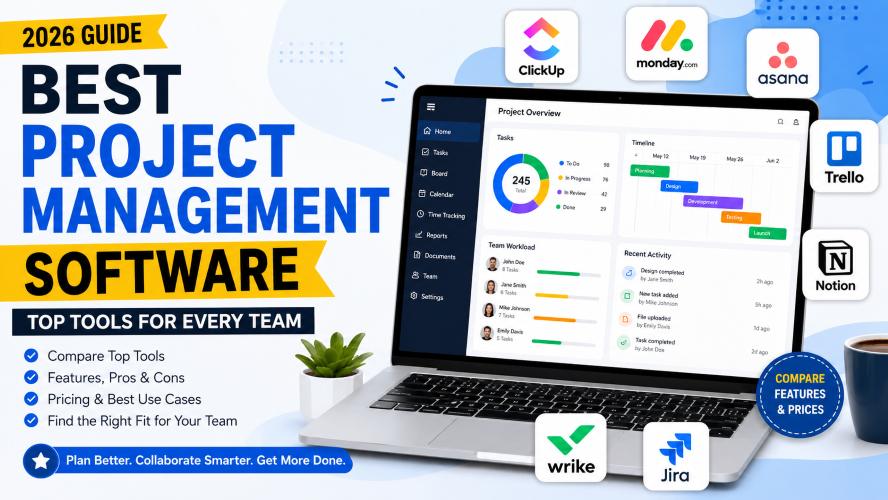
This guide compares the best project management software based on ease of use, collaboration, automation, integrations, pricing, and overall value. By the end, you’ll know which tool fits your workflow and budget.
Quick Summary
If you’re short on time, here’s a quick overview.
| Software | Best For | Starting Price |
|---|---|---|
| ClickUp | All-in-one productivity | Free plan available |
| Monday.com | Growing businesses | Paid plans available |
| Asana | Team collaboration | Free plan available |
| Trello | Simple Kanban workflows | Free plan available |
| Notion | Documentation + projects | Free plan available |
| Wrike | Enterprise teams | Paid plans available |
| Jira | Agile development | Free plan available |
Recommended Picks
- Best Overall: ClickUp
- Best for Beginners: Trello
- Best for Small Businesses: Monday.com
- Best for Remote Teams: Asana
- Best for Developers: Jira
Why Choosing the Right Project Management Software Matters
Project management software is no longer just for large companies.
Today, freelancers, agencies, startups, marketing teams, educators, and even students use these tools to organize work more efficiently.
A good platform helps you:
- Keep projects on schedule
- Assign responsibilities clearly
- Track deadlines
- Improve communication
- Reduce unnecessary meetings
- Monitor project progress in real time
- Store files and documentation in one place
Instead of wondering who is working on what, everyone stays aligned with a shared workspace.
How We Evaluated These Tools
To keep this comparison practical, we focused on the features that matter most in everyday use.
Our evaluation considered:
- Ease of setup
- User interface
- Collaboration features
- Task management
- Automation
- Reporting
- Integrations
- Mobile experience
- Customer support
- Overall value for money
Rather than ranking tools based on popularity alone, we considered how well each platform solves real project management challenges.
1. ClickUp – Best Overall Project Management Software
Best For
- Small businesses
- Marketing teams
- Agencies
- Startups
- Remote teams
- Personal productivity
Why It Stands Out
ClickUp combines task management, documents, goals, dashboards, time tracking, automation, and collaboration into one platform. Instead of paying for several productivity tools, many teams can manage everything from a single workspace.
One of its biggest strengths is flexibility. You can create simple to-do lists or build complex workflows with custom fields, dependencies, recurring tasks, and multiple project views.
If your team grows, ClickUp grows with you.
Key Features
- Multiple project views
- List
- Board
- Calendar
- Timeline
- Gantt
- Built-in Docs
- Whiteboards
- Time tracking
- Goal tracking
- Automation
- Templates
- Custom dashboards
- Hundreds of integrations
Pros
- Excellent free plan
- Highly customizable
- Powerful automation
- Suitable for almost any industry
- Frequent feature updates
Cons
- Can feel overwhelming initially
- Advanced customization has a learning curve
Ideal For
Choose ClickUp if you want one platform that handles project management, documentation, reporting, and team collaboration without constantly switching between apps.
2. Monday.com – Best for Growing Businesses
Best For
- Business operations
- Sales teams
- HR
- Marketing
- Client management
- Medium-sized organizations
Why It Stands Out
Monday.com focuses on visual project planning.
Its colorful dashboards, customizable workflows, and automation make it easy to understand project status at a glance. Even non-technical users can create workflows without needing extensive training.
Many businesses also use it beyond project management—for CRM, hiring, content planning, inventory tracking, and operational workflows.
Key Features
- Visual dashboards
- Timeline planning
- Workload management
- Automation
- File sharing
- Time tracking
- Team collaboration
- Hundreds of integrations
Pros
- Beautiful interface
- Easy onboarding
- Excellent reporting
- Strong automation
- Great templates
Cons
- Pricing increases as teams grow
- Some advanced features require higher-tier plans
Must Read : Luminar Update 2026: What Photographers Need to Know
Ideal For
Monday.com is a great choice if your business needs a flexible platform that can adapt to multiple departments while remaining easy for everyone to use.
3. Asana – Best for Team Collaboration
Best For
- Marketing teams
- Content teams
- Remote organizations
- Agencies
- Cross-functional projects
Why It Stands Out
Asana shines when multiple teams work together on shared projects. It makes responsibilities clear, keeps conversations attached to tasks, and helps managers monitor progress without constant follow-up meetings.
Its clean interface reduces distractions while still offering advanced features like timelines, portfolios, workflow automation, and workload management.
For organizations that value collaboration and transparency, Asana remains one of the most reliable options available.
Key Features
- Task dependencies
- Timeline view
- Project portfolios
- Automation rules
- Workload balancing
- Team messaging
- Goal tracking
- Calendar view
- Mobile apps
Pros
- Easy to learn
- Excellent collaboration tools
- Clean and intuitive interface
- Reliable mobile experience
- Strong integration ecosystem
Cons
- Limited reporting in lower-tier plans
- Advanced features require premium subscriptions
Ideal For
Asana is particularly well suited for teams that manage recurring workflows, marketing campaigns, product launches, and collaborative projects involving multiple stakeholders.
4. Trello – Best for Simple Task Management
Best For
- Freelancers
- Students
- Small teams
- Personal projects
- Startups with simple workflows
Why It Stands Out
Sometimes, the simplest solution is the most effective.
Trello uses a Kanban-style board where tasks are represented as cards that move across customizable lists such as To Do, In Progress, and Completed. This visual approach makes it easy to understand project status at a glance.
You can also enhance Trello with Power-Ups (integrations and add-ons), making it surprisingly capable without sacrificing its clean interface.
Key Features
- Drag-and-drop Kanban boards
- Task checklists
- Due dates and reminders
- Labels and tags
- File attachments
- Calendar and Timeline views
- Automation with Butler
- Mobile and desktop apps
Pros
- Extremely beginner-friendly
- Quick setup
- Excellent free plan
- Clean visual workflow
- Great for personal productivity
Cons
- Limited advanced reporting
- Not ideal for managing highly complex projects
Ideal For
If you want a lightweight tool to organize tasks without a steep learning curve, Trello is an excellent choice.
5. Notion – Best for Documentation and Knowledge Management
Best For
- Content creators
- Startups
- Remote teams
- Product managers
- Knowledge bases
- Personal organization
Why It Stands Out
Notion combines notes, documents, databases, wikis, and project management into one flexible workspace.
Instead of switching between multiple apps for documentation and task tracking, teams can centralize meeting notes, SOPs, roadmaps, project plans, and task lists in one place.
Its block-based editor allows pages to be customized exactly how you want, making it one of the most versatile productivity platforms available.
Key Features
- Custom databases
- Project tracking
- Team wiki
- Templates
- Calendar view
- Kanban boards
- Collaborative editing
- Rich media support
Pros
- Highly flexible
- Excellent documentation capabilities
- Modern interface
- Great for content planning
- Strong free plan
Cons
- Setup can take time
- Advanced databases require some learning
Ideal For
Choose Notion if your team values documentation as much as project execution and wants everything organized in one workspace.
Must Read : 10 AI Trends Changing Tech Jobs by 2029
6. Wrike – Best for Large Organizations
Best For
- Enterprises
- Marketing departments
- Creative agencies
- IT teams
- Large cross-functional projects
Why It Stands Out
Wrike is designed for organizations managing multiple teams, departments, and complex workflows.
Its advanced reporting, workload management, approval workflows, and enterprise-grade security make it a strong option for businesses handling large-scale projects.
Managers gain detailed visibility into project performance without needing multiple reporting tools.
Key Features
- Resource management
- Custom dashboards
- Time tracking
- Proofing and approvals
- Workflow automation
- Request forms
- Advanced reporting
- Enterprise security
Pros
- Powerful reporting
- Excellent scalability
- Strong project visibility
- Enterprise-grade permissions
- Custom workflows
Cons
- Higher learning curve
- Premium pricing for advanced features
Ideal For
Wrike is well suited for organizations that need advanced project oversight, detailed reporting, and strong collaboration across departments.
7. Jira – Best for Agile Software Development
Best For
- Software developers
- Engineering teams
- DevOps
- Agile organizations
- Scrum teams
Why It Stands Out
Jira has become one of the most widely used Agile project management platforms for software development.
It supports Scrum boards, Kanban boards, sprint planning, issue tracking, bug reporting, and release management.
While non-technical teams may find it more complex than other tools, development teams often appreciate its depth and customization.
Key Features
- Sprint planning
- Scrum boards
- Kanban boards
- Issue tracking
- Roadmaps
- Backlog management
- Automation
- Development integrations
Pros
- Excellent Agile support
- Powerful reporting
- Highly customizable
- Large integration ecosystem
- Trusted by development teams
Cons
- Not beginner-friendly
- Better suited to technical teams
Ideal For
If your team follows Agile or Scrum methodologies, Jira offers the specialized tools needed to plan, track, and deliver software projects efficiently.
Comparison Table: Which Project Management Software Is Right for You?
| Software | Best For | Ease of Use | Free Plan | Notable Strength |
|---|---|---|---|---|
| ClickUp | All-in-one productivity | ⭐⭐⭐⭐☆ | ✅ | Feature-rich workspace |
| Monday.com | Business operations | ⭐⭐⭐⭐⭐ | Limited | Visual workflows |
| Asana | Team collaboration | ⭐⭐⭐⭐⭐ | ✅ | Cross-team coordination |
| Trello | Simple task tracking | ⭐⭐⭐⭐⭐ | ✅ | Kanban boards |
| Notion | Documentation + projects | ⭐⭐⭐⭐☆ | ✅ | Flexible knowledge management |
| Wrike | Enterprise teams | ⭐⭐⭐☆☆ | Limited | Advanced reporting |
| Jira | Software development | ⭐⭐⭐☆☆ | ✅ | Agile project management |
Best Project Management Software by Use Case
Choosing the right software often depends on how your team works. Here are some recommendations based on common scenarios.
Best for Small Businesses
Winner: Monday.com
Why?
- Easy to onboard new employees
- Visual dashboards
- Workflow automation
- Scales as your business grows
Best for Freelancers
Winner: Trello
Why?
- Simple interface
- Fast setup
- Free plan covers most needs
- Great for tracking client work
Best for Remote Teams
Winner: Asana
Why?
- Excellent collaboration tools
- Shared project visibility
- Clear task ownership
- Strong mobile apps
Best All-in-One Platform
Winner: ClickUp
Why?
- Combines tasks, documents, dashboards, goals, and time tracking
- Reduces the need for multiple productivity tools
- Suitable for teams of all sizes
Best for Developers
Winner: Jira
Why?
- Built specifically for Agile workflows
- Sprint planning
- Bug tracking
- Development-focused integrations
Best for Documentation
Winner: Notion
Why?
- Combines project planning with documentation
- Centralized knowledge base
- Flexible databases
- Great for content teams and startups
Are Free Project Management Tools Enough?
For many individuals and small teams, the answer is yes.
Free plans typically include:
- Task management
- Basic collaboration
- File sharing
- Mobile access
- Limited automation
- Essential integrations
However, as your projects become more complex, paid plans often unlock valuable features such as advanced reporting, custom automations, workload management, detailed permissions, and expanded storage.
If you’re just getting started, using a free plan can help you evaluate the platform before upgrading.
Alternatives Worth Considering
While the tools above are among the most popular, a few other platforms may suit specific workflows:
- Basecamp – Focuses on straightforward communication and project organization.
- Teamwork – Well suited for agencies managing client projects.
- Smartsheet – Spreadsheet-style project management with advanced reporting.
- Zoho Projects – A budget-friendly option for businesses already using the Zoho ecosystem.
- Microsoft Planner – Convenient for organizations that rely heavily on Microsoft 365.
Each platform has its own strengths, so it’s worth comparing features against your team’s daily workflow rather than choosing based on popularity alone.
Buying Guide: How to Choose the Best Project Management Software
Selecting project management software isn’t just about choosing the platform with the longest feature list. The right tool should match your team’s workflow, budget, and future growth.
Before making a decision, take a few minutes to evaluate how your team actually works.
1. Understand Your Team’s Workflow
Every team manages projects differently.
For example:
- Marketing teams often need content calendars, campaign tracking, and approval workflows.
- Software developers usually rely on Agile boards, sprint planning, and issue tracking.
- Creative agencies need client collaboration, file sharing, and project timelines.
- Small businesses often prioritize simplicity and affordability over advanced features.
Choosing software designed for your workflow helps reduce unnecessary complexity.
2. Prioritize Ease of Use
Even the most powerful software won’t help if your team avoids using it.
Look for a platform that offers:
- A clean dashboard
- Easy navigation
- Minimal learning curve
- Helpful onboarding resources
- Mobile accessibility
Many providers offer free plans or trial periods, making it easy to test the interface before committing.
3. Check Collaboration Features
Project management is about more than task lists. Effective collaboration keeps everyone aligned and reduces communication gaps.
Useful collaboration features include:
- Task comments
- File attachments
- Mentions and notifications
- Shared calendars
- Team workspaces
- Real-time editing
- Activity history
These tools help teams stay informed without relying on lengthy email threads.
4. Look for Automation
Automation can save hours every week by reducing repetitive tasks.
Helpful automations include:
- Automatically assigning tasks
- Sending deadline reminders
- Updating project statuses
- Creating recurring tasks
- Moving tasks between workflow stages
- Triggering notifications
Even simple automation can improve consistency and reduce manual work.
Must Read : 15 AI Coding Assistants Compared: Which one is Best AI coding assistant?
5. Consider Integrations
Your project management software should work well with the tools you already use.
Popular integrations include:
- Google Drive
- Microsoft 365
- Slack
- Zoom
- Dropbox
- GitHub
- GitLab
- Outlook
- Gmail
- Zapier
The fewer apps your team has to switch between, the more productive everyone can be.
6. Think About Scalability
Your needs today may be very different a year from now.
Ask yourself:
- Will our team grow?
- Will we manage more clients?
- Do we expect larger projects?
- Will we need reporting later?
- Will multiple departments use this platform?
Choosing software that scales with your business can save time and effort in the future.
Essential Features to Look For
Not every project requires enterprise-level functionality, but these features provide long-term value for most teams.
Task Management
A good platform should make it easy to:
- Create tasks
- Assign owners
- Set priorities
- Add deadlines
- Organize subtasks
- Track progress
Multiple Project Views
Different people prefer different ways of visualizing work.
Useful options include:
- List View
- Kanban Board
- Calendar View
- Timeline
- Gantt Chart
Having multiple views allows each team member to work in the format they find most intuitive.
Reporting and Dashboards
Managers need visibility into project performance without manually compiling updates.
Look for:
- Project progress reports
- Team workload dashboards
- Time tracking summaries
- Productivity metrics
- Custom reports
These insights help identify bottlenecks early and support better planning.
Mobile Access
Remote and hybrid teams often need to check tasks while away from their desks.
A reliable mobile app should allow users to:
- View projects
- Update tasks
- Upload files
- Comment on work
- Receive notifications
This flexibility keeps projects moving even when team members are on the go.
Security and Permissions
If your projects involve sensitive information, security becomes especially important.
Look for features such as:
- Two-factor authentication (2FA)
- Role-based permissions
- Secure cloud storage
- Data encryption
- Activity logs
These capabilities help protect business information and control access.
Common Mistakes to Avoid
Choosing the wrong software can lead to wasted time, frustrated teams, and unnecessary costs.
Here are some common pitfalls.
Buying Based on Popularity Alone
A widely used platform isn’t always the best fit for your workflow.
Focus on how well the software meets your specific needs rather than following trends.
Paying for Features You’ll Never Use
Advanced plans often include powerful capabilities, but not every team needs them.
Start with the features you require today and upgrade only when your needs evolve.
Ignoring Team Feedback
Your team will use the software every day.
Before making a final decision:
- Test free trials
- Gather feedback
- Compare experiences
- Identify pain points
This collaborative approach can improve adoption and satisfaction.
Overlooking Customer Support
Reliable support becomes valuable when you encounter setup challenges or technical issues.
Consider:
- Help documentation
- Live chat
- Email support
- Community forums
- Video tutorials
Strong support resources can shorten the learning curve and reduce downtime.
Tips to Improve Team Productivity
Even the best software won’t deliver results without good project management habits.
Here are a few practical tips:
- Define clear project goals before assigning tasks.
- Break large projects into smaller, manageable milestones.
- Use consistent naming conventions for tasks and folders.
- Review project progress regularly.
- Archive completed projects to keep workspaces organized.
- Limit unnecessary notifications to reduce distractions.
- Encourage team members to update task status promptly.
Small improvements in process often lead to significant productivity gains over time.
Frequently Asked Questions (FAQs)
1. What is the best project management software overall?
The best project management software depends on your team’s size, workflow, and budget. If you’re looking for an all-in-one solution that combines task management, collaboration, documentation, and automation, ClickUp is an excellent choice. For simpler workflows, Trello is a great option, while Asana and Monday.com are ideal for growing teams that need advanced collaboration features.
2. Which project management software is best for small businesses?
Small businesses often benefit from software that’s easy to learn, affordable, and scalable.
Top recommendations include:
- Monday.com for business operations
- ClickUp for all-in-one productivity
- Asana for team collaboration
- Trello for simple project tracking
Many of these platforms offer free plans or trials, allowing you to test them before upgrading.
3. Is free project management software enough?
For freelancers, startups, students, and small teams, a free plan is often sufficient.
Most free plans include:
- Task management
- Team collaboration
- Basic project views
- Mobile apps
- File attachments
- Limited automation
As your team grows, you may need premium features like advanced reporting, custom permissions, unlimited automations, or larger storage limits.
4. Which project management software is easiest to learn?
If you’re new to project management tools, these platforms have the shortest learning curve:
- Trello
- Monday.com
- Asana
They offer intuitive interfaces and require minimal setup, making them suitable for beginners and small teams.
5. What features should I look for in project management software?
The most valuable features include:
- Task assignment
- Due dates and reminders
- Team collaboration
- Kanban boards
- Calendar view
- Timeline or Gantt charts
- Automation
- Time tracking
- File sharing
- Third-party integrations
- Mobile access
- Reporting dashboards
Focus on the features your team will actually use instead of paying for capabilities that may remain unused.
6. Which software is best for remote teams?
Remote teams usually need strong collaboration and communication features.
Some of the best options are:
- Asana for collaborative workflows
- ClickUp for centralized workspaces
- Notion for documentation and knowledge sharing
- Monday.com for visual project planning
These platforms make it easier to keep everyone aligned, regardless of location.
7. Can project management software improve productivity?
Yes—when implemented effectively.
A good project management platform helps teams:
- Organize work in one place
- Reduce missed deadlines
- Improve accountability
- Streamline communication
- Automate repetitive tasks
- Track project progress in real time
While software doesn’t replace good planning, it provides the structure needed to manage projects more efficiently.
8. Which project management software is best for developers?
Development teams often require specialized tools that support Agile methodologies, sprint planning, bug tracking, and backlog management.
Jira is widely recognized for these capabilities and is a strong fit for software development teams following Scrum or Kanban workflows.
Final Verdict
Choosing the best project management software isn’t about finding the platform with the most features—it’s about finding the one that fits the way your team works.
If you want a quick recommendation, here’s a simple breakdown:
| If You Need… | Recommended Software |
|---|---|
| Best overall value | ClickUp |
| Best for beginners | Trello |
| Best for small businesses | Monday.com |
| Best for collaboration | Asana |
| Best for documentation | Notion |
| Best for enterprises | Wrike |
| Best for developers | Jira |
Every tool featured in this guide has its strengths, and many offer free plans or trial periods. Taking the time to test two or three options with your actual workflow can help you make a more confident decision.
Conclusion
The right project management software can transform how your team plans, collaborates, and delivers work. Whether you’re managing a personal to-do list, coordinating a marketing campaign, or overseeing complex business projects, choosing the right platform helps reduce confusion, improve accountability, and keep projects moving forward.
Rather than focusing only on pricing or popularity, consider your team’s daily workflow, the features you’ll use most often, and how the software can support your long-term goals.
Start with a free plan or trial whenever possible. Explore the interface, test the collaboration features, and see how well the platform fits your process. A small investment of time today can save countless hours as your projects and team continue to grow.
Key Takeaways
- Choose software based on your workflow, not just popularity.
- Free plans are often enough for individuals and small teams.
- Prioritize ease of use, collaboration, automation, and integrations.
- Test multiple platforms before committing to a paid plan.
- Select a solution that can scale with your team’s future needs.
Notion is awesome, but after reading this I need to try Monday too
Yes you must try Monday too!
I like Trello. I have been using that a lot. It’s time to switch I guess. Notion or Monday?
It depends on your requirements. For me Monday even works!
My company uses Jira. ultimate software for project management
Glad to know Emanuel. Although I will say keep exploring other options.
This is great video
Thank You Fisher!
Trello is best for simple task management
Yes for simple tasks its good