
Programming has changed dramatically over the past few years. Tasks that once took hours, writing boilerplate code, fixing syntax errors, explaining unfamiliar APIs, or generating test cases, can now be completed in minutes with the right coding assistant. Finding the best AI coding assistant is a task.
But there’s one problem.
There are dozens of coding assistants available today, and nearly all of them promise faster development, cleaner code, and higher productivity. After comparing the most popular options across real-world developer workflows, one thing became clear: not every tool delivers the same experience.
Some excel at generating code but struggle with debugging. Others are excellent at explaining complex functions but feel slow during everyday development.
This guide compares 15 popular AI coding assistants based on usability, speed, language support, IDE compatibility, collaboration features, pricing, and overall value.
By the end, you’ll know which option makes the most sense for your workflow—whether you’re a beginner, freelancer, student, or professional software developer.
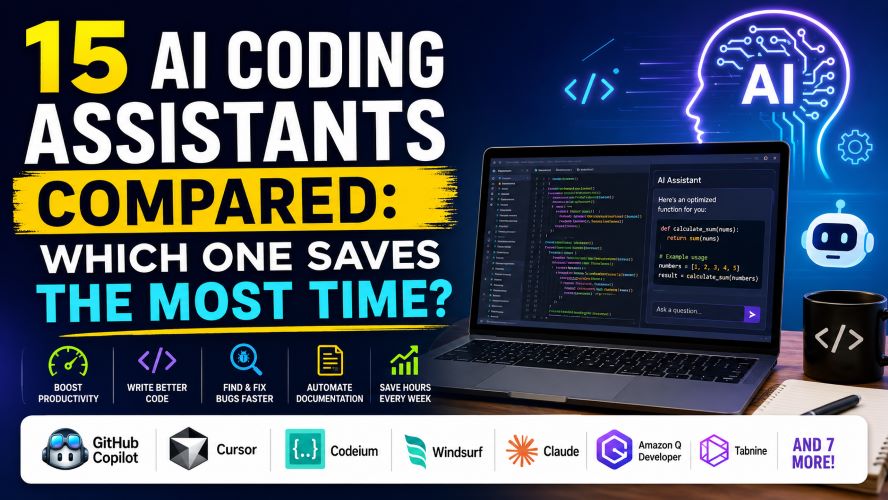
If you’re short on time, here’s the quick answer.
| Best For | Recommendation |
|---|---|
| Overall Winner | GitHub Copilot |
| Best Free Option | Codeium |
| Best for Enterprise Teams | Amazon Q Developer |
| Best for Large Codebases | Cursor |
| Best for Beginners | Cody |
| Best Chat-Based Coding Assistant | Claude |
| Best Value | Windsurf |
Top Pick: GitHub Copilot remains the strongest all-around option thanks to its excellent code completion, wide IDE support, and ability to fit naturally into everyday development workflows.
Why Choosing the Right Coding Assistant Matters
Writing code isn’t usually the hardest part of software development.
Developers spend a significant amount of time:
- Searching documentation
- Understanding existing code
- Fixing bugs
- Refactoring
- Writing tests
- Reviewing pull requests
- Learning unfamiliar frameworks
A capable coding assistant can reduce this repetitive work while helping maintain code quality.
The right tool should help you:
- Generate accurate code suggestions
- Explain complex logic
- Detect bugs early
- Improve documentation
- Write unit tests faster
- Navigate large projects
- Speed up repetitive coding tasks
However, the wrong assistant may introduce incorrect code, security issues, or unnecessary complexity.
That’s why comparing features—not just marketing claims—is important.
Must Read : Claude vs ChatGPT Prompts: What Works Better?
Quick Comparison of the Top 15 AI Coding Assistants
| Tool | Best For | Free Plan | IDE Support | Overall Rating |
|---|---|---|---|---|
| GitHub Copilot | Overall productivity | No | Excellent | ⭐⭐⭐⭐⭐ |
| Cursor | Large codebases | Limited | Excellent | ⭐⭐⭐⭐⭐ |
| Windsurf | Fast development | Yes | Excellent | ⭐⭐⭐⭐☆ |
| Codeium | Budget users | Yes | Excellent | ⭐⭐⭐⭐☆ |
| Claude | Explaining code | Limited | Web/Desktop | ⭐⭐⭐⭐☆ |
| Gemini Code Assist | Google ecosystem | Yes | Good | ⭐⭐⭐⭐☆ |
| Amazon Q Developer | AWS developers | Yes | Excellent | ⭐⭐⭐⭐☆ |
| Tabnine | Privacy-focused teams | Yes | Excellent | ⭐⭐⭐⭐☆ |
| Cody | Learning codebases | Yes | Excellent | ⭐⭐⭐⭐☆ |
| Continue | Open-source workflows | Yes | VS Code | ⭐⭐⭐⭐☆ |
| Replit AI | Browser coding | Yes | Web | ⭐⭐⭐⭐☆ |
| Qodo | Testing & code quality | Limited | Good | ⭐⭐⭐⭐ |
| JetBrains AI | JetBrains IDE users | Limited | Excellent | ⭐⭐⭐⭐ |
| AskCodi | Beginners | Yes | Good | ⭐⭐⭐⭐ |
| Blackbox AI | Quick snippets | Yes | Good | ⭐⭐⭐⭐ |
What We Compared
Instead of focusing only on code generation, these tools were evaluated based on practical factors that influence everyday development.
Code Quality
Can the assistant generate readable, maintainable code instead of simply producing something that compiles?
Speed
Fast suggestions reduce interruptions and help developers stay focused.
Accuracy
Incorrect code often wastes more time than writing it manually.
IDE Integration
A coding assistant should work smoothly with popular editors like:
- Visual Studio Code
- JetBrains IDEs
- Neovim
- Visual Studio
- Eclipse
Language Support
The strongest assistants support multiple languages, including:
- Python
- JavaScript
- TypeScript
- Java
- C#
- Go
- Rust
- PHP
- Kotlin
- Swift
Value for Money
Price matters, especially for:
- Students
- Freelancers
- Small teams
- Startups
Some free plans provide surprisingly generous features.
Best AI coding assistant
1. GitHub Copilot — Best Overall AI Coding Assistant
Best For
- Professional developers
- Daily coding
- Teams
- Freelancers
- Full-stack development
GitHub Copilot continues to be one of the most polished coding assistants available.
Rather than interrupting your workflow, it feels like an intelligent autocomplete that understands context across your project.
It performs particularly well when writing repetitive code, generating helper functions, creating documentation, and producing unit tests.
Highlights
- Excellent autocomplete
- Strong VS Code integration
- Supports dozens of languages
- Helpful chat interface
- Regular updates
- Good documentation support
Pros
✅ Fast suggestions
✅ Reliable code completion
✅ Excellent developer experience
✅ Strong ecosystem
✅ Ideal for daily development
Cons
❌ Paid subscription
❌ Suggestions still require review
❌ Can occasionally repeat inefficient patterns
Best Use Cases
GitHub Copilot works especially well if you:
- Build web applications
- Write backend APIs
- Maintain enterprise software
- Work with large repositories
- Frequently switch between languages
2. Cursor — Best for Large Projects
Cursor is designed around understanding your entire codebase rather than only the file currently open.
That broader context makes it particularly useful for refactoring, navigating complex repositories, and implementing changes across multiple files.
Developers working with established applications often appreciate its project-aware approach.
Pros
- Understands project context
- Excellent multi-file editing
- Modern interface
- Strong productivity features
Cons
- Learning curve for new users
- Some advanced capabilities require a paid plan
Best For
- Large software projects
- SaaS products
- Enterprise applications
- Development teams
Must Read : Claude Prompt Templates for Beginners (Copy & Paste)
3. Codeium — Best Free AI Coding Assistant
If you’re looking for a capable assistant without paying for a subscription, Codeium deserves serious consideration.
Its free plan includes code completion, chat features, and support for many popular programming languages.
While it may not match every premium feature offered by paid competitors, it delivers impressive value for individual developers, students, and hobbyists.
Key Features
- Free code completion
- AI-powered chat
- Broad IDE compatibility
- Multi-language support
- Fast setup process
Pros
- Generous free plan
- Beginner-friendly
- Lightweight and responsive
- Good everyday performance
Cons
- Advanced enterprise features are limited
- Suggestions may occasionally require refinement
Best For
- Students learning to code
- Open-source contributors
- Freelancers on a budget
- Developers exploring AI-assisted programming for the first time
4. Windsurf — Best for Fast, Context-Aware Development
Windsurf has gained attention for combining an editor with intelligent coding assistance. It focuses on maintaining context across your project, making it easier to implement features without constantly switching between files.
For developers who spend most of their day inside the editor, Windsurf can help reduce interruptions and keep coding momentum.
Key Features
- Context-aware code suggestions
- Multi-file editing assistance
- Built-in chat for coding questions
- Project-wide understanding
- Modern, responsive interface
Pros
- Excellent workflow integration
- Fast response times
- Helpful for refactoring
- Clean user experience
Cons
- Premium features require a subscription
- Some advanced capabilities are still evolving
Best For: Developers working on medium to large applications.
5. Claude — Best for Understanding and Explaining Code
Some coding assistants excel at writing code, while others shine at explaining it.
Claude is particularly useful when you need to understand unfamiliar code, review architecture decisions, or debug complex logic.
Strengths
- Explains code clearly
- Helps with debugging
- Strong documentation support
- Useful for learning new frameworks
Pros
- Easy-to-understand explanations
- Excellent reasoning for complex code
- Great for code reviews
Cons
- Less integrated with IDEs than dedicated coding assistants
- Best used alongside an editor
Best For
- Learning programming
- Reviewing pull requests
- Understanding legacy code
6. Gemini Code Assist — Best for Google Ecosystem Users
If your workflow already includes Google’s developer tools, Gemini Code Assist integrates naturally with many common environments.
It performs well for web development, cloud projects, and general programming tasks.
Pros
- Familiar interface
- Helpful code generation
- Good cloud development support
Cons
- Some features depend on supported environments
7. Amazon Q Developer — Best for AWS Projects
Developers building applications on AWS often need help navigating cloud services, infrastructure, and deployment configurations.
Amazon Q Developer focuses on those tasks.
Best Features
- AWS-aware suggestions
- Infrastructure assistance
- Documentation guidance
- Security recommendations
Pros
- Excellent for AWS users
- Helpful cloud workflows
- Enterprise-friendly
Cons
- Less valuable if you rarely use AWS
Must Read : How to Use Claude for Programming: Complete Developer Guide
8. Tabnine — Best for Privacy-Focused Teams
Organizations with strict security requirements often prioritize privacy alongside productivity.
Tabnine emphasizes local deployment options and enterprise controls.
Pros
- Strong privacy options
- Multiple IDE integrations
- Team-friendly
Cons
- Interface feels more traditional
- Some advanced capabilities require higher-tier plans
9. Cody — Best for Learning Large Codebases
Joining an existing project can be overwhelming.
Cody helps developers search, understand, and navigate larger repositories more efficiently.
Best Features
- Codebase search
- Documentation assistance
- Project understanding
- Refactoring help
Ideal For
- New team members
- Open-source contributors
- Enterprise developers
10. Continue — Best Open-Source Alternative
Developers who prefer open-source tools often appreciate Continue.
It integrates with Visual Studio Code while allowing flexibility in choosing compatible language models and workflows.
Pros
- Open-source
- Highly customizable
- Active community
Cons
- Requires more setup than beginner-focused tools
11. Replit AI — Best for Browser-Based Coding
Not everyone wants to install a desktop IDE.
Replit AI works directly inside the browser, making it convenient for students, educators, and developers who code from multiple devices.
Best For
- Learning programming
- Quick prototypes
- Classroom environments
12. Qodo — Best for Testing and Code Quality
Qodo focuses heavily on improving software quality.
Instead of only generating code, it assists with testing, reviews, and maintaining cleaner projects.
Highlights
- Test generation
- Code review assistance
- Bug detection
- Quality improvements
13. JetBrains AI — Best for JetBrains IDE Users
If you already use IntelliJ IDEA, PyCharm, WebStorm, or another JetBrains IDE, the native assistant offers a familiar experience.
Pros
- Excellent IDE integration
- Helpful navigation
- Strong developer workflow
Cons
- Most useful inside JetBrains products
14. AskCodi — Best for Beginners
AskCodi focuses on making programming less intimidating.
It offers templates, explanations, and guided assistance for common development tasks.
Best For
- Students
- New programmers
- Side projects
15. Blackbox AI — Best for Finding Code Snippets
Blackbox AI is useful when you need quick examples, sample implementations, or explanations for common programming problems.
Pros
- Fast code lookup
- Helpful examples
- Beginner-friendly
Cons
- Generated snippets should always be reviewed before production use
Feature Comparison
| Feature | GitHub Copilot | Cursor | Windsurf | Codeium |
|---|---|---|---|---|
| Code Completion | ⭐⭐⭐⭐⭐ | ⭐⭐⭐⭐⭐ | ⭐⭐⭐⭐⭐ | ⭐⭐⭐⭐ |
| Debugging | ⭐⭐⭐⭐ | ⭐⭐⭐⭐⭐ | ⭐⭐⭐⭐ | ⭐⭐⭐ |
| Refactoring | ⭐⭐⭐⭐ | ⭐⭐⭐⭐⭐ | ⭐⭐⭐⭐ | ⭐⭐⭐ |
| Documentation | ⭐⭐⭐⭐ | ⭐⭐⭐⭐ | ⭐⭐⭐⭐ | ⭐⭐⭐ |
| Ease of Use | ⭐⭐⭐⭐⭐ | ⭐⭐⭐⭐ | ⭐⭐⭐⭐⭐ | ⭐⭐⭐⭐⭐ |
| Free Plan | ❌ | Limited | Yes | Yes |
Which Coding Assistant Should You Choose?
Choosing the right tool depends more on your workflow than on feature lists.
| If You Are… | Best Choice |
|---|---|
| Beginner | Codeium |
| Student | AskCodi |
| Professional Developer | GitHub Copilot |
| Startup Founder | Cursor |
| AWS Developer | Amazon Q Developer |
| Privacy-Focused Team | Tabnine |
| JetBrains User | JetBrains AI |
| Open-Source Enthusiast | Continue |
| Large Enterprise Team | Cursor |
Buying Guide: What to Consider Before Choosing
Before subscribing to any coding assistant, consider these factors.
1. Programming Languages
Verify support for the languages you use daily.
2. IDE Compatibility
A smooth integration saves time and reduces friction.
3. Project Size
Some assistants perform better on large repositories than others.
4. Privacy Requirements
If you work with sensitive or proprietary code, review the provider’s privacy and data handling policies.
5. Budget
A free plan may be enough for occasional coding, while daily professional use could justify a paid subscription.
Common Mistakes to Avoid
Many developers choose a tool based solely on popularity.
Instead, avoid these common mistakes:
- Choosing features you’ll never use
- Ignoring IDE compatibility
- Assuming generated code is always correct
- Skipping code reviews
- Not comparing pricing plans
- Forgetting about privacy requirements
Frequently Asked Questions
Which is the best AI coding assistant overall?
GitHub Copilot remains one of the strongest all-around choices due to its code completion quality, broad IDE support, and mature developer experience.
Is there a good free AI coding assistant?
Yes. Codeium offers one of the most capable free plans, making it a solid option for students, hobbyists, and individual developers.
Can coding assistants replace developers?
No. These tools are designed to improve productivity by handling repetitive tasks and assisting with coding. Human judgment is still essential for architecture, debugging, testing, and reviewing code.
Which coding assistant is best for beginners?
AskCodi and Codeium both offer approachable experiences with features that can help new programmers learn and write code more efficiently.
Which coding assistant works best with VS Code?
Several tools integrate well with Visual Studio Code, including GitHub Copilot, Cursor, Codeium, Continue, and Tabnine.
Are coding assistants suitable for professional projects?
Yes, many teams use them in professional environments. However, generated code should always be reviewed, tested, and validated before deployment.
Final Verdict
After comparing these 15 coding assistants, one option consistently delivers a balanced mix of usability, performance, language support, and workflow integration.
🏆 Best Overall: GitHub Copilot
It provides reliable code completion, integrates with popular IDEs, supports a wide range of programming languages, and fits naturally into everyday development. For most developers, it’s the easiest recommendation.
That said, there’s no single tool that’s perfect for everyone:
- Choose GitHub Copilot if you want the best all-around experience.
- Choose Cursor if you work with large, complex codebases.
- Choose Codeium if you want a capable free solution.
- Choose Amazon Q Developer if your projects are deeply tied to AWS.
- Choose Tabnine if privacy and enterprise controls are top priorities.
The best coding assistant is the one that complements your workflow—not the one with the longest feature list. Start by identifying your biggest productivity bottleneck, then choose the tool that addresses it most effectively.
- Best AI Tools for Developers
- GitHub Copilot Review
- Cursor AI Review
- Codeium Review
- Best IDEs for Programming
- VS Code Extensions Every Developer Should Install
- Best Laptops for Software Developers
- Programming Tips for Beginners
- How to Learn Python Faster
- AI Productivity Tools for Developers
Featured Snippet Answer
What is the best AI coding assistant?
GitHub Copilot is one of the best AI coding assistants for most developers because it combines accurate code completion, broad IDE support, multiple programming language compatibility, and a smooth workflow. Developers looking for free alternatives should consider Codeium, while Cursor is a strong choice for working with large codebases.