
Managing business finances doesn’t have to be stressful. Whether you’re a freelancer sending a few invoices each month, a startup monitoring cash flow, or an established small business handling payroll and inventory, the right accounting software can save hours every week. The best accounting software must be user friendly and must have exactly what you are looking for.
The challenge?
There are dozens of accounting platforms claiming to be the best. Some are packed with advanced features you’ll never use, while others lack essential tools that growing businesses need.
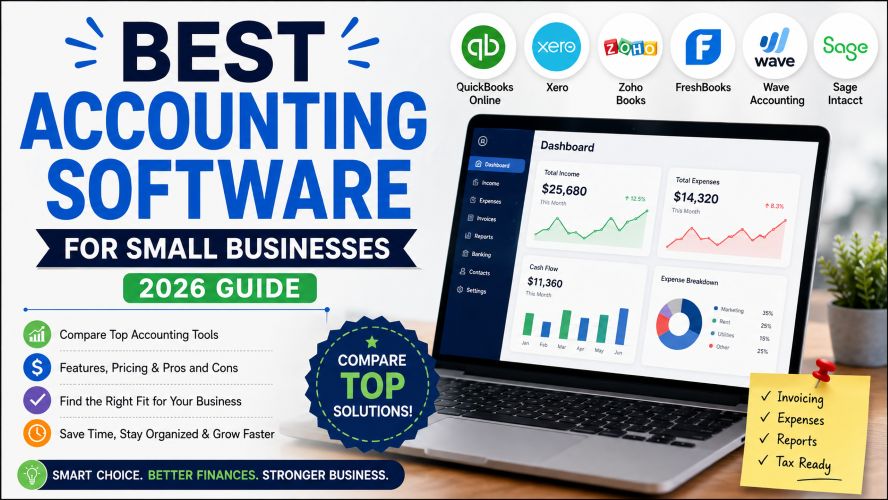
This guide compares the best accounting software based on usability, pricing, automation, reporting, integrations, scalability, and overall value. Instead of focusing only on popularity, we’ll also look at which solution works best for different business types so you can choose with confidence.
Quick Summary
| If You Need… | Recommended Software |
|---|---|
| Best Overall | QuickBooks Online |
| Best for Small Businesses | Xero |
| Best Free Option | Wave Accounting |
| Best for Freelancers | FreshBooks |
| Best Value for Growing Businesses | Zoho Books |
| Best ERP & Accounting | Sage Intacct |
Quick recommendation:
If you’re looking for an all-round accounting solution with strong automation, reporting, invoicing, and third-party integrations, QuickBooks Online remains one of the safest choices. If affordability matters more, Zoho Books and Wave provide excellent value.
Best Accounting Software
Why Choosing the Right Accounting Software Matters
Many business owners still rely on spreadsheets.
While spreadsheets work for basic record keeping, they quickly become difficult to manage as your business grows.
Modern cloud accounting software helps you:
- Automate bookkeeping
- Create professional invoices
- Track expenses
- Generate financial reports
- Calculate taxes
- Monitor cash flow
- Connect bank accounts
- Manage payroll (on supported plans)
- Reduce manual errors
Instead of spending hours reconciling transactions, you can focus on running your business.
How We Evaluated These Accounting Software Options
To keep this guide practical and unbiased, we compared each software using the following factors:
- Ease of use
- Pricing and overall value
- Automation features
- Reporting capabilities
- Mobile app experience
- Third-party integrations
- Customer support
- Scalability
- Security
- Suitable business size
These criteria help identify software that delivers long-term value rather than simply offering the longest feature list.
Best Accounting Software Compared
| Software | Best For | Starting Price | Free Trial |
|---|---|---|---|
| QuickBooks Online | Overall Business Accounting | Paid | Yes |
| Xero | Growing Small Businesses | Paid | Yes |
| Zoho Books | Budget-Friendly Businesses | Paid | Yes |
| FreshBooks | Freelancers & Consultants | Paid | Yes |
| Wave Accounting | Free Accounting | Free Plan | Yes |
| Sage Intacct | Medium & Large Businesses | Custom | Demo |
1. QuickBooks Online – Best Overall Accounting Software
Best For
Small businesses, startups, consultants, agencies, retailers, and growing companies.
If you’ve searched for accounting software before, you’ve probably come across QuickBooks Online.
There’s a reason it’s consistently recommended.
It combines bookkeeping, invoicing, reporting, tax preparation, payroll options, inventory tracking, and automation into one easy-to-use platform.
Whether you’re a solo entrepreneur or managing a growing team, QuickBooks scales well without becoming overly complicated.
Key Features
- Automated bookkeeping
- Bank account synchronization
- Invoice creation
- Expense tracking
- Financial reporting
- Cash flow monitoring
- Inventory tracking
- Payroll integration
- Mobile accounting app
- Multi-user access
What We Like
✔ Excellent automation
✔ Strong reporting dashboard
✔ Huge integration marketplace
✔ Easy bank reconciliation
✔ Suitable for growing businesses
✔ Trusted by accountants worldwide
Things to Consider
- Premium plans can become expensive
- Payroll may require an additional subscription
- Some advanced reports are only available on higher-tier plans
Must Read : I Used AI for 30 Days: My Complete Workflow Results
Best Use Cases
QuickBooks Online works especially well for:
- Service businesses
- Agencies
- Online stores
- Retail shops
- Consultants
- Contractors
- Growing startups
Why It Stands Out
One of QuickBooks’ biggest strengths is automation.
Instead of manually recording every transaction, it automatically imports bank activity, categorizes expenses, and generates reports with minimal effort.
For busy business owners, this alone can save several hours every month.
2. Xero – Best for Growing Small Businesses
Best For
Businesses planning to scale over the next few years.
Xero has built a strong reputation for offering a clean interface without sacrificing professional accounting features.
It’s particularly attractive for companies that expect to grow because adding users doesn’t dramatically increase complexity.
Many accountants also appreciate Xero because of its collaborative workflow.
Key Features
- Unlimited users on many plans
- Smart bank reconciliation
- Invoice automation
- Expense management
- Inventory tracking
- Financial reporting
- Project tracking
- Payroll integrations (region dependent)
Pros
- Modern dashboard
- Excellent user experience
- Strong automation
- Large integration ecosystem
- Unlimited users on eligible plans
Cons
- Entry-level plan has invoice limitations
- Learning curve for complete beginners
- Payroll availability varies by country
Ideal For
- Growing businesses
- Ecommerce stores
- Professional firms
- Agencies
- Teams needing collaboration
Why Businesses Choose Xero
Unlike many accounting platforms that charge extra as more employees join, Xero focuses on making collaboration easier.
Business owners, accountants, and finance managers can work together without constantly exporting spreadsheets.
3. Zoho Books – Best Value for Money
Best For
Small businesses looking for premium features without paying premium prices.
Zoho Books is often overlooked in favor of larger brands, but it’s one of the strongest value-for-money accounting platforms available today.
It offers many automation tools normally found in more expensive software while maintaining a user-friendly interface.
Businesses already using other Zoho applications will appreciate the seamless integration across the ecosystem.
Key Features
- Automated workflows
- GST and tax management (supported regions)
- Invoice customization
- Expense tracking
- Customer portal
- Bank reconciliation
- Inventory management
- Project billing
- Time tracking
- Financial dashboards
Pros
- Competitive pricing
- Clean interface
- Strong automation
- Excellent mobile app
- Great for startups and small businesses
Cons
- Smaller integration library than some competitors
- Advanced enterprise features are limited
- Best experience comes when using other Zoho products
Best For
- Startups
- Small businesses
- Freelancers
- Agencies
- Service-based businesses
Why It Offers Great Value
Many accounting tools increase costs quickly as your business grows.
Zoho Books strikes a balance between affordability and functionality, making it a practical choice for businesses that want automation without stretching their budget.
4. FreshBooks – Best Accounting Software for Freelancers & Service Businesses
Best For
Freelancers, consultants, agencies, coaches, and other service-based businesses.
FreshBooks started as an invoicing tool but has evolved into a complete cloud accounting solution. Its biggest strength is simplicity. If you’re new to accounting software, you’ll likely find FreshBooks easy to learn.
Instead of overwhelming users with advanced accounting terminology, it focuses on everyday business tasks like sending invoices, tracking expenses, recording billable hours, and getting paid faster.
Key Features
- Professional invoice creation
- Time tracking
- Expense management
- Mileage tracking
- Online payment integration
- Project collaboration
- Financial reports
- Mobile app
- Client portal
Pros
✔ Beginner-friendly interface
✔ Excellent invoicing tools
✔ Built-in time tracking
✔ Great mobile experience
✔ Ideal for service businesses
Must Read : Free AI Tools Better Than Paid Ones (Top 15 Picks)
Cons
- Inventory features are limited
- Not the best option for product-based businesses
- Advanced accounting features are less extensive than some competitors
Best Use Cases
FreshBooks is an excellent fit for:
- Freelance designers
- Writers
- Marketing consultants
- Software developers
- Coaches
- Small agencies
- Independent professionals
Why It Stands Out
If your business revolves around clients rather than inventory, FreshBooks keeps accounting straightforward. You can create invoices, track time, log expenses, and monitor payments from one dashboard without unnecessary complexity.
5. Wave Accounting – Best Free Accounting Software
Best For
Startups, side businesses, freelancers, and entrepreneurs with a limited budget.
Not every business is ready to invest in paid accounting software. That’s where Wave Accounting stands out.
Its free plan includes many features that small businesses need, making it one of the most attractive options for entrepreneurs who are just getting started.
Key Features
- Free bookkeeping
- Unlimited income and expense tracking
- Invoice creation
- Receipt scanning
- Financial reports
- Bank connection
- Dashboard analytics
Pros
✔ Free core accounting features
✔ Easy setup
✔ Clean interface
✔ Good invoicing tools
✔ Suitable for new businesses
Cons
- Fewer advanced features
- Limited scalability for larger businesses
- Some payment and payroll services may have additional costs depending on your region
Best For
- Freelancers
- Startups
- Small online sellers
- Home-based businesses
- Side hustles
Why People Choose Wave
If you’re testing a business idea or running a small operation, Wave lets you manage finances without paying for features you may not need yet. As your business grows, you can decide whether to upgrade to a more advanced platform.
6. Sage Intacct – Best for Medium & Large Businesses
Best For
Growing companies, multi-location businesses, and organizations with complex financial requirements.
Sage Intacct is designed for businesses that need more than basic bookkeeping. It offers advanced reporting, automation, budgeting, and financial management features suitable for larger operations.
While it may be more than a small business requires, it can be a strong choice for organizations managing multiple entities or departments.
Key Features
- Advanced financial reporting
- Multi-entity accounting
- Budgeting and forecasting
- Revenue recognition
- Cash flow management
- Automation workflows
- Role-based permissions
- ERP integrations
- Audit trails
Pros
✔ Enterprise-level reporting
✔ Highly scalable
✔ Strong automation
✔ Excellent security controls
✔ Suitable for complex financial operations
Cons
- Higher pricing
- Steeper learning curve
- More features than many small businesses need
Best For
- Medium-sized businesses
- Large organizations
- Nonprofits
- Healthcare organizations
- Multi-location companies
Why It Stands Out
Sage Intacct excels in handling complex financial operations. Businesses with multiple branches, detailed reporting needs, or growing compliance requirements often appreciate its flexibility and depth.
Must Read : Luminar Update 2026: What Photographers Need to Know
Feature Comparison Table
| Feature | QuickBooks Online | Xero | Zoho Books | FreshBooks | Wave | Sage Intacct |
|---|---|---|---|---|---|---|
| Cloud-Based | ✅ | ✅ | ✅ | ✅ | ✅ | ✅ |
| Invoicing | ✅ | ✅ | ✅ | ✅ | ✅ | ✅ |
| Expense Tracking | ✅ | ✅ | ✅ | ✅ | ✅ | ✅ |
| Bank Reconciliation | ✅ | ✅ | ✅ | ✅ | ✅ | ✅ |
| Inventory Management | ✅ | ✅ | ✅ | Limited | Limited | ✅ |
| Payroll Support | Optional | Region Dependent | Optional | Limited | Optional | ✅ |
| Mobile App | ✅ | ✅ | ✅ | ✅ | ✅ | ✅ |
| Reporting | Excellent | Excellent | Very Good | Good | Good | Advanced |
| Best For | Most Businesses | Growing Businesses | Budget Users | Freelancers | Beginners | Large Companies |
Which Accounting Software Is Right for You?
Choose QuickBooks Online if:
- You want a complete accounting solution.
- Your business is growing steadily.
- You need extensive integrations and automation.
Choose Xero if:
- You work with an accountant regularly.
- Your team needs collaborative access.
- You expect your business to scale over time.
Choose Zoho Books if:
- You’re looking for strong value at a reasonable price.
- You already use other Zoho products.
- Automation is important to your workflow.
Choose FreshBooks if:
- You primarily sell services.
- You bill clients by the hour.
- You want simple invoicing and expense tracking.
Choose Wave if:
- You’re launching a new business.
- You have a limited budget.
- You need reliable bookkeeping without upfront software costs.
Choose Sage Intacct if:
- Your financial operations are becoming more complex.
- You manage multiple entities or departments.
- You need advanced reporting and financial controls.
Real-World Use Cases
Freelancer
A freelance graphic designer can use FreshBooks to track billable hours, send branded invoices, and monitor payments without dealing with unnecessary accounting complexity.
Small Retail Store
A local retail shop may benefit from QuickBooks Online or Zoho Books to manage inventory, track expenses, and generate financial reports.
Growing Startup
A technology startup with several employees can use Xero for collaborative accounting and streamlined financial management.
Ecommerce Business
An online store can automate bookkeeping, reconcile bank transactions, and monitor cash flow with QuickBooks Online or Xero.
Large Organization
A company operating across multiple locations may find Sage Intacct’s advanced reporting and multi-entity capabilities more suitable.
Buying Guide: What to Consider Before Choosing Accounting Software
Selecting accounting software isn’t just about price. Consider how well it fits your business today and whether it can support your future growth.
1. Ease of Use
A clean, intuitive interface reduces training time and helps you stay productive.
2. Pricing
Look beyond the starting plan. Check whether essential features require upgrades or add-ons.
3. Automation
Automated bank feeds, recurring invoices, and expense categorization can save significant time.
4. Reporting
Good reporting helps you understand cash flow, profitability, and business performance.
5. Integrations
Ensure the software works with your payment gateways, CRM, ecommerce platform, payroll tools, or other business applications.
6. Customer Support
Reliable support becomes especially valuable during tax season or when resolving technical issues.
7. Scalability
Choose software that can grow with your business instead of forcing a migration later.
8. Security
Look for features like data encryption, secure backups, and multi-factor authentication to help protect financial information.
Common Mistakes to Avoid
- Choosing software based only on price
- Paying for advanced features you’ll never use
- Ignoring integration requirements
- Skipping the free trial
- Not considering future business growth
- Overlooking customer support quality
- Failing to train your team on the software
Frequently Asked Questions
1. What is the best accounting software for small businesses?
QuickBooks Online is a popular all-round choice, while Xero and Zoho Books are also excellent options depending on your budget and business needs.
2. Is free accounting software good enough?
For freelancers, startups, and small businesses with simple requirements, free software like Wave can be a practical starting point. Businesses with more complex operations often benefit from paid solutions.
3. Which accounting software is easiest for beginners?
FreshBooks is widely regarded as one of the easiest accounting platforms for beginners because of its simple interface and straightforward workflows.
4. Can accounting software help with taxes?
Many accounting platforms generate tax reports, track expenses, and simplify record keeping. However, available tax features vary by country and software provider.
5. Is cloud accounting software secure?
Reputable providers typically use encryption, regular backups, and additional security measures. It’s still important to use strong passwords and enable multi-factor authentication when available.
6. What features should I prioritize?
Look for invoicing, expense tracking, bank reconciliation, financial reporting, automation, and integrations that match your business processes.
7. Can I switch accounting software later?
Yes, many platforms allow data import and export. Planning your migration carefully can help minimize disruption.
Final Verdict
The best accounting software depends on your business size, budget, and operational needs. Rather than choosing the platform with the longest feature list, focus on the one that simplifies your daily work and supports your future growth.
Here’s a quick recap:
- QuickBooks Online – Best overall for most businesses.
- Xero – Great for growing teams and collaboration.
- Zoho Books – Excellent value with strong automation.
- FreshBooks – Ideal for freelancers and service professionals.
- Wave Accounting – A solid free option for startups and solo entrepreneurs.
- Sage Intacct – Designed for larger organizations with advanced financial requirements.
Most providers offer free trials or demos, making it worthwhile to test a platform before committing. Taking the time to compare features, pricing, and usability can help you choose software that saves time and supports your business over the long term.
As an accountant I have been convenient using QuickBooks. after reading this I must explore other options for my career growth
Yes that’s great exploring other softwares may be useful for you
Quickbooks is the best but other are great too. I am using ZohoBooks now just to explore
Yes you must keep exploring other tools as tools keep on updating from time to time. IF your work can get easier with new features then why not use them?
Wonderful list only knew two of them
Thanks a lot Everett
Using FreshBooks
Glad to know Harvey!
I am in London using Zoho Books
Glad to know Denver