
If you’ve ever looked for an AI tool, you’ve probably noticed one frustrating pattern.
Almost every website promises “free,” but after signing up, you’re greeted with feature limits, daily quotas, or an expensive monthly subscription.
The good news?
Not every great tool requires a premium plan.
In fact, several free AI platforms now compete directly with paid software by offering generous free tiers, high-quality results, and features that many users never outgrow.
Whether you’re a student, blogger, freelancer, developer, marketer, designer, or small business owner, choosing the right free tool can save hundreds of dollars every year without sacrificing productivity.
This guide highlights some of the most capable free AI tools available today. Instead of focusing on marketing claims, we’ll compare real strengths, practical use cases, limitations, and the types of users who will benefit the most.
By the end of this guide, you’ll know which tools are genuinely worth using—and which paid subscriptions you may not need at all.
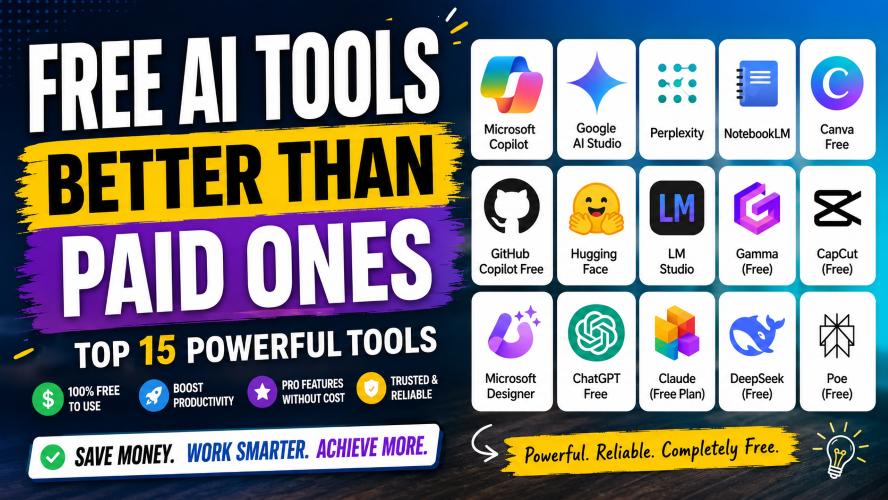
Quick Summary
If you’re short on time, here’s a quick overview of our top recommendations.
| Need | Recommended Free Tool |
|---|---|
| Research | Perplexity |
| Office Productivity | Microsoft Copilot |
| Study & Notes | NotebookLM |
| Graphic Design | Canva Free |
| Coding | GitHub Copilot Free |
| Open-Source Models | Hugging Face |
| Local AI | LM Studio |
| Presentations | Gamma Free |
| Video Editing | CapCut |
| Image Creation | Microsoft Designer |
The best choice ultimately depends on what you want to accomplish rather than simply picking the tool with the longest feature list.
Why Some Free AI Tools Beat Paid Ones
Many people assume that a paid subscription automatically means better quality.
That isn’t always true.
Several companies offer powerful free plans because they want users to experience their ecosystem before upgrading. Others rely on open-source communities that continuously improve their software without locking essential features behind a paywall.
As a result, today’s best free AI tools often provide:
- Excellent performance for everyday work
- Frequent updates and improvements
- Large user communities
- Cross-platform compatibility
- Cloud-based access without installation
- Enough free usage for students and professionals
- Reliable security from established companies
For many users, these features cover nearly all daily tasks, making a premium subscription unnecessary.
What You’ll Learn in This Guide
In the following sections, we’ll compare each tool based on:
- Key features
- Best use cases
- Advantages and disadvantages
- Free plan limitations
- Who should use it
- How it compares with paid alternatives
- Whether upgrading is actually worth it
We’ll also include comparison tables, practical scenarios, and tips to help you choose the right option for your workflow instead of paying for features you’ll rarely use.
Best Free AI Tools Better Than Paid Ones
Not every tool on this list tries to replace premium software. Instead, each one excels in a specific area where its free plan is generous enough for most users.
Let’s explore the top picks.
1. Microsoft Copilot
Best for: Everyday productivity, writing, brainstorming, coding, and web assistance
Microsoft Copilot has evolved into one of the most practical free AI assistants available. If you already use Windows, Microsoft Edge, or Microsoft 365, it’s easy to integrate into your daily workflow.
Unlike many free tools that restrict advanced features, Copilot provides a strong balance of conversational assistance, web-based information, document support, and creative tasks without requiring an immediate subscription.
Key Features
- Natural conversations
- Writing assistance
- Email drafting
- Code generation
- Image creation support
- Web search integration
- Microsoft ecosystem compatibility
Why It’s Better Than Many Paid Tools
Many premium assistants charge monthly fees simply to help with writing or brainstorming. Copilot covers these common tasks effectively for free, making it a practical option for students, professionals, and casual users.
Pros
- Easy to use
- Reliable responses
- Great Windows integration
- Helpful for office work
- Strong free plan
Cons
- Premium features require Microsoft 365 subscription
- Usage limits during peak times
- Best experience inside Microsoft’s ecosystem
Best For
- Students
- Office professionals
- Bloggers
- Small businesses
- Remote workers
Must Read : Best Claude Prompts for Content Writing (Blogs, SEO, YouTube Scripts)
2. Google AI Studio
Best for: Experimenting with advanced AI models
Google AI Studio is designed for users who want direct access to powerful AI models through a simple browser interface.
Unlike many consumer-focused assistants, AI Studio provides more flexibility for testing prompts, structured outputs, and longer conversations.
Key Features
- Advanced prompt testing
- Large context windows
- Fast performance
- Developer-friendly interface
- Multiple model options
- Free experimentation
Why It Stands Out
Many paid tools hide advanced capabilities behind expensive subscriptions. AI Studio allows users to experiment with powerful models without immediately committing to a paid plan.
Pros
- Excellent prompt control
- Fast responses
- Ideal for testing workflows
- Supports structured outputs
Cons
- Interface may feel technical
- Not designed for complete beginners
- Some advanced usage has quotas
Best For
- Developers
- Researchers
- Prompt engineers
- Technical writers
- Curious learners
3. Perplexity
Best for: Research and finding trustworthy answers
If your daily work involves searching for reliable information, Perplexity can dramatically reduce research time.
Instead of presenting dozens of search results, it delivers summarized answers along with source citations, making verification much easier.
Key Features
- Source-backed answers
- Research summaries
- Follow-up questions
- Web browsing
- Fast information retrieval
- Clean interface
Why It’s Better Than Many Paid Research Tools
Many research platforms focus on enterprise users. Perplexity provides an excellent free experience that’s more than enough for students, bloggers, marketers, and journalists.
Pros
- Saves research time
- Transparent sources
- Great user experience
- Excellent for fact-finding
Cons
- Daily limits on advanced features
- Some premium models require subscription
- Always verify critical information independently
Best For
- Students
- Bloggers
- Researchers
- Journalists
- Marketing professionals
Practical Use Cases
- Writing blog posts
- Learning new topics
- Comparing products
- Industry research
- Gathering statistics
Must Read : Claude Prompts That Actually Work in 2026 (Tested Results)
4. NotebookLM
Best for: Studying, note-taking, and document analysis
NotebookLM takes a different approach by helping users work with their own documents instead of relying only on general web knowledge.
Upload notes, PDFs, reports, or study materials, and it helps organize, summarize, and explain the information.
Key Features
- Document summaries
- Study guides
- Question answering
- Note organization
- Source-aware responses
- Multi-document analysis
Why Students Love It
Instead of searching through hundreds of pages manually, NotebookLM helps users understand their own materials more efficiently.
Pros
- Excellent learning companion
- Easy document management
- Saves study time
- Great for large PDFs
Cons
- Best results require organized documents
- Some regional availability may vary
- Not intended for creative writing
Best For
- University students
- Teachers
- Researchers
- Business analysts
- Legal professionals
Real-World Example
Imagine preparing for an exam with 15 lecture PDFs.
Instead of rereading every page, NotebookLM can summarize each lecture, identify key concepts, and help answer questions based on your uploaded materials.
5. Canva Free
Best for: Graphic design and social media content
Canva has become one of the easiest design platforms for beginners.
Even the free version includes thousands of templates, drag-and-drop editing, icons, fonts, presentations, and design tools suitable for personal and business projects.
Key Features
- Social media templates
- Presentations
- Posters
- Infographics
- Resume builder
- Brand elements
- Background removal (limited)
- Magic design features
Why It’s Better Than Some Paid Design Software
Traditional design software often has steep learning curves and expensive subscriptions.
Canva Free allows almost anyone to create polished visuals within minutes.
Pros
- Beginner friendly
- Huge template library
- Cloud-based
- Mobile support
- Fast editing
Cons
- Some premium templates are locked
- Limited brand management
- Advanced editing requires Pro
Best For
- Bloggers
- Small businesses
- Students
- YouTubers
- Social media creators
Common Uses
- Pinterest graphics
- YouTube thumbnails
- Instagram posts
- Business presentations
- Marketing materials
6. GitHub Copilot Free
Best for: Beginner and intermediate developers
Coding assistants have become increasingly popular, but many require monthly subscriptions.
GitHub Copilot Free offers a useful entry point for developers who want code suggestions inside their editor without paying upfront.
Key Features
- Code completion
- Function generation
- Documentation assistance
- Bug fixing suggestions
- Multiple language support
- IDE integration
Why It’s Worth Trying
For students and hobby developers, the free plan often provides enough assistance for learning, experimenting, and completing smaller projects.
Pros
- Speeds up coding
- Supports popular languages
- Easy editor integration
- Great learning aid
Cons
- Monthly usage limits
- Enterprise features require payment
- Generated code should always be reviewed
Must Read : Best Claude Prompts for Students (Notes, Exams, Revision)
Best For
- Students
- Web developers
- Software engineers
- Programming beginners
- Open-source contributors
Example Workflow
Instead of writing repetitive boilerplate code from scratch, developers can use Copilot to generate a starting point, then review, test, and customize it before deployment.
Quick Comparison Table
| Tool | Best For | Free Plan Value | Ideal User |
|---|---|---|---|
| Microsoft Copilot | Productivity | ★★★★★ | Professionals, students |
| Google AI Studio | Advanced experimentation | ★★★★★ | Developers, researchers |
| Perplexity | Research | ★★★★★ | Writers, marketers |
| NotebookLM | Learning | ★★★★★ | Students, analysts |
| Canva Free | Design | ★★★★☆ | Creators, businesses |
| GitHub Copilot Free | Coding | ★★★★☆ | Developers |
7. Hugging Face
Best for: Exploring open-source AI models
If you enjoy experimenting with different AI models, Hugging Face is one of the best places to start.
Instead of relying on a single assistant, it provides access to thousands of community-built models for writing, coding, translation, image generation, speech recognition, and much more.
Many of these models are completely free to use.
Key Features
- Thousands of open-source models
- Ready-to-use demos
- Model comparisons
- Developer APIs
- Large community support
- Frequent updates
Why It’s Better Than Some Paid Platforms
Many paid services only let you use their own models. Hugging Face gives you the freedom to choose from a wide range of models based on your needs, making it ideal for experimentation and learning.
Pros
- Massive collection of models
- Strong developer community
- Free access to many tools
- Great learning resource
Cons
- Can be overwhelming for beginners
- Some advanced features require technical knowledge
- Performance varies between models
Best For
- Developers
- Data scientists
- AI enthusiasts
- Researchers
8. LM Studio
Best for: Running AI models locally
Privacy is becoming a bigger concern for many users.
LM Studio allows you to download compatible AI models and run them directly on your own computer, reducing the need to send your data to external servers.
For users with capable hardware, this is a powerful alternative to cloud-based subscriptions.
Key Features
- Offline AI usage
- Local model management
- Privacy-focused
- Supports multiple open-source models
- Simple desktop interface
Why It Stands Out
Unlike subscription services that charge monthly fees for cloud access, LM Studio lets you use compatible models locally after downloading them.
Pros
- Excellent privacy
- No recurring subscription
- Works offline
- Flexible model selection
Cons
- Requires a modern computer
- Initial downloads can be large
- Performance depends on hardware
Best For
- Developers
- Privacy-conscious users
- Researchers
- Advanced users
9. Gamma
Best for: Creating presentations quickly
Building presentations from scratch often takes longer than expected.
Gamma helps simplify the process by generating clean layouts, organizing content, and producing professional-looking slides with minimal effort.
Its free plan is generous enough for students, educators, freelancers, and many business users.
Key Features
- Presentation creation
- Document formatting
- Built-in themes
- Collaboration
- Easy editing
- Export options
Why It’s Better Than Traditional Presentation Software
Instead of spending hours arranging text boxes and images, Gamma focuses on content first and handles much of the design automatically.
Pros
- Fast presentation creation
- Modern layouts
- Easy collaboration
- Beginner friendly
Cons
- Limited exports on free plan
- Premium themes require subscription
- Customization isn’t unlimited
Best For
- Students
- Teachers
- Consultants
- Startup founders
10. CapCut
Best for: Video editing
Professional video editing software can be expensive and intimidating.
CapCut offers an impressive collection of editing tools for free, making it one of the most popular choices among content creators.
Key Features
- Timeline editing
- Automatic captions
- Background removal
- Video effects
- Transitions
- Audio editing
- Mobile and desktop versions
Why Many Creators Prefer It
For YouTube Shorts, Instagram Reels, TikTok videos, and marketing clips, CapCut provides enough functionality that many creators never need expensive editing software.
Pros
- Easy to learn
- Powerful editing tools
- Excellent templates
- Frequent updates
Cons
- Some advanced assets require Pro
- Watermark rules vary depending on templates
- Cloud storage limits
Best For
- YouTubers
- Social media creators
- Freelancers
- Small businesses
Practical Example
Need to edit a product review video?
You can trim clips, add captions, include transitions, insert background music, and export in high quality without purchasing premium software.
11. Microsoft Designer
Best for: Quick image creation and marketing graphics
Creating social media graphics no longer requires advanced design skills.
Microsoft Designer helps users create banners, thumbnails, invitations, advertisements, and promotional graphics within minutes.
Key Features
- Graphic templates
- Social media designs
- Marketing assets
- Background editing
- Image enhancement
- Easy sharing
Why It’s Better Than Some Paid Design Apps
Many premium tools target professional designers.
Designer focuses on speed, simplicity, and everyday content creation, making it perfect for bloggers and small businesses.
Pros
- Clean interface
- Fast workflow
- Beginner friendly
- Good template selection
Cons
- Advanced editing is limited
- Fewer customization options than professional software
- Internet connection required
Best For
- Bloggers
- Affiliate marketers
- Online stores
- Social media managers
Paid vs. Free AI Tools: Is Paying Always Better?
Not necessarily.
For many users, a free plan covers 80–90% of everyday tasks. Paid plans often add higher usage limits, faster processing, collaboration features, or enterprise tools rather than dramatically improving output quality.
| Feature | Free Tools | Paid Tools |
|---|---|---|
| Basic writing | ✅ | ✅ |
| Research | ✅ | ✅ |
| Coding help | ✅ | ✅ |
| Graphic design | ✅ | ✅ |
| Collaboration | Limited | Extensive |
| Usage limits | Yes | Higher or none |
| Priority support | No | Yes |
| Enterprise features | Rare | Common |
| Monthly cost | $0 | Usually recurring |
How to Choose the Right Free AI Tool
Before signing up for any platform, ask yourself these questions:
What is your primary goal?
- Writing and productivity
- Research
- Coding
- Graphic design
- Video editing
- Studying
- Presentations
Choosing a specialized tool often produces better results than trying to use one platform for everything.
How often will you use it?
Occasional users usually won’t hit free plan limits.
Daily professionals may eventually benefit from premium plans with higher quotas and collaboration features.
Do you need privacy?
If you work with sensitive information, consider tools that support local processing or provide clear privacy controls.
Is collaboration important?
Teams often benefit from paid plans that include shared workspaces, version history, and administrative controls.
Real-World Scenarios
Student
A university student can combine:
- NotebookLM for studying
- Canva Free for presentations
- Perplexity for research
This combination covers most academic needs without a monthly subscription.
Blogger
A blogger might use:
- Microsoft Copilot for drafting
- Perplexity for fact-checking
- Microsoft Designer for featured images
- Canva Free for social graphics
Small Business Owner
A small business can rely on:
- Canva Free for marketing
- CapCut for promotional videos
- Microsoft Copilot for emails and documents
- Gamma for client presentations
This setup reduces software costs while supporting everyday business tasks.
Things to Consider Before Choosing a Free AI Tool
A free plan can be surprisingly capable, but the best option depends on how you plan to use it. Before creating an account, keep these factors in mind.
1. Your Primary Use Case
Start by identifying the task you need help with.
- Writing and editing
- Research and learning
- Graphic design
- Video editing
- Coding
- Presentations
- Business productivity
Choosing a specialized tool usually delivers better results than trying to use one platform for everything.
2. Free Plan Limitations
Most free tools include reasonable limits.
Look for:
- Daily or monthly usage caps
- File upload limits
- Export restrictions
- Watermarks
- Limited cloud storage
If these limits don’t affect your workflow, there’s little reason to upgrade.
3. Ease of Use
A powerful tool isn’t always the best choice.
If you’re a beginner, prioritize software with:
- Clean interface
- Helpful tutorials
- Good documentation
- Active community support
Learning a simple tool quickly often saves more time than mastering a feature-heavy platform.
4. Privacy and Security
If you work with sensitive business documents or personal information, review the platform’s privacy policy and data handling practices.
Consider:
- Local processing options
- Account security
- Data retention policies
- File encryption
- Permission settings
5. Upgrade Only When It Makes Sense
Many users upgrade too early.
A paid plan is worth considering only if you regularly need:
- Higher usage limits
- Faster processing
- Team collaboration
- Priority support
- Advanced automation
- Enterprise-level features
Otherwise, the free version may continue to meet your needs.
Quick Recommendation by User Type
| User | Recommended Tool |
|---|---|
| Students | NotebookLM, Perplexity, Canva Free |
| Bloggers | Microsoft Copilot, Canva Free, Microsoft Designer |
| Developers | GitHub Copilot Free, Google AI Studio, LM Studio |
| Designers | Canva Free, Microsoft Designer |
| Researchers | Perplexity, NotebookLM |
| Small Businesses | Microsoft Copilot, Gamma, CapCut |
| Content Creators | Canva Free, CapCut, Microsoft Designer |
Frequently Asked Questions (FAQs)
1. Are free AI tools really good enough?
Yes. For many everyday tasks such as writing, research, studying, coding, presentations, and graphic design, today’s free tools provide more than enough functionality. Premium plans mainly increase usage limits or unlock advanced features.
2. Which free AI tool is best for students?
NotebookLM is an excellent choice for organizing study materials and summarizing documents. Perplexity is also useful for research, while Canva Free works well for presentations and assignments.
3. Can businesses rely on free AI tools?
Small businesses can use free tools for many daily tasks, including creating marketing materials, drafting emails, editing videos, and preparing presentations. As a business grows, paid plans may become worthwhile for collaboration and higher limits.
4. Are paid AI tools always better?
Not always. Paid plans often offer convenience, larger quotas, and premium support rather than dramatically better results. Many users find that free versions cover their regular workflow.
5. Which free AI tool is best for content creators?
Canva Free is ideal for graphics, CapCut is excellent for video editing, and Microsoft Designer is a strong choice for creating promotional visuals.
6. What should I check before upgrading to a paid plan?
Evaluate whether you’re consistently reaching free plan limits. If your current tool handles your workload without restrictions, upgrading may not provide enough additional value.
7. Can I use multiple free AI tools together?
Absolutely. Many users combine different tools for specific tasks. For example, one tool for research, another for design, and another for coding or productivity often creates a more efficient workflow than relying on a single platform.
Final Comparison Table
| Tool | Best For | Beginner Friendly | Free Plan Rating |
|---|---|---|---|
| Microsoft Copilot | Productivity | ⭐⭐⭐⭐⭐ | ⭐⭐⭐⭐⭐ |
| Google AI Studio | Advanced workflows | ⭐⭐⭐ | ⭐⭐⭐⭐⭐ |
| Perplexity | Research | ⭐⭐⭐⭐⭐ | ⭐⭐⭐⭐⭐ |
| NotebookLM | Studying | ⭐⭐⭐⭐⭐ | ⭐⭐⭐⭐⭐ |
| Canva Free | Design | ⭐⭐⭐⭐⭐ | ⭐⭐⭐⭐☆ |
| GitHub Copilot Free | Coding | ⭐⭐⭐⭐☆ | ⭐⭐⭐⭐☆ |
| Hugging Face | Open-source models | ⭐⭐⭐ | ⭐⭐⭐⭐⭐ |
| LM Studio | Local models | ⭐⭐⭐ | ⭐⭐⭐⭐☆ |
| Gamma | Presentations | ⭐⭐⭐⭐⭐ | ⭐⭐⭐⭐☆ |
| CapCut | Video editing | ⭐⭐⭐⭐⭐ | ⭐⭐⭐⭐☆ |
| Microsoft Designer | Graphics | ⭐⭐⭐⭐⭐ | ⭐⭐⭐⭐☆ |
Final Verdict
The idea that you need an expensive subscription to be productive is becoming less true every year.
Many free AI tools now provide enough features for students, freelancers, creators, developers, and small business owners to complete everyday work without paying a monthly fee.
If you’re just getting started, focus on building a toolkit that matches your needs instead of choosing the platform with the longest feature list.
For most users, these combinations offer excellent value:
- Productivity: Microsoft Copilot + Perplexity
- Learning: NotebookLM + Perplexity
- Design: Canva Free + Microsoft Designer
- Coding: GitHub Copilot Free + Google AI Studio
- Content Creation: Canva Free + CapCut
- Business: Microsoft Copilot + Gamma
As your projects become more demanding, you can explore premium plans for additional capacity and collaboration features. Until then, the free options highlighted in this guide are capable enough to help you work smarter without increasing your software budget.
Key Takeaways
- Free tools can meet the needs of many users without a subscription.
- Choose tools based on your specific workflow rather than popularity.
- Compare free plan limits before paying for premium features.
- Combining specialized tools often works better than relying on a single all-in-one platform.
- Upgrade only when your workload genuinely requires additional features or higher usage limits.