
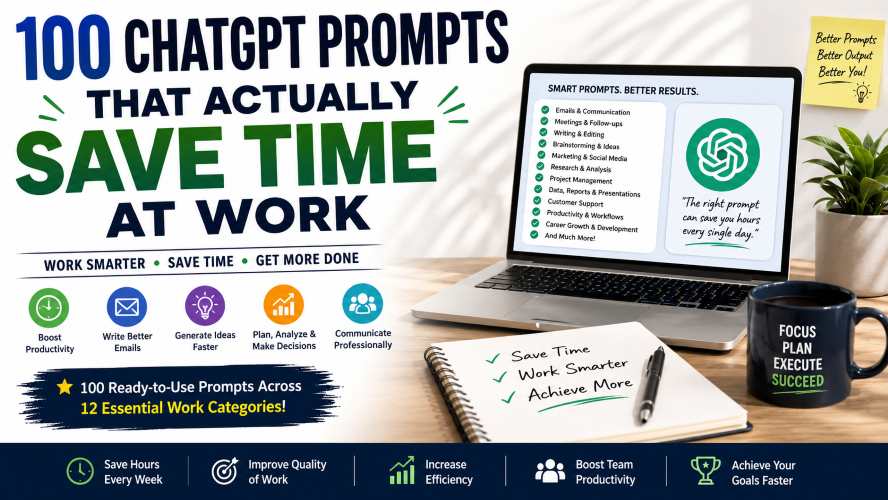
Every professional has experienced it. You open your laptop intending to complete one important task, but two hours later you’re still replying to emails, organizing notes, rewriting documents, or preparing reports. These 100 ChatGPT Prompts for Work (2026 Guide) will help you to save your precious time in your work.
The actual work hasn’t even started.
Many daily office tasks don’t require deep thinking—they simply consume valuable time. Writing emails, summarizing meetings, brainstorming ideas, formatting reports, or planning projects often take far longer than they should.
That’s where well-written prompts make a difference.
Instead of spending several minutes explaining what you need every single time, you can use structured prompts that produce better responses immediately.
This guide contains 100 carefully crafted ChatGPT prompts designed specifically for professionals, freelancers, managers, marketers, developers, students, and business owners.
These prompts aren’t random.
They’re practical, reusable, and focused on everyday workplace challenges that most people face.
Whether you’re working remotely, managing a team, running a business, or simply trying to finish work earlier, you’ll likely find prompts that become part of your daily workflow.
100 ChatGPT Prompts for Work
You’ll discover prompts for:
- Writing emails faster
- Summarizing long documents
- Improving meeting notes
- Brainstorming ideas
- Creating presentations
- Writing reports
- Managing projects
- Increasing productivity
- Marketing content
- Professional communication
Bookmark this guide because you’ll probably return to it often.
Why Good Prompts Matter
A vague request usually produces a vague answer.
A detailed prompt gives context, defines the audience, explains the goal, and specifies the desired format.
Instead of asking:
Write an email.
Try asking:
Write a professional email to a client explaining a one-week project delay. Keep the tone polite, confident, and solution-focused. End with three proposed meeting times.
The second version almost always saves editing time.
What Makes an Effective Prompt?
The best prompts usually include four elements.
| Element | Why It Matters |
|---|---|
| Context | Explains the situation |
| Goal | Defines what you want |
| Audience | Determines tone |
| Format | Controls output structure |
Think of prompts as detailed instructions rather than short questions.
Prompt Category 1: Email Writing (Prompts 1–10)
Emails consume a surprising portion of the average workday.
These prompts help reduce drafting time while keeping communication professional.
Prompt 1: Professional Client Email
Write a professional email to a client updating them on the current project status. Mention completed work, ongoing tasks, expected completion date, and next steps. Keep the tone positive and concise.
Best for
- Client communication
- Weekly updates
- Account managers
Prompt 2: Follow-Up Email
Write a polite follow-up email for a proposal sent one week ago. Express continued interest without sounding pushy.
Ideal when waiting for a client response.
Prompt 3: Meeting Invitation
Create a professional meeting invitation including agenda, objectives, expected duration, and preparation requirements.
Perfect for managers and team leaders.
Prompt 4: Declining Politely
Write a polite email declining a business request while maintaining a positive relationship and suggesting an alternative solution.
Professional and respectful.
Prompt 5: Thank You Email
Write a sincere thank-you email after a successful client meeting. Mention key discussion points and confirm the agreed next steps.
Prompt 6: Delay Notification
Write an email informing a customer that a project deadline has been extended. Explain the reason briefly and emphasize the steps being taken to minimize delays.
Prompt 7: Internal Team Update
Create a short internal update summarizing project progress, completed milestones, blockers, and priorities for next week.
Prompt 8: Job Application Email
Write a professional job application email highlighting experience, enthusiasm, and attached resume.
Prompt 9: Customer Support Response
Draft a friendly response acknowledging a customer complaint, apologizing where appropriate, and outlining the next steps.
Prompt 10: Reminder Email
Write a polite reminder email about an upcoming payment deadline without sounding demanding.
Quick Tip: Save your most-used prompts in a notes app or document so you can reuse them instead of rewriting instructions every time.
Prompt Category 2: Meeting Productivity (Prompts 11–20)
Meetings often create more work than they solve.
These prompts help organize discussions and reduce post-meeting chaos.
Prompt 11: Meeting Summary
Summarize these meeting notes into key decisions, action items, deadlines, and responsible team members.
Prompt 12: Action Item List
Extract every task from this meeting transcript and organize them by priority and owner.
Prompt 13: Meeting Agenda
Create a structured agenda for a 45-minute project kickoff meeting.
Prompt 14: Executive Summary
Convert these meeting notes into a one-page executive summary for senior management.
Prompt 15: Weekly Stand-up Notes
Generate concise stand-up meeting notes highlighting progress, blockers, and goals.
Prompt 16: Risk Identification
Review this project discussion and identify possible risks, dependencies, and mitigation strategies.
Prompt 17: Stakeholder Update
Turn these technical meeting notes into a non-technical summary suitable for executives.
Prompt 18: Decision Log
Extract every decision made during this meeting and organize them into a clear table.
Prompt 19: Discussion Questions
Generate thoughtful follow-up questions that should be discussed in the next meeting.
Prompt 20: Presentation Summary
Summarize this presentation into ten easy-to-read bullet points.
Prompt Category 3: Writing & Editing (Prompts 21–25)
Professional writing doesn’t have to take hours.
These prompts help produce cleaner, clearer communication.
Prompt 21: Rewrite Professionally
Rewrite the following text to sound more professional while keeping the original meaning.
Prompt 22: Simplify Complex Writing
Rewrite this document in plain English so someone without technical knowledge can understand it.
Prompt 23: Improve Grammar
Correct grammar, spelling, punctuation, and awkward phrasing while preserving my writing style.
Prompt 24: Shorten Without Losing Meaning
Reduce this article by 40% while keeping all important information.
Excellent for reports and proposals.
Prompt 25: Improve Readability
Rewrite this content using shorter sentences, active voice, and clearer transitions to improve readability.
Productivity Tips for Using These Prompts
To get the most value from these prompts:
- Add background information before submitting the prompt.
- Mention your target audience.
- Specify the preferred tone (formal, friendly, persuasive, or neutral).
- Ask for bullet points, tables, or numbered lists when appropriate.
- Review the output before sending it to clients or colleagues.
Small adjustments to your prompts can lead to more useful results and reduce the amount of editing required afterward.
Comparison: Generic Prompt vs. Detailed Prompt
| Generic Prompt | Improved Prompt |
|---|---|
| Write an email | Write a professional email to a client explaining a two-day delivery delay, apologize briefly, provide the revised timeline, and end with a call to action. |
| Summarize this | Summarize this report into five bullet points for senior management, focusing on financial impact and recommendations. |
| Improve writing | Rewrite this proposal to sound more persuasive while maintaining a professional tone and keeping it under 500 words. |
Soft Recommendation
If you use these prompts frequently, consider bookmarking this guide or saving your favorite prompts in a dedicated document. Having a personal prompt library can significantly reduce repetitive work and help you stay consistent across emails, reports, and other daily tasks.
Prompt Category 4: Brainstorming & Creative Thinking (Prompts 26–35)
Coming up with fresh ideas can be one of the most time-consuming parts of any project. These prompts help you explore different angles, generate alternatives, and overcome creative blocks.
Prompt 26: Brainstorm New Ideas
Generate 20 creative ideas for [topic]. Include a mix of beginner-friendly, advanced, and unconventional suggestions. Present them in a table with a short explanation for each idea.
Best for:
- Product development
- Marketing campaigns
- Content planning
- Team workshops
Must Read : Best Claude Prompts for Content Writing (Blogs, SEO, YouTube Scripts)
Prompt 27: Solve a Business Problem
Act as a business consultant. Analyze this problem: [describe problem]. Identify possible root causes and suggest five practical solutions with their advantages and disadvantages.
Prompt 28: Find Hidden Opportunities
Review this business idea and identify opportunities for improvement, potential risks, and areas where competitors may be overlooking customer needs.
Prompt 29: Think Like an Expert
Imagine you're an industry expert with 20 years of experience. Review this strategy and recommend improvements based on current best practices.
Prompt 30: Alternative Perspectives
Give me five completely different approaches to solving this challenge. Explain when each approach would work best.
Prompt 31: Generate Better Questions
Create 15 thoughtful questions I should ask before starting this project.
Prompt 32: SWOT Analysis
Perform a SWOT analysis for this business idea. Present the results in a clear table and provide recommendations based on the findings.
Prompt 33: Decision Matrix
Compare these three options using cost, time, risk, scalability, and long-term value. Recommend the strongest choice and explain why.
Prompt 34: Customer Pain Points
Identify the biggest pain points customers may experience with this product or service. Suggest realistic ways to solve each issue.
Prompt 35: Brainstorm Faster
Generate 30 quick ideas in under one page. Focus on quantity first, then rank the top five ideas based on potential impact.
Prompt Category 5: Marketing & Social Media (Prompts 36–45)
Marketing often involves repetitive tasks such as writing captions, planning campaigns, and creating promotional ideas. These prompts help speed up those workflows while keeping content audience-focused.
Prompt 36: Social Media Calendar
Create a 30-day social media content calendar for a business in the [industry] niche. Include post ideas, content formats, and suggested calls to action.
Prompt 37: Marketing Campaign Ideas
Suggest ten creative marketing campaign ideas for launching a new product with a limited budget.
Prompt 38: Product Description
Write a product description highlighting the key features, customer benefits, and ideal use cases. Keep the tone informative and easy to understand.
Prompt 39: Customer Persona
Create a detailed customer persona for someone likely to purchase this product. Include demographics, goals, frustrations, buying behavior, and preferred communication channels.
Prompt 40: Blog Topic Ideas
Generate 50 blog post ideas related to [topic]. Organize them by beginner, intermediate, and advanced readers.
Prompt 41: Improve Headlines
Rewrite these headlines to make them more engaging while remaining clear and accurate.
Prompt 42: Email Campaign
Create a three-email campaign introducing a new product, highlighting its benefits, and encouraging readers to learn more.
Prompt 43: FAQ Generator
Generate the ten most common customer questions about this product and provide clear, concise answers.
Prompt 44: Competitor Analysis
Compare this business with its competitors. Highlight strengths, weaknesses, opportunities, and areas for differentiation.
Prompt 45: Marketing Plan
Create a 90-day marketing plan including goals, weekly activities, success metrics, and recommended content types.
Quick Tip
Instead of asking for “marketing ideas,” explain your target audience, budget, product, and business goals. The additional context often produces more relevant recommendations.
Prompt Category 6: Research & Information Gathering (Prompts 46–50)
Research is essential for making informed decisions, but sorting through large amounts of information takes time. These prompts help organize and simplify the process.
Prompt 46: Executive Research Summary
Summarize this report into one page. Highlight the key findings, important statistics, major risks, and practical recommendations.
Prompt 47: Compare Two Topics
Compare [Option A] and [Option B] using a table that covers features, advantages, disadvantages, costs, and ideal use cases.
Prompt 48: Explain Like a Beginner
Explain this topic using simple language suitable for someone with no prior experience. Include examples and avoid technical jargon whenever possible.
Prompt 49: Identify Trends
Review this information and identify emerging trends, recurring patterns, and possible future opportunities.
Prompt 50: Create a Research Brief
Turn these research notes into a structured brief with sections for objectives, methodology, findings, conclusions, and recommended next steps.
Best Practices for Getting Better Results
Even the best prompt can be improved with a little extra context. Before submitting a request, consider adding:
- The intended audience
- Preferred tone (formal, friendly, persuasive, or neutral)
- Desired output format (table, checklist, bullets, or summary)
- Word or length limit
- Important background information
- Examples of the style you prefer
These small additions often reduce the need for revisions and make the responses more useful.
Must Read : Claude Prompts That Actually Work in 2026 (Tested Results)
Real-World Work Scenarios
| Scenario | Recommended Prompt |
|---|---|
| Weekly team update | Prompt 7 |
| Client follow-up | Prompt 2 |
| Brainstorming session | Prompt 26 |
| Marketing campaign planning | Prompt 45 |
| Product launch | Prompt 37 |
| Research summary | Prompt 46 |
| Executive presentation | Prompt 20 |
| Business comparison | Prompt 47 |
| Customer support | Prompt 9 |
| Business strategy review | Prompt 32 |
Pro Tip: Build Your Own Prompt Library
Rather than searching for prompts every day, organize your favorites into categories such as:
- Email templates
- Meetings
- Marketing
- Research
- Project management
- Writing
- Presentations
- Customer service
Keeping a personal library makes repetitive tasks much faster and helps maintain consistency across projects.
Soft Recommendation
If these prompts become part of your daily workflow, consider using a dedicated prompt management tool or a note-taking app. A searchable prompt library makes it easy to find and reuse your best-performing prompts, saving even more time.
Prompt Category 7: Project Management (Prompts 51–60)
Managing projects involves juggling deadlines, tasks, priorities, and communication. These prompts help organize work, reduce confusion, and keep projects moving smoothly.
Prompt 51: Project Plan
Create a detailed project plan for [project name]. Break it into phases, milestones, key deliverables, estimated timelines, dependencies, and success metrics.
Best for:
- Project managers
- Team leaders
- Freelancers
- Business owners
Prompt 52: Task Breakdown
Break this project into small, actionable tasks. Group similar tasks together and prioritize them based on urgency and impact.
Prompt 53: Risk Assessment
Review this project plan and identify possible risks, their likelihood, potential impact, and practical mitigation strategies.
Prompt 54: Weekly Progress Report
Write a professional weekly progress report summarizing completed tasks, ongoing work, blockers, upcoming priorities, and overall project health.
Prompt 55: Priority Matrix
Organize these tasks using an urgent vs. important matrix. Explain why each task belongs in its category.
Prompt 56: Resource Planning
Suggest the people, skills, tools, and estimated time required to complete this project efficiently.
Prompt 57: Project Timeline
Create a realistic project timeline with milestones, deadlines, and review checkpoints.
Prompt 58: Lessons Learned
Based on this completed project, identify what went well, what could be improved, and recommendations for future projects.
Prompt 59: Stakeholder Communication Plan
Create a communication plan for stakeholders, including update frequency, communication channels, and key information to share.
Prompt 60: Project Health Review
Evaluate this project's current status and identify risks, delays, resource issues, and recommendations for keeping the project on track.
Prompt Category 8: Spreadsheet & Data Analysis (Prompts 61–67)
Working with spreadsheets can be repetitive and time-consuming. These prompts help organize, analyze, and explain data more efficiently.
Prompt 61: Analyze Spreadsheet Data
Review this spreadsheet data and summarize the most important insights, trends, unusual values, and recommended actions.
Prompt 62: Formula Suggestions
Recommend the most appropriate spreadsheet formulas for solving this problem. Explain how each formula works in simple terms.
Prompt 63: Data Cleaning Checklist
Review this dataset and identify duplicate records, missing values, inconsistent formatting, and possible errors.
Prompt 64: Dashboard Metrics
Recommend the most important KPIs and charts for creating a dashboard based on this dataset.
Prompt 65: Sales Analysis
Analyze this sales data and identify top-performing products, seasonal trends, customer buying patterns, and opportunities for improvement.
Prompt 66: Budget Review
Review this monthly budget and suggest practical ways to reduce unnecessary expenses while maintaining business operations.
Prompt 67: Forecasting
Based on historical data, estimate possible future trends and explain the assumptions behind your forecast.
Quick Productivity Tip
When working with spreadsheets, provide column names and explain what each column represents. Better context usually leads to more accurate analysis.
Prompt Category 9: Presentations & Reports (Prompts 68–72)
Creating presentations often takes longer than expected. These prompts help structure information clearly and professionally.
Prompt 68: Presentation Outline
Create a 10-slide presentation outline about [topic]. Include slide titles, key talking points, and speaker notes.
Prompt 69: Executive Report
Write an executive report summarizing the key findings, business impact, recommendations, and next steps.
Prompt 70: Improve Presentation
Review this presentation and suggest improvements for clarity, flow, audience engagement, and visual organization.
Prompt 71: Convert Notes into Slides
Turn these meeting notes into presentation-ready slide content using concise bullet points and clear headings.
Prompt 72: Presentation Q&A
Generate 20 challenging audience questions about this presentation and provide well-reasoned answers.
Prompt Category 10: Customer Support & Communication (Prompts 73–75)
Providing consistent customer communication improves trust and saves time. These prompts help create professional responses for common situations.
Prompt 73: Respond to a Complaint
Write a professional response to a customer complaint. Acknowledge the issue, apologize where appropriate, explain the solution, and maintain a positive tone.
Prompt 74: Knowledge Base Article
Create a step-by-step help article explaining how customers can solve this issue on their own.
Prompt 75: Customer Feedback Summary
Review these customer comments and summarize the most common compliments, complaints, feature requests, and suggested improvements.
Quick Reference Table
| Task | Recommended Prompt |
|---|---|
| Project planning | Prompt 51 |
| Weekly updates | Prompt 54 |
| Risk management | Prompt 53 |
| Spreadsheet analysis | Prompt 61 |
| Budget review | Prompt 66 |
| Sales reporting | Prompt 65 |
| Presentation creation | Prompt 68 |
| Executive reporting | Prompt 69 |
| Customer complaints | Prompt 73 |
| Feedback analysis | Prompt 75 |
Common Mistakes to Avoid
Even well-written prompts can produce weaker results if they lack important details. Avoid these common mistakes:
1. Being Too Vague
Instead of:
“Write a report.”
Try:
“Write a one-page executive report summarizing quarterly sales performance for senior management using a formal tone.”
2. Forgetting the Audience
Always specify whether the content is intended for:
- Customers
- Executives
- Team members
- Managers
- Technical users
- Beginners
3. Ignoring Output Format
Ask for exactly what you need:
- Bullet points
- Tables
- Numbered lists
- Checklists
- Executive summaries
- Step-by-step instructions
4. Not Setting a Tone
Examples include:
- Professional
- Friendly
- Persuasive
- Neutral
- Formal
- Conversational
5. Skipping Important Context
Include relevant details such as:
- Business type
- Industry
- Goals
- Target audience
- Timeline
- Budget
- Constraints
The more relevant context you provide, the more useful the results tend to be.
Must Read : Best Claude Prompts for Students (Notes, Exams, Revision)
Productivity Tips for Daily Use
Many professionals save time by creating reusable prompt templates for recurring tasks. Consider building folders for:
- Daily emails
- Weekly reports
- Marketing campaigns
- Client communication
- Project management
- Data analysis
- Customer support
- Research
- Presentations
Having a structured prompt library reduces repetitive typing and helps maintain consistency across your work.
Soft Recommendation
If your work involves managing multiple projects or clients, keeping your favorite prompts in a searchable note-taking app or documentation system can make them easier to reuse and refine over time.
Prompt Category 11: Productivity & Workflow Automation (Prompts 76–85)
Many repetitive workplace tasks follow the same pattern every day. These prompts help you organize workflows, document processes, and improve efficiency.
Prompt 76: Create a Daily Work Plan
Create a prioritized work plan for today based on these tasks: [paste tasks]. Organize them by urgency, estimated time, and dependencies. Suggest an ideal work schedule with short breaks.
Best for:
- Busy professionals
- Remote workers
- Team leaders
- Freelancers
Prompt 77: Build a Standard Operating Procedure (SOP)
Write a step-by-step Standard Operating Procedure (SOP) for this process. Include required tools, responsibilities, checkpoints, and common mistakes to avoid.
Prompt 78: Improve an Existing Workflow
Review this workflow and identify bottlenecks, unnecessary steps, and opportunities to improve efficiency without reducing quality.
Prompt 79: Create a Weekly Checklist
Create a recurring weekly checklist for managing this role. Organize tasks into daily, weekly, and monthly responsibilities.
Prompt 80: Decision-Making Framework
Create a decision-making framework for evaluating new ideas based on cost, impact, implementation effort, and long-term value.
Prompt 81: Organize My Notes
Turn these unorganized notes into a structured document with headings, bullet points, action items, and next steps.
Prompt 82: Improve Productivity
Review my current workflow and suggest practical ways to reduce repetitive work, improve focus, and save time each week.
Prompt 83: Time Blocking Schedule
Create a time-blocking schedule for an eight-hour workday based on these priorities. Include focused work sessions, meetings, and buffer time.
Prompt 84: Weekly Review Template
Create a weekly review template that tracks accomplishments, unfinished tasks, lessons learned, challenges, and goals for next week.
Prompt 85: Build a Personal Knowledge Base
Suggest a simple system for organizing documents, meeting notes, templates, and frequently used information so everything is easy to find.
Prompt Category 12: Career Growth & Professional Development (Prompts 86–100)
Continuous learning and career development are essential regardless of your industry. These prompts can help you reflect, plan, and improve professionally.
Prompt 86: Professional Development Plan
Create a six-month professional development plan based on my current role, career goals, strengths, and skill gaps.
Prompt 87: Learn a New Skill Faster
Design a 30-day learning roadmap for mastering [skill]. Break it into weekly milestones with recommended practice activities.
Prompt 88: Resume Improvement
Review my resume and suggest improvements that make my accomplishments clearer, more measurable, and easier for recruiters to understand.
Prompt 89: Prepare for an Interview
Generate 25 interview questions for the position of [job title]. Include strong sample answers and common mistakes to avoid.
Prompt 90: Performance Review Preparation
Help me prepare for my performance review by organizing my achievements, measurable results, challenges overcome, and future goals.
Prompt 91: Leadership Advice
Act as an experienced manager and recommend practical ways to improve communication, delegation, feedback, and team motivation.
Prompt 92: Improve Public Speaking
Review this presentation script and suggest improvements for clarity, confidence, audience engagement, and smoother delivery.
Prompt 93: Negotiation Preparation
Help me prepare for a salary or contract negotiation. Suggest talking points, supporting evidence, possible objections, and professional responses.
Prompt 94: Build Better Habits
Create a practical habit-building plan that helps improve productivity, focus, and consistency while avoiding burnout.
Prompt 95: Reflect on a Project
Review this completed project and identify lessons learned, major successes, key challenges, and recommendations for future improvements.
Prompt 96: Networking Message
Write a professional networking message introducing myself, explaining my interests, and inviting someone to connect.
Prompt 97: Goal Setting
Help me convert this long-term career goal into quarterly, monthly, and weekly milestones with measurable progress indicators.
Prompt 98: Build a Learning Plan
Recommend books, courses, newsletters, podcasts, and practical exercises for improving my knowledge of [topic].
Prompt 99: Improve Decision-Making
Review this important decision from multiple perspectives, identify risks and opportunities, and recommend the most balanced course of action.
Prompt 100: End-of-Day Reflection
Create an end-of-day review that summarizes today's accomplishments, unfinished work, important lessons, and top priorities for tomorrow.
Quick Summary: Prompt Categories
| Category | Prompt Range |
|---|---|
| Email Writing | 1–10 |
| Meetings | 11–20 |
| Writing & Editing | 21–25 |
| Brainstorming | 26–35 |
| Marketing | 36–45 |
| Research | 46–50 |
| Project Management | 51–60 |
| Data & Spreadsheets | 61–67 |
| Presentations | 68–72 |
| Customer Communication | 73–75 |
| Productivity | 76–85 |
| Career Growth | 86–100 |
Pros and Cons
| Pros | Cons |
|---|---|
| Saves time on repetitive work | Results improve with clear instructions |
| Helps organize ideas quickly | May require editing for specialized topics |
| Useful across many industries | Context is needed for the best output |
| Easy to customize for different tasks | Not every prompt fits every workflow |
| Suitable for beginners and experienced professionals | Complex projects may need multiple prompts |
Best Use Cases
These prompts are especially useful for:
- Business professionals
- Freelancers
- Project managers
- Marketing teams
- Customer support teams
- HR professionals
- Sales representatives
- Consultants
- Small business owners
- Students and researchers
Tips for Better Results
To get more consistent and useful responses:
- Clearly explain your objective.
- Specify who the content is for.
- Mention the preferred tone (formal, friendly, concise, etc.).
- Define the desired output format (table, checklist, bullets, report).
- Include any constraints such as word count or deadline.
- Review and personalize the final output before using it.
Comparison: Generic vs. Detailed Prompt
| Generic Prompt | Improved Prompt |
|---|---|
| Write a report. | Write a one-page executive report summarizing Q2 sales performance, including key metrics, challenges, recommendations, and next steps. |
| Plan a project. | Create a 12-week project plan with milestones, risks, dependencies, owners, and estimated completion dates. |
| Improve this email. | Rewrite this customer email using a professional, empathetic tone while keeping it under 150 words. |
| Summarize this. | Summarize this document into five key takeaways and three recommended actions for senior leadership. |
Buying Guide: Choosing a Productivity Tool
If you’re looking for software to complement these prompts, consider the following factors before making a decision:
Ease of Use
Look for a clean interface and minimal learning curve.
Collaboration Features
If you work with a team, choose a platform that supports comments, sharing, and version history.
Integrations
Check whether it connects with your email, calendar, project management, and document tools.
Templates
Built-in templates can reduce repetitive setup work.
Security
For business use, prioritize strong privacy controls, user permissions, and secure data handling.
Frequently Asked Questions
1. What are ChatGPT prompts for work?
They are structured instructions that help generate emails, summaries, reports, ideas, plans, and other work-related content more efficiently.
2. Which professionals benefit the most from these prompts?
Managers, marketers, freelancers, consultants, customer support teams, students, developers, business owners, HR professionals, and anyone handling repetitive knowledge work can benefit.
3. Can I customize these prompts?
Yes. Replace placeholders such as industry, audience, project, or role with your own details for more relevant results.
4. Why do detailed prompts work better?
Detailed prompts provide context, goals, audience, and formatting preferences, which generally lead to more focused and useful responses.
5. Should I review the output before using it?
Absolutely. Always verify facts, dates, names, calculations, and business-specific information before sharing or publishing.
6. Can these prompts help improve workplace productivity?
They can reduce the time spent on repetitive drafting, planning, and organizing tasks, allowing you to focus more on higher-value work.
7. How should I organize my favorite prompts?
Create categories such as email, meetings, research, project management, marketing, presentations, and career development. Saving them in a searchable notes app or document makes them easier to reuse.
Final Verdict
Small improvements in everyday workflows can add up over time. Instead of starting from scratch for every email, report, meeting summary, or project plan, a well-structured prompt gives you a consistent starting point that you can adapt to your needs.
The 100 prompts in this guide cover a wide range of common workplace scenarios—from communication and planning to research, analysis, and professional development. Experiment with them, personalize them for your role, and build a prompt library that fits the way you work.
Conclusion
Workplace productivity isn’t about working longer, it’s about working smarter. The right prompt can turn repetitive tasks into repeatable processes, helping you save time on emails, meetings, planning, research, reporting, and communication.
Start by choosing a handful of prompts that match your daily responsibilities. As you refine them and build your own library, you’ll spend less time reinventing routine tasks and more time focusing on meaningful work.
Did you find these prompts helpful? Save this guide for future reference and revisit it whenever you need inspiration for your next project or work challenge.
I am going touse some of these brainstorming ideas prompts. They seem to be awesome. Thank you
Glad to know. Good Prompts are super useful. If you need a customized prompt for your work, I will certainly help you. Just drop an email to me!
I love writing emails using ChatGPT as it saves my time thinking what all to write in a professional way.
Hey Trip,
Yes its helpful, but its all about the prompt you provide.
I am grabbing the meeting summary prompt. Thank you for this amazing list of prompts.
You are welcome Keira
Super list. I used the brainstorm faster prompt and it’s awesome. thank you for sharing these.
You are welcome Audrey
summarising the meeting notes is really a great prompt
YEs very helpful indeed!