Home Blog Page 122

Swipe Ultimate Tab launched on Snapdeal for Rs.18,991

0

Swipe Telecom is a well renowned technology oriented company.The company is well acclaimed for its products such as smartphones, Tablets, Phablets etc are has a vivid products in their name.The Swipe Telecom has announced on Wednesday the launch of its new Swipe Ultimate 3G. The product is the First TabTop having a USB 3.0 Slot along with the built in 3G. The Tablet is now available for the price of Rs 18,991 exclusively on Snapdeal.

Swipe Ultimate Tab

Swipe Ultimate Tab

The Tablet has a Unique Product concept and has dual usability where it can be used as a tablet and Laptop which comes with a pre loaded Genuine Windows 8.1 OS.and also has a Direct USB 3.0 support as mentioned earlier. The tablet features Intel Z3735F processor (burst up to 1.86GHz) along with 646MHz Intel HD Graphics for other purposes. With 2 GB RAM and 32 GB for storage purposes the devices ensures better performance. The tablet comes with a 10 -inch 1280 x 800 IPS display with a Scratch Resistant Glass.

Also read : What is AMOLED Display ?

With 2 MP front facing camera and 5 MP rear camera the Tablet ensures great quality pictures for the user.The other connectivity options include 3G with built-in SIM support,Wi-Fi 802.11 b/g/n, Bluetooth 4.0, USB OTG, Mini HDMI, Full USB 3.0 and also a Magnetic case with built in keyboard support availability. The tablet measures 9.5mm in thickness and 592 gm in wright.

What is AMOLED Display ?

0

You must have heard about this term again and again in specifications of an electronic gadget. We are here at technary to guide you about what actually is the term and share knowledge with the audience. AMOLED is actually an acronym for Active Matrix OLED. So it is actually a hybrid technology which pairs with the active matrix backplane. This is derived from the traditional TFT display with the OLED display.

Because of the active matrix features, the AMOLED displays have better and faster switching response times than the traditionalk OLED displays. The OLED displays fail while displaying the fast moving animations. The AMOLED is a better version than that of the OLED.

What is AMOLED Display ?

AMOLED stands for:
Active
Matrix
Organic
Light
Emitting
Diode

The AMOLED displays are better than OLED displays in power saving too. The AMOLEDs produce light from the individual pixels. Colors look nice on AMOLED panels as they have high saturation. Talking about the power consumption, in the AMOLED display black pixels are like “just off” so they use no power. Which is one of the factor for saving power while using the AMOLED display. So for app developers using the Black color(Pure #000000) often can be used to save critical power of the mobile. They showcase ambient information. The contrast between black and any other color is very high in AMOLED. The AMOLED are very thin and flexible.

AMOLED display

Active matrix is a thin film transistor system. In this system each individual pixel does luminescence as soon as activation is done. In this process the screen is drawn all at once, every time it does refreshes. With the use of the Active Matrix displays, it provides a wider range of viewing angle.

There is a turn down factor in AMOLED. The AMOLED are not good for long run as the IPS LCD. The pixels don`t retain the image quality for long period of time. Thus resulting a loss of brightness over a period of time.

Application

The AMOLEDs are using in portable devices like smartphones and tablets. They are also used in television sets for giving a rich visual appeal to the user. They are used in the transparent, flexible and in unbreakable displays. We hope that you gained a valuable knowledge from this article. Like our facebook page and follow us on twitter to stay updated with latest technology news, reviews and knowledge. Remember knowledge is more valuable than money. Share your valuable comments in the comment section below.

Motorola Moto Turbo launched for Rs.41, 999

0

Motorola has launched a new handset called the Moto Turbo; you can buy it from Flipkart for (Preorder) Rs. 41,999. Android 5.0 is running on the handset out of the box with 64GB of internal storage and 3GB RAM. The Moto Turbo comes loaded with great features at a price. Turbo consists of the qualcomm snapdragon 805 quad core processor QSC 8084 which is clocked at 2.7GHz with Adreno 420 GPU.

Motorola Moto Turbo

Motorola Moto Turbo

The Moto Turbo comes with a great 64GB of internal storage and a good RAM of 3GB. There is no slot for micro SD card. The handset is resistant to splash and comes with a 5.2 inch super AMOLED screen that supports QHD – 2560 x 1440 pixels resolution, the display comes with a corning gorilla glass 3 protection. Android lollipop 5.0 is runs out of the box on the Moto Turbo. Moto Turbo weighs 166 grams with the battery and the thickness is 8.3mm.

Major highlight is the 21 megapixel camera that is loaded on the rear and with dual LED flash and a 2MP camera is loaded on the front. You can shoot 4K videos with the rear camera easily. The major features are 4G LTE CAT4 (Band 1/ 2/3/4/5/7/17), 2G, 3G, GPS, NFC, fast charging and Bluetooth 4. The Moto Turbo which is a single SIM handset that comes with 3900 mAh battery. You can pre-order it from Flipkart for Rs.41, 999.

Motorola Moto Turbo

The Moto Turbo comes with great RAM of 3GB and the internal storage is good at 64GB. No microSD card can be inserted. The rear camera is 21MP and the front camera is 2MP. All the other basic features are included in the handset. Only one SIM can be inserted in the handset. The Moto Turbo is priced at Rs.41, 999 and can be pre-ordered from Flipkart.

Leave your comments on the article in the comment box below.

Pre-order now!

How to recover lost data from iPhone

What happens when you loose your valuable data? The main thing is you start panicking. The important thing is that you look for a good solution and we have found a solution for you. Let it be your iPhone, iPad or iPod when your data gets lost there is a data recovery tool named as Coolmuster Data recovery. It is like a life saviour for the iOS users. Let us see the features and explore more about the coolmuster.

How to recover lost data from iPhone

How to recover lost photos from iPhone?

Photos are an important data type for any user where he/she has saved their beautiful memories. What if they get lost or accidentally get deleted? Well there is a way where you can recover photos from iPhone.

It can be done in 3 easy steps.

Step 1

Launch the software Coolmuster Data Recovery. Then click on “Start Scan” to scan all the files on the iDevice.

How to recover lost data from iPhone

Step 2

After a successful scan the software will show a preview of all the content in the iTunes backup. The files can be previewed in categoriees. Click on “Photos”. You can see the thumbnails of the lost photos.

How to recover lost data from iPhone

Step 3

Save photos on the local disk by just selecting the desired photos and click on the “Recover” button.

In these easy steps you can recover the lost photos from your iPhone.

How to recover contacts on iPhone?

Well in any situation the most critical data type for any user are his/her contacts. The contacts of dear ones, friends, family are very important. For professionals their contacts are very much more valuable than money. So if the phone`s contacts get accidentally deleted or if anything happens and the data is lost, so what do you do? Well don`t panic at all. Here are some easy steps to recover contacts on iPhone :

Step 1

Launch the software and you can see the iTunes files detected. Click on “Start Scan”.

How to recover lost data from iPhone

Step 2

So the user can now see a list of lost data files. Click on “Contacts” then clcik on “Recover”. This will recover all your lost contacts.

How to recover lost data from iPhone

Coolmuster Data Recovery for iPhone iPad iPod Features

Media, Messages etc. Recovery

The data is very important in a lot of situations. If you delete your valuable data by mistake and you need this data again, then what will you do? By this software you can easily revover 9 types of files which can be recovered directly from your iPhone, iPad or iPod. These 9 types of data can be any of the following:

  • Contacts
  • Call History
  • Messages
  • Notes
  • Safari
  • Voice memos
  • Photos
  • Calender, etc

This tool will scan the iTunes backup files and will recover the lost data from your iPod, iPhone or iPad on Windows.

Recovering Data from iTunes Backup File

Did you know that when you sync your iPad, iPod or iPhone with iTunes on your computer it generates a backup file. This backup file can be recovered using this software using one click. The user can selectively retrieve the backup files. The backup files are found in different folders. The software supports all models of the portable iOS devices.

Preview of data before recovery

The user can only recover the selected files. For that the user can preview the files which are lost. The user can check minute details of the lost data. The detailed summary of the lost files can be found with ease using this software. The classification of the lost files will be done. So the types of data will be categorized by different folders. The user can check these folders for preview of the lost data.

Secure way to get all the data back

The software will help you to recover the lost data in a very secured way. Unlike other softwares this software does not have any adware, spyware or viruses. So you can trust on the software to recover the valuable data with wase. There will be no quality loss after the recovery. So the files which are recovered will be of the same quality which were there before getting lost. You can recover the files in one time or in group or batch. This is one of the most crucial part of using the software.

Final Verdict

Easy to use software, no need of such tutorials to educate the user. If you have lost your valuable data from any iOS devices then buy this software to recover the files. Remember data is more valuable than money!

Kingston HyperX Savage 2x4GB RAM Review

0

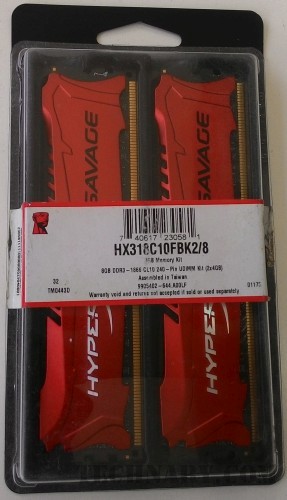
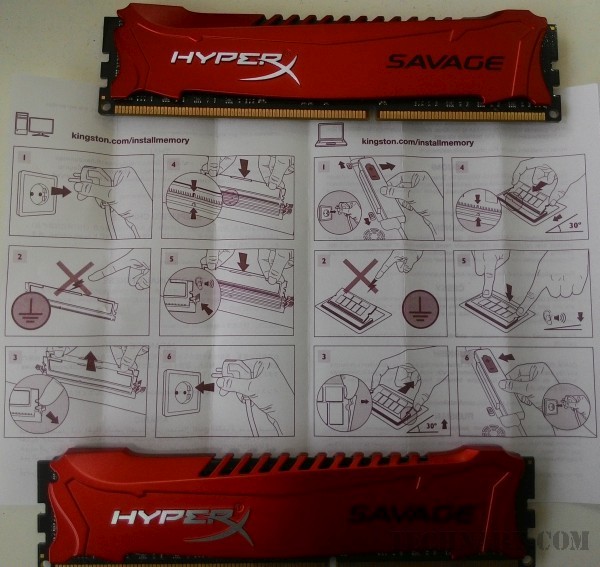
There is a need for multi-tasking these days. To support a high level of multi tasking there should be a big and better memory kit in your computer. We are talking about the memory kit for the PCs. The main problem for any of the user is to increase the work capability and do more work in the less resources. But what if you increase the resources and just upgrade the existing ones to make sure that they work well to serve your purpose.

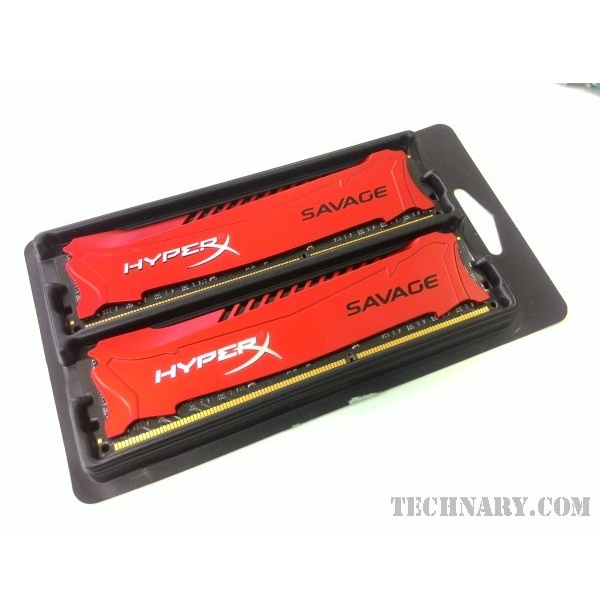
Kingston HyperX Savage 2x4GB RAM

Kingston HyperX Savage 2x4GB RAM

Kingston HyperX Savage 2x4GB RAM

A memory kit of two 4GB modules might make your PC faster than what a 1GB module can do., There are 2 memory slots in the CPU(most of them). So why not utilize the memory space and use both of them to give optimum output. These memory modules will help you to work faster and will save your time. Recently we had reviewed the Kingston HyperX Fury SSD of 240 GB which is used for high file transfer speed.

Kingston HyperX Savage 2x4GB RAM

Let us talk about the design of this memory module from Kingston.

Kingston HyperX Savage 2x4GB RAM

Design

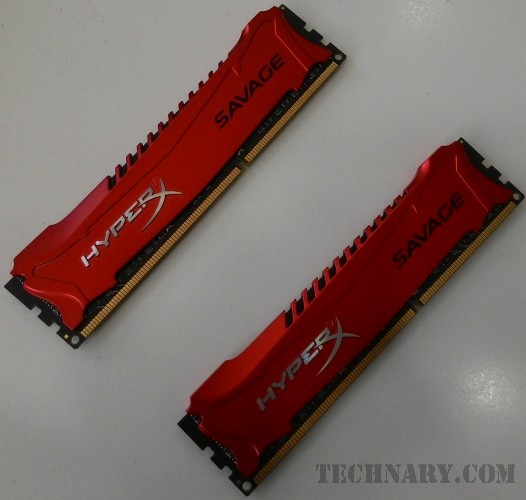
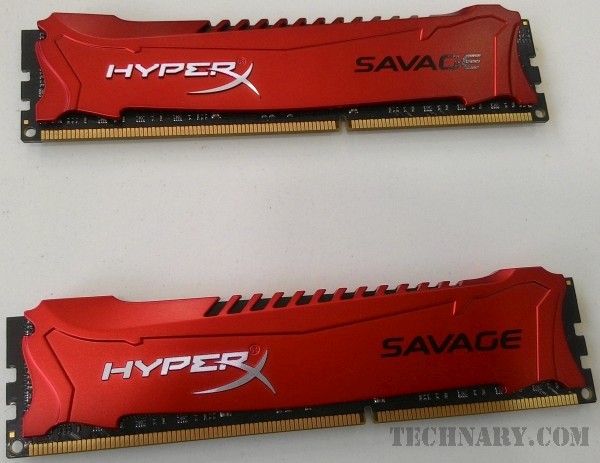
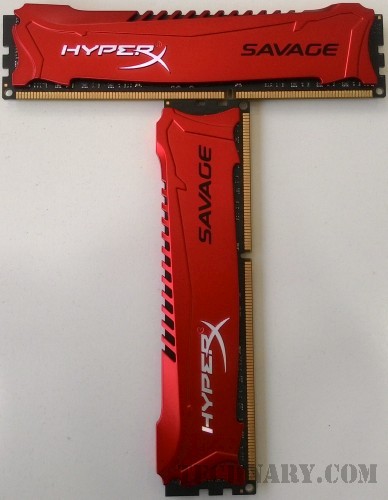
It is believed that the design is an integral and one of the most important aspect for any gadget or product. Not only the aesthetic looks are important, but the parameters which help the device to perform well in the best of its capabilities will make it a better use to the system. The red color looks fantastic for this device. Though it is going to go right inside your CPU, still the looks of the memory kits are superb.

Kingston HyperX Savage 2x4GB RAM

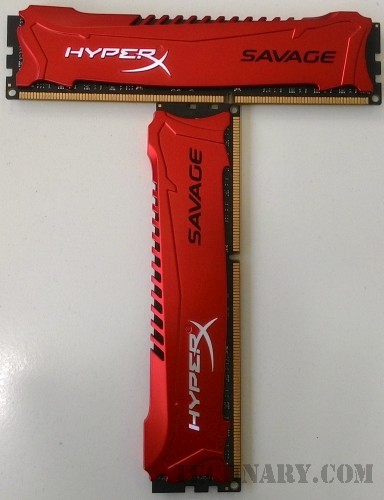
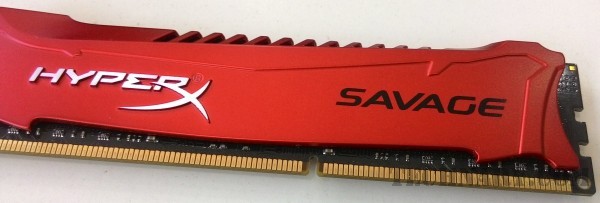
It does have unique design. The Red color looks superb for this memory kit. We can see the red heat spreader which is made fro high quality aluminum. The heat spreader helps to dissipate the heat. The design is made in such a way that it remains cool. These memory kits can be easily fit into the motherboard`s DIMM socket. It has a 240 pin interface.

Kingston HyperX Savage 2x4GB RAM

Performance

The memory kit which we reviewed were of 4GB each. So together they provide a decent 8 GB memory for high multi-tasking. The frequency speed of the device which we reviewed was of 1866MHz. The CAS latency is CL9-CL11. The memory kit is compatible with a lot of cho9psets right from the popular H67,H97 intel chipsets and various AMD chipsets as well.

Kingston HyperX Savage 2x4GB RAM

The memory kit is overall good in performance and has good overclocking potential. We did a AIAD64 benchmark test for the RAM. The reading speed which was clocked to 26854 MB/s, Writing speed was 27368 MB/s while the copy speed recorded were 24794 MB/s. These speeds are though not the very best from a 8GB RAM but still we can say that they are competitive enough.

Kingston HyperX Savage 2x4GB RAM

Kingston HyperX Savage 2x4GB RAM

Final Verdict

We give full points to the design of the RAM. The device looks aesthetically very nice and the heat dissipation is taken care of. Performance was good but not the best available in the market. We believe that it is worth the price for sure.