
If you have ever tried to manage notes, tasks, projects, documents, ideas, and personal goals across several different apps, you probably know how quickly things become messy.
That is where Notion gets interesting. Instead of forcing you to use one app for notes, another for task management, and another for documentation, Notion brings these workflows together inside a flexible workspace.
But flexibility can also be a weakness.
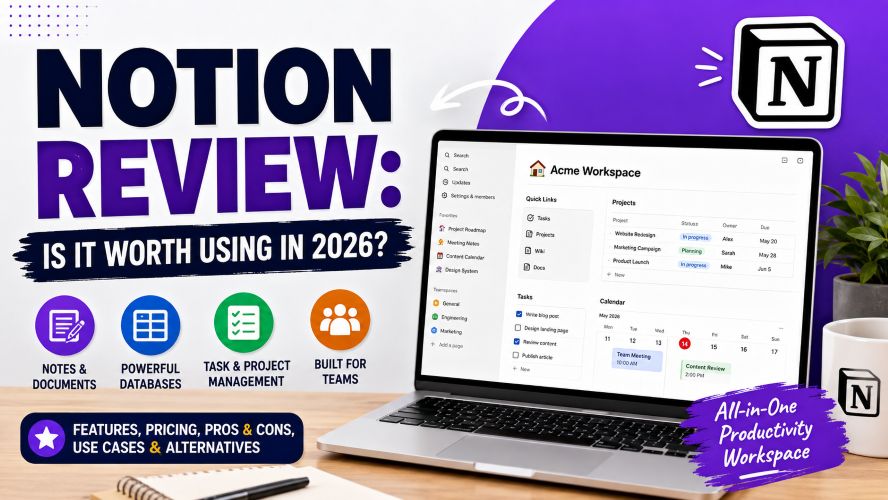
Notion gives you so many ways to organize information that it can take time to build a system that actually works.
So, is Notion worth using in 2026?
In this detailed Notion review, we’ll look at its features, pricing, Notion AI, advantages, limitations, alternatives, and the types of users who are most likely to benefit from it.
Notion Review: Quick Verdict
Our rating: 4.5/5
Notion is one of the most flexible productivity and knowledge-management platforms available.
Its biggest strength is not one particular feature. It is the way different features, pages, databases, documents, tasks, wikis, calendars, forms, and integrations—can be connected inside one workspace.
Quick pros and cons
Pros
- Highly flexible workspace
- Excellent database system
- Useful for notes, documentation, and project planning
- Large template ecosystem
- Free plan available
- Supports personal and team workflows
- Notion AI adds writing, search, research, and automation capabilities
- Can reduce the need to switch between multiple productivity apps
Cons
- Can feel overwhelming for beginners
- Building a good workspace takes planning
- Some advanced features require paid plans
- Highly customized setups can become complicated
- Not every workflow is as fast as using a specialized app
Bottom line: Notion is particularly appealing if you want one customizable workspace rather than several separate productivity tools.
What Is Notion?
Notion is a connected workspace designed for organizing information, documents, projects, tasks, and knowledge.
Think of it as a collection of digital building blocks.
You can create a simple page for notes, then turn another page into a task database, build a company wiki, create a content calendar, or connect multiple databases into a larger project-management system.
Notion describes its platform as a workspace for docs, wikis, projects, and databases, with AI capabilities integrated into the environment.
This flexibility is one reason Notion has become popular with students, creators, freelancers, startups, teams, and individual users.
What can you use Notion for?
Common examples include:
- Personal notes
- To-do lists
- Content calendars
- Project management
- Meeting notes
- Company documentation
- Knowledge bases
- Reading lists
- Study planning
- Habit and goal tracking
- Client information
- Product roadmaps
- Team wikis
The important point is that Notion does not force you into one specific organizational method.
You build the workspace around your needs.
Notion Features: What Do You Actually Get?
The feature list can look intimidating at first.
Let’s simplify it.
1. Notion Pages
Pages are the foundation of Notion.
A page can contain text, headings, images, files, checklists, tables, databases, embeds, and other blocks.
You can also place pages inside other pages.
That makes it possible to create a hierarchy such as:
Workspace → Projects → Website Redesign → Content → Articles
This simple structure can become surprisingly powerful when your workspace grows.
Must Read : Everything Apple Intelligence Can Do (Complete Guide)
2. Notion Databases
Databases are arguably one of Notion’s strongest features.
Unlike a traditional spreadsheet, a Notion database can display the same underlying information in different ways.
For example, a content database could contain:
- Article title
- Keyword
- Author
- Status
- Publishing date
- Category
- Target URL
- Content type
You could then view the same information as a table, board, calendar, or other supported database view.
This makes Notion useful for content planning and project tracking without requiring a separate application.
3. Templates
Starting from an empty workspace can be intimidating.
Templates solve much of that problem.
Instead of building a content calendar or project tracker from scratch, you can begin with an existing template and modify it.
Notion also has a marketplace where users can find templates and other resources.
For beginners, this can dramatically reduce the initial learning curve.
Tip: Don’t build a complicated “ultimate productivity system” on day one.
Start with one page.
Use it for a week.
Then add features only when you actually need them.
Notion AI Review: Is It Useful?
Notion AI has become an increasingly important part of the platform.
However, it is worth separating the AI functionality from the core Notion experience.
Notion AI can assist with tasks such as writing and editing, summarizing information, searching workspace content, creating or working with databases, and handling certain research and meeting-note workflows.
Notion Agent can also work with pages and databases using context from your workspace and connected applications, subject to your existing permissions.
Where Notion AI can help
For example, imagine you have a long meeting transcript.
Instead of manually extracting the important points, you can use AI to help summarize it.
For a content team, AI can also help brainstorm topics, improve drafts, summarize research, or organize information.
For teams, the bigger attraction may be the ability to work with information already stored inside the workspace.
Must Read : Best CRM for Small Business (2026): Top Picks to Grow Faster
But should you pay for Notion just for AI?
Probably not.
If you only want an AI writing assistant, there are plenty of specialized options.
Notion’s appeal is stronger when you want AI combined with your documents, databases, projects, and knowledge base.
Also keep in mind that AI availability and usage allowances vary by plan. Notion currently states that Business and Enterprise plans include its main AI capabilities, while Free and Plus users receive limited complimentary AI usage for trying the features.
Notion Pricing: Is the Free Plan Enough?
Notion has a Free plan as well as paid tiers.
At the time of writing, Notion lists:
| Plan | Starting price shown by Notion | Best suited for |
|---|---|---|
| Free | $0/member/month | Individuals |
| Plus | $10/member/month | Small teams and professionals |
| Business | $20/member/month | Growing teams |
| Enterprise | Contact Notion | Larger organizations |
Notion notes that prices can depend on billing arrangements and workspace circumstances, so check the current pricing page before purchasing.
Is Notion Free good enough?
For many individual users, yes.
The Free plan already provides access to core functionality such as pages, databases, basic forms, publishing pages to the web, and Notion Calendar.
The limitations become more important when you need advanced collaboration, larger file uploads, deeper administrative controls, or business-oriented AI functionality.
Who should consider upgrading?
A paid plan makes more sense when you have a specific reason to upgrade.
For example:
- Your team needs more collaboration features
- You need larger file uploads
- You want advanced site or form functionality
- You need business-focused AI features
- You require additional administrative capabilities
Don’t upgrade simply because a paid plan has more features.
If the Free plan solves your problem, keep using it.
What We Like About Notion
Flexible enough for different workflows
A student and a software company can use the same platform in completely different ways.
That is difficult to achieve with highly specialized productivity applications.
Excellent for connected information
Notion becomes particularly useful when information needs to relate to other information.
For example, an article can be connected to a content project, author, keyword, publishing date, and status.
Must Read : Best AI Writing Tools for Bloggers (2026): Top Picks to Write Better and Faster
Good documentation capabilities
If you regularly create guides, internal documentation, procedures, or knowledge bases, Notion is particularly attractive.
Strong ecosystem
Templates, integrations, and community-created resources make it easier to adapt Notion to different use cases.
Free entry point
You can experiment with the platform before committing money.
That’s an important advantage for beginners.
Where Notion Could Be Better
Notion isn’t perfect.
And understanding its weaknesses is just as important as understanding its strengths.
The learning curve
Notion looks simple when you create your first page.
It can become much more complicated once you start using databases, relations, formulas, multiple views, templates, and interconnected pages.
The platform gives you freedom—but freedom requires decisions.
Too much customization can become a problem
You can spend hours designing a beautiful workspace without actually improving your productivity.
This is one of the biggest traps for new Notion users.
Your workspace doesn’t need to look impressive.
It needs to help you find information and finish work.
Specialized apps can be faster
If you only need a basic note-taking application, Notion may be more than you need.
Likewise, a dedicated project-management platform may offer a faster experience for certain highly structured workflows.
Notion Pros and Cons
| Pros | Cons |
|---|---|
| Highly customizable | Learning curve |
| Powerful databases | Easy to overcomplicate |
| Excellent documentation | Some advanced features require paid plans |
| Free plan available | Specialized tools may be faster for specific jobs |
| Useful templates | Large workspaces need organization |
| AI features integrated into workspace | AI access depends on plan and usage |
| Suitable for individuals and teams | Requires initial setup |
Notion vs Alternatives: Which Should You Choose?
Notion isn’t automatically better than every alternative.
It depends on what you’re trying to accomplish.
Notion vs Evernote
Evernote has traditionally focused heavily on note-taking and information capture.
Notion takes a broader approach, combining notes with databases, documents, project organization, and wikis.
Choose Notion if: you want a flexible workspace.
Choose Evernote if: your priority is primarily traditional note capture and organization.
Notion vs ClickUp
ClickUp is strongly focused on project and task management.
Notion can also handle projects, but its broader strength is combining projects with documentation and knowledge management.
Choose Notion if: documentation and flexible databases are important.
Choose ClickUp if: structured task and project management is your primary requirement.
Notion vs Trello
Trello’s visual board approach is straightforward.
Notion offers more customization and can combine boards with documents and databases.
Choose Notion if: you want a more customizable system.
Choose Trello if: you prefer a simple visual workflow with less setup.
Who Is Notion Best For?
Notion is particularly suitable for:
Students
You can organize class notes, assignments, reading lists, study plans, and projects in one workspace.
Bloggers and content creators
A Notion content calendar can track article ideas, keywords, drafts, editors, publishing dates, and updates.
Freelancers
You can create separate databases for clients, projects, tasks, invoices, and notes.
Small businesses
Notion can function as a lightweight company wiki and documentation hub.
Developers and product teams
Documentation, roadmaps, project information, meeting notes, and product planning can live together.
People who enjoy customization
If you like building systems around the way you work, Notion is especially compelling.
Who Should Probably Skip Notion?
Notion may not be the right choice if:
- You want an extremely simple notes app
- You dislike customizing software
- You need a highly specialized project-management platform
- You don’t want to spend time organizing your workspace
- Your workflow already works perfectly with existing tools
There’s no advantage in moving to Notion simply because it’s popular.
The right productivity tool is the one that reduces friction in your actual workflow.
How to Get More Value From Notion
Here’s a simple approach I recommend for beginners.
Step 1: Start with one problem
Don’t migrate your entire digital life immediately.
Choose something specific.
For example:
“I need a better way to manage my content ideas.”
Build that first.
Step 2: Create one database
Add only the properties you actually need.
For a content workflow:
- Title
- Status
- Keyword
- Category
- Publish date
That’s enough to start.
Step 3: Add views later
Once the database contains real information, create additional views.
You may discover that a board view is useful for production while a calendar view works better for publishing.
Step 4: Automate only repetitive work
Once you understand the workflow, consider integrations or AI features.
Don’t automate a process you haven’t tested manually.
Step 5: Review your workspace monthly
Delete pages you don’t use.
Archive old projects.
Simplify databases.
A smaller workspace is often easier to maintain.
Real-World Notion Use Cases
Scenario 1: A solo blogger
A blogger could create one content database containing every article.
Each row could include the target keyword, content status, publication date, category, and update schedule.
A calendar view can show upcoming publishing dates.
A board can show articles moving from idea → research → writing → editing → published.
Scenario 2: A small marketing team
The team could maintain:
- Campaign documentation
- Content calendar
- Meeting notes
- Brand guidelines
- Marketing tasks
- Research
- Client information
Instead of searching through multiple disconnected systems, related information can be organized within one workspace.
Scenario 3: A student
A student could create a dashboard containing:
Current semester
→ Courses
→ Assignments
→ Study schedule
→ Notes
→ Reading list
→ Exam dates
The important part isn’t the design.
It’s having a consistent place to return to.
Things to Consider Before Buying Notion
Before upgrading, ask yourself these questions:
Do I actually need the paid features?
If the Free plan works, there’s no urgent reason to upgrade.
Am I using Notion regularly?
A subscription makes more sense when the platform is part of your daily or weekly workflow.
Do I need AI features?
If AI is important to your workflow, check exactly which capabilities are included in the plan you’re considering.
Will my team use it?
For businesses, consider permissions, collaboration, integrations, administration, and security requirements rather than looking only at the monthly price.
Is Notion replacing another tool?
If you’re paying for several overlapping applications, consolidating workflows may provide value.
But don’t assume consolidation is automatically better. Sometimes specialized tools are worth keeping.
Notion Review: Frequently Asked Questions
Is Notion free?
Yes. Notion offers a Free plan with core workspace features. Paid plans are available for users and teams that need additional capabilities.
Is Notion good for beginners?
Yes, but beginners should start small. Notion’s flexibility can initially feel overwhelming, so using a simple template or creating one basic workflow is usually better than building a complicated system immediately.
Is Notion good for project management?
Notion can work well for project management, especially when project tasks need to live alongside documentation, notes, databases, and other information.
However, teams with highly specialized project-management requirements may prefer a dedicated project-management platform.
Is Notion AI worth it?
It depends on how you work. Notion AI is most compelling when you want AI capabilities integrated directly with your workspace rather than using a separate AI tool. Features and usage allowances depend on the Notion plan.
Can Notion replace Google Docs?
For some workflows, yes.
Notion can handle documents and collaborative writing, but Google Docs may still be preferable for users who primarily need a traditional document editor and its surrounding ecosystem.
Can Notion replace a task-management app?
Sometimes.
Notion databases can handle many task-management workflows, but users with complex task dependencies, automation, or highly specialized project requirements may prefer dedicated software.
Is Notion worth paying for?
For individuals, the Free plan may be sufficient.
For teams and professionals who need advanced collaboration, larger uploads, business features, or additional AI capabilities, a paid plan may make sense.
Always compare the current plan features against your actual requirements before upgrading.
Final Verdict: Is Notion Worth It?
After looking at the features, pricing, limitations, and use cases, Notion is worth considering if you want a flexible all-in-one workspace.
Its biggest advantage is the ability to connect different types of information.
Notes can live beside projects.
Projects can connect to databases.
Databases can power calendars and dashboards.
Documentation can live beside the work it describes.
And AI features can assist with some of these workflows.
But there’s an important catch.
Notion rewards users who take the time to build a system that fits their needs. If you only want a simple notes app, its flexibility may actually feel like unnecessary complexity.
For beginners, the best approach is to start with the Free plan and one practical workflow.
Use it for a while.
If you eventually hit a limitation that a paid feature solves, then consider upgrading.
Our final rating
Ease of use: 4/5
Features: 5/5
Customization: 5/5
Collaboration: 4.5/5
Value: 4.5/5
AI capabilities: 4.5/5
Overall: 4.5/5
Our recommendation: Notion is a strong choice for students, creators, freelancers, knowledge workers, and teams that want to combine documentation, notes, databases, and project information in one customizable workspace.