
Notion has become one of the most popular productivity platforms in the world. It combines notes, databases, project management, wikis, and collaboration into one workspace. But popularity doesn’t always mean it’s the perfect choice. Many users eventually run into challenges like slower performance, a steep learning curve, limited offline capabilities, or features that simply don’t match the way they work. If you’ve been wondering whether there’s something better than Notion, the answer is yes—but it depends on your needs.
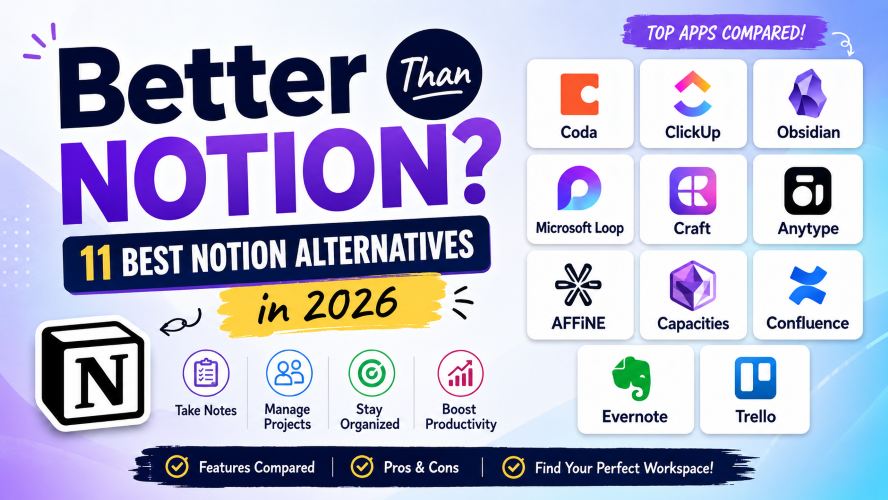
Some alternatives are faster.
Some are easier for beginners.
Others offer stronger project management, AI-powered writing, or more advanced collaboration.
In this guide, you’ll discover the best Notion alternatives in 2026, learn who each tool is best suited for, compare their strengths and weaknesses, and find the right workspace for your personal or professional workflow.
Quick Summary
If you’re short on time, here’s a quick overview.
| Need | Best Choice |
|---|---|
| Best Overall | Coda |
| Best for Project Management | ClickUp |
| Best for Teams | Confluence |
| Best for Students | Obsidian |
| Best Free Alternative | Anytype |
| Best for Simplicity | Microsoft Loop |
| Best for Writing | Craft |
| Best Offline Experience | Obsidian |
| Best Knowledge Base | Capacities |
| Best Visual Workspace | AFFiNE |
Why People Are Looking for Something Better Than Notion
Notion is incredibly flexible.
Ironically, that’s also why many people leave it.
Because it can do almost everything, setting up an efficient workspace often requires significant time and experimentation.
Here are the most common reasons users search for alternatives:
- Slow loading in large workspaces
- Limited offline functionality
- Complex database setup
- Too many customization options
- Higher pricing for growing teams
- Better project management available elsewhere
- Better markdown support in other apps
- More privacy-focused alternatives
The good news?
Today’s productivity software market offers excellent choices for every type of user.
What Makes a Great Notion Alternative?
Before switching, consider what matters most to you.
A quality workspace should offer several of these advantages:
Easy to Learn
Nobody wants to spend weeks building dashboards before getting real work done.
Fast Performance
Speed matters when you’re opening dozens of notes every day.
Reliable Collaboration
Real-time editing, comments, permissions, and sharing are essential for teams.
Flexible Organization
Folders, tags, backlinks, databases, or knowledge graphs should fit your workflow.
Cross-Platform Support
Your notes should sync across desktop, web, Android, and iPhone.
Fair Pricing
The best software delivers strong value without locking important features behind expensive plans.
Must Read : Top 25 AI Tools That Can Replace Hours of Work in 2026
1. Coda — Best Overall Alternative to Notion
If you’re looking for something that feels familiar yet significantly more powerful, Coda deserves the top spot.
Instead of treating documents as static pages, Coda transforms them into interactive workspaces where documents behave like applications.
Imagine combining spreadsheets, databases, forms, automations, and documents inside one file.
That’s exactly what Coda offers.
Best For
- Startups
- Remote teams
- Product managers
- Operations teams
- Business documentation
Top Features
- Powerful tables
- Advanced automation
- Custom buttons
- Team collaboration
- Hundreds of integrations
- Project tracking
- AI-powered workflows
- Rich templates
Pros
- Extremely powerful automation
- Excellent collaboration
- Highly customizable
- Strong integration ecosystem
- Scales well for businesses
Cons
- Learning curve for advanced features
- Premium plans can become expensive
Why Choose Coda Over Notion?
If your workspace manages projects instead of just notes, Coda usually saves more time through automation and smarter workflows.
2. ClickUp — Best for Project Management
ClickUp started as a task management platform but has evolved into a complete productivity ecosystem.
Unlike Notion, ClickUp puts project execution first.
That means timelines, workload views, sprint planning, task dependencies, goals, dashboards, and documentation all work together.
Best For
- Marketing agencies
- Software teams
- Freelancers
- Business owners
Key Features
- Docs
- Whiteboards
- Kanban boards
- Gantt charts
- Time tracking
- Mind maps
- Automations
- Goal tracking
Advantages
- Outstanding project management
- Hundreds of integrations
- Feature-rich free plan
- Excellent reporting
Drawbacks
- Interface can feel overwhelming initially
- Setup requires planning
Who Should Choose ClickUp?
If your work revolves around managing deadlines, clients, or multiple projects, ClickUp often outperforms Notion.
3. Obsidian — Best for Personal Knowledge Management
For writers, researchers, developers, and students, Obsidian has developed a passionate community.
Instead of storing notes in the cloud first, Obsidian keeps your files locally using Markdown.
That means your knowledge always remains under your control.
Its biggest strength is connecting ideas.
Backlinks automatically create relationships between notes, allowing you to build a personal knowledge network over time.
Best For
- Researchers
- Students
- Writers
- Developers
- Journal keepers
Standout Features
- Local storage
- Markdown support
- Graph View
- Plugins
- Themes
- Fast performance
- Offline access
Pros
- Extremely fast
- Complete ownership of notes
- Huge plugin ecosystem
- Strong privacy
Cons
- Collaboration isn’t its strongest feature
- Takes time to master advanced workflows
Why Users Switch
People who primarily use Notion for note-taking often discover that Obsidian feels significantly faster while offering much deeper knowledge management.
4. Microsoft Loop — Best for Microsoft 365 Users
If your organization already uses Microsoft 365, Loop fits naturally into your workflow.
Loop combines collaborative pages, project components, and shared workspaces while integrating closely with Teams, Outlook, Word, and Excel.
Instead of constantly switching apps, your work stays connected across Microsoft’s ecosystem.
Best For
- Corporate teams
- Microsoft 365 users
- Hybrid workplaces
- Business collaboration
Features
- Live collaboration
- Loop components
- Microsoft integration
- Task management
- Templates
- Shared workspaces
Pros
- Familiar interface
- Excellent Microsoft integration
- Easy collaboration
- Enterprise-friendly
Cons
- Limited outside Microsoft ecosystem
- Fewer customization options than Notion
Quick Feature Comparison
| Feature | Notion | Coda | ClickUp | Obsidian | Microsoft Loop |
|---|---|---|---|---|---|
| Notes | ⭐⭐⭐⭐⭐ | ⭐⭐⭐⭐ | ⭐⭐⭐⭐ | ⭐⭐⭐⭐⭐ | ⭐⭐⭐⭐ |
| Databases | ⭐⭐⭐⭐⭐ | ⭐⭐⭐⭐⭐ | ⭐⭐⭐⭐ | ⭐⭐ | ⭐⭐⭐ |
| Offline | ⭐⭐ | ⭐⭐⭐ | ⭐⭐⭐ | ⭐⭐⭐⭐⭐ | ⭐⭐⭐ |
| Project Management | ⭐⭐⭐ | ⭐⭐⭐⭐ | ⭐⭐⭐⭐⭐ | ⭐ | ⭐⭐⭐ |
| Collaboration | ⭐⭐⭐⭐ | ⭐⭐⭐⭐⭐ | ⭐⭐⭐⭐⭐ | ⭐⭐ | ⭐⭐⭐⭐⭐ |
| Learning Curve | Medium | Medium | High | Medium | Easy |
5. Craft — Best for Beautiful Documents
If presentation matters as much as productivity, Craft is a strong contender. It focuses on creating visually polished documents that are easy to organize and enjoyable to read.
Whether you’re building client proposals, personal journals, or team documentation, Craft strikes a balance between simplicity and elegance.
Best For
- Writers
- Designers
- Freelancers
- Students
- Small teams
Key Features
- Beautiful document layouts
- Rich media support
- Real-time collaboration
- Fast performance
- Offline editing
- Cross-device sync
Pros
- Clean and modern interface
- Excellent writing experience
- Easy sharing options
- Beginner-friendly
Cons
- Limited database functionality
- Not ideal for complex project management
Must Read : Top 25 AI Tools That Can Replace Hours of Work in 2026
6. Anytype — Best Free Privacy-Focused Alternative
If privacy is your top priority, Anytype deserves a closer look.
Unlike many cloud-first productivity apps, Anytype gives users greater control over their data while still offering an impressive all-in-one workspace.
Best For
- Privacy-conscious users
- Personal knowledge management
- Offline workflows
- Students
Key Features
- Local-first storage
- End-to-end encryption
- Object-based organization
- Templates
- Cross-platform support
Pros
- Strong privacy
- Generous free features
- Works offline
- Fast interface
Cons
- Smaller integration ecosystem
- Still evolving compared to older platforms
7. AFFiNE — Best Open-Source Workspace
AFFiNE combines note-taking, whiteboarding, and knowledge management into a single workspace.
Its open-source nature makes it appealing to users who want transparency and flexibility.
Best For
- Developers
- Students
- Creative professionals
- Open-source enthusiasts
Highlights
- Whiteboard mode
- Rich text editor
- Knowledge graph
- Markdown support
- Local-first architecture
Pros
- Free and open source
- Active development
- Modern interface
- Flexible workspace
Cons
- Smaller community than Notion
- Fewer third-party integrations
8. Capacities — Best for Connected Thinking
Capacities takes a different approach to organizing information.
Instead of folders, it encourages users to connect ideas using objects and relationships.
This makes it particularly useful for research, writing, and long-term knowledge management.
Best For
- Researchers
- Writers
- Content creators
- Students
Pros
- Powerful knowledge organization
- Beautiful interface
- Fast navigation
- Flexible note linking
Cons
- Learning curve for new users
- Fewer project management features
Must Read : How to Self-Host a Notion Alternative on a $5 VPS (Step-by-Step Guide)
9. Confluence — Best for Large Teams
If your organization relies on documentation, Confluence remains one of the strongest enterprise solutions.
It integrates seamlessly with Jira and other business tools, making it ideal for software teams and larger companies.
Best For
- Enterprise teams
- Software development
- Technical documentation
- Internal knowledge bases
Pros
- Excellent permissions
- Strong collaboration
- Enterprise security
- Deep integrations
Cons
- Less suitable for personal use
- Interface feels business-oriented
10. Evernote — Best for Simple Note-Taking
Evernote has been around for years, and it continues to be a dependable option for users who primarily need note-taking rather than an all-in-one workspace.
Best For
- Everyday note-taking
- Web clipping
- Personal organization
- Professionals
Pros
- Reliable syncing
- Powerful search
- Easy to use
- Mature ecosystem
Cons
- Limited customization
- Less flexible than modern workspace apps
11. Trello — Best for Visual Task Management
If your main goal is organizing tasks rather than managing documents, Trello remains one of the easiest tools to learn.
Its Kanban-style boards make project tracking intuitive for individuals and teams alike.
Best For
- Small businesses
- Freelancers
- Marketing teams
- Beginners
Pros
- Extremely easy to use
- Great visual organization
- Large integration library
- Fast setup
Cons
- Limited document features
- Not a complete Notion replacement
Comparison Table
| App | Best For | Free Plan | Offline Support | Ease of Use |
|---|---|---|---|---|
| Coda | Business workflows | Yes | Partial | ⭐⭐⭐⭐ |
| ClickUp | Project management | Yes | Partial | ⭐⭐⭐ |
| Obsidian | Knowledge management | Yes | Excellent | ⭐⭐⭐⭐ |
| Craft | Writing | Yes | Good | ⭐⭐⭐⭐⭐ |
| Anytype | Privacy | Yes | Excellent | ⭐⭐⭐⭐ |
| AFFiNE | Open source | Yes | Excellent | ⭐⭐⭐⭐ |
| Capacities | Research | Yes | Good | ⭐⭐⭐⭐ |
| Confluence | Enterprises | Yes | Limited | ⭐⭐⭐ |
| Evernote | Notes | Yes | Good | ⭐⭐⭐⭐⭐ |
| Trello | Tasks | Yes | Limited | ⭐⭐⭐⭐⭐ |
Pros and Cons of Switching from Notion
| Pros | Cons |
|---|---|
| Better performance | Learning a new interface |
| More specialized features | Data migration may take time |
| Lower pricing in some cases | Missing favorite Notion features |
| Improved offline support | Different collaboration workflows |
| Better privacy options | Need to rebuild templates |
How to Choose the Right Notion Alternative
Before switching, ask yourself a few practical questions.
What is your primary use case?
- Personal notes
- Team collaboration
- Project management
- Research
- Documentation
- Content creation
Choosing software that excels at your main workflow often delivers a better experience than using an all-purpose tool.
Do you need offline access?
If you frequently work while traveling or without reliable internet, prioritize tools with local-first storage.
How important is collaboration?
Solo users and large organizations have very different requirements.
Real-time editing, permissions, comments, and version history become increasingly important for teams.
What’s your budget?
Many productivity platforms offer generous free plans.
If you’re an individual user, a free tier may provide everything you need.
Must Read : Top 25 AI Tools That Can Replace Hours of Work in 2026
Growing businesses, however, should compare premium features such as automation, storage, integrations, and security.
Real-World Use Cases
For Students
Choose Obsidian or Anytype for organizing lecture notes, research papers, and study materials.
For Freelancers
Craft and ClickUp provide an excellent combination of documentation and project management.
For Startups
Coda helps centralize SOPs, product roadmaps, meeting notes, and internal documentation.
For Marketing Teams
ClickUp simplifies campaign planning, content calendars, and team collaboration.
For Software Teams
Confluence integrates well with development workflows and technical documentation.
Frequently Asked Questions
Is there an app better than Notion?
Yes. The best alternative depends on your needs. Coda excels in business workflows, ClickUp in project management, and Obsidian in personal knowledge management.
Which free Notion alternative is best?
Anytype, AFFiNE, Obsidian, and ClickUp all offer excellent free plans with generous features.
Is Obsidian better than Notion?
For personal note-taking, research, and offline access, many users prefer Obsidian. For collaboration and databases, Notion remains stronger.
Which Notion alternative is easiest to learn?
Microsoft Loop, Craft, and Trello have relatively gentle learning curves for beginners.
What is the best Notion alternative for teams?
ClickUp, Coda, and Confluence are excellent choices for collaborative workspaces and project management.
Can I import my Notion workspace?
Most leading alternatives provide import tools or support Markdown and CSV files, making migration straightforward.
Are free plans enough?
For personal productivity, yes. Teams that need advanced collaboration, automation, or storage may eventually require a paid plan.
Final Verdict
Notion remains one of the most versatile productivity platforms available, but it’s no longer the only excellent option.
If you’re looking for a more specialized solution, several alternatives outperform Notion in specific areas.
- Choose Coda if you want a powerful all-in-one business workspace with advanced automation.
- Choose ClickUp if project management is your highest priority.
- Choose Obsidian if you value speed, offline access, and personal knowledge management.
- Choose Craft for elegant writing and document creation.
- Choose Anytype if privacy and local-first storage matter most.
The right choice ultimately depends on how you work. Instead of focusing on the platform with the most features, select the one that removes friction from your daily workflow.
What is better than Notion?
The best alternatives to Notion include Coda, ClickUp, Obsidian, Craft, Anytype, AFFiNE, Capacities, Confluence, Evernote, and Trello. Each excels in different areas such as project management, note-taking, collaboration, privacy, or knowledge management, making the ideal choice dependent on your workflow and priorities.