
If you’re like most people, you probably have dozens, if not hundreds of online accounts. Banking, shopping, social media, streaming services, work apps, every account asks for a unique password. The result? Many people reuse the same password everywhere or save passwords in browsers without realizing the security risks. You need to know the Best Password Managers for tackling this problem.
Instead of remembering dozens of complex passwords, you only need to remember one master password. Everything else is securely stored, encrypted, and available whenever you need it.
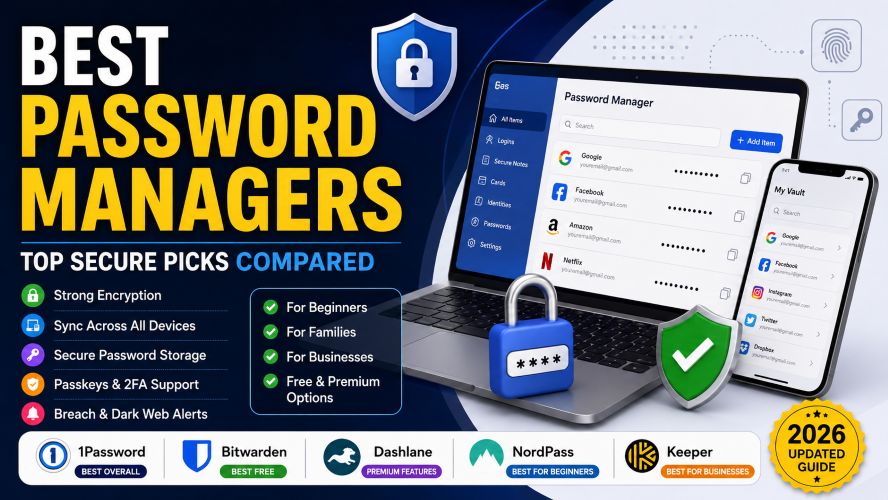
In this guide, we’ll compare the best password managers available today, explain their strengths, and help you choose the right one for your needs.
Whether you’re protecting personal accounts, managing passwords for your family, or securing business logins, there’s an option here for you.
Best Password Managers at a Glance
| Password Manager | Best For | Free Plan | Passkeys | Cross Platform |
|---|---|---|---|---|
| 1Password | Overall Security | ❌ | ✅ | ✅ |
| Bitwarden | Best Free Option | ✅ | ✅ | ✅ |
| Dashlane | Premium Features | Limited | ✅ | ✅ |
| NordPass | Beginners | ✅ | ✅ | ✅ |
| Keeper | Businesses | Limited | ✅ | ✅ |
Short Recommendation
- Best Overall: 1Password
- Best Free Password Manager: Bitwarden
- Best for Families: 1Password
- Best for Beginners: NordPass
- Best for Businesses: Keeper
Why You Should Use a Password Manager
Think about your digital life for a moment.
How many websites know your email address?
How many online stores have your saved payment information?
How many accounts contain personal photos, financial details, or private conversations?
One weak password can put all of them at risk.
A password manager solves several problems at once.
Benefits of Using a Password Manager
- Creates strong, unique passwords automatically
- Stores passwords inside encrypted vaults
- Syncs across phones, tablets, and computers
- Autofills login forms securely
- Alerts you if passwords appear in known data breaches
- Supports passkeys for passwordless sign-in
- Saves time every day
Many premium password managers now include additional privacy features such as secure note storage, encrypted file sharing, two-factor authentication support, and dark web monitoring.
Must Read : I Used AI for 30 Days: My Complete Workflow Results
How We Chose the Best Password Managers
Not every password manager deserves a recommendation.
For this guide, we evaluated each product using several important factors.
Security
We prioritized providers that use strong AES-256 encryption, zero-knowledge architecture, independent security audits, and multi-factor authentication.
Ease of Use
A password manager should save time—not create frustration.
We looked for clean interfaces, reliable browser extensions, and fast syncing across devices.
Features
The best password managers offer much more than password storage.
We considered:
- Password generator
- Secure notes
- Passkey support
- Password sharing
- Emergency access
- Autofill accuracy
- Dark web monitoring
- Vault health reports
Pricing
Some users want a completely free solution, while others need premium security for families or businesses.
We compared value instead of simply choosing the cheapest option.
Customer Support
Reliable customer support becomes important when you lose access to your vault.
We considered documentation, live chat availability, email support, and community reputation.
1. 1Password – Best Overall Password Manager
Best For: Individuals, families, professionals, and anyone who wants premium security.
If there were only one password manager to recommend, 1Password would easily earn the top spot.
It consistently balances security, ease of use, and premium features better than almost any competitor.
Unlike many password managers that overwhelm new users with complicated settings, 1Password keeps everything simple while still offering advanced protection.
Whether you’re logging into banking apps, work accounts, or shopping websites, everything feels smooth and reliable.
Key Features
- AES-256 encryption
- Zero-knowledge architecture
- Passkey support
- Watchtower security dashboard
- Secure password sharing
- Travel Mode for international travel
- Browser extensions
- Unlimited passwords
- Cross-platform syncing
- Two-factor authentication
Why People Like It
One standout feature is Watchtower.
Instead of simply storing passwords, it actively scans your vault and alerts you if:
- Passwords are weak
- Passwords are reused
- Accounts appear in known breaches
- Two-factor authentication is available
- Websites support passkeys
This helps improve your overall online security without requiring technical knowledge.
Pros
✔ Excellent security reputation
✔ Beautiful interface
✔ Fast autofill
✔ Excellent family features
✔ Great passkey support
✔ Frequent security improvements
Cons
❌ No permanent free plan
❌ Slightly more expensive than competitors
Best For
Choose 1Password if you want:
- Premium security
- Family password sharing
- Smooth user experience
- Long-term reliability
- Cross-device syncing
2. Bitwarden – Best Free Password Manager
Best For: Budget-conscious users who don’t want to sacrifice security.
If free password managers usually make you think of limited features and annoying restrictions, Bitwarden is a pleasant surprise.
Its free plan includes many features that competitors reserve for paying customers.
That’s one reason Bitwarden has become a favorite among security enthusiasts and everyday users alike.
Key Features
- Open-source security
- AES-256 encryption
- Unlimited passwords
- Unlimited devices
- Password generator
- Passkey support
- Secure vault
- Browser extensions
- Mobile apps
- Self-hosting option for advanced users
Why Bitwarden Stands Out
Being open source means security researchers continuously inspect its code.
That transparency gives many users additional confidence compared to closed-source alternatives.
Despite being free, Bitwarden includes:
- Unlimited password storage
- Device syncing
- Autofill
- Password generator
- Secure notes
Premium users gain additional features like encrypted file storage, emergency access, advanced two-factor authentication, and security reports.
Pros
✔ Excellent free plan
✔ Affordable premium pricing
✔ Open-source
✔ Strong encryption
✔ Available on every major platform
Cons
❌ Interface isn’t as polished as premium competitors
❌ Some advanced features require Premium
Best For
Bitwarden is ideal if you want:
- A reliable free password manager
- Open-source software
- Strong security without high costs
- Multiple device syncing
3. Dashlane – Best for Premium Security Features
Best For: Users who want more than just password storage.
A password manager should do more than remember passwords.
Dashlane has evolved into a broader digital security platform by combining password management with privacy and identity protection tools.
For users who value convenience and extra security, it offers one of the most feature-rich experiences available.
Key Features
- AES-256 encryption
- Zero-knowledge architecture
- Password Health Score
- Built-in VPN (on eligible premium plans)
- Dark web monitoring
- Secure password sharing
- Passkey support
- Automatic password changer (supported websites)
- Cross-device synchronization
Why Dashlane Stands Out
Dashlane excels at helping users improve their overall online security—not just storing passwords.
Its Password Health Score quickly identifies:
- Weak passwords
- Reused passwords
- Compromised credentials
Combined with dark web monitoring, it can alert you if your email address or passwords appear in known data breaches, allowing you to act before accounts are compromised.
Another convenience is its automatic password changer for supported websites, reducing the effort required to replace weak or exposed passwords.
Pros
✔ Excellent security dashboard
✔ Built-in VPN on premium plans
✔ Dark web monitoring
✔ Easy-to-use interface
✔ Strong autofill performance
Must Read : Free AI Tools Better Than Paid Ones (Top 15 Picks)
Cons
❌ Premium plans cost more than some competitors
❌ Free plan has device limitations
Best For
Dashlane is a great choice if you want:
- Advanced security monitoring
- Identity protection features
- An all-in-one premium experience
- Easy password health management
Which Password Manager Is Right for You?
Choosing the right password manager depends on how you use the internet every day.
- For most users: 1Password offers the best balance of security, usability, and premium features.
- If you’re on a budget: Bitwarden delivers exceptional value with one of the strongest free plans available.
- If you want advanced protection: Dashlane adds identity-focused features like dark web monitoring and password health insights.
4. NordPass – Best Password Manager for Beginners
Best For: New users who want a clean, simple, and secure experience.
If you’ve never used a password manager before, NordPass is one of the easiest places to start.
Its interface is uncluttered, the setup process is straightforward, and everyday tasks—like saving, generating, and autofilling passwords—require very little effort. You don’t need to be a cybersecurity expert to use it effectively.
NordPass is developed by the team behind Nord Security, making it a familiar choice for users who already use other security tools.
Key Features
- XChaCha20 encryption
- Zero-knowledge architecture
- Password health reports
- Passkey support
- Secure notes
- Credit card storage
- Email masking (on supported plans)
- Multi-device sync
- Autofill across browsers and apps
Why NordPass Stands Out
One feature that makes NordPass appealing is its use of XChaCha20 encryption, a modern encryption algorithm recognized for both security and efficiency.
The dashboard also makes security easy to understand. It highlights:
- Weak passwords
- Reused passwords
- Old passwords that should be updated
- Compromised credentials found in known breaches
For beginners, this removes the guesswork and encourages better password habits.
Pros
✔ Very beginner-friendly
✔ Clean and modern interface
✔ Strong encryption
✔ Fast synchronization
✔ Excellent autofill
Cons
❌ Some advanced features require a premium subscription
❌ Free version limits simultaneous device usage
Best For
NordPass is ideal if you want:
- A simple password manager
- Easy setup
- Reliable cross-device syncing
- Modern security features
5. Keeper – Best Password Manager for Businesses
Best For: Teams, professionals, and small businesses.
Managing passwords for a team can quickly become complicated.
Employees need secure access to shared accounts without exposing passwords through emails or spreadsheets. Keeper addresses this challenge with business-focused features designed for organizations of all sizes.
It also works well for individuals who value advanced security controls.
Key Features
- AES-256 encryption
- Zero-knowledge security
- Role-based access controls
- Secure password sharing
- Team vaults
- Audit reporting
- Breach monitoring
- Passkey support
- Cross-platform compatibility
Must Read : Luminar Update 2026: What Photographers Need to Know
Why Keeper Stands Out
Keeper focuses heavily on administrative control.
Businesses can:
- Manage employee access
- Monitor password security
- Generate security reports
- Enforce strong password policies
- Remove employee access instantly when needed
These features make Keeper especially attractive for remote teams and growing businesses.
Pros
✔ Excellent business features
✔ Strong security
✔ Secure password sharing
✔ Advanced administrative tools
✔ Reliable customer support
Cons
❌ More features than casual users may need
❌ Premium pricing for business plans
Best For
Choose Keeper if you need:
- Business password management
- Team collaboration
- Secure credential sharing
- Administrative controls
Password Manager Comparison Table
| Feature | 1Password | Bitwarden | Dashlane | NordPass | Keeper |
|---|---|---|---|---|---|
| Free Plan | ❌ | ✅ | Limited | ✅ | Limited |
| Passkey Support | ✅ | ✅ | ✅ | ✅ | ✅ |
| Password Sharing | ✅ | ✅ | ✅ | ✅ | ✅ |
| Dark Web Monitoring | ✅ | Premium | ✅ | Premium | ✅ |
| Family Plans | ✅ | ✅ | ✅ | ✅ | ❌ |
| Business Plans | ✅ | ✅ | ✅ | ✅ | ✅ |
| Open Source | ❌ | ✅ | ❌ | ❌ | ❌ |
| Best For | Overall | Free Users | Premium Features | Beginners | Businesses |
How to Choose the Right Password Manager
Not every password manager is the best fit for every user.
Before making your decision, consider these factors.
1. Security
Look for:
- AES-256 or XChaCha20 encryption
- Zero-knowledge architecture
- Independent security audits
- Multi-factor authentication
- Passkey support
These features help ensure your data remains protected even if the provider experiences a security incident.
2. Device Compatibility
Choose a password manager that supports all of your devices, including:
- Windows
- macOS
- Linux
- Android
- iPhone and iPad
- Chrome
- Firefox
- Edge
- Safari
A good password manager should keep your credentials synchronized wherever you sign in.
3. Ease of Use
A complicated interface can discourage regular use.
Look for features such as:
- One-click autofill
- Automatic password capture
- Easy import from browsers
- Simple vault organization
4. Password Sharing
If you share accounts with family members or coworkers, secure sharing is much safer than sending passwords through email or messaging apps.
Many premium password managers include encrypted sharing with permission controls.
5. Extra Features
Some premium plans include additional security tools, such as:
- Dark web monitoring
- Secure file storage
- Emergency access
- Password health reports
- Built-in VPN (on selected plans)
- Email masking
- Identity monitoring
Only pay for extras you’ll actually use.
Free vs Paid Password Managers
| Feature | Free | Paid |
|---|---|---|
| Password Storage | ✅ | ✅ |
| Password Generator | ✅ | ✅ |
| Device Sync | Sometimes | ✅ |
| Password Sharing | Limited | ✅ |
| Passkeys | Sometimes | ✅ |
| Dark Web Monitoring | Rare | ✅ |
| Emergency Access | Rare | ✅ |
| Priority Support | ❌ | ✅ |
Should You Upgrade?
A free password manager is enough for many people, especially if you’re looking for secure password storage and autofill.
However, upgrading can be worthwhile if you:
- Share passwords with family
- Use multiple devices
- Store sensitive documents
- Want breach monitoring
- Need business features
Real-World Use Cases
For Students
Students often juggle learning platforms, email accounts, cloud storage, and productivity tools.
A password manager keeps everything organized while encouraging stronger password habits.
Recommended: Bitwarden or NordPass.
For Families
Families frequently share streaming services, Wi-Fi credentials, and household accounts.
A family plan lets everyone maintain separate vaults while sharing selected passwords securely.
Recommended: 1Password.
For Freelancers
Freelancers work with multiple clients and services.
Keeping client credentials separate reduces confusion and improves security.
Recommended: 1Password or Dashlane.
For Small Businesses
Businesses need centralized control, secure password sharing, and user management.
Recommended: Keeper.
Common Mistakes to Avoid
Even with a password manager, avoid these common mistakes:
- Reusing the master password elsewhere
- Ignoring multi-factor authentication
- Choosing a weak master password
- Failing to review breach alerts
- Sharing passwords through messaging apps
- Not backing up recovery information
Small improvements in your password habits can significantly strengthen your online security.
Frequently Asked Questions
What is the safest password manager?
The safest password managers use strong encryption, zero-knowledge architecture, independent security audits, and support for multi-factor authentication. Several reputable providers meet these standards, so the best choice also depends on your budget and feature requirements.
Are password managers worth paying for?
Yes, especially if you use many online accounts, share passwords with family members, or want features like dark web monitoring, emergency access, and secure password sharing.
Is a free password manager good enough?
For many users, yes. A quality free password manager can securely store passwords, generate strong credentials, and sync across devices. Premium plans mainly add convenience and advanced security features.
Can password managers be hacked?
No software is completely immune to risk. However, reputable password managers use encryption designed so that your stored data cannot be read without your master password. Using a strong master password and enabling multi-factor authentication further improves your security.
Do password managers work on phones?
Yes. Most leading password managers support Android and iPhone and can autofill login credentials in apps and web browsers.
What is a passkey?
A passkey is a newer sign-in method that replaces traditional passwords with cryptographic authentication. It can improve both security and convenience by reducing the risk of phishing attacks.
Should I store banking passwords in a password manager?
For most people, storing banking credentials in a reputable password manager is safer than reusing weak passwords or writing them down, provided you also enable multi-factor authentication where available.
Final Verdict
Choosing the best password manager depends on your needs, but there are clear standouts for different types of users.
- Best Overall: 1Password – Excellent balance of security, usability, and premium features.
- Best Free Option: Bitwarden – Outstanding value with generous free features.
- Best for Premium Security: Dashlane – Ideal for users who want password management plus identity-focused tools.
- Best for Beginners: NordPass – Clean interface and easy setup.
- Best for Businesses: Keeper – Robust administrative controls and secure team collaboration.
The most important step isn’t finding the “perfect” password manager—it’s choosing a trusted solution and using it consistently. Strong, unique passwords combined with features like passkeys and multi-factor authentication can significantly reduce your risk of account compromise.
If you’re still undecided, start with a free plan to see how password management fits into your daily routine. As your needs grow, you can upgrade to a premium plan that offers the features most valuable to you.
Key Takeaways
- Use unique passwords for every account.
- A password manager helps generate and store strong credentials securely.
- Passkey support is becoming an important feature to look for.
- Free plans are sufficient for many users, while premium plans add convenience and advanced protection.
- Choose a password manager based on your personal or business needs rather than price alone.
Undoubtedly 1 password is the best. It’s pricing is steep I should try other options. thank you for the list
Yes I also use that only!
Should I try Bitwarden? I have heard a lot about it. tried to search about it came here.
You can certainly try it out.
I see many ads of nordpass. how is it? is it connected to nordvpn?
I have not personally used it. Will certainly use it and share my detailed review here
I have never used Dashlane
You must use then
Password managers is really worth it. I have 1000+ passwords saved
Glad to know Amaris