
Creating content sounds simple until you actually have to do it consistently. A single YouTube video can involve scripting, thumbnails, captions, editing, graphics, social posts, and repurposing. A blog post can require research, outlining, writing, images, formatting, and promotion. That is why the right AI tool for content creators can be useful.
But there is a catch: not every tool is designed for every creator.
Some are excellent for visual content. Others are built around video editing, while marketing-focused platforms are better suited to businesses and content teams.
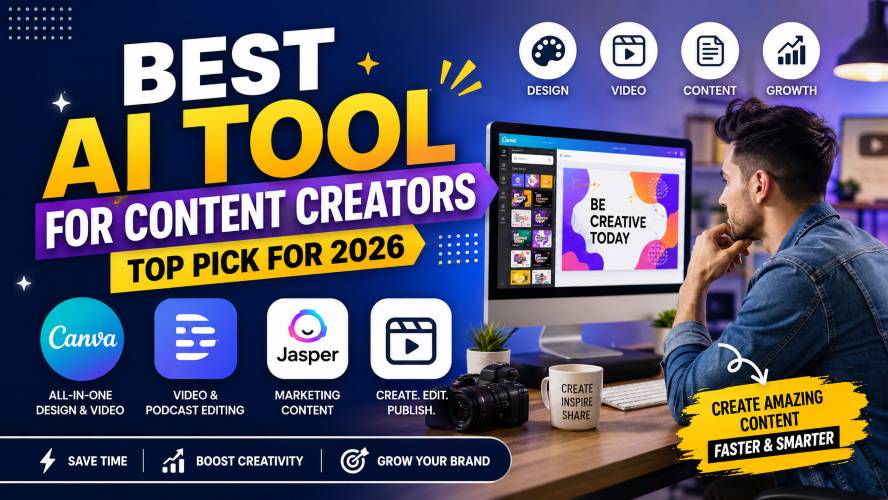
After comparing the major categories, Canva stands out as the best all-around choice for many content creators, particularly beginners, bloggers, social media creators, educators, and small businesses that want multiple creative tools in one place.
The bigger question is whether it is the right choice for your workflow.
Let’s break it down.
Quick Summary: Best AI Tool for Content Creators
If you don’t have time to read the entire guide, here’s the short version.
| Tool | Best For | Ease of Use | Best Feature |
|---|---|---|---|
| Canva | All-around content creation | ⭐⭐⭐⭐⭐ | Design + visual content |
| Descript | Video and podcasts | ⭐⭐⭐⭐ | Text-based editing |
| Jasper | Marketing teams | ⭐⭐⭐⭐ | Marketing workflows |
| Traditional video editors | Advanced editing | ⭐⭐⭐ | Detailed timeline control |
| Dedicated design software | Professional designers | ⭐⭐⭐ | Advanced creative control |
Our overall pick: Canva
Canva is the strongest choice if you want one platform for social graphics, presentations, thumbnails, short-form videos, documents, and other visual assets.
Its Magic Studio combines several AI-powered creative features inside the Canva ecosystem, while newer features extend into areas such as video, data visualization, and content scaling.
Best for: bloggers, YouTubers, social media creators, freelancers, educators, and beginners.
Best alternative for video-first creators: Descript.
Best alternative for marketing teams: Jasper.
What Is the Best AI Tool for Content Creators?
For most creators, Canva is the best all-around AI tool for content creation.
The reason isn’t simply the number of features.
It’s the fact that content creators rarely work in only one format.
A blogger may need a featured image today, an Instagram carousel tomorrow, a YouTube thumbnail later, and a presentation next week.
Switching between several specialized applications can make a simple content workflow unnecessarily complicated.
Canva approaches the problem differently by bringing design, documents, presentations, video, templates, and AI-powered features into one ecosystem.
Must Read : Everything Apple Intelligence Can Do (Complete Guide)
Its Magic Studio includes tools designed to speed up tasks such as creating designs, generating or editing content, resizing designs, and adapting existing work to different formats.
That makes it particularly attractive for creators who value speed and convenience over highly specialized editing controls.
Why Canva Is Our Top Pick
The biggest advantage is workflow simplicity.
Imagine publishing a YouTube video.
You might need:
- A thumbnail
- Channel graphics
- Social media posts
- A quote graphic
- A presentation
- A promotional banner
- Short-form video assets
Instead of creating everything from scratch in separate applications, Canva lets you handle many of these tasks within the same platform.
1. Beginner-friendly design workflow
You don’t need years of graphic-design experience to create something usable.
Templates provide a starting point, while drag-and-drop editing makes it relatively easy to customize layouts.
This matters because the biggest obstacle for many new creators isn’t creativity.
It’s the blank canvas.
Starting with a template or generated concept can reduce the amount of time spent deciding where every element should go.
2. Useful tools for social media creators
Social media creators often have to produce content in several dimensions.
A design that works for a YouTube thumbnail may not work for an Instagram post or vertical video.
Canva’s tools are built around this multi-format workflow.
Its Magic Switch functionality, for example, was designed to transform existing content into different formats and adapt layouts rather than forcing creators to rebuild everything manually.
3. Video creation is included
Canva isn’t only about static graphics.
Its current creative ecosystem includes video-focused tools such as Magic Video and automated features for social video production.
This makes it useful for creators who primarily publish short-form content.
However, there’s an important distinction.
If your workflow involves extensive interviews, podcasts, multi-track editing, or long-form video production, a specialized editor may be a better fit.
That’s where Descript becomes interesting.
Canva vs Descript: Which One Should Creators Choose?
Descript takes a different approach.
Instead of focusing primarily on visual design, it is built around audio and video editing.
One of its major advantages is text-based editing: you can work with a transcript and use that transcript as part of the editing process.
Its current plans include features such as transcription, text-based editing, dynamic captions, speaker detection, filler-word removal, Studio Sound, and AI-assisted video tools.
Choose Canva if:
- You create social media graphics.
- You need thumbnails regularly.
- You publish presentations or visual posts.
- You want templates.
- You prefer an easy learning curve.
- You work across several content formats.
Choose Descript if:
- You primarily create videos.
- You publish podcasts.
- You record interviews.
- You frequently edit spoken content.
- You want transcript-based editing.
- Audio cleanup is important to your workflow.
Descript currently offers a free tier, while paid tiers add additional transcription capacity, higher export resolutions, and expanded creative features. Its published pricing can change, so check the current plan before purchasing.
Internal link suggestion:
Anchor text: best video editing tools for YouTubers
Canva vs Jasper
Jasper is positioned more toward marketing teams and professional content workflows.
Its platform includes marketing-focused features such as purpose-built agents, content remixing, brand-related workflows, document collaboration, rewriting, and a marketing editor.
That makes Jasper particularly interesting for:
- Marketing departments
- Agencies
- Brand teams
- Businesses with established content processes
- Teams managing multiple campaigns
For an individual creator, however, paying for a marketing-focused platform may not make sense if your biggest need is thumbnails, social graphics, presentations, and video assets.
Canva is generally the better fit for:
Individual creators + visual content
Jasper is generally the better fit for:
Marketing teams + structured business workflows
The best choice depends less on which platform has the longest feature list and more on where your content bottleneck actually exists.
Key Features to Look For in an AI Content Creation Tool
Choosing a platform based solely on the word “AI” can be a mistake.
Instead, look at the workflow.
1. Multiple content formats
A useful creator platform should ideally support more than one type of content.
Look for support for:
- Images
- Social posts
- Video
- Presentations
- Documents
- Thumbnails
- Brand assets
The more formats you regularly publish, the more valuable an all-in-one workflow becomes.
2. Templates and customization
Automation is useful, but you still need creative control.
A good tool should allow you to modify:
- Fonts
- Colors
- Images
- Layouts
- Branding
- Animations
- Text
Templates should be starting points—not the finished product.
3. Repurposing
Repurposing can be one of the most valuable parts of a creator workflow.
For example:
One long-form video →
- YouTube thumbnail
- Short video
- Quote graphic
- Instagram post
- LinkedIn post
- Blog illustration
- Presentation
The goal isn’t to publish identical content everywhere.
The goal is to extract more useful formats from work you’ve already created.
4. Brand consistency
If every social post uses a different font, color scheme, and visual style, your audience may struggle to recognize your content.
Look for brand-management features that help maintain consistent visual elements.
5. Export options
Before paying for a tool, check whether it supports the formats and resolutions you actually need.
This becomes especially important for:
- YouTube
- TikTok
- Websites
- Print materials
- Presentations
Pros and Cons of Canva
Pros
- Beginner-friendly interface
- Large selection of templates
- Strong visual-design workflow
- Useful for social media content
- Supports presentations and documents
- Includes video creation features
- AI-powered creative features are integrated into the platform
- Useful for creators working across multiple formats
Must Read : The Complete Guide to MCP (Model Context Protocol) in 2026
Cons
- Advanced professional video editors may prefer specialized software
- Some features require paid plans
- Template-heavy designs can look less distinctive without customization
- Feature availability can vary by plan and region
- Creators with very specialized workflows may prefer dedicated tools
The last point is important.
The “best” platform isn’t necessarily the one with the most features.
It’s the one that removes the most friction from your particular workflow.
Real-World Use Cases
Let’s make this practical.
Scenario 1: Beginner YouTuber
Suppose you’re starting a technology YouTube channel.
Your weekly workflow might include:
- Researching a topic
- Recording a video
- Creating a thumbnail
- Making social posts
- Creating promotional graphics
Canva can cover much of the visual side of that process.
For the actual video editing, you may eventually want a specialized editor.
Best approach: Canva + dedicated video editor.
Must Read : AI in Software Engineering 2026
Scenario 2: Blogger
A blogger needs more than written articles.
Every post may need:
- Featured images
- Pinterest graphics
- Social posts
- Infographics
- Comparison tables
- Promotional banners
Canva is particularly useful here because the same visual ecosystem can support many of these assets.
Best approach: Canva for visual production, combined with your preferred writing, research, analytics, and publishing tools.
Scenario 3: Instagram Creator
For an Instagram-focused creator, visual consistency is critical.
You might create:
- Reels
- Carousels
- Stories
- Quote posts
- Promotional graphics
Canva’s social-media-oriented templates and video features make it a practical choice for this workflow.
Scenario 4: Podcast Creator
A podcast creator has a different problem.
The primary workflow revolves around:
- Recording
- Transcription
- Editing
- Audio cleanup
- Captions
- Short clips
This is where Descript may be more suitable.
Its current feature set includes transcription, text-based editing, captioning, audio enhancement, filler-word removal, and clip creation.
Best approach: Consider Descript first, then use Canva for promotional graphics.
How Much Should You Spend?
Don’t start by asking:
“Which is the most powerful tool?”
Ask:
“Which tool saves me enough time to justify its cost?”
That’s a much better buying question.
A beginner creating five social posts a month probably doesn’t need an expensive professional subscription.
A creator publishing daily may benefit significantly from workflow automation.
A simple rule
Occasional creator: Start with a free plan.
Growing creator: Upgrade when limitations repeatedly slow you down.
Professional creator: Calculate the monthly cost against the time saved.
Team: Consider collaboration, brand controls, permissions, and shared assets.
For example, Descript currently offers a free plan and paid creator-oriented plans, while Canva provides free and paid access to different levels of its creative ecosystem. Exact pricing and feature limits can change, so verify the current plan on the provider’s website before purchasing.
Buying Guide: 7 Questions to Ask Before Choosing
1. What type of content do I create most?
If the answer is “graphics and social media,” look at Canva.
If it’s “video and podcasts,” look closely at Descript.
If it’s “marketing campaigns for a business,” a marketing-focused platform such as Jasper may make more sense.
2. How often will I use it?
A subscription is easier to justify when you use the platform every week.
If you only need it occasionally, a free plan may be sufficient.
3. Does it solve a real bottleneck?
Don’t buy a tool because a feature sounds impressive.
Buy it because it solves a problem.
For example:
Problem: Thumbnails take 45 minutes.
Useful solution: Faster design workflow.
Problem: Editing interviews takes hours.
Useful solution: Transcript-based editing.
Problem: Every social post needs to be resized manually.
Useful solution: Multi-format design tools.
Must Read : Best Open Source AI Models for Your Laptop
4. Can I export my finished work?
Always check export restrictions before committing to a subscription.
You don’t want to discover that your preferred resolution or file type requires an upgrade after creating dozens of assets.
5. Does it fit my existing workflow?
The best tool is often the one you will actually use.
A technically impressive platform isn’t useful if it takes weeks to learn.
6. Can I customize the output?
Creators should maintain editorial and creative control.
Templates and automated features are useful starting points, but your audience expects your personality and visual identity.
7. Does the pricing make sense for me?
Check:
- Monthly price
- Annual price
- Usage limits
- Export restrictions
- Number of users
- Premium features
- Storage
- Commercial-use terms
Don’t judge a subscription solely by its headline price.
How to Get Better Results From Content Tools
The best results usually don’t come from pressing a button and publishing whatever appears.
Use automation for repetitive work.
Use your judgment for the final result.
A practical workflow looks like this:
Step 1: Start with the audience
Know who you’re creating for.
Step 2: Define the purpose
Are you educating, entertaining, explaining, comparing, or promoting?
Step 3: Create the first version
Use templates or automated features to get started.
Step 4: Customize it
Change the visuals, wording, examples, and structure.
Step 5: Check accuracy
Never assume an automated output is automatically correct.
Step 6: Add your perspective
This is where generic content becomes useful content.
Step 7: Publish and measure
Look at actual audience behavior.
Which thumbnails get clicks?
Which videos retain viewers?
Which posts generate saves or comments?
Use those observations to improve the next piece.
Is Canva Safe for Commercial Content?
Canva provides extensive information about its approach to responsible AI use, privacy, and safety through its Canva Shield initiative.
The company says its platform includes safety and privacy controls and states that, by default, user content isn’t used to train its AI models unless the user opts into that use.
However, creators should still read the current licensing and commercial-use terms that apply to the specific assets and features they use.
This is especially important for:
- Client work
- Advertising
- Merchandise
- Commercial websites
- Brand campaigns
When in doubt, check the current license rather than assuming every asset has identical usage rights.
Internal link suggestion:
Anchor text: Canva commercial use guide
Frequently Asked Questions
What is the best AI tool for content creators?
For many creators, Canva is the best all-around option because it combines visual design, templates, social content, presentations, documents, and video-related tools in one ecosystem.
However, video-first creators may prefer Descript, while marketing teams may benefit more from Jasper.
Is Canva good for YouTube creators?
Yes. Canva can be useful for YouTube thumbnails, channel graphics, social promotional content, presentations, and short-form video assets.
Creators who need advanced long-form editing may still want a dedicated video editor.
What is the best tool for video creators?
There isn’t one universal answer.
For creators who want transcript-based editing, transcription, captions, audio cleanup, and related workflow features, Descript is worth considering.
For visual assets surrounding videos, Canva is a strong companion tool.
Is Canva free?
Canva offers free access alongside paid plans. Some advanced features are restricted to paid tiers, and feature availability can change over time.
Check the current plan details before subscribing.
Must Read : Top AI Startups to Watch This Year
Is an AI content tool worth paying for?
It can be, if it removes a repetitive task that regularly consumes your time.
A subscription is harder to justify if you only use the platform occasionally.
The best way to evaluate it is to compare the monthly cost with the amount of useful work it helps you complete.
Can these tools replace professional creators?
Not completely.
They can reduce repetitive work, but strategy, storytelling, editing decisions, subject knowledge, originality, and audience understanding still matter.
The strongest workflow is usually creator + tools, not creator versus tools.
Should beginners use free or paid plans?
Start free when possible.
Use the free version to determine whether the workflow fits your needs.
Upgrade when you repeatedly encounter limitations that genuinely affect your productivity.
Final Verdict: Which Tool Should You Choose?
If you’re looking for one versatile AI tool for content creators, Canva is our top pick for 2026.
Its biggest advantage isn’t one individual feature.
It’s the ability to move between different content formats without constantly changing platforms.
You can create social graphics, presentations, thumbnails, documents, and video assets from a familiar visual workspace, while its Magic Studio ecosystem adds automated and AI-powered features to speed up parts of the creative process.
Our recommendation by creator type
| Creator Type | Recommended Tool |
|---|---|
| Beginner creator | Canva |
| Blogger | Canva |
| Social media creator | Canva |
| YouTube thumbnail creator | Canva |
| Video-first creator | Descript |
| Podcast creator | Descript |
| Marketing team | Jasper |
| Professional video editor | Specialized video software |
| Professional graphic designer | Dedicated design software |
The bottom line
Don’t choose a tool because it has the longest feature list.
Choose the one that makes your actual publishing workflow easier.
For most beginners and multi-format creators, Canva is the easiest place to start.
If your work revolves around spoken video or podcasts, look at Descript.
If you’re managing structured marketing operations, Jasper deserves consideration.
Ready to see whether Canva fits your workflow? Check the current features and plan options before deciding.
I use ChatGPT for making content and also for making images. it does all the work
Glad to know Meredith. Although images from chatgpt are not that easily customizable what canva offers. For making content maybe yes for structuring it ChatGPT will help. A combo of both these tools will do wonders
Glad to know about Jasper. my content making things will get sorted hopefully. funny part my real name is also Jasper
Oh that’s co incidence. Its really a nice software