Home Blog Page 129

UC Browser Android App Review

2

I had downloaded UC Browser for having fast download speeds. It was a time where we all used UC browser because the downloading speed using the browser was good from a mobile. Does this browser still gives faster download speed? Do you know about the latest Facebook real time Notification feature of this browser? The latest version of UC Browser has a lot of features and we have explored them in the review. So let us see what all you can do in this browser.

UC Browser Android App

Downloading the Application
UC Browser Android App Review 03 UC Browser Android App Review 08

UC Browser Android App Review 09 UC Browser Android App Review 14

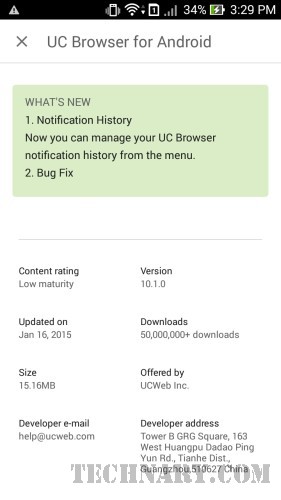
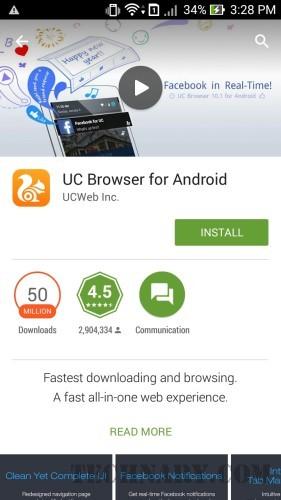
Go to the Google Play Store and then search for the term “UC” or just click here. You will get to see the application name as UC Browser for Android. The download size of the application is just 15.16 MB. When you click on install then the app asks you to grant you access to a list of permissions. After clicking on Accept the application starts getting downloaded. As soon as the app is opened it welcomes you with a message. As soon as you open it you see the menu.

User Experience

Browsing the Web

UC Browser Android App Review 17 UC Browser Android App Review 25

UC Browser Android App Review 26 UC Browser Android App Review 27

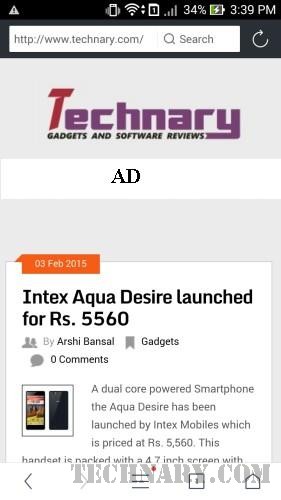
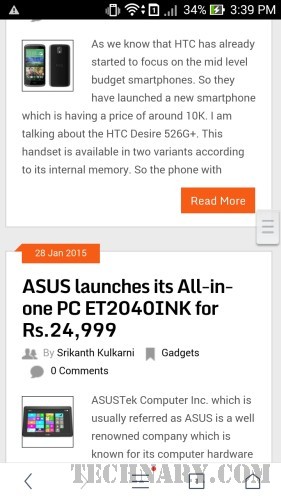
Well the main feature of any mobile browser is browsing the internet. So when you key in the website name this browser also shows the suggestions of the domain extensions like “.com, .in, .co.in”. We liked this feature. When you type any word of a website in the address bar, you will get to see the suggestions of the domain extensions. The website gets opened with ease. There is also a progressive bar just below the above address bar. There is also an option to add a new tab. The tabs are shown can be closed by just tapping on the window and sliding it upwards.

There is also a search bar beside the address bar. There are options you can select the Google search by default. So it is of very use if you want to search for any keyword right from the search bar. The main task for any user is to have a rich browsing experience and the browser does provide that.

Home Menu
UC Browser Android App Review 28 UC Browser Android App Review 29

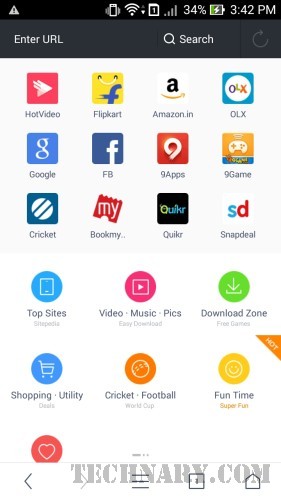
The browser has a lot of website links with their icons on the home menu. So various useful links like India Train, UC Cricket, Twitter,etc are shown in the Home Menu. The user can also add more links to the Home menu as per their need. There are Fun time and Utility apps folder where in the user can access to various fun related websites.

Options
UC Browser Android App Review 30 UC Browser Android App Review 35

UC Browser Android App Review 38 UC Browser Android App Review 39

UC Browser Android App Review 40 UC Browser Android App Review 41

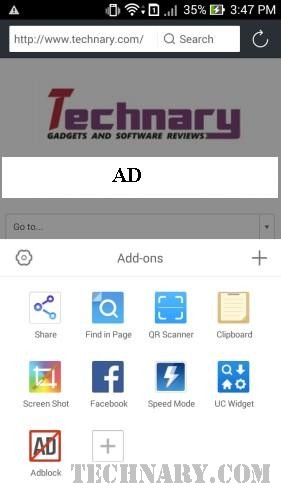
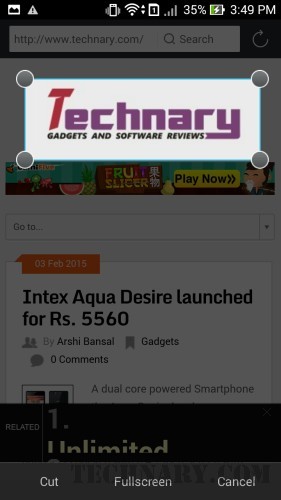
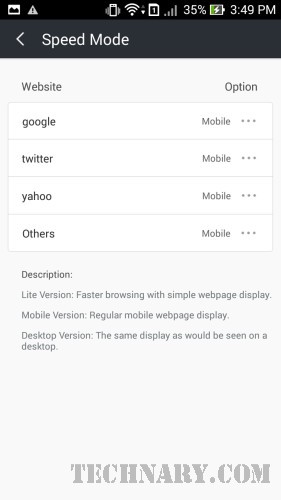
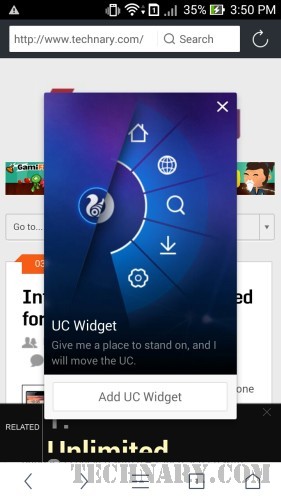
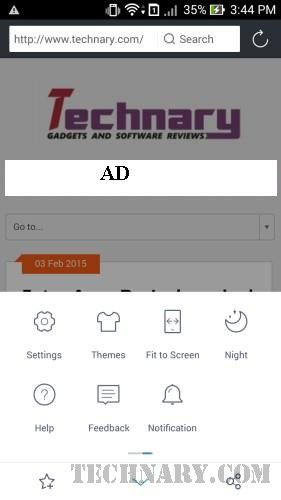
In the options menu there are a lot of options to the user. They include from the Full Screen, Night reading, Themes, Settings, Help, Feedback, etc. There are various add ons in this browser. These include from Share, Find in page, QR scanner, Clipboard, Screen Shot, Facebook, Speed Mode, UC Widget and the famous Adblock feature.

Videos
UC Browser Android App Review 52

UC Browser Android App Review 53

UC Browser Android App Review 54

UC Browser Android App Review 55

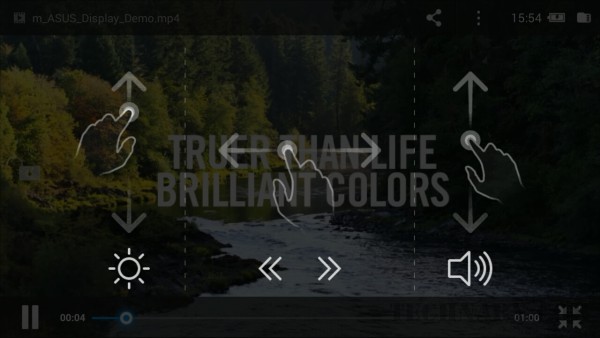
UC Browser has a very cool feature for accessing the videos. The user can not only watch videos which are downloaded in the browser but can also watch the videos from the memory of the smartphone. There is a video player from UC which has a lot of options and which can be tweaked using gestures.

We did like the video player from UC, it is very user friendly. While using gestures the user can fast forward, reverse, increase or decrease the volume of the player. The player has also features like lock and it is very useful for the user not to get distracted with a lot of options.

Websites
UC Browser Android App Review 62 UC Browser Android App Review 63

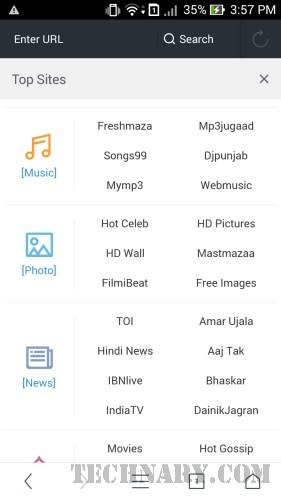
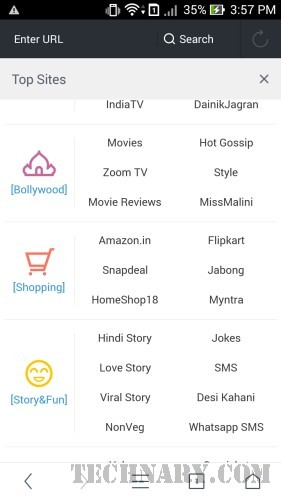
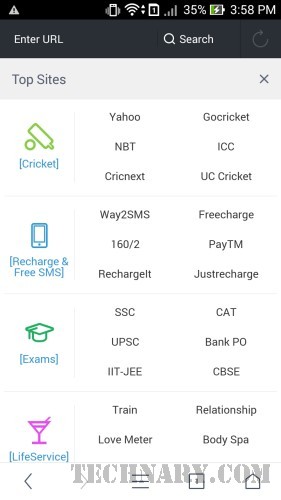
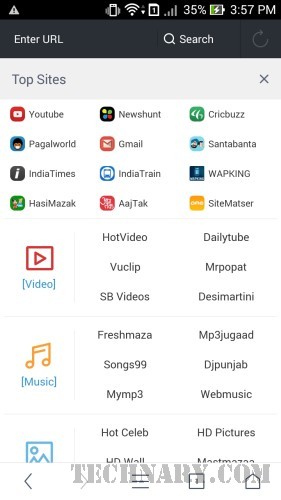
UC Browser Android App Review 64 UC Browser Android App Review 65UC Browser has tied up with a lot of websites and shows up the lists of the websites according to their utility. So the websites are listed categorically. So the categories which they are classified are Video, Music, Photo, News, Bollywood, Shopping, Story & Fun, Cricket, Recharge & SMS, Exams, Life Service, Social, Chat with Us, App, Games, Wallpaper,etc. So there are almost all varieties of websites a normal user will look for. So if the user chooses cricket he will immediately showcased the live score of the matches.

Settings
UC Browser Android App Review 79 UC Browser Android App Review 80

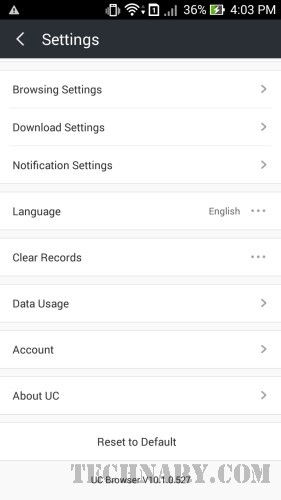
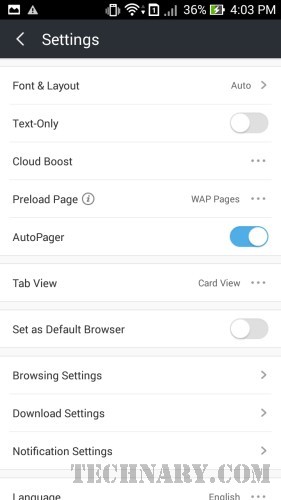
Apart from doing and accessing a lot of features the user has the leisure of tweaking various options in the settings. Some options include Font, Text/Image while browsing. New options like cloud boost, Preload Page, Auto Pager, Tab View, Default Browser and many more. User can clear the records and also can see the data usage.

Facebook Notifications
UC Browser Android 01 UC Browser Android 02

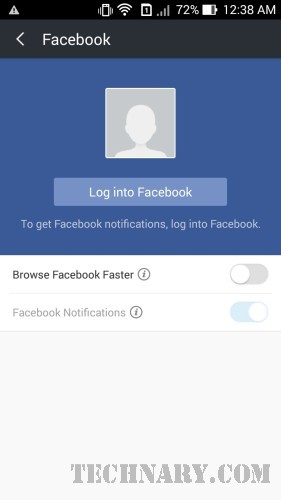
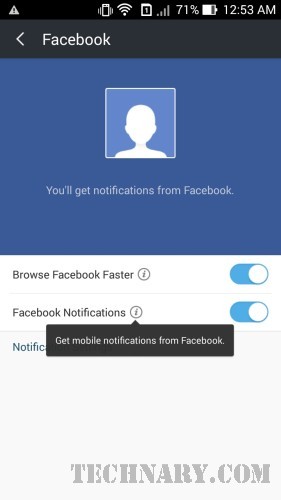
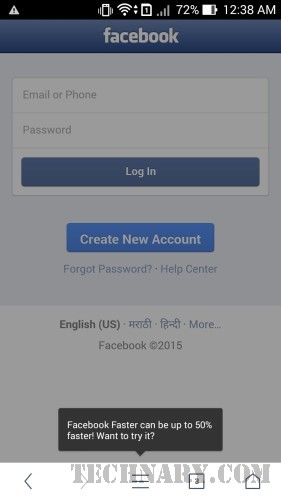
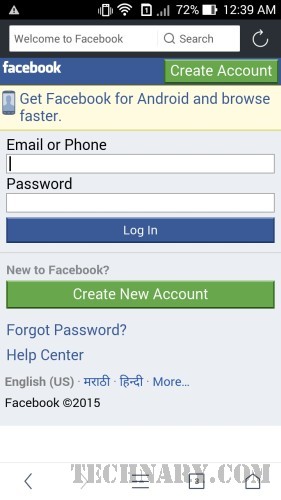
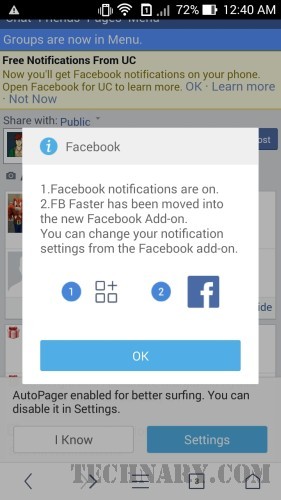
This is one of the revolutionary feature of the latest version of UC Browser Android App. We tested this feature by logging into facebook. Using facebook is very fast indeed using this browser. If we close the browser, the user gets real time facebook notifications even when the browser is closed.
UC Browser Android 03 UC Browser Android 04

UC Browser Android 06 UC Browser Android 07

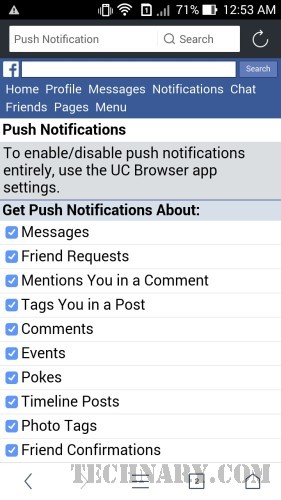
So without using the official facebook app, you can get the facebook notifications. In the notifications you can see that Faebook for UC. The user can get Push Notifications on Facebook Messages, Friend Requests, Mentions you in a comment, tags you in a post, comments, events and much more.
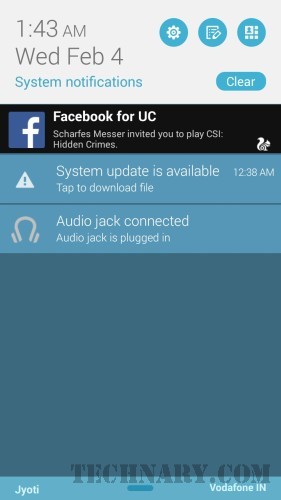
UC Browser Android 08 UC Browser Android 09

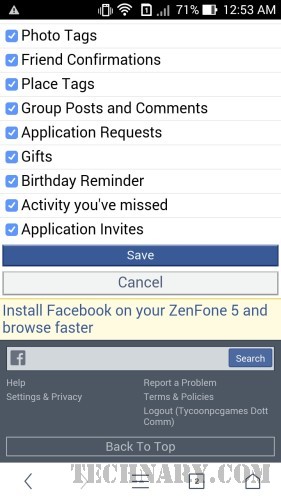
Most important for the users are the friend confirmations, photo tags, timeline posts, birthday reminders and much more. I can say that it will keep you more updated than that of the official facebook app. It was surprising that browsing facebook on UC Browser was a faster experience than that of the official facebook app, it is very light.

Final Verdict

This browser is a complete package for your web browsing experience. The variety of services it offers is very much useful for the android user. UC Browser is certainly the fastest browser in terms of downloading content on mobile. The facebook notification feature from the browser enhances the user experience without even using the heavy facebook app. Are you using UC Browser? If not, then download Now!
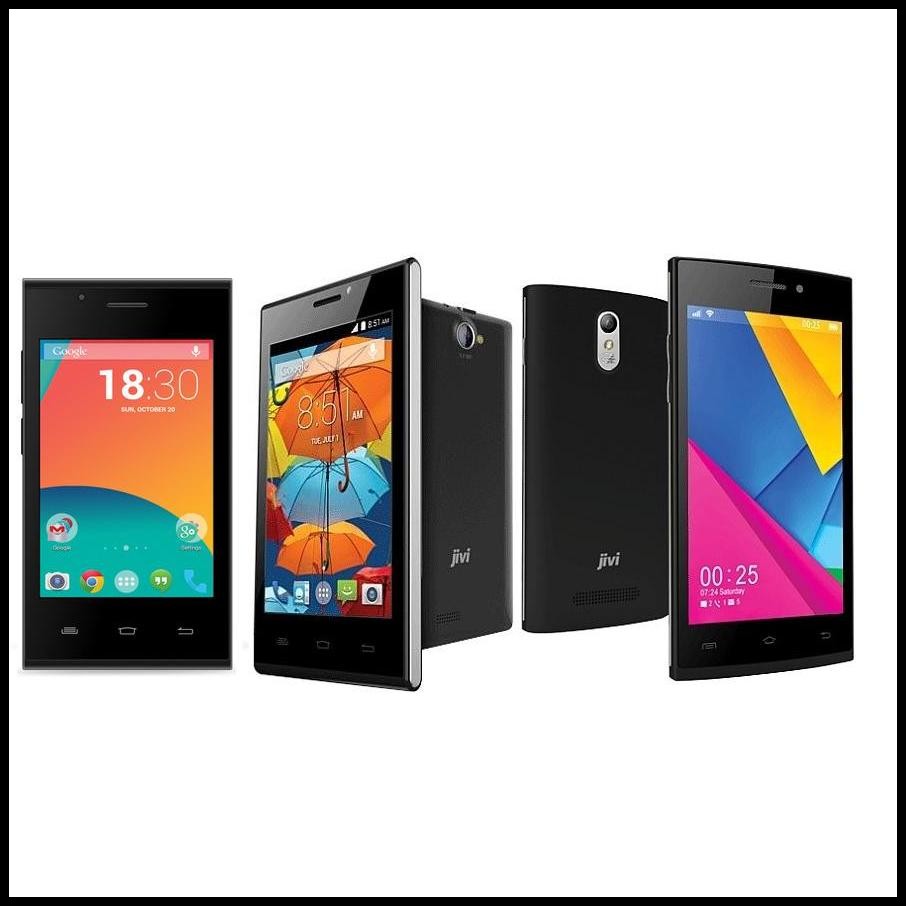
Jivi JSP 29, 38 & 47 launched for under Rs. 4500

0

Three new mobiles have been launched by Jivi Mobiles for the Indian market. The Jivi JSP 29 for Rs. 2999, Jivi JSP 47 for Rs. 4199, Jivi JSP 38 for Rs. 3299. Jivi mobiles run Android KitKat out of the box and dual SIM handsets. A single core processor powers the Jivi JSP 29 and is clocked at 1GHz. The handset runs Android 4.4 with 512MB ROM and 256MB RAM. The handset supports Micro SD card. The Screen is 3.5 inches long and supports 480 x 320 pixels resolution.

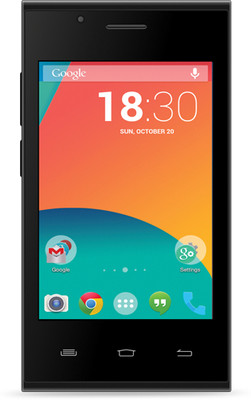
Jivi JSP 29
Jivi JSP 29

Jivi JSP 29, 38 & 47

The JSP 29 is loaded with a 2MP camera on the rear with flash and a VGA camera is loaded on the front. It is powered by a 1450 mAh battery. Jivi JSP 29 is available at a price of Rs. 2,999. The major features are 2G, Wi-Fi, 3G, GPS and Bluetooth.

Jivi JSP 38
Jivi JSP 38

Jivi JSP 38 is a double SIM handset that runs KitKat and supports 4 inch screen with 800 x 480 pixels resolution. The handset also supports GPS, Wi-Fi, 3G and Bluetooth. There is 256MB RAM and 512MB ROM and a micro SD card support upto 32GB. In addition a 5MP camera is loaded on the rear and with a flash and a VGA on the front.

Jivi JSP 47
Jivi JSP 47

The JSP 38 is lent power by 1GHz single core processor and is powered by a 1500 mAh battery. Jivi JSP 38 comes at a price at Rs. 3,299. The Jivi JSP 47 is a dual SIM handset that supports 3G and is lent power by 1.2GHz dual core processor. A KitKat run with 512MB RAM, 4GB internal storage and lends external card support upto 32GB. A 5MP camera with flash is packed on the rear and a VGA camera is packed on the front. Screen is 4.5 inches long with 854 x 480 pixels resolution. JSP 47 is powered by 1650 mAh battery and comes at a price Rs. 4,199. These Jivi handsets can be availed soon.

Leave your comments on the article in the comment box below.

Huawei C199S launched in China

0

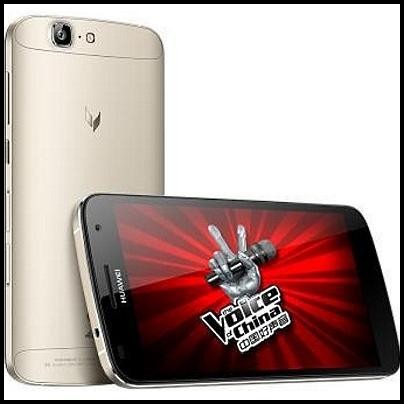
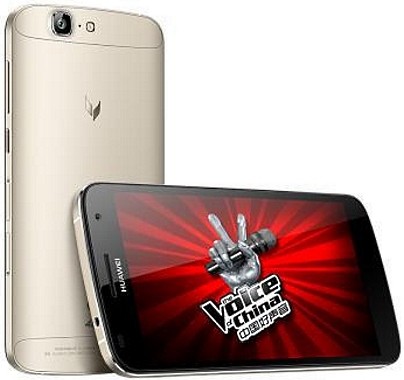
A 64 bit octa core powered Smartphone; C199S has been launched in China by Huawei which is priced at CNY 2299(approx Rs. 23K).The Huawei C199S makes use of the Qualcomm Snapdragon 615 chipset. There is no word about the global launch of the same. The C199S is making use of the qualcomm snapdragon 615 Octa Core chipset MSM8928 which is clocked at 1.5GHz.

Huawei C199S

Huawei C199S Features

The weight of the handset is 167 grams and thickness is 7.6mm. The Android KitKat 4.4.x is running over an IPS screen of 5.5 inch with HD resolution – 1280 x 720 pixels. Huawei C199S is loaded with 16GB storage and 2GB RAM. A micro SD card slot is there to update your external storage of up to 32GB. The front is loaded with a 5MP fixed focus camera and a 13MP auto focus camera with flash is loaded on the rear. You can shoot 1080p videos with the rear camera.

The major features are 2G, 3G, 4G, Wi-Fi, Bluetooth 4.0, GPS and Bluetooth. The C199S is a dual SIM handset powered by a 3000 mAh battery. The handset has been launched in China and is priced at approx Rs. 23K.

Leave your comments on the article in the comment box below.

WhatsApp Free Voice Calling Feature Starts Rolling Out

They made instant messaging look like a stone-age process and made it obsolete, they made us become 3G addicts, they came up revealing the “last seen”, they introduced the much debated “blue ticks”, they came out on the web and now they are in news again!!! With all these blatant hints, you must have guessed that we are going to unveil another new aspect of WhatsApp. Looks like they have been thinking constantly on what feature to update and suddenly it struck that they will come up with a voice calling feature for Android users.

WhatsApp Free Voice Calling

WhatsApp Free Voice Calling

But before you break you head on this update, be noted that the feature works only on selected handsets. Few users have intimated that there appeared a voice calling option in their WhatsApp application. The company is perhaps testing its new feature to keep the steady competition from its rivals like Skype and Viber. One of the users had shared the screen shots and video of the voice calling feature which was activated in his phone when a friend of his tried to call him. So we can understand that it is an invite-based feature.

A Reddit user ‘pradnesh07’, who posted screenshots of this service claims that a combo of a WhatsApp version v2.11.508 for Android on a Google Nexus 5 running Android 5.0.1 Lollipop is successful to avail this feature. However, although a user has the above combination the voice calling feature wouldn’t be possible unless he received an inviting call from another source. And to top the list, once a user get this feature enabled, he may not be able to place further calls. So we better understand that  WhatsApp is still holding the voice-calling feature in the testing mode and isn’t full fledged.

Also read :  Personal Wish Tunes Android App Review

From the screenshots given by the user pradnesh07, the app will have a new “Calls” tab on the top along side of the “Chats” and “Contacts” tab.  This would essentially allow the users to place voice call to their WhatsApp contacts. Few users mentioned that they had options of placing a call with Google dialler but not the WhatsApp calling option. The user pradnesh07, had also uploaded a video on this feature.

The shared screen shots showed the call disconnect button and mute buttons also. The released screen shots were similar to the ones which were previously got in December. Perhaps, as said, as the application is in its developmental or testing stage, little can we assume about its performance and characteristics. Moreover, we still have not got a credible announcement from the WhatsApp authorities. It cannot be dismissed that they had promised about this voice calling feature to be released in Q1 of 2015. All we need to do is to patiently wait for the feature to miraculously appear on our phones one fine morning!

Also read :  Top 10 Free Android Apps – November 2014

I know it’s quite a test for patience, but it is going to be worth it! But before the announcements are made official, if you happen to come across any additional feature in your WhatsApp, do hit on us straight. But beware, you are going to make so many out there jealous!!!

Intex Aqua Desire launched for Rs. 5560

0

A dual core powered Smartphone the Aqua Desire has been launched by Intex Mobiles which is priced at Rs. 5,560. This handset is packed with a 4.7 inch screen with 854 x 480 pixels resolution and is powered by a 1700 mAh battery. The Intex Aqua Desire runs Android 4.4.2 out of the box. The handset is a dual SIM handset with 3G support (WCDMA + GSM). This handset is loaded with the MediaTek MT6572 1.2GHz dual core processor.

Intex Aqua Desire launched for Rs. 5560

Intex Aqua Desire

The handset comes with a 4GB of internal storage and  512MB RAM.T About 1.18GB can be used for apps, there is micro SD card slot that can be used to increase external storage upto 32GB.   The thickness of Desire is 8.8mm and it weighs 130 grams with a battery. This Aqua Desire can be availed in 3 different colours White, Grey and Blue. The screen is a touch screen is IPS of size 4.7 inches that supports FWVGA – 854 x 480 pixels resolution.

Also read : Intex Aqua V 3G and 3G+ launched

Intex Aqua Desire is priced at Rs. 5,560. The Aqua Desire comes packed on the rear with a focus camera of 8MP resolution with flash and a 2MP fixed focus camera on the front. The major features are 2G, Wi-Fi, 3G, GPS and Bluetooth. Intex Aqua Desire is loaded with a battery of 1700 mAh with a talk time of approximately 5 to 6 hours. The Aqua Desire can be availed soon at a price of Rs. 5,560.

Leave your comments on the article in the comment box below.