
Choosing a video meeting app sounds easy until you actually have to use one every day. Zoom vs Google Meet vs Microsoft Teams: Honest Review for Remote Work. Zoom, Google Meet, and Microsoft Teams can all handle online meetings, screen sharing, chat, and collaboration, but they are not equally convenient for every remote worker.
One platform may feel perfect for client calls, while another makes more sense if your work already revolves around Google Workspace or Microsoft 365. So which one should you choose?
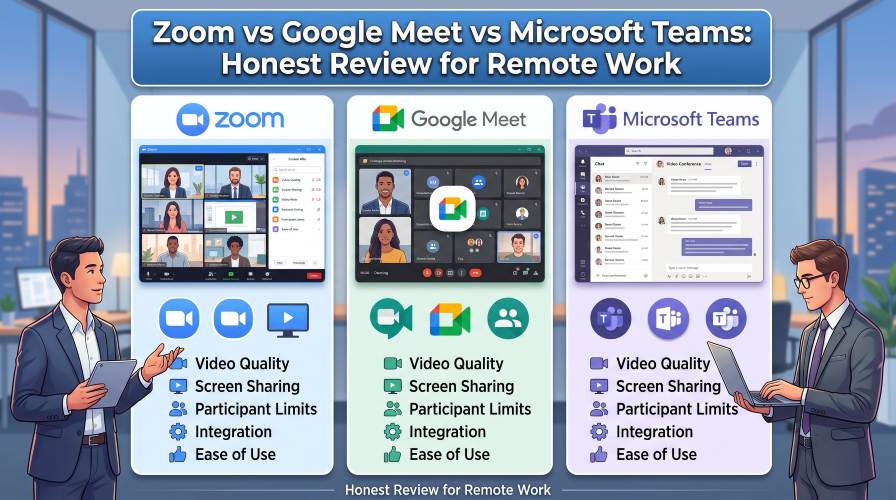
This honest Zoom vs Google Meet vs Microsoft Teams comparison looks beyond basic feature checklists. We’ll compare ease of use, meeting experience, collaboration, pricing considerations, security, performance, and the type of remote worker each platform suits best.
Quick Answer: Which Meeting App Is Best?
If you need the short version, here’s how I would look at the three:
| Platform | Best For | Biggest Advantage | Main Drawback |
|---|---|---|---|
| Zoom | Meetings, clients, webinars | Strong meeting-focused experience | May be unnecessary if your team already uses another ecosystem |
| Google Meet | Google Workspace users | Simple browser-based workflow | Some advanced features depend on your Google plan |
| Microsoft Teams | Business collaboration | Chat, files, meetings, and teamwork in one place | More features can mean a steeper learning curve |
My overall takeaway: Zoom is an excellent choice when meetings are the main priority. Google Meet is particularly convenient for people already using Gmail, Google Calendar, and Google Workspace. Teams is the strongest all-in-one option for organizations deeply invested in Microsoft 365.
But the best choice depends heavily on how you actually work. Let’s break that down.
1. Zoom: Best When Meetings Come First
Zoom became synonymous with video meetings for a reason: its core experience is heavily focused on getting people into a meeting and keeping the meeting running smoothly.
For remote consultants, freelancers, trainers, recruiters, agencies, and distributed teams, that focus can be a major advantage.
What Zoom Does Well
- Simple meeting invitations and joining
- Strong screen-sharing experience
- Useful controls for hosts
- Support for different meeting formats
- Familiar interface for many business users
- Useful options for organizations running frequent online meetings
Another advantage is familiarity.
If you frequently meet people outside your company, there is a reasonable chance they have used Zoom before. That can reduce the friction of explaining how to join a call.
Where Zoom Falls Short
Zoom is primarily a meeting platform rather than a complete replacement for every workplace application.
You may still need separate tools for documents, project management, email, and file storage.
That is not necessarily a problem. In fact, freelancers may prefer it. But for a company looking for one central workspace, another option can make more sense.
Who Should Choose Zoom?
Zoom is worth considering if you are:
- A freelancer who regularly speaks with clients
- A remote consultant
- Part of a team that prioritizes video meetings
- Running online presentations or events
- Looking for a familiar dedicated meeting platform
Verdict: If your biggest requirement is reliable, flexible online meetings rather than an all-in-one collaboration suite, Zoom deserves a close look.
2. Google Meet: The Simple Choice for Google Users
Google Meet takes a different approach.
Its biggest strength is not necessarily having every possible meeting feature. Instead, it is how naturally the service fits into the Google ecosystem.
If your day already revolves around Gmail, Google Calendar, Google Drive, and Google Docs, Meet can feel like another piece of the same workspace rather than a separate application.
Must Read : Google Fitbit Air Review: Is This Screenless Tracker Worth It?
Why Google Meet Works Well for Remote Work
- Convenient integration with Google Calendar
- Strong browser-based experience
- Easy connection with Google Workspace
- Simple sharing and collaboration workflows
- Familiar interface for Google users
The browser-first approach is particularly useful for occasional participants.
Someone who does not want to install another desktop application can often join through a supported browser.
For small remote teams, that simplicity can be more valuable than a long list of advanced features.
Where Google Meet Falls Short
Meet’s value is closely connected to the Google ecosystem and the features included with the particular Google plan you use.
Businesses looking for specialized meeting controls or a broader collaboration environment may find Teams or Zoom a better fit depending on their workflow.
Who Should Choose Google Meet?
Google Meet is a strong choice for:
- Google Workspace users
- Small businesses using Gmail and Google Calendar
- Freelancers who already work in Google Docs and Drive
- Remote teams that want a straightforward browser-based meeting experience
- People who dislike installing separate software for occasional meetings
Verdict: If your existing work life is already inside Google’s ecosystem, Google Meet is arguably the easiest platform to adopt.
3. Microsoft Teams: More Than a Video Meeting App
Microsoft Teams is different from Zoom and Google Meet because meetings are only one part of the product.
Teams is designed around ongoing workplace collaboration.
Chat, channels, meetings, files, calendars, and Microsoft 365 integrations can all live within the same environment.
Why Teams Is Attractive for Businesses
- Strong team and channel organization
- Deep Microsoft 365 integration
- Integrated workplace chat
- Useful file and document collaboration
- Suitable for larger organizational structures
Imagine a project team that needs to discuss a task, share a spreadsheet, hold a meeting, and continue the conversation afterward.
Teams is designed around exactly this kind of workflow.
That can reduce the number of disconnected applications employees have to switch between during the workday.
What Can Make Teams Frustrating?
The same feature depth that makes Teams powerful can also make it feel busy.
New users may need some time to understand channels, chats, notifications, files, and the difference between various collaboration areas.
For someone who only needs a quick video call twice a week, that additional complexity may not provide much value.
Who Should Choose Microsoft Teams?
Teams is worth considering if you are:
- Working for an organization already using Microsoft 365
- Part of a company that needs chat and meetings together
- Working with distributed departments and shared documents
- Part of a larger business with structured teams and projects
- Looking for a broader collaboration platform
Verdict: Teams makes the most sense when video meetings are only one part of a larger collaboration workflow.
Zoom vs Google Meet vs Microsoft Teams: Real-World Scenarios
Scenario 1: You Are a Freelancer
You probably do not need a huge collaboration suite just to talk with clients.
Best fit: Zoom or Google Meet.
Choose Zoom if client meetings are a major part of your business.
Choose Meet if your workflow already revolves around Gmail, Calendar, Drive, and Docs.
Must Read : Google Gemini Advanced Features
Scenario 2: Your Team Uses Microsoft 365
If employees already spend their day in Microsoft applications, adding Teams can create a more connected workflow.
Best fit: Microsoft Teams.
The advantage is not simply video calling. It is having meetings, messaging, files, and collaboration connected within the same environment.
Scenario 3: You Meet Customers Outside Your Company
External meetings place a premium on simplicity.
You want guests to join without confusion and hosts to have the controls they need.
Best fit: Zoom is a strong option, while Google Meet can be especially convenient if your organization already uses Google Workspace.
Scenario 4: Your Team Collaborates All Day
If employees are constantly chatting, sharing documents, organizing projects, and jumping into meetings, a dedicated meeting application may not be enough.
Best fit: Microsoft Teams or Google Meet within their respective productivity ecosystems.
The important point is that your meeting application should fit your workflow rather than force your workflow to change unnecessarily.
Key Features That Actually Matter for Remote Work
Feature lists can become misleading because more features do not automatically mean a better product.
Before paying for a plan, think about the problems you are actually trying to solve.
Meeting Quality
Look beyond theoretical video quality.
Your actual experience depends on your internet connection, computer, camera, microphone, browser, and network conditions.
Even the best conferencing platform cannot completely compensate for a weak connection or poor hardware.
Screen Sharing
For remote workers, screen sharing can be more important than fancy video effects.
Presentations, design reviews, software demonstrations, training sessions, and troubleshooting all depend on reliable screen sharing.
Calendar Integration
Scheduling should not feel like another administrative task.
Google users may prefer Meet because of its Google Calendar integration, while Microsoft users may find Teams more natural within their existing calendar workflow.
Must Read : Google Gemini Assistant Features
Chat and File Sharing
If meetings are only a small part of your workday, consider what happens before and after the call.
Teams has a particularly strong focus on persistent collaboration, while Google Workspace offers a similarly connected workflow around its own productivity tools.
Zoom, meanwhile, can be attractive when you already have separate tools for documents, storage, and project management and simply want a strong meeting platform.
Pros and Cons: Zoom vs Google Meet vs Teams
| Platform | Pros | Cons |
|---|---|---|
| Zoom | Meeting-focused, familiar, flexible, strong host controls | May require additional apps for broader collaboration |
| Google Meet | Simple, browser-friendly, excellent Google integration | Advanced capabilities depend on the Google Workspace setup |
| Microsoft Teams | Excellent collaboration, chat, files, Microsoft 365 integration | Can feel complex for people who only need video calls |
There is no obvious winner in every category.
The better platform is usually the one that fits your existing setup with the least friction.
Which Is Easiest for Beginners?
For a person who simply wants to click a meeting invitation and join, all three are reasonably accessible.
Google Meet has an advantage in simplicity for people already comfortable with Google services.
Zoom’s familiarity makes it easy for many participants, particularly when joining external meetings.
Teams is straightforward once its broader workplace structure makes sense.
The real question is not “Which app is easiest?” but:
“Which app matches the tools I already use?”
That question can save you both money and unnecessary complexity.
Security and Privacy: What Should You Consider?
Security should matter whenever business conversations, customer information, or internal documents are involved.
All three platforms provide security and administrative features, but the exact controls available can vary by product edition, account configuration, and organization settings.
For business use, do not judge a platform only by its consumer-facing interface.
Administrators should review account controls, authentication options, data policies, permissions, and organizational requirements before selecting a service.
For individual users, it is also sensible to keep the application updated, use strong account credentials, and understand the privacy and meeting controls available to you.
How to Choose the Right Platform
Still undecided?
Ask yourself these five questions:
1. What ecosystem do I already use?
Google Workspace users should consider Meet, while Microsoft 365 users should seriously evaluate Teams.
If you already have a workflow built around one ecosystem, moving to another platform may create more work than necessary.
2. How important are external meetings?
If you regularly meet customers and clients, prioritize a smooth guest experience.
A platform can be technically impressive but still frustrating if your customers struggle to join meetings.
3. Do I need collaboration beyond video calls?
If yes, Teams or an integrated productivity ecosystem may be more useful.
If meetings are your primary requirement, a dedicated platform such as Zoom may be enough.
4. How many people regularly attend meetings?
Check the current plan limits rather than relying on old comparisons.
Meeting limits, recording options, storage, and other features can change as providers update their plans.
5. Which features do I actually use?
Do not pay for capabilities that will sit unused.
A smaller plan that covers your actual requirements can be a better choice than paying for a long list of advanced features.
Best Choice by Type of Remote Worker
| User | Recommended Starting Point |
|---|---|
| Freelancer | Zoom or Google Meet |
| Remote consultant | Zoom |
| Google Workspace team | Google Meet |
| Microsoft 365 company | Microsoft Teams |
| Large organization | Teams, Zoom, or Meet depending on existing infrastructure |
| Occasional meeting participant | Google Meet or whichever platform the host uses |
Think of these recommendations as starting points rather than strict rules.
Your existing software, meeting frequency, team size, and collaboration requirements can easily change the answer.
Frequently Asked Questions
Is Zoom better than Google Meet?
Neither is universally better.
Zoom can be preferable for meeting-focused workflows and frequent client calls, while Google Meet is especially convenient for people already using Google Workspace.
Is Google Meet better than Microsoft Teams?
Google Meet is generally simpler for users working primarily with Google services.
Teams can be more suitable for organizations that need integrated chat, files, meetings, and Microsoft 365 collaboration.
Is Microsoft Teams good for remote work?
Yes.
Teams is designed for workplace collaboration and can combine meetings, messaging, files, and other work activities.
Its broader feature set may be more than a solo worker needs, however.
Which is best for online meetings: Zoom, Meet, or Teams?
For a meeting-first experience, Zoom is a strong choice.
Google Meet is excellent for Google Workspace users, while Teams is particularly compelling for Microsoft-centered organizations.
Which platform is best for freelancers?
Zoom and Google Meet are both strong starting points.
Choose based on whether your work is more meeting-focused or already centered around Google Workspace.
Can I use these platforms without installing an app?
Browser availability and supported features vary by platform, device, browser, and meeting configuration.
Check the current requirements before relying on a browser-only workflow.
Should a small business pay for a video meeting platform?
Not necessarily.
Start by identifying your meeting frequency, participant requirements, recording needs, collaboration needs, and administrative requirements.
A free or existing productivity-suite option may be enough.
Final Verdict: Zoom vs Google Meet vs Microsoft Teams
There is no single winner for every remote worker.
Zoom is the platform I would consider first when video meetings are the central requirement, particularly for freelancers, consultants, client-facing teams, and organizations that regularly host online meetings.
Google Meet is the natural choice for many people already invested in Google’s productivity ecosystem.
Its simplicity is a feature, especially when your team does not need another complicated application.
Microsoft Teams is the better fit when meetings are just one component of a much larger collaboration environment.
If your organization already relies heavily on Microsoft 365, the integration can outweigh the additional complexity.
So instead of asking which platform is objectively best, ask a more useful question:
Which one removes the most friction from the way I already work?
That answer will usually lead you to the right choice, and potentially save you from paying for features your team never uses.