
Student life can get surprisingly difficult to organize. One assignment is in your notebook, another deadline is buried in an email, lecture notes are scattered across different apps, and exam dates are sitting somewhere in a calendar you rarely open.
That is where Notion templates for students can make a real difference. Instead of building a study system from scratch, you can start with a ready-made workspace and adapt it to the way you actually study.
But there is a catch: a template that looks impressive is not necessarily useful. The best student Notion template is one that reduces friction rather than giving you another complicated system to maintain.
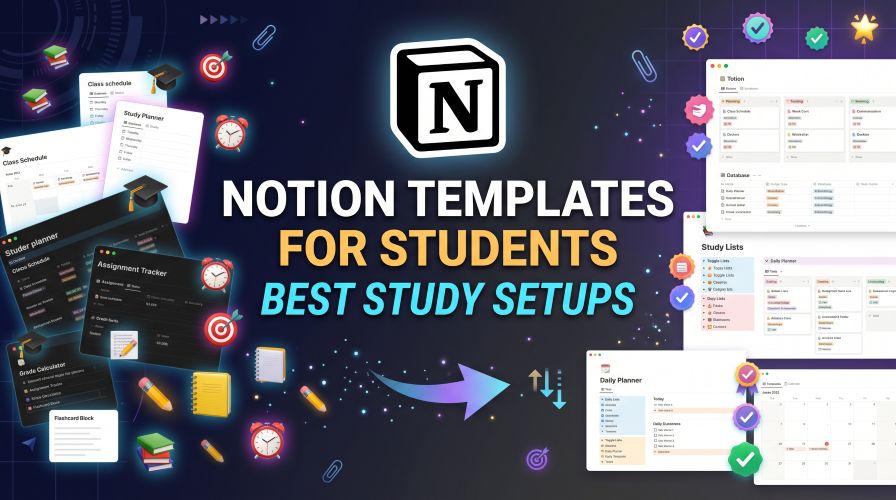
In this guide, we’ll look at the most useful types of Notion templates for college and university students, what each one is good for, what to look for before choosing one, and how to avoid turning your productivity dashboard into another distraction.
Quick Summary: Best Notion Templates for Students
- Best overall: Student dashboard template
- Best for assignments: Assignment and deadline tracker
- Best for exams: Study planner or exam revision dashboard
- Best for notes: Class notes template
- Best for planning: Semester planner
- Best for organization: Student planner with linked databases
- Best for beginners: A simple template with only essential pages
If you only want one setup, start with a simple student dashboard containing your courses, upcoming assignments, exam dates, and weekly tasks. You can add more features later.
What Is a Notion Template for Students?
A Notion template is a pre-built page or workspace that you can duplicate and customize. Instead of creating databases, headings, views, and layouts manually, you begin with an existing structure.
For students, that structure might include a class schedule, assignment tracker, reading list, lecture notes, exam countdown, study tasks, or semester calendar.
The real benefit is not the appearance of the template. It is the workflow behind it.
A good template answers a simple question: “What do I need to know or do next?”
Why Are Notion Templates Useful for Students?
Students often have several types of information to manage at once. A typical week can involve lectures, assignments, group projects, readings, quizzes, exams, extracurricular activities, and personal tasks.
Putting everything into one organized workspace can make it easier to see the bigger picture.
A student Notion workspace can help you:
- Keep course information in one place
- Track assignment deadlines
- Organize lecture and revision notes
- Create weekly study plans
- Keep a record of important resources
- Plan an entire semester
- Separate urgent tasks from long-term projects
There is also a practical advantage for students who frequently switch between a laptop, tablet, and phone. A centralized workspace can reduce the need to remember where a particular piece of information was stored.
5 Best Types of Notion Templates for Students
1. Student Dashboard Template
A student dashboard is usually the best starting point because it can act as the home page for your academic life.
A useful dashboard might show your current courses, today’s tasks, upcoming deadlines, quick links to notes, and important dates.
Best for: Students who want one central location for their academic information.
Must Read : Open Source Notion Alternatives: 10 Best Free Tools (2026)
A basic dashboard can include:
- Course overview
- Upcoming deadlines
- Weekly task list
- Quick links to class notes
- Exam dates
Tip: Don’t fill the homepage with every possible database. The dashboard should help you find information quickly, not display everything you own.
2. Assignment Tracker
If missed deadlines are your biggest academic headache, an assignment tracker may be more useful than a fancy all-in-one dashboard.
You can create entries for essays, presentations, problem sets, lab reports, projects, and other coursework.
Useful properties include the course, due date, priority, status, and submission link.
A simple status system such as Not Started → In Progress → Review → Submitted can provide enough visibility without making the system complicated.
Best for: Students taking multiple classes with overlapping deadlines.
3. Exam and Study Planner
Exam preparation becomes easier to manage when you turn a large goal into smaller study sessions.
A study planner can help you divide subjects into topics and schedule revision tasks before the exam rather than trying to cover everything during the final few days.
Useful fields can include:
- Exam date
- Subject
- Topics to revise
- Practice questions
- Revision status
- Next study session
This approach is particularly useful when several exams are close together. You can see which subjects need attention instead of relying entirely on memory.
4. Class Notes Template
Notion can also work well as a structured digital notebook. A class notes template can give every lecture a consistent format.
For example, each note page could contain:
- Lecture date
- Topic
- Key concepts
- Questions
- Examples
- Follow-up tasks
The advantage of a consistent format is that revision becomes easier. Instead of searching through differently formatted notes, you know roughly where important information should appear.
Best for: Students who prefer digital notes and want to connect notes with individual courses.
5. Semester Planner
A semester planner takes a wider view. Rather than focusing on today’s tasks, it helps you see important dates across several weeks or months.
You can use it for:
- Assignment deadlines
- Exams
- Project milestones
- Presentations
- Important academic events
This is especially helpful at the beginning of a new semester when the workload may initially look manageable but quickly becomes crowded.
Notion Student Templates Compared
| Template Type | Best For | Difficulty |
|---|---|---|
| Student Dashboard | Overall organization | Easy–Medium |
| Assignment Tracker | Deadlines | Easy |
| Study Planner | Exam preparation | Medium |
| Class Notes | Lecture organization | Easy |
| Semester Planner | Long-term planning | Easy–Medium |
These aren’t competing products so much as different pieces of the same productivity system. You can start with one and add another when you actually need it.
Free vs Paid Notion Templates for Students
One of the first questions students ask is whether they need to pay for a template.
In many cases, no.
A basic student planner can be created from scratch or adapted from a free template. Paid templates can still be useful when they save considerable setup time or offer a thoughtfully designed system.
Free Templates: Pros and Cons
Pros:
- No additional template cost
- Easy to experiment with
- Good for beginners
- Useful for simple workflows
Cons:
- May have fewer advanced views
- May require more setup
- Quality and organization can vary
Paid Templates: Pros and Cons
Pros:
- Can save setup time
- May include connected databases
- Can provide multiple views
- Often offers a more polished workflow
Cons:
- Quality varies
- Some templates contain unnecessary features
- May not be worth the cost for simple needs
If you’re considering a paid template, check its features, compatibility, update policy, instructions, and refund terms before purchasing.
Affiliate Disclosure: This article may contain affiliate links. If you click an affiliate link and make a qualifying purchase, we may receive a commission at no additional cost to you. Our recommendations are based on usefulness and suitability, not simply commission potential.
What Should a Good Student Notion Template Include?
Don’t judge a template by how many widgets, icons, colors, or databases appear in its preview.
Look at what it actually helps you accomplish.
Clear Navigation
You should be able to find important pages quickly. If you need several clicks just to locate tomorrow’s assignment, the template may be too complicated.
Useful Databases
Courses, tasks, deadlines, and notes should have a clear purpose.
Simple Views
Calendar, list, board, or table views should make information easier to understand rather than adding unnecessary complexity.
Customization
You should be able to adapt subjects and workflows to your own course structure.
Must Read : 10 Best Software Similar to Notion (2026 Comparison Guide)
Good Instructions
Beginners shouldn’t have to reverse-engineer the entire template before they can use it.
Reasonable Complexity
More features aren’t automatically better.
A simple system that you actually use is usually more useful than a sophisticated dashboard that you abandon after a week.
How to Choose the Right Notion Template
Start with your biggest problem instead of searching for the most popular template.
Are you constantly forgetting assignments?
Choose a deadline tracker.
Struggling to organize lecture material?
Start with a notes template.
Finding it difficult to balance several subjects?
A semester dashboard may be the better option.
Ask These Questions Before You Choose
- What problem am I trying to solve?
- Will I use this template every week?
- Is the layout easy to understand?
- Can I remove features I don’t need?
- Does it work with my existing study routine?
- Is the template worth the time or money it saves?
A template that takes five minutes to understand and actually gets used is usually more valuable than a beautiful system that takes an hour to maintain.
Real-World Ways Students Can Use Notion
Scenario 1: The Busy College Student
Imagine you have five courses, two upcoming projects, and several weekly assignments.
Instead of checking separate lists, you open one dashboard and filter tasks by due date.
The immediate benefit is visibility. You can see what needs attention without recreating your schedule every morning.
Scenario 2: Exam Season
During exams, a revision database can break subjects into smaller topics.
You might mark each topic as:
- To Review
- Studying
- Completed
It won’t replace effective studying, of course, but it can make the planning side less chaotic.
Scenario 3: Group Projects
A project page can hold the brief, research links, meeting notes, responsibilities, deadlines, and progress updates.
This can be especially useful when a project contains many small tasks that are easy to overlook.
Notion Templates vs Traditional Student Planners
| Feature | Notion | Paper Planner |
|---|---|---|
| Digital access | Yes | No |
| Searchable information | Yes | No |
| Customization | High | Moderate |
| Writing by hand | Limited | Excellent |
| Database organization | Yes | No |
| Setup time | Can vary | Usually low |
There is no universal winner.
Some students work better with handwriting, while others prefer searchable digital systems. You can even combine both.
For example, you could use a paper notebook for handwritten lecture notes and Notion for assignments, deadlines, and long-term planning.
Common Mistakes When Using Notion for Studying
The biggest mistake is confusing organization with productivity.
Over-Customizing
Spending hours designing your dashboard can become a distraction from the actual work.
Creating Too Many Databases
You don’t need a database for every aspect of your student life.
Ignoring Deadlines
A beautiful dashboard isn’t useful if you don’t update it.
Copying Someone Else’s Workflow
A popular template may look perfect online but may not match your schedule or course requirements.
Tracking Everything
More data doesn’t necessarily mean better decisions.
A good rule is simple: if a feature doesn’t help you make a decision, remember something important, or complete a task, consider removing it.
How to Set Up a Simple Student Dashboard
You don’t need an elaborate productivity system to get started.
Follow these steps:
- Create a page called Student Dashboard.
- Add your current courses.
- Create an assignment database with due dates.
- Add a weekly task view.
- Create a page for each course.
- Link your class notes to the appropriate course.
- Add important exam dates.
- Review the dashboard once or twice each week.
Once that system works, you can add features such as reading lists, project trackers, revision databases, or habit tracking.
Must Read : Notion Pros and Cons: Is It Worth Using in 2026?
Best Notion Template Features to Look For
| Feature | Why It Matters |
|---|---|
| Calendar view | Useful for seeing upcoming deadlines |
| Board view | Helpful for tracking task progress |
| Filters | Lets you focus on one course or priority |
| Relations | Can connect courses, tasks, and notes |
| Templates | Speeds up repetitive page creation |
| Mobile-friendly layout | Useful when checking tasks away from a computer |
Don’t feel like you need every feature.
The right combination depends on your academic workload and personal preferences.
These links can help readers discover related content while also creating a stronger internal structure for your website.
Frequently Asked Questions
What is the best Notion template for students?
For most students, a simple dashboard that combines courses, assignments, deadlines, and weekly tasks is a strong starting point. The best template depends on what you need to organize.
Are Notion templates free for students?
Many templates are available for free, while others are sold as premium products. Whether a paid template is worthwhile depends on its features, quality, customization options, and the amount of setup time it saves.
Can Notion be used as a student planner?
Yes. Notion can be used to organize classes, assignments, study tasks, notes, project milestones, and important academic dates in a customizable digital workspace.
Is Notion good for college students?
It can be particularly useful for college students who manage multiple courses and want a flexible digital system. However, students who prefer handwriting or very simple planners may prefer another approach.
How do I organize college notes in Notion?
Create a page or database for each course and use a consistent note format. Include the lecture date, topic, key points, questions, and useful resources so your notes remain easy to review later.
Are paid Notion templates worth it?
They can be worth considering if the template solves a specific problem and saves meaningful setup time. Before purchasing, compare the features with free alternatives and make sure the workflow suits you.
Can I customize a Notion student template?
Yes. One of the main advantages of using a template is that you can generally adapt its pages, properties, views, and organization to match your own study workflow.
Final Verdict: Are Notion Templates Worth Using?
Notion templates for students are most useful when they solve a real organizational problem.
If you regularly forget deadlines, lose notes, struggle to see your workload, or have trouble organizing several courses, a well-designed template can give you a useful starting point.
On the other hand, you don’t need an elaborate dashboard simply because it looks impressive.
A basic assignment tracker may be enough for one student, while another may benefit from a complete semester workspace.
The smartest approach is to start small. Pick one system, use it consistently for a few weeks, and only add features when you discover a genuine need.
If you’re considering a specific template or productivity tool, check its full features, compare it with simpler alternatives, and choose the option that fits your actual study routine—not the one with the longest feature list.