. Explore features, pricing, pros & cons, and see if it’s the right photo editor for beginners and pros.)
Photo editing software has come a long way.
But many tools still feel overwhelming, slow, or locked behind subscriptions.
If you’re a photographer or content creator asking:
- Is Luminar Neo actually good in 2026?
- Can it replace Lightroom or Photoshop?
- Is the one-time license worth the money?
You’re in the right place.
I’ve spent real time testing Luminar Neo’s latest updates, new ecosystem features, and performance improvements. In this in-depth review, I’ll break down what works, what doesn’t, and who it’s really for—without hype or fluff.

Quick Verdict
Luminar Neo is worth it in 2026 if you want fast, modern photo editing without subscriptions.
It shines for beginners, enthusiasts, and creators who value speed, smart tools, and creative results over complex workflows.
👉 Best for: Hobbyists, travel photographers, social media creators
What Is Luminar Neo?
Luminar Neo is a modern photo editing software developed by Skylum.
It focuses on speed, simplicity, and creative control, offering powerful tools without forcing users into steep learning curves.
Unlike traditional editors, Luminar Neo emphasizes:
- One-click enhancements
- Smart depth and light control
- Clean, beginner-friendly interface
- Optional cross-device editing ecosystem
What’s New in Luminar Neo (2026 Update)
The 2026 version isn’t just a minor refresh—it’s the result of four years of steady improvements.
Key Highlights in 2026
- Up to 25% faster performance in batch processing
- Expanded RAW camera support
- Improved onboarding for new users
- New creative tools added via Fall 2025 & Spring 2026 updates
These updates make Luminar Neo feel far more polished and responsive than earlier versions.
Core Features Explained (Real-World Benefits)
1. Light Depth – Instant Depth & Drama
Light Depth intelligently separates foreground and background lighting.
Why it matters:
Instead of manually dodging and burning, you get a professional, sculpted look in one click.
Perfect for:
- Portraits
- Landscapes
- Moody travel shots
Must Read : Best Image Enhancer for Mac: I Tested the Top Tools
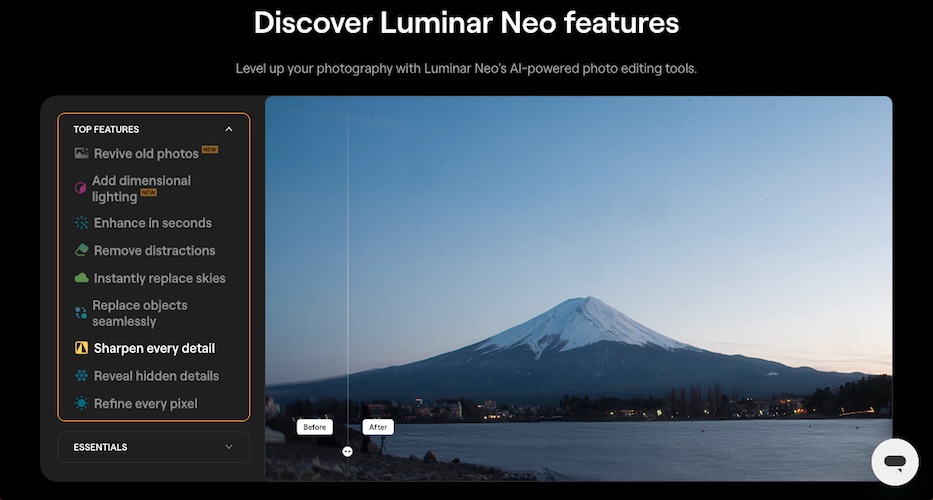
2. Restoration – Bring Old Photos Back to Life
Photo Restoration is a standout feature in 2026.
With one click, it can:
- Remove scratches
- Restore damaged areas
- Add natural-looking color to black-and-white photos
Best use case: Family archives, scanned prints, old memories.
3. AI Assistant – Smart Editing Guidance
AI Assistant analyzes your image and suggests:
- Best tools to use
- Quick enhancement paths
- Editing ideas you might miss
This is incredibly helpful if you’re unsure where to start—or want faster results.
4. Cross-Device Editing (Luminar Ecosystem)
Luminar Neo now works across:
- Mobile
- Tablet
- Desktop
- Web (Spaces)
Edits sync automatically, letting you:
- Start on your phone
- Fine-tune on a tablet
- Finish on your desktop
No manual transfers. No lost edits.
5. Spaces – Share Your Work Instantly
Spaces lets you publish galleries viewable anywhere in the world.
Ideal for:
- Client previews
- Portfolio sharing
- Social media-ready showcases
Luminar Neo Interface & Ease of Use
This is where Luminar Neo truly stands out.
What I Liked
- Clean layout
- Tools grouped logically
- No clutter or hidden menus
Even if you’ve never edited photos before, you can get great results within minutes.
Must Read : Best Music Equalizer for Windows: I Tested Them All
Performance & Speed (2026 Reality Check)
Older versions had performance complaints.
The 2026 update fixes most of that.
Current Performance
- Faster exports
- Smoother sliders
- Improved batch editing
On mid-range systems, Luminar Neo now feels reliable and responsive.
Luminar Neo Pricing & License Options
One of Luminar Neo’s biggest advantages is no forced subscription.
Available Plans
| Plan | Best For |
|---|---|
| Perpetual Desktop License | Single-device desktop users |
| Perpetual Cross-Device License | Mobile + desktop editors |
| Perpetual Max License | Power users & creatives |
Each plan includes:
- Lifetime ownership
- Feature updates
- Two desktop activations
- Optional generative tools (1 year)
👉 Check current pricing & discounts (often up to 74% off)
Pros and Cons
✅ Pros
- One-time payment option
- Beginner-friendly
- Fast creative results
- Cross-device ecosystem
- Excellent restoration tools
❌ Cons
- Limited advanced compositing
- Generative tools time-limited
- Desktop → mobile sync not yet available
Luminar Neo vs Alternatives
Compared to Adobe Tools
Many users compare Luminar Neo with tools from Adobe.
Luminar Neo wins if you want:
- No subscriptions
- Faster learning curve
- Creative edits without complexity
Adobe tools still win for:
- Heavy retouching
- Large commercial workflows
For most non-agency users, Luminar Neo is simply more enjoyable.
Must Read : NordVPN Review: Is This the Best VPN for Streaming and Privacy?
Who Is Luminar Neo Best For?
Luminar Neo is ideal if you are:
- A beginner photographer
- A travel or lifestyle creator
- A blogger or YouTuber
- Someone tired of subscriptions
It may not be ideal if you:
- Do complex composites daily
- Need pixel-level manual control
Buying Guide: Should You Upgrade or Buy?
Ask yourself:
- Do I want faster edits with less effort?
- Do I edit across multiple devices?
- Do I prefer owning software?
If yes to any of these, Luminar Neo makes sense.
👉 See full feature list
👉 Learn more about license options
FAQs – People Also Ask
Is Luminar Neo good for beginners?
Yes. It’s one of the easiest photo editors to learn in 2026.
Can Luminar Neo replace Lightroom?
For many users, yes—especially hobbyists and content creators.
Is Luminar Neo a one-time purchase?
Yes. You can buy a perpetual license without a subscription.
Does Luminar Neo support RAW files?
Yes. Support has expanded significantly in recent updates.
Can I edit on mobile and desktop?
Yes, with Cross-Device or Max licenses (mobile → desktop).
Is Luminar Neo fast?
Much faster in 2026, with up to 25% performance improvements.
- Best Lightroom alternatives for beginners
- How to edit photos faster without subscriptions
- Best photo editing software for bloggers
Final Verdict: Is Luminar Neo Worth It in 2026?
Yes—if your priority is speed, simplicity, and ownership.
Luminar Neo doesn’t try to be everything.
Instead, it focuses on helping you create beautiful photos quickly and confidently.
For most photographers in 2026, that’s exactly what matters.