
Imagine a potential customer contacts your business today. You reply, add the person to a spreadsheet, make a note to follow up next week and then three other tasks arrive. A few days later, you realize the follow-up never happened. This is one of the problems a CRM with email automation can solve.
Instead of relying entirely on memory, a CRM can store customer information and trigger predefined emails based on events such as a new enquiry, form submission, sales-stage change, or completed purchase.
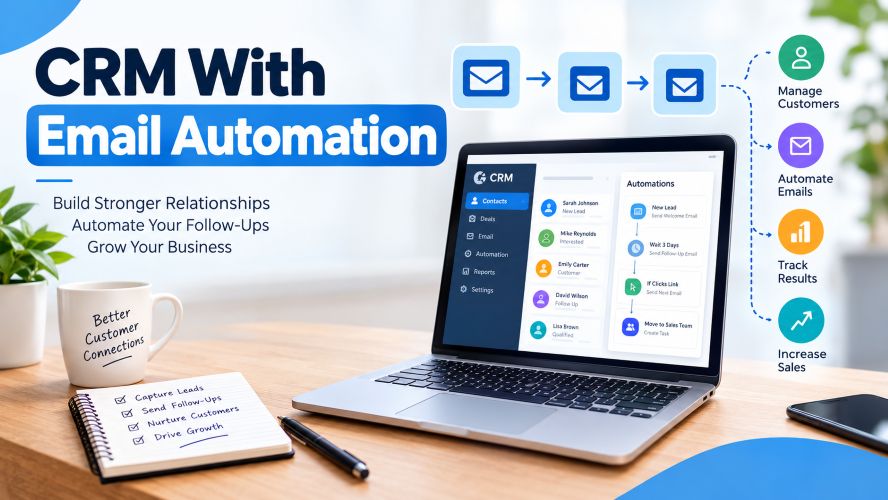
But automation is not automatically better just because it is automated. The right setup should save time while still making customer communication feel relevant and useful.
So, what should you look for when choosing a CRM with email automation, and is it actually worth paying for?
Let’s break it down.
Quick Summary: Is a CRM With Email Automation Worth It?
In most cases, yes—especially if you regularly manage leads, customer enquiries, sales follow-ups, or repeat communications.
A CRM with email automation can help you:
- Keep customer and lead information organized
- Automate repetitive follow-up emails
- Reduce missed follow-ups
- Create personalized customer journeys
- Segment contacts based on their needs or behavior
- Track email engagement and campaign performance
- Connect sales activity with customer communication
However, not every business needs a complex CRM.
If you only send an occasional newsletter, a dedicated email marketing platform may be enough. If you need customer records, sales tracking, tasks, and automated follow-ups in one place, a CRM may be a better fit.
What Is a CRM With Email Automation?
A CRM with email automation combines customer relationship management with automated email workflows.
The CRM stores important information about your customers and prospects, including contact details, conversations, lead status, purchases, notes, and sales activity.
Email automation uses that information to determine when specific messages should be sent.
For example, imagine someone fills out a contact form on your website.
A basic automated workflow could look like this:
- A visitor submits your contact form.
- Their information is added to the CRM.
- The CRM assigns them to a specific lead category.
- An introductory email is sent automatically.
- A follow-up email is scheduled for later.
- If the person replies or moves to another sales stage, the automation can stop or change.
The goal is not to replace human communication.
Instead, automation should handle predictable and repetitive tasks while your team spends more time on conversations that actually need personal attention.
Why Use Email Automation Inside a CRM?
Using separate tools for customer records and email campaigns can work perfectly well.
However, as your business grows, managing multiple systems can become inconvenient.
A CRM that includes email automation brings several important benefits.
1. Fewer Forgotten Follow-Ups
Follow-up is one of the most repetitive parts of sales.
It is easy to forget to contact someone when you are managing meetings, support requests, invoices, and other daily tasks.
Automated workflows can take care of predictable follow-ups so important tasks are less dependent on someone’s memory.
2. Better Customer Organization
Instead of searching through multiple inboxes, spreadsheets, and notes, a CRM can keep customer information in one place.
Depending on the platform, you may be able to see previous conversations, sales activity, notes, tasks, and customer status from a single record.
3. More Relevant Messages
Not every customer has the same needs.
A good CRM can let you divide contacts into different groups based on factors such as customer status, interests, previous activity, purchase history, or sales stage.
This makes it easier to send messages that are relevant to each group.
4. More Consistent Sales Processes
A sales process often contains predictable steps.
For example, a new lead may receive an initial response, a helpful resource, a follow-up message, and eventually a personal call.
Automation can make those steps more consistent across your team.
Must Read : Best CRM for Small Business (2026): Top Picks to Grow Faster
What Features Should You Look For?
Not every CRM offers the same level of email automation.
Before choosing a platform, look beyond the word “automation” on the pricing page.
Here are some of the most useful features to consider:
| Feature | Why It Matters |
|---|---|
| Contact management | Keeps customer information organized |
| Email sequences | Creates scheduled follow-up campaigns |
| Automation triggers | Starts workflows after specific actions |
| Segmentation | Helps send more relevant messages |
| Email templates | Speeds up repetitive communication |
| Analytics | Helps measure campaign performance |
| Integrations | Connects your CRM with other business tools |
| Task management | Combines automation with human follow-up |
Email Sequences
Email sequences are useful when a customer journey follows a predictable pattern.
For example, you could create a sequence for new enquiries that includes an initial response, a useful resource, a follow-up reminder, and a final message asking whether the prospect still needs assistance.
The exact sequence depends on your business.
The important thing is that every email should have a purpose.
Triggers and Conditions
Triggers determine when an automation starts.
Conditions determine what happens next.
For example, a workflow could be configured so that when a new lead requests a pricing guide, the CRM sends the guide automatically.
If the person does not respond after a certain period, another helpful email could be sent.
If they reply, the automated sequence could stop and notify a salesperson.
This type of conditional automation is where CRM software can become particularly useful.
Automation Analytics
Analytics help you understand how your automated emails are performing.
Depending on the platform, you may be able to track metrics such as:
- Email opens
- Clicks
- Replies
- Conversions
- Unsubscribes
- Delivery information
- Campaign performance
Do not focus on one number in isolation.
For example, a high open rate does not necessarily mean an email campaign is successful if very few people take the intended next step.
CRM Email Automation vs. Traditional Email Marketing
CRM email automation and traditional email marketing overlap, but they are not exactly the same.
| CRM Email Automation | Traditional Email Marketing |
|---|---|
| Often connected to customer records | Often focused on subscriber lists |
| Useful for sales follow-ups | Useful for newsletters and campaigns |
| Can react to sales activity | Often reacts to subscriber activity |
| Usually includes CRM features | Primarily focuses on email |
| Useful for customer journeys | Useful for broadcasts and promotions |
There is no universal winner.
A small content website that mainly sends newsletters may prefer an email marketing platform.
A service business that manages leads, sales stages, customer records, and follow-ups may benefit more from a CRM.
Some businesses may even use both.
Real-World Ways to Use a CRM With Email Automation
The best way to understand CRM automation is to look at practical examples.
Scenario 1: New Lead Follow-Up
A visitor requests information about your service.
Instead of manually sending a confirmation email, the CRM can send one automatically.
It can also create a task for a salesperson.
If the prospect does not respond, another useful message can be scheduled for later.
This creates a more consistent follow-up process without requiring someone to remember every step.
Scenario 2: New Customer Onboarding
A new customer may need several pieces of information after signing up.
An automated sequence could introduce the next steps, provide documentation, explain important features, and direct the customer toward support resources.
This can make the onboarding experience more organized.
Must Read : Best CRM for Freelancers: 4 Tools Worth Trying in 2026
Scenario 3: Appointment Reminders
Businesses that depend on appointments can use automated messages for confirmations and reminders.
This can be useful for consultants, agencies, service providers, and other businesses where customers need to remember scheduled appointments.
The exact workflow should be configured according to the business and the customer’s communication preferences.
Scenario 4: Re-Engaging Older Leads
Not every prospect is ready to buy immediately.
Some people may need more information before making a decision.
A carefully designed re-engagement sequence can provide useful information to older leads without repeatedly sending unwanted messages.
The focus should be on relevance rather than simply sending more emails.
Pros and Cons of CRM Email Automation
Before choosing a platform, it is worth considering both sides.
| Pros | Cons |
|---|---|
| Reduces repetitive manual work | Initial setup can take time |
| Helps maintain consistent follow-up | Some systems have a learning curve |
| Connects customer data with communication | Subscription costs can increase |
| Supports segmentation and personalization | Poor automation can feel impersonal |
| Provides useful performance data | Workflows require ongoing maintenance |
The biggest challenge is often not the software.
It is the workflow.
An advanced automation builder cannot fix unclear messaging, inaccurate customer information, or a poorly defined sales process.
How to Choose the Best CRM for Automated Email Follow-Ups
Instead of choosing a CRM because it has the longest feature list, start with your actual requirements.
1. Define Your Main Goal
What do you actually want to automate?
It could be:
- Lead follow-up
- Customer onboarding
- Sales sequences
- Appointment reminders
- Customer education
- Re-engagement
- Support communication
Knowing your primary goal makes it easier to eliminate unnecessary features.
2. Check Automation Limits
Some CRM plans limit the number of contacts, workflows, automation actions, users, or monthly emails.
Always check these limits before purchasing a plan.
A CRM that looks affordable at first may become considerably more expensive when your contact list grows.
3. Examine Integrations
Think about the tools you already use.
You may need your CRM to connect with:
- Website forms
- Calendars
- Ecommerce platforms
- Accounting software
- Customer support tools
- Website plugins
- Payment systems
A CRM with fewer features but better integrations can sometimes be more useful than a feature-heavy platform that does not fit your existing setup.
4. Consider Ease of Use
A CRM does not need to have hundreds of features to be useful.
If your team finds the software confusing, automation may never be properly implemented.
Look for a clean interface, understandable workflow builders, useful documentation, and a setup process that matches your technical experience.
Must Read : Notion Pros and Cons: Is It Worth Using in 2026?
5. Look at the Total Cost
Do not compare platforms based only on their advertised starting price.
Check:
- Contact limits
- Number of users
- Email limits
- Automation features
- Premium integrations
- Reporting features
- Additional add-ons
- Upgrade requirements
The cheapest plan is not always the cheapest option for your actual needs.
Helpful tip: If a CRM offers a free trial, use it to recreate one real workflow from your business before purchasing. This can tell you much more than simply reading a feature list.
What Does a Good Automated Email Sequence Look Like?
A good email sequence should have a clear purpose.
A simple lead follow-up sequence might look like this:
Email 1: Confirm the enquiry or requested action.
Email 2: Provide something genuinely useful.
Email 3: Answer a common question or address a common concern.
Email 4: Offer a clear next step.
Email 5: Give the recipient an easy way to stop receiving the sequence or indicate that they are no longer interested.
The exact timing depends on your customer journey.
There is no universal “perfect” number of emails or perfect time interval.
The better approach is to monitor the results and adjust the workflow based on actual customer behavior.
Common CRM Email Automation Mistakes
Automation can save time, but poorly designed automation can create new problems.
Here are some mistakes worth avoiding.
Sending Too Many Emails
More emails do not automatically produce better results.
If every small action triggers another message, customers may quickly become frustrated.
Ignoring Segmentation
Sending the same email to every contact may reduce its usefulness.
Where appropriate, use customer information to make communication more relevant.
Forgetting Existing Customers
Automation should not focus only on acquiring new leads.
Existing customers may also benefit from onboarding messages, educational content, reminders, and useful updates.
Creating Overly Complicated Workflows
Start with simple workflows.
Once you understand what works, you can gradually add conditions and additional steps.
Never Reviewing Old Automations
Businesses change.
Your pricing, services, products, onboarding process, and customer needs may change too.
Review your automated sequences periodically to make sure the information is still accurate.
Making Every Message Sound Robotic
Templates save time, but they should still sound natural.
Use clear language and write for the person receiving the email rather than for the software sending it.
Who Is a CRM With Email Automation Best For?
CRM email automation can be especially useful for:
- Small businesses handling regular enquiries
- Freelancers managing multiple prospects
- Sales teams with repeatable follow-up processes
- Service businesses with customer onboarding workflows
- Online businesses that need customer segmentation
- Growing companies replacing spreadsheets with a centralized system
It may not be necessary for everyone.
If you have only a small number of contacts and rarely need automated communication, a simple contact manager or email marketing tool may be easier and more affordable.
The right solution depends on the complexity of your workflow.
CRM Buying Checklist
Before purchasing a CRM, ask yourself these questions:
- Does it support the type of email automation I need?
- How many contacts are included in the plan?
- How many users can access the account?
- Are automated emails included in my chosen plan?
- Does it integrate with my website?
- Can I create customer segments?
- Can I track email performance?
- Can automation stop when someone replies?
- Does it integrate with my existing tools?
- Is there a free trial or demo?
- What happens when my contact list grows?
- Can I export my customer data if I change platforms?
If you can answer these questions before buying, you are much less likely to choose a CRM based purely on marketing claims.
Frequently Asked Questions
What is a CRM with email automation?
A CRM with email automation combines customer relationship management with automated email workflows. It stores contact information and can trigger messages based on actions, customer status, sales stages, or other predefined conditions.
Can a CRM automatically send follow-up emails?
Yes. Many CRM platforms support automated follow-up sequences. The available triggers, conditions, scheduling options, and contact limits vary depending on the provider and subscription plan.
Is a CRM better than an email marketing platform?
It depends on your requirements. A CRM is generally more useful when customer records, sales activity, and follow-ups are important. An email marketing platform may be sufficient when your primary goal is sending newsletters and marketing campaigns.
Can small businesses use CRM email automation?
Yes. Small businesses can use automation for lead follow-ups, customer onboarding, appointment reminders, and lead nurturing. A simpler CRM is often a better choice than an unnecessarily complicated enterprise platform.
Is CRM email automation difficult to set up?
Basic workflows can be relatively straightforward, particularly when a CRM provides templates and visual automation builders. More advanced workflows may require careful planning, integrations, testing, and maintenance.
What should I check before buying a CRM?
Check the automation features, contact limits, email allowances, integrations, pricing, reporting, ease of use, customer support, and whether the system fits your existing business process.
Can CRM automation replace personal communication?
No. Automation works best for predictable and repetitive communication. Important customer questions, complex sales conversations, complaints, and relationship-building still benefit from personal communication.
Use these links only where they genuinely help the reader understand the topic.
Final Verdict: Is CRM Email Automation Right for You?
A CRM with email automation can be a practical upgrade when your business is losing time to repetitive follow-ups, scattered customer information, or inconsistent sales processes.
The key is to choose based on your workflow—not simply the number of features displayed on a pricing page.
If you manage a growing list of prospects or customers, look for a system that combines reliable contact management, flexible automation, useful reporting, and the integrations you actually need.
If your requirements are simple, start simple.
A smaller CRM that your team consistently uses can be more valuable than a sophisticated platform that nobody wants to maintain.
Before choosing a platform, compare its current pricing, automation limits, integrations, and features available under the specific plan you intend to use.