
Have you ever spent more time searching for a file than actually working on it?
If your Windows search feels slow, incomplete, or blind to emails, PDFs, and cloud files, you’re not alone. As our computers store thousands of documents across folders, drives, emails, and cloud platforms, finding one specific file can become frustratingly inefficient.
That’s exactly where Copernic Desktop & Cloud Search positions itself—as a powerful alternative to basic Windows search, designed for people who value speed and relevance.
In this in-depth Copernic Desktop & Cloud Search review, I’ll walk you through its features, real-world benefits, drawbacks, pricing insights, and who it’s actually worth buying for—based on practical, experience-driven analysis.
Quick Summary
Copernic Desktop & Cloud Search is a Windows-based search tool that indexes over 170 file types, supports advanced search operators, works offline, and respects user privacy. It’s best suited for professionals, researchers, and heavy file users who want deeper, faster, and more accurate search results than native Windows search.
Best for: Power users, business professionals, researchers
Not ideal for: Casual users with minimal files
Key strength: Search depth, relevance, and privacy
Must Read : AVS4You Review – Is This All-in-One Multimedia Suite Worth It?
What Is Copernic Desktop & Cloud Search?
Copernic Desktop & Cloud Search is a Windows desktop search solution that allows you to instantly locate files, emails, attachments, and documents stored across:
- Local hard drives
- Network drives
- Outlook emails & attachments
- Cloud-connected storage
Unlike basic search tools that rely on filename matching, Copernic uses a powerful indexing engine that understands context, keywords, and metadata.
In simple terms: it helps you find what you actually mean, not just what you type.
Primary Keyword
Copernic Desktop & Cloud Search review
Key Features of Copernic Desktop & Cloud Search
1. Advanced Indexing Technology
Copernic builds a detailed keyword map (index) of your system. Once indexing is complete:
- Searches become nearly instant
- Results are ranked by relevance
- Context matters—not just filenames
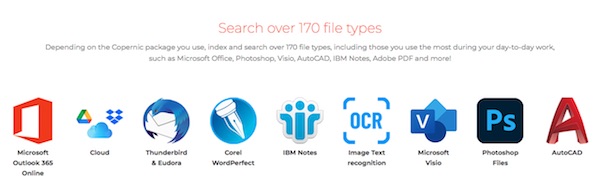
It supports 170+ file formats, including:
- Word, Excel, PowerPoint
- PDFs
- Outlook emails
- Photoshop, AutoCAD, Visio
- Text and multimedia files
This alone sets it apart from many lightweight desktop search tools.
2. Ultra-Fast Search Engine
Once indexed, Copernic displays results as you type.
There’s no need to hit Enter and wait. The interface updates dynamically, which dramatically improves workflow efficiency—especially when you’re searching multiple times per hour.
3. Search Across Desktop, Network & Cloud
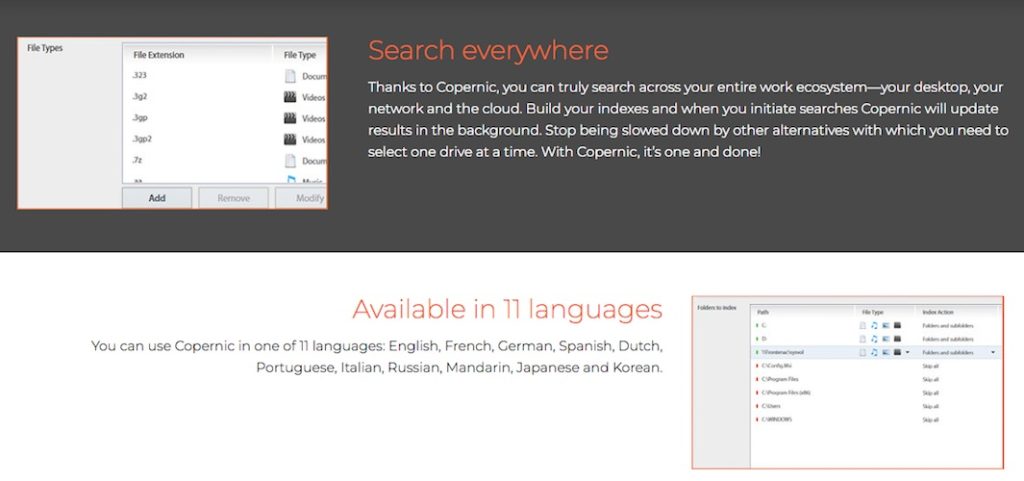
Most tools force you to choose one location at a time. Copernic doesn’t.
You can search:
- Entire PC
- Network drives
- Cloud-connected data
All in one unified search interface.
This “one-and-done” approach saves time and reduces friction.
4. Works Completely Offline
No internet? No problem.
Copernic allows you to:
- Search files
- Browse emails
- Open documents
Even when fully offline—making it ideal for travelers, remote workers, and privacy-focused users.
5. Privacy-First Design
This is a big plus.
Copernic does not collect or transmit user data. All indexing and searching happens locally on your machine.
If data security matters to you, this is a major advantage over cloud-dependent alternatives.
6. Powerful Search Operators
For advanced users, Copernic supports:
- Boolean operators (AND, OR, NOT, NEAR)
- Prefix searches
- Keyword refinement
- Field-specific filters
You can narrow results by:
- File type
- Date
- Author
- Size
- Location
Perfect for power users who want precision.
Must Read : WhatsApp Business Features for Small Businesses
7. Refine Pane & Contextual Menu
The left-side Refine Pane allows deeper filtering without restarting searches.
You can also:
- Right-click files
- Access native context menus
- Open files instantly in default apps
Small details like this greatly enhance usability.
8. Low Resource Usage
Despite its depth, Copernic has one of the lowest memory footprints among enterprise-grade desktop search tools.
This means:
- No system slowdowns
- Background indexing without interruptions
- Smooth multitasking
Copernic Desktop & Cloud Search Pricing
Copernic uses a subscription-based pricing model, billed yearly.
What You Should Know:
- Yearly subscription includes updates
- Discount available for 3-year plans
- Pricing reflects professional-grade functionality
While it’s not a free tool, the value lies in time saved and productivity gained.
Pros and Cons
Pros
- Extremely fast and accurate search
- Supports 170+ file types
- Works offline
- Privacy-focused (no data collection)
- Advanced filters and operators
- Low system resource usage
- Multi-language support (11 languages)
Cons
- Windows-only
- Paid subscription (no lifetime license)
- Initial indexing can take time on large systems
Who Is Copernic Best For?
Copernic Desktop & Cloud Search is ideal for:
- Business professionals
- Researchers & academics
- Legal and compliance teams
- Engineers & designers
- Heavy Outlook email users
- Anyone managing large file libraries
If you regularly search thousands of documents, this tool quickly pays for itself in saved time.
Who Might Not Need It?
You may not need Copernic if:
- You store very few files
- You rely mostly on cloud-only apps
- You’re satisfied with basic Windows search
Copernic vs Alternatives
| Feature | Copernic | Windows Search | Free Search Tools |
|---|---|---|---|
| Search relevance | ⭐⭐⭐⭐⭐ | ⭐⭐ | ⭐⭐⭐ |
| File type support | 170+ | Limited | Moderate |
| Offline search | Yes | Partial | Varies |
| Privacy-first | Yes | No | Varies |
| Advanced operators | Yes | Limited | Limited |
Copernic clearly targets users who need depth and precision, not just speed.
Real-World Use Cases
1. Finding Old Emails Instantly
Search email content, attachments, and metadata without opening Outlook.
2. Research & Documentation
Locate PDFs, notes, and drafts by topic—not filename.
3. Creative Workflows
Search across Photoshop, AutoCAD, and design files seamlessly.
4. Compliance & Legal Teams
Quickly retrieve documents across network drives with filters.
Must Read : Tablet For Students – Samsung Galaxy Tab A9+ Plus Review
Buying Guide: Things to Consider
Before purchasing, ask yourself:
- Do I search files daily or hourly?
- Do I work with large document volumes?
- Do I need advanced filters and offline access?
- Is data privacy important to me?
If you answered “yes” to most, Copernic is a strong fit.
FAQs (People Also Ask)
Is Copernic Desktop Search free?
No, Copernic is a paid subscription-based tool with yearly plans.
Does Copernic work on Mac?
No, it’s currently designed for Windows only.
Can Copernic search Outlook emails?
Yes, including email content and attachments.
Does it require internet access?
No, Copernic works fully offline once indexed.
Is Copernic safe and private?
Yes, it does not collect or transmit user data.
How long does indexing take?
Initial indexing time depends on file volume but runs in the background.
Internal Linking Suggestions
- best Windows productivity tools
- desktop search software comparison
- how to organize files on Windows
- Windows search alternatives
Final Verdict: Is Copernic Desktop & Cloud Search Worth It?
If you’re serious about productivity and tired of wasting time searching for files, Copernic Desktop & Cloud Search is one of the most powerful Windows search solutions available today.
It doesn’t try to be flashy—it focuses on accuracy, speed, privacy, and depth. While it’s not free, the return on investment becomes clear the moment you stop digging through folders and start finding files instantly.