
Students today face a serious productivity challenge. Between assignments, presentations, research papers, exams, and group projects, it often feels like there simply aren’t enough hours in the day. Many students try to solve this by studying longer. But the smarter approach is studying more efficiently. These Best Free AI Tools for Students in 2026 will help them.
This is where modern productivity tools come in. The right digital tools can help students:
- Research faster
- Write better assignments
- Organize notes efficiently
- Improve focus and productivity
- Save hours every week
The best part? Many of these tools are completely free.
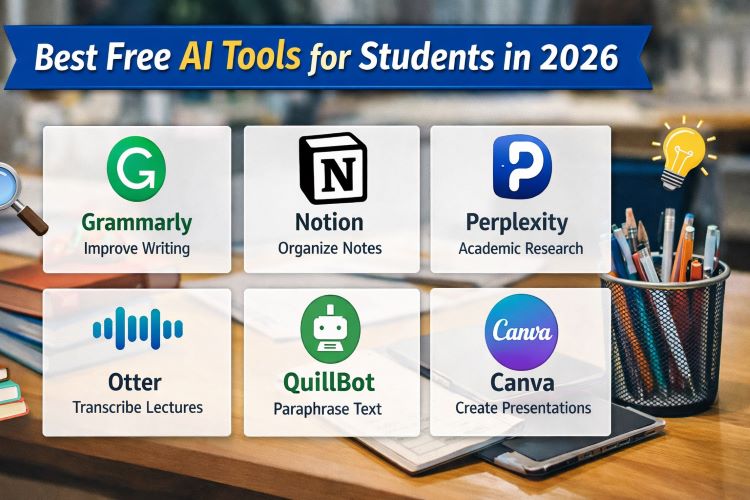
In this guide, you’ll discover the best free AI tools for students in 2026 that can transform how you study, write, and manage academic work.
Quick List of the Best Free AI Tools for Students
If you’re short on time, here are the top picks:
| Tool | Best For | Free Plan |
|---|---|---|
| Grammarly | Writing & grammar correction | Yes |
| Notion | Notes & study organization | Yes |
| Perplexity | Research & academic searching | Yes |
| Otter | Lecture transcription | Yes |
| QuillBot | Paraphrasing & rewriting | Yes |
| Canva | Presentations & design | Yes |
Keep reading to see how each tool helps students save time and improve grades.
How These Tools Help Students Study Better
Before jumping into the list, it’s important to understand why students are using these tools more than ever.
Common problems students face include:
- Spending hours researching topics
- Struggling with writing clarity
- Losing track of notes
- Poor time management
- Difficulty summarizing long materials
The tools below help solve these problems quickly.
1. Grammarly — Best for Writing Assignments
If you write essays, reports, or research papers, this tool is essential.
Grammarly works like a real-time writing assistant that checks grammar, clarity, punctuation, and tone.
Key Features
- Grammar and spelling correction
- Sentence clarity suggestions
- Tone detection
- Plagiarism checker (limited in free plan)
Why Students Love It
It helps transform average writing into clear and professional academic writing.
Even small improvements in grammar and clarity can boost assignment grades.
Best Use Cases
- Essay writing
- Research papers
- Emailing professors
- Scholarship applications
Pros
- Very easy to use
- Works inside browsers and documents
- Great for beginners
Cons
- Advanced suggestions require premium plan
Must Read : 6 Hidden Gem AI Tools I Use Every Day
2. Notion — Best for Organizing Study Materials
Notion has become one of the most popular productivity tools among students.
Instead of using multiple apps for notes, tasks, and planning, Notion lets you manage everything in one workspace.
Key Features
- Lecture notes organization
- Study planners
- Assignment trackers
- Collaboration tools
- Templates for students
How Students Use It
Students often create dashboards for:
- Semester planning
- Class notes
- Exam preparation
- Project management
Pros
- Highly customizable
- Free for personal use
- Great templates available
Cons
- Learning curve for beginners
3. Perplexity — Best for Academic Research
Research can take hours when browsing multiple websites.
Perplexity simplifies the process by providing quick answers with cited sources.
Instead of opening 10 tabs, you can find summarized information with references instantly.
Key Features
- Real-time research answers
- Source citations
- Follow-up questions
- Fast topic exploration
Best Use Cases
- Literature reviews
- Topic understanding
- Research summaries
- Quick fact checking
Pros
- Saves research time
- Provides sources for verification
- Simple interface
Cons
- Some advanced research tools are paid
4. Otter — Best for Lecture Transcription
Taking notes during fast-paced lectures can be frustrating.
Otter records audio and converts lectures into written transcripts automatically.
Key Features
- Live lecture transcription
- Meeting and class recording
- Searchable transcripts
- Highlighting important sections
Real Student Scenario
Imagine attending a 90-minute lecture.
Instead of worrying about missing information, you can:
- Record the lecture
- Review the transcript later
- Highlight key points for revision
Pros
- Accurate transcription
- Saves note-taking time
- Great for online classes
Cons
- Monthly recording limits in free plan
5. QuillBot — Best for Paraphrasing and Rewriting
Many students struggle with rewriting research information in their own words.
QuillBot helps rewrite sentences while keeping the original meaning.
Key Features
- Paraphrasing tool
- Grammar checker
- Summarizer
- Multiple writing modes
Best Use Cases
- Improving essay clarity
- Avoiding repetitive writing
- Rewriting research material
Pros
- Very simple interface
- Useful for editing drafts
- Free plan available
Cons
- Limited paraphrasing modes in free version
6. Canva — Best for Presentations and Visual Projects
Students frequently need to create:
- Presentations
- Posters
- Infographics
- Visual reports
Canva makes design easy, even if you have zero design experience.
Key Features
- Thousands of presentation templates
- Drag-and-drop editor
- Free images and icons
- Collaboration features
Why Students Use It
Instead of spending hours designing slides from scratch, you can build professional presentations in minutes.
Pros
- Beginner-friendly
- Huge template library
- Cloud-based
Cons
- Some premium templates are paid
Comparison Table: Best Free AI Tools for Students
| Tool | Best For | Ease of Use | Free Plan |
|---|---|---|---|
| Grammarly | Writing improvement | Very Easy | Yes |
| Notion | Study organization | Medium | Yes |
| Perplexity | Research | Easy | Yes |
| Otter | Lecture notes | Easy | Yes |
| QuillBot | Paraphrasing | Easy | Yes |
| Canva | Presentations | Very Easy | Yes |
How to Choose the Right Tool for Your Needs
Not every student needs every tool.
Here’s a quick guide.
Choose Grammarly if
- You write many essays
- You want better grammar
- You need clearer writing
Choose Notion if
- You want organized study systems
- You manage multiple subjects
- You prefer digital planning
Choose Otter if
- You attend long lectures
- You struggle with note-taking
Choose Canva if
- You create presentations frequently
- You want visually appealing slides
Real Study Workflow Using These Tools
Many successful students combine multiple tools.
Example workflow:
Step 1: Research topic using Perplexity
Step 2: Organize notes inside Notion
Step 3: Write draft essay
Step 4: Improve writing using Grammarly
Step 5: Paraphrase complex sections using QuillBot
Step 6: Create presentation slides in Canva
This workflow can reduce study time significantly.
Must Read : Best AI Image Enhancer for RAW Photos (2026 Review)
Things to Consider Before Choosing a Study Tool
Before installing too many tools, think about:
1. Your Study Style
Some students prefer writing notes manually, while others prefer digital systems.
2. Learning Curve
Advanced productivity tools can take time to learn.
3. Device Compatibility
Check whether the tool works on your laptop, tablet, or phone.
4. Free Plan Limitations
Some tools limit features in free versions.
FAQs: Best Free AI Tools for Students
What is the best free AI tool for students?
Grammarly and Notion are among the most popular free tools because they help students improve writing and organization.
Are AI study tools allowed in schools?
Most schools allow them as productivity aids, but students should still produce original work and follow academic guidelines.
Can AI tools help with research papers?
Yes. They can assist with research, summarization, editing, and organizing ideas, but final writing should reflect the student’s own understanding.
Are these tools safe to use?
Most well-known productivity platforms follow standard security practices and are widely used by students worldwide.
Which tool is best for note-taking?
Notion is widely considered one of the best note-taking and knowledge organization tools.
Can students use these tools for free?
Yes. All tools listed in this guide offer free plans suitable for students.
Final Verdict: Which Tool Should Students Start With?
If you’re just starting, try this combination:
- Grammarly for writing
- Notion for organizing study materials
- Perplexity for faster research
- Canva for presentations
Together, these tools can help students save time, stay organized, and improve academic performance.
You don’t need expensive software to study smarter.
Sometimes, the right free tools are enough.