


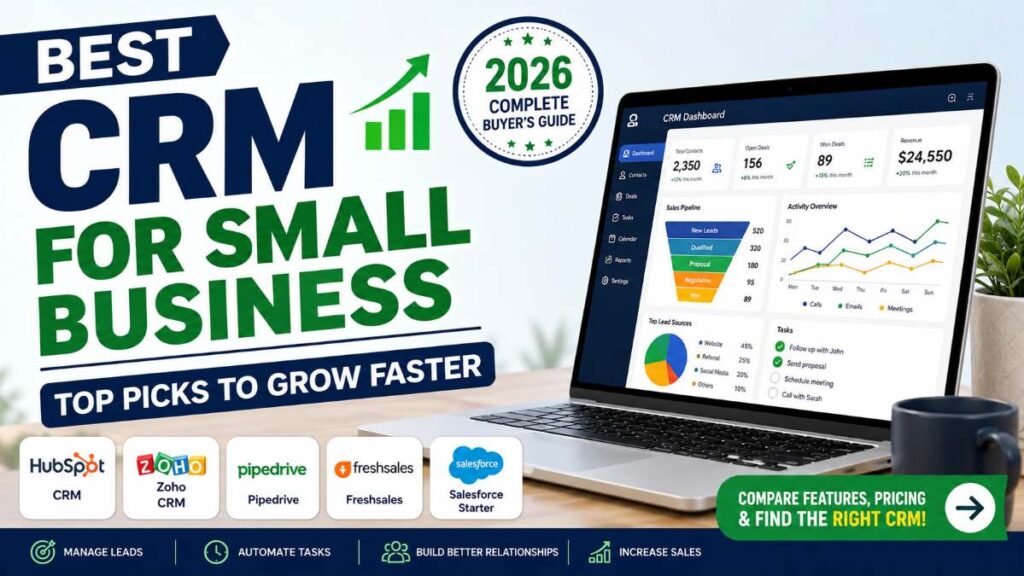
Running a small business is exciting, but keeping track of customers, sales leads, follow-ups, and daily communication can quickly become overwhelming. Many business owners start with spreadsheets, sticky notes, or scattered email conversations. That might work in the beginning, but as your customer base grows, it’s easy to miss opportunities and lose valuable leads. That’s where a Customer Relationship Management (CRM) system becomes a game-changer. The best CRM software helps you organize contacts, automate repetitive tasks, track every sales opportunity, and improve customer relationships—all from one dashboard.


But with so many options available, choosing the right CRM isn’t always easy.
In this guide, we’ll compare the best CRM software for small businesses, explain what features actually matter, and help you find the right solution based on your budget, industry, and business goals.
Quick Summary
If you don’t have time to read the entire guide, here’s a quick overview.
| CRM | Best For | Starting Price | Rating |
|---|---|---|---|
| HubSpot CRM | Beginners & startups | Free | ⭐⭐⭐⭐⭐ |
| Zoho CRM | Budget-friendly businesses | Affordable paid plans | ⭐⭐⭐⭐⭐ |
| Pipedrive | Sales-focused teams | Mid-range | ⭐⭐⭐⭐☆ |
| Freshsales | Automation & AI features | Affordable | ⭐⭐⭐⭐☆ |
| Salesforce Starter | Businesses planning to scale | Premium | ⭐⭐⭐⭐☆ |
Our Overall Recommendation
If you’re just getting started, HubSpot CRM offers one of the best free plans available.
If you’re focused on affordability and customization, Zoho CRM delivers excellent value.
If sales performance is your top priority, Pipedrive is a strong choice thanks to its visual pipeline and easy deal tracking.
Tip: Compare current pricing, available integrations, and free trial options before making your final decision.
What Is a CRM?
CRM stands for Customer Relationship Management.
It’s software designed to help businesses manage every interaction with customers and potential customers.
Instead of keeping customer information in multiple spreadsheets or email threads, a CRM stores everything in one secure place.
This includes:
- Customer contact details
- Sales opportunities
- Follow-up reminders
- Email conversations
- Meeting notes
- Purchase history
- Support requests
- Sales reports
Think of a CRM as the central hub for your customer relationships.
Must Read : How to Build an AI Email Responder for Freelancers
Why Small Businesses Need a CRM
Many small businesses delay adopting CRM software because they believe it’s only useful for large companies.
In reality, small businesses often benefit the most.
A CRM helps you stay organized, respond faster, and build stronger relationships with customers without hiring a large team.
Here are some of the biggest advantages.
Never Lose a Lead
Every inquiry is automatically recorded.
Whether someone contacts you through email, your website, or social media, your sales team knows exactly where the conversation left off.
Save Hours Every Week
Instead of manually updating spreadsheets or sending repetitive emails, modern CRM software automates routine work.
Examples include:
- Follow-up reminders
- Email sequences
- Meeting scheduling
- Contact organization
- Task assignments
That means you spend more time selling and less time managing paperwork.
Improve Customer Relationships
Customers appreciate businesses that remember previous conversations.
A CRM keeps detailed interaction history, allowing personalized communication that builds trust and loyalty.
Increase Sales
Most businesses lose deals because they simply forget to follow up.
CRM reminders and sales pipelines ensure opportunities don’t slip through the cracks.
Even a small improvement in follow-up consistency can significantly impact revenue over time.
Better Business Decisions
Instead of guessing what’s working, CRM dashboards provide real-time insights into:
- Sales performance
- Conversion rates
- Marketing effectiveness
- Team productivity
- Customer retention
These reports help you make smarter decisions backed by data.
Must-Have CRM Features
Not every CRM includes the same capabilities.
Here are the features worth prioritizing.
Contact Management
Your CRM should keep customer information organized and easy to search.
Look for:
- Contact profiles
- Company information
- Communication history
- Notes
- Custom fields
Sales Pipeline Management
A visual sales pipeline lets you see exactly where every deal stands.
Typical stages include:
- New Lead
- Qualified Lead
- Proposal Sent
- Negotiation
- Won
- Lost
This simple visualization helps sales teams prioritize the right opportunities.
Automation
Automation reduces repetitive work.
Useful automations include:
- Automatic follow-up emails
- Task reminders
- Lead assignment
- Workflow triggers
- Status updates
Even basic automation can save several hours every week.
Email Integration
Choose a CRM that connects with your email provider.
Benefits include:
- Send emails directly from the CRM
- Track opens and replies
- Store conversations automatically
- Schedule follow-ups
Mobile App
Business doesn’t stop when you’re away from your desk.
A good mobile app allows you to:
- Update deals
- Add contacts
- Schedule meetings
- Respond to customers
- View reports
from anywhere.
Reporting Dashboard
The best CRM software turns raw data into useful insights.
Look for dashboards showing:
- Monthly revenue
- Pipeline value
- Lead sources
- Conversion rates
- Sales trends
How We Evaluated These CRM Platforms
Rather than focusing only on popularity, we evaluated each CRM based on factors that matter most to small businesses.
Ease of Use
Can beginners start using it without extensive training?
Pricing
Does it provide good value for startups and growing businesses?
Automation
Does it reduce repetitive work?
Integrations
Can it connect with tools like:
- Gmail
- Outlook
- Slack
- QuickBooks
- Shopify
- WordPress
- Zapier
Customer Support
Reliable support becomes especially important when your business depends on the CRM every day.
Scalability
Can the software grow alongside your business?
A CRM that meets today’s needs but struggles as your team expands may lead to an expensive migration later.
Our Top CRM Picks at a Glance
| CRM | Ease of Use | Free Plan | Automation | Best For |
| HubSpot CRM | ⭐⭐⭐⭐⭐ | Yes | Excellent | Beginners |
| Zoho CRM | ⭐⭐⭐⭐☆ | Yes | Very Good | Budget-conscious businesses |
| Pipedrive | ⭐⭐⭐⭐⭐ | No | Excellent | Sales teams |
| Freshsales | ⭐⭐⭐⭐☆ | Yes | Excellent | Growing businesses |
| Salesforce Starter | ⭐⭐⭐☆☆ | Limited | Outstanding | Long-term scalability |
Ready to Compare the Top CRM Platforms?
Now that you know what features matter most, it’s time to look at each CRM in detail.
In the next section, we’ll break down the strengths, weaknesses, pricing, ideal use cases, and standout features of the leading CRM platforms so you can confidently choose the best option for your business.
Detailed Reviews of the Best CRM Software for Small Business
Choosing the right CRM isn’t just about finding the platform with the most features. The best CRM is the one that fits your workflow, budget, and long-term business goals.
Let’s take a closer look at the top CRM platforms for small businesses.
1. HubSpot CRM – Best Free CRM for Small Businesses
Best For: Startups, freelancers, consultants, and small businesses looking for a powerful free CRM.
HubSpot CRM has earned its reputation by offering one of the most generous free plans available. Unlike many “free” tools that feel limited, HubSpot provides essential CRM features that can genuinely support a growing business.
The interface is clean, intuitive, and beginner-friendly, making it a great choice if you’re using CRM software for the first time.
Key Features
- Free contact management
- Visual sales pipeline
- Email tracking and notifications
- Live chat
- Meeting scheduler
- Task management
- Marketing email tools
- Deal tracking
- Mobile application
- Hundreds of third-party integrations
What We Like
- Excellent free plan
- Very easy to learn
- Beautiful dashboard
- Strong reporting features
- Large integration marketplace
- Reliable customer support
Things to Consider
- Advanced automation requires paid plans.
- Costs can increase as your team grows.
- Some premium marketing features are reserved for higher tiers.
Best For
HubSpot CRM is ideal if you:
- Are launching your first business
- Need a free CRM
- Want marketing and sales tools in one platform
- Plan to scale gradually
Must Read : 10 AI Trends Changing Tech Jobs by 2029
2. Zoho CRM – Best Value for Money
Best For: Small businesses that need advanced features without a premium price.
Zoho CRM is one of the most affordable CRM solutions available while still offering automation, reporting, and customization that many competitors reserve for higher-priced plans.
It works particularly well for businesses that already use other Zoho products, though it’s equally capable as a standalone CRM.
Key Features
- Lead management
- Workflow automation
- Sales forecasting
- Email integration
- AI-powered sales assistant (selected plans)
- Custom dashboards
- Inventory integration
- Mobile app
- Omnichannel communication
Pros
- Budget-friendly pricing
- Highly customizable
- Strong automation
- Excellent reporting
- Wide range of integrations
Cons
- Slight learning curve
- Interface can feel busy
- Advanced customization may require setup time
Best For
Zoho CRM works well for:
- Growing startups
- Service businesses
- Agencies
- Local businesses
- Sales teams on a budget
3. Pipedrive – Best CRM for Sales Teams
Best For: Businesses focused on closing more deals.
Pipedrive was designed with sales professionals in mind. Instead of overwhelming users with dozens of unrelated features, it focuses on helping teams move deals through the sales pipeline efficiently.
Its visual interface is one of the easiest to understand, making it especially useful for businesses with active sales representatives.
Key Features
- Drag-and-drop sales pipeline
- Activity reminders
- Email synchronization
- Sales forecasting
- Workflow automation
- Custom reports
- Deal management
- Lead tracking
- Calendar integration
Advantages
- Extremely easy to use
- Excellent sales pipeline
- Fast setup
- Great reporting
- Strong automation
Limitations
- Marketing tools are limited.
- Customer support features are basic.
- No permanent free plan.
Best For
Choose Pipedrive if your business relies heavily on:
- Lead generation
- Sales calls
- Client meetings
- Closing deals quickly
4. Freshsales – Best CRM for Automation
Best For: Businesses looking to automate repetitive sales activities.
Freshsales combines CRM functionality with automation, AI-powered insights, communication tools, and lead scoring.
If your sales team spends hours performing repetitive administrative tasks, Freshsales can significantly improve efficiency.
Key Features
- Built-in phone
- Email management
- Workflow automation
- AI lead scoring
- Sales sequences
- Contact management
- Visual pipeline
- Activity timeline
- Reporting dashboard
Pros
- Strong automation
- Modern interface
- Built-in communication tools
- Competitive pricing
- Easy navigation
Cons
- Some features require higher-tier plans.
- Fewer third-party integrations than some competitors.
- Reporting options vary by plan.
Best For
Freshsales is suitable for:
- SaaS companies
- Growing startups
- Service providers
- Agencies
- Businesses managing high lead volumes
5. Salesforce Starter – Best CRM for Long-Term Growth
Best For: Businesses planning significant expansion.
Salesforce is one of the most recognized names in CRM software.
While its enterprise products are known for their depth, the Starter edition offers smaller businesses access to the Salesforce ecosystem with a more approachable feature set.
Businesses expecting rapid growth often appreciate the flexibility and scalability Salesforce provides.
Key Features
- Contact management
- Opportunity tracking
- Sales dashboard
- Workflow automation
- Email integration
- Mobile access
- Reporting tools
- App marketplace
- Extensive customization
Pros
- Highly scalable
- Powerful reporting
- Massive integration ecosystem
- Excellent security
- Enterprise-grade capabilities
Cons
- Higher pricing
- Steeper learning curve
- May be more than very small businesses need
Best For
Salesforce Starter is a good choice if you:
- Expect rapid growth
- Have a dedicated sales team
- Need advanced reporting
- Plan to expand operations over time
Feature Comparison Table
| Feature | HubSpot CRM | Zoho CRM | Pipedrive | Freshsales | Salesforce Starter |
|---|---|---|---|---|---|
| Free Plan | ✅ Yes | ✅ Yes | ❌ No | ✅ Yes | Limited |
| Easy to Use | ⭐⭐⭐⭐⭐ | ⭐⭐⭐⭐☆ | ⭐⭐⭐⭐⭐ | ⭐⭐⭐⭐☆ | ⭐⭐⭐☆☆ |
| Sales Pipeline | Excellent | Excellent | Excellent | Excellent | Excellent |
| Automation | Very Good | Excellent | Excellent | Excellent | Outstanding |
| Reporting | Excellent | Excellent | Very Good | Very Good | Outstanding |
| Mobile App | Excellent | Excellent | Excellent | Excellent | Excellent |
| Best For | Beginners | Budget Buyers | Sales Teams | Automation | Scaling Businesses |
Which CRM Is Right for You?
Different businesses have different priorities.
Here’s a quick recommendation based on common needs.
| Your Priority | Recommended CRM |
| Completely Free CRM | HubSpot CRM |
| Lowest Cost | Zoho CRM |
| Sales Pipeline Management | Pipedrive |
| Workflow Automation | Freshsales |
| Long-Term Business Growth | Salesforce Starter |
Real-World Use Cases
Freelance Consultant
A freelance marketing consultant can use HubSpot CRM to organize client inquiries, schedule follow-ups, and monitor project discussions without investing in expensive software.
Local Service Business
An HVAC company, plumbing business, or home cleaning service can benefit from Zoho CRM by managing customer appointments, tracking repeat clients, and automating reminders.
Small Sales Agency
A sales agency with multiple representatives can use Pipedrive to visualize deals, assign tasks, and monitor performance across the entire sales pipeline.
Must Read : 15 AI Coding Assistants Compared: Which one is Best AI coding assistant?
Growing SaaS Startup
A software startup handling hundreds of leads each month can streamline lead qualification and automate email sequences with Freshsales, reducing manual work and improving response times.
Expanding B2B Company
A growing B2B business planning to add new departments and larger sales teams may choose Salesforce Starter because it offers room to scale without switching platforms later.
Still Not Sure Which CRM to Choose?
The next section will help you evaluate important buying factors such as pricing, ease of use, integrations, customer support, scalability, and hidden costs. We’ll also answer the most common questions buyers ask before investing in CRM software and provide our final recommendations.
Buying Guide: How to Choose the Best CRM for Your Small Business
With dozens of CRM platforms available, it’s easy to get distracted by long feature lists and marketing claims. Instead of choosing the software with the most features, focus on the one that solves your business challenges.
Here are the key factors to evaluate before making a decision.
1. Understand Your Business Needs
Start by asking a few simple questions:
- How many customers do you manage each month?
- Do you have a dedicated sales team?
- Do you mainly need contact management or full sales automation?
- Will multiple team members use the CRM?
- Do you expect your business to grow over the next few years?
Your answers will help narrow down the right option much faster.
2. Set a Realistic Budget
Many CRM providers offer affordable entry-level plans, but pricing often increases as your business grows.
When comparing costs, look beyond the monthly subscription and consider:
- Per-user pricing
- Storage limits
- Automation restrictions
- Premium integrations
- Customer support availability
A slightly more expensive plan may provide better long-term value if it reduces manual work and improves team productivity.
3. Prioritize Ease of Use
A CRM is only useful if your team actually uses it.
Look for software with:
- Clean navigation
- Simple dashboards
- Quick onboarding
- Helpful tutorials
- Mobile accessibility
Complicated systems often lead to lower adoption rates and inconsistent data.
4. Check Available Integrations
Your CRM should work seamlessly with the tools you already use.
Popular integrations include:
- Gmail
- Outlook
- Microsoft 365
- Google Workspace
- QuickBooks
- Shopify
- WooCommerce
- Stripe
- Zoom
- Slack
- Zapier
The fewer manual steps your team has to perform, the more productive they’ll be.
5. Look for Automation Features
Automation helps small businesses save time without hiring additional staff.
Useful automations include:
- Welcome emails
- Lead assignment
- Follow-up reminders
- Deal stage updates
- Task creation
- Appointment scheduling
Even basic automation can improve customer response times and reduce repetitive work.
6. Consider Future Growth
Switching CRM platforms later can be time-consuming.
Choose software that can grow with your business by supporting:
- More users
- Advanced reporting
- Additional automation
- Third-party integrations
- Custom workflows
Scalability is especially important if you’re planning to expand your sales or customer support teams.
Common CRM Mistakes to Avoid
Many businesses invest in CRM software but fail to get the expected results because of avoidable mistakes.
Choosing Based Only on Price
The cheapest option isn’t always the best value. Consider usability, support, and long-term scalability alongside cost.
Ignoring Team Training
Even user-friendly CRM software requires a basic onboarding process. Spend time teaching your team how to use it effectively.
Overcomplicating the Setup
Avoid creating too many custom fields, workflows, or pipelines at the beginning. Start simple and expand as your business grows.
Not Maintaining Data Quality
A CRM is only as useful as the information stored inside it.
Regularly remove duplicate contacts, update customer details, and archive inactive records.
Skipping Free Trials
Whenever possible, test a CRM before committing to a paid plan. A trial helps you evaluate usability, performance, and compatibility with your workflow.
Frequently Asked Questions (FAQs)
What is the best CRM for a small business?
The best CRM depends on your business goals. HubSpot CRM is an excellent choice for beginners thanks to its generous free plan, while Zoho CRM offers great value for businesses seeking advanced features at an affordable price. Pipedrive is ideal for sales-focused teams, Freshsales excels in automation, and Salesforce Starter is well suited for businesses planning long-term growth.
Is a free CRM enough for a small business?
For many startups, freelancers, and small teams, a free CRM provides everything needed to manage contacts, track leads, and organize customer interactions. As your business grows, you may benefit from upgrading to unlock advanced automation, reporting, and collaboration features.
Which CRM is easiest to use?
HubSpot CRM and Pipedrive are widely appreciated for their intuitive interfaces. They require minimal training and allow new users to become productive quickly.
Can a CRM improve sales?
A CRM doesn’t automatically increase sales, but it helps teams stay organized, follow up consistently, and identify opportunities more effectively. These improvements can contribute to better customer relationships and higher conversion rates over time.
Which CRM is best for startups?
Startups often prioritize affordability and ease of use. HubSpot CRM is a strong option for those beginning with a free solution, while Zoho CRM is a good fit for startups that anticipate needing more customization as they grow.
Do small businesses really need CRM software?
If you manage customer inquiries, sales leads, appointments, or repeat clients, a CRM can simplify daily operations and reduce the risk of missed follow-ups. Even very small businesses can benefit from having customer information organized in one place.
Can I switch CRM platforms later?
Yes. Most CRM providers offer tools to import contacts and other business data. However, migrating data and training your team can take time, so choosing a scalable solution from the beginning is often more efficient.
Final Verdict
The right CRM should make your business more organized, improve communication, and help your team spend less time on repetitive tasks.
Here’s a quick recommendation based on different business needs:
| Business Type | Recommended CRM |
|---|---|
| Freelancer or Solopreneur | HubSpot CRM |
| Startup | HubSpot CRM or Zoho CRM |
| Local Service Business | Zoho CRM |
| Sales-Focused Team | Pipedrive |
| Growing Company | Freshsales |
| Rapidly Scaling Business | Salesforce Starter |
Rather than chasing the platform with the longest feature list, focus on the one that aligns with your daily workflow, budget, and growth plans. A CRM that your team enjoys using is often more valuable than a powerful system that’s rarely updated.
Our Recommendation
For most small businesses, HubSpot CRM stands out as the best all-around option because of its generous free plan, user-friendly interface, and ability to grow alongside your business.
If keeping costs low is your priority without sacrificing essential features, Zoho CRM is an excellent alternative.
Businesses with dedicated sales teams may find Pipedrive offers the most efficient way to manage deals, while Freshsales is a compelling choice for companies looking to automate routine tasks. If your long-term strategy includes significant expansion and advanced reporting, Salesforce Starter deserves serious consideration.
Before making your final decision:
- Compare current plans and pricing.
- Take advantage of free trials where available.
- Consider your team’s technical experience.
- Think about the features you’ll need one or two years from now.
- Review available integrations with your existing tools.
A thoughtful choice today can save time, improve customer relationships, and support your business as it grows.
Key Takeaways
- CRM software helps centralize customer information and sales activities.
- Small businesses benefit from better organization, automation, and follow-up management.
- HubSpot CRM is a top choice for beginners and businesses seeking a capable free solution.
- Zoho CRM delivers excellent value with extensive customization options.
- Pipedrive is designed for sales teams that prioritize pipeline visibility.
- Freshsales shines with automation and productivity features.
- Salesforce Starter is best suited for businesses planning long-term growth.
- Always compare pricing, integrations, scalability, and ease of use before making a purchase.