
Choosing web hosting can feel confusing when every provider advertises different storage limits. One plan offers 10 GB, another offers 50 GB, and a third promises more space than most beginners will ever use. So, how much storage does a small website actually need?
The answer depends on what you publish, how frequently you update your site, and whether you store large files directly on your hosting account.
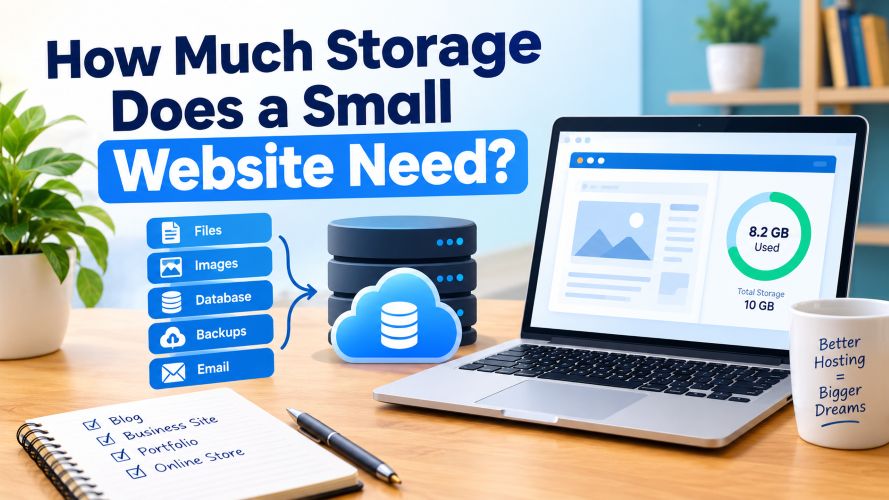
For a simple business website or a new blog, a modest amount of storage is often enough. A photography portfolio, downloadable resource library, or online store may need considerably more.
The tricky part is choosing a plan that fits your current website without paying for unnecessary resources or running out of space after a few months.
In this guide, you’ll learn how to estimate your website’s storage requirements, compare common hosting options, and choose a sensible starting point for your project.
Quick Summary: How Much Website Storage Do You Need?
Most small websites can start with approximately 5–10 GB of storage, although the actual requirement varies with content, media files, email storage, and hosting configuration.
Here is a practical starting estimate:
| Website Type | Suggested Starting Storage |
|---|---|
| Simple personal website | 1–3 GB |
| Small business website | 3–5 GB |
| New WordPress blog | 5–10 GB |
| Content-heavy blog | 10–20 GB |
| Small portfolio website | 5–15 GB |
| Small WooCommerce store | 10–20 GB or more |
These figures are planning estimates, not minimum technical requirements or guarantees. Some websites need less, while media-heavy websites and stores with extensive backups may require substantially more.
Quick recommendation: If you’re launching a typical WordPress blog, look for a reputable hosting plan with around 10 GB of usable SSD or NVMe storage, provided the plan also offers adequate performance, security, and backup options.
What Does Website Storage Actually Mean?
Website storage is the disk space your hosting account uses to keep the files and data needed to run your website.
Think of it as a digital cupboard. Your website needs somewhere to store its pages, images, software, database files, and other supporting resources.
Depending on your hosting package, the storage allowance may also cover email accounts, logs, temporary files, and backups.
What Uses Up Website Storage?
The main storage-consuming components include:
- Website files: HTML, CSS, JavaScript, themes, plugins, and uploaded files.
- Images: Product photographs, blog graphics, banners, logos, and screenshots.
- Videos and audio: Uploaded media files can consume considerable disk space.
- Database: WordPress posts, pages, comments, settings, and other structured information.
- Backups: Stored copies of your website may use significant additional space.
- Email: Messages and attachments may count toward your hosting quota.
- Logs and temporary files: These can accumulate depending on your hosting configuration.
The important distinction is that website storage is not the same as website traffic.
A website can receive thousands of visits without its stored files growing significantly. Storage usually increases when you add content, upload files, retain backups, or accumulate other data.
How Much Storage Does a WordPress Website Need?
WordPress is a popular choice for blogs, affiliate websites, and small business sites. However, its storage requirements depend heavily on the content you publish and the plugins you install.
A basic WordPress installation may use relatively little space compared with a website that contains hundreds of high-resolution images and several backup copies.
Let’s look at three realistic scenarios.
Must Read : Markdown Guide for Beginners: Syntax, Tips & Examples
1. A New Affiliate Blog
Imagine you’re building a tech affiliate blog covering hosting, software, laptops, and website tools.
Your website might contain:
- A WordPress installation and theme.
- Several essential plugins.
- Fifty to one hundred articles.
- Optimized screenshots and featured images.
- A small database.
- Temporary files and routine updates.
A 5–10 GB hosting allowance may be a reasonable starting point for this type of website, assuming backups and email do not consume a large share of the quota.
As your content library expands, check actual disk usage instead of upgrading simply because your article count increases.
2. A Small Business Website
A typical business website may include a homepage, service pages, an about page, a contact form, and a gallery.
If its images are optimized and it doesn’t host large downloads, 3–5 GB may be sufficient for many small sites.
However, a business that regularly uploads project photographs, PDFs, videos, or customer documents should plan for more space.
3. A Small Online Store
An online store requires additional consideration because it may store product images, database records, plugin files, and order-related information.
A small WooCommerce store might begin with 10–20 GB, depending on its catalog and hosting setup.
Remember that product variations and order records mainly affect the database, while high-resolution product images contribute directly to file storage.
If you plan to sell downloadable products, account for those files separately when estimating your needs.
Must Read : What Type of Hosting Is Best for a Beginner?
How to Calculate Your Website’s Storage Requirements
Instead of guessing, you can estimate storage using a simple formula.
Estimated storage needed = Current website files + Database + Media uploads + Backups and other files + Growth allowance
Here’s an example for a small WordPress blog:
| Component | Estimated Space |
|---|---|
| WordPress, theme, and plugins | 1 GB |
| Images and screenshots | 2 GB |
| Database | 0.3 GB |
| Logs, temporary files, and other data | 0.7 GB |
| One additional backup copy | 3 GB |
| Subtotal | 7 GB |
| Growth allowance | 3 GB |
| Estimated total | 10 GB |
These are illustrative figures, not measurements of a real hosting account. Your backup size may be smaller or larger, and some hosts store backups outside your account’s main storage quota.
The example shows why a 10 GB plan could be a sensible starting point for a modest blog, but it doesn’t mean every blog needs exactly 10 GB.
Don’t Forget Image File Sizes
Images can become one of the largest storage expenses on a content-heavy website.
Suppose you publish four articles per week and add three images to each article. That’s 12 images weekly, or approximately 624 images over a year.
If each optimized image averages 200 KB, the original uploads would use approximately 125 MB per year.
But if each image averages 1 MB, the same collection would consume around 624 MB annually.
These calculations exclude additional image sizes generated by WordPress, duplicates, and backups.
To reduce storage usage, resize images to suitable dimensions, compress them, and use efficient formats such as WebP where appropriate.
Must Read : What Is a Chatbot? Definition, Types, Benefits, and Examples
SSD vs. NVMe Storage: Which Is Better for a Small Website?
When comparing hosting plans, you may see terms such as SSD and NVMe. These describe storage technologies, not the amount of space included in a plan.
| Feature | SSD Hosting | NVMe Hosting |
|---|---|---|
| Storage technology | Solid-state drive | SSD using the NVMe interface |
| Typical benefit | Faster access than traditional hard drives | Potentially higher storage performance |
| Suitable for | Blogs, portfolios, and business sites | Blogs, stores, and more demanding applications |
| Main consideration | Storage capacity and overall server quality | Whether the plan’s performance benefits justify its cost |
NVMe can offer higher storage performance, but the actual experience also depends on CPU resources, memory, server configuration, caching, and software optimization.
For a new affiliate blog, don’t choose a hosting provider based on NVMe alone. A well-configured SSD hosting plan can be a perfectly reasonable option.
Shared Hosting vs. Cloud Hosting: Which Is Better for Storage?
Storage capacity is only one part of your hosting decision. The type of hosting also affects cost, management, scalability, and performance.
| Feature | Shared Hosting | Cloud Hosting |
|---|---|---|
| Best suited for | Beginners and smaller websites | Websites needing flexible resources |
| Initial cost | Often lower | Varies by configuration |
| Storage | Fixed plan limits are common | Depends on the selected service |
| Management | Often beginner-friendly | Managed options exist; others need technical skills |
| Scaling | May require a plan upgrade | Some services allow more flexible scaling |
| Main drawback | Shared resource limits | Pricing and configuration can be more complex |
When Shared Hosting Makes Sense
Shared hosting is often a practical starting point for a personal website, a small business site, or a new affiliate blog.
It can provide enough storage without requiring you to manage server infrastructure yourself.
The trade-off is that storage, CPU usage, memory, and other resources may be subject to plan-specific restrictions.
When Cloud Hosting Makes Sense
Cloud hosting can be useful when your website needs more flexibility, has variable workloads, or is expected to grow beyond a basic hosting environment.
However, cloud hosting does not automatically mean unlimited storage or better value. Some services charge separately for disk space, backups, bandwidth, and additional resources.
For a small website, compare the complete monthly cost rather than focusing on storage capacity alone.
Must Read : Best Notion Widgets: 10 Useful Widgets for Better Dashboards
How to Choose the Right Hosting Storage Plan
Before buying hosting, consider these five factors.
1. Check the Actual Storage Allowance
Look for the amount of storage included in the plan and confirm whether it is dedicated to your website or shared across websites, email accounts, and other services.
A plan advertised with 20 GB of storage may feel much smaller if you intend to host multiple websites or retain several large backups.
2. Understand Backup Storage
Backups are essential for recovering from accidental deletions, failed updates, or technical problems.
However, backup storage policies differ between providers. Some include off-site backups, while others count stored backup files against your account limit or charge extra for additional retention.
Before choosing a plan, find out:
- How frequently backups are created.
- How long backups are retained.
- Whether backups are stored separately.
- Whether restoring a backup costs extra.
- Whether you can download your own backup copies.
A larger storage allowance is not a substitute for a reliable backup strategy.
3. Consider Email Storage
If you use hosting-based email addresses, messages and attachments may consume part of your storage allowance.
This can matter for small businesses that receive many attachments or retain years of email history.
If your email service is hosted separately, its storage may be managed under a different quota.
4. Look Beyond the Storage Number
A hosting plan with more disk space is not necessarily the better choice.
Compare these features before deciding:
- SSL certificate availability.
- Backup and restoration options.
- Server performance and resource limits.
- Security features and software updates.
- Support quality.
- Renewal pricing.
- Migration assistance.
For an affiliate website, dependable uptime and a manageable hosting environment can be more valuable than unused storage.
Must Read : Cloudways Hosting – Best Cloud Hosting
5. Leave Room for Growth
Your website may begin with ten articles and gradually expand to hundreds.
Instead of buying the largest plan immediately, estimate your next 6–12 months of storage usage and check how easily you can upgrade.
This approach keeps your initial costs reasonable while allowing room for future content.
Common Website Storage Mistakes to Avoid
Even a reasonably sized hosting plan can run out of space if storage is poorly managed.
Here are common mistakes worth avoiding.
Uploading original images without optimization: Large images increase storage usage and may also slow down pages when delivered inefficiently.
Keeping unnecessary backup copies: Multiple old backups can consume significant space. Retain enough copies for recovery, but follow a deliberate retention policy.
Storing videos directly on the server: Large video files can quickly use your allowance. For many small websites, an external video hosting or object-storage service is more practical.
Ignoring unused plugins and themes: Remove software you no longer need, after checking that it is not required for your site’s operation.
Confusing bandwidth with storage: Bandwidth relates to data transferred to and from visitors. Storage measures the space occupied by files and data. A plan may offer generous storage but still have traffic or resource restrictions.
Paying for unlimited hosting without reading the terms: Unlimited or unmetered offers are subject to the provider’s terms and acceptable-use policies. Check the practical restrictions before buying.
Must Read : How to Build a Developer Knowledge Base That Works
Real-World Examples: Which Plan Would You Choose?
Let’s make the decision easier with three scenarios.
Scenario A: You’re Starting a Tech Affiliate Blog
You publish buying guides, software tutorials, and hosting reviews with compressed screenshots.
Suggested starting point: Around 5–10 GB.
Why? Your website’s text and database may remain relatively small, while images and backups account for much of the storage.
Choose a plan that makes backups and future upgrades straightforward.
Scenario B: You’re Building a Photography Portfolio
You regularly upload large galleries and high-resolution photographs.
Suggested starting point: Around 10–20 GB or more, depending on your collection.
A portfolio with many full-resolution images may outgrow a modest hosting plan quickly. Consider whether original files should be stored separately and only optimized versions displayed on your website.
Scenario C: You’re Launching a Small Online Store
You sell physical products and upload several photographs per listing.
Suggested starting point: Around 10–20 GB, with room to expand.
The right amount depends on product image sizes, the number of listings, order data, plugins, and backups.
Check whether your hosting provider has enough CPU and memory for your store as well. Storage capacity alone does not determine whether an online shop will perform well.
Frequently Asked Questions
1. Is 5 GB enough for a small website?
Yes, 5 GB can be enough for a simple business website, portfolio, or small blog with optimized images. However, large media files, email accounts, and backups may require additional storage.
2. Is 10 GB enough for a WordPress website?
For many small WordPress websites, 10 GB is a reasonable starting allowance. Actual usage depends on plugins, themes, uploads, database size, backups, and the number of websites hosted in the account.
3. How much SSD storage does a small blog need?
A small blog can often start with 5–10 GB of SSD storage. A blog that publishes frequent image-heavy articles or stores multiple backup copies may need more.
4. Does website traffic increase storage requirements?
Not directly. Traffic primarily affects bandwidth and server resources. Storage usually grows when you add content, upload media, retain backups, or accumulate other files.
5. Do images take up more website storage than text?
They often do. Text-based articles generally require relatively little space, while photographs, screenshots, and other media can use much more. Image compression and suitable dimensions help control storage usage.
6. Should I buy unlimited storage hosting?
Not necessarily. Unlimited storage offers may have restrictions on file types, usage, backups, or acceptable use. Choose a provider with transparent terms and enough practical capacity for your website.
7. Can I increase my website storage later?
Usually, yes. Many hosting providers let customers upgrade to a larger plan or move to a different service. Check upgrade costs, migration requirements, and possible downtime before purchasing.
Final Verdict: How Much Storage Does a Small Website Need?
For most beginners, the best approach is to start with a realistic estimate instead of paying for storage you may never use.
A simple business website may work comfortably with 3–5 GB, while a new WordPress or affiliate blog can reasonably start with 5–10 GB. Media-heavy portfolios and small online stores may benefit from 10–20 GB or more.
Before choosing a hosting package, calculate your current file usage, account for backups and email, and leave room for future growth.
If you’re launching a tech affiliate blog, a reputable hosting plan with approximately 10 GB of usable storage is a sensible place to begin, assuming its other features meet your needs.
Ready to choose your hosting plan? Compare the available storage, backup policy, renewal price, performance resources, and upgrade options before committing. Select the plan that suits your actual requirements today while making future growth manageable.
The goal isn’t to buy the most storage. It’s to choose enough storage to run your website reliably, protect your content, and expand without unnecessary expense.