
Artificial intelligence has become one of the most useful technologies for students, professionals, developers, marketers, and businesses. Whether you need help writing emails, creating content, analyzing documents, generating code, or researching complex topics, there’s now an AI assistant designed for the job.
The challenge isn’t finding an AI model anymore, it’s choosing the right one.
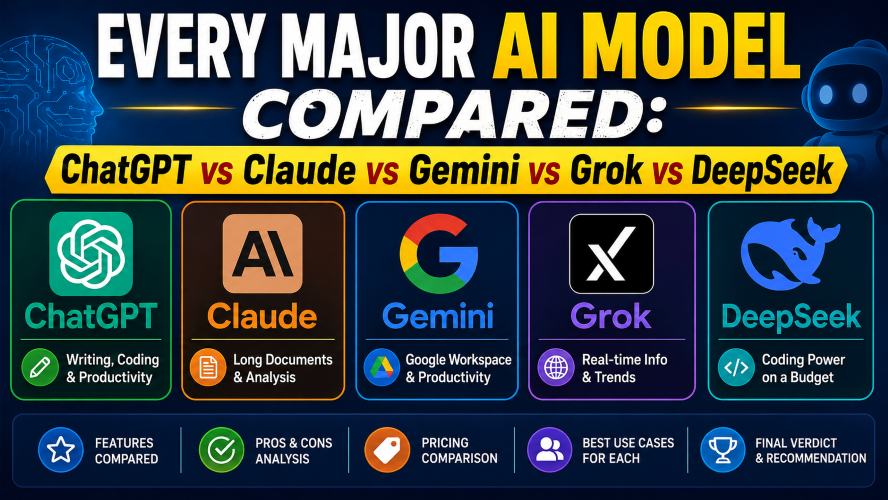
Today, five names dominate the conversation:
• ChatGPT
• Claude
• Gemini
• Grok
• DeepSeek
Each platform has unique strengths. Some are excellent for coding, while others are better for writing, research, or working with large documents. Choosing the wrong one could mean paying for features you’ll never use or missing out on tools that could save you hours every week.
In this detailed comparison, we’ll examine every major AI model side by side, looking at their features, performance, pricing, strengths, weaknesses, and ideal use cases. By the end, you’ll know exactly which one fits your workflow and budget.
ChatGPT vs Claude vs Gemini vs Grok vs DeepSeek
Quick Summary
Don’t have time to read the full guide? Here’s a quick overview.
| AI Model | Best For | Overall Rating |
|---|---|---|
| ChatGPT | Writing, coding, productivity | ⭐⭐⭐⭐⭐ |
| Claude | Long documents and analysis | ⭐⭐⭐⭐⭐ |
| Gemini | Google Workspace users | ⭐⭐⭐⭐☆ |
| Grok | Real-time information | ⭐⭐⭐⭐☆ |
| DeepSeek | Coding on a budget | ⭐⭐⭐⭐☆ |
Quick Recommendations
✅ Choose ChatGPT if you want the most balanced AI assistant for everyday tasks.
✅ Choose Claude if you regularly work with long reports, PDFs, or business documents.
✅ Choose Gemini if you rely heavily on Gmail, Google Docs, and Google Drive.
✅ Choose Grok if you want quick access to current trends and real-time information.
✅ Choose DeepSeek if you’re looking for strong coding performance without spending a lot.
Why This Comparison Matters
Many people assume every AI assistant works the same way.
That’s simply not true.
Although all of these models can answer questions and generate text, they perform very differently depending on the task.
Some models excel at programming.
Others are designed for research.
Some produce more natural writing, while others focus on reasoning or handling massive documents.
Understanding these differences helps you:
• Save time
• Choose the right subscription
• Improve productivity
• Avoid paying for unnecessary features
• Get better results from your AI assistant
Instead of relying on marketing claims, this guide focuses on practical performance and real-world use cases.
Must Read : Best Claude Prompts for Content Writing (Blogs, SEO, YouTube Scripts)
How We Compared These AI Models
To keep this comparison fair and useful, every AI model is evaluated using the same criteria.
Writing Quality
Can it create natural, readable content?
Is it good for emails, blog posts, reports, and business communication?
Coding Performance
We compare each model’s ability to:
• Write code
• Debug errors
• Explain programming concepts
• Optimize existing code
• Support multiple programming languages
Research & Analysis
Can the model:
• Summarize long documents?
• Organize information clearly?
• Compare multiple sources?
• Explain difficult topics in simple language?
Reasoning Ability
Complex tasks often require logical thinking.
We’ll look at how well each model handles:
• Multi-step problems
• Planning
• Decision-making
• Logical reasoning
• Problem-solving
Ease of Use
A powerful AI assistant should also be easy to use.
We’ll compare:
• User interface
• Learning curve
• Accessibility
• Overall user experience
Pricing & Value
Not everyone needs a paid subscription.
We’ll examine:
• Free plans
• Premium features
• Overall value for money
ChatGPT Overview
Best For
• Everyday productivity
• Content writing
• Coding
• Learning
• Business tasks
• Brainstorming ideas
ChatGPT has become one of the world’s most popular AI assistants because it performs consistently well across almost every category. Rather than specializing in just one area, it provides a balanced mix of writing, coding, research, creativity, and productivity features.
Whether you’re a student preparing assignments, a content creator publishing articles, a developer writing code, or a business professional managing projects, ChatGPT adapts well to different workflows.
Some of the most common tasks people use ChatGPT for include:
• Writing emails
• Creating blog outlines
• Explaining complex concepts
• Summarizing articles and PDFs
• Brainstorming business ideas
• Debugging code
• Creating spreadsheets
• Drafting reports
• Translating languages
• Improving existing content
Its flexibility makes it one of the safest choices for users who want a single AI assistant capable of handling a wide variety of everyday tasks.
Key Features of ChatGPT
Excellent Writing Assistance
One of ChatGPT’s biggest strengths is its ability to produce natural, easy-to-read content. Whether you’re writing for business, education, or marketing, it delivers well-structured responses that require minimal editing.
It performs particularly well for:
• Blog posts
• Emails
• Reports
• Social media captions
• Product descriptions
• Marketing copy
• Website content
It can also rewrite existing content, improve grammar, simplify complex sentences, or adjust the tone to match your audience.
Strong Coding Support
ChatGPT is also a favorite among developers because it supports many popular programming languages.
It can help with:
• Python
• JavaScript
• Java
• C++
• SQL
• HTML & CSS
• React
• APIs
Beyond writing code, it can explain programming concepts, debug errors, suggest improvements, optimize existing code, and even guide beginners through difficult coding problems.
Productivity Features
ChatGPT isn’t just for writing or coding—it can also help you stay organized.
Some popular productivity tasks include:
• Creating daily to-do lists
• Planning projects
• Organizing research notes
• Summarizing meeting notes
• Drafting business proposals
• Brainstorming marketing campaigns
• Building study plans
These capabilities make it useful for freelancers, students, entrepreneurs, and teams looking to streamline their daily work.
Image Understanding
Depending on your subscription and available features, ChatGPT can analyze visual content such as:
• Screenshots
• Charts
• Graphs
• PDFs
• Photos
• Diagrams
This makes it especially useful for troubleshooting technical issues, interpreting data, reviewing documents, and understanding visual information.
Must Read : Claude Prompts That Actually Work in 2026 (Tested Results)
Pros of ChatGPT
✔ Excellent all-around performance
✔ Easy for beginners
✔ High-quality writing
✔ Strong coding capabilities
✔ Helpful for business and productivity
✔ Supports multiple types of tasks
✔ Frequently updated with new features
Cons of ChatGPT
• Some advanced features require a paid subscription.
• The quality of responses depends on how clearly your prompt is written.
• Highly specialized professional software may still be better for certain technical tasks.
Who Should Choose ChatGPT?
ChatGPT is an excellent option if you:
• Write content regularly
• Need help with coding
• Want an AI assistant for everyday work
• Manage business projects
• Study complex subjects
• Frequently summarize articles or documents
• Need quick brainstorming assistance
For most users, ChatGPT offers one of the best balances between ease of use, versatility, and overall performance. It performs well across a wide range of tasks, making it a reliable choice for both beginners and experienced users.
Claude Overview
Best For
• Long documents and PDFs
• Research and analysis
• Business writing
• Academic work
• Professional reports
• Detailed explanations
Claude has earned a strong reputation for handling large amounts of information without losing context. If your daily work involves reading lengthy reports, analyzing research papers, or reviewing contracts, Claude is one of the strongest options available.
Unlike many AI assistants that may lose track of earlier conversations, Claude is designed to maintain context over much longer discussions. This makes it especially useful for professionals who need detailed analysis rather than short answers.
Another area where Claude stands out is its writing style. Its responses are often well-organized, thoughtful, and easy to read, making it a favorite among writers, researchers, consultants, and business professionals.
Key Features of Claude
Excellent Long Document Analysis
Claude performs exceptionally well when working with large files.
It can help you:
• Summarize research papers
• Review business reports
• Analyze legal documents
• Understand technical manuals
• Extract important information from lengthy PDFs
Instead of simply shortening documents, Claude often identifies key insights and presents them in a structured format that’s easy to understand.
High-Quality Writing
If your work involves professional communication, Claude produces polished and natural writing.
It works well for:
• Business proposals
• Professional emails
• Executive summaries
• Reports
• Documentation
• Educational content
Many users appreciate its calm and structured writing style, especially when preparing formal documents.
Strong Reasoning Ability
Claude is particularly effective at tasks that require careful thinking.
Examples include:
• Comparing multiple options
• Planning projects
• Breaking down complex topics
• Explaining technical concepts
• Solving multi-step problems
Its responses tend to include logical reasoning rather than simply giving short answers.
Pros of Claude
✔ Excellent document analysis
✔ Handles very long conversations
✔ Natural and professional writing
✔ Strong reasoning capabilities
✔ Great for research and business work
✔ Easy-to-understand explanations
Cons of Claude
• Fewer ecosystem integrations compared to some competitors.
• Real-time web information may depend on the version or plan being used.
• Less focused on creative image generation than some alternatives.
Who Should Choose Claude?
Claude is an excellent choice if you regularly:
• Read lengthy documents
• Write business reports
• Analyze research papers
• Prepare presentations
• Study complex subjects
• Need detailed explanations
For professionals who spend hours working with documents every week, Claude can become a valuable productivity tool.
Gemini Overview
Best For
• Google Workspace users
• Gmail productivity
• Google Docs
• Google Sheets
• Research
• Everyday assistance
Gemini is Google’s AI assistant and is designed to work closely with Google’s ecosystem. If you already use Gmail, Google Drive, Google Docs, Google Sheets, or Google Calendar every day, Gemini offers a convenient experience by integrating directly with those services.
Rather than switching between multiple apps, users can often perform tasks from within Google’s own workspace.
This makes Gemini particularly attractive for students, professionals, and businesses already invested in Google’s products.
Key Features of Gemini
Deep Google Workspace Integration
Gemini works well with popular Google services, including:
• Gmail
• Google Docs
• Google Sheets
• Google Slides
• Google Drive
• Google Calendar
This integration can simplify everyday workflows by helping users organize information, draft content, summarize emails, and manage documents more efficiently.
Helpful Research Assistance
Gemini performs well when researching topics.
It can help with:
• Explaining concepts
• Summarizing information
• Comparing products
• Brainstorming ideas
• Creating study notes
Students and researchers often appreciate its ability to organize information into clear, structured summaries.
Productivity Focus
Gemini is designed to improve day-to-day productivity.
It can assist with:
• Email drafting
• Meeting preparation
• Project planning
• Presentation outlines
• Spreadsheet formulas
• Document editing
For users already working inside Google’s ecosystem, these features can reduce repetitive tasks.
Pros of Gemini
✔ Excellent integration with Google Workspace
✔ Helpful for students and professionals
✔ Strong research capabilities
✔ Easy-to-use interface
✔ Useful productivity features
✔ Great for Gmail and Google Docs users
Must Read : Best Claude Prompts for Students (Notes, Exams, Revision)
Cons of Gemini
• Some advanced features require premium plans.
• Users outside Google’s ecosystem may not benefit as much from its integrations.
• Coding performance, while good, may not always match specialized coding-focused models.
Who Should Choose Gemini?
Gemini is ideal if you:
• Use Gmail daily
• Store files in Google Drive
• Create documents in Google Docs
• Work with spreadsheets
• Need help organizing projects
• Prefer Google’s ecosystem
If your workflow already revolves around Google services, Gemini can become a natural extension of your daily routine.
Grok Overview
Best For
• Current events
• Trending topics
• Social media discussions
• Fast answers
• Casual conversations
Grok is designed with a different approach compared to many traditional AI assistants. It focuses on providing conversational responses while emphasizing access to recent information and online discussions.
For users who frequently follow breaking news, technology updates, or social media trends, Grok offers an experience centered around timely information.
It also has a conversational style that many users find engaging and informal.
Key Features of Grok
Access to Recent Information
One of Grok’s biggest strengths is helping users explore recent topics such as:
• Technology news
• Market trends
• Sports updates
• Entertainment news
• Social media discussions
This makes it particularly useful for users who want information that changes quickly.
Fast Responses
Grok is designed to deliver answers quickly while maintaining a conversational tone.
It performs well for:
• Quick research
• Brainstorming
• General questions
• Trend analysis
Pros of Grok
✔ Good access to current information
✔ Fast responses
✔ Easy conversational style
✔ Useful for trending topics
✔ Great for casual research
Cons of Grok
• Fewer productivity integrations than some competitors.
• Business-focused workflows are not its primary strength.
• Long document analysis may not be as strong as Claude.
Who Should Choose Grok?
Choose Grok if you:
• Follow daily news
• Monitor technology trends
• Spend time on social platforms
• Need quick answers
• Prefer a conversational experience
DeepSeek Overview
Best For
• Software development
• Programming
• Budget-conscious users
• Technical learning
• Code generation
DeepSeek has gained attention for delivering impressive coding performance while remaining accessible to users who don’t want expensive subscriptions.
Although it also handles writing and general conversations, its biggest strength lies in software development.
Developers often use DeepSeek to generate code, explain algorithms, debug applications, and learn new programming languages.
Key Features of DeepSeek
Excellent Coding Performance
DeepSeek supports a wide variety of programming tasks, including:
• Python
• JavaScript
• Java
• C++
• SQL
• HTML
• CSS
• API development
It can also explain code line by line, making it valuable for beginners learning programming.
Fast Technical Assistance
Developers frequently use DeepSeek for:
• Debugging
• Code optimization
• Refactoring
• Learning frameworks
• Building sample projects
Its responses are often concise and focused on solving technical problems.
Good Value for Money
DeepSeek has become popular among users looking for strong performance without paying premium prices.
For freelancers, students, and independent developers, it offers an attractive balance between capability and affordability.
Pros of DeepSeek
✔ Excellent coding assistance
✔ Good technical explanations
✔ Beginner-friendly for programmers
✔ Strong value for money
✔ Fast responses
✔ Helpful for software development
Cons of DeepSeek
• General writing quality may not always match ChatGPT or Claude.
• Business productivity features are more limited.
• Fewer integrations with third-party productivity tools.
Who Should Choose DeepSeek?
DeepSeek is an excellent option if you:
• Write code every day
• Learn programming
• Build websites or applications
• Need debugging assistance
• Want a capable AI assistant without spending a lot
Feature Comparison at a Glance
| Feature | ChatGPT | Claude | Gemini | Grok | DeepSeek |
|---|---|---|---|---|---|
| Writing Quality | ⭐⭐⭐⭐⭐ | ⭐⭐⭐⭐⭐ | ⭐⭐⭐⭐☆ | ⭐⭐⭐⭐☆ | ⭐⭐⭐⭐☆ |
| Coding | ⭐⭐⭐⭐⭐ | ⭐⭐⭐⭐☆ | ⭐⭐⭐⭐☆ | ⭐⭐⭐☆☆ | ⭐⭐⭐⭐⭐ |
| Research | ⭐⭐⭐⭐⭐ | ⭐⭐⭐⭐⭐ | ⭐⭐⭐⭐☆ | ⭐⭐⭐⭐☆ | ⭐⭐⭐⭐☆ |
| Long Documents | ⭐⭐⭐⭐☆ | ⭐⭐⭐⭐⭐ | ⭐⭐⭐⭐☆ | ⭐⭐⭐☆☆ | ⭐⭐⭐☆☆ |
| Productivity | ⭐⭐⭐⭐⭐ | ⭐⭐⭐⭐☆ | ⭐⭐⭐⭐⭐ | ⭐⭐⭐☆☆ | ⭐⭐⭐⭐☆ |
| Ease of Use | ⭐⭐⭐⭐⭐ | ⭐⭐⭐⭐⭐ | ⭐⭐⭐⭐⭐ | ⭐⭐⭐⭐☆ | ⭐⭐⭐⭐☆ |
| Best Value | ⭐⭐⭐⭐☆ | ⭐⭐⭐⭐☆ | ⭐⭐⭐⭐☆ | ⭐⭐⭐⭐☆ | ⭐⭐⭐⭐⭐ |
Head-to-Head Comparison: Which AI Model Performs Best?
Now that we’ve explored each AI model individually, it’s time to compare them side by side. While all five models are capable of answering questions, generating content, and assisting with everyday tasks, each one has areas where it clearly performs better than the others.
Let’s compare them across the categories that matter most.
1. Writing Quality
If your primary goal is creating high-quality content, writing emails, drafting reports, or improving existing text, writing quality should be your top priority.
ChatGPT
ChatGPT produces natural, engaging, and versatile content. It adapts well to different writing styles, whether you need a professional business email, a blog post, marketing copy, or casual content.
It also follows instructions well, making it easier to control tone, length, and formatting.
Best for:
- Blog writing
- Marketing copy
- Product descriptions
- Social media content
- Business emails
Rating: ⭐⭐⭐⭐⭐
Claude
Claude focuses on clarity and structure. Its writing feels polished, professional, and easy to read, making it particularly useful for business communication and detailed documentation.
It also performs exceptionally well when rewriting or editing long pieces of text.
Best for:
- Reports
- Research summaries
- Professional communication
- Documentation
- Academic writing
Rating: ⭐⭐⭐⭐⭐
Gemini
Gemini creates clean and informative content, especially for educational topics and productivity tasks. It integrates well with Google Workspace, making document creation convenient for existing Google users.
Rating: ⭐⭐⭐⭐☆
Grok
Grok’s writing style is conversational and relaxed. It performs well for quick responses, summaries, and discussions about current events but is generally less polished for long-form professional writing.
Rating: ⭐⭐⭐⭐☆
DeepSeek
DeepSeek generates clear technical explanations and straightforward content. While it’s excellent for programming-related documentation, creative writing and marketing content may require additional editing.
Rating: ⭐⭐⭐⭐☆
Winner for Writing
🥇 Tie: ChatGPT & Claude
Choose ChatGPT for creative and marketing content.
Choose Claude for business documents, reports, and structured writing.
2. Coding Performance
Developers often rely on AI assistants to generate code, fix bugs, explain algorithms, and speed up development.
Here’s how the models compare.
ChatGPT
ChatGPT remains one of the strongest coding assistants available.
It supports numerous programming languages and can:
- Generate complete functions
- Explain code line by line
- Debug errors
- Suggest improvements
- Build project structures
It also works well for beginners learning programming.
Rating: ⭐⭐⭐⭐⭐
Claude
Claude performs well for understanding complex codebases and explaining technical concepts. It also handles long code files effectively, making it useful for software documentation and code reviews.
Rating: ⭐⭐⭐⭐☆
Gemini
Gemini offers reliable coding assistance and is especially useful for developers who work within Google’s ecosystem or Android development.
Rating: ⭐⭐⭐⭐☆
Grok
Grok can generate and explain code but currently focuses more on general conversations and current information than advanced software development.
Rating: ⭐⭐⭐☆☆
DeepSeek
DeepSeek has quickly become a favorite among programmers because of its impressive coding capabilities.
It performs particularly well for:
- Python
- JavaScript
- C++
- Java
- SQL
- Algorithm explanations
- Debugging
- Code optimization
Many developers appreciate its technical accuracy and speed.
Rating: ⭐⭐⭐⭐⭐
Winner for Coding
🥇 Tie: ChatGPT & DeepSeek
Choose ChatGPT for an all-around development assistant.
Choose DeepSeek if programming is your primary use case.
3. Research and Information Analysis
Research isn’t just about finding information—it’s about understanding, organizing, and explaining it clearly.
ChatGPT
ChatGPT excels at summarizing articles, organizing ideas, and simplifying complex topics into easy-to-understand explanations.
It also works well for brainstorming and comparing multiple viewpoints.
Rating: ⭐⭐⭐⭐⭐
Claude
Claude shines when working with lengthy research papers, reports, and technical documentation.
Its ability to maintain context across large documents makes it one of the strongest research assistants available.
Rating: ⭐⭐⭐⭐⭐
Gemini
Gemini provides accurate summaries and integrates well with Google services, making research convenient for students and professionals.
Rating: ⭐⭐⭐⭐☆
Grok
Grok performs well when researching current events, trending topics, and recent discussions.
Rating: ⭐⭐⭐⭐☆
DeepSeek
DeepSeek offers solid research capabilities, particularly for technical subjects, programming, and engineering topics.
Rating: ⭐⭐⭐⭐☆
Winner for Research
🥇 Claude
For large reports, PDFs, and academic material, Claude stands out as the strongest option.
4. Productivity Features
Many users depend on AI assistants to organize their work, manage projects, and save time.
Here’s how they compare.
ChatGPT
ChatGPT offers a balanced set of productivity features, helping users create plans, summarize meetings, organize projects, draft emails, and generate documents.
Its flexibility makes it suitable for both personal and professional use.
Rating: ⭐⭐⭐⭐⭐
Claude
Claude is excellent for document-heavy workflows and business communication but offers fewer productivity integrations than some competitors.
Rating: ⭐⭐⭐⭐☆
Gemini
Gemini’s biggest advantage is its integration with Google Workspace.
Users can work with:
- Gmail
- Google Docs
- Google Sheets
- Google Drive
- Google Calendar
This makes it particularly valuable for teams already using Google’s ecosystem.
Rating: ⭐⭐⭐⭐⭐
Grok
Grok is useful for quick questions and brainstorming but isn’t primarily designed as a productivity platform.
Rating: ⭐⭐⭐☆☆
DeepSeek
DeepSeek supports productivity tasks but focuses more on technical work than business workflows.
Rating: ⭐⭐⭐⭐☆
Winner for Productivity
🥇 Tie: ChatGPT & Gemini
Choose ChatGPT for flexibility.
Choose Gemini if your workflow revolves around Google Workspace.
5. Ease of Use
A powerful AI assistant should also be simple to use.
Here’s how beginner-friendly each model is.
| AI Model | Ease of Use |
|---|---|
| ChatGPT | ⭐⭐⭐⭐⭐ |
| Claude | ⭐⭐⭐⭐⭐ |
| Gemini | ⭐⭐⭐⭐⭐ |
| Grok | ⭐⭐⭐⭐☆ |
| DeepSeek | ⭐⭐⭐⭐☆ |
All five models are relatively easy to use, but ChatGPT, Claude, and Gemini offer the smoothest experience for first-time users.
6. Pricing Comparison
Pricing can be a deciding factor, especially if you plan to use an AI assistant every day.
| AI Model | Free Version | Paid Plan Available | Good Value |
|---|---|---|---|
| ChatGPT | Yes | Yes | ⭐⭐⭐⭐⭐ |
| Claude | Yes | Yes | ⭐⭐⭐⭐☆ |
| Gemini | Yes | Yes | ⭐⭐⭐⭐☆ |
| Grok | Limited | Yes | ⭐⭐⭐⭐☆ |
| DeepSeek | Yes | Yes | ⭐⭐⭐⭐⭐ |
If you’re looking for excellent value, ChatGPT and DeepSeek provide some of the strongest free and paid options depending on your needs.
Best AI Model for Different Users
Choosing the right AI assistant depends on how you plan to use it. Here’s a quick guide to help you decide.
| If You Are… | Recommended AI Model |
|---|---|
| Student | ChatGPT or Gemini |
| Blogger | ChatGPT |
| Content Writer | ChatGPT or Claude |
| Software Developer | DeepSeek or ChatGPT |
| Business Professional | Claude |
| Researcher | Claude |
| Google Workspace User | Gemini |
| Entrepreneur | ChatGPT |
| Marketing Professional | ChatGPT |
| Budget-Conscious User | DeepSeek |
Quick Decision Guide
Still unsure which AI model is right for you? Use this simple guide:
- Choose ChatGPT if you want one AI assistant that performs well across writing, coding, productivity, and everyday tasks.
- Choose Claude if your work involves long documents, reports, research, or professional writing.
- Choose Gemini if you already rely on Google Workspace and want seamless integration with Gmail, Docs, and Drive.
- Choose Grok if staying updated on current events and trending topics is your priority.
- Choose DeepSeek if you’re a developer looking for strong coding capabilities at an affordable price.
Real-World Use Cases: Which AI Model Fits Your Workflow?
The best AI model isn’t necessarily the one with the most features—it’s the one that matches your daily tasks. Here’s how each model performs in real-world scenarios.
For Students
Students often need help with:
- Understanding complex topics
- Summarizing textbooks
- Creating study notes
- Preparing presentations
- Practicing interview questions
- Organizing assignments
Recommended: ChatGPT or Gemini
ChatGPT is excellent for explaining difficult concepts in simple language, while Gemini is a great option for students already using Google Classroom, Google Docs, and Google Drive.
For Bloggers and Content Creators
Creating high-quality content consistently takes time. An AI assistant can help with:
- Blog outlines
- Article research
- Content ideas
- SEO-friendly headings
- Email newsletters
- Social media captions
Recommended: ChatGPT
Its versatility and ability to adapt to different writing styles make it an excellent choice for content creators.
For Developers
Developers can save significant time by using AI for:
- Writing code
- Debugging errors
- Learning new frameworks
- Explaining complex functions
- Code optimization
- Documentation
Recommended: DeepSeek or ChatGPT
DeepSeek shines in technical programming tasks, while ChatGPT offers a balanced combination of coding assistance, documentation, and explanations.
For Business Professionals
Professionals often need support with:
- Business reports
- Executive summaries
- Meeting notes
- Professional emails
- Research
- Strategic planning
Recommended: Claude
Claude’s structured writing style and strong reasoning capabilities make it a valuable tool for business communication.
For Researchers
If your work involves reading long reports or academic papers, you’ll benefit from an AI assistant that can process large amounts of information without losing context.
Recommended: Claude
Its ability to summarize lengthy documents and provide detailed analysis makes research much easier.
For Small Business Owners
Business owners often juggle multiple responsibilities, including marketing, customer communication, planning, and administration.
A capable AI assistant can help create marketing content, organize ideas, draft emails, and improve productivity.
Recommended: ChatGPT
Its versatility makes it well-suited for handling a wide variety of business tasks.
Things to Consider Before Choosing an AI Model
Before subscribing to any AI service, think about how you plan to use it.
1. Your Primary Use Case
Ask yourself:
- Will you mostly write content?
- Do you need coding assistance?
- Are you researching large documents?
- Do you work inside Google Workspace?
- Is real-time information important?
Your answer will quickly narrow down the best option.
2. Budget
Most major AI platforms offer free versions, but premium plans unlock additional features, faster performance, and higher usage limits.
If you’re just getting started, try the free version before committing to a paid subscription.
3. Integrations
Some AI models work better with specific ecosystems.
For example:
- Google users may prefer Gemini.
- Users who need document-heavy workflows may prefer Claude.
- Developers may prefer DeepSeek.
- Users looking for an all-purpose assistant may find ChatGPT to be the most versatile.
4. Learning Curve
Although today’s AI assistants are beginner-friendly, some offer more intuitive interfaces and smoother workflows than others.
If you’re new to AI, choosing a platform with a simple interface can make the learning process much easier.
Frequently Asked Questions (FAQs)
1. Which AI model is the best overall?
There isn’t a single answer for everyone. If you need one assistant that performs well across writing, coding, research, and productivity, ChatGPT is one of the most balanced choices. However, users with specialized needs may find Claude, Gemini, Grok, or DeepSeek better suited to their workflow.
2. Which AI model is best for coding?
DeepSeek and ChatGPT are both excellent choices for programming tasks. They support multiple programming languages, assist with debugging, explain code, and help developers learn new concepts.
3. Which AI assistant is best for writing?
For creative writing, blog posts, and marketing content, ChatGPT performs exceptionally well. If your focus is business reports, documentation, or long-form professional writing, Claude is an excellent alternative.
4. Which AI model is best for students?
Students should consider ChatGPT or Gemini. Both can explain complex concepts, summarize study materials, assist with assignments, and support everyday learning.
5. Is it worth paying for a premium AI subscription?
If you use an AI assistant regularly for work, study, or business, a premium plan can provide access to advanced models, higher usage limits, faster responses, and additional productivity features. Casual users may find the free plans sufficient.
6. Which AI model works best with Google services?
Gemini is designed to integrate closely with Google Workspace, making it a convenient choice for users who rely on Gmail, Google Docs, Google Sheets, Google Drive, and Google Calendar.
7. Can I use more than one AI model?
Yes. Many professionals use different AI models for different tasks. For example, one model may be better for writing, while another excels at coding or document analysis. Choosing the right tool for each task can improve efficiency.
Final Verdict
Choosing the right AI model ultimately comes down to your goals, workflow, and preferred ecosystem. While every model in this comparison is capable of handling everyday tasks, each has its own strengths.
If you want a well-rounded assistant for writing, coding, brainstorming, research, and productivity, ChatGPT remains one of the most versatile choices.
If your work revolves around long documents, reports, or detailed analysis, Claude stands out for its strong reasoning and document-handling capabilities.
For users deeply invested in Google’s ecosystem, Gemini offers seamless integration with Gmail, Google Docs, Drive, and other Workspace tools, making everyday productivity more convenient.
If staying informed about current events and trending topics is your priority, Grok provides quick access to recent information in a conversational format.
For developers and technical users seeking excellent coding performance without stretching their budget, DeepSeek delivers impressive value.
Instead of asking, “Which AI model is the best?” a better question is, “Which AI model is best for the way I work?”
Answering that question will help you choose a tool that saves time, improves productivity, and supports your daily tasks more effectively.
At a Glance
| Need | Best Choice |
|---|---|
| Best Overall | ChatGPT |
| Best for Writing | ChatGPT |
| Best for Business Documents | Claude |
| Best for Research | Claude |
| Best for Google Users | Gemini |
| Best for Coding | DeepSeek |
| Best for Current Information | Grok |
| Best Value | DeepSeek |
| Best for Beginners | ChatGPT |
Thank you for reading! If you found this comparison helpful, consider bookmarking it for future reference. As AI technology continues to evolve, we’ll keep this guide updated so you can make informed decisions based on the latest features and improvements.