
If you’ve checked technology news recently, you’ve probably noticed that new AI announcements seem to appear almost every day.
The challenge isn’t finding the news—it’s understanding which updates actually matter.
Some announcements introduce genuinely useful features that can save time at work or improve creativity. Others generate headlines but won’t affect most people anytime soon.
This guide breaks down the biggest AI announcements this month in simple language. Whether you’re a student, creator, freelancer, developer, or business owner, you’ll quickly understand what changed, why it matters, and which tools deserve your attention.
Let’s simplify the biggest stories without the confusing technical jargon.
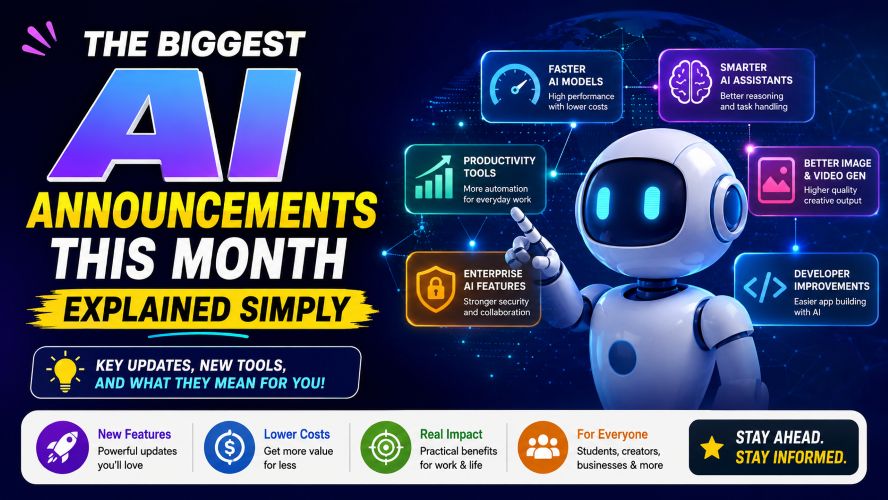
Quick Summary
| Update | Why It Matters |
|---|---|
| Smarter AI assistants | Better reasoning and task handling |
| Faster AI models | Improved speed with lower costs |
| AI productivity tools | More automation for everyday work |
| Better image and video generation | Higher quality creative output |
| Enterprise AI features | Stronger security and collaboration |
| Developer improvements | Easier app building with AI |
Bottom line: Most recent AI updates focus on making existing tools faster, smarter, and more practical rather than introducing completely new technology.
Why This Month’s AI Announcements Matter
Unlike previous months where companies competed mainly on model size, this month’s announcements focused on something more valuable:
- Better real-world performance
- Improved reliability
- Lower operating costs
- Easier integration into daily workflows
- More privacy and security controls
That’s good news because users care less about technical benchmarks and more about getting useful work done.
Smarter AI Assistants Are Becoming More Helpful
One of the biggest trends this month is the improvement of everyday AI assistants.
Instead of simply answering questions, newer assistants can now:
- Remember longer conversations
- Handle more complex requests
- Organize information better
- Complete multi-step tasks
- Produce more consistent results
What This Means for Everyday Users
Imagine asking an assistant to help plan a vacation.
Instead of only suggesting destinations, newer assistants can also:
- Compare hotel options
- Estimate travel budgets
- Build daily itineraries
- Recommend packing lists
- Create checklists
This saves time and reduces manual planning.
Faster AI Models Without Sacrificing Quality
Another major announcement this month focused on speed.
Many companies introduced optimized AI models that deliver answers much faster while maintaining strong accuracy.
Benefits
- Faster responses
- Lower subscription costs
- Better performance on mobile devices
- Reduced waiting time
- Improved multitasking
For businesses, this means lower operating expenses.
For individuals, it creates a smoother experience.
Must Read : Claude Prompts That Actually Work in 2026 (Tested Results)
Better AI Tools for Content Creation
Creative professionals received several important improvements this month.
Modern AI creative tools now offer:
Writing Improvements
- Better grammar suggestions
- Improved structure
- More natural tone
- Stronger editing capabilities
Image Improvements
- Higher-resolution images
- Better lighting
- More realistic details
- Improved prompt understanding
Video Improvements
- Longer video generation
- Better motion consistency
- Improved lip syncing
- Faster rendering
These improvements make creative workflows much more efficient.
AI Features Coming to Everyday Software
Perhaps the biggest change isn’t new AI apps.
It’s the growing number of existing software platforms adding intelligent features.
Examples include:
- Email writing assistance
- Spreadsheet analysis
- Automatic meeting summaries
- Presentation creation
- Document editing
- Task management
This means users won’t always need separate AI software because many favorite applications now include these capabilities.
AI for Businesses Is Becoming More Practical
Large organizations are paying closer attention to privacy and security.
This month’s announcements introduced improvements like:
- Better access controls
- Company knowledge integration
- Permission management
- Secure document processing
- Team collaboration features
Businesses now have more confidence adopting AI without exposing sensitive information.
Best AI Software Worth Watching
Many readers ask which platforms are currently worth trying.
Here’s a balanced overview.
| Tool Type | Best For | Ideal Users |
|---|---|---|
| Writing Assistant | Articles, emails, editing | Bloggers, marketers |
| Image Generator | Graphics and illustrations | Designers |
| Video Creator | Social media videos | Creators |
| Coding Assistant | Programming help | Developers |
| Productivity Assistant | Research and organization | Professionals |
AI Hardware Is Improving Too
Software isn’t the only area seeing progress.
This month also brought announcements around hardware designed specifically for AI workloads.
Key improvements include:
- Faster processing
- Better battery efficiency
- Improved graphics performance
- Lower energy consumption
This benefits laptops, smartphones, and cloud servers alike.
Comparison: This Month vs Previous Months
| Feature | Previous Months | This Month |
|---|---|---|
| Speed | Moderate | Much Faster |
| Accuracy | Good | Better |
| Cost Efficiency | Average | Improved |
| Productivity Features | Basic | Advanced |
| Business Support | Growing | Mature |
| Security | Standard | Enhanced |
The trend shows steady improvements rather than dramatic breakthroughs.
Pros and Cons of Recent AI Updates
| Pros | Cons |
|---|---|
| Faster performance | Some features require subscriptions |
| Better accuracy | Learning curve for beginners |
| More automation | Frequent updates can be confusing |
| Improved productivity | Premium plans may become expensive |
| Better creative tools | Not every feature is available worldwide |
Real-World Use Cases
For Students
Recent AI improvements can help with:
- Study summaries
- Research organization
- Presentation preparation
- Note taking
- Brainstorming
For Bloggers
Useful applications include:
- Content outlines
- Keyword research
- Grammar checking
- Meta descriptions
- Headline ideas
For Small Businesses
Businesses can automate:
- Customer support drafts
- Marketing campaigns
- Reports
- Meeting notes
- Internal documentation
For Freelancers
Freelancers benefit through:
- Faster proposals
- Client communication
- Project planning
- Content editing
- Workflow automation
Things to Consider Before Choosing an AI Tool
Not every platform fits every user.
Before subscribing, consider:
1. Your Primary Goal
Ask yourself:
- Writing?
- Coding?
- Marketing?
- Design?
- Research?
Different tools specialize in different tasks.
Must Read : Website X5 Agency Review: Worth It for Beginners?
2. Pricing
Free plans are often enough for beginners.
Premium plans make sense only if you’ll regularly use advanced features.
3. Privacy
Always review:
- Data handling
- Security policies
- File storage
- Account permissions
Especially if working with confidential information.
4. Ease of Use
Some platforms are beginner-friendly.
Others require technical knowledge.
Choose software that matches your experience level.
Who Should Pay Attention to These AI Updates?
These announcements matter most if you’re:
- Blogger
- Student
- Business owner
- Freelancer
- Digital marketer
- Software developer
- Content creator
- Remote worker
If your work involves writing, research, communication, or productivity, many of these improvements could save time.
Internal Linking Suggestions
Use these anchor texts within your site:
- Best AI Writing Tools
- AI Tools for Bloggers
- Beginner’s Guide to Artificial Intelligence
- Best Productivity Apps
- Free AI Tools for Students
- AI Image Generator Comparison
- Best Laptop for AI Workloads
- How to Use AI Safely Online
Frequently Asked Questions
What are the biggest AI announcements this month?
The biggest updates include smarter assistants, faster AI models, improved creative tools, better business security features, and wider AI integration into everyday software.
Which AI update is most useful for beginners?
Productivity features built into familiar apps are often the easiest starting point because they require little additional learning.
Are these new AI tools free?
Many platforms offer free plans with limited features. Advanced capabilities usually require a paid subscription.
Should small businesses start using AI now?
For many businesses, yes. Modern AI tools can assist with writing, customer communication, organization, and repetitive tasks while still requiring human review.
Are AI tools replacing professionals?
Current AI tools work best as assistants rather than replacements. Human judgment, creativity, and expertise remain essential for high-quality work.
Which industries benefit the most?
Marketing, education, software development, customer support, design, finance, and content creation continue to see some of the strongest productivity gains.
Is it worth upgrading to premium AI plans?
Upgrade only if you regularly use advanced features, larger usage limits, or business-focused collaboration tools. Casual users can often stay on free plans.
Final Verdict
This month’s AI announcements are less about flashy breakthroughs and more about meaningful improvements that make existing tools faster, more reliable, and easier to use.
For everyday users, the biggest wins are better productivity, smoother creative workflows, and smarter assistants that can handle increasingly complex tasks. Businesses benefit from stronger security and collaboration features, while creators and professionals gain tools that help reduce repetitive work without replacing human expertise.
Rather than trying every new platform, focus on the tools that solve a specific problem you face, whether that’s writing, research, design, coding, or organization. Testing a free plan first is usually the best way to decide if an upgrade is worthwhile.
Must Read : AI Tools for Content Writing Beginners (Top Picks)