
Ever recorded a perfect moment only to realize the video looks grainy, shaky, or low-quality?
It happens more often than you think, especially with older footage, low-light clips, or compressed videos from social media. The frustrating part? Most editing tools either overprocess your footage or take forever to deliver results.
That’s where Aiarty Video Enhancer steps in.
But is it actually worth your time and money? Let’s break it down in this in-depth review.
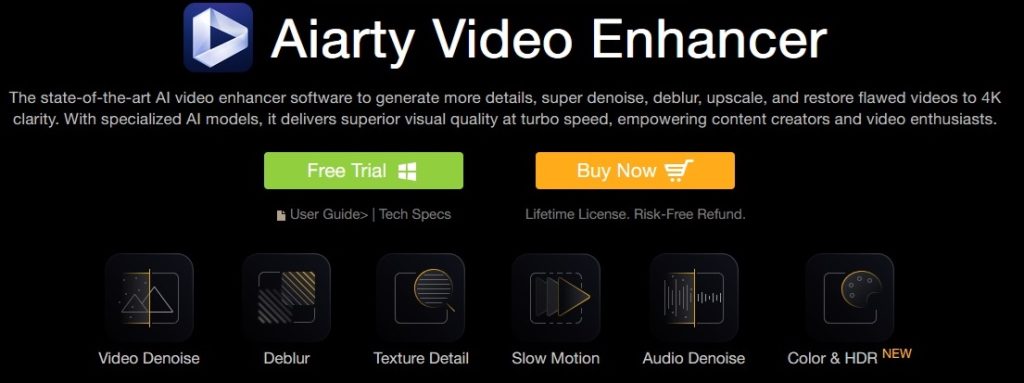
⚡ Quick Summary
- ✔ Upscales videos to 4K with sharp details
- ✔ Removes noise, blur, and grain
- ✔ Smooth slow motion (up to 16X)
- ✔ Fast processing with GPU acceleration
- ✔ Works offline (privacy-safe)
- ❌ Free version has limitations (short clips, watermark)
👉 Best for: Content creators, YouTubers, video editors, and anyone restoring old footage
👉 Verdict: A powerful, beginner-friendly AI video enhancer with excellent results
🔍 What is Aiarty Video Enhancer?
Aiarty Video Enhancer is a desktop-based video enhancement tool designed to:
- Improve video resolution
- Remove noise and blur
- Fix choppy playback
- Enhance audio clarity
- Convert SDR to HDR
Unlike basic editing tools, it uses advanced AI models trained on large datasets to restore realistic details—like skin texture, fabrics, and backgrounds—without making videos look artificial.
Must Read : Aiarty Image Enhancer Review: Features, Performance & Verdict
🎯 Key Features That Stand Out
1. 🔄 4K Upscaling with Detail Restoration
Aiarty transforms low-quality footage into crisp 4K visuals.
What makes it different?
- Restores fine textures (hair, skin, objects)
- Avoids “plastic” or over-sharpened look
- Ideal for old videos, YouTube content, and archives
👉 Use case: Turning old 720p videos into modern 4K content
2. 🌙 Super Denoise & Deblur
Perfect for:
- Night shots
- Indoor recordings
- Grainy smartphone videos
It intelligently removes:
- Noise
- Motion blur
- Compression artifacts
👉 Result: Cleaner, sharper visuals without losing natural detail
Must Read : Aiarty Image Matting Review: Precision Background Removal Made Simple
3. 🎬 Smooth Slow Motion (Up to 16X)
Using frame interpolation, Aiarty generates new frames between existing ones.
Benefits:
- Ultra-smooth slow-motion effects
- No stuttering or frame drops
- Great for sports, cinematic edits, and reels
4. ⚡ Turbo Mode (3X Faster Processing)
Speed is where Aiarty really shines.
| Tool Type | Processing Time |
|---|---|
| Aiarty | ~25 minutes |
| Other Software | ~1 hour 14 min |
| Online Tools | ~2+ hours |
👉 Powered by GPU acceleration (Nvidia, AMD, Apple Silicon)
5. 🔊 AI Audio Enhancement
Not just video—your audio gets a boost too.
- Removes background noise
- Enhances voice clarity
- Ideal for interviews, vlogs, podcasts
6. 🎨 SDR to HDR Conversion
Upgrade your videos with:
- Better contrast
- Richer colors
- Improved brightness
Includes modes:
- Neutral
- Bright
- Graded
7. 🔒 100% Offline Processing
Privacy matters.
Unlike online tools:
- Your videos stay on your device
- No uploads required
- No risk of data leaks
🧠 AI Models Explained (Simple Terms)
Aiarty uses three specialized models, each designed for different scenarios:
- Detail Model: Sharpens textures and edges
- Balanced Model: Natural-looking enhancement
- Low-Light Model: Best for dark, noisy footage
👉 This flexibility helps you get better results for different video types.
👍 Pros and 👎 Cons
✅ Pros
- Excellent 4K upscaling quality
- Fast processing with GPU support
- Beginner-friendly interface
- Works offline (secure)
- Powerful denoise & deblur tools
- Batch processing support
❌ Cons
- Free version has watermark
- Limited to short clips (under 120 seconds)
- Requires decent hardware for best performance
⚖️ Aiarty vs Other Video Enhancers
| Feature | Aiarty Video Enhancer | Typical Online Tools | Other AI Software |
|---|---|---|---|
| 4K Upscaling | ✅ High Quality | ⚠️ Basic | ✅ Good |
| Processing Speed | ⚡ Very Fast | 🐢 Slow | ⚠️ Medium |
| Offline Use | ✅ Yes | ❌ No | ⚠️ Partial |
| Audio Enhancement | ✅ Yes | ❌ No | ⚠️ Limited |
| Privacy | 🔒 High | ❌ Low | ⚠️ Medium |
👉 Bottom line: Aiarty offers the best balance of speed, quality, and privacy.
🎯 Real-World Use Cases
📹 1. YouTubers & Content Creators
- Upgrade old videos to 4K
- Improve visual quality without re-recording
📱 2. Social Media Creators
- Enhance Instagram reels & TikTok videos
- Create smooth slow-motion clips
🎞️ 3. Restoring Old Footage
- Fix blurry family videos
- Restore VHS or archived content
🎓 4. Online Educators
- Improve lecture recordings
- Clean up audio for better clarity
Must Read : Aiarty Image Enhancer Review – Upscale Photos to 32K Naturally
🛒 Free vs Paid Version
| Feature | Free Version | Full Version |
|---|---|---|
| Video Length | Up to 120 seconds | Unlimited |
| Watermark | Yes | No |
| Batch Processing | ❌ No | ✅ Yes |
| AI Features | ✅ Available | ✅ Full Access |
| Price | Free | Paid (one-time) |
👉 Tip: Start with the free version to test performance.
🧩 Things to Consider Before Buying
Before you upgrade, think about:
- 💻 Your system specs: GPU improves speed significantly
- 🎯 Your use case: Occasional vs professional use
- ⏱️ Video length: Free version is limited
- 🔒 Privacy needs: Offline tools are safer
❓ Frequently Asked Questions (FAQs)
1. Is Aiarty Video Enhancer safe to use?
Yes, it’s completely safe. It runs offline, meaning your files never leave your device.
2. Can it really convert videos to 4K?
Yes. It uses advanced AI models to upscale videos while restoring details—not just stretching pixels.
3. Does it work on low-end PCs?
It works, but performance improves significantly with a GPU.
4. Is there a free version available?
Yes, but it includes limitations like watermarks and short video length.
5. Can I enhance multiple videos at once?
Yes, batch processing is available in the paid version.
6. Does it improve audio quality too?
Absolutely. It includes AI audio denoise and voice enhancement.
7. What’s the difference between Turbo and Step Mode?
- Turbo Mode: Faster processing
- Step Mode: Higher quality, slower speed
🏁 Final Verdict: Is Aiarty Worth It?
If you’re serious about improving video quality without spending hours editing, Aiarty Video Enhancer is a solid choice.
It combines:
- Speed ⚡
- Quality 🎥
- Ease of use 👍
While the free version is limited, the full version unlocks its true potential—especially for content creators and professionals.
👉 Recommendation:
Start with the free version → Test your workflow → Upgrade if it fits your needs