
Remote work gives flexibility, but collaboration often suffers.
Ideas get scattered across chat apps, documents, and tools. Brainstorming sessions feel unstructured. Meetings end without clear outcomes.
If this sounds familiar, you’re not alone.
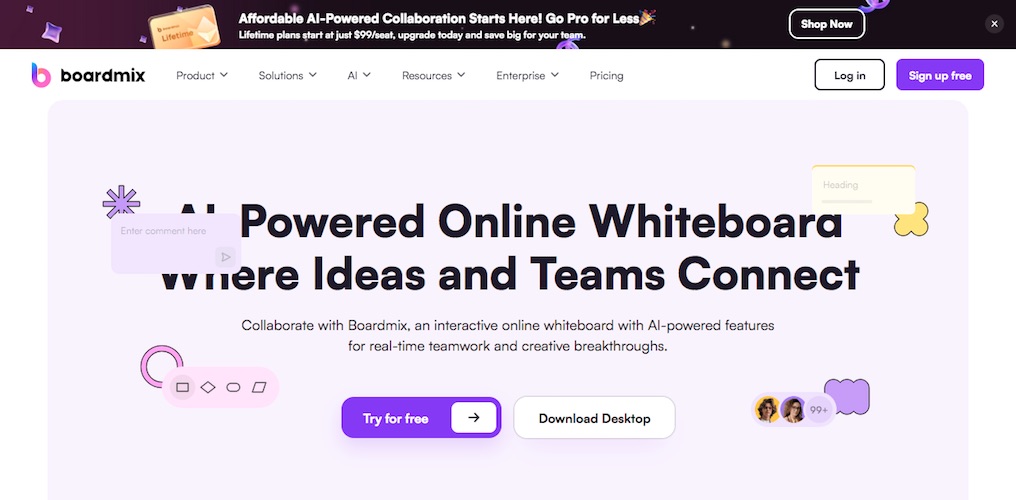
That’s exactly the problem Boardmix aims to solve.
In this detailed Boardmix review, we’ll explore how this AI-powered online whiteboard helps remote teams brainstorm, plan, and collaborate visually — all in one place.
By the end, you’ll know whether Boardmix is worth using for your team.
Quick Summary
Boardmix is ideal for:
- Remote and hybrid teams
- Visual brainstorming and planning
- Workshops, strategy sessions, and roadmaps
Key highlights:
- Infinite whiteboard canvas
- Built-in AI assistance for ideation and writing
- Real-time collaboration (up to 500 users)
- Powerful templates for meetings and workflows
👉 Best for teams that want structured visual collaboration without juggling multiple tools.
What Is Boardmix?
Boardmix is a cloud-based visual collaboration tool designed to help teams think, plan, and work together in real time.
Unlike basic online whiteboards, Boardmix combines:
- Diagramming
- Mind mapping
- Workflow planning
- Team collaboration
- Smart assistance features
All within a single visual workspace.
The goal is simple:
Bring ideas and teams together — no matter where they work from.
Boardmix Core Features Explained
Infinite Canvas for Unlimited Ideas
Boardmix offers an infinite canvas, allowing teams to:
- Brainstorm freely
- Map complex ideas
- Create large workflows and diagrams
There’s no need to squeeze ideas into fixed frames.
This is especially useful during early planning stages when ideas are still evolving.
Must Read : Highest Paying Bug Bounty Platforms (2026 Guide)
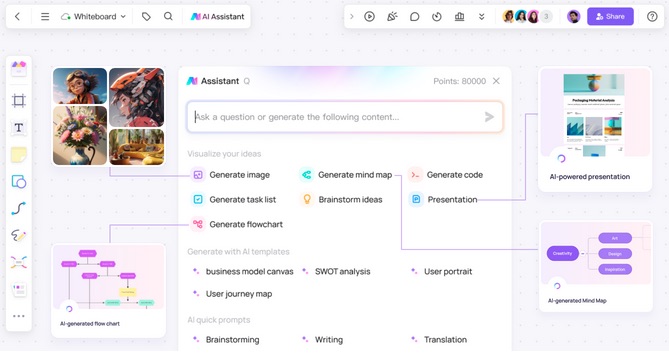
Flexible Diagram & Flowchart Builder
With Boardmix’s built-in diagram tools, you can easily create:
- Flowcharts
- Organizational charts
- System diagrams
- Customer journey maps
The drag-and-drop interface makes it accessible even for non-technical users.
Built-In Mind Mapping Tool
Boardmix includes a dedicated mind mapping feature that helps teams:
- Capture raw ideas quickly
- Organize thoughts logically
- Switch between layouts and themes
It’s perfect for:
- Strategy planning
- Product ideation
- Content planning
- Problem-solving sessions
Smarter Collaboration With Whiteboard AI
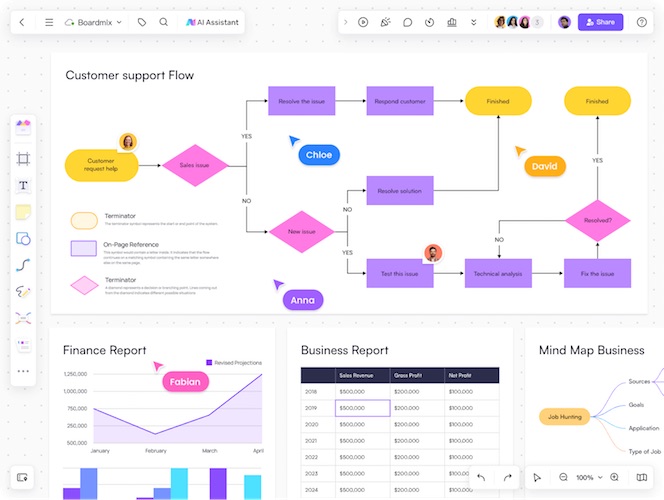
Boardmix integrates intelligent assistance directly into the whiteboard to help:
- Generate ideas faster
- Structure content clearly
- Draft notes during sessions
This feature supports creative thinking without interrupting team flow.
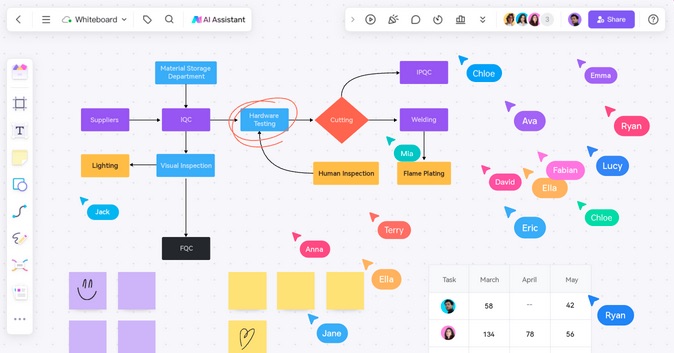
Real-Time Collaboration at Scale
Boardmix supports up to 500 collaborators simultaneously, making it suitable for:
- Company-wide brainstorming
- Remote workshops
- Training sessions
Team members can:
- Comment on ideas
- Mention teammates
- React using emojis
All updates happen instantly.
Must Read : How to update your drivers in Windows automatically
Ready-to-Use Templates
Boardmix offers a wide range of templates designed for real work scenarios, including:
- Meeting agendas
- Sprint planning boards
- Product roadmaps
- Prioritization frameworks
- Workshop facilitation layouts
Templates help teams skip setup and focus on execution.
Integrated Workflow Support
Boardmix fits easily into existing workflows by offering:
- Native integrations
- Simple sharing options
- Easy onboarding for new users
This makes adoption smoother for growing teams.
Who Is Boardmix Best For?
Boardmix is a versatile tool that supports many teams and roles.
Project Management Teams
- Visualize roadmaps
- Track progress
- Align stakeholders
Marketing Teams
- Plan campaigns visually
- Create buyer personas
- Organize content strategies
Sales Teams
- Collaborate internally
- Centralize customer insights
- Improve experience mapping
IT & Agile Teams
- Manage agile workflows
- Collaborate across hybrid teams
- Improve sprint planning
UX & Design Teams
- Build journey maps
- Run design sprints
- Collaborate with non-designers
Boardmix Pros and Cons
Pros
- Clean and intuitive interface
- Strong visual collaboration tools
- Supports large teams
- Excellent template library
- Reduces tool-switching
Cons
- May feel feature-heavy for solo users
- Some learning curve for advanced workflows
- Overkill for simple sketching needs
Boardmix vs Other Online Whiteboard Tools
| Feature | Boardmix | Typical Whiteboard Tools |
|---|---|---|
| Infinite Canvas | Yes | Sometimes |
| Smart Assistance | Yes | Rare |
| Templates | Extensive | Limited |
| Large Team Support | Up to 500 | Often lower |
| Diagram Tools | Advanced | Basic |
Key takeaway:
Boardmix is more suitable for structured, collaborative work than basic whiteboard tools.
Must Read : Why Is My Phone Screen Pressing Itself? Causes, Fixes, and Long-Term Solutions
Real-World Use Cases
Remote Brainstorming
Teams brainstorm visually instead of relying on endless calls and notes.
Strategy & Planning Workshops
Templates bring structure to discussions and help convert ideas into actions.
Cross-Functional Collaboration
Different departments collaborate in one shared visual space.
Training & Onboarding
Visual explanations speed up learning and understanding.
Things to Consider Before Choosing Boardmix
Before committing, consider:
- Team size
- Collaboration frequency
- Need for structured workflows
- Use of visual planning
Boardmix works best when collaboration is central to your work.
Frequently Asked Questions
Is Boardmix good for remote teams?
Yes, it’s built specifically for real-time remote and hybrid collaboration.
Is Boardmix beginner-friendly?
Yes. Templates and a clean interface make it accessible for beginners.
Can Boardmix replace multiple tools?
For many teams, yes. It combines whiteboarding, planning, and diagramming.
Does Boardmix support large workshops?
Yes, up to 500 users can collaborate simultaneously.
Is Boardmix suitable for project management?
Yes, especially for visual roadmaps and progress tracking.
Does Boardmix support mind mapping?
Yes, it includes a flexible mind mapping tool.
Is Boardmix better than basic whiteboards?
If you need structured collaboration and scalability, yes.
Internal Linking Suggestions
- Best online whiteboard tools for remote teams
- Visual collaboration software comparison
- How to run effective remote brainstorming sessions
Final Verdict: Should You Use Boardmix?
If your team relies on visual thinking, structured planning, and remote collaboration, Boardmix is a strong choice.
It goes beyond simple whiteboarding and acts as a central visual workspace for modern teams.
Recommended for:
- Remote-first teams
- Cross-functional collaboration
- Strategy and planning-heavy workflows