


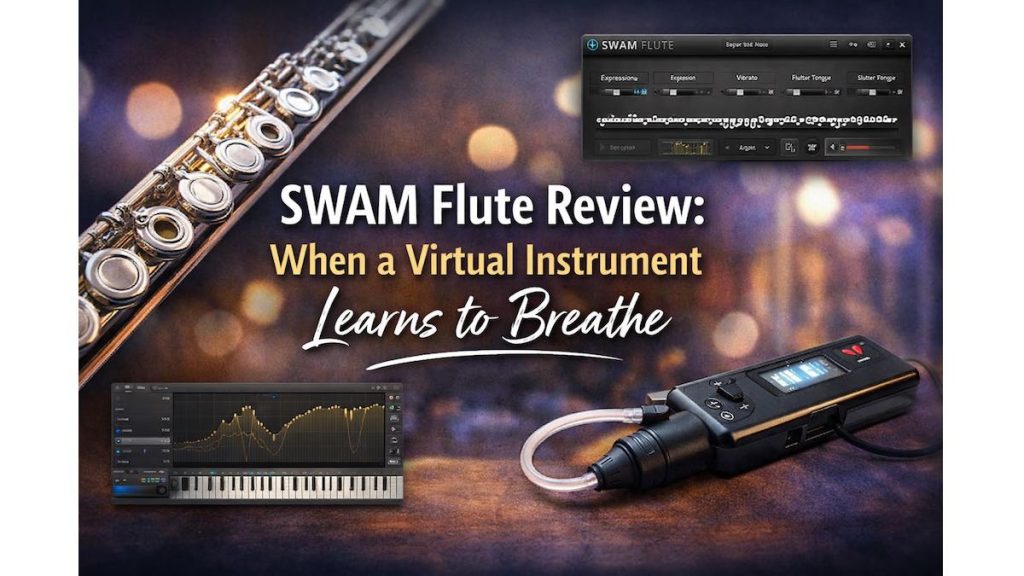
Virtual Instrument is a blessing if you use it in the right way. Especially this SWAP Flute software will inable you to use a virtual flue environment. If you’ve ever tried to create a realistic flute part using traditional sample libraries, you already know how frustrating it can be.
You deal with endless keyswitches.
Vibrato that sounds mechanical.
Breaths that feel pasted on instead of performed.
Even after hours of tweaking, the result often sounds correct—but not human.
This is exactly the problem SWAM Flute was designed to solve.
Instead of relying on samples, it uses physical modeling to recreate how a real flute reacts to breath, pressure, and articulation in real time.
So the big question is simple:
Does SWAM Flute actually feel like playing a real instrument? And is it worth the price?
Let’s find out.
Quick Summary
- Best for: Composers, producers, and performers who value expression
- Sound realism: Extremely high with expressive controllers
- System impact: Very small disk usage, moderate CPU
- Learning curve: Moderate but rewarding
- Price: €249 (Flute, Alto Flute, Bass Flute, Piccolo)
Bottom line:
If expressive performance matters more than massive sample libraries, SWAM Flute is one of the most realistic virtual flutes available today.
What Is SWAM Flute?
SWAM Flute is part of the SWAM Solo Woodwinds series by Audio Modeling.
Unlike traditional sample-based plugins, SWAM instruments use real-time physical modeling. That means the sound is generated dynamically, based on how you play, rather than triggered from pre-recorded samples.

The result is an instrument that responds naturally to dynamics, articulation, and phrasing.
What’s Included in the SWAM Flutes Bundle?
The bundle includes four modeled instruments:
- Concert Flute
- Alto Flute
- Bass Flute
- Piccolo
Each instrument shares the same expressive engine while covering a wide tonal range—from light melodic lines to deep, cinematic textures.
Must Read : How to Recover Deleted Files Easily (Step-by-Step Guide)
Why SWAM Flute Feels Different
The secret behind SWAM Flute’s realism is simple:
Everything is driven by breath dynamics.
On a real flute, vibrato, expression, flutter tongue, and tone color all come from how air moves through the instrument. SWAM models this behavior directly.
What This Means for You
Instead of managing dozens of automation lanes, you can:
- Control expression, vibrato, and tone with a single MIDI CC
- Perform natural crescendos and decrescendos
- Use a breath controller for near-acoustic realism
Nothing feels “triggered.”
It feels performed.
Sound Quality and Realism
Tone Quality
The tone is clean, flexible, and highly responsive. You can smoothly move between:
- Soft, breathy pianissimo
- Focused lyrical lines
- Strong, airy accents
There are no velocity layers or sample switching artifacts—just continuous sound shaping.
Vibrato Behavior
Vibrato is not an effect that turns on or off.
It emerges naturally from dynamics:
- Gentle playing produces subtle vibrato
- Increased breath pressure creates wider vibrato
This detail alone places SWAM Flute ahead of many traditional flute VSTs.
Real-Time Playability
This is where SWAM Flute truly stands out.
It is designed to be played, not programmed.
Supported Controllers
- Mod wheel
- Expression pedal
- Breath controllers
- Advanced MIDI and MPE workflows
With the right controller setup, SWAM Flute feels closer to a real instrument than a plugin.
If you enjoy performing parts instead of drawing automation, this alone can transform your workflow.
Must Read : How to Recover Deleted WhatsApp Messages Without Backup
What’s New in Version 3
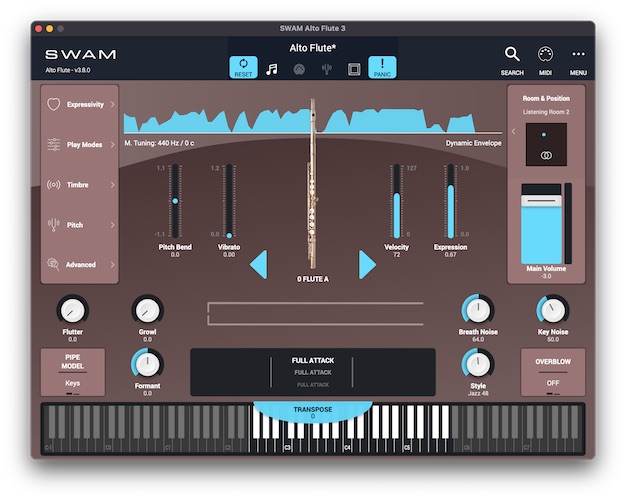
Version 3 brings major improvements in both realism and usability.

Key Improvements
- Improved sound behavior compared to v2
- Standalone application support
- VST3, AAX, and NKS compatibility
- Native Apple Silicon support
- Completely redesigned user interface
- Standing wave visualization
- Extensive MIDI mapping and presets
- Microtuning and MAQAM support
- Accessibility support
These updates make SWAM Flute far more approachable and flexible than earlier versions.
System Requirements and Performance
Disk Space and RAM Usage
One of SWAM Flute’s biggest advantages is how lightweight it is.
- Disk usage: Approximately 114–690 MB total
- RAM usage:
- macOS: around 100 MB per instance
- Windows: around 70 MB per instance
This makes it ideal for laptops and mobile production setups.
CPU Load
- Minimum recommended CPU: 1.6 GHz Core 2 Duo (single instance)
- Modern systems handle multiple instances comfortably
Overall, the performance balance is excellent.
Supported Formats and Compatibility
macOS
- macOS 10.13 and later
- Audio Units, VST, VST3, AAX
- Native Apple Silicon support
Windows
- Windows 10 and 11
- VST, VST3, AAX
Additional Support
- NKS integration (VST3)
- Standalone mode with Bluetooth MIDI
- Full accessibility framework support
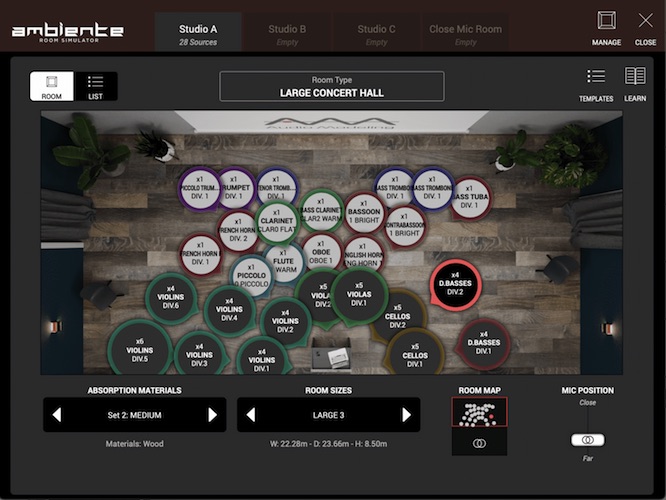
Ambiente Room Simulator Integration
SWAM Flute works seamlessly with Ambiente, Audio Modeling’s room simulation environment.
Why Ambiente Matters
- Place multiple instruments in the same virtual space
- Choose up to three rooms with different sizes and materials
- Adjust microphone distance and early reflections
- Maintain consistent spatial realism across projects
This is especially useful for orchestral and cinematic scoring.
Must Read : QnE Companion Review: Free Windows Utilities to Boost Productivity
Pros and Cons
Pros
- Extremely expressive and realistic
- Breath-based performance control
- Very small disk footprint
- No sample loading times
- Excellent for live performance
- Includes four flute types in one bundle
Cons
- Premium price point
- Requires expressive controllers for best results
- Not ideal for preset-only workflows
SWAM Flute vs Sample-Based Flute Libraries
| Feature | SWAM Flute | Sample Libraries |
|---|---|---|
| Disk space | Very small | Very large |
| Expression | Real-time | Pre-recorded |
| Vibrato | Dynamic | Fixed layers |
| Playability | Excellent | Limited |
| Workflow | Performance-based | Programming-based |
If expressive realism matters, SWAM Flute clearly has the advantage.
Who Should Use SWAM Flute?
Ideal For
- Film, TV, and game composers
- Producers needing expressive melodic lines
- Live performers using MIDI controllers
- Sound designers exploring microtonal music
Not Ideal For
- Absolute beginners without MIDI controllers
- Users looking for instant, one-click realism
- Very tight budgets
Buying Guide: Things to Consider
Before buying, ask yourself:
- Do I own a mod wheel, expression pedal, or breath controller?
- Do I prefer performing parts over programming them?
- Do I value expressive nuance over massive sample libraries?
If you answered yes to most of these, SWAM Flute is likely a great fit.
Check price if you want to see current offers.
See full features for controller compatibility details.
Frequently Asked Questions
Is SWAM Flute good for beginners?
Yes, but it shines most when paired with expressive MIDI controllers.
Does SWAM Flute require a breath controller?
No, but using one significantly improves realism.
Can SWAM Flute be used for live performance?
Yes, it is well suited for low-latency live playing.
How does SWAM Flute compare to Kontakt libraries?
SWAM focuses on real-time expression, while Kontakt libraries rely on samples.
Is it CPU-heavy?
CPU usage is moderate, but RAM and disk usage are very low.
Does it support Apple Silicon?
Yes, it runs natively on Apple Silicon.
Is there a free trial?
Yes, a 15-day trial is available.
Internal Linking Suggestions
- Best MIDI Controllers for Expressive Playing
- Physical Modeling vs Sample Libraries
- Best Woodwind Plugins for Film Scoring
- How to Use Breath Controllers in a DAW
Final Verdict
SWAM Flute is not just another flute plugin.
It represents a different approach—one that prioritizes performance over programming.
If you are willing to learn its expressive controls, the reward is flute parts that breathe, move, and feel genuinely human.
Highly recommended for composers and performers who value realism.
Sometimes the most realistic sound doesn’t come from more samples—but from better modeling.