


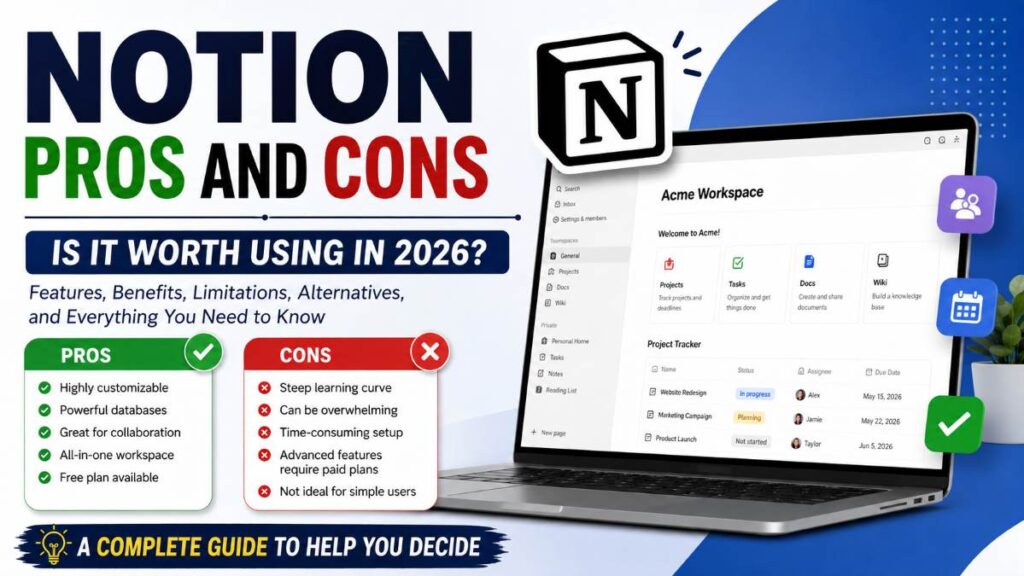
If you have ever opened Notion and thought, “This looks powerful, but do I really need all of this?” — you are not alone. In this guide you will get to know about Notion pros and cons.
Notion has grown from a simple note-taking app into an all-in-one workspace for documents, databases, projects, wikis, calendars, and more. That flexibility is one of its biggest strengths, but it can also be one of its biggest weaknesses.
The real question is not whether Notion has useful features. It does.
The better question is whether those features make your everyday work easier — or simply give you another system to manage.


In this guide, we will look at the most important Notion pros and cons, including its features, learning curve, pricing, performance, collaboration tools, customization, and limitations.
Quick Answer: What Are the Main Notion Pros and Cons?
Notion pros
- Flexible workspace for notes, documents, tasks, and databases
- Excellent customization options
- Useful database and project-management features
- Strong collaboration capabilities
- Templates can reduce setup time
- Free plan available for individual users
- Notion Calendar integrates with the workspace
- Useful AI features on eligible plans
- Can replace several lightweight productivity tools
Notion cons
- Can feel overwhelming for beginners
- Takes time to build a good workspace
- Too much customization can become distracting
- Some advanced features require paid plans
- Large or complicated workspaces can become difficult to maintain
- Database features have a learning curve
- Not everyone needs an all-in-one productivity system
Bottom line: Notion is an excellent choice if you want a highly customizable workspace. However, if you only need simple notes or a straightforward task list, a simpler application may be easier.
What Is Notion?
Notion is a flexible productivity and workspace platform that combines documents, notes, databases, project management, wikis, and other organizational tools in one environment.
Instead of having one application for notes, another for project tracking, and another for internal documentation, you can build many of those systems inside Notion.
At its simplest, you can use Notion like a digital notebook.
But you can also create:
- Personal knowledge bases
- To-do lists
- Content calendars
- Project dashboards
- Reading lists
- CRM-style databases
- Company wikis
- Meeting notes
- Product roadmaps
- Editorial calendars
- Habit trackers
- Study planners
Notion’s current feature set also includes databases with properties, filters, subtasks and dependencies, along with forms, charts, publishing tools and integrations.
Must Read : Best AI Writing Tools for Bloggers (2026): Top Picks to Write Better and Faster
That flexibility explains why Notion appeals to both beginners and experienced users.
It also explains why the app can sometimes feel like too much.
Notion Pros and Cons at a Glance
| Category | Pros | Cons |
|---|---|---|
| Ease of use | Clean interface and visual organization | Learning curve for advanced features |
| Customization | Extremely flexible | Easy to over-customize |
| Notes | Excellent for structured notes | Simple note-taking can be faster elsewhere |
| Databases | Powerful filtering and views | Can take time to understand |
| Project management | Tasks, views, dependencies and dashboards | Dedicated PM tools may offer deeper features |
| Collaboration | Comments, sharing and team workspaces | Advanced team controls require higher plans |
| Templates | Large variety of starting points | Too many choices can create decision fatigue |
| Pricing | Free plan available | Advanced features can require paid plans |
| AI | Integrated into the workspace | Full AI capabilities are tied to higher-tier plans |
| Productivity | Can consolidate multiple workflows | Building and maintaining the system takes effort |
The Biggest Notion Pros
1. Notion Is Extremely Flexible
This is probably Notion’s biggest advantage.
You are not forced into one particular workflow.
A traditional productivity application might tell you exactly how to organize tasks. Notion gives you building blocks and lets you decide how those blocks should work together.
For example, a freelancer could create a workspace containing:
- Client database
- Project tracker
- Invoice tracker
- Content calendar
- Meeting notes
- Personal task list
A student could instead create:
- Course dashboard
- Assignment tracker
- Class notes
- Reading database
- Exam schedule
The same application can support both workflows.
2. Notion Databases Are Powerful
Notion databases are one of the features that separate it from a basic note-taking application.
You can store information in structured databases and then view that information in different ways.
For example, imagine you create a content database containing:
- Article title
- Keyword
- Category
- Status
- Writer
- Deadline
- Publication date
You could then create different views for the same information.
One view might show a calendar.
Another could display a board grouped by status.
Another could show only articles assigned to a particular writer.
This means you do not necessarily need to duplicate information just because you want to look at it differently.
3. It Works Well for Personal Knowledge Management
Notion can be particularly useful if you like keeping information organized in one place.
You can build a personal knowledge base containing:
- Book notes
- Research
- Tutorials
- Important links
- Ideas
- Project information
- Personal documentation
The advantage is that these pieces of information can be connected rather than existing as isolated notes.
For someone who regularly researches topics, writes content, studies, or manages multiple projects, that can be extremely useful.
Must Read : How to Self-Host a Notion Alternative on a $5 VPS (Step-by-Step Guide)
4. Notion Is Highly Customizable
Notion allows you to build pages around the way you actually work.
You can use:
- Headings
- Checklists
- Tables
- Databases
- Callouts
- Toggles
- Images
- Embedded content
- Code blocks
- Charts
- Linked databases
Notion’s documentation system currently supports dozens of content types, including code blocks, toggles, media, tables of contents and charts.
This makes it possible to create anything from a minimalist notes page to a detailed company dashboard.
5. Templates Can Save Time
You do not always have to build everything from scratch.
Templates can provide a starting structure for common workflows.
For example, instead of spending an hour designing a project tracker, you can start with a suitable template and modify it.
This is especially useful for beginners.
The important thing is not to assume that every template will perfectly match your workflow.
A template should be a starting point — not something you feel obligated to copy exactly.
6. Collaboration Is a Major Strength
Notion can work well for teams that need shared documentation and project information.
Team members can collaborate on pages, leave comments, and organize shared knowledge.
This can be particularly useful for:
- Meeting notes
- Company documentation
- Project plans
- Product requirements
- Team wikis
- Content workflows
Notion’s current business features also include more advanced permissions, teamspaces and integrations.
7. The Free Plan Is Useful for Individuals
One of the biggest reasons people try Notion is that there is a free plan.
Notion currently lists its Free plan at $0 per member per month for individuals, with features such as pages, databases, basic forms, web publishing and Notion Calendar.
That makes it possible to experiment with the platform before committing financially.
The Biggest Notion Cons
The advantages are impressive, but Notion is not perfect.
And these disadvantages are important because they can determine whether you actually enjoy using it.
1. Notion Can Be Overwhelming for Beginners
This is probably the most common criticism.
When you first start using Notion, the blank page can feel liberating.
It can also feel intimidating.
Must Read : Best AI Writing Tools for Bloggers (2026): Top Picks to Write Better and Faster
You may quickly encounter terms such as:
- Blocks
- Databases
- Relations
- Rollups
- Properties
- Views
- Filters
- Templates
- Linked databases
You do not need to understand all of these immediately.
But if you want to create a sophisticated workspace, there is definitely a learning curve.
2. Too Much Customization Can Become a Problem
More flexibility is not always better.
You can spend an entire afternoon creating a beautiful productivity dashboard and then realize that you have spent more time managing your system than doing your actual work.
This is a genuine Notion disadvantage.
A productivity system should reduce friction.
If maintaining the system becomes a task itself, it may need to be simplified.
A good rule is:
Build the simplest Notion workspace that solves your actual problem.
You can always add complexity later.
3. Notion Has a Learning Curve for Databases
Basic pages are easy.
Advanced databases are another story.
Once you start using relations, formulas, filters, multiple views and dependencies, Notion becomes significantly more sophisticated.
That is great if you enjoy customization.
It is less attractive if you simply want to create a task list and move on.
For basic users, starting small is usually the better approach.
4. Advanced Features Can Increase the Cost
Notion offers multiple plans, and the difference between plans matters if you need advanced collaboration, administration or AI functionality.
As currently listed by Notion, the Plus plan is $10 per member/month, while Business is $20 per member/month when priced monthly. Enterprise uses custom pricing.
Pricing and plan features can change, so it is sensible to check the current pricing page before purchasing.
The key question is not simply:
“Is Notion expensive?”
Instead ask:
“Will I actually use the features I am paying for?”
For an individual who only needs notes and basic organization, the free plan may be sufficient.
For a growing team, the calculation can be different.
5. Notion AI Is Not Equally Available Across All Plans
Notion has increasingly integrated AI into its workspace.
However, this is another area where plan differences matter.
Notion currently states that Free and Plus users receive limited complimentary AI responses for trying the functionality, while full Notion AI access is associated with Business and Enterprise plans.
That means you should not choose a Notion plan solely because you see an AI feature advertised.
Check exactly what is included in the plan you intend to purchase.
Notion Features and Benefits
Here is a practical breakdown of the features that matter most.
| Feature | Best For | Main Benefit |
|---|---|---|
| Pages | Notes and documentation | Flexible content organization |
| Databases | Structured information | Powerful sorting and filtering |
| Templates | Beginners | Faster setup |
| Projects | Teams and freelancers | Centralized project tracking |
| Wikis | Organizations | Shared knowledge |
| Forms | Collecting information | Turn responses into organized data |
| Charts | Reporting | Visualize database information |
| Calendar | Scheduling | Connect calendar-based workflows |
| AI | Writing and research workflows | Work with information inside the workspace |
| Publishing | Simple websites and documentation | Share pages online |
Notion’s current product offering combines docs, projects and wikis within the same workspace, rather than treating them as completely separate products.
Notion vs Other Productivity Tools
Is Notion better than every alternative?
No.
The right choice depends on what you need.
| If Your Priority Is… | Consider |
|---|---|
| Flexible all-in-one workspace | Notion |
| Very simple notes | A dedicated notes app |
| Highly specialized project management | A dedicated project-management platform |
| Traditional document editing | A conventional word processor |
| Lightweight task management | A simple to-do application |
| Team knowledge base | Notion or a dedicated wiki platform |
The important distinction is flexibility versus specialization.
Notion’s strength is combining several types of work.
A specialized application may be better if you need extremely advanced functionality in one specific area.
Who Should Use Notion?
Notion is particularly worth considering if you are:
A Student
Use it for:
- Class notes
- Assignment tracking
- Study plans
- Reading lists
- Exam preparation
A Freelancer
You can combine:
- Client information
- Projects
- Deadlines
- Notes
- Content calendars
- Task management
A Content Creator
Notion can become an editorial hub for:
- Keyword research
- Article ideas
- Content briefs
- Publishing schedules
- Sponsorship information
- Content updates
A Small Business
Teams can use it for:
- Company documentation
- Meeting notes
- Project management
- Internal wikis
- Product planning
A Productivity Enthusiast
If you enjoy designing systems and experimenting with workflows, Notion gives you plenty of room to customize.
Who Should Probably Avoid Notion?
Notion may not be the best fit if you:
- Want the simplest possible notes application
- Dislike customizing software
- Prefer rigid workflows
- Need highly specialized project-management features
- Become distracted by productivity-system design
- Only need a basic checklist
This is an important point.
You do not need a powerful application simply because it has more features.
Sometimes the best productivity tool is the one you actually use consistently.
Real-World Notion Use Cases
Example 1: Managing a Blog
Imagine you run a technology blog.
You could create a content database with:
Idea → Researching → Writing → Editing → Published
Each article could contain its own page with:
- Primary keyword
- Secondary keywords
- Search intent
- Outline
- Sources
- Images
- Internal-link ideas
- Publishing date
This can create a single home for your editorial workflow.
Example 2: Personal Project Management
Suppose you are launching a personal website.
Your project database might include:
| Task | Status | Priority | Deadline |
|---|---|---|---|
| Buy domain | Done | High | May 3 |
| Design homepage | In progress | High | May 8 |
| Write About page | Not started | Medium | May 10 |
| Publish website | Not started | High | May 15 |
You can then create different views without rebuilding the underlying information.
That is where Notion starts becoming more useful than a traditional list.
Things to Consider Before Choosing Notion
Before signing up for a paid plan, ask yourself these questions:
1. What problem am I trying to solve?
Do not start by building a complicated dashboard.
Start with the problem.
2. Do I need databases?
If you only want notes, you may not need advanced database functionality.
3. Will I collaborate with other people?
If yes, investigate the current team and permission features.
4. Do I need AI?
If AI is important to you, compare the current plan limitations carefully.
5. Am I willing to learn the system?
Notion becomes more powerful as you learn it, but that learning takes time.
6. Can I accomplish the same thing with a simpler tool?
This is perhaps the most important question.
More features do not automatically mean better productivity.
Is Notion Worth It?
For many users, yes.
But the answer depends heavily on how you work.
If you want an adaptable workspace where notes, databases, projects and documentation can live together, Notion is one of the more compelling options available.
If you simply want to write down a grocery list or create a basic reminder, Notion could be unnecessary complexity.
The best way to judge it is to start small.
Try creating one useful workspace instead of attempting to redesign your entire life on day one.
CTA: See Notion’s current features and plans and decide whether the free or paid option fits your workflow.
Frequently Asked Questions About Notion
Is Notion good for beginners?
Yes, but beginners should start with simple pages and gradually learn databases and advanced features. Trying to build a complicated workspace immediately can make Notion feel more difficult than it actually is.
What are the main advantages of Notion?
The biggest advantages are flexibility, customizable databases, templates, collaboration, documentation, project-management features and the ability to combine several workflows in one workspace.
What are the disadvantages of Notion?
The main disadvantages include its learning curve, potentially overwhelming customization, database complexity and the fact that some advanced capabilities are available only on higher-tier plans.
Is Notion free?
Yes. Notion currently offers a Free plan for individual use. Paid plans are available for users and teams that need additional features. Check the current plan details before purchasing because pricing and included features can change.
Is Notion good for students?
Yes. Students can use Notion for notes, assignments, study planning, project organization and knowledge management. Eligible students and educators may also qualify for additional plan benefits.
Is Notion better than a normal note-taking app?
It depends. Notion is better when you want structured information, databases and interconnected workflows. A simpler note-taking application may be better if you only want fast, uncomplicated notes.
Is Notion good for project management?
Notion can be effective for personal projects and many team workflows. It supports tasks, subtasks, dependencies, database views and project dashboards. However, teams with highly specialized project-management requirements may prefer a dedicated project-management platform.
Is Notion worth paying for?
It can be if you regularly use the additional features included in a paid plan. Before upgrading, compare the current plans and determine whether the features solve a problem you actually have.
Final Verdict: Should You Use Notion?
The biggest Notion pros and cons ultimately come down to one thing: flexibility.
That flexibility can be incredibly useful.
You can create a personal knowledge base, manage projects, write documentation, organize a content calendar and track structured information without constantly jumping between different applications.
But flexibility has a price.
Notion takes some time to learn, and it is surprisingly easy to build a system that is more complicated than your actual needs.
Notion is a strong choice if you want:
- An all-in-one workspace
- Customizable databases
- Flexible documentation
- Personal knowledge management
- Project organization
- Team collaboration
- Templates and reusable workflows
You may want something simpler if you need:
- Basic note-taking
- A straightforward task list
- Minimal customization
- A highly specialized productivity workflow
My recommendation: Start with the free plan and build one small workflow around a real problem. If you consistently use Notion and run into limitations, then consider upgrading.
That approach is usually better than paying for advanced features before you know whether you actually need them.