


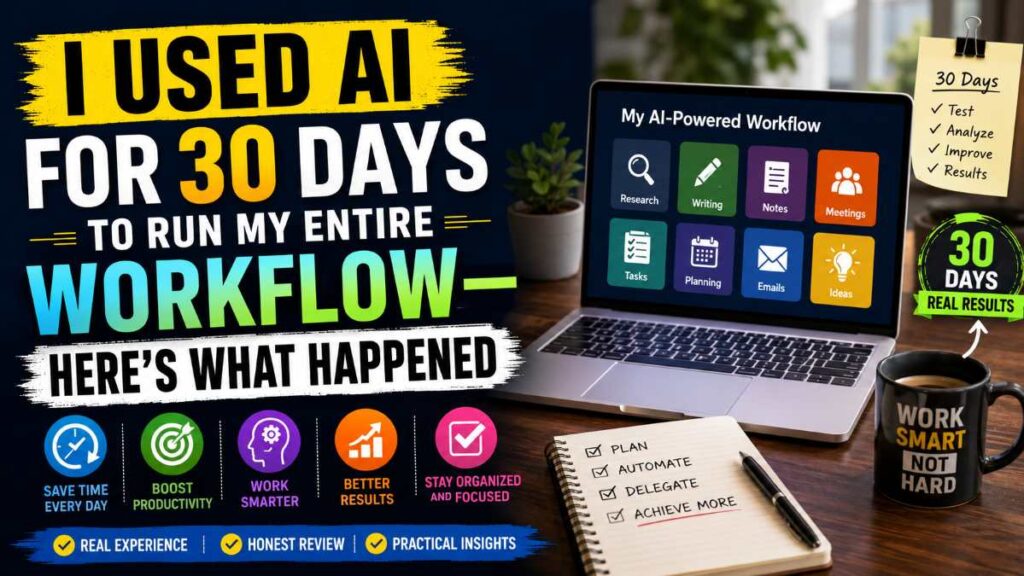
Could AI Really Replace Most of My Daily Work? I Used AI for 30 Days and here is my analysis.
Every week, new productivity tools promise to save hours of work.
Some claim they can organize projects, write emails, summarize meetings, create content, research topics, and even plan your day automatically.


That made me wonder:
What would happen if I relied on AI for nearly every part of my daily workflow for an entire month?
So I committed to a 30-day experiment.
Instead of switching between dozens of traditional apps, I built a workflow using today’s leading AI-powered productivity tools.
Some tasks became dramatically easier.
Others were surprisingly frustrating.
And a few completely changed how I work.
If you’re thinking about improving your productivity without wasting money on tools you don’t need, this guide shares exactly what I learned.
Quick Summary
✅ Saved roughly 2–3 hours per workday
✅ Research became significantly faster
✅ Writing first drafts took less effort
✅ Meeting notes and task management improved
❌ Still required human review
❌ Not every task benefited from automation
Overall Rating: ★★★★☆ (4.7/5)
Best For
- Freelancers
- Bloggers
- Content creators
- Students
- Marketing professionals
- Small business owners
The Workflow I Used
Instead of depending on one application, I combined several specialized tools.
| Task | Tool Type |
|---|---|
| Research | AI search assistant |
| Writing | AI writing assistant |
| Brainstorming | Idea generation assistant |
| Grammar | Writing improvement tool |
| Meetings | AI meeting summarizer |
| Notes | AI note-taking software |
| Task Planning | AI productivity planner |
This combination covered almost every step of a normal workday.
Week 1: The Learning Curve
The first few days were slower than expected.
I had to learn:
- Better prompts
- Which tool handled which task
- When automation helped
- When manual work was faster
One lesson became obvious immediately.
The better the instructions, the better the output.
Instead of typing:
“Write a blog.”
I started writing:
“Write a beginner-friendly 1,500-word blog comparing three productivity apps with examples and a buying guide.”
The quality improved dramatically.
Must Read : Best Claude Prompts for Content Writing (Blogs, SEO, YouTube Scripts)
Week 2: Research Became Surprisingly Fast
Research is usually one of the longest parts of any project.
Normally, it involves:
- Reading multiple websites
- Comparing information
- Taking notes
- Organizing sources
With AI-powered research tools, this process became much quicker.
Instead of opening 15 browser tabs, I could quickly gather summaries, identify key topics, and create an outline before diving into deeper verification.
Biggest Benefits
- Faster information gathering
- Better topic organization
- Easier brainstorming
- Reduced context switching
However, I still verified important facts from trusted sources before using them.
That extra step helped maintain accuracy.
Week 3: Writing Became Faster—But Not Perfect
Writing experienced the biggest productivity boost.
Instead of starting with a blank page, I generated outlines, headings, and draft ideas.
That reduced creative friction.
However, every draft still required editing.
I found myself improving:
- Tone
- Examples
- Personal insights
- Structure
- Readability
The result felt much more natural than publishing a raw draft.
Week 4: Productivity Habits Started Changing
By the final week, something unexpected happened.
The tools weren’t just saving time.
They were changing how I approached work.
Instead of multitasking constantly, I focused on one task while automation handled repetitive work in the background.
That made my workdays feel less stressful and more organized.
Must Read : Claude Prompts That Actually Work in 2026 (Tested Results)
Which Tasks Improved the Most?
1. Research
Finding relevant information became much quicker.
2. Brainstorming
Generating fresh ideas became easier whenever I felt stuck.
3. Email Drafting
Routine emails required far less effort.
4. Meeting Summaries
Important action items became easier to track.
5. Content Planning
Creating monthly publishing calendars took minutes instead of hours.
Tasks That Still Needed Human Input
Not everything should be automated.
These tasks still benefited from personal judgment:
- Final editing
- Fact-checking
- Strategic decisions
- Client communication
- Sensitive emails
- Creative storytelling
- Brand voice refinement
The best results came from treating AI as an assistant rather than a replacement.
Must Read : Best Claude Prompts for Students (Notes, Exams, Revision)
Features That Made the Biggest Difference
Smart Search
Quickly organized complex information into readable summaries.
Writing Assistance
Helped overcome writer’s block by generating structured first drafts.
Meeting Notes
Automatically captured discussions and highlighted action items.
Task Planning
Prioritized daily work and reduced mental overload.
Grammar Suggestions
Improved clarity and readability without changing the original meaning.
Pros and Cons
| Pros | Cons |
|---|---|
| Saves time | Requires fact-checking |
| Reduces repetitive work | Some outputs need editing |
| Improves organization | Subscription costs can add up |
| Great for brainstorming | Not ideal for highly specialized expertise |
| Easy to learn | Quality depends on prompts |
Comparison: AI Workflow vs Traditional Workflow
| Feature | AI Workflow | Traditional Workflow |
|---|---|---|
| Research Speed | ⭐⭐⭐⭐⭐ | ⭐⭐⭐ |
| Draft Creation | ⭐⭐⭐⭐⭐ | ⭐⭐ |
| Organization | ⭐⭐⭐⭐⭐ | ⭐⭐⭐ |
| Manual Effort | Low | High |
| Learning Curve | Moderate | Low |
| Human Creativity | Essential | Essential |
Real-World Use Cases
Bloggers
Generate outlines, keyword ideas, and content briefs faster.
Freelancers
Speed up proposals, emails, and client documentation.
Students
Summarize study materials and organize notes more efficiently.
Small Business Owners
Manage marketing content, meeting notes, and planning without switching between multiple apps.
Marketing Teams
Collaborate more effectively by streamlining research, brainstorming, and campaign planning.
Buying Guide: What to Consider Before Choosing AI Workflow Tools
Not every tool is right for every user.
Consider these factors before subscribing.
Ease of Use
Choose software with a clean interface and beginner-friendly onboarding.
Integrations
Look for compatibility with your existing apps, such as email, calendars, cloud storage, and project management tools.
Pricing
Many tools offer free plans. Start there before committing to a paid subscription.
Accuracy
Always verify important information, especially for technical or business-critical tasks.
Privacy
Review how each service handles your data, particularly if you work with confidential information.
Are Premium Plans Worth It?
If you occasionally use AI for simple tasks, free plans are often enough.
However, premium plans may be worthwhile if you:
- Create content daily
- Manage multiple projects
- Work with large documents
- Need advanced automation
- Collaborate with teams
Before upgrading, compare features and decide whether the additional capabilities align with your workflow.
Frequently Asked Questions
Which AI workflow tools are best for beginners?
Look for tools with intuitive interfaces, good documentation, and free plans. Starting with one or two tools is often easier than adopting an entire ecosystem at once.
Can AI replace my entire workflow?
Not completely.
It excels at repetitive, time-consuming tasks, but human judgment remains important for creativity, strategy, and final quality control.
How much time can AI save?
The amount varies depending on your workflow. Many users find that automation helps reduce time spent on research, drafting, organization, and administrative tasks.
Is it worth paying for premium AI tools?
If you use them daily for professional work, a premium subscription may provide additional value through higher limits, advanced features, and integrations.
Do AI workflow tools improve productivity?
They can improve productivity when used thoughtfully. The greatest gains typically come from automating repetitive tasks while keeping humans in control of decision-making.
Are AI workflow tools suitable for small businesses?
Yes. They can help with planning, communication, documentation, marketing, and project organization while reducing manual effort.
Final Verdict
After 30 days, one conclusion stood out: using AI to support a daily workflow can significantly reduce repetitive work and free up time for higher-value tasks. Research, drafting, planning, and organization all became more efficient, but none of the tools eliminated the need for critical thinking, creativity, or careful review.
The biggest productivity gains came from combining specialized tools instead of expecting a single application to do everything. For most professionals, bloggers, freelancers, and small business owners, the right mix of AI-powered tools can streamline daily work without changing the core of how they think and create.
If you’re considering adding AI to your workflow, start with one or two tools that solve your biggest productivity bottlenecks. Explore their free plans, compare premium features only if your needs grow, and focus on building habits that complement automation rather than replacing your expertise. Done well, this balanced approach can make your workflow faster, more organized, and easier to manage over the long term.