


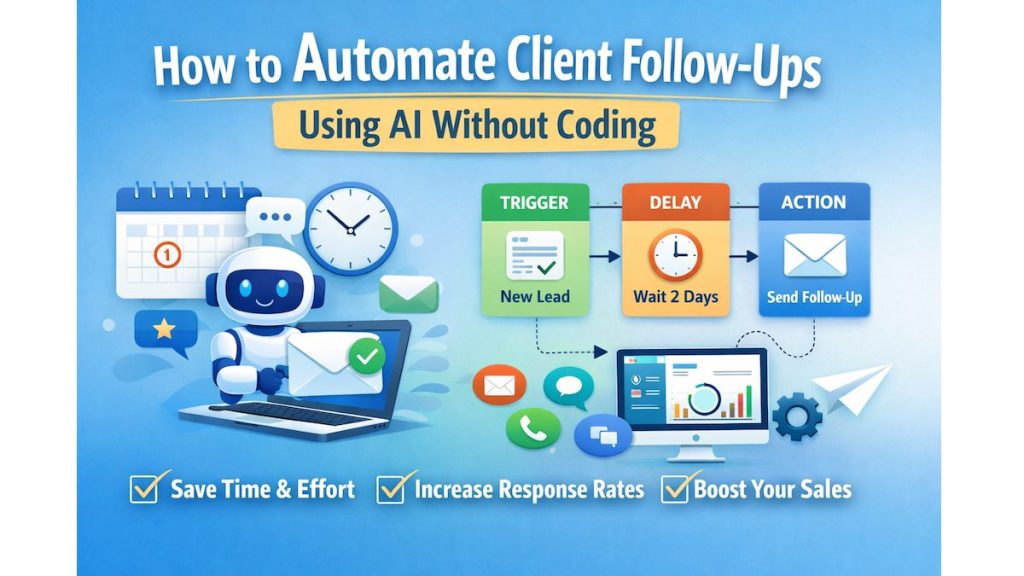
You close a call. You promise to follow up. Then life happens. Days pass. The client forgets you. The deal goes cold. If you run a business, freelance, or manage clients, follow-ups are not optional, they’re revenue critical. Yet manually chasing emails, reminders, and messages is exhausting and error-prone. Here’s the good news: You can fully automate client follow ups without writing a single line of code and without hiring developers or changing your workflow. How to Automate Client Follow-Ups Using AI Without Coding is the big question. In this guide, you’ll learn exactly how to set it up, which tools work best, and how to choose the right solution for your business size and goals.

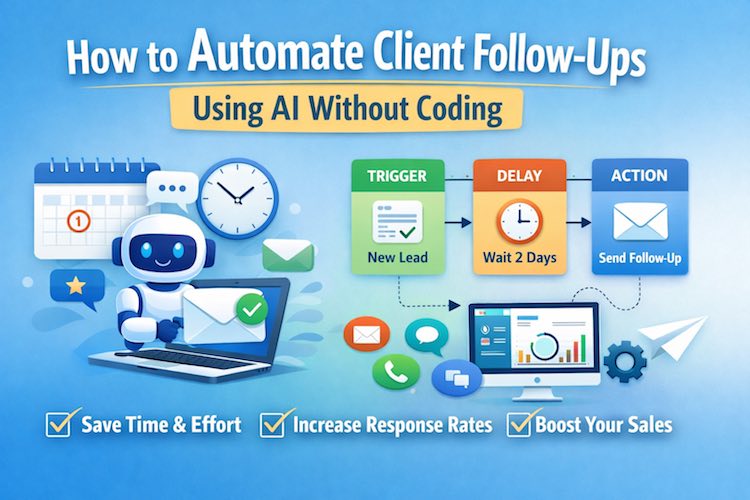
Quick Summary
- Follow-ups can be automated using no-code automation platforms
- Works for email, CRM, WhatsApp, SMS, and calendar-based follow-ups
- Ideal for freelancers, agencies, consultants, and service businesses
- Requires zero technical knowledge
- Can save 5–10+ hours per week while improving response rates
Why Follow-Up Automation Matters More Than Ever
Most clients don’t respond after the first message. Not because they’re uninterested—but because they’re busy.
Consistent follow-ups:
- Increase reply rates
- Improve trust and professionalism
- Shorten sales cycles
- Reduce manual workload
The problem isn’t sending follow-ups.
It’s remembering, timing, and personalizing them at scale.
That’s where smart automation comes in.
Must Read : Best Music Equalizer for Windows: I Tested Them All
What “Automation Without Coding” Really Means
No-code automation allows you to connect apps visually using simple rules like:
“If this happens → then do that”
For example:
- If a lead fills out a form → send a follow-up email
- If a client doesn’t reply in 3 days → send a reminder
- If a meeting ends → send a recap message
You don’t need technical skills—just logic.
Core Components of Automated Client Follow-Ups
To automate follow-ups properly, you need three building blocks:
1. A Trigger
What starts the follow-up?
- New lead
- Meeting completed
- Email opened but not replied
- Proposal sent
2. A Delay or Condition
When should the follow-up happen?
- After 1 day
- After 3 days of no response
- After a status change
Must Read : How to get Sales Online? – Easiest Performance Marketing Trick
3. An Action
What happens next?
- Send email
- Send WhatsApp message
- Create CRM task
- Notify you
Best No-Code Tools for Automating Client Follow-Ups
Below are the most reliable platforms used by professionals today.
Zapier
Best for: Connecting multiple apps together
Zapier acts as the glue between your tools. You can connect email, CRMs, calendars, and messaging apps without coding.
Key Benefits:
- Works with 5,000+ apps
- Simple visual automation builder
- Reliable for follow-up workflows
Use Case:
Automatically send follow-up emails when a CRM deal stage changes.
HubSpot
Best for: CRM-based follow-up automation
HubSpot includes built-in automation for emails, reminders, and pipelines.
Key Benefits:
- Free CRM option
- Email scheduling and tracking
- Automated task creation
Use Case:
Send follow-up emails if a lead doesn’t respond within 48 hours.
Mailchimp
Best for: Email-only follow-up sequences
Mailchimp works well for nurturing leads automatically.
Key Benefits:
- Pre-built email journeys
- Behavior-based triggers
- Beginner-friendly interface
Use Case:
Automated onboarding follow-ups after sign-up.
Pipedrive
Best for: Sales-focused follow-up automation
Designed for sales teams and consultants.
Key Benefits:
- Visual sales pipelines
- Automated reminders
- Email and activity syncing
Calendly
Best for: Post-meeting follow-ups
Automate messages after meetings end.
Use Case:
Send recap and next-step emails automatically.
Comparison Table: Which Tool Is Right for You?
| Tool | Best For | Learning Curve | Automation Depth |
|---|---|---|---|
| Zapier | App-to-app automation | Low | High |
| HubSpot | CRM follow-ups | Low | Medium |
| Mailchimp | Email sequences | Very Low | Medium |
| Pipedrive | Sales pipelines | Medium | High |
| Calendly | Meeting follow-ups | Very Low | Low |
Step-by-Step: Automate Follow-Ups Without Coding
Step 1: Map Your Follow-Up Flow
Ask yourself:
- When should follow-ups happen?
- How many touches are needed?
- Which channel works best?
Step 2: Choose One Tool (Don’t Overcomplicate)
Start with one platform before stacking tools.
Step 3: Write Human Follow-Up Messages
Automation fails when messages feel robotic.
Tips:
- Use first names
- Reference previous interactions
- Keep it short and polite
Step 4: Set Delays Strategically
Spacing matters:
- Day 1: Friendly reminder
- Day 3: Value-based follow-up
- Day 7: Final check-in
Real-World Use Cases
Freelancers
- Automatically follow up on proposals
- Send reminders for unpaid invoices
Agencies
- Onboarding follow-ups
- Project milestone check-ins
Coaches & Consultants
- Post-call summaries
- Session reminder messages
Small Businesses
- Lead nurturing
- Appointment confirmations
Pros and Cons of Automated Follow-Ups
✅ Pros
- Saves time
- Increases response rates
- Consistent communication
- Scales effortlessly
❌ Cons
- Poor setup can feel impersonal
- Over-automation may annoy clients
- Requires occasional monitoring
Buying Guide: What to Look For
Before choosing a tool, consider:
- Integration with your current apps
- Ease of setup
- Customization options
- Pricing scalability
- Support & documentation
FAQs – People Also Ask
1. Can I automate follow-ups without technical skills?
Yes. Modern tools are designed for non-technical users with visual builders.
2. Is this suitable for small businesses?
Absolutely. Many tools offer free or low-cost plans.
3. Will clients know messages are automated?
Only if messages are poorly written. Personalization prevents this.
4. Can I automate WhatsApp follow-ups?
Yes, using supported integrations and approved messaging tools.
5. Is automation safe for client relationships?
When done thoughtfully, it improves consistency and trust.
6. How many follow-ups should I automate?
Usually 3–5 touches per client interaction is ideal.
Internal Linking Suggestions
- client communication best practices
- CRM tools for small businesses
- email follow-up templates
- no-code automation guides
Final Verdict: Is Follow-Up Automation Worth It?
If you value your time, want higher response rates, and hate manual reminders—this is a no-brainer.
Automating client follow-ups without coding:
- Reduces stress
- Improves professionalism
- Helps you close more deals
Start small. Automate one follow-up.
Then scale once you see results.