


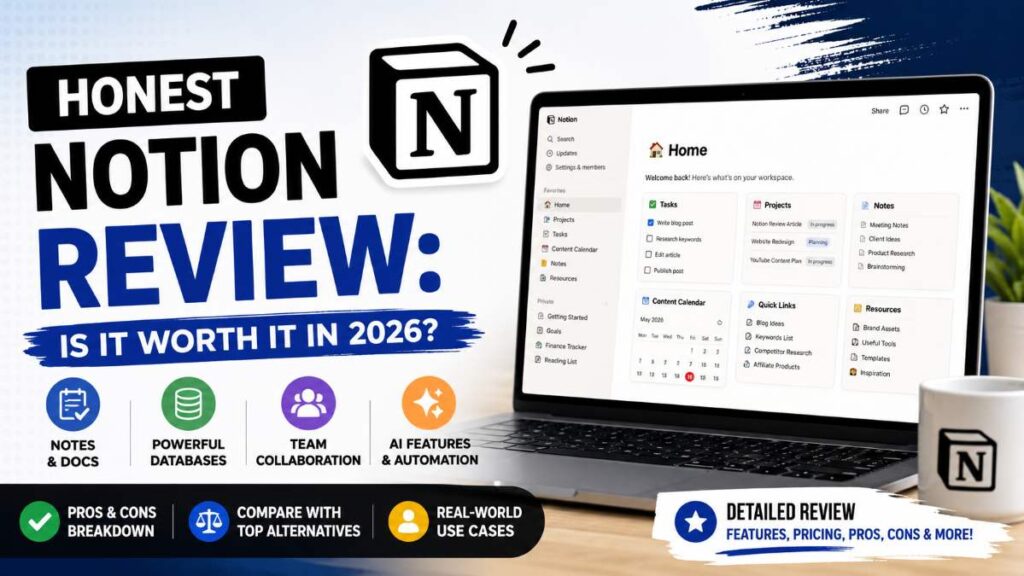
Notion is worth trying if you want a flexible workspace for notes, documents, databases, projects, and knowledge management.
Its biggest advantage is flexibility. You can build a simple notes system or create a detailed workspace for managing projects, content, research, and team documentation. In this Honest Notion Review you will get to know about Notion.
The flexibility can also make Notion confusing for beginners. If you prefer software that works without much customization, a simpler application may suit you better.


Honest Notion Review
| Category | Our Take |
|---|---|
| Ease of use | Good, but advanced features require learning |
| Flexibility | Excellent |
| Note-taking | Excellent |
| Databases | Excellent |
| Project management | Good for many workflows |
| Team collaboration | Very good |
| Customization | Excellent |
| Overall | 4.5/5 |
What Is Notion?
Notion is an all-in-one productivity and workspace platform that lets you create documents, notes, databases, wikis, project systems, and other types of organized information.
Instead of using one application for notes, another for task lists, and a separate tool for documentation, you can build many of these workflows inside Notion.
The platform is based around pages and blocks. A page can contain paragraphs, headings, checklists, images, tables, databases, files, embeds, and other elements.
This means you can keep things extremely simple or build a detailed workspace around the way you work.
Why Is Notion So Popular?
The main reason is simple: Notion does not force you into one particular way of organizing your information.
For example, a student could use it for class notes and assignments. A blogger could create a content calendar and keyword database. A freelancer could manage client projects. A small business could use it as an internal knowledge base.
You can use Notion for:
- Personal notes and journals
- Task management
- Content calendars
- Project planning
- Research databases
- Company wikis
- Meeting notes
- Knowledge management
- Team documentation
That range of use cases is one of the main reasons Notion has become popular among students, creators, professionals, and teams.
Notion Features You Should Know About
1. Notion Pages and Blocks
Pages are the foundation of Notion.
You can start with a blank page and add only what you need. A basic page might contain nothing more than text and a checklist, while a more advanced page could contain multiple databases, project information, links, files, and documentation.
This block-based approach makes Notion particularly adaptable.
Must Read : Best AI Writing Tools for Bloggers (2026): Top Picks to Write Better and Faster
2. Notion Databases
Databases are one of the features that make Notion more than a traditional note-taking application.
You can create databases for tasks, articles, books, customers, projects, research material, or almost anything else you need to organize.
For example, a technology blogger could create a database containing:
- Article title
- Primary keyword
- Search intent
- Content status
- Publishing date
- Affiliate product
- Update date
You can then filter and sort that information according to your workflow.
3. Templates
Not everyone wants to build a workspace from scratch. That’s where templates can help.
Templates give you a starting structure that you can customize. This can be useful for content planning, project management, meeting notes, personal organization, and other recurring tasks.
The important thing is not to use a template simply because it looks impressive. Choose one that solves an actual problem in your workflow.
4. Collaboration
Notion is also designed for collaborative work.
Teams can create shared documentation, project pages, meeting notes, wikis, and other resources in the same workspace.
This can be particularly useful when a team wants information and project documentation to live together rather than being spread across several services.
5. Notion AI
Notion also offers integrated AI features that can assist with tasks such as writing, editing, summarizing, answering questions about workspace information, and working with content stored in Notion.
However, AI availability and usage limits depend on the plan.
If Notion AI is the main reason you’re considering a subscription, check the current plan details before purchasing.
Tip: Don’t choose a Notion plan solely because you see AI listed among its features. Make sure the specific AI access you need is included in the plan you’re considering.
Notion Pricing: Is the Free Plan Good Enough?
For many individual users, the free version is the best place to start.
Notion offers different plans for individuals, professionals, teams, and larger organizations. The exact features, limits, and prices can change over time, so it is always worth checking the official pricing page before subscribing.
| Plan Type | Suitable For | General Purpose |
|---|---|---|
| Free | Individuals | Personal notes, planning, and basic workflows |
| Plus | Individuals and smaller teams | More advanced workspace capabilities |
| Business | Growing teams | Team collaboration and advanced features |
| Enterprise | Large organizations | Advanced administration and organizational controls |
| Our advice: Don’t pay for Notion simply because you like the idea of having a sophisticated productivity system. | ||
| Start with the free plan. Use it for a real project. If you eventually discover that you need a paid feature, then upgrading becomes a much easier decision. | ||
| CTA: Check the latest Notion plans and compare the features before you subscribe. |
Notion Pros and Cons
| Pros | Cons |
|---|---|
| Highly customizable | Can feel overwhelming at first |
| Excellent database functionality | Advanced features require learning |
| Notes and projects can be connected | Easy to create unnecessarily complicated systems |
| Useful for individuals and teams | Some advanced features require paid plans |
| Large template ecosystem | May be excessive for simple note-taking |
| Integrated AI capabilities | AI access varies by plan |
What I Like About Notion
Everything Can Connect
This is probably Notion’s biggest advantage.
Imagine you’re working on a technology article. You could keep your keyword research, article outline, notes, publishing schedule, and product research inside connected pages and databases.
Instead of searching through multiple apps to find information, your workflow can remain in one workspace.
That can make a noticeable difference when you’re managing a large amount of information.
It Can Grow With You
You don’t have to build a complicated system on day one.
You can begin with a simple notes page and gradually add databases, calendars, project views, documentation, and other features when you actually need them.
This makes Notion suitable for both beginners and advanced users—as long as beginners resist the temptation to build everything immediately.
Where Notion Could Be Better
An honest Notion review should not ignore the frustrating parts.
The Learning Curve
Notion’s flexibility comes with a cost: there is more to learn.
Basic note-taking is easy. But databases, relationships, formulas, views, permissions, and more advanced workflows can take time to understand.
If you’re new to Notion, don’t try to build a massive productivity system immediately.
Start with one problem and solve it.
Once you’re comfortable, add features gradually.
You Can Overcomplicate Everything
This is one of the biggest traps with flexible productivity software.
You can spend hours creating dashboards, icons, databases, and complicated workflows when a simple checklist would have been enough.
The best Notion workspace isn’t necessarily the most impressive one.
It’s the one you actually use.
Must Read : How to Self-Host a Notion Alternative on a $5 VPS (Step-by-Step Guide)
Notion vs Obsidian vs ClickUp
Notion isn’t the only productivity application worth considering. Depending on your needs, alternatives may be a better fit.
| Platform | Best For | Main Strength |
|---|---|---|
| Notion | All-in-one workspace | Flexible pages, databases, documents, and collaboration |
| Obsidian | Personal knowledge management | Linked notes and customizable knowledge systems |
| ClickUp | Project and task management | Task-focused workflows and project organization |
| Choose Notion if you want a flexible workspace that combines notes, documents, databases, and projects. | ||
| Consider Obsidian if connected personal notes and knowledge management are your main priorities. | ||
| Consider ClickUp if detailed project and task management is more important than flexible documentation. | ||
| There isn’t a universal winner. The right choice depends on how you work. |
How Notion Can Be Used in the Real World
Notion for Students
Students can use Notion to organize lecture notes, assignments, reading lists, exam preparation, project deadlines, and personal schedules.
The database feature can also be useful for tracking assignments and deadlines in one place.
The key is to keep the system simple enough that it supports studying instead of becoming another project.
Notion for Bloggers
For bloggers, Notion can become a central content-management workspace.
You can use it for:
- Keyword research
- Content briefs
- Article outlines
- Publishing schedules
- Affiliate product research
- Content updates
- Internal linking opportunities
- Editorial planning
This makes Notion particularly useful for publishers managing a growing content library.
Must Read : Best AI Writing Tools for Bloggers (2026): Top Picks to Write Better and Faster
Notion for Freelancers
Freelancers can use Notion to organize client information, project notes, deliverables, meeting notes, recurring processes, and task lists.
A well-designed workspace can give freelancers a single place to review what needs to be done without constantly switching between applications.
Notion for Small Teams
Small teams can use Notion as a shared knowledge base for company documentation, processes, onboarding material, project information, and meeting notes.
It can be especially useful when the same information needs to be accessed by different members of a team.
Is Notion Good for Bloggers and Affiliate Marketers?
Notion isn’t an SEO platform, and it shouldn’t be treated as one.
It won’t replace keyword research software, Google Search Console, technical SEO tools, analytics platforms, or other specialist tools.
However, it can be extremely useful for managing the content workflow behind an affiliate website.
For example, you can use Notion to:
- Organize keyword ideas
- Track content status
- Create article briefs
- Manage product research
- Record affiliate disclosure requirements
- Plan internal links
- Track content updates
- Manage publishing schedules
The important distinction is that Notion helps you organize your SEO work. It doesn’t replace the specialized tools you use to perform SEO research and measurement.
Who Is Notion Best For?
Notion is particularly useful for:
- Students who want organized notes and planning
- Bloggers managing content and research
- Freelancers handling multiple projects
- Creators building content systems
- Small teams sharing documentation
- Professionals who enjoy customizable workflows
If you enjoy creating your own systems, Notion is likely to feel more powerful than restrictive.
Who Should Avoid Notion?
Notion may not be the best choice:
- If you only need basic notes
- If you dislike customizing software
- If you want a highly specialized project-management platform
- If you prefer a simple, ready-made workflow
- If you tend to spend more time designing systems than using them
In those situations, a more focused application could provide a better experience.
Things to Check Before Buying Notion
Before upgrading to a paid plan, ask yourself these questions:
- What problem am I trying to solve? Identify the specific limitation you’re experiencing.
- Do I actually need the paid features? If the free plan does everything you need, there may be no reason to upgrade.
- Do I need AI? Check the current AI features and usage limits for the plan you’re considering.
- Will I use the workspace regularly? A productivity application only creates value when it becomes part of your actual routine.
Don’t let the number of available features determine your buying decision. Focus on the features you’ll actually use.
Frequently Asked Questions About Notion
Is Notion free?
Yes. Notion has a free plan that provides core workspace functionality, particularly for individual users. Paid plans provide additional capabilities for professionals, teams, and organizations.
Is Notion worth paying for?
Notion can be worth paying for if you need features that aren’t available on the free plan. The best approach is to start with the free version and upgrade only when you have a specific reason.
Is Notion good for students?
Yes. Students can use Notion for notes, assignments, deadlines, study plans, reading lists, and personal organization.
Is Notion good for project management?
Notion can work well for many project-management workflows, especially when project documentation and notes are important. Teams that need highly specialized project-management functionality may prefer dedicated project-management software.
Does Notion have AI?
Yes. Notion includes integrated AI capabilities for tasks such as writing, editing, summarizing, and working with information in your workspace. Available features and usage limits depend on your plan.
Is Notion better than Obsidian?
It depends on your needs. Notion is particularly strong for databases, documents, collaboration, and structured workspaces. Obsidian is especially appealing to people who prioritize linked personal notes and knowledge management.
Can Notion replace other productivity apps?
For some users, yes. Notion can combine notes, documents, databases, wikis, and project workflows. However, specialized applications may still be better for particular tasks.
Is Notion difficult for beginners?
The basics are relatively easy to learn, but advanced features can take time. Beginners should start with a simple workflow instead of trying to build a complicated productivity system immediately.
Final Verdict: Should You Use Notion?
After looking at its features, flexibility, limitations, pricing approach, and alternatives, Notion earns a strong recommendation—but with one important condition.
Don’t overcomplicate it.
Notion is at its best when it solves a real organizational problem. If you need a place for notes, databases, documents, projects, research, and team knowledge, it can bring those workflows together in a useful way.
On the other hand, if all you need is a basic note-taking application, Notion may offer more flexibility than you actually need.
For most beginners, the smartest approach is to start with the free plan. Create one useful workspace, use it for a real project, and upgrade only if the paid features provide enough value for your needs.
Our final rating: 4.5/5
Notion is flexible, powerful, and useful across a wide range of workflows. Its main weakness is also its greatest strength: there are so many ways to use it that you need to decide which ones actually matter to you.
Ready to explore Notion?
Check the current features and pricing, start with the plan that matches your needs, and see whether it fits naturally into your workflow.