


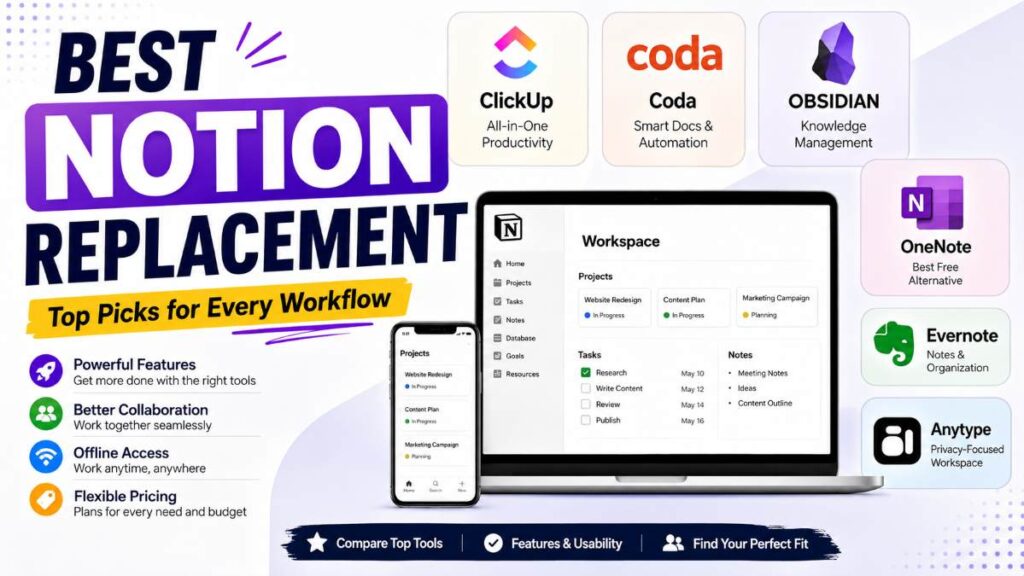
If you’ve been using Notion for a while, you’ve probably experienced at least one of these frustrations:
- Pages taking too long to load
- Limited offline functionality
- A learning curve that’s steeper than expected
- Missing features that fit your workflow
Notion is still one of the most popular productivity tools available. It combines note-taking, databases, project management, and collaboration into a single workspace. But it’s not the perfect fit for everyone.

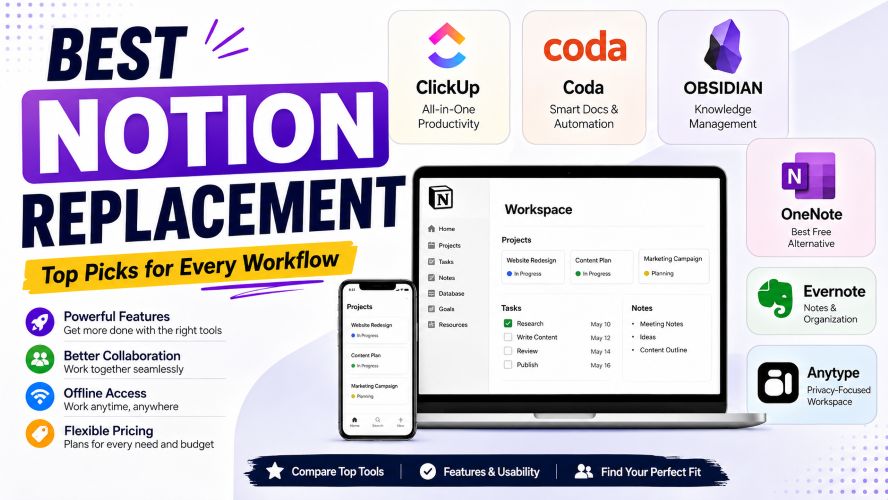
The good news is that there are several excellent alternatives. Some are faster. Others offer better project management, stronger document editing, enhanced privacy, or more intuitive interfaces.
In this guide, you’ll discover the best Notion alternatives for personal productivity, business collaboration, students, creators, and remote teams. Instead of focusing only on feature lists, we’ll look at real-world usability, strengths, weaknesses, pricing, and who each platform is best suited for.
Whether you’re switching completely or simply exploring better options, this comparison will help you choose confidently.
Quick Summary
| Tool | Best For | Free Plan | Starting Price |
|---|---|---|---|
| ClickUp | All-in-one productivity | ✅ | Affordable paid plans |
| Coda | Smart documents & automation | ✅ | Premium upgrades available |
| Obsidian | Personal knowledge management | ✅ | Optional paid sync |
| Evernote | Notes and organization | Limited | Premium subscription |
| Microsoft OneNote | Students & Microsoft users | ✅ | Free with Microsoft account |
| Anytype | Offline-first productivity | ✅ | Free plan available |
If you want the short answer:
- Best overall: ClickUp
- Best for personal knowledge management: Obsidian
- Best free alternative: OneNote
- Best collaborative workspace: Coda
- Best privacy-focused choice: Anytype
Why People Are Looking for a Notion Replacement
Notion has grown into one of the most versatile productivity platforms available today. Yet many users eventually begin searching for alternatives.
Here are some common reasons:
Performance Issues
Large workspaces can become noticeably slower over time, especially when managing extensive databases or media-rich pages.
Limited Offline Access
Although offline capabilities have improved, users who frequently travel or work without reliable internet often prefer tools designed for local-first workflows.
Learning Curve
Notion is incredibly flexible—but that flexibility comes with complexity. Beginners may spend hours building systems before becoming productive.
Better Project Management
Some users need advanced task tracking, workload management, timelines, or automation that specialized productivity tools provide more naturally.
Privacy Concerns
Professionals handling sensitive information sometimes prefer applications that prioritize local storage, end-to-end encryption, or self-hosting.
What Makes a Great Notion Alternative?
Before switching, it’s important to understand what actually matters.
A good replacement isn’t simply packed with features—it should improve your daily workflow.
Here are the most important factors to consider.
1. Ease of Use
The best productivity software should help you organize information—not make organization itself feel like work.
Look for:
- Clean interface
- Fast navigation
- Minimal setup
- Easy customization
2. Collaboration Features
If you work with clients or teams, collaboration becomes essential.
Useful collaboration tools include:
- Real-time editing
- Comments
- Task assignments
- Version history
- Shared workspaces
- Permissions
3. Speed and Reliability
Fast software keeps you focused.
Consider:
- Workspace loading speed
- Search performance
- Mobile responsiveness
- Large document handling
Must Read : Top 25 AI Tools That Can Replace Hours of Work in 2026
4. Cross-Platform Support
Most people work across multiple devices.
Your ideal tool should support:
- Windows
- macOS
- Linux
- Android
- iPhone
- Web browser
Automatic syncing is a major advantage.
5. Offline Capability
Reliable offline access is becoming increasingly important.
Some alternatives store files locally first and sync later, making them ideal for:
- Travelers
- Students
- Writers
- Researchers
6. Customization
Every workflow is different.
The best apps let you create:
- Templates
- Databases
- Dashboards
- Wikis
- Task boards
- Knowledge bases
without overwhelming you.
How We Selected These Alternatives
Instead of choosing the biggest names only, we evaluated each platform using practical criteria.
Our selection considered:
- Ease of learning
- Features
- Collaboration tools
- Mobile experience
- Offline support
- Performance
- Value for money
- Free plan quality
- Long-term scalability
- Community support
This approach ensures every recommendation is suitable for both beginners and experienced users.
Best Notion Alternatives Compared
Before diving into detailed reviews, here’s a quick comparison.
| Feature | Notion | ClickUp | Coda | Obsidian | OneNote | Anytype |
|---|---|---|---|---|---|---|
| Notes | ✅ | ✅ | ✅ | ✅ | ✅ | ✅ |
| Databases | ✅ | ✅ | ✅ | Limited | No | Basic |
| Project Management | Good | Excellent | Good | Basic | Basic | Basic |
| Offline Support | Moderate | Good | Limited | Excellent | Excellent | Excellent |
| Collaboration | Excellent | Excellent | Excellent | Limited | Good | Growing |
| Free Plan | Yes | Yes | Yes | Yes | Yes | Yes |
As you can see, no single platform wins every category. The right choice depends on how you actually work.
1. ClickUp — Best Overall Notion Alternative
If you’re searching for a workspace that combines documents, tasks, collaboration, goals, dashboards, and automation in one place, ClickUp is one of the strongest options available.
Unlike Notion, ClickUp was designed with productivity and project management at its core. Over the years, it has evolved into an all-in-one workspace suitable for freelancers, startups, agencies, and enterprise teams.
Why People Prefer ClickUp
One of ClickUp’s biggest advantages is that documents and tasks work together seamlessly.
For example, you can:
- Create meeting notes
- Assign tasks directly from documents
- Track project progress
- Build knowledge bases
- Manage company wikis
- Automate repetitive workflows
without switching between different applications.
This integration makes daily work significantly more efficient, especially for collaborative teams.
Key Features
- Powerful task management
- Docs with real-time collaboration
- Whiteboards
- Dashboards
- Time tracking
- Mind maps
- AI-powered writing tools
- Hundreds of templates
- Calendar integration
- Workflow automation
Pros
- Excellent free plan
- Rich feature set
- Highly customizable
- Great collaboration tools
- Strong mobile apps
Cons
- Can feel overwhelming initially
- Some advanced features require paid plans
- Interface has many options
Best For
- Businesses
- Remote teams
- Freelancers
- Agencies
- Startup founders
- Project managers
2. Coda – Best for Smart Documents and Team Collaboration
When people compare productivity tools, Coda is often mentioned alongside Notion—and for good reason. While both combine documents and databases, Coda takes a different approach by turning documents into interactive workspaces.
Instead of keeping notes separate from tasks, tables, and workflows, everything lives inside a single dynamic document. This makes Coda especially useful for teams that rely on documentation and collaboration every day.
Why Choose Coda?
Coda is ideal if you want documents that can do more than store text.
You can build:
- Project trackers
- Product roadmaps
- CRM systems
- Meeting hubs
- Team wikis
- Content calendars
- Budget planners
without needing coding skills.
One standout feature is Coda Packs, which integrate with popular tools like Slack, Jira, Google Calendar, GitHub, and Gmail. This allows your documents to interact with other apps, reducing the need to switch between multiple platforms.
Key Features
- Interactive documents
- Powerful tables and databases
- Built-in automations
- Team collaboration
- Custom buttons and formulas
- Hundreds of templates
- Third-party integrations
Pros
✔ Excellent collaboration tools
✔ Powerful automation features
✔ Flexible document structure
✔ Great template library
✔ Easy integrations
Cons
✘ Learning formulas takes time
✘ Large documents can become complex
✘ Premium features require paid plans
Best For
- Marketing teams
- Product managers
- Startups
- Small businesses
- Operations teams
3. Obsidian – Best for Personal Knowledge Management
If your primary goal is writing, research, note-taking, or building a second brain, Obsidian deserves serious consideration.
Unlike cloud-first applications, Obsidian stores your notes locally on your device. This means your files remain yours, and you can access them even without an internet connection.
Its biggest strength is how it connects information.
Instead of treating notes as isolated documents, Obsidian links ideas together, making it easier to discover relationships between topics over time.
This approach is especially valuable for writers, researchers, students, and lifelong learners.
Why Obsidian Stands Out
Imagine creating hundreds of notes over several months.
Rather than searching through folders, Obsidian automatically visualizes connections between related ideas using a graph view. As your knowledge base grows, these links become increasingly valuable.
Key Features
- Local-first storage
- Markdown support
- Graph view
- Bidirectional linking
- Thousands of community plugins
- Custom themes
- Offline access
- Fast search
Pros
✔ Extremely fast
✔ Excellent offline performance
✔ Highly customizable
✔ Large plugin ecosystem
✔ Complete ownership of files
Cons
✘ Collaboration is limited
✘ Beginners may need time to learn linking concepts
✘ Advanced customization requires plugins
Best For
- Writers
- Researchers
- Students
- Developers
- Journal users
- Knowledge workers
Must Read : How to Self-Host a Notion Alternative on a $5 VPS (Step-by-Step Guide)
4. Microsoft OneNote – Best Free Alternative
Not everyone needs advanced databases or automation.
Sometimes, you simply need an excellent notebook that works across every device.
That’s where Microsoft OneNote shines.
For years, OneNote has remained one of the most reliable digital notebooks available, especially for students, professionals, and Microsoft 365 users.
Its notebook-based structure feels familiar, making it easy to organize lectures, meeting notes, research, recipes, travel plans, or personal journals.
Why Many Users Still Choose OneNote
OneNote focuses on note-taking rather than workspace building.
You can quickly create:
- Text notes
- Drawings
- Handwritten notes
- Audio recordings
- Images
- Checklists
- Tables
without worrying about complex setup.
Synchronization through Microsoft accounts also works well across Windows, macOS, Android, iPhone, and the web.
Key Features
- Digital notebooks
- Free-form pages
- Handwriting support
- Audio recording
- OCR text recognition
- Microsoft Office integration
- Cloud sync
Pros
✔ Completely free for most users
✔ Excellent handwriting support
✔ Reliable syncing
✔ Easy to learn
✔ Great for education
Cons
✘ Limited database functionality
✘ Fewer customization options
✘ Project management features are basic
Best For
- Students
- Teachers
- Office workers
- Personal organization
- Microsoft ecosystem users
5. Evernote – Best Traditional Note-Taking App
Evernote has been around for years, and while the productivity landscape has changed, it remains a dependable choice for users who prioritize capturing and organizing information.
Unlike Notion, which encourages building custom workspaces, Evernote focuses on helping you collect notes quickly and find them later with minimal effort.
Why Evernote Still Matters
Its powerful search capabilities are one of its biggest strengths.
Even if you’ve saved thousands of notes, PDFs, or scanned documents, Evernote makes them surprisingly easy to locate.
This is particularly useful for professionals handling research, receipts, manuals, contracts, and reference materials.
Key Features
- Powerful search
- Web clipper
- Document scanning
- Calendar integration
- Task management
- Cross-device sync
- Rich text editor
Pros
✔ Excellent search engine
✔ Reliable web clipper
✔ Fast note capture
✔ Good organization tools
✔ Mature ecosystem
Cons
✘ Free plan has limitations
✘ Premium pricing is higher than some competitors
✘ Less customizable than Notion
Best For
- Professionals
- Researchers
- Students
- Business users
- Heavy note collectors
6. Anytype – Best Privacy-Focused Workspace
If privacy is one of your biggest concerns, Anytype offers a refreshing alternative.
Unlike many cloud-first productivity apps, Anytype follows a local-first approach while still allowing synchronization across devices.
Your information remains under your control, making it attractive for users who prefer decentralized storage.
What Makes Anytype Different?
Anytype treats every piece of information as an object.
For example, people, projects, books, notes, tasks, and ideas can all be connected in flexible ways.
This structure allows you to create highly personalized workspaces without relying on traditional folders.
Key Features
- Local-first storage
- Offline mode
- End-to-end encryption
- Object-based organization
- Cross-device sync
- Templates
- Graph relationships
Pros
✔ Strong privacy focus
✔ Fast offline performance
✔ Modern interface
✔ Flexible organization
✔ Growing feature set
Cons
✘ Smaller community
✘ Fewer integrations
✘ Some advanced features are still evolving
Best For
- Privacy-conscious users
- Freelancers
- Researchers
- Writers
- Personal productivity enthusiasts
Must Read : Best Notion Alternatives in 2026 (Free & Paid)
Feature Comparison Table
| Feature | ClickUp | Coda | Obsidian | OneNote | Evernote | Anytype |
|---|---|---|---|---|---|---|
| Free Plan | ✅ | ✅ | ✅ | ✅ | Limited | ✅ |
| Offline Mode | Good | Limited | Excellent | Excellent | Good | Excellent |
| Collaboration | Excellent | Excellent | Basic | Good | Good | Limited |
| Databases | Excellent | Excellent | Basic | No | No | Moderate |
| Project Management | Excellent | Good | Basic | Limited | Basic | Limited |
| Templates | Excellent | Excellent | Good | Moderate | Moderate | Growing |
| Automation | Excellent | Excellent | Plugin-based | Limited | Basic | Limited |
| Privacy | Good | Good | Excellent | Good | Good | Excellent |
| Learning Curve | Moderate | Moderate | Moderate | Easy | Easy | Moderate |
Which Notion Alternative Should You Choose?
The best choice depends on how you work.
| If you are… | Recommended Tool |
|---|---|
| Freelancer | ClickUp |
| Student | OneNote |
| Writer | Obsidian |
| Researcher | Obsidian |
| Small Business | Coda |
| Remote Team | ClickUp |
| Privacy-focused User | Anytype |
| Heavy Note Collector | Evernote |
There isn’t a one-size-fits-all replacement for Notion. Each tool excels in different areas—whether it’s project management, note-taking, collaboration, or privacy.
Buying Guide: How to Choose the Right Notion Alternative
With so many productivity apps available, choosing the right one can feel overwhelming. The best option isn’t necessarily the one with the longest feature list—it’s the one that fits your workflow and helps you stay organized without adding unnecessary complexity.
Before switching, consider these important factors.
1. Define Your Primary Use Case
Start by asking yourself a simple question:
What do I use Notion for most?
Your answer will narrow down the best alternatives.
| Primary Need | Recommended Tool |
|---|---|
| Project management | ClickUp |
| Team collaboration | Coda |
| Personal knowledge base | Obsidian |
| Simple note-taking | OneNote |
| Document organization | Evernote |
| Privacy & offline work | Anytype |
Avoid paying for advanced features you’ll never use. A simpler tool often leads to better long-term productivity.
2. Consider Your Team Size
Different tools are designed for different types of users.
Solo Users
If you work independently, prioritize:
- Simplicity
- Speed
- Offline support
- Easy organization
Obsidian and OneNote are excellent choices.
Small Teams
Look for features like:
- Shared workspaces
- Task assignments
- Real-time editing
- Comments
- File sharing
ClickUp and Coda excel in these areas.
Larger Organizations
Enterprise teams should evaluate:
- Permission controls
- Automation
- Reporting
- Integrations
- Security
- Scalability
3. Think About Future Growth
Many users choose a productivity app based only on today’s needs.
Instead, ask:
- Will my projects grow?
- Will I collaborate with more people?
- Will I need automation later?
- Will I manage clients?
Choosing a scalable platform now can save hours of migration later.
4. Check Integration Support
Your productivity tool should fit into your existing workflow.
Common integrations include:
- Google Drive
- Slack
- Microsoft Teams
- Zoom
- GitHub
- Google Calendar
- Dropbox
- Outlook
The more seamlessly your tools work together, the less time you’ll spend switching between apps.
5. Evaluate Pricing Carefully
Free plans are great for testing, but compare what’s included before committing.
Look beyond the monthly subscription and evaluate:
- Storage limits
- User limits
- Collaboration features
- Automation quotas
- Export options
- Customer support
Sometimes a slightly higher-priced plan provides significantly more value.
Real-World Use Cases
Still unsure which tool fits your needs? Here are a few common scenarios.
Scenario 1: Freelance Designer
You manage clients, invoices, deadlines, and project notes.
Best Choice: ClickUp
Why?
- Client dashboards
- Task tracking
- Document management
- Time tracking
- Templates
Scenario 2: College Student
You need lecture notes, assignments, study schedules, and research.
Best Choice: OneNote
Why?
- Free
- Easy organization
- Handwriting support
- Fast synchronization
- Cross-device access
Scenario 3: Content Writer or Blogger
You collect ideas, research articles, keyword lists, and content outlines.
Best Choice: Obsidian
Why?
- Bidirectional links
- Fast search
- Offline access
- Markdown support
- Excellent organization
Scenario 4: Startup Team
Your team manages product development, meetings, documentation, and planning.
Best Choice: Coda
Why?
- Collaborative documents
- Automations
- Interactive tables
- Team workflows
- Smart templates
Scenario 5: Privacy-Conscious Professional
You prefer keeping your data under your control rather than relying on cloud-first services.
Best Choice: Anytype
Why?
- Local-first storage
- Offline functionality
- Flexible object-based organization
- Strong privacy features
Common Mistakes to Avoid
Switching productivity tools can be exciting, but many users make avoidable mistakes.
❌ Choosing the Most Popular Tool
Popularity doesn’t guarantee the best fit. Focus on your own workflow instead.
❌ Ignoring the Learning Curve
A feature-rich platform can become frustrating if it takes weeks to master.
❌ Migrating Everything at Once
Instead of moving your entire workspace immediately, migrate one project first. This gives you time to test the platform before fully committing.
❌ Overlooking Mobile Experience
If you frequently work from your phone or tablet, test the mobile app before making a decision.
❌ Paying Too Early
Most leading productivity tools offer free plans or trials. Explore them thoroughly before upgrading.
Frequently Asked Questions (FAQs)
1. What is the best alternative to Notion?
For most users, ClickUp is the best overall alternative because it combines note-taking, project management, collaboration, and automation in one platform. However, the best choice depends on your specific needs and workflow.
2. Which Notion alternative is completely free?
Microsoft OneNote offers one of the strongest free experiences. Obsidian and Anytype also provide generous free plans for personal use, while ClickUp and Coda include free tiers with certain feature limits.
3. Which Notion alternative works best offline?
Obsidian and Anytype are excellent offline-first options. They store your data locally, allowing you to continue working even without an internet connection.
4. Which alternative is best for teams?
ClickUp and Coda are designed with collaboration in mind. They support shared workspaces, task management, real-time editing, comments, and workflow automation.
5. Is Notion still worth using?
Yes. Notion remains a powerful all-in-one workspace, especially for users who enjoy building custom systems. However, if performance, offline access, or specialized project management are priorities, one of the alternatives in this guide may be a better fit.
6. Which Notion alternative is easiest to learn?
Microsoft OneNote has the gentlest learning curve. Its familiar notebook layout makes it easy for beginners to start organizing notes immediately.
7. Which Notion replacement is best for writers?
Obsidian is a popular choice among writers thanks to its Markdown support, fast search, note linking, and distraction-free writing environment.
8. Can I migrate my notes from Notion?
Yes. Most productivity platforms support importing content in formats such as Markdown, HTML, CSV, or plain text. Before switching, review the import options available in your chosen tool to ensure a smooth migration.
Final Verdict
Notion remains one of the most versatile productivity platforms available, but it isn’t the ideal solution for every user. Depending on your workflow, one of these alternatives may offer a better balance of speed, simplicity, collaboration, or privacy.
Here’s a quick recap:
| Tool | Best For |
|---|---|
| ClickUp | Best overall productivity workspace |
| Coda | Smart documents and collaborative teams |
| Obsidian | Personal knowledge management and writing |
| Microsoft OneNote | Free note-taking and education |
| Evernote | Organizing notes and reference materials |
| Anytype | Privacy-focused, offline-first productivity |
If you’re looking for an all-in-one workspace with robust collaboration and project management features, ClickUp stands out as the strongest overall recommendation.
If your focus is on building a personal knowledge base or writing, Obsidian is hard to beat.
For users who simply want a free and reliable note-taking app, Microsoft OneNote remains an excellent choice.
The best productivity tool is ultimately the one that supports your workflow, minimizes distractions, and helps you stay organized over the long term.