


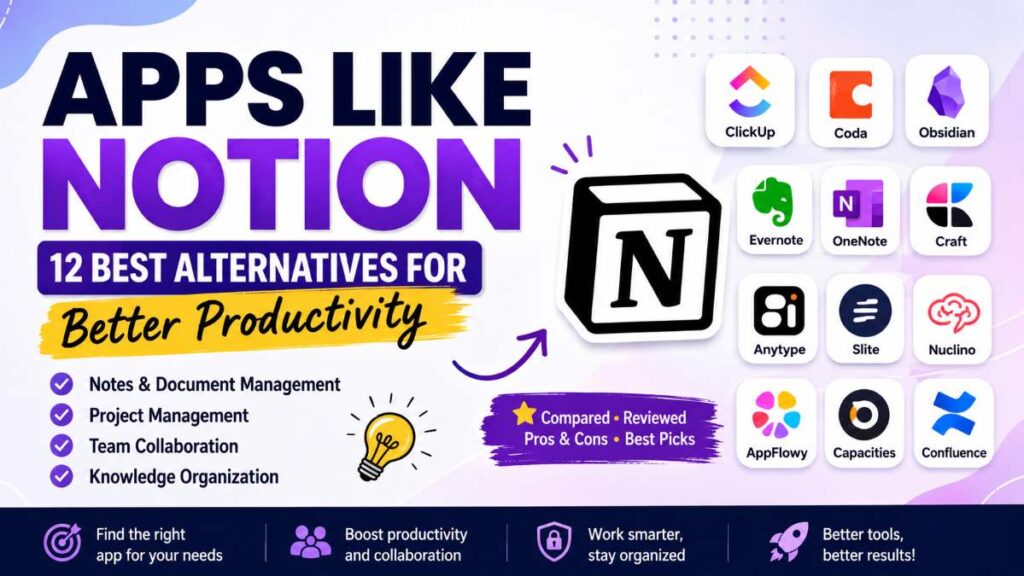
Finding the right productivity app isn’t always easy. Notion has become one of the most popular all-in-one workspace tools thanks to its flexible pages, databases, templates, and collaboration features. But despite its popularity, it isn’t the perfect fit for everyone.
Some users find it overwhelming. Others want faster performance, stronger project management, offline support, or more affordable pricing. Many simply want an app that focuses on a specific task instead of trying to do everything.
The good news is that there are plenty of excellent apps like Notion that offer unique strengths depending on your workflow.


Whether you’re a student organizing study notes, a freelancer managing client work, or a growing business coordinating teams, this guide will help you discover the best Notion alternatives for your needs.
Quick Summary
If you’re short on time, here’s a quick overview.
| App | Best For | Free Plan |
|---|---|---|
| ClickUp | Project management | ✅ Yes |
| Coda | Interactive documents | ✅ Yes |
| Obsidian | Personal knowledge management | ✅ Yes |
| Evernote | Simple note-taking | ✅ Yes |
| Microsoft OneNote | Students and Office users | ✅ Yes |
| Confluence | Large teams | Limited |
| Craft | Beautiful documents | ✅ Yes |
| Anytype | Offline-first workspace | ✅ Yes |
| Slite | Team documentation | ✅ Yes |
| Nuclino | Lightweight collaboration | ✅ Yes |
| AppFlowy | Open-source workspace | ✅ Yes |
| Capacities | Connected note-taking | ✅ Yes |
Best Overall: ClickUp
Best Free Option: Obsidian
Best for Teams: Coda
Best for Students: Microsoft OneNote
Why Look for Apps Like Notion?
Notion is incredibly versatile, but flexibility comes with trade-offs.
Many users switch because they want:
- Faster page loading
- Better offline functionality
- Simpler interfaces
- Stronger task management
- More powerful document collaboration
- Lower monthly costs
- Better privacy controls
- Open-source alternatives
Instead of forcing yourself to adapt to one platform, choosing software that matches your workflow often leads to better productivity.
1. ClickUp – Best Overall Notion Alternative
If you need an all-in-one productivity platform, ClickUp is one of the strongest alternatives available.
Unlike Notion, ClickUp combines project management, documents, goals, calendars, reminders, dashboards, and automation in one workspace.
Key Features
- Documents with collaboration
- Task management
- Whiteboards
- Time tracking
- Automations
- Team chat
- Dashboards
- Goal tracking
Why Choose ClickUp?
ClickUp shines for businesses, freelancers, and remote teams managing multiple projects.
Instead of juggling several apps, you can organize everything in one place.
Pros
- Powerful free version
- Excellent project management
- Hundreds of integrations
- Highly customizable
Cons
- Learning curve for beginners
- Some advanced features require paid plans
2. Coda – Best for Interactive Documents
Coda transforms ordinary documents into interactive workspaces.
Instead of static pages, you can build documents with buttons, automations, databases, and live data.
Best Features
- Smart tables
- Workflow automation
- Interactive documents
- Team collaboration
- Integrations
Best For
- Product teams
- Startups
- Operations managers
- Collaborative planning
Pros
- Powerful automation
- Flexible document creation
- Modern interface
Cons
- Can take time to master
- Advanced features require premium plans
3. Obsidian – Best for Personal Knowledge Management
If your priority is organizing ideas instead of managing projects, Obsidian deserves a closer look.
Unlike cloud-first platforms, Obsidian stores notes locally on your device by default, giving you greater control over your data.
Its biggest strength is linking notes together, creating a network of connected knowledge that grows over time.
Standout Features
- Markdown support
- Local file storage
- Graph view
- Backlinks
- Thousands of plugins
- Offline access
Ideal For
- Writers
- Researchers
- Students
- Developers
- Lifelong learners
Pros
- Fast performance
- Excellent privacy
- Massive plugin ecosystem
- Completely customizable
Cons
- Collaboration isn’t its strongest feature
- Initial setup takes some learning
4. Microsoft OneNote – Best for Students
For users already using Microsoft Office, OneNote offers a familiar experience.
Instead of organizing information into databases, OneNote works like a digital notebook with sections and pages.
This makes it especially appealing for students taking class notes or professionals organizing meeting information.
Features
- Handwriting support
- Audio recording
- Drawing tools
- Cloud sync
- Microsoft 365 integration
Why Students Love It
- Organize subjects easily
- Sync across devices
- Great for lecture notes
- Free to use
Pros
- Easy learning curve
- Excellent handwriting tools
- Strong mobile apps
Cons
- Limited database functionality
- Less customizable than Notion
Must Read : Best Notion Alternatives in 2026 (Free & Paid)
5. Evernote – Best for Everyday Note-Taking
Evernote has been a trusted name in note-taking for years.
While it isn’t as flexible as Notion, it excels at capturing ideas quickly.
If your primary goal is saving notes, web pages, receipts, PDFs, and meeting information, Evernote remains a practical choice.
Main Features
- Web clipper
- Rich text editor
- PDF search
- Calendar integration
- Task management
Best For
- Professionals
- Researchers
- Daily note-taking
- Document organization
Pros
- Fast search
- Reliable synchronization
- Excellent web clipping
Cons
- Premium plans can be expensive
- Limited customization
6. Craft – Best for Beautiful Documents
Some productivity apps focus on functionality.
Craft focuses on presentation without sacrificing usability.
Its polished interface makes creating visually appealing documents effortless.
Whether you’re writing reports, meeting notes, proposals, or personal journals, Craft helps your content look professional.
Top Features
- Elegant document editor
- Real-time collaboration
- Rich media embedding
- Templates
- Offline editing
Pros
- Beautiful design
- Smooth writing experience
- Easy collaboration
Cons
- Smaller integration library
- Advanced workspace features are limited
7. Anytype – Best for Privacy and Offline Work
If privacy is a top priority, Anytype is one of the most interesting apps like Notion. It follows an offline-first approach, allowing you to create notes, databases, and documents without depending on cloud storage.
Unlike many productivity tools, your data stays under your control, making it an excellent option for users who value security and ownership.
Key Features
- Offline-first workspace
- End-to-end encryption
- Linked objects and databases
- Cross-device synchronization
- Modern and clean interface
Best For
- Privacy-conscious users
- Personal knowledge management
- Writers
- Researchers
Pros
- Strong privacy features
- Fast performance
- Works offline
- Free for personal use
Cons
- Smaller community than Notion
- Fewer third-party integrations
8. Slite – Best for Team Documentation
Keeping company knowledge organized becomes difficult as teams grow. Slite focuses on solving this challenge by providing a clean and collaborative documentation platform.
Instead of trying to replace every productivity tool, Slite specializes in creating, organizing, and sharing knowledge across teams.
Features
- Team wiki
- Collaborative editing
- Knowledge management
- Templates
- Powerful search
Best For
- Startups
- Remote teams
- Customer support teams
- HR documentation
Pros
- Easy to learn
- Excellent search
- Clean writing experience
Cons
- Limited project management features
- Smaller free plan
Must Read : How to Self-Host a Notion Alternative on a $5 VPS (Step-by-Step Guide)
9. Nuclino – Best Lightweight Workspace
Some people find Notion too complex.
Nuclino takes the opposite approach by offering a lightweight workspace that is simple, fast, and easy to navigate.
Its clean interface makes collaboration feel effortless.
Features
- Real-time collaboration
- Graph view
- Instant search
- Markdown support
- Visual organization
Best For
- Small businesses
- Creative agencies
- Marketing teams
- Students
Pros
- Extremely fast
- Minimal learning curve
- Excellent collaboration
Cons
- Fewer advanced features
- Limited customization
10. AppFlowy – Best Open-Source Alternative
If you want complete control over your workspace, AppFlowy deserves serious consideration.
As an open-source platform, it allows users to customize, host, and modify their workspace without being locked into a proprietary ecosystem.
Features
- Open-source
- Self-hosting support
- Rich text editing
- Databases
- Task management
Best For
- Developers
- Privacy enthusiasts
- Businesses requiring self-hosting
Pros
- Completely open source
- Growing community
- Customizable
Cons
- Fewer integrations than mature platforms
- Some features are still evolving
Must Read : Top 25 AI Tools That Can Replace Hours of Work in 2026
11. Capacities – Best for Connected Thinking
Capacities is designed for people who think in terms of relationships rather than folders.
Instead of simply storing notes, it encourages you to connect ideas, people, books, projects, and tasks into one organized knowledge system.
Features
- Object-based note-taking
- Linked knowledge
- Media support
- Daily notes
- Modern interface
Best For
- Researchers
- Content creators
- Students
- Knowledge workers
Pros
- Intuitive knowledge organization
- Beautiful design
- Easy linking
Cons
- Smaller ecosystem
- Learning curve for new users
12. Confluence – Best for Enterprise Teams
Large organizations often need advanced documentation, permissions, and collaboration.
Confluence is built specifically for enterprise knowledge management.
When paired with project management software, it becomes a powerful documentation hub.
Features
- Team documentation
- Permission controls
- Templates
- Version history
- Enterprise collaboration
Best For
- Medium-sized businesses
- Large organizations
- Software development teams
Pros
- Excellent collaboration
- Enterprise-grade security
- Powerful permissions
Cons
- Not ideal for personal productivity
- Premium pricing
Comparison Table
| App | Best For | Free Plan | Offline Support | Collaboration | Difficulty |
|---|---|---|---|---|---|
| ClickUp | Project management | ✅ | Limited | ⭐⭐⭐⭐⭐ | Medium |
| Coda | Interactive docs | ✅ | Limited | ⭐⭐⭐⭐⭐ | Medium |
| Obsidian | Personal knowledge | ✅ | ✅ | ⭐⭐ | Medium |
| OneNote | Students | ✅ | ✅ | ⭐⭐⭐⭐ | Easy |
| Evernote | Notes | ✅ | Limited | ⭐⭐⭐ | Easy |
| Craft | Beautiful docs | ✅ | ✅ | ⭐⭐⭐⭐ | Easy |
| Anytype | Privacy | ✅ | ✅ | ⭐⭐⭐ | Medium |
| Slite | Team docs | ✅ | Limited | ⭐⭐⭐⭐⭐ | Easy |
| Nuclino | Lightweight workspace | ✅ | Limited | ⭐⭐⭐⭐ | Easy |
| AppFlowy | Open source | ✅ | ✅ | ⭐⭐⭐ | Medium |
| Capacities | Connected notes | ✅ | Limited | ⭐⭐⭐ | Medium |
| Confluence | Enterprise teams | Limited | Limited | ⭐⭐⭐⭐⭐ | Medium |
How to Choose the Right Notion Alternative
Choosing the right productivity tool depends on how you work rather than which app has the longest feature list.
Before deciding, ask yourself these questions:
Do you work alone or with a team?
- Personal use → Obsidian, Anytype, Capacities
- Team collaboration → ClickUp, Coda, Slite
Do you need project management?
Choose:
- ClickUp
- Coda
Is privacy important?
Consider:
- Anytype
- AppFlowy
- Obsidian
Do you prefer simplicity?
You’ll probably enjoy:
- Nuclino
- OneNote
- Evernote
Do you need beautiful documents?
Craft offers one of the best writing experiences among all the options.
Who Should Use Which App?
| User Type | Recommended App |
|---|---|
| Students | Microsoft OneNote |
| Freelancers | ClickUp |
| Bloggers | Obsidian |
| Writers | Craft |
| Developers | AppFlowy |
| Researchers | Capacities |
| Small Teams | Nuclino |
| Large Companies | Confluence |
| Startups | Coda |
| Privacy-Focused Users | Anytype |
Frequently Asked Questions
What is the best app like Notion?
ClickUp is one of the best all-around alternatives because it combines project management, documents, goals, dashboards, and collaboration in one platform. If your focus is note-taking rather than task management, Obsidian is another excellent choice.
Which Notion alternative is completely free?
Obsidian, Anytype, Microsoft OneNote, and AppFlowy all offer generous free plans. The best choice depends on whether you prioritize offline access, collaboration, or customization.
Which app is better than Notion for project management?
ClickUp is often preferred for project management because it includes advanced task tracking, automations, reporting, and team collaboration features that go beyond Notion’s native capabilities.
What is the best Notion alternative for students?
Microsoft OneNote is a great option for students thanks to its notebook-style organization, handwriting support, and seamless integration with Microsoft Office.
Which Notion alternative works offline?
Obsidian, Anytype, AppFlowy, Craft, and OneNote all provide offline functionality, making them suitable for users who need access without a constant internet connection.
Is there an open-source alternative to Notion?
Yes. AppFlowy is one of the most popular open-source alternatives. It allows users to self-host their workspace and customize it according to their needs.
Which Notion alternative is best for teams?
For collaborative work, ClickUp, Coda, Slite, and Confluence are among the strongest choices. Each offers shared workspaces, document collaboration, and team management features.
Final Verdict
Notion remains one of the most versatile productivity platforms available, but it isn’t the ideal choice for every user. Your workflow, collaboration needs, budget, and privacy preferences should guide your decision.
If you need an all-in-one productivity platform with advanced project management, ClickUp is a compelling option. For personal knowledge management and offline note-taking, Obsidian stands out. If privacy and data ownership matter most, Anytype and AppFlowy are worth exploring. Students may appreciate the familiar notebook structure of Microsoft OneNote, while teams that rely on shared documentation can benefit from Coda, Slite, or Confluence.
The best productivity app is the one that fits naturally into your daily routine and helps you stay organized without adding unnecessary complexity.