


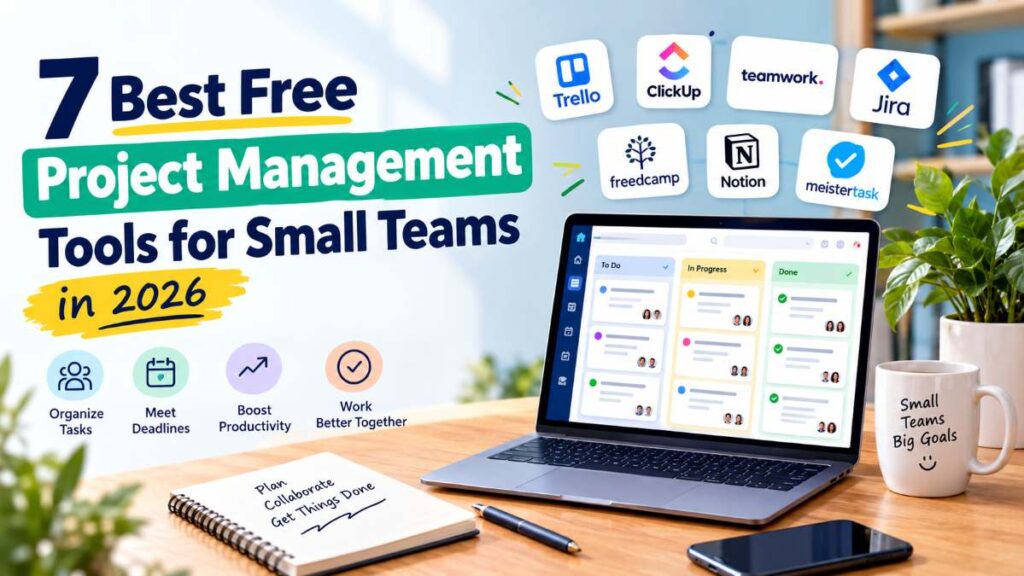
A small team doesn’t necessarily need expensive project management software. These 7 Best Free Project Management Tools for Small Teams in 2026 will help you to your project management tools operation process.
What it does need is a reliable place to answer a few basic questions:
- What needs to be done?
- Who is responsible for it?
- When is it due?
- What’s currently blocked?
- What has already been completed?
The problem is that there are dozens of project management platforms offering a “free” plan, and the differences can be surprisingly important.

One tool may offer unlimited tasks but restrict the number of projects. Another may provide Gantt charts but limit automation. Some are excellent for visual Kanban workflows, while others are better suited to software development or documentation-heavy projects.
That’s why this guide focuses specifically on free project management tools for small teams rather than simply listing popular software.
We’ll look at the free plan, useful features, limitations, ideal use cases, and the type of team each platform makes the most sense for.
Quick Summary: The 7 Best Free Project Management Tools
| Tool | Best for | Free-plan highlight | Main limitation |
|---|---|---|---|
| Trello | Visual task management | Unlimited cards, up to 10 boards per Workspace | Free plan has board/user limits |
| ClickUp | Feature-rich workflows | Tasks, multiple views, Docs and more | Free limits apply to several advanced features |
| Teamwork.com | Client projects | Up to 5 users and 5 projects | Small project/user allowance |
| Jira | Software teams | Up to 10 users, unlimited projects/work items | More technical learning curve |
| Freedcamp | Budget-conscious teams | Unlimited users, projects and tasks | Some advanced features require paid plans |
| Notion | Projects + documentation | Databases with subtasks, dependencies and custom properties | Free plan is primarily aimed at individuals |
| MeisterTask | Simple task management | Unlimited tasks and team members | Limited to 3 projects |
Quick takeaway: If your priority is simplicity, start with Trello. If you want a broader work-management platform, look at ClickUp. For software development, Jira is worth considering. Teams managing client projects should look closely at Teamwork.com, while Freedcamp is particularly interesting if you want generous free limits.
1. Trello — Best Free Project Management Tool for Visual Workflows
Trello remains one of the easiest project management tools to understand.
Its core idea is simple: organize work into boards, lists, and cards.
That makes it particularly useful for freelancers, content teams, marketing teams, small agencies, and startups that don’t want to spend hours configuring a complicated workspace.
Trello’s current Free plan includes unlimited cards, up to 10 boards per Workspace, unlimited Power-Ups per board, mobile apps, assignees, due dates, and 250 Workspace command runs per month. The Free plan supports up to 10 collaborators per Workspace.
Why Trello works well for small teams
A typical content team could create lists such as:
Ideas → Writing → Editing → Scheduled → Published
Each article becomes a card that moves across the workflow.
You don’t need a project management background to understand what’s happening.
Key features
- Kanban-style boards
- Unlimited cards
- Due dates and assignees
- Power-Ups
- Automation
- Mobile apps
- Slack and Teams task capture
- Activity history
Pros
- Extremely easy to learn
- Excellent visual workflow
- Generous free task limit
- Good for lightweight projects
- Useful integrations
Cons
- Free plan is limited to 10 boards per Workspace
- 10 MB attachment limit per file
- Advanced planning features are reserved for paid plans
Who should use Trello?
Trello is a strong fit if your team primarily needs free task management software without a lot of complexity.
Must read : Best Project Management Software for Startups in 2026
2. ClickUp — Best for Teams That Want More Features
ClickUp takes a very different approach.
Instead of focusing mainly on boards, it attempts to bring tasks, documents, dashboards, forms, calendars, goals, and other work-management functions into one platform.
That makes it appealing if your team has outgrown a simple Kanban board.
The Free Forever plan includes a broad range of functionality, but individual features have usage limits. For example, ClickUp’s free plan supports List, Board, Calendar, Dashboard, Doc and Gantt views, although some views have usage caps. Its documentation also confirms that tasks are unlimited across plans.
Why ClickUp stands out
Imagine a small marketing team managing:
- Blog posts
- Social media campaigns
- SEO tasks
- Design requests
- Website updates
- Weekly meetings
Instead of creating separate systems for each activity, ClickUp can bring much of that work into one workspace.
Key features
- List and Kanban views
- Calendar
- Docs
- Dashboards
- Forms
- Tasks and subtasks
- Automations
- Time tracking
- Multiple project views
Pros
- Very broad feature set
- Excellent flexibility
- Unlimited tasks
- Multiple ways to visualize work
- Good option for teams expecting to grow
Cons
- Can feel overwhelming initially
- Some advanced features have free-plan limits
- Teams may spend too much time customizing the system
Who should use ClickUp?
Choose ClickUp if your definition of best free project management software includes having lots of functionality available before paying for an upgrade.
The trade-off is complexity.
3. Teamwork.com — Best for Client-Focused Small Teams
Teamwork.com is particularly interesting for agencies, consultants, freelancers, and service businesses.
Its free plan is designed around small teams getting more structure into their project work.
As of September 2026, Teamwork.com’s Free plan supports up to 5 users and 5 projects. It includes task, list, board, Gantt, and table views, time logging, client organization, chat connections, and 100 automations.
Why agencies may prefer it
Client work often involves more than a checklist.
You may need to track:
- Deliverables
- Deadlines
- Billable time
- Client-specific projects
- Milestones
- Team responsibilities
Teamwork.com puts several of these concepts directly into the project environment.
Key features
- Gantt charts
- Boards
- Lists
- Tables
- Milestones
- Time logging
- Task dependencies
- Client organization
- Automations
Pros
- Good project structure
- Useful for client services
- Gantt view available on Free
- Time logging included
- Clear upgrade path
Cons
- Free plan supports only 5 users
- Free plan allows 5 projects
- Some advanced workflow features require paid plans
Who should use Teamwork.com?
It’s worth considering if you run a small agency, consultancy, web-development business, or client-services team.
4. Jira — Best Free Option for Software Development Teams
Jira has a reputation for being developer-focused, and that remains one of its biggest advantages.
If your team manages bugs, feature requests, sprints, backlogs, releases, or technical projects, Jira can provide a more structured workflow than a general-purpose task manager.
At the time of writing, Jira’s Free plan supports up to 10 users with unlimited projects and work items, Scrum and Kanban boards, backlog management, multiple project views, reports and dashboards, 2 GB of storage, and 100 automation rule runs per month.
Why developers like Jira
A software project might have a workflow such as:
Backlog → Selected → In Progress → Code Review → Testing → Done
Jira is designed around this kind of structured work.
Key features
- Scrum boards
- Kanban boards
- Backlogs
- Timeline
- Calendar
- Reports
- Dashboards
- Workflows
- Integrations
- Automation
Pros
- Excellent for development teams
- Strong issue tracking
- Free plan supports up to 10 users
- Unlimited projects and work items
- Useful agile workflows
Cons
- More complicated than Trello
- May be unnecessary for simple projects
- Free plan has only 2 GB of storage
- Some administrative capabilities are restricted
Who should use Jira?
Jira makes the most sense for software developers, technical startups, QA teams, and product teams.
If you’re simply trying to manage a five-person marketing project, it may introduce more structure than you actually need.
Must read : Best Project Management Software (2026): Top Tools for Every Team
5. Freedcamp — Best for Generous Free Limits
Freedcamp is one of the more interesting options for teams that want to stay on a free plan for as long as possible.
According to its current pricing page, Freedcamp’s Free plan includes unlimited projects, tasks, storage subject to fair-use rules, and users. The company describes the plan as free forever with essential features included.
That’s a significant difference compared with tools that restrict free accounts to a handful of projects or team members.
What makes Freedcamp different?
Its free model can be particularly useful for teams that have:
- Many small projects
- A larger number of collaborators
- Long-running client work
- Several internal workflows
- Limited software budgets
Key features
- Tasks
- Projects
- Calendar
- Milestones
- Discussions
- Files
- Time tracking
- Unlimited users on Free
- Unlimited projects on Free
Pros
- Very generous free limits
- Unlimited users
- Unlimited projects
- Useful project-management basics
- Good option for budget-conscious teams
Cons
- Interface may feel less familiar than Trello
- Some advanced capabilities are paid
- Fair-use policies apply to unlimited storage
Who should use Freedcamp?
Freedcamp deserves consideration if your biggest concern is finding a free project management software for startups or small businesses that doesn’t quickly push you toward a paid subscription.
6. Notion — Best for Projects Combined With Documentation
Notion is slightly different from traditional project management software.
Its strength is combining documentation, databases, notes, knowledge bases, and task management in one environment.
The current Free plan includes databases with features such as subtasks, dependencies, and custom properties, along with basic forms, basic sites, and Notion Calendar. Notion states that its Free plan is primarily designed for individuals organizing personal projects and tasks.
That distinction matters for small teams.
Where Notion shines
Consider a startup that wants one workspace containing:
- Project tasks
- Product documentation
- Meeting notes
- Content calendars
- Company procedures
- Research
- Team knowledge
Notion can connect these pieces without requiring separate applications.
Key features
- Databases
- Subtasks
- Dependencies
- Custom properties
- Documentation
- Forms
- Calendar
- Templates
- Knowledge management
Pros
- Highly flexible
- Excellent documentation
- Great database system
- Useful for combining notes and projects
- Attractive interface
Cons
- Free plan is primarily aimed at individual use
- Can require considerable setup
- Easy to over-engineer a simple workflow
Who should use Notion?
Notion is particularly useful for founders, content teams, consultants, and small businesses that need project management plus a knowledge base.
Must Read : Notion Subscription Cost: Plans, Pricing & Features
7. MeisterTask — Best for Simple Team Task Management
If ClickUp feels like too much and Trello feels almost right, MeisterTask is another lightweight option.
Its current Free plan includes unlimited tasks, up to 3 projects, up to 5 notes, unlimited team members, templates, mobile and desktop apps, and limited AI credits.
Why consider MeisterTask?
The platform focuses on keeping task management relatively straightforward.
For a small team that only needs a few active projects, the three-project limit may not be a major problem.
For example:
- Website redesign
- Marketing campaign
- Customer onboarding
Each can have its own project while individual tasks move through a defined workflow.
Pros
- Easy to understand
- Unlimited team members
- Unlimited tasks
- Useful templates
- Desktop and mobile apps
Cons
- Only 3 projects on Free
- Advanced functionality requires an upgrade
- Less suitable for teams managing many simultaneous projects
Who should use MeisterTask?
It’s a practical option for small teams that value simplicity over having dozens of project-management features.
Free Project Management Tools: Side-by-Side Comparison
Here’s a quick way to narrow down the options.
| Tool | Free users | Projects | Best feature | Best for |
|---|---|---|---|---|
| Trello | Up to 10 collaborators | Up to 10 boards | Visual boards | General teams |
| ClickUp | Free plan available | Feature/usage limits vary | Flexible workflows | Growing teams |
| Teamwork.com | Up to 5 | Up to 5 | Gantt + client work | Agencies |
| Jira | Up to 10 | Unlimited | Agile project tracking | Software teams |
| Freedcamp | Unlimited | Unlimited | Generous free limits | Budget-conscious teams |
| Notion | Primarily individual Free plan | Flexible databases | Docs + projects | Knowledge-heavy teams |
| MeisterTask | Unlimited | Up to 3 | Simple task management | Small project teams |
Free-plan features and limits can change. Check the provider’s current pricing page before making a purchasing decision.
Which Free Project Management Tool Should You Choose?
The easiest way to decide is to start with your team’s workflow rather than the feature checklist.
Choose Trello if…
You want a visual board that your team can understand within minutes.
Choose ClickUp if…
You want tasks, documents, dashboards, calendars, and other work-management features in one platform.
Choose Teamwork.com if…
You manage client projects and want built-in project structure and time tracking.
Choose Jira if…
You’re building software and need backlogs, issue tracking, Scrum, or Kanban workflows.
Choose Freedcamp if…
Your priority is generous free limits for users, projects, and tasks.
Choose Notion if…
Your projects live alongside documentation, research, notes, and company knowledge.
Choose MeisterTask if…
You want straightforward task management without adopting a highly complex system.
What to Look For in Free Project Management Software
Before creating an account, ask these questions.
1. How many people can use the free plan?
A “free” plan isn’t particularly useful if your five-person team can only invite two people.
Check the actual user limit, not just whether the website advertises a free tier.
2. How many projects can you create?
This is one of the easiest limits to overlook.
If you manage several clients, campaigns, or products, a low project limit can become frustrating quickly.
3. Do you need a Gantt chart?
Gantt charts are useful when work depends on dates and task relationships.
For straightforward task management, however, a Kanban board may be enough.
4. Are there automation limits?
Automation can remove repetitive work such as assigning tasks, changing statuses, or sending notifications.
But free plans commonly put limits on automation usage.
5. How much storage is included?
Look beyond the number of tasks.
If your team uploads design files, videos, PDFs, screenshots, or other large attachments, storage limits can become important.
6. Can you export your data?
This is an underrated question.
Before building your entire workflow around a platform, check what export options are available. A convenient migration path can save significant time later.
Real-World Examples: Which Tool Fits Which Team?
A 3-person content team
Suppose you’re running a small website with a writer, editor, and SEO specialist.
You might create stages such as:
Idea → Brief → Writing → Editing → SEO → Published
Trello or MeisterTask can handle this workflow without much configuration.
If you also want content databases, research notes, and documentation, Notion becomes more interesting.
A 5-person marketing agency
An agency has different needs because projects are tied to clients.
You may need:
- Deadlines
- Milestones
- Time tracking
- Client organization
- Multiple deliverables
Teamwork.com is worth investigating here.
Freedcamp can also be attractive if the agency prioritizes generous free limits.
A small software startup
A development team may have dozens of bugs and feature requests moving through different stages.
Jira’s backlog, Scrum and Kanban boards, workflows, and project views are designed for this type of environment.
A solo founder working with contractors
A founder might need project tasks alongside business notes, research, documentation, and product planning.
This is where Notion can be particularly useful because the project database doesn’t have to exist separately from the rest of the workspace.
How to Get More Value From a Free Project Management Tool
The software itself isn’t the biggest productivity improvement.
The workflow you build around it matters more.
Start with only four things:
- One clear project structure
- One owner for every important task
- A realistic due date
- A defined status
Avoid creating 20 labels, 15 custom fields, and complicated automations on day one.
A simple system that the entire team actually uses is generally more useful than an impressive system nobody maintains.
Frequently Asked Questions
What is the best free project management tool for a small team?
The answer depends on the team’s workflow. Trello is particularly straightforward for visual task management, ClickUp offers a broader work-management environment, Jira is designed for software teams, and Teamwork.com is focused strongly on structured project and client work.
What is the best free project management software for startups?
Startups should compare the free user limits, project limits, storage, integrations, automation allowances, and upgrade costs of each platform. Freedcamp, Trello, ClickUp, and Jira can all suit different startup workflows.
Is Trello really free for small teams?
Yes. Trello currently offers a Free plan with unlimited cards and up to 10 boards per Workspace, with a limit of up to 10 collaborators per Workspace. Some advanced functionality is reserved for paid plans.
Is Jira free for small teams?
Jira currently has a Free plan for up to 10 users. It includes unlimited projects and work items, Scrum and Kanban boards, backlog management, several project views, 2 GB of storage, and limited automation.
Can a small business use Notion for project management?
Yes. Notion can be used to organize projects through databases, subtasks, dependencies, and custom properties. However, its current Free plan is positioned primarily for individuals, so teams should check the current collaboration and plan limits before committing to it.
What is the best free project management tool with a Gantt chart?
Teamwork.com includes Gantt views on its Free plan, while ClickUp also provides Gantt functionality with usage limitations on Free. Team requirements should determine whether the free limits are sufficient.
Are free project management tools safe for business use?
Free software can be suitable for business work, but teams should review security, permissions, storage, support, data retention, integrations, and export options before storing sensitive business information.
Can I switch project management tools later?
Usually, yes, but the difficulty depends on the platform and the amount of data involved. Before committing to a tool, check its export and migration options and avoid putting everything into a highly customized workflow immediately.
Final Verdict
There isn’t one universally correct project management platform for every small team.
The right choice depends on how your team actually works.
Trello is a natural starting point for straightforward visual workflows.
ClickUp makes more sense when you want a broader collection of work-management features.
Teamwork.com deserves attention from agencies and client-service teams.
Jira is particularly relevant to software development workflows.
Freedcamp stands out for teams that care about generous free limits.
Notion is compelling when project management and documentation need to live together.
MeisterTask is worth considering when simplicity is more important than having a huge feature list.
The smartest approach is to pick the tool that matches your current workflow—not the one with the longest feature list.
Start with the free plan, create one real project, and see whether your team actually uses it consistently.
If the software reduces confusion rather than adding another layer of administration, you’ve probably found the right fit.