


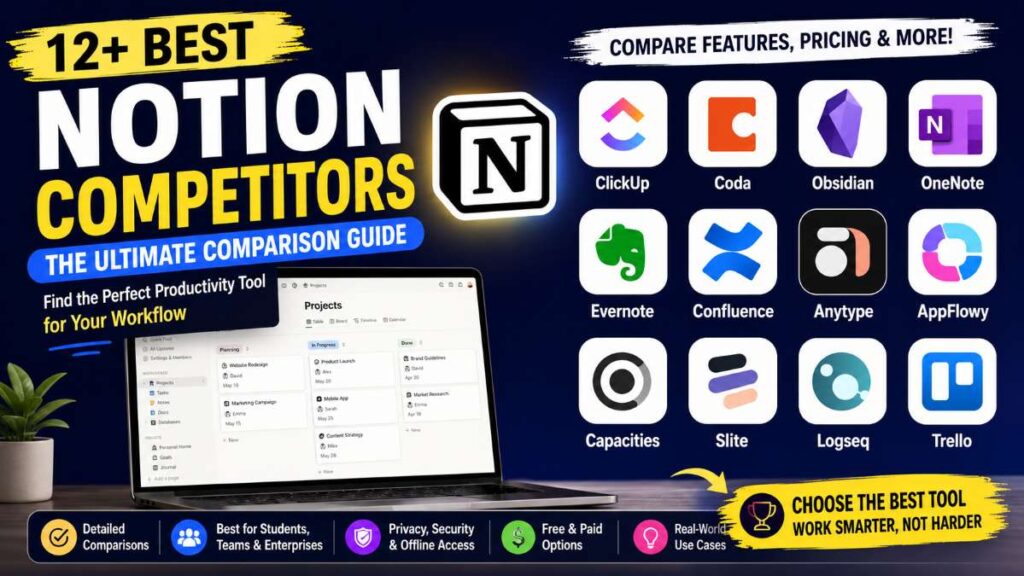
If you’ve been using Notion for a while, you’ve probably noticed that it’s incredibly flexible, but it’s not the perfect solution for every workflow. Some users need stronger project management. Others want better offline access, improved privacy, faster performance, or a simpler interface that requires less setup. These best notion competitors are just the alternatives which you can use as per your need.
Fortunately, there are plenty of excellent alternatives that solve these challenges in different ways.
Whether you’re a student organizing class notes, a freelancer managing multiple clients, a startup documenting processes, or a large team collaborating across departments, there’s likely a platform that’s a better fit for your workflow.

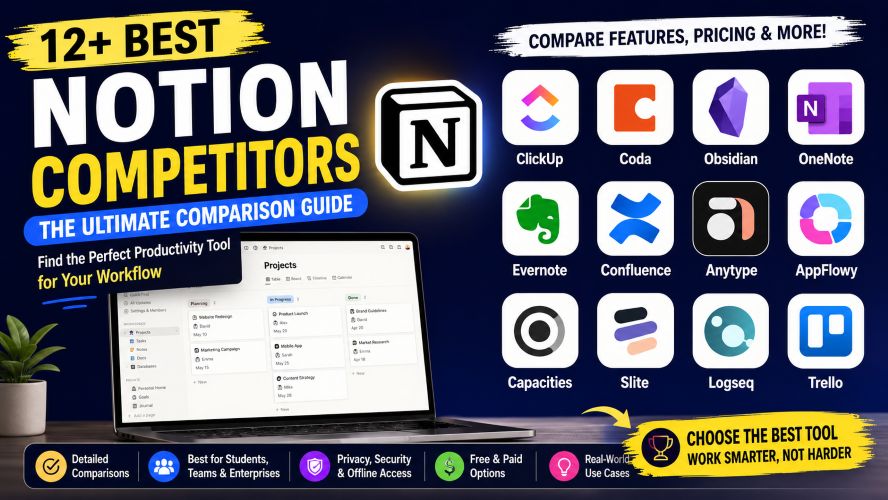
This guide compares the best Notion competitors available today, explains where each one excels, and helps you choose the right option without wasting time testing dozens of tools.
Table of Contents
- Why People Look for Notion Alternatives
- How We Evaluated These Apps
- Quick Comparison Table
- ClickUp Review
- Coda Review
- Obsidian Review
- Microsoft OneNote Review
- (Continued in Part 2…)
Quick Answer
What is the best Notion competitor?
If you’re looking for a single recommendation, ClickUp is one of the strongest alternatives because it combines project management, documents, collaboration, automation, and knowledge management in one platform.
However, the best choice depends on your needs:
| Need | Recommended Tool |
|---|---|
| Project Management | ClickUp |
| Personal Notes | Obsidian |
| Students | OneNote |
| Privacy | Anytype |
| Open Source | AppFlowy |
| Team Wiki | Confluence |
| Documentation | Slite |
| Smart Documents | Coda |
Instead of asking, “Which app is best?”, ask “Which app matches the way I actually work?” That’s the question this guide will help you answer.
Why Consider a Notion Alternative?
Notion is popular because it’s flexible enough to become almost anything—a note-taking app, project manager, CRM, wiki, or content calendar.
But flexibility comes with trade-offs.
Many users eventually encounter one or more of these challenges:
1. Performance
Large workspaces can become slower over time, especially when they contain thousands of pages or complex databases.
For heavy users, speed matters.
2. Offline Access
Although offline support has improved, many people still prefer tools designed to work locally first.
Writers, researchers, and travelers often value reliable offline editing.
3. Learning Curve
Blank-page flexibility sounds great until you realize you’re building your own system from scratch.
Some alternatives provide ready-made workflows that let you get started much faster.
4. Better Task Management
While Notion includes databases and task boards, dedicated project management tools often offer:
- Time tracking
- Gantt charts
- Workload management
- Sprint planning
- Advanced automations
5. Privacy
Many professionals prefer applications where data stays on their own device or can be self-hosted.
Open-source tools are becoming increasingly popular for this reason.
How We Evaluated These Alternatives
Every application in this guide was compared using the same criteria.
Ease of Use
Can beginners start quickly?
Collaboration
Does it work well for teams?
Offline Support
Can you continue working without an internet connection?
Customization
How flexible is the workspace?
Value
Does the pricing justify the available features?
Integrations
How easily does it connect with other productivity tools?
Quick Comparison
| Tool | Best For | Free Plan | Offline | Teams | Overall |
| ClickUp | Project Management | ✅ | Partial | ⭐⭐⭐⭐⭐ | 9.7/10 |
| Coda | Smart Documents | ✅ | Limited | ⭐⭐⭐⭐⭐ | 9.3/10 |
| Obsidian | Personal Knowledge | ✅ | Excellent | ⭐⭐ | 9.6/10 |
| OneNote | Students | ✅ | Excellent | ⭐⭐⭐ | 9.1/10 |
| Evernote | Organization | Limited | Good | ⭐⭐⭐ | 8.8/10 |
| Confluence | Business Wiki | ✅ | Partial | ⭐⭐⭐⭐⭐ | 9.2/10 |
| Anytype | Privacy | ✅ | Excellent | ⭐⭐⭐ | 9.1/10 |
| AppFlowy | Open Source | ✅ | Excellent | ⭐⭐⭐ | 9.0/10 |
| Capacities | PKM | ✅ | Good | ⭐⭐ | 8.9/10 |
| Slite | Documentation | ✅ | Partial | ⭐⭐⭐⭐⭐ | 9.0/10 |
| Logseq | Research | ✅ | Excellent | ⭐⭐ | 9.2/10 |
| Trello | Simplicity | ✅ | Limited | ⭐⭐⭐⭐ | 8.9/10 |
1. ClickUp
Best Overall Notion Alternative for Teams
If your workspace revolves around projects rather than documents, ClickUp deserves serious consideration.
Unlike Notion, ClickUp was built around productivity from day one.
Instead of manually creating systems, you get powerful task management tools out of the box.
Best Features
- Tasks and subtasks
- Whiteboards
- Docs
- Dashboards
- Time tracking
- Goals
- Mind maps
- Calendar
- Automations
- AI-powered writing assistance
- Hundreds of integrations
One of ClickUp’s biggest strengths is that documents and tasks live together.
Instead of copying information between separate apps, everything stays connected.
Pros
✔ Excellent free plan
✔ Advanced automation
✔ Powerful reporting
✔ Great mobile apps
✔ Thousands of templates
✔ Scales from freelancers to enterprises
Cons
✘ Feature-rich interface can overwhelm beginners
✘ Initial setup requires some planning
Best For
- Marketing agencies
- Software teams
- Startups
- Remote companies
- Operations managers
ClickUp vs Notion
| Feature | ClickUp | Notion |
| Task Management | ⭐⭐⭐⭐⭐ | ⭐⭐⭐ |
| Docs | ⭐⭐⭐⭐ | ⭐⭐⭐⭐⭐ |
| Automation | ⭐⭐⭐⭐⭐ | ⭐⭐⭐ |
| Reporting | ⭐⭐⭐⭐⭐ | ⭐⭐ |
| Learning Curve | Medium | Medium |
| Team Management | Excellent | Very Good |
Bottom Line
Choose ClickUp if your daily work revolves around managing projects, deadlines, and team collaboration.
2. Coda
Best for Smart Documents and Workflows
Coda takes the concept of a document much further than traditional word processors.
Instead of static pages, documents become interactive workspaces capable of handling calculations, automations, databases, and workflows.
Many companies replace spreadsheets with Coda because it allows information to remain connected throughout an entire document.
Standout Features
- Interactive tables
- Buttons
- Automations
- Cross-document syncing
- Rich formulas
- Templates
- Team collaboration
Advantages
- Flexible document structure
- Excellent automation capabilities
- Strong collaboration features
- Powerful databases
Must Read : Best Notion Alternatives in 2026 (Free & Paid)
Drawbacks
- Some advanced features require learning formulas
- Smaller community compared to Notion
Coda vs Notion
| Feature | Coda | Notion |
| Databases | ⭐⭐⭐⭐⭐ | ⭐⭐⭐⭐ |
| Automation | ⭐⭐⭐⭐⭐ | ⭐⭐⭐ |
| Templates | ⭐⭐⭐⭐ | ⭐⭐⭐⭐⭐ |
| Ease of Use | ⭐⭐⭐ | ⭐⭐⭐⭐ |
| Collaboration | ⭐⭐⭐⭐⭐ | ⭐⭐⭐⭐⭐ |
Best For
Teams building internal tools, documentation systems, and collaborative workflows.
3. Obsidian
Best Personal Knowledge Management Tool
Obsidian approaches note-taking differently.
Instead of storing information in isolated folders, it encourages users to build connections between ideas.
This method is particularly valuable for writers, researchers, students, developers, and anyone who works with large amounts of information.
All notes are stored locally in standard Markdown files, giving you complete ownership of your data.
Key Features
- Local-first storage
- Bidirectional linking
- Graph View
- Daily Notes
- Canvas
- Community plugins
- Markdown editing
Pros
- Extremely fast
- Offline by default
- Large plugin ecosystem
- Highly customizable
- Excellent for long-term knowledge management
Cons
- Collaboration isn’t its primary focus
- Advanced customization can feel overwhelming at first
Obsidian vs Notion
| Feature | Obsidian | Notion |
| Offline Access | ⭐⭐⭐⭐⭐ | ⭐⭐ |
| Knowledge Graph | ⭐⭐⭐⭐⭐ | ⭐ |
| Collaboration | ⭐⭐ | ⭐⭐⭐⭐⭐ |
| Privacy | ⭐⭐⭐⭐⭐ | ⭐⭐⭐ |
| Customization | ⭐⭐⭐⭐⭐ | ⭐⭐⭐⭐ |
Who Should Choose Obsidian?
- Students
- Researchers
- Authors
- Developers
- Journal writers
- Lifelong learners
4. Microsoft OneNote
Best Free Notion Alternative for Students
Microsoft OneNote has been around for years, yet it remains one of the easiest ways to organize digital notebooks.
Unlike database-driven platforms, OneNote focuses on flexible pages where you can type, draw, insert images, clip web content, and organize everything into notebooks and sections.
For users already invested in the Microsoft ecosystem, it integrates naturally with Outlook, Teams, and other Office apps.
Key Features
- Free-form note pages
- Ink and handwriting support
- Audio recording
- Notebook organization
- Cross-device synchronization
- OCR text recognition
- Microsoft 365 integration
Pros
- Completely free for most users
- Excellent stylus support
- Simple learning curve
- Reliable synchronization
- Familiar interface
Cons
- Limited project management features
- Fewer automation options than Notion
- Database functionality is minimal
OneNote vs Notion
| Feature | OneNote | Notion |
| Ease of Use | ⭐⭐⭐⭐⭐ | ⭐⭐⭐ |
| Handwriting | ⭐⭐⭐⭐⭐ | ⭐ |
| Databases | ⭐ | ⭐⭐⭐⭐⭐ |
| Offline Use | ⭐⭐⭐⭐⭐ | ⭐⭐ |
| Team Collaboration | ⭐⭐⭐ | ⭐⭐⭐⭐⭐ |
Best For
- Students
- Teachers
- Meeting notes
- Personal journals
- Microsoft 365 users
5. Evernote
Best for Organizing Research and Everyday Notes
Evernote has been one of the most recognizable note-taking applications for years. Although newer tools like Notion have gained popularity, Evernote continues to evolve with features designed for professionals who collect information from multiple sources.
Unlike Notion, which encourages users to build customized workspaces, Evernote focuses on making note capture and retrieval as effortless as possible.
If your daily routine involves saving articles, meeting notes, scanned documents, receipts, PDFs, or research materials, Evernote remains a practical choice.
Standout Features
- Fast note creation
- Web Clipper extension
- OCR (Optical Character Recognition)
- Calendar integration
- Built-in tasks
- Cross-device syncing
- Rich text editor
- PDF annotation
- Image search
One of Evernote’s greatest strengths is its search capability. Even handwritten notes and scanned documents can often be searched, making it easy to locate information months later.
Must Read : How to Self-Host a Notion Alternative on a $5 VPS (Step-by-Step Guide)
Pros
✔ Excellent search functionality
✔ Reliable synchronization
✔ Powerful Web Clipper
✔ Mature ecosystem
✔ Easy to learn
Cons
✘ Limited free plan
✘ Less customizable than Notion
✘ Fewer project management features
Evernote vs Notion
| Feature | Evernote | Notion |
|---|---|---|
| Note Taking | ⭐⭐⭐⭐⭐ | ⭐⭐⭐⭐ |
| Project Management | ⭐⭐ | ⭐⭐⭐⭐ |
| Templates | ⭐⭐⭐ | ⭐⭐⭐⭐⭐ |
| Search | ⭐⭐⭐⭐⭐ | ⭐⭐⭐⭐ |
| Collaboration | ⭐⭐⭐ | ⭐⭐⭐⭐⭐ |
| Ease of Use | ⭐⭐⭐⭐⭐ | ⭐⭐⭐ |
Best For
- Business professionals
- Students
- Researchers
- Journalists
- Writers
- Consultants
Real-World Example
Imagine you’re researching a new project.
Instead of juggling bookmarks, screenshots, PDFs, and meeting notes across different apps, Evernote lets you store everything in one searchable place. Months later, finding a specific document takes seconds instead of hours.
Suggested CTA: Learn more about Evernote’s premium features before deciding if they’re worth the investment.
6. Confluence
Best Notion Alternative for Enterprise Documentation
When organizations need structured documentation, knowledge sharing, and permission management, Confluence is one of the strongest options available.
Developed by Atlassian, Confluence is widely used by software companies, IT departments, engineering teams, and enterprises that require organized internal documentation.
Instead of acting as an all-purpose productivity tool, Confluence focuses on becoming the company’s central knowledge base.
Key Features
- Team workspaces
- Permission controls
- Page history
- Collaborative editing
- Templates
- Jira integration
- Whiteboards
- Analytics
One of Confluence’s biggest advantages is version control. Every change is tracked, making collaboration much easier in large organizations.
Pros
✔ Excellent for documentation
✔ Enterprise-grade permissions
✔ Strong collaboration
✔ Deep integration with Jira
✔ Professional templates
Cons
✘ Less suitable for personal note-taking
✘ Learning curve for beginners
✘ Best experience often depends on the Atlassian ecosystem
Confluence vs Notion
| Feature | Confluence | Notion |
| Documentation | ⭐⭐⭐⭐⭐ | ⭐⭐⭐⭐ |
| Team Permissions | ⭐⭐⭐⭐⭐ | ⭐⭐⭐⭐ |
| Personal Notes | ⭐⭐ | ⭐⭐⭐⭐⭐ |
| Knowledge Base | ⭐⭐⭐⭐⭐ | ⭐⭐⭐⭐ |
| Project Collaboration | ⭐⭐⭐⭐ | ⭐⭐⭐⭐ |
Best For
- Software companies
- IT teams
- HR departments
- Enterprise organizations
- Product managers
Practical Scenario
If your company regularly creates onboarding guides, technical documentation, SOPs, and internal policies, Confluence offers a structured environment that scales well as your organization grows.
7. Anytype
Best Privacy-Focused Notion Competitor
Privacy has become an important consideration when choosing productivity software.
Anytype takes a different approach by giving users greater ownership over their data through a local-first architecture.
Unlike cloud-only workspaces, your information remains available even when you’re offline.
Key Features
- Local-first storage
- Offline access
- Object-based organization
- End-to-end encryption
- Cross-platform support
- Templates
- Graph relationships
Anytype organizes information as connected objects instead of traditional folders, making it easy to build relationships between notes, tasks, books, people, and projects.
Pros
✔ Excellent privacy
✔ Offline by default
✔ Modern interface
✔ Fast performance
✔ No vendor lock-in
Cons
✘ Smaller integration ecosystem
✘ Fewer templates than Notion
✘ Still expanding some collaboration features
Anytype vs Notion
| Feature | Anytype | Notion |
| Privacy | ⭐⭐⭐⭐⭐ | ⭐⭐⭐ |
| Offline | ⭐⭐⭐⭐⭐ | ⭐⭐ |
| Collaboration | ⭐⭐⭐ | ⭐⭐⭐⭐⭐ |
| Templates | ⭐⭐⭐ | ⭐⭐⭐⭐⭐ |
| Ease of Use | ⭐⭐⭐⭐ | ⭐⭐⭐⭐ |
Best For
- Privacy-conscious users
- Writers
- Researchers
- Personal knowledge management
- Offline productivity
8. AppFlowy
Best Open-Source Notion Alternative
If you enjoy customizing software or prefer self-hosting your workspace, AppFlowy is one of the most promising alternatives available.
Being open source means the community actively contributes improvements while users maintain greater control over their data.
Key Features
- Open-source platform
- Self-hosting support
- Rich text editor
- Databases
- Kanban boards
- Markdown support
- AI-ready architecture
AppFlowy looks familiar enough that many Notion users can switch with minimal adjustment.
Pros
✔ Free and open source
✔ Community-driven
✔ Self-hosting available
✔ Strong privacy
✔ Active development
Cons
✘ Smaller ecosystem
✘ Fewer integrations
✘ Some advanced features continue to mature
AppFlowy vs Notion
| Feature | AppFlowy | Notion |
| Open Source | ⭐⭐⭐⭐⭐ | ❌ |
| Offline | ⭐⭐⭐⭐⭐ | ⭐⭐ |
| Collaboration | ⭐⭐⭐ | ⭐⭐⭐⭐⭐ |
| Customization | ⭐⭐⭐⭐ | ⭐⭐⭐⭐⭐ |
| Data Ownership | ⭐⭐⭐⭐⭐ | ⭐⭐⭐ |
Best For
- Developers
- Open-source enthusiasts
- Privacy advocates
- Small businesses
- Self-hosting users
9. Capacities
Best for Building a Connected Knowledge Base
Capacities is designed around the idea that information shouldn’t live in isolated folders.
Instead, it encourages users to connect ideas naturally through objects and relationships.
For writers, researchers, and content creators, this approach often makes knowledge retrieval much easier over time.
Notable Features
- Object-based organization
- Rich media support
- Graph connections
- Daily notes
- AI-assisted workflows
- Beautiful interface
Pros
✔ Clean design
✔ Excellent for creative thinking
✔ Strong visual organization
✔ Flexible note structure
Cons
✘ Smaller community
✘ Limited enterprise features
✘ Less mature than older competitors
Capacities vs Notion
| Feature | Capacities | Notion |
| Visual Organization | ⭐⭐⭐⭐⭐ | ⭐⭐⭐⭐ |
| Knowledge Management | ⭐⭐⭐⭐⭐ | ⭐⭐⭐⭐ |
| Team Collaboration | ⭐⭐ | ⭐⭐⭐⭐⭐ |
| Ease of Use | ⭐⭐⭐⭐ | ⭐⭐⭐⭐ |
Best For
- Writers
- Students
- Researchers
- Creators
- Personal knowledge management
10. Slite
Best for Team Documentation
Slite focuses on one thing: helping teams create, organize, and share documentation efficiently.
Its clean writing environment reduces distractions while making it easier to collaborate.
Key Features
- Team wiki
- Collaborative editing
- Templates
- Search
- Document verification
- Permissions
- Comments
Pros
✔ Clean interface
✔ Fast performance
✔ Excellent collaboration
✔ Easy onboarding
Cons
✘ Limited project management
✘ Smaller ecosystem
Slite vs Notion
| Feature | Slite | Notion |
| Documentation | ⭐⭐⭐⭐⭐ | ⭐⭐⭐⭐ |
| Simplicity | ⭐⭐⭐⭐⭐ | ⭐⭐⭐ |
| Collaboration | ⭐⭐⭐⭐⭐ | ⭐⭐⭐⭐⭐ |
| Databases | ⭐⭐ | ⭐⭐⭐⭐⭐ |
Best For
- Remote companies
- HR teams
- Startups
- Internal documentation
11. Logseq
Best for Researchers and Deep Thinking
Logseq has become a favorite among researchers, academics, developers, and lifelong learners.
Instead of traditional pages, it uses an outline-based workflow that naturally creates relationships between ideas.
This makes it particularly useful for studying complex subjects.
Features
- Outliner
- Bidirectional links
- Graph view
- Flashcards
- Local storage
- Markdown
- Journals
Pros
✔ Excellent for studying
✔ Offline-first
✔ Open source
✔ Fast navigation
Cons
✘ Less beginner-friendly
✘ Minimal collaboration
Logseq vs Notion
| Feature | Logseq | Notion |
| Learning | ⭐⭐⭐⭐⭐ | ⭐⭐⭐ |
| Graph View | ⭐⭐⭐⭐⭐ | ⭐ |
| Collaboration | ⭐⭐ | ⭐⭐⭐⭐⭐ |
| Offline | ⭐⭐⭐⭐⭐ | ⭐⭐ |
Best For
- Students
- Researchers
- Developers
- Academics
12. Trello
Best Simple Project Management Alternative
If your primary goal isn’t documentation but task organization, Trello remains one of the easiest project management tools to learn.
Its Kanban board approach helps visualize work without overwhelming new users.
Features
- Kanban boards
- Checklists
- Automation
- Calendar views
- Templates
- Power-Ups
- Mobile apps
Pros
✔ Beginner-friendly
✔ Fast setup
✔ Visual workflow
✔ Good free plan
Cons
✘ Limited documentation
✘ Not designed for large knowledge bases
✘ Advanced features require paid plans
Trello vs Notion
| Feature | Trello | Notion |
| Task Management | ⭐⭐⭐⭐⭐ | ⭐⭐⭐⭐ |
| Documentation | ⭐⭐ | ⭐⭐⭐⭐⭐ |
| Ease of Use | ⭐⭐⭐⭐⭐ | ⭐⭐⭐ |
| Automation | ⭐⭐⭐⭐ | ⭐⭐⭐ |
Best For
- Freelancers
- Small businesses
- Students
- Marketing teams
- Personal task management
Which Notion Competitor Should You Choose?
Here’s a quick recommendation based on common use cases.
| If You Need… | Best Choice |
| Advanced project management | ClickUp |
| Powerful smart documents | Coda |
| Personal knowledge management | Obsidian |
| Traditional digital notebooks | Microsoft OneNote |
| Research organization | Evernote |
| Enterprise documentation | Confluence |
| Privacy-first workspace | Anytype |
| Open-source flexibility | AppFlowy |
| Connected thinking | Capacities |
| Team documentation | Slite |
| Learning and research | Logseq |
| Simple Kanban boards | Trello |
Complete Feature Comparison
| Feature | Notion | ClickUp | Coda | Obsidian | OneNote | Evernote | Confluence | Anytype | AppFlowy | Capacities | Slite | Logseq | Trello |
|---|---|---|---|---|---|---|---|---|---|---|---|---|---|
| Free Plan | ✅ | ✅ | ✅ | ✅ | ✅ | Limited | ✅ | ✅ | ✅ | ✅ | ✅ | ✅ | ✅ |
| Offline Support | Limited | Partial | Limited | Excellent | Excellent | Good | Partial | Excellent | Excellent | Good | Partial | Excellent | Limited |
| Project Management | Good | Excellent | Good | Basic | Basic | Basic | Good | Basic | Moderate | Basic | Moderate | Basic | Excellent |
| Team Collaboration | Excellent | Excellent | Excellent | Limited | Good | Good | Excellent | Moderate | Moderate | Moderate | Excellent | Limited | Excellent |
| Knowledge Management | Excellent | Good | Excellent | Excellent | Good | Good | Excellent | Excellent | Good | Excellent | Good | Excellent | Basic |
| Open Source | No | No | No | No | No | No | No | Partial | Yes | No | No | Yes | No |
| Best For | All-in-One Workspace | Teams | Smart Docs | PKM | Students | Research | Enterprises | Privacy | Self-Hosting | Creators | Team Wiki | Researchers | Kanban |
Feature-by-Feature Comparison
Best for Project Management
If managing projects is your top priority, dedicated project management tools generally provide more robust capabilities than all-in-one workspaces.
| Tool | Rating |
| ClickUp | ⭐⭐⭐⭐⭐ |
| Trello | ⭐⭐⭐⭐☆ |
| Confluence (with Jira) | ⭐⭐⭐⭐☆ |
| Notion | ⭐⭐⭐⭐☆ |
| Coda | ⭐⭐⭐⭐☆ |
Recommended: ClickUp offers built-in time tracking, workload views, dashboards, goals, and automation, making it a strong choice for growing teams.
Must Read : Top 25 AI Tools That Can Replace Hours of Work in 2026
Best for Personal Note-Taking
If you mainly take notes, journal ideas, or build a personal knowledge base, these tools stand out.
| Tool | Strength |
| Obsidian | Linked knowledge |
| OneNote | Traditional notebooks |
| Evernote | Organization |
| Logseq | Outlining |
| Capacities | Connected ideas |
Recommended: Obsidian is ideal if you want complete ownership of your notes and powerful linking between ideas.
Best for Team Collaboration
Collaboration features become increasingly important as your team grows.
| Tool | Collaboration Rating |
| ClickUp | ⭐⭐⭐⭐⭐ |
| Coda | ⭐⭐⭐⭐⭐ |
| Confluence | ⭐⭐⭐⭐⭐ |
| Slite | ⭐⭐⭐⭐⭐ |
| Notion | ⭐⭐⭐⭐⭐ |
These platforms provide shared workspaces, comments, permissions, and real-time editing, making teamwork more efficient.
Best Privacy-Focused Alternatives
If keeping your data under your control is a priority, consider local-first or open-source options.
| Tool | Privacy Rating |
| Anytype | ⭐⭐⭐⭐⭐ |
| AppFlowy | ⭐⭐⭐⭐⭐ |
| Logseq | ⭐⭐⭐⭐⭐ |
| Obsidian | ⭐⭐⭐⭐⭐ |
These applications are particularly appealing to users who prefer offline access or self-hosting.
Best Free Notion Competitors
Budget-conscious users have several excellent choices.
| Tool | Free Plan Highlights |
| ClickUp | Comprehensive productivity features |
| Obsidian | Unlimited local notes |
| OneNote | Full notebook experience |
| AppFlowy | Open-source flexibility |
| Trello | Easy Kanban boards |
Before upgrading to a paid plan, spend time exploring the free version to ensure it meets your needs.
Which Notion Competitor Is Right for You?
Students
Students typically need reliable note-taking, organization, and cross-device access.
Top Picks
- Microsoft OneNote
- Obsidian
- Logseq
- Evernote
These apps help organize lectures, assignments, research papers, and revision notes effectively.
Freelancers
Freelancers often balance multiple projects, invoices, clients, and deadlines.
Recommended
- ClickUp
- Notion
- Trello
- Coda
ClickUp is especially useful if your work involves project tracking and client collaboration.
Writers and Content Creators
Writing projects benefit from tools that support long-form content and idea organization.
Best Choices
- Obsidian
- Capacities
- Anytype
- Evernote
These tools make it easy to connect research, outlines, drafts, and references.
Developers
Developers usually need documentation, Markdown support, and version-friendly workflows.
Recommended options include:
- Obsidian
- Logseq
- AppFlowy
- Confluence
These platforms integrate well with technical documentation and knowledge management.
Startups
Growing companies often need a combination of documentation and project management.
Top recommendations:
- ClickUp
- Coda
- Confluence
- Notion
Each offers collaboration features that can scale as teams expand.
Large Enterprises
Enterprise organizations should prioritize security, permissions, and structured documentation.
Recommended tools:
- Confluence
- ClickUp
- Coda
These platforms are designed to support larger teams with advanced administrative controls.
Buying Guide: What to Consider Before Switching
Choosing a productivity platform isn’t just about features. It’s also about how well the software fits your workflow.
1. Ease of Learning
Some platforms are ready to use immediately, while others reward users who invest time customizing their workspace.
If simplicity matters, OneNote or Trello may be better starting points.
2. Collaboration Needs
Ask yourself:
- Will multiple people edit documents?
- Do you need permission controls?
- Should teammates leave comments?
- Will clients access your workspace?
If the answer is yes, prioritize collaboration features.
3. Offline Access
Frequent travelers and users with unreliable internet should consider local-first tools such as Obsidian, Anytype, AppFlowy, or Logseq.
4. Scalability
A tool that works for one person may not scale well for a growing team.
Evaluate:
- User management
- Storage limits
- Automation
- Reporting
- Integrations
5. Budget
Many productivity tools offer generous free plans.
Instead of purchasing immediately, test the free version with your real workflow for a week or two.
This helps you identify limitations before committing to a subscription.
Tips for Migrating from Notion
Moving to another workspace can feel overwhelming, but a little planning makes the process much smoother.
Start Small
Instead of transferring everything at once, begin with your most frequently used pages.
Clean Up Old Content
Remove outdated notes and duplicate documents before importing them into a new platform.
Export Your Data
Keep a backup of your Notion workspace before making any changes.
Test Workflows
Recreate one or two key workflows—such as meeting notes or project tracking—to confirm the new tool fits your needs.
Train Your Team
If you’re switching as a group, provide clear documentation and allow time for everyone to adjust.
Frequently Asked Questions (People Also Ask)
What is the closest competitor to Notion?
ClickUp and Coda are among the closest competitors because they combine documents, collaboration, and project management in a single platform. The better choice depends on whether you prioritize task management or document flexibility.
Is there a completely free alternative to Notion?
Yes. Obsidian, AppFlowy, Logseq, Microsoft OneNote, and Trello all offer free plans. The available features vary, so compare them based on your workflow.
Which Notion alternative works best offline?
Obsidian, Anytype, AppFlowy, and Logseq are excellent choices for users who need reliable offline access.
Which Notion competitor is best for students?
Microsoft OneNote is a popular choice for students because of its notebook organization, handwriting support, and free availability. Obsidian is another strong option for those interested in building a long-term knowledge base.
Which tool is better than Notion for project management?
ClickUp provides more advanced project management capabilities, including time tracking, dashboards, workload views, and automation.
Is Obsidian better than Notion?
Obsidian excels at personal knowledge management and offline note-taking, while Notion offers stronger collaboration and database features. The better option depends on how you work.
Which Notion competitor is best for teams?
ClickUp, Coda, Confluence, and Slite are excellent options for teams that need collaboration, documentation, and shared workflows.
What is the best open-source Notion alternative?
AppFlowy is one of the leading open-source alternatives. It offers self-hosting, community-driven development, and increasing feature parity with commercial workspace tools.
Can I import my Notion data into another app?
Many competitors support importing Markdown, CSV files, or exported documents. The available import options vary by platform, so review the migration tools before switching.
Are Notion competitors suitable for businesses?
Yes. Many alternatives are designed specifically for businesses and offer features such as advanced permissions, reporting, automation, and collaboration tools.
Final Verdict
Notion remains one of the most versatile productivity platforms available, but no single application is ideal for every user.
If your focus is project management, ClickUp is a compelling option with advanced planning, reporting, and automation features.
If you want a personal knowledge base, Obsidian offers speed, flexibility, and local storage that many power users appreciate.
For enterprise documentation, Confluence provides structured collaboration and administrative controls.
If privacy is your priority, Anytype and AppFlowy stand out with local-first and open-source approaches.
Students may prefer the familiarity of Microsoft OneNote, while writers and researchers often enjoy the linked-thinking capabilities of Logseq or Capacities.
Rather than chasing the platform with the most features, choose the one that complements your daily workflow. A tool that feels intuitive and supports your habits is far more valuable than one packed with options you never use.
Quick Recommendations
| User Type | Recommended Tool |
| Students | Microsoft OneNote |
| Freelancers | ClickUp |
| Writers | Obsidian |
| Researchers | Logseq |
| Remote Teams | Slite |
| Enterprises | Confluence |
| Startups | ClickUp |
| Privacy-Focused Users | Anytype |
| Open-Source Enthusiasts | AppFlowy |
| Simple Task Management | Trello |