
Please do not worry if this happens to you. Apps open randomly, messages type themselves, settings change without permission, and your phone seems to be “touched” by an invisible hand. This strange issue is commonly known as ghost touch, and it affects millions of smartphone users across Android and iOS devices.
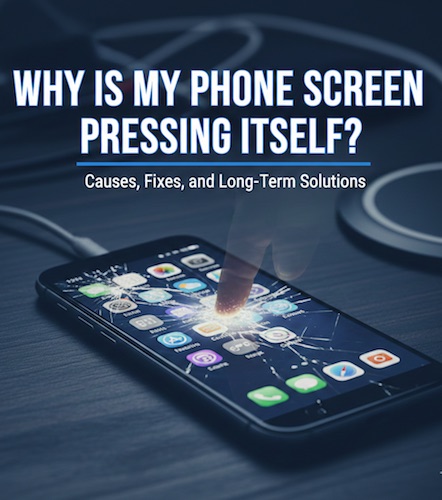
If you’ve ever asked yourself, “Why is my phone screen pressing itself?” you’re not alone. This problem can range from a minor inconvenience to a serious usability issue that makes your phone almost impossible to use.
In this article, we’ll explore what ghost touch really is, why it happens, and most importantly, how to fix it—from simple at-home solutions to advanced repair options. We’ll also discuss preventive steps and alternative fixes so you can choose what works best for your situation.
What Does It Mean When a Phone Screen Presses Itself?
When a phone screen presses itself, it usually means the touchscreen is registering inputs that you didn’t make. These false inputs can appear as:
- Random taps or swipes
- Typing without touching the screen
- Apps opening or closing on their own
- Screen scrolling automatically
- Buttons being pressed repeatedly
This phenomenon is commonly referred to as ghost touch, because it feels like a “ghost” is interacting with your phone.
Touchscreens are designed to detect electrical signals from your fingers. When something interferes with this system—whether physical, electrical, or software-related—the screen may misinterpret signals and respond incorrectly.
The Most Common Reasons Your Phone Screen Is Pressing Itself
1. Dirty or Oily Screen Surface
One of the simplest yet most overlooked causes is dirt, oil, sweat, or moisture on the screen.
Touchscreens rely on capacitive input, meaning they detect changes in electrical charge. Oils from your fingers, water droplets, or grime can distort these signals, causing the screen to register touches that aren’t real.
Signs this is the cause:
- Problem appears after heavy use
- Happens more in humid environments
- Screen looks smudged or greasy
Must Read : WhatsApp Business Features for Small Businesses
2. Cracked or Damaged Screen
Even a small crack can disrupt the touchscreen’s sensor grid. When the internal digitizer is damaged, it may send incorrect signals to the phone, resulting in random touches.
Sometimes, the screen may look fine on the outside but have internal damage from a drop or pressure.
Why this happens:
- Broken glass interferes with touch sensors
- Internal connectors loosen after impact
- Microcracks distort electrical signals
3. Low-Quality or Damaged Screen Protector
Not all screen protectors are created equal. Cheap, poorly fitted, or worn-out protectors can cause phantom touches.
Air bubbles, lifted edges, or thick materials can confuse the touchscreen, especially near the edges.
Common issues with screen protectors:
- Misaligned installation
- Excessive thickness
- Dirt trapped underneath
- Old or peeling protectors
4. Moisture or Water Damage
Even if your phone is water-resistant, moisture can still seep into tiny gaps—especially around the charging port, buttons, or cracked screens.
Humidity alone can sometimes cause ghost touches, particularly in hot or rainy environments.
Symptoms of moisture-related ghost touch:
- Happens after exposure to rain or steam
- Screen reacts erratically
- Problem worsens over time
5. Software Bugs or Glitches
Not all ghost touches are caused by hardware. Software issues can also cause your phone to behave strangely.
These include:
- Buggy system updates
- Poorly optimized apps
- Conflicts between background processes
- Corrupted system files
If the issue started after a software update or installing a new app, software is likely the culprit.
6. Faulty Charging Cable or Charger
Using a cheap or damaged charger can introduce electrical interference. This interference may confuse the touchscreen, especially while charging.
You might notice ghost touches only when your phone is plugged in, which is a strong indicator of this issue.
Must Read : Blockchain Wallet Guide: How to Choose and Use the Best Wallet in 2025
7. Extreme Temperatures
Touchscreens are sensitive to temperature changes. Excessive heat or cold can affect how the screen detects touch.
Examples include:
- Leaving your phone in a hot car
- Using it outdoors in freezing weather
- Overheating during gaming or charging
8. Internal Hardware Failure
Over time, components inside your phone can degrade. A failing digitizer, loose internal cable, or motherboard issue can all lead to persistent ghost touch problems.
This is more common in older devices or phones that have undergone previous repairs.
How to Fix a Phone Screen That Presses Itself (Step-by-Step)
Solution 1: Clean Your Screen Thoroughly
Start with the simplest fix.
How to do it properly:
- Turn off your phone
- Use a microfiber cloth
- Lightly dampen with distilled water or screen cleaner
- Gently wipe the entire surface
- Dry completely before turning it back on
Avoid harsh chemicals or paper towels, as they can damage the screen coating.
Solution 2: Remove the Screen Protector
Temporarily remove your screen protector to test if it’s the cause.
If the ghost touches stop:
- Replace it with a high-quality tempered glass protector
- Ensure proper alignment and bubble-free installation
Solution 3: Restart Your Phone
A simple restart can clear temporary software glitches and memory conflicts.
For persistent issues, try:
- Powering off for 5–10 minutes
- Restarting in safe mode (Android)
- Force restarting (iPhone or Android)
Solution 4: Check for Software Updates
Manufacturers often release updates that fix touchscreen bugs.
Steps:
- Go to Settings
- Check for system updates
- Install the latest version
- Restart your device
Solution 5: Uninstall Suspicious Apps
If the problem started recently, remove apps installed around that time—especially:
- Third-party launchers
- Overlay apps
- Game boosters
- Screen recording apps
Booting into safe mode can help confirm if an app is responsible.
Solution 6: Try a Different Charger and Cable
Switch to:
- Original manufacturer charger
- Certified third-party charger
- Different power outlet
If ghost touches only occur while charging, this fix often solves the problem instantly.
Solution 7: Calibrate the Touchscreen (Android)
Some Android devices allow touchscreen calibration through:
- Built-in diagnostic menus
- Manufacturer tools
- Trusted third-party calibration apps
Calibration helps reset how the screen interprets touch input.
Solution 8: Dry Out Moisture Properly
If moisture is suspected:
- Turn off the phone immediately
- Remove case and SIM tray
- Let it air dry for 24–48 hours
- Use silica gel packets (not rice)
Avoid heat sources like hair dryers, which can cause more damage.
Solution 9: Factory Reset (Last Software Resort)
If software is the issue and nothing else works, a factory reset may help.
Important: Back up your data first.
A reset removes corrupted files and restores default settings, often resolving persistent glitches.
Solution 10: Professional Screen Repair or Replacement
If the digitizer or internal components are damaged, professional repair is the only reliable fix.
Repair options include:
- Screen replacement
- Digitizer replacement
- Internal cable reseating
- Logic board repair
While costly, this solution permanently resolves hardware-based ghost touches.
Alternative Workarounds If You Can’t Fix It Immediately
If you need temporary relief:
- Use a Bluetooth mouse or keyboard
- Enable accessibility features to reduce touch reliance
- Lock screen rotation to avoid unwanted swipes
- Use voice commands where possible
- Reduce touch sensitivity in settings (if available)
These won’t fix the root cause but can help you use your phone until repair is possible.
How to Prevent Ghost Touch Issues in the Future
Prevention is always better than repair. Here’s how to reduce the risk:
- Use high-quality chargers and cables
- Install trusted screen protectors
- Avoid extreme temperatures
- Keep your screen clean
- Update software regularly
- Use a protective case
- Avoid moisture exposure
- Must Read : How to Recover Deleted WhatsApp Messages Without Backup
When Should You Replace Your Phone?
If:
- Repairs cost nearly as much as a new phone
- Ghost touches persist after screen replacement
- Internal damage is extensive
- Your phone is very old
Then replacing the device may be the most practical solution.
Final Thoughts
A phone screen pressing itself can feel alarming, annoying, and even unsettling—but in most cases, it’s fixable. Whether the cause is dirt, moisture, software bugs, or hardware damage, understanding the root of the problem is the key to solving it.
Start with the simplest solutions and work your way up. Many ghost touch issues can be resolved without expensive repairs, while others require professional help. Either way, you now have a complete roadmap to diagnose, fix, and prevent the problem.
Your phone shouldn’t feel haunted—and with the right approach, it doesn’t have to be. I hope that these solutions have solved your problem. If yes then don’t forget. share your experience in the comments below.


Nikhil Narkhede
Latest posts by Nikhil Narkhede (see all)
- Smartwatch Battery Life: How to Choose a Watch That Lasts - December 28, 2025
- How to update your drivers in Windows automatically - December 27, 2025
- Laptop Cooling Pads: Do They Really Work? - December 26, 2025