
Most people chase the latest gadgets — flagship smartphones, premium smartwatches, and overpriced accessories.
But here’s the truth: Some of the most useful gadgets are the ones nobody talks about.
They don’t go viral.
They don’t rely on flashy marketing.
Yet they solve real problems and often cost far less than mainstream alternatives.
In this guide, you’ll discover five underrated gadgets most people don’t know about, why they matter, and who they’re actually worth buying for.
No hype. No gimmicks. Just practical tech that earns its place in your daily routine.
Quick Summary
If you’re short on time, here’s the quick breakdown:
- Budget-friendly gadgets with real-world value
- Ideal for home, travel, work, and productivity
- Low-competition tech picks with high usefulness
- Honest pros and cons (no sugarcoating)
Scroll down for detailed insights, comparisons, and buying tips.
5 Underrated Gadgets Most People Don’t Know About (But Should)
1. USB-C Power Meter – Know What Your Charger Is Really Doing
What It Is
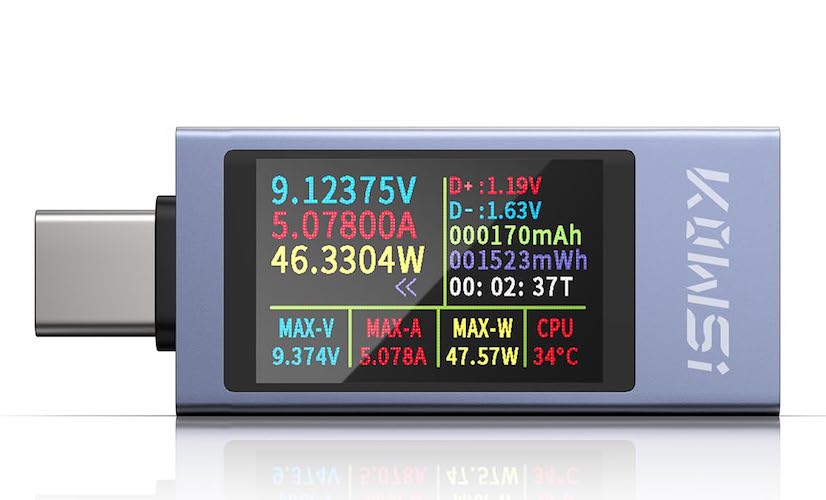
A USB-C power meter is a small inline device that shows real-time voltage, current, and wattage flowing from your charger to your device.
Most people assume their fast charger works as advertised.
In reality, many don’t.
Why It’s Underrated
This tiny gadget helps uncover:
- Fake fast chargers
- Faulty or low-quality cables
- Power-hungry devices
- Slow charging bottlenecks
Once you use one, you’ll never blindly trust a charger again.
Must Read : Wireless earbuds under $30 (2026 Buyer’s Guide)
Key Features
- Live voltage and amperage display
- Works with phones, laptops, and power banks
- No app or setup required
- Plug-and-play operation
Real-World Use Cases
- Testing USB-C laptop chargers
- Diagnosing slow phone charging
- Verifying power bank output
- Preventing overheating and battery stress
Pros and Cons
| Pros | Cons |
|---|---|
| Very affordable | Basic models lack data logging |
| Simple to use | Small display |
| Great for troubleshooting | Not essential for casual users |
Best For
- Tech enthusiasts
- Laptop and phone power users
- Anyone frustrated by slow charging
2. Smart Temperature and Humidity Sensor (With App Alerts)
What It Is
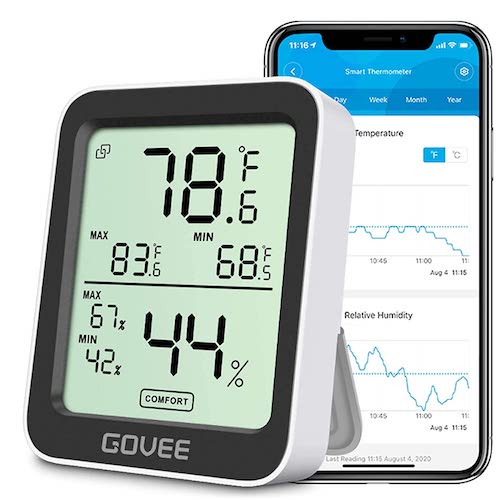
A compact wireless sensor that monitors temperature and humidity and sends alerts to your phone when conditions go outside your preferred range.
Instead of guessing, you get accurate data.
Why It’s Underrated
This gadget quietly protects:
- Electronics
- Musical instruments
- Indoor plants
- Baby rooms
- Storage areas
All without constant checking.
Key Features
- Real-time app monitoring
- Custom alert notifications
- Long battery life (often over one year)
- Historical data and trends
Real-World Use Cases
- Preventing mold in storage rooms
- Monitoring server or router heat
- Maintaining comfortable nursery conditions
- Protecting camera or audio gear
Pros and Cons
| Pros | Cons |
|---|---|
| Set-and-forget convenience | App setup required |
| Accurate readings | Some models need a hub |
| Excellent battery life | App quality varies by brand |
Best For
- Homeowners
- Parents
- Remote workers
- Tech gear owners
3. Bluetooth Tracker Card (Wallet-Sized)
What It Is
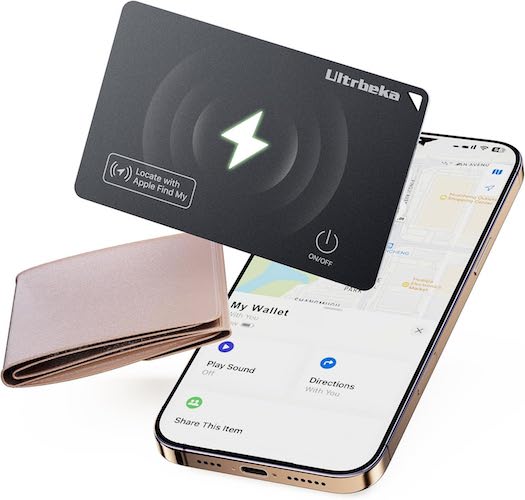
A credit-card-sized Bluetooth tracker designed to slip into wallets, passport holders, or laptop sleeves.
Most people know key trackers.
Few know about tracker cards.
Why It’s Underrated
Keys are annoying to lose.
Wallets cause instant panic.
This gadget:
- Helps locate lost wallets
- Sends alerts when you leave it behind
- Runs quietly in the background
Must Read : Fast Charging Phones : The Ultimate Guide for 2026 Buyers
Key Features
- Ultra-thin design
- App-based tracking
- Separation alerts
- Community-assisted location network
Real-World Use Cases
- Travel security
- Daily commuting
- Minimalist wallets
- Laptop and work bags
Pros and Cons
| Pros | Cons |
|---|---|
| Slim and discreet | Battery not always replaceable |
| Easy setup | Limited range without community |
| Peace of mind | Bluetooth must stay on |
Best For
- Travelers
- Students
- Minimalists
- Forgetful users
4. HDMI Sync Box – Bias Lighting That Reacts to Your Screen
What It Is
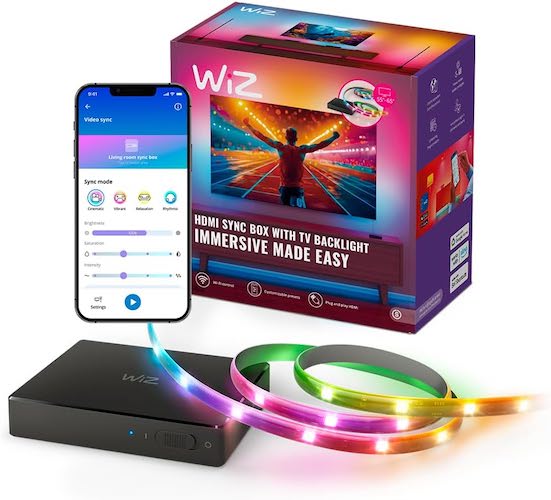
An HDMI sync box adds ambient LED lighting behind your TV or monitor that matches what’s happening on screen in real time.
It creates a cinematic feel at home.
Why It’s Underrated
Many people think this tech is expensive or complicated.
It’s neither.
And it helps:
- Reduce eye strain
- Improve immersion
- Make screens feel larger
Must Read : Aiarty Image Matting Review: Precision Background Removal Made Simple
Key Features
- Real-time color synchronization
- Works with consoles and streaming devices
- App-controlled lighting modes
- Simple adhesive installation
Real-World Use Cases
- Gaming setups
- Movie nights
- Desk aesthetics
- Streaming backgrounds
Pros and Cons
| Pros | Cons |
|---|---|
| Dramatic visual upgrade | Requires HDMI input |
| Easy installation | Not ideal for wall-mounted TVs |
| Highly customizable | Adds minor cable clutter |
Best For
- Gamers
- Movie lovers
- Desk setup enthusiasts
5. Digital Air Quality Monitor (Beyond Basic Detectors)
What It Is
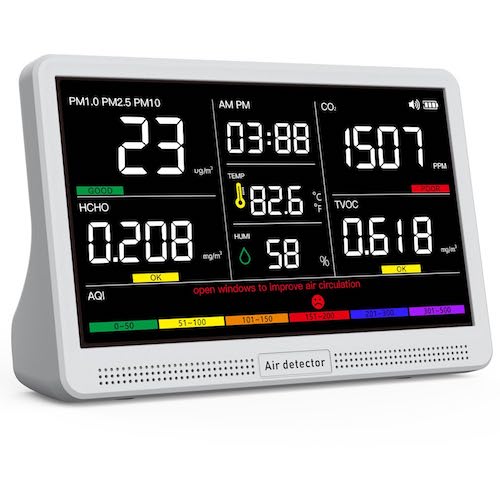
A smart monitor that measures CO₂, VOCs, fine particles, temperature, and humidity — not just smoke or carbon monoxide.
Air you can’t see still affects your health.
Why It’s Underrated
Poor indoor air quality can cause:
- Fatigue
- Headaches
- Poor sleep
- Lower productivity
Most people never realize it’s happening.
Key Features
- Multi-sensor detection
- Clear digital display
- App alerts on smart models
- Long-term air quality trends
Real-World Use Cases
- Home offices
- Bedrooms
- Apartments with limited ventilation
- Classrooms and study areas
Pros and Cons
| Pros | Cons |
|---|---|
| Reveals hidden air issues | Costs more than basic detectors |
| Supports healthier living | Requires calibration |
| Improves focus and comfort | Not portable |
Best For
- Remote workers
- Families
- Health-conscious users
Comparison Table: Which Gadget Is Right for You?
| Gadget | Best Use Case | Skill Level |
|---|---|---|
| USB-C Power Meter | Charging diagnostics | Beginner |
| Temp & Humidity Sensor | Home monitoring | Beginner |
| Tracker Card | Loss prevention | Beginner |
| HDMI Sync Box | Entertainment setups | Intermediate |
| Air Quality Monitor | Health and productivity | Intermediate |
Buying Guide: What to Consider Before Buying
Before purchasing underrated gadgets, consider the following:
Compatibility
- Android or iOS app support
- USB-C versus USB-A
- Bluetooth or Wi-Fi requirements
App Quality
A gadget is only as good as its software.
Look for:
- Regular updates
- Clean interface
- Clear data presentation
Power Source
- Replaceable batteries for longevity
- Rechargeable batteries for convenience
Actual Need
Ask yourself:
“Will this solve a real problem I currently have?”
If yes, it’s worth buying.
FAQs
Are underrated gadgets reliable?
Yes. Many use the same components as big brands but spend less on marketing.
Do these gadgets work with both iPhone and Android?
Most do, but always check app compatibility before purchasing.
Are budget gadgets safe to use?
They are safe when bought from reputable sellers with verified reviews.
Do I need a smart home hub?
Some sensors require hubs, while others work independently via Bluetooth or Wi-Fi.
Can these gadgets improve productivity?
Yes, especially air quality monitors and power diagnostic tools.
Are these good gift ideas?
Absolutely. They’re practical, unique, and genuinely useful.
Final Verdict
Underrated gadgets don’t rely on hype.
They quietly solve problems, save time, and improve daily life.
If you value tech that’s practical, affordable, and genuinely useful, these hidden gems are worth exploring.
Start with the one that fixes a current pain point — the impact is immediate.