
Have you ever visited a website and noticed a small chat window asking, “How can we help you today?” Perhaps you used it to track an order, find a product, or get an answer without waiting for customer support. That little window is often powered by a chatbot. Here you will get to know Chatbot Meaning in detail.
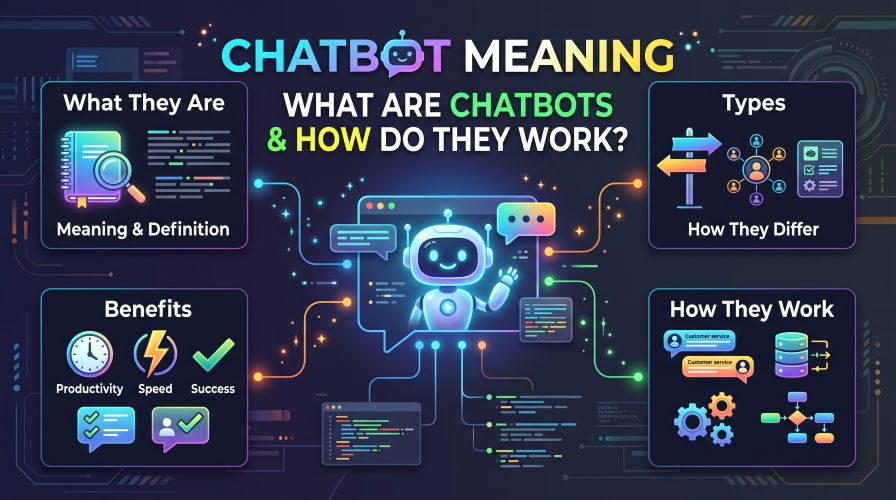
Chatbots have become a common feature on websites, online stores, mobile apps, and messaging platforms. However, many people still wonder what chatbots actually do, how they understand questions, and whether they are useful for everyday users or businesses.
Understanding the chatbot meaning can help you make better decisions about customer support tools, online shopping, productivity software, and business automation.
In this guide, we will explain how chatbots work, explore their different types, compare their advantages and limitations, and show you what to consider before choosing chatbot software.
Quick Summary: What Is a Chatbot?
A chatbot is a software application that communicates with people through text or voice. It can answer questions, provide information, guide users through tasks, and sometimes connect them with a human representative.
Some chatbots follow predefined rules, while others use artificial intelligence, natural language processing, or large language models to understand and respond to messages.
Key takeaways:
- Chatbots automate conversations between people and software.
- Rule-based chatbots work with predefined instructions.
- AI-powered chatbots can interpret a wider range of questions.
- Businesses use chatbots for customer service, sales support, and lead generation.
- Chatbots can save time, but their answers are not always accurate.
- The best chatbot depends on your needs, budget, privacy requirements, and technical skills.
What Is the Meaning of Chatbot?
The word “chatbot” combines two words: “chat” and “robot.”
A chatbot is a computer program designed to simulate a conversation with a human. The conversation may happen through a website, mobile application, messaging service, or voice-enabled device.
For example, imagine visiting an online electronics store to ask whether a particular laptop is available. Instead of searching through several pages, you type your question into the website’s chat window.
The chatbot may provide availability information, suggest similar products, or direct you to the product page.
That is a practical example of a chatbot helping someone complete a task.
Not every chatbot is equally sophisticated. Some can only answer a limited set of questions, while others can handle more flexible conversations and assist with several connected tasks.
A Simple Chatbot Definition
A chatbot is a software program that interacts with users through text or voice to answer questions, provide assistance, or perform specific tasks automatically.
This definition applies to both simple rule-based chatbots and more advanced AI-powered conversational systems.
How Do Chatbots Work?
Understanding how chatbots work becomes easier when you look at what happens after someone sends a message.
Although the technical details vary, most chatbot conversations follow a similar process.
1. The User Sends a Message
The process begins when a person types a question or speaks to a voice-enabled chatbot.
For example:
“How can I return my order?”
The message provides the chatbot with information about what the user wants to accomplish.
2. The Chatbot Processes the Message
A basic chatbot may look for specific words, match a question to a predefined option, or follow a decision tree.
An AI-powered chatbot may use natural language processing (NLP) and other language technologies to interpret the message’s meaning.
This allows it to handle different ways of asking the same question.
For instance, these messages have a similar purpose:
- How do I return my order?
- Can I send this product back?
- What is your return policy?
A more flexible chatbot may recognize that all three questions concern returns.
3. It Finds Relevant Information
After interpreting the message, the chatbot determines what information or action is appropriate.
Depending on how it is configured, it may use:
- Prewritten answers and conversation rules
- A company’s help articles or knowledge base
- Product catalogs and frequently asked questions
- Connected business systems
- External services or approved data sources
The information available to a chatbot depends on its design, permissions, and integrations.
Must Read : Open Source Notion Alternatives: 10 Best Free Tools (2026)
A chatbot cannot automatically access every company record or website simply because a user asks for information.
4. It Generates or Selects a Response
A rule-based chatbot selects an answer that matches its instructions.
An AI-powered chatbot may generate a response based on the conversation, available information, and its underlying model.
For example, it might explain the return process and provide a link to the relevant policy.
However, advanced language capabilities do not guarantee accuracy. A chatbot can misunderstand a question, use outdated information, or produce an incorrect answer.
5. The Conversation Continues
The user can ask another question, request clarification, or complete a supported task.
Some chatbots remember relevant details during the conversation. Others can access conversation history or user information when the system has been designed and authorized to do so.
For complicated problems, a well-designed chatbot should offer an appropriate way to contact a human representative.
The bottom line: A chatbot receives a message, interprets it, finds or generates a suitable response, and continues the conversation within its capabilities.
What Are the Main Types of Chatbots?
Not all chatbots work in the same way. Choosing the right type depends on the complexity of your tasks and the experience you want to provide.
1. Rule-Based Chatbots
Rule-based chatbots follow predefined instructions, keywords, buttons, or decision trees.
A website visitor might select “Shipping,” “Returns,” or “Payment Problems” to reach the relevant information.
Advantages:
- Relatively easy to set up
- Predictable responses
- Suitable for repetitive questions
- Easier to control within a limited scope
Limitations:
- Struggle with unexpected questions
- Require updates when policies change
- May frustrate users who cannot find a matching option
Best for: Small websites, appointment requests, basic FAQs, and simple customer service workflows.
2. AI-Powered Chatbots
AI-powered chatbots use machine learning or language-processing technologies to interpret messages and provide responses.
Depending on their design, they can handle varied questions, summarize information, suggest products, and support more natural conversations.
Advantages:
- More flexible conversations
- Can handle different phrasings
- May support multiple tasks
- Can assist with product discovery and information retrieval
Limitations:
- Responses may be inaccurate
- Quality depends on instructions and available information
- More advanced systems may require additional setup and monitoring
Best for: Businesses with varied customer questions, online retailers, and users who need conversational assistance.
3. Menu-Based Chatbots
Menu-based chatbots present users with buttons or options rather than requiring them to type every question.
For example, a booking website might display options such as “Make a Reservation,” “Change Booking,” and “Cancel Booking.”
These bots can be easy to use because visitors do not need to guess what the system understands.
However, they are less flexible when users have unusual requests.
4. Voice Chatbots
Voice chatbots accept spoken input and may respond with synthesized speech.
They are commonly used in voice assistants, telephone support systems, and hands-free interfaces.
A voice chatbot may help a caller check opening hours, navigate a support menu, or receive basic account information.
5. Hybrid Chatbots
Hybrid chatbots combine predefined workflows with AI-powered conversation.
For example, a hybrid system may use fixed rules to verify a customer’s identity, answer common questions through a knowledge base, and use a conversational interface for less predictable requests.
This approach can offer flexibility without relying entirely on automatically generated answers.
Chatbots Compared: Which Type Is Better?
| Feature | Rule-Based | AI-Powered | Hybrid |
|---|---|---|---|
| Handles predefined questions | Excellent | Good | Excellent |
| Understands varied wording | Limited | Often strong | Often strong |
| Predictability | High within its rules | Depends on configuration | Varies by task |
| Setup complexity | Usually low | Low to high | Moderate to high |
| Ongoing monitoring | Necessary | Especially important | Especially important |
| Best use case | Basic FAQs | Flexible conversations | Mixed support needs |
There is no universal winner.
A small business answering five common questions may not need an advanced AI-powered system. A retailer with a large product catalog and varied customer inquiries may benefit from a more flexible chatbot.
What Are the Benefits of Chatbots?
Chatbots can help individuals and businesses handle routine communication more efficiently. Their value depends on how well they are matched to the task.
Faster Responses
A chatbot can answer supported questions without requiring a customer service agent to respond manually.
This is useful for common inquiries about shipping, business hours, booking procedures, and product specifications.
Support Outside Business Hours
Some chatbots are available whenever their hosting service is operating, including evenings, weekends, and holidays.
This does not mean every issue can be resolved immediately. The chatbot still needs the relevant information and functionality to help.
Reduced Repetitive Work
Customer support teams often receive the same questions repeatedly.
A chatbot can handle some of these routine interactions, allowing employees to spend more time on complicated issues that require judgment or personal attention.
Improved Product Discovery
Online stores can use chatbots to help shoppers narrow their choices.
For example, someone shopping for headphones might specify a budget, preferred connection type, and intended use. A suitable chatbot could guide the shopper toward relevant product categories.
When recommendations involve affiliate links, publishers should clearly disclose their commercial relationship and ensure that product suggestions remain useful and honest.
Must Read : AI Tools for Marketers: Best Tools to Work Smarter
Consistent Access to Information
A properly maintained chatbot can deliver standardized information about policies, services, and procedures.
However, consistency depends on keeping its knowledge base and instructions up to date.
What Are the Limitations of Chatbots?
Chatbots can be useful, but they are not a replacement for every type of human interaction.
Incorrect or Incomplete Answers
AI-powered systems can produce plausible-sounding responses that are incorrect.
For important questions, verify the answer using an authoritative source. Businesses should also provide clear escalation options for unresolved issues.
Limited Understanding of Context
A chatbot may misunderstand sarcasm, vague requests, complicated instructions, or questions that require information it cannot access.
Even a sophisticated chatbot can struggle when a user changes topics several times.
Privacy and Security Concerns
Some chatbots process personal information, conversation history, or business data.
Before using one, review its privacy policy, data retention settings, access permissions, and security features. Avoid entering passwords, payment details, or sensitive personal information unless the service explicitly supports that use through an appropriate secure process.
Setup and Maintenance Costs
Basic chatbot tools may be inexpensive, but advanced features, integrations, usage limits, and premium support can increase costs.
Businesses should compare the total cost of ownership rather than choosing a tool based on its advertised starting price alone.
Real-World Examples of Chatbots
To understand the practical value of chatbots, consider how they can be used in different situations.
Example 1: An Online Store
A shopper asks whether a phone case fits a particular smartphone model.
A connected chatbot may search the product catalog and identify compatible cases. If the catalog is incomplete, it should acknowledge the limitation instead of guessing.
Example 2: A Service Business
A local salon uses a chatbot to explain its services, share opening hours, and direct customers to an appointment booking page.
The chatbot handles routine inquiries while staff manage appointments that require personal attention.
Example 3: A Student
A student uses a chatbot to explain an unfamiliar computer networking concept.
The chatbot can provide a simplified explanation and examples. The student should still check technical details against reliable educational materials when accuracy matters.
Example 4: A Small Business Website
A business receives frequent questions about delivery times and payment methods.
A chatbot can answer these questions using approved help articles, potentially reducing repetitive support requests.
In each case, the chatbot works best when its purpose is clear and the information it provides is reliable.
Chatbots vs. Traditional Customer Support
Does using a chatbot mean a business no longer needs human customer support?
In most situations, the two approaches serve different purposes.
| Factor | Chatbot | Human Support |
|---|---|---|
| Response time | Often immediate | Depends on availability |
| Repetitive questions | Well suited | Can consume staff time |
| Complex judgment | Limited by system capabilities | Often more flexible |
| Empathy and personal attention | Limited | Usually stronger |
| Availability | Can operate beyond office hours | Depends on staffing |
| Handling exceptions | May require escalation | Often better equipped |
A balanced support strategy uses chatbots for routine tasks and provides access to human help when a problem requires personal judgment, investigation, or an exception to normal procedures.
Chatbot Software: Features Worth Comparing
If you are considering chatbot software for small business use, focus on the features that solve your actual problems.
Avoid paying for advanced capabilities that your team is unlikely to use.
1. Ease of Setup
Look for a clear dashboard, useful templates, and a setup process that matches your technical skills.
A no-code chatbot builder may be sufficient for a basic website FAQ.
2. Website and Messaging Integrations
Check whether the software supports your website platform, customer relationship management (CRM) system, help desk, or messaging channels.
Verify the exact integrations included in your preferred plan.
3. Knowledge Base Support
A chatbot that uses your approved documentation may be more useful than one that relies only on general information.
Check whether you can update articles easily and control which information the chatbot can access.
4. Human Handoff
Look for a clear process for transferring conversations to a human representative.
This matters when customers have account problems, complicated requests, or questions the chatbot cannot answer reliably.
5. Analytics and Reporting
Useful reports may include conversation volume, common questions, unresolved requests, and customer feedback.
These metrics help you identify where the chatbot is working well and where its instructions need improvement.
6. Pricing and Usage Limits
Compare monthly or annual subscription fees, message limits, extra usage charges, and premium features.
Soft recommendation: If you are exploring chatbot tools, compare a free plan with one paid option before committing. Review the current features, limitations, and billing terms on the provider’s official website.
Popular Chatbot Tool Categories to Explore
Different tools serve different needs. Start by identifying the type of chatbot you actually require.
| Tool Category | Main Benefit | Potential Drawback | Best For |
|---|---|---|---|
| Website FAQ builders | Answer common questions | Limited flexibility | Small websites |
| Customer support platforms | Organize and automate support | May cost more | Support teams |
| Conversational AI platforms | Handle flexible questions | Require testing and monitoring | Complex inquiries |
| Sales and lead-generation tools | Qualify inquiries and collect leads | Can feel intrusive if poorly configured | Service businesses |
| Messaging automation tools | Automate supported messaging workflows | Channel-specific limitations | Businesses using messaging apps |
Before choosing a provider, verify its current pricing, supported regions, integrations, data policies, and cancellation terms.
Do not assume that a product includes a particular feature simply because it belongs to one of these categories.
Must Read : Is Notion Safe? Security, Privacy & Data Protection Guide
Things to Consider Before Choosing a Chatbot
A little planning can help you avoid purchasing a tool that is unnecessarily complicated or expensive.
Define Your Main Goal
Are you trying to answer FAQs, qualify sales inquiries, recommend products, or help existing customers?
Choose one primary goal first. A narrowly defined use case is easier to test than a chatbot expected to do everything.
Estimate Conversation Volume
A website receiving a few questions each day may need a different plan from a business handling thousands of conversations monthly.
Estimate expected usage before comparing subscription limits.
Check Privacy Requirements
Review how the provider stores conversation data, whether it uses data for additional purposes, and what controls are available to administrators.
If your business handles regulated or sensitive information, seek appropriate professional advice before deploying a chatbot.
Test Difficult Questions
Do not test a chatbot only with easy, predictable prompts.
Try unclear requests, questions with missing details, and scenarios that require escalation. Check whether the chatbot acknowledges uncertainty and directs users to appropriate support.
Measure Results
Track relevant metrics such as response quality, successful task completion, unresolved conversations, customer satisfaction, and total cost.
The goal is not simply to automate more conversations. It is to make the customer experience better.
Pros and Cons of Using Chatbots
| Pros | Cons |
|---|---|
| Can answer routine questions quickly | May misunderstand requests |
| Can support users outside office hours | Cannot guarantee continuous availability |
| Can reduce repetitive manual work | Requires maintenance and monitoring |
| Can guide customers toward relevant information | May provide inaccurate information |
| Can support consistent communication | May frustrate users with complex issues |
| Can scale some automated interactions | Advanced plans and integrations may be costly |
Chatbots are most effective when they solve a specific problem and have clear limits.
Frequently Asked Questions About Chatbots
1. What does chatbot mean in simple words?
A chatbot is a computer program that talks with people through text or voice. It can answer questions, share information, and help users complete supported tasks.
2. How do chatbots work?
Chatbots receive a message, interpret it using rules or language-processing technology, identify relevant information, and respond. Some can also interact with connected software to perform specific tasks.
3. What are the main types of chatbots?
Common types include rule-based chatbots, menu-based chatbots, AI-powered chatbots, voice chatbots, and hybrid chatbots. Each type has different strengths and limitations.
4. Are chatbots free to use?
Some chatbot services offer free plans or limited trials, while others charge subscription fees or usage-based rates. Check the provider’s current pricing, feature limits, and renewal terms before signing up.
5. Can chatbots replace human customer service?
Chatbots can handle many routine questions, but they may struggle with complex complaints, unusual situations, and problems requiring personal judgment. Human support remains important for these cases.
6. Are chatbots safe to use?
Safety depends on the provider, its security controls, the information shared, and how the chatbot is configured. Review privacy policies and avoid sharing sensitive information unless the service is designed to handle it securely.
7. How can a small business benefit from chatbots?
A small business can use chatbots to answer common questions, explain services, direct customers to booking pages, and support basic lead qualification. Results depend on the quality of the setup and the needs of its customers.
8. What is the difference between a chatbot and a search engine?
A search engine typically returns links or documents that users can explore. A chatbot responds conversationally and may summarize information or guide users through tasks. Chatbots can still make mistakes, so important information should be verified.
Final Verdict: Are Chatbots Worth Using?
The meaning of a chatbot is simple: it is software that communicates with people and helps them find information or complete tasks through a conversation.
What makes chatbots useful is not just their ability to respond quickly. Their real value comes from solving a clearly defined problem, whether that means answering a customer’s question, guiding a shopper toward a product, or reducing repetitive work.
For individuals, chatbots can provide convenient explanations and assistance. For businesses, they can improve access to information and help organize routine customer interactions.
However, they are not perfect. Incorrect answers, privacy concerns, subscription costs, and limited understanding can all affect their usefulness.
Our recommendation: Start with a simple chatbot that addresses one real need. Test it with realistic questions, review its performance, and expand its capabilities only when the results justify the additional cost.
If you are evaluating chatbot software, compare at least two suitable providers, read their current terms, and test a free option when available before purchasing a subscription.
A well-chosen chatbot should make an existing process easier, not add unnecessary complexity.