
Smartphones today are incredibly powerful. But with that power comes a common and frustrating issue — phone overheating while charging.
If your phone becomes hot every time you plug it in, you’re not alone.
Many users experience this problem, especially during:
- Fast charging
- Gaming while charging
- Using low-quality chargers
- Charging in warm environments
The good news?
In most cases, overheating during charging is easy to fix once you understand the real cause.
This guide will walk you through practical fixes, safe charging habits, and accessories that help prevent overheating.
Quick Fix Summary
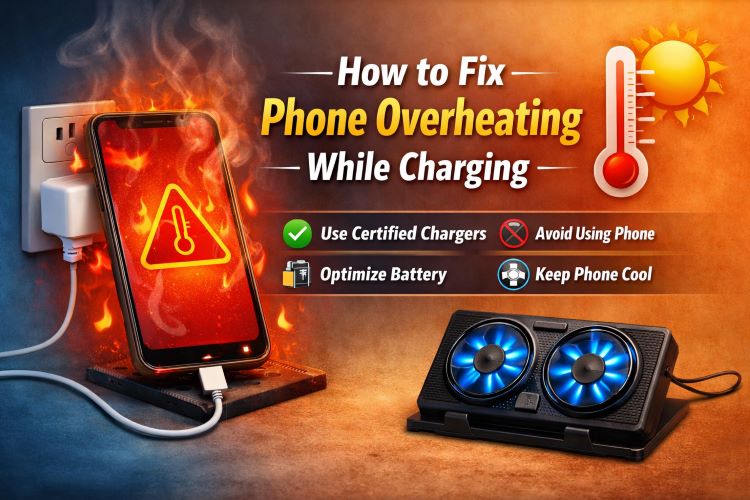
If your phone overheats while charging, try these quick solutions:
- Stop using your phone while charging
- Use the original or certified charger
- Remove the phone case while charging
- Avoid charging in hot environments
- Replace cheap charging cables
- Enable battery optimization
- Close background apps
- Avoid wireless charging for long periods
- Update your phone software
Keep reading to understand why phones heat up during charging and how to permanently fix it.
Why Does a Phone Overheat While Charging?
Before fixing the issue, it’s important to understand what actually causes phone heating during charging.
1. Fast Charging Generates Heat
Modern smartphones support fast charging technologies that push more power into the battery.
More power = more heat.
This is normal to a certain extent, but excessive heat can indicate a problem.
2. Poor Quality Chargers and Cables
Cheap chargers often lack proper voltage regulation.
This can cause:
- Battery stress
- Inconsistent power flow
- Heat buildup
Using a certified charger and cable is one of the easiest ways to reduce overheating.
Must Read : Budget Drawing Tablet Review – Huion Inspiroy H640P
3. Using Your Phone While Charging
Gaming, video streaming, or video calls while charging create double workload:
- CPU working hard
- Battery charging simultaneously
This combination is one of the biggest causes of overheating.
4. Charging in Hot Environments
Charging your phone in places like:
- Cars
- Direct sunlight
- Beds or couches
- Under pillows
can trap heat and prevent proper cooling.
5. Background Apps Consuming Power
Some apps continue running in the background and drain battery even while charging, forcing the processor to work harder.
This increases internal heat.
Must Read : Best Smart Gadgets for Daily Use at Home
12 Proven Ways to Fix Phone Overheating While Charging
Let’s go through the most effective solutions that actually work.
1. Stop Using Your Phone While Charging
This is the simplest and most effective fix.
Avoid:
- Gaming
- Video editing
- Streaming
- Video calls
Let your phone focus only on charging.
Result:
- Faster charging
- Lower temperature
- Longer battery life
2. Remove Your Phone Case
Some cases trap heat, especially:
- Thick rubber cases
- Heavy-duty protection cases
- Leather cases
If your phone heats up while charging:
Remove the case temporarily.
You may notice the phone cool down almost immediately.
Must Read : Best Type C Charger with Long Wire (Fast & Reliable)
3. Use a Certified Charger
Low-quality chargers are one of the biggest causes of charging heat.
Look for chargers with:
- Overcurrent protection
- Temperature protection
- Smart power management
A reliable fast charger option:
Recommended Features
| Feature | Benefit |
|---|---|
| Smart power control | Prevents overheating |
| Fast charging support | Faster charging time |
| Safety certification | Protects battery |
4. Replace Cheap Charging Cables
Many users focus on chargers but forget the charging cable.
Low-quality cables cause:
- Power loss
- Voltage fluctuations
- Heat buildup
Signs your cable may be faulty:
- Phone heats quickly
- Charging becomes slow
- Cable feels warm
High-quality cables provide stable current flow.
5. Avoid Charging on Beds or Sofas
Soft surfaces block heat dissipation.
Bad places to charge your phone:
- Beds
- Sofas
- Pillows
- Blankets
Instead, charge your phone on:
- Wooden desks
- Tables
- Hard surfaces
This allows heat to dissipate properly.
6. Turn On Battery Optimization
Both Android and iOS include battery optimization features.
These limit background processes that generate heat.
To enable this:
Android
Settings → Battery → Battery Optimization
iPhone
Settings → Battery → Optimized Battery Charging
This reduces heat during charging cycles.
7. Close Background Apps
Apps running in the background consume CPU power.
Common culprits:
- Social media apps
- Location tracking apps
- Cloud backup services
Close unused apps before charging to reduce system load.
8. Avoid Wireless Charging for Long Sessions
Wireless charging is convenient but less efficient than wired charging.
It produces more heat because energy transfers through electromagnetic coils.
Use wireless charging only when necessary.
9. Update Your Phone Software
Software updates often include:
- Battery optimizations
- Power management improvements
- Bug fixes
If your phone started overheating recently, check for updates.
10. Turn On Airplane Mode While Charging
Airplane mode disables:
- Cellular signals
- Bluetooth
- Wi-Fi
This reduces power consumption and heat.
Many users report faster charging and cooler phones using this method.
11. Avoid Charging From Laptops
Laptop USB ports usually provide lower and inconsistent power output.
This can cause slow charging and extended heat exposure.
Wall chargers are usually safer and more efficient.
12. Check Battery Health
If your phone is older than 2–3 years, the battery may be degrading.
Signs of battery problems:
- Phone heats quickly
- Battery drains fast
- Charging becomes inconsistent
In this case, replacing the battery may solve the issue.
Best Charging Accessories to Reduce Overheating
Using better accessories can significantly reduce heat.
Fast Charging Adapter (Safe & Efficient)
Best for:
- Fast charging
- Travel
- Daily charging
Benefits:
- Smart power management
- Heat protection
- Stable voltage output
Braided Fast Charging Cable
Best for:
- Durable charging
- Stable power transfer
- Reduced heat buildup
Benefits:
- Reinforced connectors
- Heat-resistant materials
- Long lifespan
Comparison: Wired vs Wireless Charging Heat
| Feature | Wired Charging | Wireless Charging |
|---|---|---|
| Heat generation | Low | Higher |
| Efficiency | High | Moderate |
| Charging speed | Faster | Slower |
| Convenience | Moderate | High |
If overheating is a frequent issue, wired charging is the better option.
Real-World Situations That Cause Charging Heat
Understanding real scenarios helps prevent problems.
Scenario 1: Gaming While Charging
Heavy GPU usage + charging = overheating.
Scenario 2: Charging in a Car
Hot dashboard temperatures amplify heat.
Scenario 3: Using Cheap Chargers
Unregulated power damages battery health.
Buying Guide: What to Look for in a Safe Charger
If you’re upgrading your charging accessories, look for these features.
1. Safety Certifications
Look for chargers with:
- Overheat protection
- Overcurrent protection
- Surge protection
2. Smart Charging Chips
These automatically adjust power levels to prevent overheating.
3. Quality Materials
Durable cables reduce resistance and heat buildup.
FAQs
Is it normal for a phone to get warm while charging?
Yes. Slight warmth is normal during charging. However, excessive heat or discomfort when touching the phone is not normal.
Can overheating damage my phone battery?
Yes. High temperatures can reduce battery lifespan and performance over time.
Should I stop charging if my phone gets hot?
If the phone becomes very hot, unplug it and allow it to cool before charging again.
Why does fast charging heat my phone?
Fast charging pushes higher electrical current into the battery, which naturally produces heat.
Does removing the phone case help?
Yes. Many cases trap heat and prevent proper cooling during charging.
Can software cause charging heat?
Yes. Background apps and system bugs can increase processor activity and generate heat.
Is wireless charging bad for overheating?
Wireless charging generates more heat than wired charging, especially during long charging sessions.
Final Verdict
Phone overheating while charging is usually caused by poor charging habits, cheap accessories, or background activity.
Fortunately, most cases can be solved with simple changes like:
- Using certified chargers
- Avoiding phone usage while charging
- Charging on hard surfaces
- Closing background apps
If you want to protect your phone battery and reduce overheating, investing in high-quality charging accessories is a smart choice.
Changing my charger solved the problem
Hi Joseph, glad this helped you solve your problem
My phone case was the bloody problem. When I removed it and charged my mobile it stopped hearing that much. I guess I will have to spend a little bit in a good phone case
Yes many times phone case is the problem. Glad this helped you. Stay connected!
I use braided fast charging cable. Thanks
Hey Brian,
Yes having good fast charging cable is essential. Upgrading to a braided fast charging cable is nice solution.