


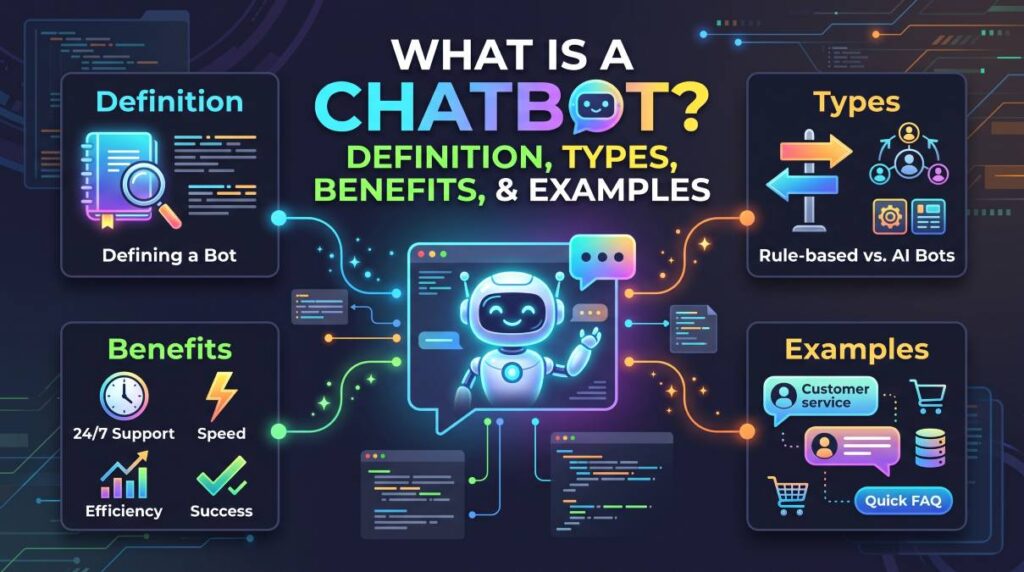
Have you ever visited a website and received an instant answer from a small chat window in the corner of the screen? Or asked an online shopping assistant about delivery times without speaking to a human representative? What Is a Chatbot?
You have probably interacted with a chatbot.
Chatbots have become common across online stores, banking services, educational websites, travel platforms, and customer support systems. They help people find information, solve simple problems, and complete everyday tasks without waiting for an email response or phone call.

But what exactly is a chatbot, how does it work, and is chatbot software worth using for your business?
In this guide, we will explore the meaning of chatbots, the different types available, their advantages and limitations, and practical examples. You will also learn what to consider before choosing chatbot software for a personal website, an online store, or a growing business.
Quick Summary: What Is a Chatbot?
A chatbot is a software application that communicates with people through text or voice. It answers questions, provides information, and may perform tasks such as booking appointments, tracking orders, or directing customers to the right service.
Some chatbots follow predefined rules, while others use artificial intelligence (AI) and natural language processing to understand different ways of asking questions.
Key takeaways:
- Chatbots automate common conversations and customer service tasks.
- Rule-based chatbots work with predefined rules and conversation paths.
- AI-powered chatbots can interpret more varied questions and generate responses.
- Businesses use chatbots to improve response times and reduce repetitive work.
- The right chatbot depends on your budget, goals, integrations, and customer needs.
What Is a Chatbot? Definition and Meaning
A chatbot is a digital assistant designed to interact with users through a conversational interface. Instead of navigating several pages or contacting a support team, users can type a question or speak a request and receive a response.
For example, a customer visiting an online electronics store might ask, “Can I return a laptop after seven days?”
A chatbot could explain the store’s return policy, provide a link to the relevant page, or direct the customer to a human support agent if the situation requires further assistance.
The quality of the answer depends on the chatbot’s design, available information, and access to relevant systems.
What Does the Word Chatbot Mean?
The word “chatbot” combines two terms: “chat,” which refers to conversation, and “bot,” which describes software that performs automated tasks.
In simple terms, a chatbot is a program that simulates a conversation with a human user.
Not every chatbot is intelligent in the same way. Some recognize keywords and follow fixed instructions, while more advanced systems interpret natural language and use connected information sources to answer questions.
How Does a Chatbot Work?
A chatbot receives a message, processes the request, and produces a response. The exact process varies depending on the technology behind it.
Here is a simplified explanation of how a typical chatbot works.
1. The User Sends a Message
The user enters a question into a website chat window, mobile application, messaging platform, or voice interface.
For example, someone might ask, “Where is my order?”
2. The Chatbot Interprets the Request
A basic chatbot may identify keywords such as “order” or “delivery.”
An AI-powered chatbot may use natural language processing to understand that the person wants an update about a purchase.
Must Read : Is Notion Safe? Security, Privacy & Data Protection Guide
3. The Chatbot Finds Relevant Information
Depending on its setup, the chatbot may check predefined responses, a knowledge base, an order management system, or another connected application.
It should only access information and systems for which it has appropriate permissions.
4. The Chatbot Responds
The chatbot provides an answer, asks a follow-up question, or offers the next step.
For order tracking, it might request an order number and retrieve the latest delivery status if that functionality is available.
5. The Conversation Continues or Ends
The user can ask another question, follow a suggested option, or request human assistance.
A well-designed chatbot makes it easy to reach a person when the request is too complicated or sensitive to handle automatically.
What Are the Main Types of Chatbots?
Understanding the different types of chatbots makes it easier to select the right solution. Although products often combine several technologies, most chatbot systems fit into a few broad categories.
1. Rule-Based Chatbots
Rule-based chatbots follow predefined instructions, buttons, keywords, and decision paths.
For example, a website chatbot might display three options:
- Track an order
- Request a refund
- Contact customer support
When a visitor selects an option, the chatbot follows the corresponding workflow.
Benefits:
- Usually straightforward to configure.
- Offers predictable responses.
- Works well for repetitive questions.
- Provides greater control over the conversation.
Limitations:
- Struggles with unexpected questions.
- Requires updates when workflows change.
- May frustrate users who need something outside the available options.
Best for: Small businesses, appointment booking, frequently asked questions, and basic customer support.
2. AI-Powered Chatbots
AI-powered chatbots use machine learning, language-processing techniques, or generative models to interpret requests and produce responses.
Unlike a strictly rule-based bot, an AI chatbot may understand different versions of the same question.
For example, “When will my package arrive?” and “Can you check my delivery date?” may communicate the same intent.
Some AI chatbots can also summarize information, recommend relevant resources, or assist with writing and research.
However, their accuracy depends on the model, instructions, available information, and connected tools. They can still misunderstand questions or provide incorrect answers.
Best for: Businesses with varied customer questions, knowledge-based support, and users who need a flexible conversational assistant.
3. Menu-Based Chatbots
Menu-based chatbots guide users through a series of choices rather than relying primarily on free-form conversation.
A travel website, for example, could offer buttons for flights, hotel reservations, baggage policies, and cancellation information.
These bots are useful when visitors know what they need but want a quicker route to the right information.
Best for: Websites with clearly defined services and structured customer journeys.
4. Keyword Recognition Chatbots
Keyword recognition chatbots respond when they detect particular words or phrases.
If a visitor types “refund,” the bot might display the refund policy. If the visitor mentions “opening hours,” it might show the business schedule.
This approach can be more flexible than a simple menu, but it may misunderstand words used in different contexts.
Best for: Basic websites that receive a limited range of predictable questions.
5. Voice Chatbots
Voice chatbots allow users to interact through spoken language instead of typing.
They may use speech recognition to convert speech into text and speech synthesis to produce spoken answers.
Voice-based assistants are used in customer service phone systems, smart devices, and hands-free applications.
Best for: Phone support, accessibility-focused experiences, and situations where typing is inconvenient.
6. Hybrid Chatbots
Hybrid chatbots combine automated conversation with human support.
A bot may handle routine questions, gather relevant details, and pass complicated cases to an employee.
For example, a customer support chatbot might explain a shipping policy but transfer a damaged-product complaint to a human representative.
Best for: Businesses that want automation without removing access to personal assistance.
Chatbot Types Compared
| Chatbot type | Main strength | Main limitation | Suitable use |
|---|---|---|---|
| Rule-based | Predictable workflows | Limited flexibility | FAQs and booking |
| AI-powered | Handles varied questions | Can make mistakes | Knowledge support |
| Menu-based | Easy navigation | Fixed options | Service websites |
| Keyword-based | Simple automation | Context limitations | Basic support |
| Voice-based | Hands-free interaction | Speech recognition issues | Phone systems |
| Hybrid | Combines automation and human help | More setup required | Customer service teams |
The most advanced chatbot is not necessarily the best one. A simple bot that answers ten common questions accurately may be more useful than an expensive AI system that is difficult to maintain.
What Are the Benefits of Chatbots?
Chatbots can improve customer experiences and streamline business operations when they are implemented carefully.
Here are the main advantages to consider.
1. Faster Responses
Customers often want immediate answers to simple questions.
A chatbot can respond to common requests without requiring someone to monitor every conversation manually.
This is particularly useful for questions about business hours, shipping policies, account procedures, and product availability.
2. Support Outside Business Hours
A website chatbot can provide automated assistance even when a company’s employees are unavailable.
Depending on its configuration, it can explain policies, collect contact details with appropriate consent, or help customers find relevant pages.
This does not mean every issue can be resolved automatically. Complex cases may still require a human response during working hours.
3. Reduced Repetitive Work
Customer service teams frequently answer the same questions.
A chatbot can handle suitable repetitive tasks, allowing employees to focus on more complicated requests that require judgment, empathy, or investigation.
Whether this reduces costs depends on software fees, maintenance requirements, conversation volume, and the number of tasks successfully automated.
4. Better Website Navigation
A chatbot can help visitors find product pages, documentation, pricing information, and support resources.
For example, a visitor who cannot locate a software comparison page could ask the chatbot for a recommendation based on their requirements.
When the bot provides relevant links rather than generic replies, it can make a website easier to use.
5. More Convenient Shopping Experiences
Online stores can use chatbots to answer product questions, explain shipping options, and guide customers through available categories.
A chatbot might help a buyer compare two keyboards by asking whether they need wireless connectivity, mechanical switches, or a compact layout.
Recommendations should be based on accurate product information and should not hide important limitations.
6. Consistent Information
A chatbot connected to an approved knowledge base can provide consistent answers to recurring questions.
This is especially valuable when customers need clear information about return policies, service procedures, or product specifications.
The knowledge base still needs regular updates. Outdated information can make even a well-designed chatbot unreliable.
7. Useful Customer Insights
With appropriate privacy safeguards, chatbot analytics can help businesses identify frequently asked questions, common customer difficulties, and missing website information.
For example, repeated questions about installation may indicate that a product needs a clearer setup guide.
Businesses should disclose relevant data practices, limit unnecessary data collection, and follow applicable privacy requirements.
Must Read : AI Tools for Marketers: Best Tools to Work Smarter
Chatbot Examples in Everyday Life
You may already use chatbots without thinking about the technology behind them.
E-Commerce Chatbots
An online clothing store may use a chatbot to explain size charts, delivery options, return conditions, and product availability.
Example: A shopper asks whether a jacket is available in medium. The chatbot checks the connected inventory system if that integration exists or directs the visitor to the product page.
Banking Chatbots
A bank may provide an automated assistant that answers general questions about account services, card procedures, and branch information.
Account-specific actions should use appropriate authentication and security controls.
Customers should avoid sharing passwords, one-time verification codes, or other sensitive credentials in an unverified chat.
Education Chatbots
Educational websites can use chatbots to explain course structures, answer enrollment questions, and direct learners to study materials.
Some educational assistants also help students review concepts or find relevant lessons.
Healthcare Website Chatbots
Healthcare providers may use chatbots for administrative tasks such as locating departments, explaining appointment procedures, or providing clinic contact details.
A chatbot should not be treated as a substitute for qualified medical advice, diagnosis, or emergency care.
Travel and Hospitality Chatbots
Hotels, airlines, and travel platforms may use chatbots to answer questions about booking procedures, baggage rules, check-in times, and cancellation policies.
The usefulness of these bots depends on whether their information is current and connected to the relevant reservation systems.
Website and Software Support Chatbots
Software companies often use chatbots to help users find setup instructions, troubleshoot common errors, and locate documentation.
For a small technology blog, a chatbot could direct visitors to tutorials about website hosting, WordPress plugins, or cybersecurity basics.
Popular Chatbot Software: Features to Look For
If you want to add a chatbot to your website, compare tools according to your actual requirements rather than choosing one simply because it has the most features.
Common capabilities include:
- Website chat widgets.
- Customizable conversation flows.
- Knowledge-base integration.
- Lead capture and contact management.
- Human handoff.
- Analytics and conversation history.
- Integration with customer relationship management systems.
- Privacy and access controls.
- Mobile-friendly interfaces.
Chatbot Software Comparison
The following products illustrate different approaches to conversational software. Features, pricing, usage limits, and integrations can change, so verify current details before purchasing.
1. Tidio
Tidio combines customer communication tools with chatbot and automation capabilities.
It may suit small online stores and businesses that want to manage website conversations and automate common support requests.
Consider it if: You operate an e-commerce website and want customer messaging alongside automation.
2. Manychat
Manychat focuses on conversational automation across supported messaging and social platforms.
It may be useful for businesses that communicate with audiences through social messages and want to automate suitable responses or lead-capture workflows.
Consider it if: Your marketing strategy relies heavily on supported social messaging channels.
3. Intercom
Intercom offers customer messaging and support tools designed for business teams, including AI-assisted customer service capabilities in its product lineup.
Its suitability depends on the size of your support operation, desired integrations, and budget.
Consider it if: Your business needs a more comprehensive customer support platform.
4. HubSpot
HubSpot provides customer relationship management software alongside tools for live chat, workflows, and related customer communication tasks, depending on the selected product and plan.
It may suit businesses that want customer conversations connected to their sales and marketing processes.
Consider it if: You want to manage customer information and conversations within a broader CRM workflow.
Chatbots vs. Live Chat vs. AI Assistants
These terms are related, but they do not mean exactly the same thing.
| Feature | Traditional chatbot | Live chat | AI assistant |
|---|---|---|---|
| Primary responder | Automated rules | Human agent | AI-powered system |
| Availability | Depends on hosting and setup | Depends on staffing | Depends on service availability |
| Handles unexpected questions | Usually limited | Often well suited | Varies by system |
| Human judgment | Limited | Available | May require escalation |
| Common use | Repetitive tasks | Personal support | Flexible information assistance |
A chatbot is useful for predictable requests. Live chat is valuable when customers need human judgment or reassurance. An AI assistant may be useful for more varied questions, but it should not be assumed to be accurate in every situation.
Some software products combine all three approaches.
Pros and Cons of Using a Chatbot
Before adopting chatbot software, consider both its strengths and its limitations.
| Pros | Cons |
|---|---|
| Provides quick responses to routine questions | May misunderstand user requests |
| Can automate repetitive workflows | Requires setup and ongoing maintenance |
| Can guide website visitors | Complex issues may need human support |
| Can assist outside staffed hours | Paid plans may increase operating costs |
| Can collect useful service insights | Poor privacy practices can create risks |
| Can improve access to information | Incorrect answers can damage trust |
A chatbot is most effective when its responsibilities are clearly defined and users can easily reach human support when necessary.
How to Choose the Right Chatbot for Your Needs
Choosing a chatbot should start with a specific problem, not a long list of features.
Must Read : Open Source Notion Alternatives: 10 Best Free Tools (2026)
1. Identify Your Main Goal
Ask what you want the chatbot to accomplish.
Possible goals include:
- Answering frequently asked questions.
- Helping customers find products.
- Collecting qualified business inquiries.
- Automating appointment requests.
- Supporting existing customers.
- Guiding readers to relevant tutorials.
One clearly defined goal makes it easier to evaluate whether the software is delivering value.
2. Check Your Budget
Some chatbot tools offer free entry-level plans, while others charge according to users, conversations, contacts, or advanced features.
Before subscribing, check the billing model, usage limits, renewal terms, and cost of required integrations.
A free plan may be sufficient for a small blog, whereas a business with multiple support agents may need a paid solution.
3. Review Integration Options
Confirm that the chatbot works with your existing website platform, CRM, messaging channels, or e-commerce system.
For WordPress users, check whether the provider offers a compatible plugin or a supported installation method.
Avoid installing unnecessary plugins simply to access features you do not need.
4. Evaluate Accuracy and Customization
For an AI-powered chatbot, test real questions that your customers are likely to ask.
Check whether it provides accurate information, acknowledges uncertainty, and directs users to reliable sources.
If the software supports a custom knowledge base, determine how information is added, updated, and removed.
5. Consider Privacy and Security
Review the provider’s privacy policy, data retention settings, access controls, and security documentation.
Collect only the information required for the task. Explain relevant data practices to users and obtain consent where required.
Businesses serving customers in different regions may also need to consider applicable privacy and consumer-protection laws.
6. Test Before Making a Long-Term Commitment
Start with a limited set of common questions or a small customer support workflow.
Monitor whether users find the answers helpful, how often the chatbot fails, and how frequently conversations require human intervention.
Expand the system only after you have evidence that it is improving the experience.
Are Chatbots Worth It for Small Businesses and Bloggers?
A chatbot can be useful for a small business or technology blog, but it is not essential for every website.
For example, a tech affiliate blog may receive recurring questions about hosting services, WordPress plugins, website security, or software subscriptions.
A carefully configured chatbot could help readers locate the appropriate comparison guide or tutorial.
However, a chatbot should not replace detailed articles, transparent product reviews, or clear affiliate disclosures. Readers need enough information to make their own decisions.
For a new blog with modest traffic, a searchable FAQ page and well-organized categories may provide more value than a complex paid chatbot.
As traffic and support needs grow, automation may become worth testing.
Common Chatbot Mistakes to Avoid
Even useful chatbot technology can create a poor experience when it is implemented without a clear plan.
Avoid these common mistakes:
- Making the chatbot intrusive: Do not repeatedly interrupt visitors with pop-ups.
- Providing outdated answers: Review policies, prices, product details, and help content regularly.
- Hiding human support: Offer an escalation option when automation is not enough.
- Collecting unnecessary information: Request only the details needed to resolve the issue.
- Automating everything: Keep people involved in sensitive, complicated, or high-impact decisions.
- Measuring clicks alone: Track successful resolutions, helpful interactions, and user satisfaction.
- Making unsupported product claims: Explain limitations and verify information before publishing recommendations.
The goal is not to make every conversation automated. It is to help people get the right information with less friction.
Frequently Asked Questions About Chatbots
1. What is a chatbot in simple words?
A chatbot is a software program that communicates with people through text or voice. It can answer questions, provide information, and automate tasks such as appointment requests or order tracking.
2. How does a chatbot work?
A chatbot receives a user’s message, interprets the request, finds a suitable response, and sends it back. Depending on the system, it may use predefined rules, language-processing technology, a knowledge base, or connected applications.
3. What are the main types of chatbots?
The main types include rule-based chatbots, AI-powered chatbots, menu-based chatbots, keyword recognition chatbots, voice chatbots, and hybrid chatbots. Each type is suited to different tasks and levels of conversational complexity.
4. What are the benefits of chatbots?
Chatbots can provide faster responses, automate repetitive work, improve website navigation, support customers outside business hours, and help businesses identify common customer questions.
Their actual value depends on accuracy, implementation costs, and the tasks they can reliably complete.
5. Are chatbots free to use?
Some chatbot platforms offer free plans or trials, while others require a subscription. Free plans may have limits on conversations, contacts, integrations, or advanced features. Always review current pricing before signing up.
6. What is the difference between a chatbot and an AI assistant?
A chatbot is a conversational interface that can follow rules or use AI. An AI assistant generally emphasizes more flexible assistance, such as answering varied questions or helping with multi-step tasks. The terms can overlap, depending on the product.
7. Can I add a chatbot to my WordPress website?
Yes. You can add a chatbot using a compatible WordPress plugin, a supported third-party integration, or an installation method provided by the software company. Check compatibility, performance, privacy requirements, and ongoing costs before installing it.
8. Are chatbots safe to use?
Chatbots can be useful when appropriate security, privacy, and access controls are in place. However, users should avoid sharing passwords, payment credentials, or sensitive personal information unless the service provides a legitimate, secure process for handling it.
Final Verdict: Should You Use a Chatbot?
A chatbot is a practical tool for helping people find information, answering common questions, and automating suitable conversations. Its usefulness depends less on how advanced it sounds and more on whether it solves a genuine problem.
For a small website, a simple rule-based chatbot may be enough. An online store may benefit from automated product assistance, while a larger support team may need a platform with knowledge-base integration, analytics, and human handoff.
If you are considering chatbot software, begin by identifying your main goal, comparing the features you actually need, and testing the available options before committing to a paid plan.
Our recommendation: Choose the simplest chatbot that reliably meets your needs. Prioritize accurate answers, a clear user experience, transparent pricing, and easy access to human support.
When those fundamentals are in place, a chatbot can become a useful addition to your website rather than another tool to maintain.