


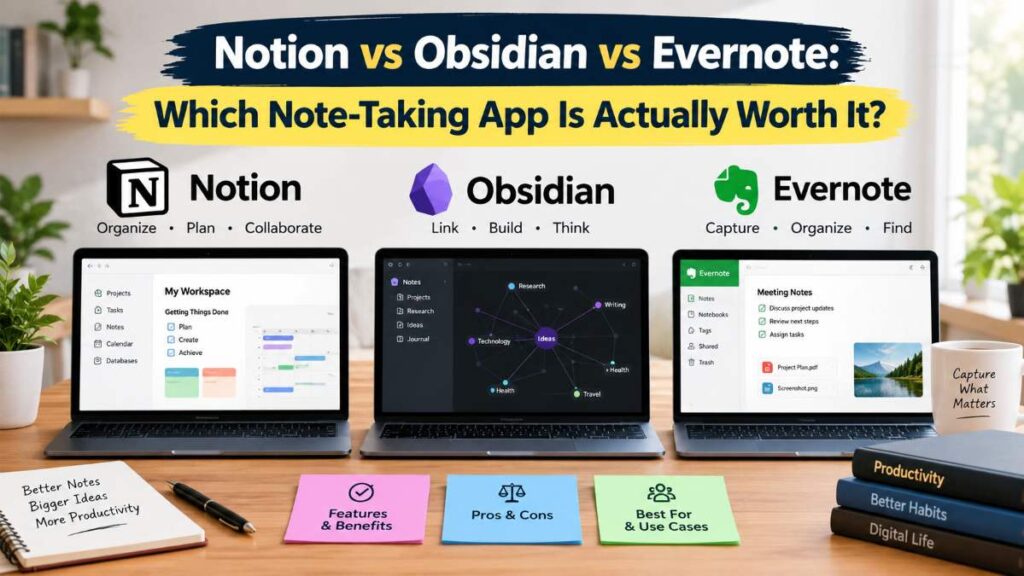
Choosing a note-taking app sounds simple until you actually start comparing them.
Notion gives you databases, documents, wikis, calendars, and project organization. Obsidian takes a different approach, focusing on local files, linked notes, and a highly customizable knowledge system. Evernote has spent years refining the traditional note-taking experience, with features for capturing, searching, scanning, and organizing information.
So which one should you use?
The answer depends less on which app has the longest feature list and more on how you actually take notes.

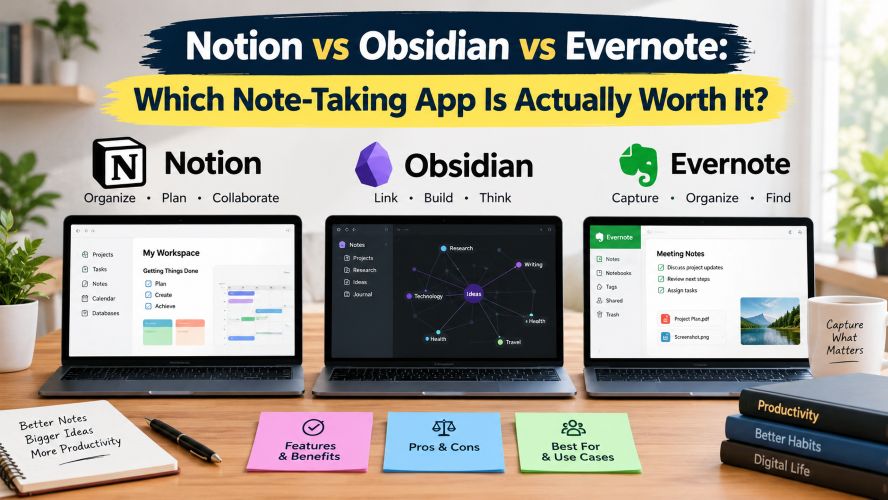
In this Notion vs Obsidian vs Evernote comparison, we’ll look at organization, writing, search, offline use, privacy, collaboration, pricing, and real-world use cases to help you choose without paying for features you don’t need.
Quick Summary: Notion vs Obsidian vs Evernote
If you only have a minute, here’s the short version:
| App | Best For | Big Strength | Potential Drawback |
|---|---|---|---|
| Notion | Projects, teams, students, personal organization | Flexible pages and databases | Can become complicated |
| Obsidian | Researchers, writers, developers, knowledge management | Linked local notes | More setup and customization |
| Evernote | Traditional note-taking and information capture | Capture, search, scanning, organization | Paid plans may matter more for heavier users |
In simple terms, Notion is attractive if you want one flexible workspace. Obsidian makes sense if your notes themselves are the main focus. Evernote remains relevant if capturing and retrieving different types of information is your priority.
What Makes These Three Apps Different?
The biggest mistake when comparing note-taking apps is treating them as interchangeable.
They overlap, but their underlying philosophies are different.
Notion: A Flexible Digital Workspace
Notion is more than a place to type notes. It combines documents, wikis, databases, tasks, calendars, and project information inside a flexible workspace.
Its database system is particularly useful when your notes have structure. For example, you could build a content calendar containing article ideas, publishing dates, keywords, status, and research notes.
Notion’s free plan provides core workspace functionality, while its paid plans add capabilities aimed at professionals and teams.
The catch?
Notion can become a project in itself. If all you want is a fast place to write a shopping list or meeting note, its flexibility can feel like unnecessary overhead.
Obsidian: A Knowledge Base Built Around Your Notes
Obsidian takes a fundamentally different approach. Your notes are stored locally, and the app is built around connecting ideas with links.
This makes it especially interesting for people who build a long-term personal knowledge base.
A researcher might link a paper to a project, a concept, a person, and several related ideas. A writer can connect character notes, research, outlines, and drafts.
Obsidian itself is available free, while optional services such as Sync and Publish are paid add-ons.
Another important distinction is privacy and data ownership. Obsidian’s local-file approach gives users more direct control over their notes, while optional synchronization provides a convenient way to access those notes across supported devices.
The trade-off is that Obsidian can require more learning before it feels completely natural.
Must Read : Honest Notion Review: Is It Worth It in 2026?
Evernote: The Traditional Note-Taking Specialist
Evernote approaches the problem from another direction: capture information, organize it, and find it later.
That makes it useful for people who regularly save documents, web content, scans, images, meeting information, and other reference material.
Evernote’s current plans include a free tier alongside paid plans. Its feature set includes tools such as notes, notebooks, attachments, Tasks, Calendar, Web Clipper, offline functionality, PDF annotation, and search-related tools, with limits varying by plan.
Evernote has also changed its subscription structure in recent years, so it’s worth checking the current plan page before purchasing rather than relying on older reviews.
Notion vs Obsidian vs Evernote: Feature Comparison
| Feature | Notion | Obsidian | Evernote |
|---|---|---|---|
| Traditional notes | Excellent | Excellent | Excellent |
| Databases | Excellent | Via plugins/workflows | More limited |
| Linked knowledge | Good | Excellent | Good |
| Local-first workflow | Not its primary model | Strong | Cloud-focused |
| Web clipping | Good | Workflow-dependent | Strong |
| Collaboration | Strong | Available through supported features | Available |
| Customization | High | Very high | Moderate |
| Learning curve | Moderate | Moderate to high | Low to moderate |
These labels are intentionally broad. Your experience can change considerably depending on your workflow, plugins, integrations, and plan.
Notion vs Obsidian: Which One Fits Your Workflow?
This is arguably the most interesting comparison because the two apps attract people who want more than basic notes.
Choose Notion If You Think in Systems
Notion works well when information needs to be organized into pages, databases, views, properties, and relationships.
It can be useful for:
- Content calendars
- Project dashboards
- Study planners
- Team documentation
- Personal knowledge hubs
- Task and project tracking
It can also reduce the need to switch between separate apps because documents, databases, calendars, and projects can live in the same workspace.
If you’re building a workspace rather than simply collecting notes, Notion is worth exploring before considering a paid upgrade.
Choose Obsidian If You Think in Connections
Obsidian shines when the relationship between ideas matters as much as the individual note.
Imagine researching a topic for several months. Instead of keeping everything in separate folders, you can link related concepts together and gradually build a personal knowledge system.
It can be particularly useful for:
- Academic research
- Technical documentation
- Long-form writing
- Personal knowledge management
- Programming notes
- Research-heavy projects
The local-file approach can also appeal to users who want greater control over where their notes live.
Evernote vs Notion: Which Is Easier for Everyday Organization?
Evernote and Notion overlap, but they often encourage different habits.
Notion asks you to design a system. Evernote is generally more focused on putting information into the system and retrieving it later.
That distinction matters.
If you enjoy creating dashboards and carefully structured databases, Notion can be appealing.
If your day involves saving receipts, documents, articles, scans, screenshots, and miscellaneous reference material, Evernote’s capture-oriented approach may make more sense.
Evernote’s feature set includes tools such as Web Clipper, document scanning, attachment search, offline functionality, and PDF annotation, depending on the plan.
Which Note-Taking App Is Best for Students?
There isn’t one answer for every student.
Notion can work well for students who want lecture notes, assignments, calendars, study plans, and project information in one place.
Obsidian becomes interesting for students doing research-heavy courses where concepts need to connect across multiple subjects.
Evernote can be useful for students who primarily need to capture and retrieve class materials, documents, web research, and reference information.
Before choosing, ask yourself one question:
Do I need a workspace, a knowledge base, or a digital filing cabinet?
That answer can make the decision much easier.
Must Read : Notion Subscription Cost: Plans, Pricing & Features
Which Is Better for Writers?
For writers, the answer often comes down to whether you want structure or interconnected research.
Notion can be useful for editorial calendars, article pipelines, briefs, content databases, and collaborative documents.
Obsidian is particularly interesting for writers who maintain large research libraries. Characters, locations, themes, sources, quotations, and ideas can be connected rather than isolated.
Evernote can still make sense for writers who collect large amounts of external material and want strong capture and retrieval tools.
For a blogger, for example, Notion may be useful for managing article ideas and publishing schedules, while Obsidian could be better for storing years of research and connecting related topics.
Privacy and Data Ownership: What Should You Consider?
Privacy is easy to overlook when choosing a productivity app.
If your notes contain personal information, unpublished writing, business information, research, or sensitive project details, examine how each service stores and synchronizes data.
Obsidian is distinctive because its core workflow stores notes locally. The company also emphasizes privacy and says its apps do not collect telemetry or sell user data.
With any cloud-based productivity service, review the provider’s current privacy documentation and terms before storing sensitive information.
The important point is not that one app is automatically “private” while another isn’t. Instead, consider where your files are stored, how synchronization works, what third-party services are involved, and what level of control you need.
Pricing: What Are You Really Paying For?
Price isn’t simply the monthly subscription.
The bigger question is whether the paid features solve a problem you actually have.
Notion
Notion offers a free plan for individuals, while its paid plans add features aimed at professionals and teams.
For many casual users, starting with the free version is a sensible way to determine whether the workflow fits.
Obsidian
Obsidian’s core application is free.
Optional services such as Sync and Publish are paid separately. This makes Obsidian interesting for users who want a powerful note-taking system without necessarily paying a monthly subscription for the core application.
Evernote
Evernote offers a Free plan alongside paid options. Features and limits vary depending on the subscription.
Because pricing, features, and regional taxes can change, check the official pricing page immediately before purchasing.
Pros and Cons at a Glance
Notion
Pros:
- Flexible databases
- Strong organization
- Collaboration features
- Project management
- Attractive interface
- Broad workspace functionality
Cons:
- Can require setup
- Flexibility can become overwhelming
- Some advanced functionality requires paid plans
Obsidian
Pros:
- Local notes
- Powerful linking
- Extensive customization
- Strong knowledge-management workflow
- Free core application
Cons:
- More technical learning curve
- Synchronization is an optional paid service
- Customization can take time
Evernote
Pros:
- Mature note-capture workflow
- Document handling
- Web clipping
- Search
- Scanning
- Offline-related features depending on plan
Must Read : Apps Like Notion: 12 Best Alternatives for Better Productivity
Cons:
- Current plan limits require careful consideration
- Paid plans may be necessary for heavier users
- Less flexible for users who want highly customized knowledge systems
Real-World Scenarios: Which App Makes More Sense?
Scenario 1: You Run a Small Content Website
Notion can be useful for managing article ideas, keyword research, publishing schedules, content briefs, and editorial tasks.
For example, you could create a database containing:
- Article title
- Primary keyword
- Search intent
- Content status
- Writer
- Publishing date
- Internal links
- Affiliate offers
Obsidian becomes attractive if your workflow involves extensive research and interconnected source material.
Scenario 2: You Are a University Student
If you want one dashboard for assignments, schedules, notes, and study planning, Notion is worth exploring.
If you want to build a long-term research library where concepts connect across semesters, Obsidian deserves a closer look.
Evernote can make sense if your priority is collecting and retrieving lecture materials, PDFs, web research, and other reference information.
Scenario 3: You Save Everything You Find Online
This is where Evernote’s capture-oriented workflow can be appealing.
If you regularly save web pages, documents, screenshots, scans, and other reference material, having strong capture and search tools can save considerable time.
Scenario 4: You Want a Personal Knowledge Management System
Obsidian’s linked-note approach is particularly suited to this use case.
Instead of thinking only in folders, you can connect related ideas and gradually create a network of information.
For example:
Technology → AI → Machine Learning → Natural Language Processing → Writing Tools
One idea can lead naturally to another.
That’s where Obsidian can become much more than a digital notebook.
How to Choose the Right Note-Taking App
Before subscribing to anything, answer these questions:
- Do you need databases?
If yes, start by looking closely at Notion. - Do you care about local files and linked notes?
Obsidian may fit your workflow better. - Do you capture lots of documents and web content?
Evaluate Evernote’s capture and search features. - Will you collaborate with other people?
Pay close attention to sharing, permissions, and team features. - Do you need offline access?
Check exactly how each app handles the devices and content you use. - Do you want simple notes or a complete productivity system?
This question alone can eliminate a lot of unnecessary choices.
The best strategy is to test your actual workflow rather than creating a fictional one.
Import a few real notes. Create a project. Save a document. Search for something you wrote weeks ago.
Then ask yourself:
Was that easier than what I was doing before?
If the answer is yes, you’ve probably found a good fit.
Which One Should You Try First?
Think of the three apps as different tools for different styles of thinking.
Try Notion First If…
You want an all-in-one workspace for notes, databases, projects, tasks, and organization.
Notion is particularly appealing if you like visual organization and want different types of information connected inside one workspace.
Try Obsidian First If…
Interconnected ideas, local files, research, and customization are central to your workflow.
It’s especially worth exploring if you’re a writer, researcher, developer, student, or knowledge-management enthusiast.
Try Evernote First If…
Your main requirement is capturing, organizing, searching, and retrieving a wide range of information.
It’s a practical choice for people who don’t necessarily want to spend hours designing their own productivity system.
And there’s no rule saying you must use only one forever.
Your requirements may change as your projects change.
Frequently Asked Questions
Is Notion better than Obsidian for note-taking?
It depends on your workflow.
Notion is particularly useful when notes need to live alongside databases, projects, tasks, and collaborative documents. Obsidian is more focused on connected notes and local knowledge management.
Is Obsidian really free?
Yes. Obsidian’s core application is available free. Optional services such as Obsidian Sync and Obsidian Publish require separate subscriptions.
Is Evernote still worth using?
It can be, particularly if you value information capture, search, document handling, scanning, and related productivity features.
However, compare the current plan limits and pricing against your needs before subscribing.
Which is the best note-taking app for students?
There is no universal choice.
Notion can suit students who want a structured academic dashboard, while Obsidian can suit research-heavy study workflows. Evernote can be useful for students focused on capturing and retrieving reference material.
Which is better for writers, Notion or Obsidian?
Notion is useful for editorial planning, content calendars, briefs, and collaborative work.
Obsidian is particularly useful when a writing project depends on a large network of research notes and linked ideas.
Can Notion replace Evernote?
For some users, yes.
Notion can handle notes, documents, databases, and project organization in one workspace.
However, Evernote’s capture, scanning, search, and document-oriented workflow may remain preferable for certain users.
Can Obsidian replace Notion?
It can replace part of a Notion workflow, especially for people primarily interested in notes and knowledge management.
However, Notion’s database, collaboration, and broader workspace features serve a different purpose.
Which note-taking app should I pay for?
Start with the free options where available and identify the feature that solves your actual problem.
Paying for synchronization, collaboration, storage, publishing, or advanced productivity features makes more sense when you use them regularly.
Final Verdict: Notion vs Obsidian vs Evernote
There isn’t a single note-taking app that makes sense for everyone.
Notion is a strong match for people who want notes to become part of a broader productivity workspace.
Obsidian stands out for people who care about connected thinking, local notes, research, and building a long-term knowledge base.
Evernote remains worth considering if capturing and retrieving a wide variety of information is more important to you than building a highly customized workspace.