


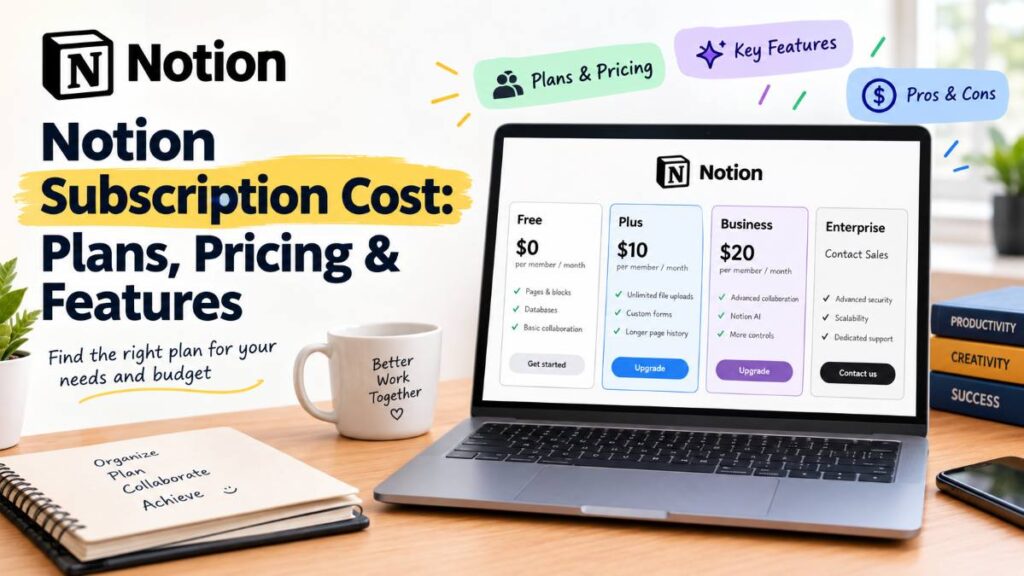
If you’re wondering how much Notion costs, the good news is that you don’t necessarily need a paid subscription.
Notion has a Free plan for individual users, while its paid plans are designed for people who need more collaboration, file storage, history, administration, or advanced AI and business features.


As of the latest official pricing information:
| Notion Plan | Current Listed Price* | Best For |
|---|---|---|
| Free | $0 | Personal use and getting started |
| Plus | $10/member/month | Small teams and professionals |
| Business | $20/member/month | Growing businesses and teams |
| Enterprise | Contact Notion | Larger organizations |
*Prices are listed in USD and can vary based on billing method, region, taxes, eligibility, and changes to Notion’s pricing.
Notion also offers monthly and yearly billing. Notion states that yearly billing costs less than monthly billing.
Quick answer: If you’re a solo user, you can start with Notion for free. If you need paid collaboration and productivity features, Plus is the first paid tier to consider.
Which Notion Plan Should You Choose?
Here’s the short version:
- Choose Free if you mainly need notes, databases, tasks, personal planning, and basic organization.
- Choose Plus if you need more powerful collaboration, larger file uploads, longer page history, custom forms, and other expanded features.
- Choose Business if you’re managing a growing team and need advanced collaboration and built-in Notion AI capabilities.
- Choose Enterprise if your organization needs advanced administration, security, scalability, and enterprise-level controls.
The important thing is not to pay simply because a paid plan exists.
For many individual users, the Free plan may be enough.
What Is Notion?
Notion is a workspace application that combines documents, notes, databases, project management, calendars, wikis, and other productivity tools in one environment.
Instead of keeping a separate app for every task, you can create a workspace containing pages and databases for different parts of your work or personal life.
For example, you could use Notion to create:
- Personal notes
- Project dashboards
- Content calendars
- To-do lists
- Company documentation
- Meeting notes
- Reading lists
- Student planners
- Knowledge bases
- Product roadmaps
- Freelance client dashboards
That flexibility is one reason the Notion subscription cost can be difficult to evaluate at first.
You’re not simply paying for a note-taking application.
You’re paying for a workspace that can be customized around how you actually work.
Notion Pricing Plans Explained
1. Notion Free Plan
The Free plan is the natural starting point for individuals.
It costs $0, making it possible to test Notion without committing to a subscription.
The Free plan includes many of the features that make Notion useful, including pages, databases, basic forms, web publishing, Notion Calendar integration, and more.
For someone building a personal productivity system, this can be surprisingly capable.
Must Read : Apps Like Notion: 12 Best Alternatives for Better Productivity
Who should use Notion Free?
The Free plan makes sense if you are:
- A student experimenting with Notion
- A solo creator
- A casual note-taker
- Building a personal task manager
- Creating a simple content calendar
- Organizing personal projects
- Learning how Notion works
If you haven’t used Notion before, there’s little reason to rush into a paid subscription.
2. Notion Plus Pricing
The current official pricing page lists Notion Plus at $10 per member per month when paying monthly.
Plus is aimed at small teams and professionals who need more than the Free plan provides.
Some of the notable additions include:
- Unlimited file uploads
- Unlimited collaborative blocks
- Custom forms
- Custom sites
- Unlimited charts
- Longer page history
- Additional collaboration capabilities
The difference becomes more noticeable when you start using Notion as a serious work platform rather than simply a personal notebook.
Is Notion Plus worth it?
That depends on your workflow.
If you mainly write notes and maintain a few personal databases, Free may be sufficient.
But if you’re collaborating with other people, uploading larger files, building public-facing pages, or relying heavily on version history, Plus becomes easier to justify.
3. Notion Business Pricing
The official pricing page currently lists Notion Business at $20 per member per month on monthly billing.
Business is designed for growing organizations rather than casual individual use.
The major distinction is that Business adds more advanced team functionality and includes Notion’s integrated AI capabilities.
This makes the calculation different from Plus.
Instead of asking:
“Is Notion worth $20?”
A business should ask:
“Does having documentation, projects, knowledge, and AI capabilities together reduce enough friction to justify the per-member cost?”
That’s a much more useful way to evaluate SaaS pricing.
Who is Notion Business for?
Business may make sense for:
- Marketing teams
- Startups
- Product teams
- Agencies
- Remote teams
- Operations departments
- Content teams
- Growing companies
For a two-person team, the monthly subscription is relatively straightforward to calculate.
For a 20-person workspace, however, the per-member model becomes much more important to your software budget.
4. Notion Enterprise
Enterprise pricing is handled differently.
Instead of publishing a single standard price for every organization, Notion directs larger organizations toward its sales process.
Enterprise is designed for organizations that require additional scalability, security, administration, and control.
The exact cost can therefore depend on the organization’s requirements and agreement.
If you’re a solo creator or small business, Enterprise is unlikely to be the first plan you need to investigate.
Monthly vs Annual Notion Subscription Cost
One of the easiest ways to misunderstand Notion pricing is to look only at the monthly figure.
Notion supports both monthly and yearly billing, and the company states that yearly billing costs less.
That means your effective monthly cost can be lower when you commit to a year.
Monthly billing
Monthly billing can be useful when:
- You’re testing Notion
- Your team size changes frequently
- You don’t want a long commitment
- You’re unsure which plan you need
Yearly billing
Annual billing can make more sense when:
- You already use Notion regularly
- Your team is stable
- You know you’ll use the service throughout the year
- You want the lower effective rate
A useful approach is to start monthly while evaluating your workflow and switch to annual billing once you’re confident.
Must Read : Notion vs Obsidian: Which Note-Taking App Is Better?
How Notion’s Per-Member Pricing Works
Notion’s paid plans use a per-member, per-workspace billing model.
This is important for teams.
Suppose a company needs 10 paid seats on a plan priced at $20 per member per month.
The simple monthly calculation would be:
10 × $20 = $200 per month
The actual invoice can depend on billing arrangements, member changes, proration, taxes, and other account-specific factors.
Notion explains that adding members during a billing cycle can result in prorated charges, while removing members generally affects billing at the next renewal rather than producing an immediate prorated credit.
So before upgrading a large workspace, check your current member count carefully.
What Do You Actually Get for Your Money?
Price is only half of the equation.
The more useful question is:
Which features solve a problem you actually have?
File Uploads
Free users have restrictions on individual file sizes, while paid plans provide significantly more generous file-upload capabilities.
If you’re storing PDFs, videos, design files, presentations, or other resources inside Notion, this can become an important consideration.
Page History
Page history is useful when you’re working on important documents and accidentally change or delete something.
The available history period increases across the paid tiers.
This can be particularly useful for teams that frequently edit shared documentation.
Collaboration
Notion becomes much more valuable when multiple people use the same workspace.
Instead of sending documents back and forth, a team can collaborate around shared pages, databases, tasks, and knowledge.
Forms and Sites
Paid features can also be useful if you’re using Notion beyond internal documentation.
For example, a creator could use Notion as part of a lightweight public-facing website or form workflow.
Notion AI and Subscription Cost
Notion’s AI offering deserves special attention because its availability has changed over time.
Currently, Notion states that full Notion AI access is associated with its Business and Enterprise plans, while Free and Plus users receive limited complimentary AI responses for trying the functionality.
This distinction matters if AI is one of the main reasons you’re considering an upgrade.
Don’t assume that paying for Plus automatically gives you unlimited Notion AI.
Always check the current plan comparison before subscribing.
Notion Subscription Cost for Students
Students and educators have another important option.
Notion states that eligible university students and teachers may receive Plus plan features for free with a one-member limit, subject to eligibility requirements.
This can substantially change the value calculation for students.
If you’re studying at an eligible institution, check your education eligibility before paying for a regular subscription.
Notion Plus vs Business
Here’s a simplified comparison:
| Feature | Free | Plus | Business |
|---|---|---|---|
| Personal workspace | Yes | Yes | Yes |
| Databases | Yes | Yes | Yes |
| Basic forms | Yes | Yes | Yes |
| File uploads | Limited | Expanded | Expanded |
| Collaboration | Limited | Expanded | Advanced |
| Page history | Limited | Longer | Longer |
| Custom forms | No | Yes | Yes |
| Custom sites | Limited | Yes | Yes |
| Notion AI | Limited trial | Limited trial | Included |
| Best for | Individuals | Small teams | Growing teams |
The precise feature set can change, so use this table as a practical overview rather than a replacement for Notion’s live pricing page.
Must Read : Notion vs Evernote: Which Note-Taking App Is Better in 2026?
Notion Pros and Cons
Pros
- A capable Free plan
- Combines multiple productivity tools
- Flexible databases
- Useful for personal and professional workflows
- Strong collaboration features
- Public page and site options
- Multiple pricing tiers
- Student and educator options
- AI integrated into higher-tier plans
Cons
- Pricing can become significant as team size grows
- Some advanced features require paid plans
- AI availability depends on the subscription tier
- Large organizations may need Enterprise pricing
- Not every user needs the features included in the paid plans
The biggest potential disadvantage isn’t necessarily the price itself.
It’s paying for functionality you don’t use.
Real-World Notion Subscription Examples
Example 1: Solo Blogger
Imagine you’re a blogger who needs:
- Editorial calendar
- Article briefs
- Keyword database
- Content checklist
- Research notes
The Free plan may be enough to build this system.
There’s no reason to upgrade simply because you’re running a professional blog.
Upgrade when a specific limitation starts affecting your workflow.
Example 2: Freelancer
A freelancer might use Notion for:
- Client onboarding
- Project tracking
- Proposals
- Meeting notes
- Content calendars
- Internal documentation
If collaboration and larger uploads become important, Plus could make more sense.
Example 3: Small Startup
A startup might need:
- Product documentation
- Team wiki
- Project management
- Meeting notes
- Company knowledge
- AI-assisted workflows
Here, Business may become more relevant because the workspace is no longer simply personal.
Is Notion Worth Paying For?
There’s no universal answer.
The Free plan already covers a substantial amount of functionality for individual users.
That means your decision should be based on specific limitations you’re trying to solve.
Ask yourself:
- Do I need features unavailable on Free?
- Am I collaborating with other people?
- Do I need larger file uploads?
- Is longer page history valuable to me?
- Do I need advanced team functionality?
- Is Notion AI important to my workflow?
- How many paid members will my workspace require?
If you can’t identify a paid feature you actually need, staying on Free is perfectly reasonable.
If several paid features solve recurring problems, calculate the annual cost and compare it with the time or complexity saved.
Things to Check Before Buying Notion
Before clicking the upgrade button, check these five things.
1. Your member count
Paid plans are priced per member, so don’t estimate your subscription using only the number of people actively editing pages.
2. Monthly vs yearly billing
Compare the total annual commitment rather than only the advertised monthly equivalent.
3. AI requirements
If Notion AI is the main reason you’re upgrading, verify exactly which AI features are included with your selected plan.
4. Student eligibility
Students and educators may qualify for special access.
5. Current pricing
SaaS pricing changes.
Always verify the current price on Notion’s official pricing page immediately before purchasing.
Internal Linking Opportunities for Your Blog
To build topical authority around this article, consider adding internal links with anchor text such as:
- Notion beginner’s guide
- Best Notion templates
- Notion productivity tips
- Notion vs Evernote
- Notion vs OneNote
- How to use Notion databases
- Best productivity apps
- Notion AI explained
- Best project management tools
- Notion for students
These links can help readers discover related content instead of leaving your site after finding the answer to their pricing question.
Frequently Asked Questions
How much does Notion cost?
Notion has a Free plan. Its currently listed paid tiers include Plus at $10 per member per month and Business at $20 per member per month when billed monthly. Enterprise pricing is customized.
Is Notion completely free?
Notion offers a Free plan for individuals. However, some advanced collaboration, storage, history, and AI-related capabilities require paid plans.
Is Notion Plus worth it?
It depends on your needs. Plus can be useful if you need expanded collaboration, unlimited file uploads, custom forms, custom sites, longer page history, or other paid features.
Is Notion Business worth the price?
Business is intended for growing teams. It can be relevant when advanced team collaboration and integrated AI capabilities are important to your workflow.
Does Notion have a yearly subscription?
Yes. Notion offers yearly billing, and the company states that yearly billing costs less than monthly billing.
Can students get Notion for free?
Eligible students and educators may receive Plus plan features for free with a one-member limit. Eligibility requirements apply.
Does Notion include AI?
Notion provides limited complimentary AI responses on Free and Plus plans for trying its AI functionality. Notion states that full Notion AI access is available on Business and Enterprise plans.
Can I cancel or downgrade Notion?
Yes. Notion provides options to change or downgrade your plan through the workspace billing settings. The timing and effect of changes depend on your billing cycle.
Final Verdict: Which Notion Subscription Should You Get?
The easiest way to understand Notion subscription cost is to start with your actual workflow rather than the plan names.
For personal organization, notes, databases, and basic productivity, Free is a sensible starting point.
For individuals or small teams who need additional collaboration and file capabilities, Plus is the relevant paid tier to investigate.
For growing organizations that need advanced team functionality and integrated AI, Business is the more appropriate category to evaluate.
And for larger organizations with specialized security, administration, and scalability requirements, Enterprise is designed for that use case.
The key takeaway is simple:
Don’t upgrade because a feature looks impressive. Upgrade because a specific feature solves a recurring problem for you or your team.
That approach makes it much easier to decide whether the Notion subscription cost fits your needs.