


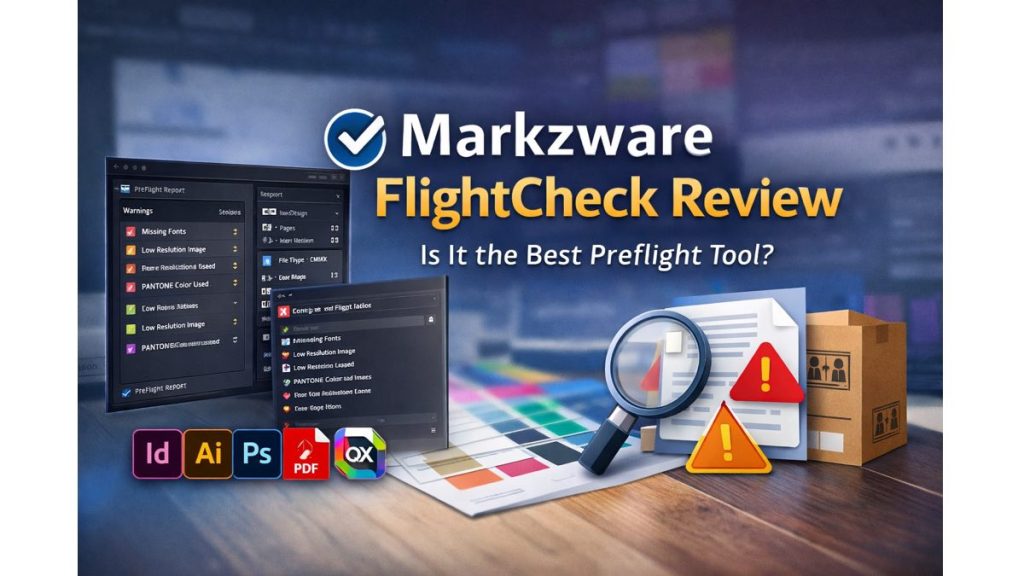
If you’ve ever sent a design to print only to get a dreaded “missing fonts” or “low-resolution images” error, you already know how costly small mistakes can be.
Modern creative workflows move fast.
Deadlines are tight.
Clients expect perfection.

And printers demand technically flawless files.
That’s exactly where Markzware FlightCheck positions itself — as a professional-grade, stand-alone preflight solution designed to catch issues before they become expensive problems.
But is it worth your money in 2025?
Who is it really for?
And how does it compare to other preflight tools?
Let’s break it all down in this detailed, experience-based Markzware FlightCheck review.
Quick Summary
- What it is: A stand-alone preflight and packaging tool for PDFs and DTP files
- Best for: Designers, print shops, publishers, and prepress teams
- Supported formats: InDesign, Illustrator, Photoshop, PDF, QuarkXPress
- Big advantage: No dependency on Adobe apps or plug-ins
- Key strength: Deep file inspection + automated packaging
- Try before buying: Free trial available
👉 Check price | See full features
What Is Markzware FlightCheck?
Markzware FlightCheck is a next-generation, stand-alone preflight application for macOS that inspects, analyzes, and packages creative files before they go to print or production.
Unlike many tools that require Adobe InDesign or Acrobat to be installed, FlightCheck works independently. That alone makes it appealing for production teams, customer service departments, and print shops.
At its core, FlightCheck helps you:
- Detect errors like missing fonts and images
- Flag potential print problems early
- Create detailed inventory and preflight reports
- Package all job assets into a single, compressed folder
Think of it as a quality control gatekeeper for creative files.
Must Read : Aiarty Image Enhancer Review – Upscale Photos to 32K Naturally
Supported File Types (Perfect for Mixed Workflows)
One of FlightCheck’s strongest advantages is how many formats it supports.
Desktop Publishing & Design Files
- Adobe InDesign (INDD)
- Adobe Illustrator (AI)
- Adobe Photoshop (PSD)
- PDF (Portable Document Format)
- QuarkXPress (QXP)
This is especially valuable for teams handling legacy files or multiple design tools.
Key Features Explained (Without the Jargon)
Intelligent Preflight Inspection
FlightCheck scans your files for common — and not-so-common — issues, including:
- Missing or inactive fonts
- Low-resolution or RGB images
- Unsupported PANTONE colors
- Deprecated Adobe Type 1 fonts
- ICC profile overrides
- Embedded vs linked image issues
These checks help avoid failed print jobs, reprints, and unhappy clients.
Ground Controls (Smarter Error Detection)
FlightCheck’s Ground Controls go beyond basic checks.
They proactively flag problems caused by industry changes, such as:
- Adobe dropping support for Type 1 fonts
- Unsupported PANTONE color usage
- ICC profile conflicts
This kind of future-proofing can save hours of troubleshooting later.
In-Depth Inventory Panel
The Inspector Widgets provide a high-level overview at a glance:
- File type and version
- Print, web, or mobile intent
- Page and spread counts
- Fonts (used, missing, inactive)
- Images (linked, embedded, resolution)
Everything is visible, organized, and easy to scan.
Detailed Inventory Views (For Power Users)
FlightCheck allows deep inspection of:
- Fonts: Name, status, version, file path
- Images: PPI, scaling, resolution, color mode
- Colors: CMYK values and usage
- Pages: Size, orientation, bleed
- Print Info: Resolution, separations
All data can be exported as HTML, TXT, RTF, JSON, or XML for reporting or automation.
Automated Packaging (Huge Time Saver)
Packaging is where FlightCheck really shines.
It automatically collects:
- Original DTP file
- Exported PDF
- Converted IDML file (optional)
- Linked and embedded images
- Used fonts
- Inventory and package reports
Packages can be saved locally or sent directly to:
- Creative Cloud
- Dropbox
- Google Drive
- iCloud
- Box
Perfect for sharing, printing, or long-term archiving.
White-Label Reports for Print Shops
FlightCheck allows custom-branded reports with your own logo and company details.
This is a powerful value-add for print shops and publishers working with clients.
Automation & Workflow Integration
Advanced users can integrate FlightCheck into automated workflows using:
- AppleScript
- Automator folder actions
- Custom URL schemes
- Hot folders
Example workflow:
Drop a file into a folder → auto preflight → generate HTML report → email it to production.
Must Read : Step by Step AI Video Maker tutorial
Pros and Cons
| Pros | Cons |
|---|---|
| Stand-alone (no Adobe dependency) | macOS only |
| Supports many file formats | Paid software |
| Deep preflight & inventory | Pro-level interface |
| Powerful packaging tools | No Windows version |
| Automation-ready |
FlightCheck vs Adobe Preflight
| Feature | FlightCheck | Adobe Preflight |
|---|---|---|
| Stand-alone app | Yes | No |
| Works without InDesign | Yes | No |
| Multi-format DTP support | Yes | Limited |
| Automated packaging | Advanced | Basic |
| White-label reports | Yes | No |
If you only check PDFs occasionally, Adobe Preflight may be enough.
If you manage multiple formats or production jobs, FlightCheck offers far more control.
Real-World Use Cases
Graphic Designers
- Catch issues before files go to print
- Package complete jobs easily
Print Shops
- Preflight client files
- Reduce reprints and complaints
Publishers
- Archive years of work with all assets
- Standardize quality control
Customer Service Teams
- Validate files before production
- Prepare accurate job quotes
- Must Read : CloneDVD Review – A Deep Dive into Features, Performance, and Real-World Use
Things to Consider Before Buying
Ask yourself:
- Do I handle multiple design formats?
- Do I need automated packaging?
- Am I responsible for print accuracy?
- Do I want fewer production errors?
If you answered “yes” to any of these, FlightCheck is worth serious consideration.
FAQs – People Also Ask
Is Markzware FlightCheck free?
No, but a free trial is available.
Does FlightCheck require Adobe software?
No. It’s fully stand-alone.
Can FlightCheck preflight PDFs?
Yes, PDF preflighting is a core feature.
Is FlightCheck good for print shops?
Yes, it’s widely used in professional print environments.
Does it support QuarkXPress files?
Yes, including newer versions.
Can I export reports for automation?
Yes. HTML, JSON, XML, RTF, and TXT are supported.
Is there a Windows version?
Currently, FlightCheck is macOS-only.
Final Verdict: Is Markzware FlightCheck Worth It?
If your work depends on accuracy, consistency, and professional output, Markzware FlightCheck delivers exactly what it promises.
It’s not a casual tool for hobbyists.
It’s a serious preflight solution for professionals who can’t afford production errors.
For designers, print shops, and publishers, FlightCheck often pays for itself by preventing costly mistakes.